
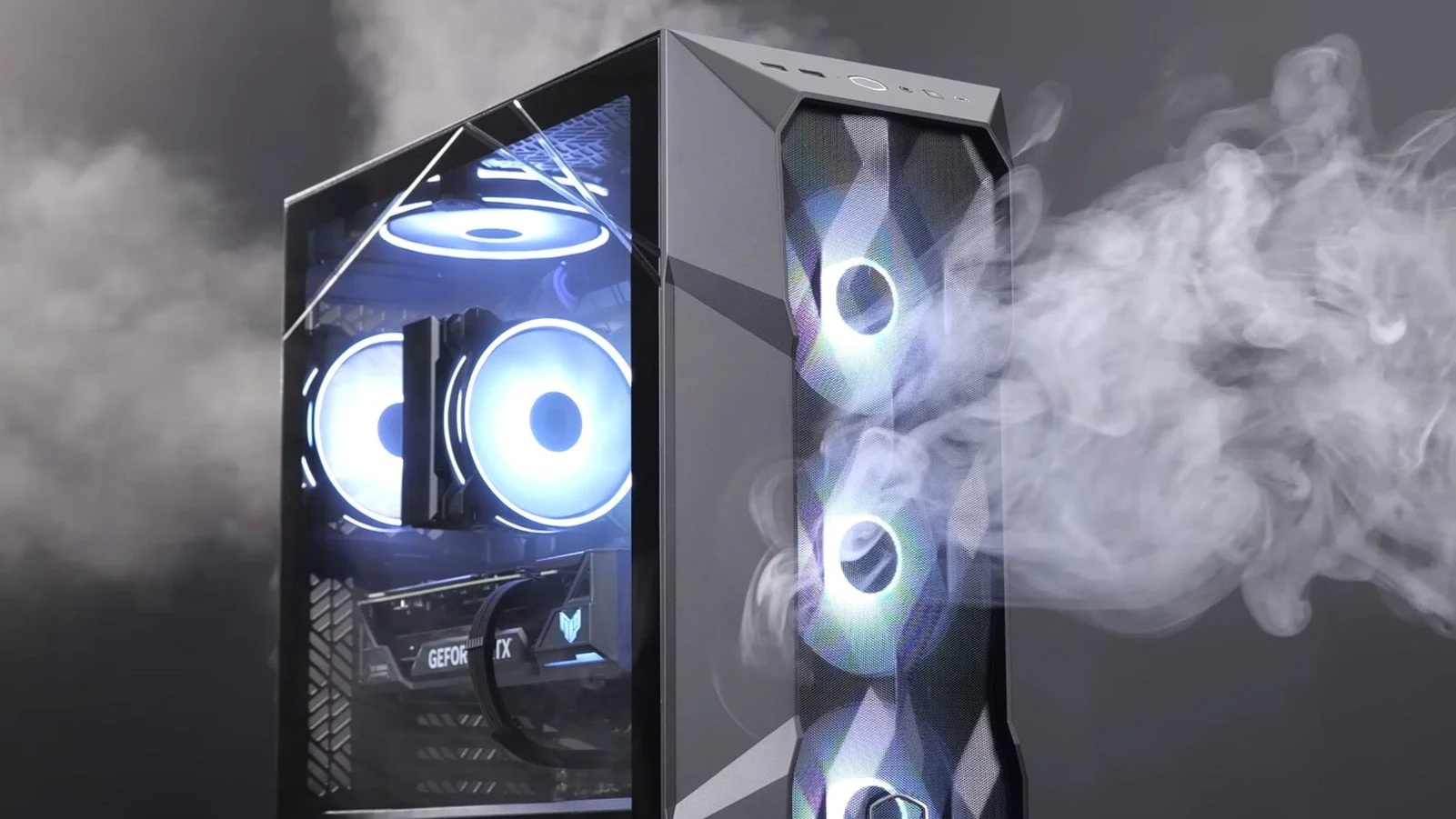
PC Airflow and Dust Contamination
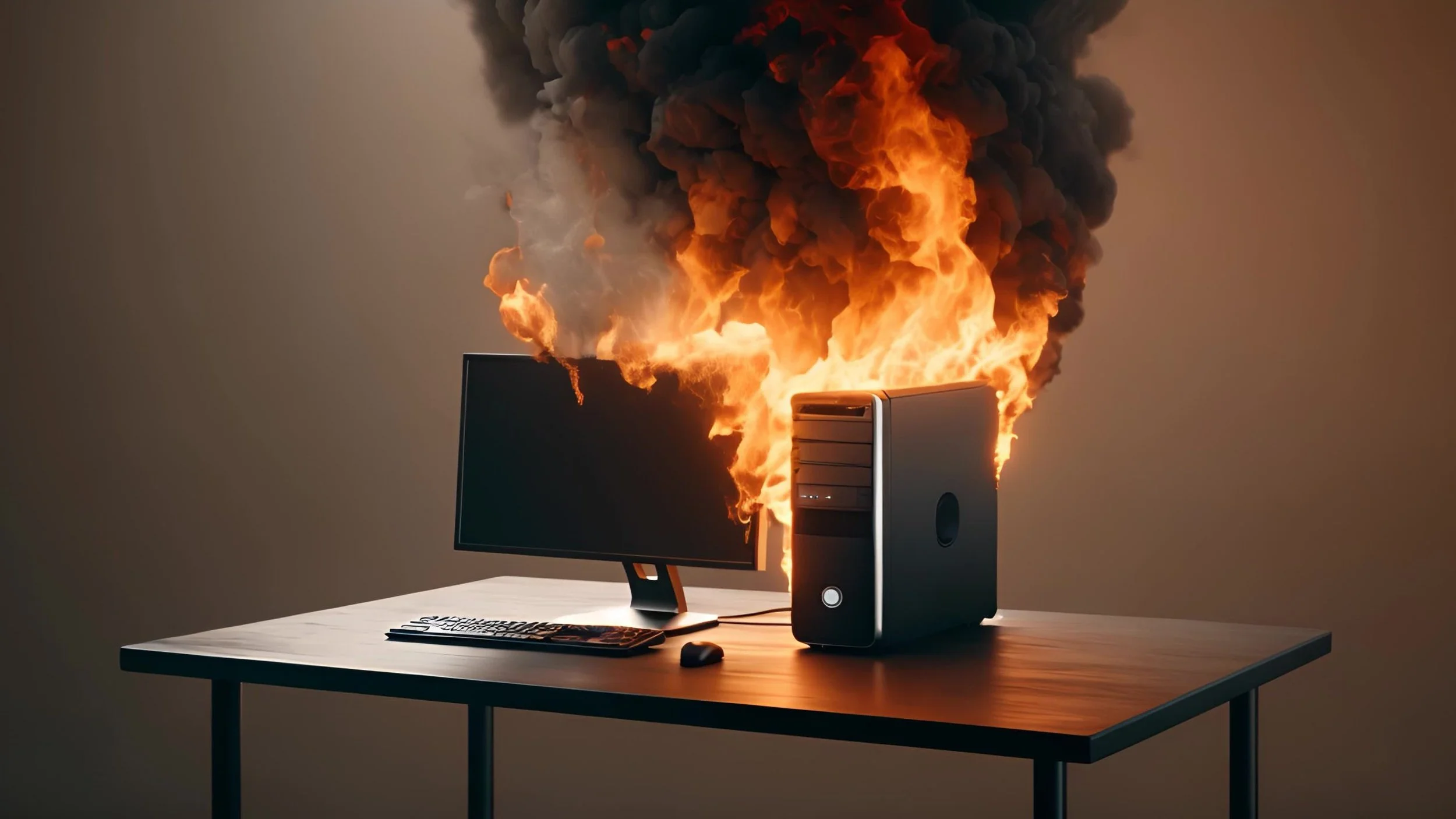
It may be a case of preaching to the Choir but dust contamination in your PC causes overheating, decreased performance, and potential hardware failure. This mainly occurs due to dust restricting airflow, impeding components such as heat sinks and creating short circuits from conductive particles. Fluff builds up and restricts cooling fans, forcing them to work harder. Heat build can lead to issues like system crashes, lagging, and even permanent damage to the motherboard and CPU. Over time, it can shorten the lifespan of the computer and in severe cases, poses a fire hazard. When I used to work in IT contracting, I used to see the effects of dust contamination all the time. PC placed on carpet tiles or on top of desks and surrounded by other objects. I remember one PC replacement project I was working on where we found an old PC with a dead mouse in it. It was desiccated by the heat.
It may be a case of preaching to the Choir but dust contamination in your PC causes overheating, decreased performance, and potential hardware failure. This mainly occurs due to dust restricting airflow, impeding components such as heat sinks and creating short circuits from conductive particles. Fluff builds up and restricts cooling fans, forcing them to work harder. Heat build can lead to issues like system crashes, lagging, and even permanent damage to the motherboard and CPU. Over time, it can shorten the lifespan of the computer and in severe cases, poses a fire hazard. When I used to work in IT contracting, I used to see the effects of dust contamination all the time. PC placed on carpet tiles or on top of desks and surrounded by other objects. I remember one PC replacement project I was working on where we found an old PC with a dead mouse in it. It was desiccated by the heat.
I bought my latest PC in January 2024. It has a Be Quiet branded case with two fans in the front and back of the chassis. The PSU is installed in the base of the tower case with the fan facing downwards, over a grill with a dust filter over it. The feet on the case raise the base about 2 centimeters or so off the ground. The GPU has two fans and there is a large fan on the heatsink of the CPU. The case itself has ventilation at the back, front and in the base. The PC resides under my desk and stands on a hardwood floor. I noticed over the last fortnight that the ambient temperature of my office was getting warmer and it was clear that the PC was the source of the heat. The fans were also getting noisier when playing graphic intensive games. So I adjusted the speed of the two fans mounted in the case to cool the PC and decided that I should have a look in the case once it was turned off.
Despite having adequate ventilation in a clean room (I vacuum the floor weekly), all fans in the PC had a substantial layer of grey fluff. The base of the PC where the vent for the PSU is located was especially clogged. It was clear that all fans were being impeded by the dust contamination and that the PSU was getting especially hot. Fortunately I bought a USB air duster and vacuum cleaner recently and used this to remove all dust and fluff. After cleaning all fans appeared to be spinning unimpeded. I subsequently vacuumed the room so that the displaced dust and fluff wasn’t drawn back into the PC case. I am still surprised at how much dust was present, especially in light of the fact that we do not have any carpeting in our home but there are plenty of other potential sources both inside and outside the house. Upon turning the PC back on, the fans were noticeably quieter and the temperature remained stable.
Since cleaning my PC case I have given some thought to relocating my base unit off the floor. Unfortunately there isn’t sufficient desk space available at present. As a compromise I bought a PC stand that raises the case a further 7 centimetres off the ground and allows air to flow under the PC a lot more freely. As it’s on wheels it also allows me to pull the case out from under the desk for easy access to the various cables that connect at the back. Overall I recommend checking your PC for dust contamination at least once every quarter and ensuring that your PC case is placed for optimal ventilation. It would appear that PC’s overheating is still a common problem and can on occasions do damage to the CPU, GPU and PSU. In extreme circumstances you may even flambé a rodent, which would never do. However, 10 minutes of simple maintenance, every few months, can prevent such things.
Before we begin, let me clearly state that this is not a comprehensive installation guide for installing Steam OS on your PC. Mainly because the variety of hardware that can be present in any PC makes each installation a somewhat bespoke affair. Hence I have decided to provide a list of bullet points of the various steps and issues I encountered during my installation, last week. Consider it advance warning of things you may encounter if you install this operating system. As ever, if this is something that you are intending to do, I would advise allowing yourself a suitable amount of time so you can accommodate any issues should they arise. It is entirely possible that this may be a two hour job for the technically literate running the most generic or commonplace hardware. However, I suspect that a lot of people undertaking this project will run into variations of the same problems that I encountered.
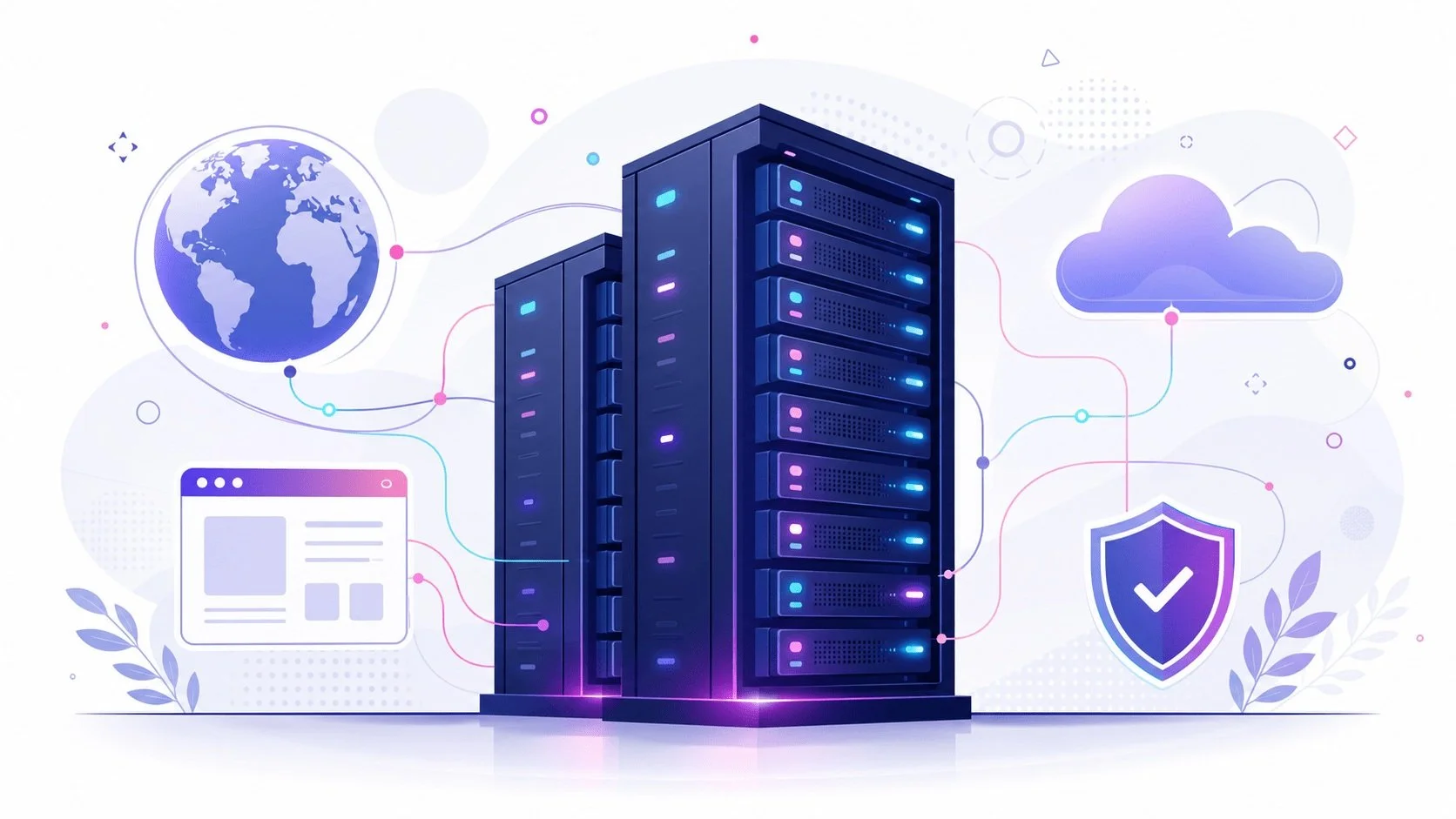
I am intrigued by the growth of the IndieWeb, owning your domain and static websites. I certainly agree with the notion of not relying on big corporations and I have an ongoing project to divest my dependency on software produced by major market players. However, although I own my own domain, my website is hosted by Squarespace. I’ve not really had any problems with them over the last 11 years and I would describe our business relationship as equitable. However, the monthly subscription price has increased over time and is likely to keep on doing so. It has crossed my mind as to whether there is a suitable alternative. However, if I were to migrate Contains Moderate Peril elsewhere I suspect it would be logistically complex and problematic.

I like learning new skills and starting projects. I regularly undertake such things with varying results. However, if they don’t work out that’s not a problem. You have to try something to see if you like it. I’ll add “within sensible parameters” as a caveat to the last statement. And it’s perfectly fine to discover that something isn’t for you. I like certain genres of video games, music, films and books. I am comfortable wearing certain types of clothes and not others. I’m picky about colours. I’ll even go so far as to say that I won’t drink out of any mug that’s just lying around. If I don’t like the joke, logo or overall aesthetic of it, I ain’t using it. However, I digress. Let’s get things back on track and talk about projects. This year I have wound down several websites and have decided not to move forward with making YouTube videos. I have focused my energy on improving my website and adding functionality. I am also trying to broaden the scope of my writing.
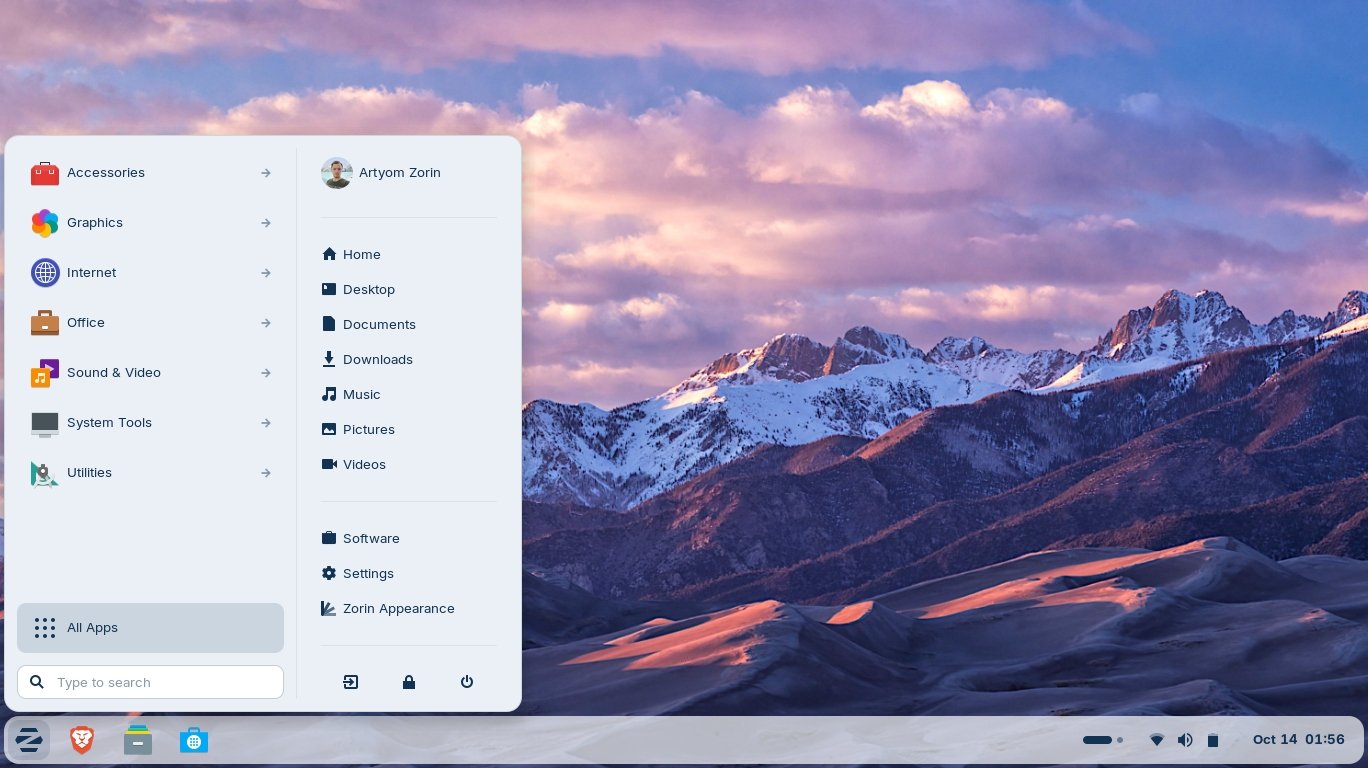
It’s funny how it is often the little things that become the proverbial straw that breaks the Camel’s back. I have been struggling for a while with the overall performance and functionality of my Windows 11 PC. The operating system is bloated, slow and buggy. It all too often commits that unpardonable sin of trying to do my thinking for me and enables some stupid feature by default. Despite having good specifications, my PC takes too long to boot up for my liking and is becoming too much of a wild card with regard to whether it will co-operate or not when I try and undertake a simple task. As someone who is very particular in their PC habits, IE I see my PC as a tool that I use on the terms that suit me. Hence, I find the faux enthusiasm that accompanies each uncalled for “improvement” that results in me losing agency, singularly antagonising. Then a minor issue arose recently that escalated into a thorn in my flesh and I decided that it was time that something must be done.

This is a post about the power of nostalgia and how sometimes, interacting with something from your past, be it physically or mentally, can produce a very strong and tangible emotional reaction. In some instances, this can be the result of something that you have specifically set out to do. On other occasions you can wander into a sense of nostalgia purely by chance. Today I experienced a very strong sense of nostalgia while watching a YouTube video and then again when I sought to replicate what I had seen. The video showed someone installing Windows 95 on to an old 486 PC from that era. The Window’s start up sound really touched a nerve (but in a good way) and then when the guy in the video launched Space Cadet 3D Pinball, a game that shipped with the operating system, I felt a strong compulsion to track down a copy and install the game myself, thus revisiting something that was an integral part of my life in 1995.

For the last few months I have being using Google Gemini. I subscribed so I could access a wider spectrum of services and evaluate it effectively. I also wanted to dispel some of the hysteria that accompanies any conversation about Large Language Models and Artificial Intelligence. The results were initially interesting and Google Gemini proved useful when researching material for blog posts. It is good at providing summaries about well documented subjects. I wrote a post about food banks recently and it distilled a lot of data into a manageable amount, which was ideal for my article. Google Gemini has also produced some visual basic scripting and simple batch files that have allowed me to automate processes on my PC. Such as changing the default monitor, or screen resolution at the click of an icon. However, I found this AI struggled with in-depth software troubleshooting and that its ability to create images varies greatly depending on the subject.

The UK Government has formerly announced its intention to ban under-16s from using social media. This is due to increasing public pressure that “something must be done” about the perceived iniquities of many online platforms. However, as with most complex social problems of this nature, no one has any clear or practical ideas as to what that “something” is. It remains a nebulous, non-specific panacea and clearly someone else’s job to identify and implement. As ever, why choose a nuanced and multifaceted solution to a complex problem, when it is far easier and politically expedient to just “ban” something. The former requires effort and a degree of thinking. If such an approach fails it also means that those who came up with it now carry the can. The latter dumps the problem in the lap of various third parties, who can then be conveniently blamed when the ill conceived policy fails.

Yesterday we changed internet service providers. We moved from EE (formerly BT) to Plusnet. The transition went surprisingly well, mainly due to the existing infrastructure remaining the same. We’ve had fibre to the premises (FTTP) since 2022 so this was essentially an administrative change. The previous ISP terminated their service at 1:30 AM in the morning, while I was playing Star Trek Online. By 6:30 AM I received a message from Plusnet that the new service was live. It took about an hour to configure the new Netgear Nighthawk RS100 router (I bought my own) and get all our household devices attached to the new network. The connection is running at exactly the same speed and stability as it had under the previous supplier. At present a 1Gbps connection is sufficient for our needs. The main factor that has driven this change is cost. We are currently paying £28 per month for internet access which is a competitive price in the UK.

In 1990 I was working at the DWP (Department for Work and Pensions). I had just taken the role of Computer Support Officer where I administered user access to the mainframe and provided first line support to staff using the terminals. That summer the office moved to a PC based network and the project was undertaken by the newly formed Siemens Nixdorf company. To cut a long story short I befriended one of the contract engineers and over the next 9 months he became an unofficial mentor to me. Technically he was only supposed to train me in the most basic of fashions but he liked the fact that I was always asking questions and effectively ended up schooling me in PC and server architecture, network administration and the associated protocols. For me this was the best way to learn. It was not a case of coming to grips with theory in a classroom environment. It was learning by doing and having direct and exclusive access to a source of knowledge and experience.
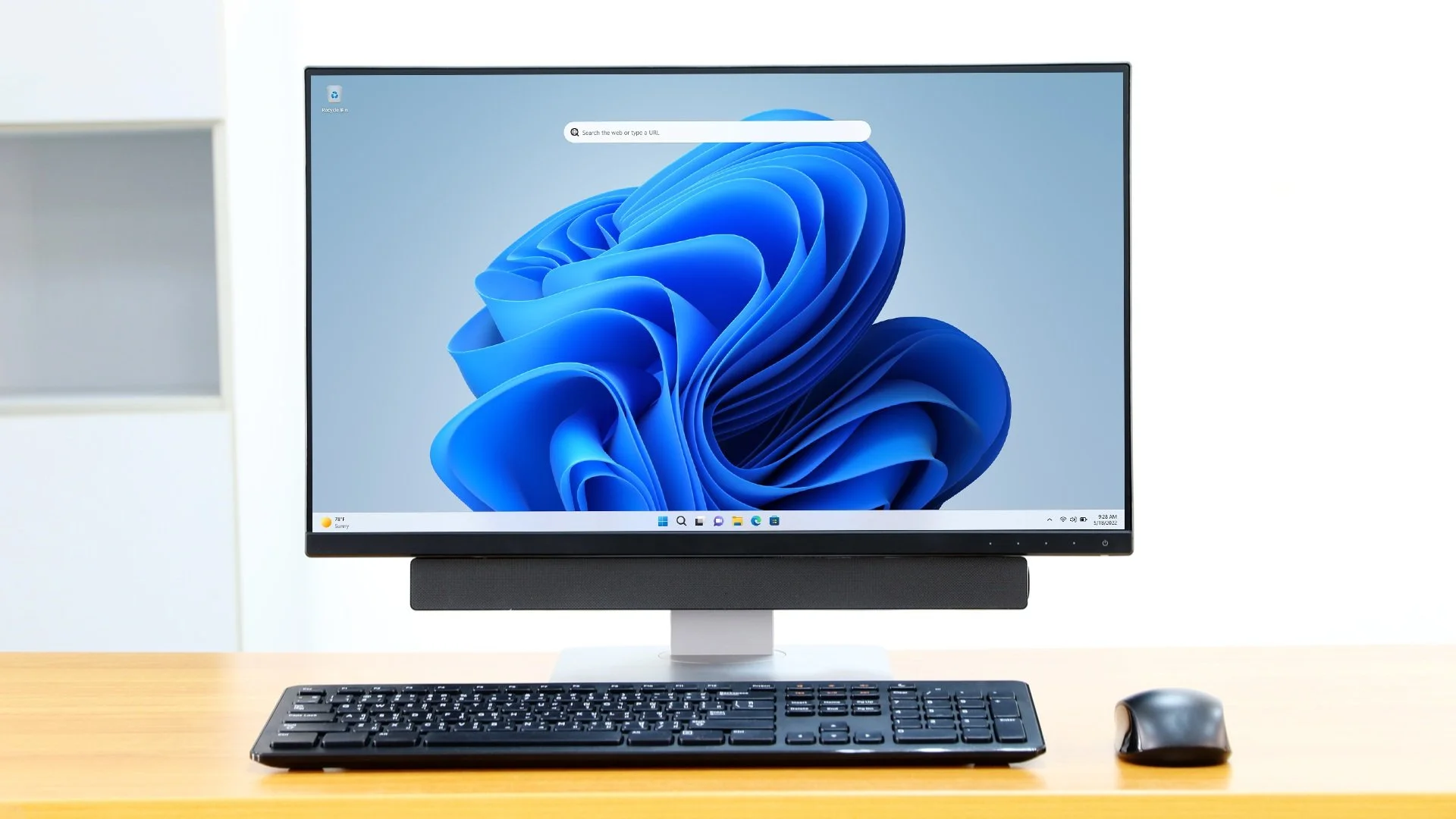
My Windows 11 PC is a cobbled together mess of upgrades, customisations and workarounds. It seems okay at first glance, mainly because my desktop is well organised and I don’t allow too many apps to start on boot up. But beneath this superficial veneer of efficiency and optimisation is a bloated mess. Every Windows update adds yet more spurious features which slows performance and tries to harvest your data. Windows is no longer a user friendly operating system that you buy and use without impediment. It is now a sprawling live service that actively gets in the way of your productivity so that it can make a buck off your inconvenience. There was a time when you could quickly learn its processes and foibles, so you could customise it into the tool you needed. Nowadays I have to continuously use third party tools to get Windows to do many of the things I want, or to access functionality that Microsoft has obtusely decided to restrict.
As the New Year is still young, I have embarked upon several new projects that I’ve been planning since Autumn last year. These undertakings have gone beyond the planning stage and are currently being implemented. The fun thing about the phrase “implemented” in this context is that it implies that it is by far the easiest and most straightforward part of the process. The initial brainstorming of ideas has been completed. A cogent and detailed plan has been written. The costing of materials and time required have been determined. These are the hard parts. All that remains is to “just do it”. It should be a piece of piss (a British phrase indicating that something is easy). It virtually “implements” itself. However, that is a load of bollocks. Because there is always scope for something to go wrong. It may well start as something minor and innocuous but it all too often ends in a “problem cascade”.

This time last year I made a decision to replace Microsoft Office or Office 365 as it is currently known. Mainly because I only use Outlook out of the entire suite of software. This project stalled because I couldn't easily import my existing email archive into Mozilla Thunderbird. Hence the status quo has been perpetuated. However, there is an ongoing cost associated with this software as well as some wider considerations about ethics and privacy which is why I have returned to this matter. Although this time I wish to replace not only Office 365 but all the other "production tools" I use to write and browse the internet. I have managed to make some progress towards this goal but it has been hard to adapt. Mainly because I had everything set up to my liking. Although alternatives are available, they're never exactly alike and require a lot of fine tuning to be deemed satisfactory.
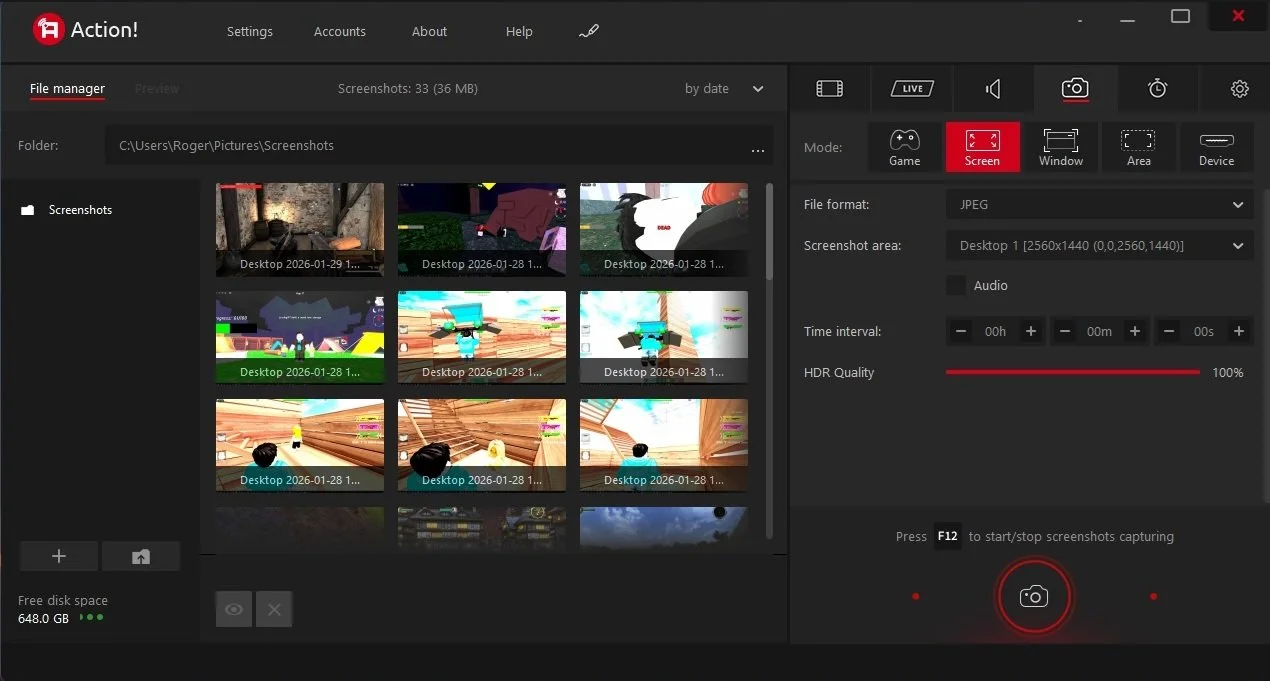
Last summer I wrote a post about my experiences using various screen capture software. At the time I was using Bandicam which suited all my needs. I had configured the software to launch at Windows start-up and had a hotkey assigned to capture images from my primary monitor. Hence I could quickly grab a screenshot from my desktop or when playing a game. However, this changed in November 2025, when I bought two new monitors. Both of which supported HDR (High Dynamic Range). Although they provide superior picture quality, HDR has a knock-on effect on Bandicam. Screen capture images and video look over exposed. Hence I had to stop using the software and find an alternative. Fortunately the same company has been developing an alternative product with HDR support; Bandi Camera. So I swapped to this software. The screenshots were far better but the functionality of the app was lacking.
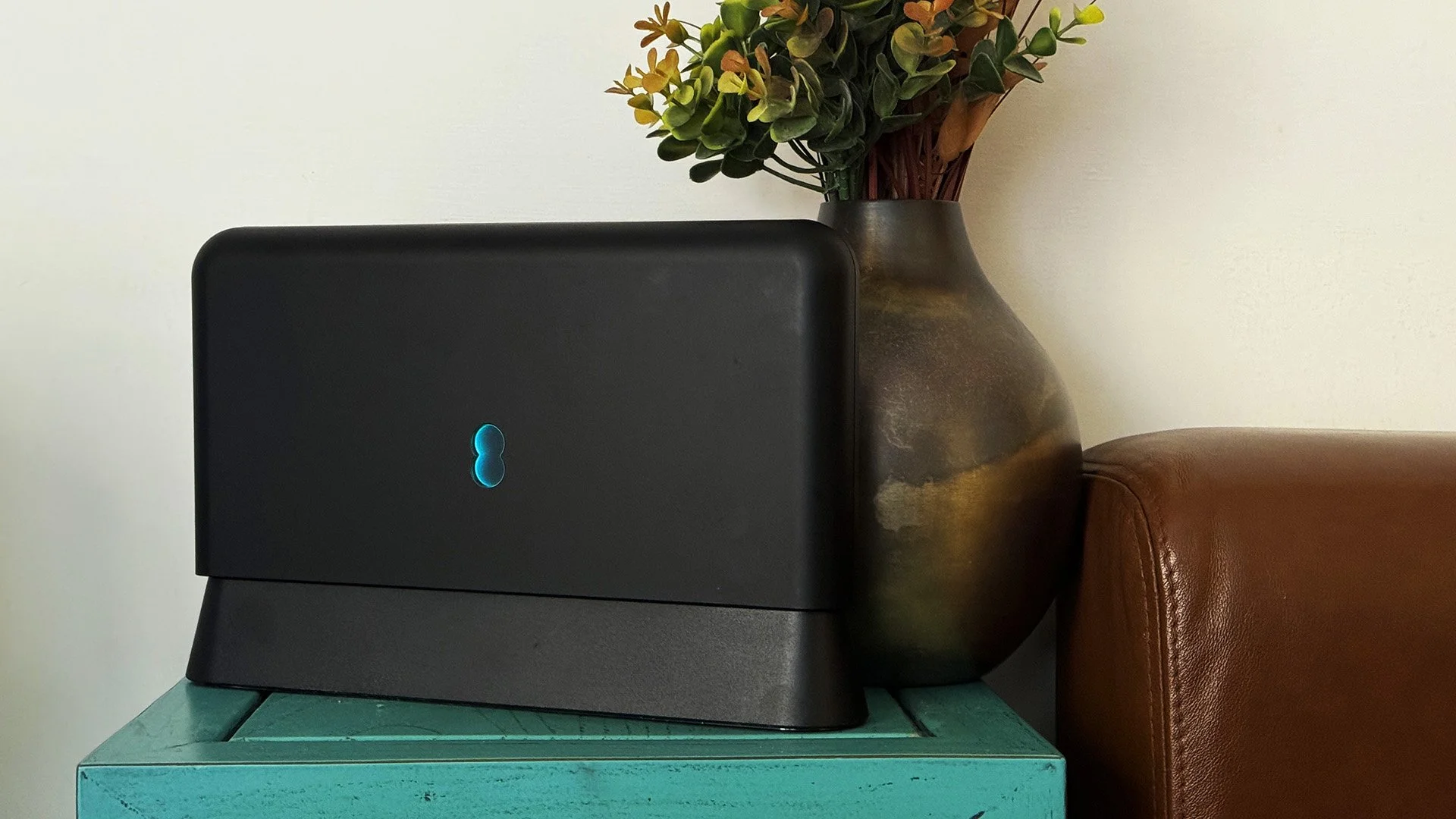
Our home has a 1 Gbps “fibre to the premises” internet connection. It has proven reliable since it was installed in June 2022. Our internet service provider EE (part of the BT group) are neither the best of worst suppliers. The monthly cost is not especially competitive and so we may be looking to move providers next Easter. However, that is a matter for the future. For the present there is a more immediate issue. Starting on Friday 21st November, our internet connection has started randomly dropping. Furthermore, both the Wi-Fi extender in the lounge and the wireless printer in my office have become disconnected from the network. It was as if their details had been erased from the router. I suspected that a recent firmware upgrade may be the culprit although EE denies it. However there are posts online from other customers with similar technical issues.

A couple of times a year, Mrs P asks me to copy onto her laptop, all the pictures that I’ve taken over recent months, as well as those that have been shared with us via WhatsApp. She then diligently whittles them down into a manageable amount which we then print off and put in our photo album. Yes we’re of the generation that still likes to print off hard copies of photos and from time to time look at them nostalgically. We have several albums with photographs in chronological order and numerous frames placed around the house, filled with pictures of family. The bulk of the photos are 4x6 inches (10x15 cm). We use an online photo printing service for the majority of our pictures and visit a local store with a self-service photographic department to print off specific pictures for bespoke frames. The original photos, now neatly organised, are backed up and archived.
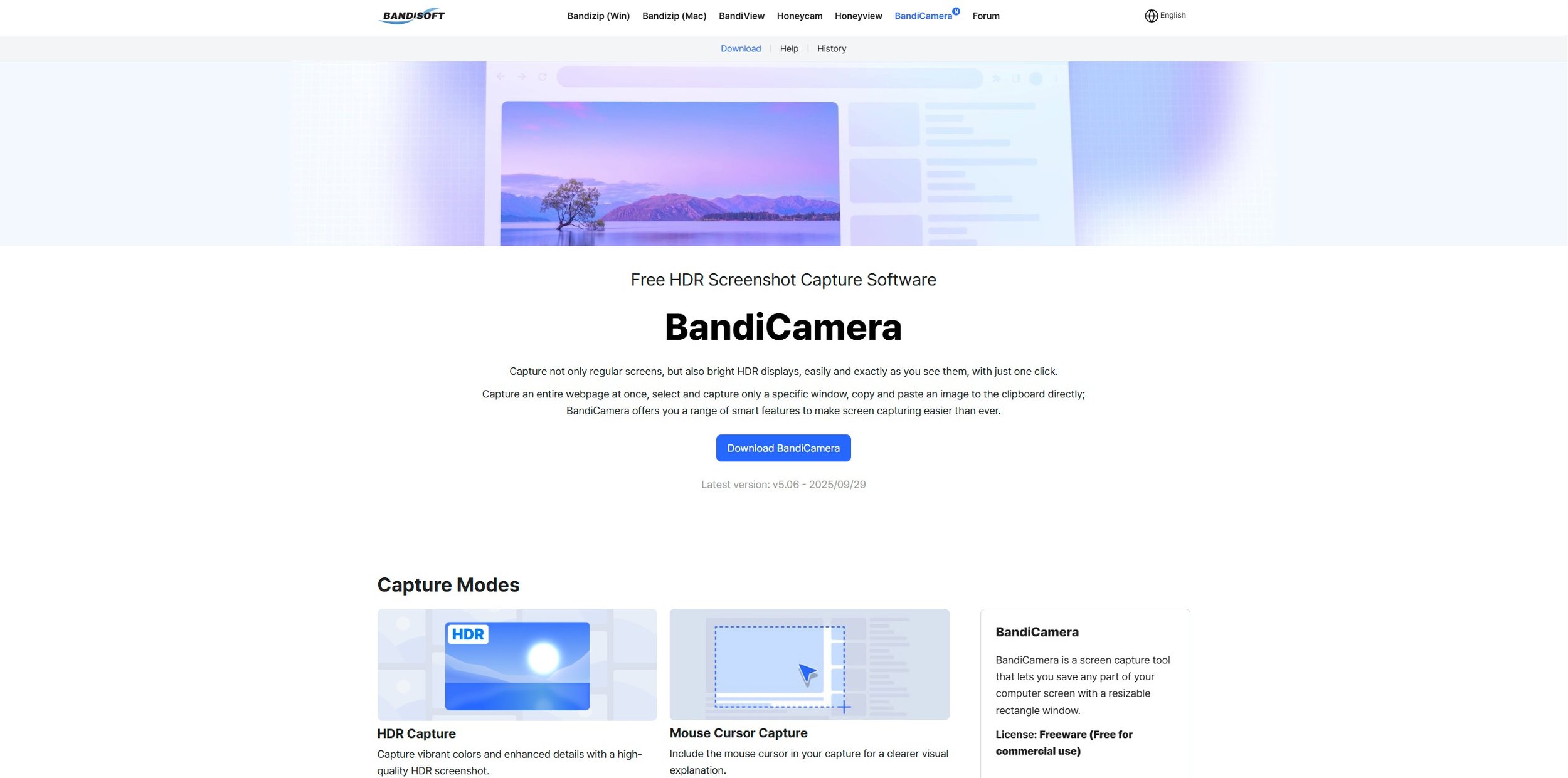
I take a lot of screen captures of video games and Windows apps, usually for blog posts. I use both Bandicam and Windows Snipping Tool to do this and have set up various hotkeys to make the process easy. Of late, the screen captures that I’ve taken have all suffered from washed out colours, regardless what tool I used to take them. I checked to see if both these apps needed to be updated but they are running the latest versions. Hence I was initially stumped as to why this problem had started happening. After some thought, I deduced that the only new elements in my PC hardware were my two new monitors. Both of which support HDR. Google Gemini quickly informed me that this was a known issue and taking screen captures from an HDR enabled device resulted in an excessively bright image that looked over exposed.
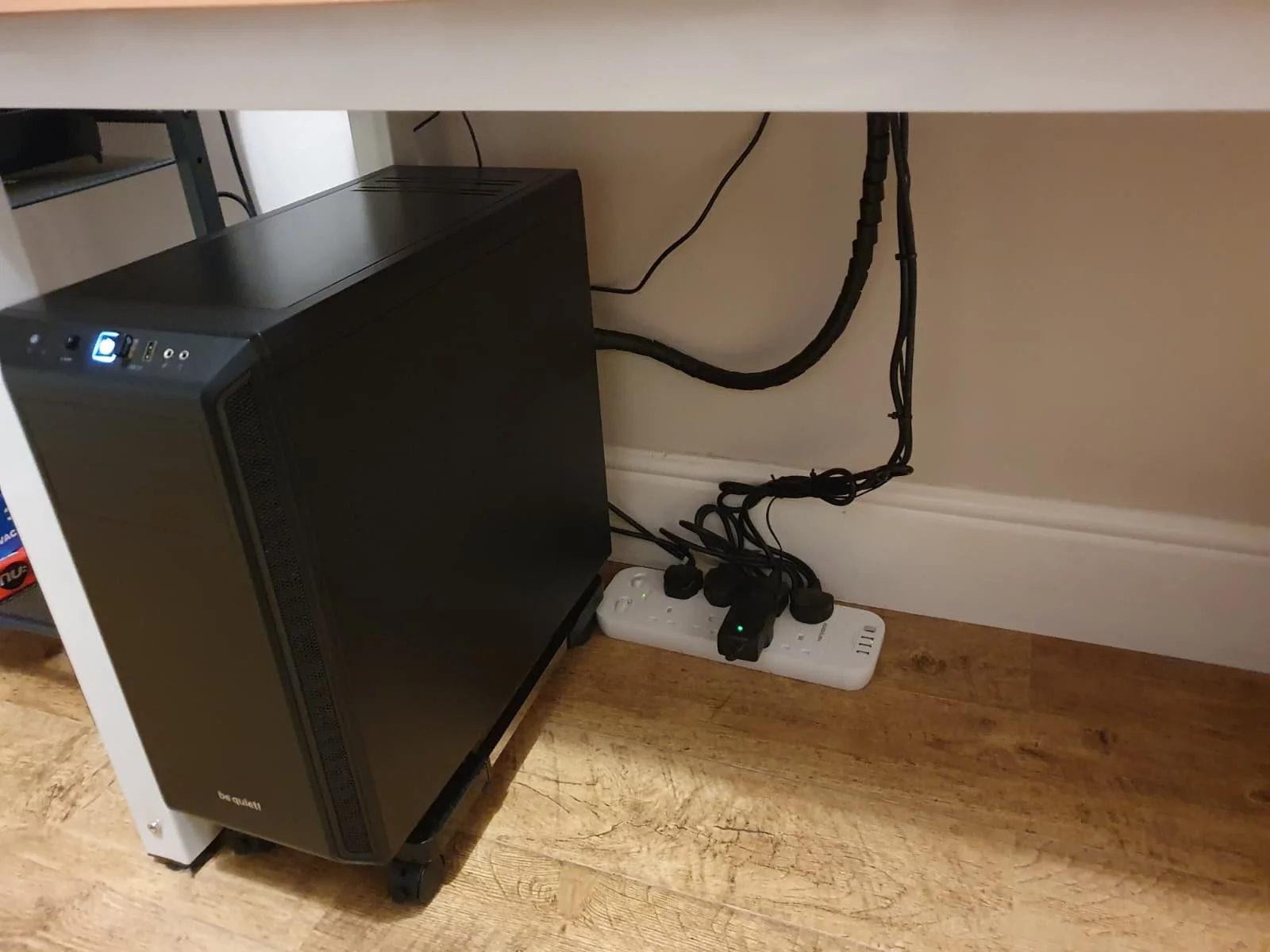
I recently bought two new monitors and a stand for my PC tower case. Today I thought I’d take the opportunity to disconnect every peripheral, clear my desk and then after a thorough clean, reassemble everything ensuring good cable management. I even went so far as to buy a new power extension lead so I could reorganise where everything was plugged in and therefore be able to isolate specific hardware. It seemed such a simple, straightforward task on paper. The reality was much different. It took me over three hours to sort out, mainly due to the fact that I don’t “bend” so well these days. During this Herculean task, my watch kept on notifying me that my heart rate was “high”. However, I regularly took breaks and fortified myself with gin for medicinal reasons. I am pleased with the results of this task.
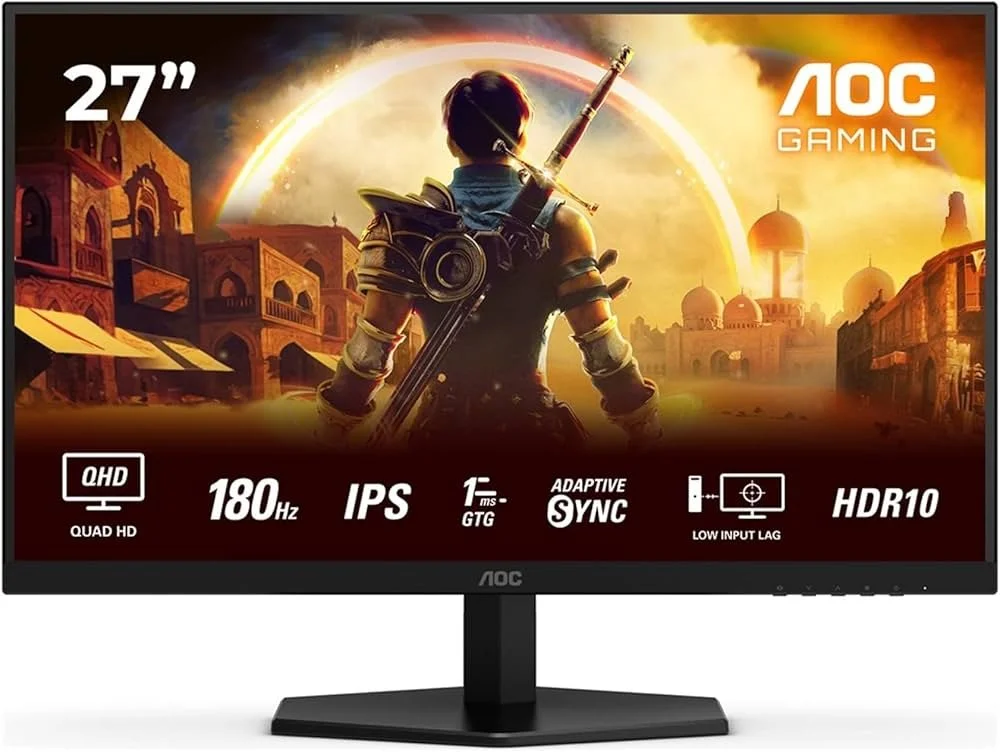
I use two monitors with my PC, as I find having the additional screen “real estate” invaluable when writing or playing games. Both monitors that I’ve been using up to now are somewhat old and they are not exactly the same size or resolution, although both are FHD. I have previously written about the problems I’ve had trying to get certain games and programs to display on specific monitors and the lengths I’ve had to go to to resolve this issue. To cut a long story short, I recently decided to replace both monitors with larger models with a higher resolution. Mainly because my eyesight is not what it used to be. I see best when working with a bright screen that can produce clear text. New monitors would also address my ongoing screen output problem. Hence, I set myself a reasonable budget and began researching appropriate replacements.

In July the UK Government introduced the Online Safety Act which requires age checks for accessing sexually explicit content online. As a result of this, Pornhub, the 19th most visited site on the internet, has reported a 77% decline in UK traffic. Furthermore, according to the UK regulatory body, OFCOM (The Office of Communications), overall visits to pornographic websites from the UK have fallen by 33%. Naturally, those who championed this legislation are claiming a moral and political victory. However, once you consider what these facts actually mean, they paint a somewhat different and potentially more worrying picture. It would be staggeringly naïve to think that UK visitors to Pornhub have ceased visiting such sites due to the age verification requirements. The more likely explanation is that UK porn consumers are now using VPNs to circumnavigate these restrictions and that this traffic to Pornhub is now recorded as coming from elsewhere.
It may be a case of preaching to the Choir but dust contamination in your PC causes overheating, decreased performance, and potential hardware failure. This mainly occurs due to dust restricting airflow, impeding components such as heat sinks and creating short circuits from conductive particles. Fluff builds up and restricts cooling fans, forcing them to work harder. Heat build can lead to issues like system crashes, lagging, and even permanent damage to the motherboard and CPU. Over time, it can shorten the lifespan of the computer and in severe cases, poses a fire hazard. When I used to work in IT contracting, I used to see the effects of dust contamination all the time. PC placed on carpet tiles or on top of desks and surrounded by other objects. I remember one PC replacement project I was working on where we found an old PC with a dead mouse in it. It was desiccated by the heat.

Usually I don’t have a problem with internet access when Mrs P and I are travelling. My phone data plan is sufficient for Google Maps and social media usage. Once we reach our hotel, it’s just a question of connecting to the free Wi-Fi or if need be, buying upgraded access. It’s seldom that expensive. When I went on holiday to Croatia this summer, I bought a bespoke data plan before arriving that granted me extra internet access. Our hotel in Makarska also had very robust internet access. Hence, regardless of being out and about or by the pool, I never had any issues getting online. The ubiquity of internet access means we often take it for granted. I seldom go to places in the UK or abroad that don’t have advanced IT infrastructure. Until this week.
Back in January, I was very pleased because I had finally found some open source software, DisplayMagician, which allowed me to quickly and easily alter my display profile and run specific games and applications on my second monitor. Prior to this I would find that some programs just wouldn’t stay put, once they were dragged or otherwise cajoled to display on the monitor of my choice. They would continuously snap back to the primary display, regardless of my actions. DisplayMagician solved this issue and did so with aplomb. Or it did, until last weekend when I upgraded my PC from Windows 10 to 11. Then it stopped working. I therefore did some digging online and it became apparent that this is a known issue that is currently being addressed by its creator, Terry McDonald.

As part of our increasing dependency upon software, we have also grown accustomed to its associated foibles, especially the negative ones. Today, I upgraded my blog from Squarespace 7.0 to 7.1 and my PC operating system from Windows 10 to 11. I started early in the morning and ensured that all my personal data was backed up. My default expectation was that both processes would go wrong in some way, shape or form. Let’s take a moment to consider this mindset, which is born out of experience. It is now taken as read that whatever you upgrade, be it an app on your phone or a program on your PC, that it’s going to be problematic. It won’t be a seamless transition and you’ll end up having to do some sort of troubleshooting. Despite our lives becoming more dependent on such software, the quality of these products seems to be deteriorating. What a sorry state of affairs.
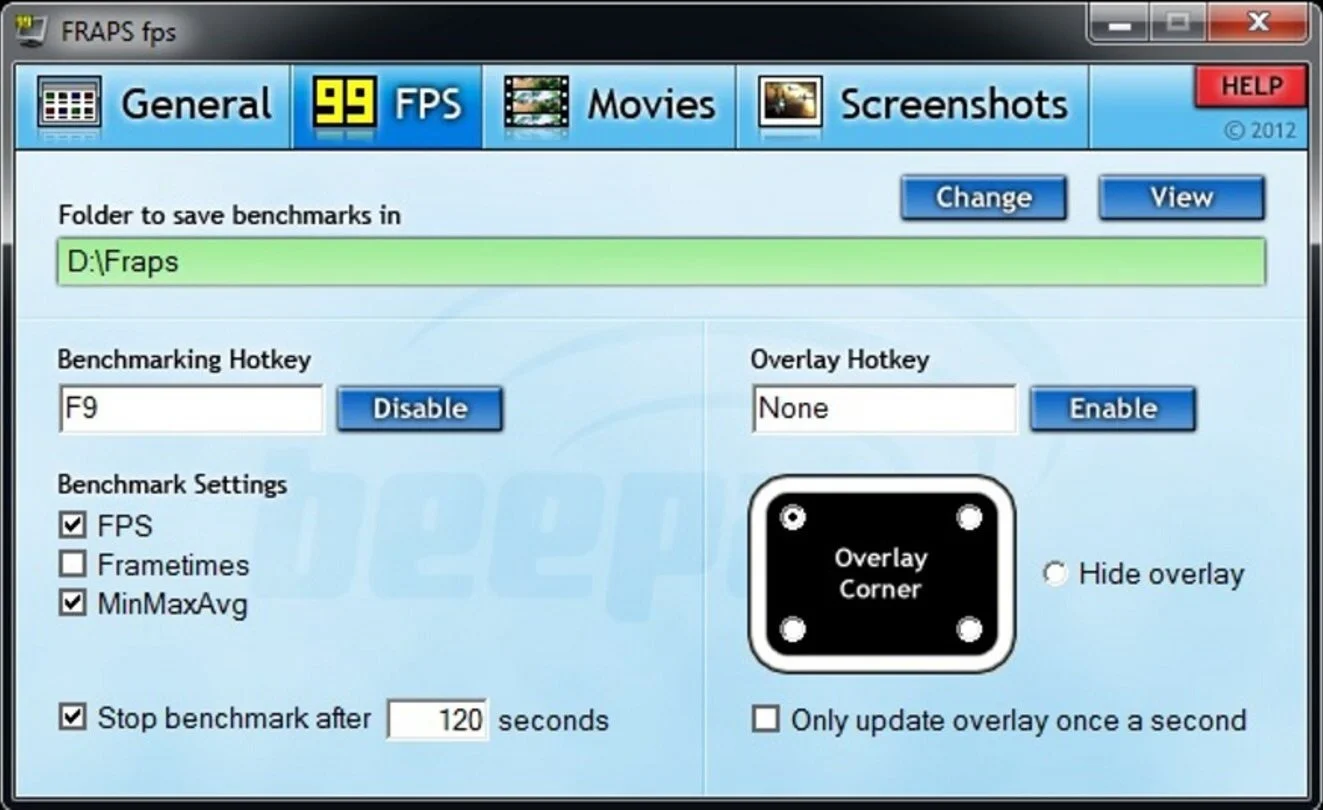
The ability to take a screen capture of a video game that you’re playing, or an open application or browser tab, is just something we take for granted. Windows 10/11 have a built-in tool called Snip & Sketch that is simple to use. Most of the games that I play have a specific hotkey for taking screenshots and a default directory to store them. Similarly, the latest builds of Windows also include the Xbox Game Bar software, which allows you to capture video from any application that you’re running on your PC. You can then edit via Clipchamp which is the successor to the old Windows Movie Maker. I believe the macOS comes with comparable default software. The absence of such apps today would be noticeable. However, there was a time when such things were not considered standard features.
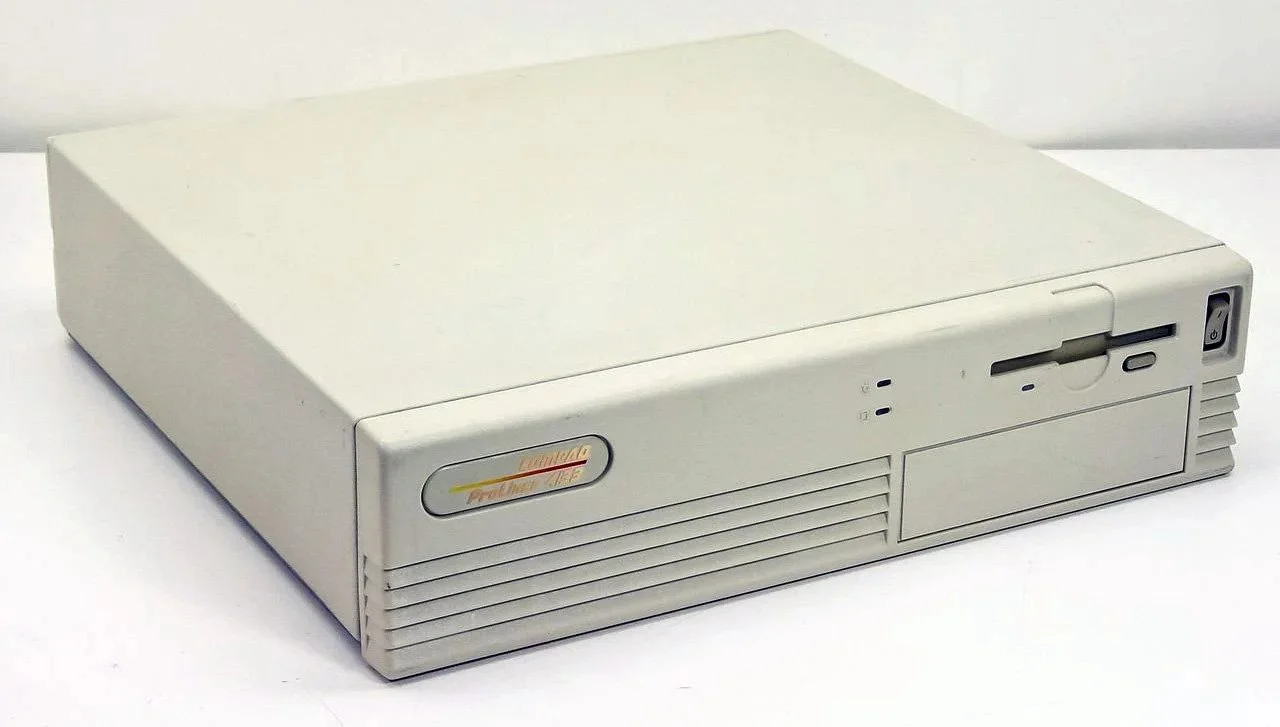
30 years ago, in early 1995, I bought my first PC, a second hand Compaq Prolinea 4/33. It had an Intel 486 DX processor, 340MB HDD, 4MB RAM, 3½-inch floppy disk drive and a 14-inch monitor with a screen resolution of 1024 x 768. It ran Windows 3.11 installed via MS-DOS 6.22. It didn’t come with a soundcard or a CD-ROM drive. I believe I paid around £750 or so at the time, which was approximately half its original retail price. This model was 2 or 3 years old when I bought it. However, at this time, PC specifications did not change as quickly as they do these days. Hence, this was a good starting point for someone new to computing. I subsequently upgraded the processor to a 486 DX2, increased the RAM to 16MB and installed a Creative Labs Sound Blaster AWE32 soundcard and CD-ROM drive.
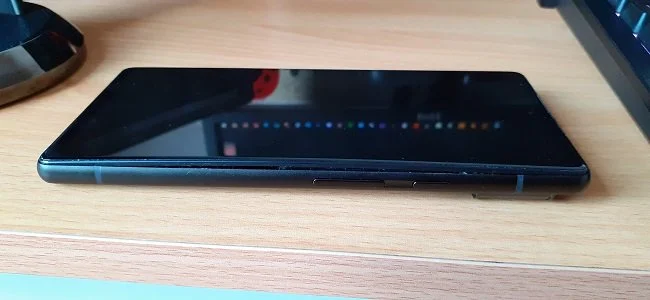
Three months ago, I wrote a blog post regarding how I wasn’t going to replace my phone because I was pretty much done with the endless treadmill that is “upgrade culture”. At the time my Google Pixel 6 was three years old but continued to serve all my smartphone needs. So I signed up for a new “SIM only” contract with Vodafone and went about my business, feeling somewhat pleased with myself. However, “needs must when the devil vomits into your kettle”, to quote Blackadder. I recently noticed that the screen on my phone was coming away from the main enclosure. There was a distinct curve along the right hand edge, as if there was something inside the phone applying pressure outwards. Sadly, that is precisely what was happening. I searched online to see if this was a known issue and was subsequently introduced to the problem known as battery bulge.

I had a novel experience (at least for me) this morning. I went to the cashpoint (that’s an ATM for those outside the UK) at my local supermarket, only to find it out of service. I had an imminent haircut appointment and no cash to pay my barber, who doesn’t take card payments. Fortunately, the supermarket did “cashback” so I bought a loaf of bread and some milk, paid £23 for them and was given £20 in cash. It’s a useful facility that I have never used until today. Usually I just make sure that I have a float of cash available but today the cashpoint being unavailable threw a spanner in the works. If the store did not do “cashback” then I would have had to reschedule my haircut. This minor hiccup got me thinking about our dependence on technology in our daily lives. A point that was further brought home, as my barber told me he had recently visited Spain and was affected by the national power outage.

I last bought a new phone in March 2022. At the time I decided to move away from Samsung after a decade of brand loyalty and try the Google Pixel 6. Let it suffice to say that I have found this handset to be most satisfactory. I like the size. It fits into the front pocket of my jeans. Its overall performance is very good and it has no issue running any of the apps that I regularly use. Subsequent software updates have improved some aspects of the camera, which initially had a poor zoom. Overall the good points of the Google Pixel 6 outweigh its flaws. Hence despite being 3 years old I am happy to keep using it. I have looked at what the subsequent iterations of the Google Pixel have to offer and I really don’t see any significant improvements or benefits. So despite being offered a handset upgrade by Vodafone, I have decided against one.

Have you ever embarked upon a tech related task that you consider to be a relatively simple undertaking, only to find it slowly becoming more complex and more involved as you progress. For instance, configuring software, upgrading your PC or changing internet service providers. I’m sure the answer is yes, because this seems to be life’s default position these days. Every endeavour starts with a simple premise, only to become bogged down in additional requirements and unforeseen issues that weren’t apparent at the beginning. The icing on the cake is often a cost that hadn’t been anticipated. To get the job done you have to put your hand in your pocket and pay someone or buy something. It is a pain in the butt, annoying and sadly, all too common these days.
Phone Internet Tethering
Usually I don’t have a problem with internet access when Mrs P and I are travelling. My phone data plan is sufficient for Google Maps and social media usage. Once we reach our hotel, it’s just a question of connecting to the free Wi-Fi or if need be, buying upgraded access. It’s seldom that expensive. When I went on holiday to Croatia this summer, I bought a bespoke data plan before arriving that granted me extra internet access. Our hotel in Makarska also had very robust internet access. Hence, regardless of being out and about or by the pool, I never had any issues getting online. The ubiquity of internet access means we often take it for granted. I seldom go to places in the UK or abroad that don’t have advanced IT infrastructure. Until this week.
Usually I don’t have a problem with internet access when Mrs P and I are travelling. My phone data plan is sufficient for Google Maps and social media usage. Once we reach our hotel, it’s just a question of connecting to the free Wi-Fi or if need be, buying upgraded access. It’s seldom that expensive. When I went on holiday to Croatia this summer, I bought a bespoke data plan before arriving that granted me extra internet access. Our hotel in Makarska also had very robust internet access. Hence, regardless of being out and about or by the pool, I never had any issues getting online. The ubiquity of internet access means we often take it for granted. I seldom go to places in the UK or abroad that don’t have advanced IT infrastructure. Until this week.
I am currently in St. Leonards-on-Sea in East Sussex on a 5 day break. We’re staying at Combe Haven Holiday Park for “reasons”. The caravan/static home/park home or whatever you want to call it is very well equipped with “all mod cons”. However, there is no internet access in the caravan itself. If you go to either the pub or the restaurant, there is complimentary wireless internet available. Sadly, such environments are not practical for me to sit down for an hour or so and write as they’re busy and somewhat loud. Thankfully, the 4G signal on my phone in this part of the UK is reasonably strong, so I decided to see if I could use this device for internet tethering. I have a Google Pixel 8a.
On my handset, there are specific settings for tethering that are easily accessible. There is a choice of turning the phone into an internet hotspot and connecting devices such as a laptop wirelessly. Alternatively you can attach the phone to a device via a USB cable and tether that way. I found that the wireless hotspot method was a little too unstable and the connection would intermittently drop. However, directly connecting to the phone via a USB cable has proven a far more reliable method. The internet connection is far from fast, about 3.49 Mbps, but it is sufficient for me to access my website and publish this post. Streaming media and gaming are off the table but as I’m technically on holiday, such activities weren’t part of my schedule anyway.
Although I have no immediate need at present, I have already started researching Portable Wi-Fi Routers/Mobile Hotspots. Rechargeable travel routers that can accommodate a SIM card, access the internet and act as a local hotspot for up to 10 devices. They’re ideal when travelling to locations where the only internet access available is 4G/5G via the phone network. If combined with a data only SIM package they can prove invaluable, according to consumer feedback. I read a comparison of common models on TechRadar and the reviews indicated that they can provide stable coverage within modest parameters but to to expect miracles. However, compared to Starlink they’re a far more affordable option. One I may take up in the future.
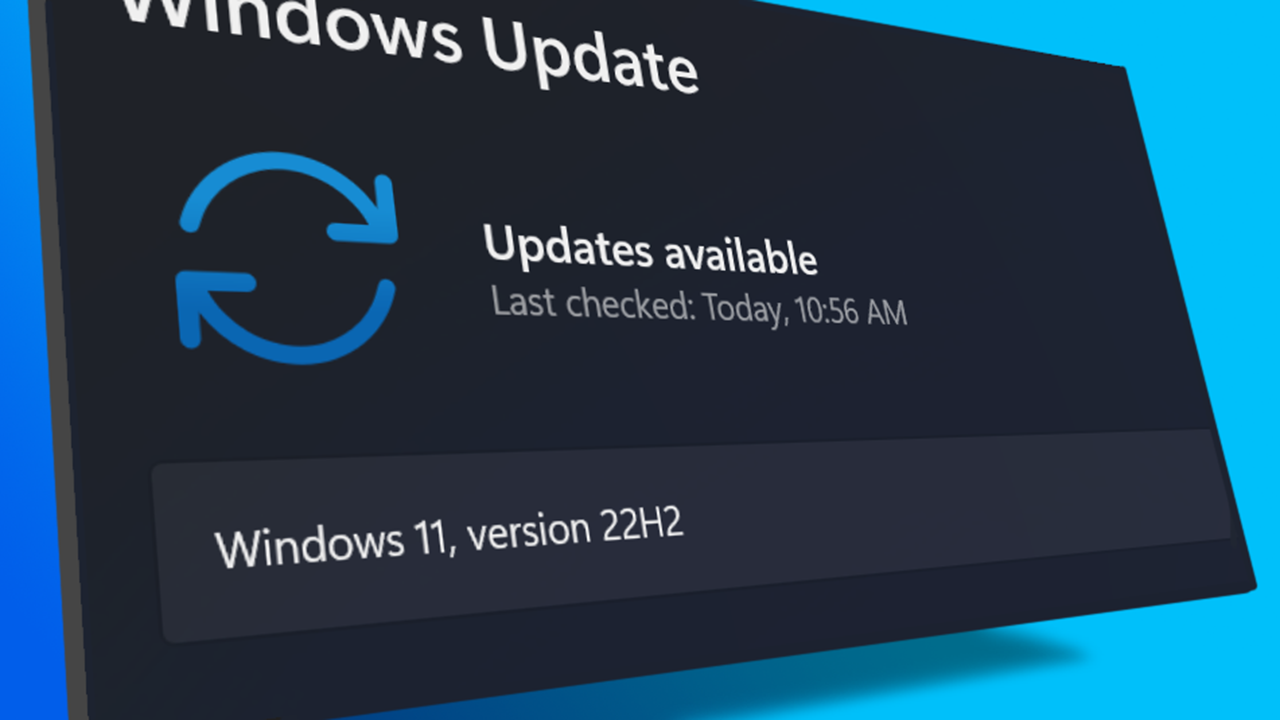
I turned on my laptop this morning for the first time in 4 months. I knew it was that long because I hadn’t connected the laptop to the new Netgear router that I bought at the end of April. Unsurprisingly, as I haven’t used this device for a while there were multiple Windows updates to be installed. This process took over an hour, so while the various updates were being downloaded and installed, I turned my attention to my Amazon Echo Dot which loiters in the corner of our lounge, doing very little to justify its existence. At present this device is mainly used as a glorified timer for cooking, which seems a bit of a waste given it’s alleged capabilities. Hence, I decided to see if I could increase its functionality while waiting for Windows to do its update thing. More on this later. Let us for the meantime return to the small matter of the operating system updates. Once they were completed, I immediately installed Chris Titus Tech’s Windows Utility and started removing unnecessary features and bloat, as well as disabling invasive services.
Before we begin, let me clearly state that this is not a comprehensive installation guide for installing Steam OS on your PC. Mainly because the variety of hardware that can be present in any PC makes each installation a somewhat bespoke affair. Hence I have decided to provide a list of bullet points of the various steps and issues I encountered during my installation, last week. Consider it advance warning of things you may encounter if you install this operating system. As ever, if this is something that you are intending to do, I would advise allowing yourself a suitable amount of time so you can accommodate any issues should they arise. It is entirely possible that this may be a two hour job for the technically literate running the most generic or commonplace hardware. However, I suspect that a lot of people undertaking this project will run into variations of the same problems that I encountered.
I am intrigued by the growth of the IndieWeb, owning your domain and static websites. I certainly agree with the notion of not relying on big corporations and I have an ongoing project to divest my dependency on software produced by major market players. However, although I own my own domain, my website is hosted by Squarespace. I’ve not really had any problems with them over the last 11 years and I would describe our business relationship as equitable. However, the monthly subscription price has increased over time and is likely to keep on doing so. It has crossed my mind as to whether there is a suitable alternative. However, if I were to migrate Contains Moderate Peril elsewhere I suspect it would be logistically complex and problematic.
I like learning new skills and starting projects. I regularly undertake such things with varying results. However, if they don’t work out that’s not a problem. You have to try something to see if you like it. I’ll add “within sensible parameters” as a caveat to the last statement. And it’s perfectly fine to discover that something isn’t for you. I like certain genres of video games, music, films and books. I am comfortable wearing certain types of clothes and not others. I’m picky about colours. I’ll even go so far as to say that I won’t drink out of any mug that’s just lying around. If I don’t like the joke, logo or overall aesthetic of it, I ain’t using it. However, I digress. Let’s get things back on track and talk about projects. This year I have wound down several websites and have decided not to move forward with making YouTube videos. I have focused my energy on improving my website and adding functionality. I am also trying to broaden the scope of my writing.
It’s funny how it is often the little things that become the proverbial straw that breaks the Camel’s back. I have been struggling for a while with the overall performance and functionality of my Windows 11 PC. The operating system is bloated, slow and buggy. It all too often commits that unpardonable sin of trying to do my thinking for me and enables some stupid feature by default. Despite having good specifications, my PC takes too long to boot up for my liking and is becoming too much of a wild card with regard to whether it will co-operate or not when I try and undertake a simple task. As someone who is very particular in their PC habits, IE I see my PC as a tool that I use on the terms that suit me. Hence, I find the faux enthusiasm that accompanies each uncalled for “improvement” that results in me losing agency, singularly antagonising. Then a minor issue arose recently that escalated into a thorn in my flesh and I decided that it was time that something must be done.
This is a post about the power of nostalgia and how sometimes, interacting with something from your past, be it physically or mentally, can produce a very strong and tangible emotional reaction. In some instances, this can be the result of something that you have specifically set out to do. On other occasions you can wander into a sense of nostalgia purely by chance. Today I experienced a very strong sense of nostalgia while watching a YouTube video and then again when I sought to replicate what I had seen. The video showed someone installing Windows 95 on to an old 486 PC from that era. The Window’s start up sound really touched a nerve (but in a good way) and then when the guy in the video launched Space Cadet 3D Pinball, a game that shipped with the operating system, I felt a strong compulsion to track down a copy and install the game myself, thus revisiting something that was an integral part of my life in 1995.
For the last few months I have being using Google Gemini. I subscribed so I could access a wider spectrum of services and evaluate it effectively. I also wanted to dispel some of the hysteria that accompanies any conversation about Large Language Models and Artificial Intelligence. The results were initially interesting and Google Gemini proved useful when researching material for blog posts. It is good at providing summaries about well documented subjects. I wrote a post about food banks recently and it distilled a lot of data into a manageable amount, which was ideal for my article. Google Gemini has also produced some visual basic scripting and simple batch files that have allowed me to automate processes on my PC. Such as changing the default monitor, or screen resolution at the click of an icon. However, I found this AI struggled with in-depth software troubleshooting and that its ability to create images varies greatly depending on the subject.
The UK Government has formerly announced its intention to ban under-16s from using social media. This is due to increasing public pressure that “something must be done” about the perceived iniquities of many online platforms. However, as with most complex social problems of this nature, no one has any clear or practical ideas as to what that “something” is. It remains a nebulous, non-specific panacea and clearly someone else’s job to identify and implement. As ever, why choose a nuanced and multifaceted solution to a complex problem, when it is far easier and politically expedient to just “ban” something. The former requires effort and a degree of thinking. If such an approach fails it also means that those who came up with it now carry the can. The latter dumps the problem in the lap of various third parties, who can then be conveniently blamed when the ill conceived policy fails.
Yesterday we changed internet service providers. We moved from EE (formerly BT) to Plusnet. The transition went surprisingly well, mainly due to the existing infrastructure remaining the same. We’ve had fibre to the premises (FTTP) since 2022 so this was essentially an administrative change. The previous ISP terminated their service at 1:30 AM in the morning, while I was playing Star Trek Online. By 6:30 AM I received a message from Plusnet that the new service was live. It took about an hour to configure the new Netgear Nighthawk RS100 router (I bought my own) and get all our household devices attached to the new network. The connection is running at exactly the same speed and stability as it had under the previous supplier. At present a 1Gbps connection is sufficient for our needs. The main factor that has driven this change is cost. We are currently paying £28 per month for internet access which is a competitive price in the UK.
In 1990 I was working at the DWP (Department for Work and Pensions). I had just taken the role of Computer Support Officer where I administered user access to the mainframe and provided first line support to staff using the terminals. That summer the office moved to a PC based network and the project was undertaken by the newly formed Siemens Nixdorf company. To cut a long story short I befriended one of the contract engineers and over the next 9 months he became an unofficial mentor to me. Technically he was only supposed to train me in the most basic of fashions but he liked the fact that I was always asking questions and effectively ended up schooling me in PC and server architecture, network administration and the associated protocols. For me this was the best way to learn. It was not a case of coming to grips with theory in a classroom environment. It was learning by doing and having direct and exclusive access to a source of knowledge and experience.
My Windows 11 PC is a cobbled together mess of upgrades, customisations and workarounds. It seems okay at first glance, mainly because my desktop is well organised and I don’t allow too many apps to start on boot up. But beneath this superficial veneer of efficiency and optimisation is a bloated mess. Every Windows update adds yet more spurious features which slows performance and tries to harvest your data. Windows is no longer a user friendly operating system that you buy and use without impediment. It is now a sprawling live service that actively gets in the way of your productivity so that it can make a buck off your inconvenience. There was a time when you could quickly learn its processes and foibles, so you could customise it into the tool you needed. Nowadays I have to continuously use third party tools to get Windows to do many of the things I want, or to access functionality that Microsoft has obtusely decided to restrict.
As the New Year is still young, I have embarked upon several new projects that I’ve been planning since Autumn last year. These undertakings have gone beyond the planning stage and are currently being implemented. The fun thing about the phrase “implemented” in this context is that it implies that it is by far the easiest and most straightforward part of the process. The initial brainstorming of ideas has been completed. A cogent and detailed plan has been written. The costing of materials and time required have been determined. These are the hard parts. All that remains is to “just do it”. It should be a piece of piss (a British phrase indicating that something is easy). It virtually “implements” itself. However, that is a load of bollocks. Because there is always scope for something to go wrong. It may well start as something minor and innocuous but it all too often ends in a “problem cascade”.
This time last year I made a decision to replace Microsoft Office or Office 365 as it is currently known. Mainly because I only use Outlook out of the entire suite of software. This project stalled because I couldn't easily import my existing email archive into Mozilla Thunderbird. Hence the status quo has been perpetuated. However, there is an ongoing cost associated with this software as well as some wider considerations about ethics and privacy which is why I have returned to this matter. Although this time I wish to replace not only Office 365 but all the other "production tools" I use to write and browse the internet. I have managed to make some progress towards this goal but it has been hard to adapt. Mainly because I had everything set up to my liking. Although alternatives are available, they're never exactly alike and require a lot of fine tuning to be deemed satisfactory.
Last summer I wrote a post about my experiences using various screen capture software. At the time I was using Bandicam which suited all my needs. I had configured the software to launch at Windows start-up and had a hotkey assigned to capture images from my primary monitor. Hence I could quickly grab a screenshot from my desktop or when playing a game. However, this changed in November 2025, when I bought two new monitors. Both of which supported HDR (High Dynamic Range). Although they provide superior picture quality, HDR has a knock-on effect on Bandicam. Screen capture images and video look over exposed. Hence I had to stop using the software and find an alternative. Fortunately the same company has been developing an alternative product with HDR support; Bandi Camera. So I swapped to this software. The screenshots were far better but the functionality of the app was lacking.
Our home has a 1 Gbps “fibre to the premises” internet connection. It has proven reliable since it was installed in June 2022. Our internet service provider EE (part of the BT group) are neither the best of worst suppliers. The monthly cost is not especially competitive and so we may be looking to move providers next Easter. However, that is a matter for the future. For the present there is a more immediate issue. Starting on Friday 21st November, our internet connection has started randomly dropping. Furthermore, both the Wi-Fi extender in the lounge and the wireless printer in my office have become disconnected from the network. It was as if their details had been erased from the router. I suspected that a recent firmware upgrade may be the culprit although EE denies it. However there are posts online from other customers with similar technical issues.
A couple of times a year, Mrs P asks me to copy onto her laptop, all the pictures that I’ve taken over recent months, as well as those that have been shared with us via WhatsApp. She then diligently whittles them down into a manageable amount which we then print off and put in our photo album. Yes we’re of the generation that still likes to print off hard copies of photos and from time to time look at them nostalgically. We have several albums with photographs in chronological order and numerous frames placed around the house, filled with pictures of family. The bulk of the photos are 4x6 inches (10x15 cm). We use an online photo printing service for the majority of our pictures and visit a local store with a self-service photographic department to print off specific pictures for bespoke frames. The original photos, now neatly organised, are backed up and archived.
I take a lot of screen captures of video games and Windows apps, usually for blog posts. I use both Bandicam and Windows Snipping Tool to do this and have set up various hotkeys to make the process easy. Of late, the screen captures that I’ve taken have all suffered from washed out colours, regardless what tool I used to take them. I checked to see if both these apps needed to be updated but they are running the latest versions. Hence I was initially stumped as to why this problem had started happening. After some thought, I deduced that the only new elements in my PC hardware were my two new monitors. Both of which support HDR. Google Gemini quickly informed me that this was a known issue and taking screen captures from an HDR enabled device resulted in an excessively bright image that looked over exposed.
I recently bought two new monitors and a stand for my PC tower case. Today I thought I’d take the opportunity to disconnect every peripheral, clear my desk and then after a thorough clean, reassemble everything ensuring good cable management. I even went so far as to buy a new power extension lead so I could reorganise where everything was plugged in and therefore be able to isolate specific hardware. It seemed such a simple, straightforward task on paper. The reality was much different. It took me over three hours to sort out, mainly due to the fact that I don’t “bend” so well these days. During this Herculean task, my watch kept on notifying me that my heart rate was “high”. However, I regularly took breaks and fortified myself with gin for medicinal reasons. I am pleased with the results of this task.
I use two monitors with my PC, as I find having the additional screen “real estate” invaluable when writing or playing games. Both monitors that I’ve been using up to now are somewhat old and they are not exactly the same size or resolution, although both are FHD. I have previously written about the problems I’ve had trying to get certain games and programs to display on specific monitors and the lengths I’ve had to go to to resolve this issue. To cut a long story short, I recently decided to replace both monitors with larger models with a higher resolution. Mainly because my eyesight is not what it used to be. I see best when working with a bright screen that can produce clear text. New monitors would also address my ongoing screen output problem. Hence, I set myself a reasonable budget and began researching appropriate replacements.
In July the UK Government introduced the Online Safety Act which requires age checks for accessing sexually explicit content online. As a result of this, Pornhub, the 19th most visited site on the internet, has reported a 77% decline in UK traffic. Furthermore, according to the UK regulatory body, OFCOM (The Office of Communications), overall visits to pornographic websites from the UK have fallen by 33%. Naturally, those who championed this legislation are claiming a moral and political victory. However, once you consider what these facts actually mean, they paint a somewhat different and potentially more worrying picture. It would be staggeringly naïve to think that UK visitors to Pornhub have ceased visiting such sites due to the age verification requirements. The more likely explanation is that UK porn consumers are now using VPNs to circumnavigate these restrictions and that this traffic to Pornhub is now recorded as coming from elsewhere.
It may be a case of preaching to the Choir but dust contamination in your PC causes overheating, decreased performance, and potential hardware failure. This mainly occurs due to dust restricting airflow, impeding components such as heat sinks and creating short circuits from conductive particles. Fluff builds up and restricts cooling fans, forcing them to work harder. Heat build can lead to issues like system crashes, lagging, and even permanent damage to the motherboard and CPU. Over time, it can shorten the lifespan of the computer and in severe cases, poses a fire hazard. When I used to work in IT contracting, I used to see the effects of dust contamination all the time. PC placed on carpet tiles or on top of desks and surrounded by other objects. I remember one PC replacement project I was working on where we found an old PC with a dead mouse in it. It was desiccated by the heat.
Usually I don’t have a problem with internet access when Mrs P and I are travelling. My phone data plan is sufficient for Google Maps and social media usage. Once we reach our hotel, it’s just a question of connecting to the free Wi-Fi or if need be, buying upgraded access. It’s seldom that expensive. When I went on holiday to Croatia this summer, I bought a bespoke data plan before arriving that granted me extra internet access. Our hotel in Makarska also had very robust internet access. Hence, regardless of being out and about or by the pool, I never had any issues getting online. The ubiquity of internet access means we often take it for granted. I seldom go to places in the UK or abroad that don’t have advanced IT infrastructure. Until this week.
Back in January, I was very pleased because I had finally found some open source software, DisplayMagician, which allowed me to quickly and easily alter my display profile and run specific games and applications on my second monitor. Prior to this I would find that some programs just wouldn’t stay put, once they were dragged or otherwise cajoled to display on the monitor of my choice. They would continuously snap back to the primary display, regardless of my actions. DisplayMagician solved this issue and did so with aplomb. Or it did, until last weekend when I upgraded my PC from Windows 10 to 11. Then it stopped working. I therefore did some digging online and it became apparent that this is a known issue that is currently being addressed by its creator, Terry McDonald.
As part of our increasing dependency upon software, we have also grown accustomed to its associated foibles, especially the negative ones. Today, I upgraded my blog from Squarespace 7.0 to 7.1 and my PC operating system from Windows 10 to 11. I started early in the morning and ensured that all my personal data was backed up. My default expectation was that both processes would go wrong in some way, shape or form. Let’s take a moment to consider this mindset, which is born out of experience. It is now taken as read that whatever you upgrade, be it an app on your phone or a program on your PC, that it’s going to be problematic. It won’t be a seamless transition and you’ll end up having to do some sort of troubleshooting. Despite our lives becoming more dependent on such software, the quality of these products seems to be deteriorating. What a sorry state of affairs.
The ability to take a screen capture of a video game that you’re playing, or an open application or browser tab, is just something we take for granted. Windows 10/11 have a built-in tool called Snip & Sketch that is simple to use. Most of the games that I play have a specific hotkey for taking screenshots and a default directory to store them. Similarly, the latest builds of Windows also include the Xbox Game Bar software, which allows you to capture video from any application that you’re running on your PC. You can then edit via Clipchamp which is the successor to the old Windows Movie Maker. I believe the macOS comes with comparable default software. The absence of such apps today would be noticeable. However, there was a time when such things were not considered standard features.
30 years ago, in early 1995, I bought my first PC, a second hand Compaq Prolinea 4/33. It had an Intel 486 DX processor, 340MB HDD, 4MB RAM, 3½-inch floppy disk drive and a 14-inch monitor with a screen resolution of 1024 x 768. It ran Windows 3.11 installed via MS-DOS 6.22. It didn’t come with a soundcard or a CD-ROM drive. I believe I paid around £750 or so at the time, which was approximately half its original retail price. This model was 2 or 3 years old when I bought it. However, at this time, PC specifications did not change as quickly as they do these days. Hence, this was a good starting point for someone new to computing. I subsequently upgraded the processor to a 486 DX2, increased the RAM to 16MB and installed a Creative Labs Sound Blaster AWE32 soundcard and CD-ROM drive.
Three months ago, I wrote a blog post regarding how I wasn’t going to replace my phone because I was pretty much done with the endless treadmill that is “upgrade culture”. At the time my Google Pixel 6 was three years old but continued to serve all my smartphone needs. So I signed up for a new “SIM only” contract with Vodafone and went about my business, feeling somewhat pleased with myself. However, “needs must when the devil vomits into your kettle”, to quote Blackadder. I recently noticed that the screen on my phone was coming away from the main enclosure. There was a distinct curve along the right hand edge, as if there was something inside the phone applying pressure outwards. Sadly, that is precisely what was happening. I searched online to see if this was a known issue and was subsequently introduced to the problem known as battery bulge.
I had a novel experience (at least for me) this morning. I went to the cashpoint (that’s an ATM for those outside the UK) at my local supermarket, only to find it out of service. I had an imminent haircut appointment and no cash to pay my barber, who doesn’t take card payments. Fortunately, the supermarket did “cashback” so I bought a loaf of bread and some milk, paid £23 for them and was given £20 in cash. It’s a useful facility that I have never used until today. Usually I just make sure that I have a float of cash available but today the cashpoint being unavailable threw a spanner in the works. If the store did not do “cashback” then I would have had to reschedule my haircut. This minor hiccup got me thinking about our dependence on technology in our daily lives. A point that was further brought home, as my barber told me he had recently visited Spain and was affected by the national power outage.
I last bought a new phone in March 2022. At the time I decided to move away from Samsung after a decade of brand loyalty and try the Google Pixel 6. Let it suffice to say that I have found this handset to be most satisfactory. I like the size. It fits into the front pocket of my jeans. Its overall performance is very good and it has no issue running any of the apps that I regularly use. Subsequent software updates have improved some aspects of the camera, which initially had a poor zoom. Overall the good points of the Google Pixel 6 outweigh its flaws. Hence despite being 3 years old I am happy to keep using it. I have looked at what the subsequent iterations of the Google Pixel have to offer and I really don’t see any significant improvements or benefits. So despite being offered a handset upgrade by Vodafone, I have decided against one.
Have you ever embarked upon a tech related task that you consider to be a relatively simple undertaking, only to find it slowly becoming more complex and more involved as you progress. For instance, configuring software, upgrading your PC or changing internet service providers. I’m sure the answer is yes, because this seems to be life’s default position these days. Every endeavour starts with a simple premise, only to become bogged down in additional requirements and unforeseen issues that weren’t apparent at the beginning. The icing on the cake is often a cost that hadn’t been anticipated. To get the job done you have to put your hand in your pocket and pay someone or buy something. It is a pain in the butt, annoying and sadly, all too common these days.
MultiMonitorTool
Back in January, I was very pleased because I had finally found some open source software, DisplayMagician, which allowed me to quickly and easily alter my display profile and run specific games and applications on my second monitor. Prior to this I would find that some programs just wouldn’t stay put, once they were dragged or otherwise cajoled to display on the monitor of my choice. They would continuously snap back to the primary display, regardless of my actions. DisplayMagician solved this issue and did so with aplomb. Or it did, until last weekend when I upgraded my PC from Windows 10 to 11. Then it stopped working. I therefore did some digging online and it became apparent that this is a known issue that is currently being addressed by its creator, Terry McDonald.
Back in January, I was very pleased because I had finally found some open source software, DisplayMagician, which allowed me to quickly and easily alter my display profile and run specific games and applications on my second monitor. Prior to this I would find that some programs just wouldn’t stay put, once they were dragged or otherwise cajoled to display on the monitor of my choice. They would continuously snap back to the primary display, regardless of my actions. DisplayMagician solved this issue and did so with aplomb. Or it did, until last weekend when I upgraded my PC from Windows 10 to 11. Then it stopped working. I therefore did some digging online and it became apparent that this is a known issue that is currently being addressed by its creator, Terry McDonald.
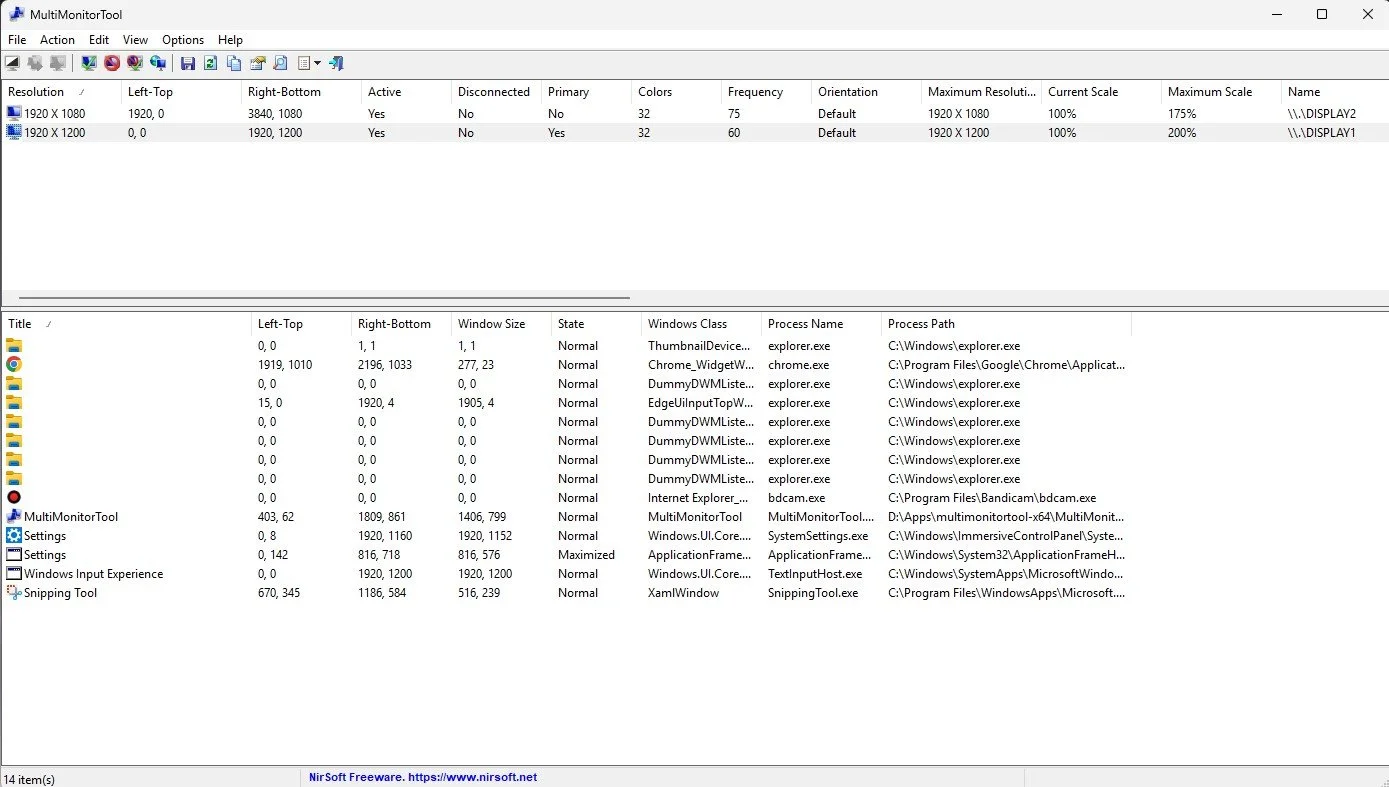
I hope all goes well with Mr McDonald’s troubleshooting but as there is no timeframe for a fix, I found myself today back where I had started at the beginning of the year, with regard to looking for a suitable tool to change primary monitors on the fly. Which then led me to discover MultiMonitorTool by Nirsoft (Nir Sofer). According to the developer “MultiMonitorTool is a small tool that allows you to do some actions related to working with multiple monitors. With MultiMonitorTool, you can disable/enable monitors, set the primary monitor, save and load the configuration of all monitors, and move windows from one monitor to another. You can do these actions from the user interface or from command-line, without displaying the user interface”. It is also free (although you can make a donation) and is regularly updated.
I am happy to report that MultiMonitorTool works and works well. However, having previously used software for this task that simply required me to click on an icon, I found swapping display profiles from a command line, or clicking on the MultiMonitorTool application window somewhat fiddly. Like so many PC users, I like my desktop and icons laid out just so and I’m fussy about how I do things. Therefore, I decided to write a batch file that could toggle between making monitor 1 and monitor 2 the primary display. It took me a while to remember how to do this but I got there eventually. I then created a shortcut but pinning it to my taskbar proved problematic. Once I got around this, I then encountered an error when running the batch file via the shortcut. Possibly due to permissions and the fact that the MultiMonitorTool was outside of the system32 directory. My simple task was getting steadily more complex.
I next decided to create a script to run the batch file for me and then pin a shortcut to the script to my taskbar. However, my memory of .vbs files is worse than my memory of .bat files. So this time I turned to Google Gemini for assistance which produced a simple script according to my needs. All that was required after this, was a custom icon for the .vbs file shortcut. I possibly spent more time perusing icon files than I did actually resolving the problem. Needless to say, I now have a convenient icon on my taskbar that I can use to change my primary display designation, prior to launching certain games and applications. It works quickly and with minimal hassle. Furthermore, I saved myself $40 by not buying the Steam version of DisplayFusion which does the same thing as MultiMonitorTool.
I turned on my laptop this morning for the first time in 4 months. I knew it was that long because I hadn’t connected the laptop to the new Netgear router that I bought at the end of April. Unsurprisingly, as I haven’t used this device for a while there were multiple Windows updates to be installed. This process took over an hour, so while the various updates were being downloaded and installed, I turned my attention to my Amazon Echo Dot which loiters in the corner of our lounge, doing very little to justify its existence. At present this device is mainly used as a glorified timer for cooking, which seems a bit of a waste given it’s alleged capabilities. Hence, I decided to see if I could increase its functionality while waiting for Windows to do its update thing. More on this later. Let us for the meantime return to the small matter of the operating system updates. Once they were completed, I immediately installed Chris Titus Tech’s Windows Utility and started removing unnecessary features and bloat, as well as disabling invasive services.
Before we begin, let me clearly state that this is not a comprehensive installation guide for installing Steam OS on your PC. Mainly because the variety of hardware that can be present in any PC makes each installation a somewhat bespoke affair. Hence I have decided to provide a list of bullet points of the various steps and issues I encountered during my installation, last week. Consider it advance warning of things you may encounter if you install this operating system. As ever, if this is something that you are intending to do, I would advise allowing yourself a suitable amount of time so you can accommodate any issues should they arise. It is entirely possible that this may be a two hour job for the technically literate running the most generic or commonplace hardware. However, I suspect that a lot of people undertaking this project will run into variations of the same problems that I encountered.
I am intrigued by the growth of the IndieWeb, owning your domain and static websites. I certainly agree with the notion of not relying on big corporations and I have an ongoing project to divest my dependency on software produced by major market players. However, although I own my own domain, my website is hosted by Squarespace. I’ve not really had any problems with them over the last 11 years and I would describe our business relationship as equitable. However, the monthly subscription price has increased over time and is likely to keep on doing so. It has crossed my mind as to whether there is a suitable alternative. However, if I were to migrate Contains Moderate Peril elsewhere I suspect it would be logistically complex and problematic.
I like learning new skills and starting projects. I regularly undertake such things with varying results. However, if they don’t work out that’s not a problem. You have to try something to see if you like it. I’ll add “within sensible parameters” as a caveat to the last statement. And it’s perfectly fine to discover that something isn’t for you. I like certain genres of video games, music, films and books. I am comfortable wearing certain types of clothes and not others. I’m picky about colours. I’ll even go so far as to say that I won’t drink out of any mug that’s just lying around. If I don’t like the joke, logo or overall aesthetic of it, I ain’t using it. However, I digress. Let’s get things back on track and talk about projects. This year I have wound down several websites and have decided not to move forward with making YouTube videos. I have focused my energy on improving my website and adding functionality. I am also trying to broaden the scope of my writing.
It’s funny how it is often the little things that become the proverbial straw that breaks the Camel’s back. I have been struggling for a while with the overall performance and functionality of my Windows 11 PC. The operating system is bloated, slow and buggy. It all too often commits that unpardonable sin of trying to do my thinking for me and enables some stupid feature by default. Despite having good specifications, my PC takes too long to boot up for my liking and is becoming too much of a wild card with regard to whether it will co-operate or not when I try and undertake a simple task. As someone who is very particular in their PC habits, IE I see my PC as a tool that I use on the terms that suit me. Hence, I find the faux enthusiasm that accompanies each uncalled for “improvement” that results in me losing agency, singularly antagonising. Then a minor issue arose recently that escalated into a thorn in my flesh and I decided that it was time that something must be done.
This is a post about the power of nostalgia and how sometimes, interacting with something from your past, be it physically or mentally, can produce a very strong and tangible emotional reaction. In some instances, this can be the result of something that you have specifically set out to do. On other occasions you can wander into a sense of nostalgia purely by chance. Today I experienced a very strong sense of nostalgia while watching a YouTube video and then again when I sought to replicate what I had seen. The video showed someone installing Windows 95 on to an old 486 PC from that era. The Window’s start up sound really touched a nerve (but in a good way) and then when the guy in the video launched Space Cadet 3D Pinball, a game that shipped with the operating system, I felt a strong compulsion to track down a copy and install the game myself, thus revisiting something that was an integral part of my life in 1995.
For the last few months I have being using Google Gemini. I subscribed so I could access a wider spectrum of services and evaluate it effectively. I also wanted to dispel some of the hysteria that accompanies any conversation about Large Language Models and Artificial Intelligence. The results were initially interesting and Google Gemini proved useful when researching material for blog posts. It is good at providing summaries about well documented subjects. I wrote a post about food banks recently and it distilled a lot of data into a manageable amount, which was ideal for my article. Google Gemini has also produced some visual basic scripting and simple batch files that have allowed me to automate processes on my PC. Such as changing the default monitor, or screen resolution at the click of an icon. However, I found this AI struggled with in-depth software troubleshooting and that its ability to create images varies greatly depending on the subject.
The UK Government has formerly announced its intention to ban under-16s from using social media. This is due to increasing public pressure that “something must be done” about the perceived iniquities of many online platforms. However, as with most complex social problems of this nature, no one has any clear or practical ideas as to what that “something” is. It remains a nebulous, non-specific panacea and clearly someone else’s job to identify and implement. As ever, why choose a nuanced and multifaceted solution to a complex problem, when it is far easier and politically expedient to just “ban” something. The former requires effort and a degree of thinking. If such an approach fails it also means that those who came up with it now carry the can. The latter dumps the problem in the lap of various third parties, who can then be conveniently blamed when the ill conceived policy fails.
Yesterday we changed internet service providers. We moved from EE (formerly BT) to Plusnet. The transition went surprisingly well, mainly due to the existing infrastructure remaining the same. We’ve had fibre to the premises (FTTP) since 2022 so this was essentially an administrative change. The previous ISP terminated their service at 1:30 AM in the morning, while I was playing Star Trek Online. By 6:30 AM I received a message from Plusnet that the new service was live. It took about an hour to configure the new Netgear Nighthawk RS100 router (I bought my own) and get all our household devices attached to the new network. The connection is running at exactly the same speed and stability as it had under the previous supplier. At present a 1Gbps connection is sufficient for our needs. The main factor that has driven this change is cost. We are currently paying £28 per month for internet access which is a competitive price in the UK.
In 1990 I was working at the DWP (Department for Work and Pensions). I had just taken the role of Computer Support Officer where I administered user access to the mainframe and provided first line support to staff using the terminals. That summer the office moved to a PC based network and the project was undertaken by the newly formed Siemens Nixdorf company. To cut a long story short I befriended one of the contract engineers and over the next 9 months he became an unofficial mentor to me. Technically he was only supposed to train me in the most basic of fashions but he liked the fact that I was always asking questions and effectively ended up schooling me in PC and server architecture, network administration and the associated protocols. For me this was the best way to learn. It was not a case of coming to grips with theory in a classroom environment. It was learning by doing and having direct and exclusive access to a source of knowledge and experience.
My Windows 11 PC is a cobbled together mess of upgrades, customisations and workarounds. It seems okay at first glance, mainly because my desktop is well organised and I don’t allow too many apps to start on boot up. But beneath this superficial veneer of efficiency and optimisation is a bloated mess. Every Windows update adds yet more spurious features which slows performance and tries to harvest your data. Windows is no longer a user friendly operating system that you buy and use without impediment. It is now a sprawling live service that actively gets in the way of your productivity so that it can make a buck off your inconvenience. There was a time when you could quickly learn its processes and foibles, so you could customise it into the tool you needed. Nowadays I have to continuously use third party tools to get Windows to do many of the things I want, or to access functionality that Microsoft has obtusely decided to restrict.
As the New Year is still young, I have embarked upon several new projects that I’ve been planning since Autumn last year. These undertakings have gone beyond the planning stage and are currently being implemented. The fun thing about the phrase “implemented” in this context is that it implies that it is by far the easiest and most straightforward part of the process. The initial brainstorming of ideas has been completed. A cogent and detailed plan has been written. The costing of materials and time required have been determined. These are the hard parts. All that remains is to “just do it”. It should be a piece of piss (a British phrase indicating that something is easy). It virtually “implements” itself. However, that is a load of bollocks. Because there is always scope for something to go wrong. It may well start as something minor and innocuous but it all too often ends in a “problem cascade”.
This time last year I made a decision to replace Microsoft Office or Office 365 as it is currently known. Mainly because I only use Outlook out of the entire suite of software. This project stalled because I couldn't easily import my existing email archive into Mozilla Thunderbird. Hence the status quo has been perpetuated. However, there is an ongoing cost associated with this software as well as some wider considerations about ethics and privacy which is why I have returned to this matter. Although this time I wish to replace not only Office 365 but all the other "production tools" I use to write and browse the internet. I have managed to make some progress towards this goal but it has been hard to adapt. Mainly because I had everything set up to my liking. Although alternatives are available, they're never exactly alike and require a lot of fine tuning to be deemed satisfactory.
Last summer I wrote a post about my experiences using various screen capture software. At the time I was using Bandicam which suited all my needs. I had configured the software to launch at Windows start-up and had a hotkey assigned to capture images from my primary monitor. Hence I could quickly grab a screenshot from my desktop or when playing a game. However, this changed in November 2025, when I bought two new monitors. Both of which supported HDR (High Dynamic Range). Although they provide superior picture quality, HDR has a knock-on effect on Bandicam. Screen capture images and video look over exposed. Hence I had to stop using the software and find an alternative. Fortunately the same company has been developing an alternative product with HDR support; Bandi Camera. So I swapped to this software. The screenshots were far better but the functionality of the app was lacking.
Our home has a 1 Gbps “fibre to the premises” internet connection. It has proven reliable since it was installed in June 2022. Our internet service provider EE (part of the BT group) are neither the best of worst suppliers. The monthly cost is not especially competitive and so we may be looking to move providers next Easter. However, that is a matter for the future. For the present there is a more immediate issue. Starting on Friday 21st November, our internet connection has started randomly dropping. Furthermore, both the Wi-Fi extender in the lounge and the wireless printer in my office have become disconnected from the network. It was as if their details had been erased from the router. I suspected that a recent firmware upgrade may be the culprit although EE denies it. However there are posts online from other customers with similar technical issues.
A couple of times a year, Mrs P asks me to copy onto her laptop, all the pictures that I’ve taken over recent months, as well as those that have been shared with us via WhatsApp. She then diligently whittles them down into a manageable amount which we then print off and put in our photo album. Yes we’re of the generation that still likes to print off hard copies of photos and from time to time look at them nostalgically. We have several albums with photographs in chronological order and numerous frames placed around the house, filled with pictures of family. The bulk of the photos are 4x6 inches (10x15 cm). We use an online photo printing service for the majority of our pictures and visit a local store with a self-service photographic department to print off specific pictures for bespoke frames. The original photos, now neatly organised, are backed up and archived.
I take a lot of screen captures of video games and Windows apps, usually for blog posts. I use both Bandicam and Windows Snipping Tool to do this and have set up various hotkeys to make the process easy. Of late, the screen captures that I’ve taken have all suffered from washed out colours, regardless what tool I used to take them. I checked to see if both these apps needed to be updated but they are running the latest versions. Hence I was initially stumped as to why this problem had started happening. After some thought, I deduced that the only new elements in my PC hardware were my two new monitors. Both of which support HDR. Google Gemini quickly informed me that this was a known issue and taking screen captures from an HDR enabled device resulted in an excessively bright image that looked over exposed.
I recently bought two new monitors and a stand for my PC tower case. Today I thought I’d take the opportunity to disconnect every peripheral, clear my desk and then after a thorough clean, reassemble everything ensuring good cable management. I even went so far as to buy a new power extension lead so I could reorganise where everything was plugged in and therefore be able to isolate specific hardware. It seemed such a simple, straightforward task on paper. The reality was much different. It took me over three hours to sort out, mainly due to the fact that I don’t “bend” so well these days. During this Herculean task, my watch kept on notifying me that my heart rate was “high”. However, I regularly took breaks and fortified myself with gin for medicinal reasons. I am pleased with the results of this task.
I use two monitors with my PC, as I find having the additional screen “real estate” invaluable when writing or playing games. Both monitors that I’ve been using up to now are somewhat old and they are not exactly the same size or resolution, although both are FHD. I have previously written about the problems I’ve had trying to get certain games and programs to display on specific monitors and the lengths I’ve had to go to to resolve this issue. To cut a long story short, I recently decided to replace both monitors with larger models with a higher resolution. Mainly because my eyesight is not what it used to be. I see best when working with a bright screen that can produce clear text. New monitors would also address my ongoing screen output problem. Hence, I set myself a reasonable budget and began researching appropriate replacements.
In July the UK Government introduced the Online Safety Act which requires age checks for accessing sexually explicit content online. As a result of this, Pornhub, the 19th most visited site on the internet, has reported a 77% decline in UK traffic. Furthermore, according to the UK regulatory body, OFCOM (The Office of Communications), overall visits to pornographic websites from the UK have fallen by 33%. Naturally, those who championed this legislation are claiming a moral and political victory. However, once you consider what these facts actually mean, they paint a somewhat different and potentially more worrying picture. It would be staggeringly naïve to think that UK visitors to Pornhub have ceased visiting such sites due to the age verification requirements. The more likely explanation is that UK porn consumers are now using VPNs to circumnavigate these restrictions and that this traffic to Pornhub is now recorded as coming from elsewhere.
It may be a case of preaching to the Choir but dust contamination in your PC causes overheating, decreased performance, and potential hardware failure. This mainly occurs due to dust restricting airflow, impeding components such as heat sinks and creating short circuits from conductive particles. Fluff builds up and restricts cooling fans, forcing them to work harder. Heat build can lead to issues like system crashes, lagging, and even permanent damage to the motherboard and CPU. Over time, it can shorten the lifespan of the computer and in severe cases, poses a fire hazard. When I used to work in IT contracting, I used to see the effects of dust contamination all the time. PC placed on carpet tiles or on top of desks and surrounded by other objects. I remember one PC replacement project I was working on where we found an old PC with a dead mouse in it. It was desiccated by the heat.
Usually I don’t have a problem with internet access when Mrs P and I are travelling. My phone data plan is sufficient for Google Maps and social media usage. Once we reach our hotel, it’s just a question of connecting to the free Wi-Fi or if need be, buying upgraded access. It’s seldom that expensive. When I went on holiday to Croatia this summer, I bought a bespoke data plan before arriving that granted me extra internet access. Our hotel in Makarska also had very robust internet access. Hence, regardless of being out and about or by the pool, I never had any issues getting online. The ubiquity of internet access means we often take it for granted. I seldom go to places in the UK or abroad that don’t have advanced IT infrastructure. Until this week.
Back in January, I was very pleased because I had finally found some open source software, DisplayMagician, which allowed me to quickly and easily alter my display profile and run specific games and applications on my second monitor. Prior to this I would find that some programs just wouldn’t stay put, once they were dragged or otherwise cajoled to display on the monitor of my choice. They would continuously snap back to the primary display, regardless of my actions. DisplayMagician solved this issue and did so with aplomb. Or it did, until last weekend when I upgraded my PC from Windows 10 to 11. Then it stopped working. I therefore did some digging online and it became apparent that this is a known issue that is currently being addressed by its creator, Terry McDonald.
As part of our increasing dependency upon software, we have also grown accustomed to its associated foibles, especially the negative ones. Today, I upgraded my blog from Squarespace 7.0 to 7.1 and my PC operating system from Windows 10 to 11. I started early in the morning and ensured that all my personal data was backed up. My default expectation was that both processes would go wrong in some way, shape or form. Let’s take a moment to consider this mindset, which is born out of experience. It is now taken as read that whatever you upgrade, be it an app on your phone or a program on your PC, that it’s going to be problematic. It won’t be a seamless transition and you’ll end up having to do some sort of troubleshooting. Despite our lives becoming more dependent on such software, the quality of these products seems to be deteriorating. What a sorry state of affairs.
The ability to take a screen capture of a video game that you’re playing, or an open application or browser tab, is just something we take for granted. Windows 10/11 have a built-in tool called Snip & Sketch that is simple to use. Most of the games that I play have a specific hotkey for taking screenshots and a default directory to store them. Similarly, the latest builds of Windows also include the Xbox Game Bar software, which allows you to capture video from any application that you’re running on your PC. You can then edit via Clipchamp which is the successor to the old Windows Movie Maker. I believe the macOS comes with comparable default software. The absence of such apps today would be noticeable. However, there was a time when such things were not considered standard features.
30 years ago, in early 1995, I bought my first PC, a second hand Compaq Prolinea 4/33. It had an Intel 486 DX processor, 340MB HDD, 4MB RAM, 3½-inch floppy disk drive and a 14-inch monitor with a screen resolution of 1024 x 768. It ran Windows 3.11 installed via MS-DOS 6.22. It didn’t come with a soundcard or a CD-ROM drive. I believe I paid around £750 or so at the time, which was approximately half its original retail price. This model was 2 or 3 years old when I bought it. However, at this time, PC specifications did not change as quickly as they do these days. Hence, this was a good starting point for someone new to computing. I subsequently upgraded the processor to a 486 DX2, increased the RAM to 16MB and installed a Creative Labs Sound Blaster AWE32 soundcard and CD-ROM drive.
Three months ago, I wrote a blog post regarding how I wasn’t going to replace my phone because I was pretty much done with the endless treadmill that is “upgrade culture”. At the time my Google Pixel 6 was three years old but continued to serve all my smartphone needs. So I signed up for a new “SIM only” contract with Vodafone and went about my business, feeling somewhat pleased with myself. However, “needs must when the devil vomits into your kettle”, to quote Blackadder. I recently noticed that the screen on my phone was coming away from the main enclosure. There was a distinct curve along the right hand edge, as if there was something inside the phone applying pressure outwards. Sadly, that is precisely what was happening. I searched online to see if this was a known issue and was subsequently introduced to the problem known as battery bulge.
I had a novel experience (at least for me) this morning. I went to the cashpoint (that’s an ATM for those outside the UK) at my local supermarket, only to find it out of service. I had an imminent haircut appointment and no cash to pay my barber, who doesn’t take card payments. Fortunately, the supermarket did “cashback” so I bought a loaf of bread and some milk, paid £23 for them and was given £20 in cash. It’s a useful facility that I have never used until today. Usually I just make sure that I have a float of cash available but today the cashpoint being unavailable threw a spanner in the works. If the store did not do “cashback” then I would have had to reschedule my haircut. This minor hiccup got me thinking about our dependence on technology in our daily lives. A point that was further brought home, as my barber told me he had recently visited Spain and was affected by the national power outage.
I last bought a new phone in March 2022. At the time I decided to move away from Samsung after a decade of brand loyalty and try the Google Pixel 6. Let it suffice to say that I have found this handset to be most satisfactory. I like the size. It fits into the front pocket of my jeans. Its overall performance is very good and it has no issue running any of the apps that I regularly use. Subsequent software updates have improved some aspects of the camera, which initially had a poor zoom. Overall the good points of the Google Pixel 6 outweigh its flaws. Hence despite being 3 years old I am happy to keep using it. I have looked at what the subsequent iterations of the Google Pixel have to offer and I really don’t see any significant improvements or benefits. So despite being offered a handset upgrade by Vodafone, I have decided against one.
Have you ever embarked upon a tech related task that you consider to be a relatively simple undertaking, only to find it slowly becoming more complex and more involved as you progress. For instance, configuring software, upgrading your PC or changing internet service providers. I’m sure the answer is yes, because this seems to be life’s default position these days. Every endeavour starts with a simple premise, only to become bogged down in additional requirements and unforeseen issues that weren’t apparent at the beginning. The icing on the cake is often a cost that hadn’t been anticipated. To get the job done you have to put your hand in your pocket and pay someone or buy something. It is a pain in the butt, annoying and sadly, all too common these days.
Software Updates
As part of our increasing dependency upon software, we have also grown accustomed to its associated foibles, especially the negative ones. Today, I upgraded my blog from Squarespace 7.0 to 7.1 and my PC operating system from Windows 10 to 11. I started early in the morning and ensured that all my personal data was backed up. My default expectation was that both processes would go wrong in some way, shape or form. Let’s take a moment to consider this mindset, which is born out of experience. It is now taken as read that whatever you upgrade, be it an app on your phone or a program on your PC, that it’s going to be problematic. It won’t be a seamless transition and you’ll end up having to do some sort of troubleshooting. Despite our lives becoming more dependent on such software, the quality of these products seems to be deteriorating. What a sorry state of affairs.
As part of our increasing dependency upon software, we have also grown accustomed to its associated foibles, especially the negative ones. Today, I upgraded my blog from Squarespace 7.0 to 7.1 and my PC operating system from Windows 10 to 11. I started early in the morning and ensured that all my personal data was backed up. My default expectation was that both processes would go wrong in some way, shape or form. Let’s take a moment to consider this mindset, which is born out of experience. It is now taken as read that whatever you upgrade, be it an app on your phone or a program on your PC, that it’s going to be problematic. It won’t be a seamless transition and you’ll end up having to do some sort of troubleshooting. Despite our lives becoming more dependent on such software, the quality of these products seems to be deteriorating. What a sorry state of affairs.
Setting aside the failures of the tech industry, I was pleasantly surprised by the fact that both upgrades went well, with no major fallout. With regard to Contains Moderate Peril, I am quite happy how individual posts are displayed. I just need to determine whether from now on, I can include images that scale to the width of the page (but display at full size when clicked on), rather than having to set them to a standard resolution. I also have to fix the main blog page, as it is currently showing each post in full, rather than just the first paragraph along with the option to “read more”. However, these are not deal breakers. The site is still functional for both PCs and mobile devices. Similarly, the Windows upgrade went well. I was interested to see that some of the formatting aspects of Windows 10 were carried over and as a result, I have not had to excessively tinker with the visuals of Windows 11.
Oddly, because things appear to have gone relatively smoothly, I cannot help but feel somewhat disconcerted. Mainly because, as mentioned earlier, we are so used to things just not going to plan these days with regard to the software we use. Hence for the next few days, I will remain prepared for some unforeseen technical issues to manifest themselves. If they materialise, so be it. If they do not, then it’s an added bonus. Hopefully, there’s nothing else on my PC that requires a major update, for the immediate future. That being said, I rebooted my phone earlier today and it has obviously installed an Android update. I only spotted this when I received a phone call and was furiously trying to swipe upwards to answer it. Turns out I now have to swipe to the right. Oh the pleasure of software upgrades! The tech companies obviously think that daily life just isn’t interesting enough.
I turned on my laptop this morning for the first time in 4 months. I knew it was that long because I hadn’t connected the laptop to the new Netgear router that I bought at the end of April. Unsurprisingly, as I haven’t used this device for a while there were multiple Windows updates to be installed. This process took over an hour, so while the various updates were being downloaded and installed, I turned my attention to my Amazon Echo Dot which loiters in the corner of our lounge, doing very little to justify its existence. At present this device is mainly used as a glorified timer for cooking, which seems a bit of a waste given it’s alleged capabilities. Hence, I decided to see if I could increase its functionality while waiting for Windows to do its update thing. More on this later. Let us for the meantime return to the small matter of the operating system updates. Once they were completed, I immediately installed Chris Titus Tech’s Windows Utility and started removing unnecessary features and bloat, as well as disabling invasive services.
Before we begin, let me clearly state that this is not a comprehensive installation guide for installing Steam OS on your PC. Mainly because the variety of hardware that can be present in any PC makes each installation a somewhat bespoke affair. Hence I have decided to provide a list of bullet points of the various steps and issues I encountered during my installation, last week. Consider it advance warning of things you may encounter if you install this operating system. As ever, if this is something that you are intending to do, I would advise allowing yourself a suitable amount of time so you can accommodate any issues should they arise. It is entirely possible that this may be a two hour job for the technically literate running the most generic or commonplace hardware. However, I suspect that a lot of people undertaking this project will run into variations of the same problems that I encountered.
I am intrigued by the growth of the IndieWeb, owning your domain and static websites. I certainly agree with the notion of not relying on big corporations and I have an ongoing project to divest my dependency on software produced by major market players. However, although I own my own domain, my website is hosted by Squarespace. I’ve not really had any problems with them over the last 11 years and I would describe our business relationship as equitable. However, the monthly subscription price has increased over time and is likely to keep on doing so. It has crossed my mind as to whether there is a suitable alternative. However, if I were to migrate Contains Moderate Peril elsewhere I suspect it would be logistically complex and problematic.
I like learning new skills and starting projects. I regularly undertake such things with varying results. However, if they don’t work out that’s not a problem. You have to try something to see if you like it. I’ll add “within sensible parameters” as a caveat to the last statement. And it’s perfectly fine to discover that something isn’t for you. I like certain genres of video games, music, films and books. I am comfortable wearing certain types of clothes and not others. I’m picky about colours. I’ll even go so far as to say that I won’t drink out of any mug that’s just lying around. If I don’t like the joke, logo or overall aesthetic of it, I ain’t using it. However, I digress. Let’s get things back on track and talk about projects. This year I have wound down several websites and have decided not to move forward with making YouTube videos. I have focused my energy on improving my website and adding functionality. I am also trying to broaden the scope of my writing.
It’s funny how it is often the little things that become the proverbial straw that breaks the Camel’s back. I have been struggling for a while with the overall performance and functionality of my Windows 11 PC. The operating system is bloated, slow and buggy. It all too often commits that unpardonable sin of trying to do my thinking for me and enables some stupid feature by default. Despite having good specifications, my PC takes too long to boot up for my liking and is becoming too much of a wild card with regard to whether it will co-operate or not when I try and undertake a simple task. As someone who is very particular in their PC habits, IE I see my PC as a tool that I use on the terms that suit me. Hence, I find the faux enthusiasm that accompanies each uncalled for “improvement” that results in me losing agency, singularly antagonising. Then a minor issue arose recently that escalated into a thorn in my flesh and I decided that it was time that something must be done.
This is a post about the power of nostalgia and how sometimes, interacting with something from your past, be it physically or mentally, can produce a very strong and tangible emotional reaction. In some instances, this can be the result of something that you have specifically set out to do. On other occasions you can wander into a sense of nostalgia purely by chance. Today I experienced a very strong sense of nostalgia while watching a YouTube video and then again when I sought to replicate what I had seen. The video showed someone installing Windows 95 on to an old 486 PC from that era. The Window’s start up sound really touched a nerve (but in a good way) and then when the guy in the video launched Space Cadet 3D Pinball, a game that shipped with the operating system, I felt a strong compulsion to track down a copy and install the game myself, thus revisiting something that was an integral part of my life in 1995.
For the last few months I have being using Google Gemini. I subscribed so I could access a wider spectrum of services and evaluate it effectively. I also wanted to dispel some of the hysteria that accompanies any conversation about Large Language Models and Artificial Intelligence. The results were initially interesting and Google Gemini proved useful when researching material for blog posts. It is good at providing summaries about well documented subjects. I wrote a post about food banks recently and it distilled a lot of data into a manageable amount, which was ideal for my article. Google Gemini has also produced some visual basic scripting and simple batch files that have allowed me to automate processes on my PC. Such as changing the default monitor, or screen resolution at the click of an icon. However, I found this AI struggled with in-depth software troubleshooting and that its ability to create images varies greatly depending on the subject.
The UK Government has formerly announced its intention to ban under-16s from using social media. This is due to increasing public pressure that “something must be done” about the perceived iniquities of many online platforms. However, as with most complex social problems of this nature, no one has any clear or practical ideas as to what that “something” is. It remains a nebulous, non-specific panacea and clearly someone else’s job to identify and implement. As ever, why choose a nuanced and multifaceted solution to a complex problem, when it is far easier and politically expedient to just “ban” something. The former requires effort and a degree of thinking. If such an approach fails it also means that those who came up with it now carry the can. The latter dumps the problem in the lap of various third parties, who can then be conveniently blamed when the ill conceived policy fails.
Yesterday we changed internet service providers. We moved from EE (formerly BT) to Plusnet. The transition went surprisingly well, mainly due to the existing infrastructure remaining the same. We’ve had fibre to the premises (FTTP) since 2022 so this was essentially an administrative change. The previous ISP terminated their service at 1:30 AM in the morning, while I was playing Star Trek Online. By 6:30 AM I received a message from Plusnet that the new service was live. It took about an hour to configure the new Netgear Nighthawk RS100 router (I bought my own) and get all our household devices attached to the new network. The connection is running at exactly the same speed and stability as it had under the previous supplier. At present a 1Gbps connection is sufficient for our needs. The main factor that has driven this change is cost. We are currently paying £28 per month for internet access which is a competitive price in the UK.
In 1990 I was working at the DWP (Department for Work and Pensions). I had just taken the role of Computer Support Officer where I administered user access to the mainframe and provided first line support to staff using the terminals. That summer the office moved to a PC based network and the project was undertaken by the newly formed Siemens Nixdorf company. To cut a long story short I befriended one of the contract engineers and over the next 9 months he became an unofficial mentor to me. Technically he was only supposed to train me in the most basic of fashions but he liked the fact that I was always asking questions and effectively ended up schooling me in PC and server architecture, network administration and the associated protocols. For me this was the best way to learn. It was not a case of coming to grips with theory in a classroom environment. It was learning by doing and having direct and exclusive access to a source of knowledge and experience.
My Windows 11 PC is a cobbled together mess of upgrades, customisations and workarounds. It seems okay at first glance, mainly because my desktop is well organised and I don’t allow too many apps to start on boot up. But beneath this superficial veneer of efficiency and optimisation is a bloated mess. Every Windows update adds yet more spurious features which slows performance and tries to harvest your data. Windows is no longer a user friendly operating system that you buy and use without impediment. It is now a sprawling live service that actively gets in the way of your productivity so that it can make a buck off your inconvenience. There was a time when you could quickly learn its processes and foibles, so you could customise it into the tool you needed. Nowadays I have to continuously use third party tools to get Windows to do many of the things I want, or to access functionality that Microsoft has obtusely decided to restrict.
As the New Year is still young, I have embarked upon several new projects that I’ve been planning since Autumn last year. These undertakings have gone beyond the planning stage and are currently being implemented. The fun thing about the phrase “implemented” in this context is that it implies that it is by far the easiest and most straightforward part of the process. The initial brainstorming of ideas has been completed. A cogent and detailed plan has been written. The costing of materials and time required have been determined. These are the hard parts. All that remains is to “just do it”. It should be a piece of piss (a British phrase indicating that something is easy). It virtually “implements” itself. However, that is a load of bollocks. Because there is always scope for something to go wrong. It may well start as something minor and innocuous but it all too often ends in a “problem cascade”.
This time last year I made a decision to replace Microsoft Office or Office 365 as it is currently known. Mainly because I only use Outlook out of the entire suite of software. This project stalled because I couldn't easily import my existing email archive into Mozilla Thunderbird. Hence the status quo has been perpetuated. However, there is an ongoing cost associated with this software as well as some wider considerations about ethics and privacy which is why I have returned to this matter. Although this time I wish to replace not only Office 365 but all the other "production tools" I use to write and browse the internet. I have managed to make some progress towards this goal but it has been hard to adapt. Mainly because I had everything set up to my liking. Although alternatives are available, they're never exactly alike and require a lot of fine tuning to be deemed satisfactory.
Last summer I wrote a post about my experiences using various screen capture software. At the time I was using Bandicam which suited all my needs. I had configured the software to launch at Windows start-up and had a hotkey assigned to capture images from my primary monitor. Hence I could quickly grab a screenshot from my desktop or when playing a game. However, this changed in November 2025, when I bought two new monitors. Both of which supported HDR (High Dynamic Range). Although they provide superior picture quality, HDR has a knock-on effect on Bandicam. Screen capture images and video look over exposed. Hence I had to stop using the software and find an alternative. Fortunately the same company has been developing an alternative product with HDR support; Bandi Camera. So I swapped to this software. The screenshots were far better but the functionality of the app was lacking.
Our home has a 1 Gbps “fibre to the premises” internet connection. It has proven reliable since it was installed in June 2022. Our internet service provider EE (part of the BT group) are neither the best of worst suppliers. The monthly cost is not especially competitive and so we may be looking to move providers next Easter. However, that is a matter for the future. For the present there is a more immediate issue. Starting on Friday 21st November, our internet connection has started randomly dropping. Furthermore, both the Wi-Fi extender in the lounge and the wireless printer in my office have become disconnected from the network. It was as if their details had been erased from the router. I suspected that a recent firmware upgrade may be the culprit although EE denies it. However there are posts online from other customers with similar technical issues.
A couple of times a year, Mrs P asks me to copy onto her laptop, all the pictures that I’ve taken over recent months, as well as those that have been shared with us via WhatsApp. She then diligently whittles them down into a manageable amount which we then print off and put in our photo album. Yes we’re of the generation that still likes to print off hard copies of photos and from time to time look at them nostalgically. We have several albums with photographs in chronological order and numerous frames placed around the house, filled with pictures of family. The bulk of the photos are 4x6 inches (10x15 cm). We use an online photo printing service for the majority of our pictures and visit a local store with a self-service photographic department to print off specific pictures for bespoke frames. The original photos, now neatly organised, are backed up and archived.
I take a lot of screen captures of video games and Windows apps, usually for blog posts. I use both Bandicam and Windows Snipping Tool to do this and have set up various hotkeys to make the process easy. Of late, the screen captures that I’ve taken have all suffered from washed out colours, regardless what tool I used to take them. I checked to see if both these apps needed to be updated but they are running the latest versions. Hence I was initially stumped as to why this problem had started happening. After some thought, I deduced that the only new elements in my PC hardware were my two new monitors. Both of which support HDR. Google Gemini quickly informed me that this was a known issue and taking screen captures from an HDR enabled device resulted in an excessively bright image that looked over exposed.
I recently bought two new monitors and a stand for my PC tower case. Today I thought I’d take the opportunity to disconnect every peripheral, clear my desk and then after a thorough clean, reassemble everything ensuring good cable management. I even went so far as to buy a new power extension lead so I could reorganise where everything was plugged in and therefore be able to isolate specific hardware. It seemed such a simple, straightforward task on paper. The reality was much different. It took me over three hours to sort out, mainly due to the fact that I don’t “bend” so well these days. During this Herculean task, my watch kept on notifying me that my heart rate was “high”. However, I regularly took breaks and fortified myself with gin for medicinal reasons. I am pleased with the results of this task.
I use two monitors with my PC, as I find having the additional screen “real estate” invaluable when writing or playing games. Both monitors that I’ve been using up to now are somewhat old and they are not exactly the same size or resolution, although both are FHD. I have previously written about the problems I’ve had trying to get certain games and programs to display on specific monitors and the lengths I’ve had to go to to resolve this issue. To cut a long story short, I recently decided to replace both monitors with larger models with a higher resolution. Mainly because my eyesight is not what it used to be. I see best when working with a bright screen that can produce clear text. New monitors would also address my ongoing screen output problem. Hence, I set myself a reasonable budget and began researching appropriate replacements.
In July the UK Government introduced the Online Safety Act which requires age checks for accessing sexually explicit content online. As a result of this, Pornhub, the 19th most visited site on the internet, has reported a 77% decline in UK traffic. Furthermore, according to the UK regulatory body, OFCOM (The Office of Communications), overall visits to pornographic websites from the UK have fallen by 33%. Naturally, those who championed this legislation are claiming a moral and political victory. However, once you consider what these facts actually mean, they paint a somewhat different and potentially more worrying picture. It would be staggeringly naïve to think that UK visitors to Pornhub have ceased visiting such sites due to the age verification requirements. The more likely explanation is that UK porn consumers are now using VPNs to circumnavigate these restrictions and that this traffic to Pornhub is now recorded as coming from elsewhere.
It may be a case of preaching to the Choir but dust contamination in your PC causes overheating, decreased performance, and potential hardware failure. This mainly occurs due to dust restricting airflow, impeding components such as heat sinks and creating short circuits from conductive particles. Fluff builds up and restricts cooling fans, forcing them to work harder. Heat build can lead to issues like system crashes, lagging, and even permanent damage to the motherboard and CPU. Over time, it can shorten the lifespan of the computer and in severe cases, poses a fire hazard. When I used to work in IT contracting, I used to see the effects of dust contamination all the time. PC placed on carpet tiles or on top of desks and surrounded by other objects. I remember one PC replacement project I was working on where we found an old PC with a dead mouse in it. It was desiccated by the heat.
Usually I don’t have a problem with internet access when Mrs P and I are travelling. My phone data plan is sufficient for Google Maps and social media usage. Once we reach our hotel, it’s just a question of connecting to the free Wi-Fi or if need be, buying upgraded access. It’s seldom that expensive. When I went on holiday to Croatia this summer, I bought a bespoke data plan before arriving that granted me extra internet access. Our hotel in Makarska also had very robust internet access. Hence, regardless of being out and about or by the pool, I never had any issues getting online. The ubiquity of internet access means we often take it for granted. I seldom go to places in the UK or abroad that don’t have advanced IT infrastructure. Until this week.
Back in January, I was very pleased because I had finally found some open source software, DisplayMagician, which allowed me to quickly and easily alter my display profile and run specific games and applications on my second monitor. Prior to this I would find that some programs just wouldn’t stay put, once they were dragged or otherwise cajoled to display on the monitor of my choice. They would continuously snap back to the primary display, regardless of my actions. DisplayMagician solved this issue and did so with aplomb. Or it did, until last weekend when I upgraded my PC from Windows 10 to 11. Then it stopped working. I therefore did some digging online and it became apparent that this is a known issue that is currently being addressed by its creator, Terry McDonald.
As part of our increasing dependency upon software, we have also grown accustomed to its associated foibles, especially the negative ones. Today, I upgraded my blog from Squarespace 7.0 to 7.1 and my PC operating system from Windows 10 to 11. I started early in the morning and ensured that all my personal data was backed up. My default expectation was that both processes would go wrong in some way, shape or form. Let’s take a moment to consider this mindset, which is born out of experience. It is now taken as read that whatever you upgrade, be it an app on your phone or a program on your PC, that it’s going to be problematic. It won’t be a seamless transition and you’ll end up having to do some sort of troubleshooting. Despite our lives becoming more dependent on such software, the quality of these products seems to be deteriorating. What a sorry state of affairs.
The ability to take a screen capture of a video game that you’re playing, or an open application or browser tab, is just something we take for granted. Windows 10/11 have a built-in tool called Snip & Sketch that is simple to use. Most of the games that I play have a specific hotkey for taking screenshots and a default directory to store them. Similarly, the latest builds of Windows also include the Xbox Game Bar software, which allows you to capture video from any application that you’re running on your PC. You can then edit via Clipchamp which is the successor to the old Windows Movie Maker. I believe the macOS comes with comparable default software. The absence of such apps today would be noticeable. However, there was a time when such things were not considered standard features.
30 years ago, in early 1995, I bought my first PC, a second hand Compaq Prolinea 4/33. It had an Intel 486 DX processor, 340MB HDD, 4MB RAM, 3½-inch floppy disk drive and a 14-inch monitor with a screen resolution of 1024 x 768. It ran Windows 3.11 installed via MS-DOS 6.22. It didn’t come with a soundcard or a CD-ROM drive. I believe I paid around £750 or so at the time, which was approximately half its original retail price. This model was 2 or 3 years old when I bought it. However, at this time, PC specifications did not change as quickly as they do these days. Hence, this was a good starting point for someone new to computing. I subsequently upgraded the processor to a 486 DX2, increased the RAM to 16MB and installed a Creative Labs Sound Blaster AWE32 soundcard and CD-ROM drive.
Three months ago, I wrote a blog post regarding how I wasn’t going to replace my phone because I was pretty much done with the endless treadmill that is “upgrade culture”. At the time my Google Pixel 6 was three years old but continued to serve all my smartphone needs. So I signed up for a new “SIM only” contract with Vodafone and went about my business, feeling somewhat pleased with myself. However, “needs must when the devil vomits into your kettle”, to quote Blackadder. I recently noticed that the screen on my phone was coming away from the main enclosure. There was a distinct curve along the right hand edge, as if there was something inside the phone applying pressure outwards. Sadly, that is precisely what was happening. I searched online to see if this was a known issue and was subsequently introduced to the problem known as battery bulge.
I had a novel experience (at least for me) this morning. I went to the cashpoint (that’s an ATM for those outside the UK) at my local supermarket, only to find it out of service. I had an imminent haircut appointment and no cash to pay my barber, who doesn’t take card payments. Fortunately, the supermarket did “cashback” so I bought a loaf of bread and some milk, paid £23 for them and was given £20 in cash. It’s a useful facility that I have never used until today. Usually I just make sure that I have a float of cash available but today the cashpoint being unavailable threw a spanner in the works. If the store did not do “cashback” then I would have had to reschedule my haircut. This minor hiccup got me thinking about our dependence on technology in our daily lives. A point that was further brought home, as my barber told me he had recently visited Spain and was affected by the national power outage.
I last bought a new phone in March 2022. At the time I decided to move away from Samsung after a decade of brand loyalty and try the Google Pixel 6. Let it suffice to say that I have found this handset to be most satisfactory. I like the size. It fits into the front pocket of my jeans. Its overall performance is very good and it has no issue running any of the apps that I regularly use. Subsequent software updates have improved some aspects of the camera, which initially had a poor zoom. Overall the good points of the Google Pixel 6 outweigh its flaws. Hence despite being 3 years old I am happy to keep using it. I have looked at what the subsequent iterations of the Google Pixel have to offer and I really don’t see any significant improvements or benefits. So despite being offered a handset upgrade by Vodafone, I have decided against one.
Have you ever embarked upon a tech related task that you consider to be a relatively simple undertaking, only to find it slowly becoming more complex and more involved as you progress. For instance, configuring software, upgrading your PC or changing internet service providers. I’m sure the answer is yes, because this seems to be life’s default position these days. Every endeavour starts with a simple premise, only to become bogged down in additional requirements and unforeseen issues that weren’t apparent at the beginning. The icing on the cake is often a cost that hadn’t been anticipated. To get the job done you have to put your hand in your pocket and pay someone or buy something. It is a pain in the butt, annoying and sadly, all too common these days.
Screen Capture Software
The ability to take a screen capture of a video game that you’re playing, or an open application or browser tab, is just something we take for granted. Windows 10/11 have a built-in tool called Snip & Sketch that is simple to use. Most of the games that I play have a specific hotkey for taking screenshots and a default directory to store them. Similarly, the latest builds of Windows also include the Xbox Game Bar software, which allows you to capture video from any application that you’re running on your PC. You can then edit via Clipchamp which is the successor to the old Windows Movie Maker. I believe the macOS comes with comparable default software. The absence of such apps today would be noticeable. However, there was a time when such things were not considered standard features.
The ability to take a screen capture of a video game that you’re playing, or an open application or browser tab, is just something we take for granted. Windows 10/11 have a built-in tool called Snip & Sketch that is simple to use. Most of the games that I play have a specific hotkey for taking screenshots and a default directory to store them. Similarly, the latest builds of Windows also include the Xbox Game Bar software, which allows you to capture video from any application that you’re running on your PC. You can then edit via Clipchamp which is the successor to the old Windows Movie Maker. I believe the macOS comes with comparable default software. The absence of such apps today would be noticeable. However, there was a time when such things were not considered standard features.
It was around the early 2000s’ while I was creating fan websites based on particular video games, that I became aware of a need for specific screen capture software. The single player games in question had no native screen shot option. So I was using the Print Screen button on my keyboard and then pasting the content into Microsoft Paint. As a process, it broadly worked and indeed still does to a degree but was not exactly convenient. It was about this time I discovered Fraps. Software that could capture both screenshots and as well as providing a benchmarking service. For $40 you could purchase a lifetime subscription, which I duly did. It proved to be a very useful app and was continuously supported and revised up until 2013. I continued using Fraps until 2019 and only stopped because some contemporary games were not compatible, resulting in screenshots of a black screen.
In 2019, after researching a suitable replacement, I decided upon buying Bandicam. I used the free demo version for a while and found that the app was easy to use, especially with regard to switching between two monitors. It also had a more robust video capture facility, taking advantage of more contemporary codecs such as HEVC, affording smaller output files. As recording video footage was both watermarked and restricted to 10 minutes in the demo version, I bought a full license and have been using Bandicam ever since. I use it prodigiously from taking screenshots in-game to taking captures of open web pages and apps. I do the latter for things like bookings or timetables. Information that I can quickly post into a WhatsApp group discussion. The video capture facility is adequate for taking short clips for subreddits etc. It also comes with Bandicut bundles with it, which provides simple editing services.
However, due to many games now shipping with anti-cheat software, even Bandicam can be blocked on occasions from taking screenshots or video capture. This happened to me recently during the first Battlefield 6 Beta test. It was at this point, I started experimenting with the AMD Adrenalin software that accompanies my graphics card. It does so much more than just manage driver updates. It can fine tune game graphics, such as sharpening images and upscaling. It can also take screen and video captures and being integral GPU software, can often bypass anti-cheat related problems. Furthermore, it can screen capture in a variety of image formats and be configured to take a series of pictures, with minimal impact to the running of the game. My only complaint is that the default hotkey combination for a screen capture requires three keys to be pressed.
Recently, I’ve dabbled with posting video game footage to YouTube. This introduced me to such software as OBS and Xsplit Broadcaster. Recording a video game or other activities from your Windows desktop provides me with the option to take screencaptures directly from the video file. This is useful as it affords me a lot more time to be able to select the content that I wish to screencapture. This can be something simple like choosing an appropriate picture for a YouTube thumbnail or taking a series of screenshots to document a specific task or process. It is interesting that in the space of just two decades, the idea of being able to take pictures or video of as you work or play on your PC, has gone from being a specialist requirement, to just an everyday tool. But such is the pace of change in the twenty-first century.
I turned on my laptop this morning for the first time in 4 months. I knew it was that long because I hadn’t connected the laptop to the new Netgear router that I bought at the end of April. Unsurprisingly, as I haven’t used this device for a while there were multiple Windows updates to be installed. This process took over an hour, so while the various updates were being downloaded and installed, I turned my attention to my Amazon Echo Dot which loiters in the corner of our lounge, doing very little to justify its existence. At present this device is mainly used as a glorified timer for cooking, which seems a bit of a waste given it’s alleged capabilities. Hence, I decided to see if I could increase its functionality while waiting for Windows to do its update thing. More on this later. Let us for the meantime return to the small matter of the operating system updates. Once they were completed, I immediately installed Chris Titus Tech’s Windows Utility and started removing unnecessary features and bloat, as well as disabling invasive services.
Before we begin, let me clearly state that this is not a comprehensive installation guide for installing Steam OS on your PC. Mainly because the variety of hardware that can be present in any PC makes each installation a somewhat bespoke affair. Hence I have decided to provide a list of bullet points of the various steps and issues I encountered during my installation, last week. Consider it advance warning of things you may encounter if you install this operating system. As ever, if this is something that you are intending to do, I would advise allowing yourself a suitable amount of time so you can accommodate any issues should they arise. It is entirely possible that this may be a two hour job for the technically literate running the most generic or commonplace hardware. However, I suspect that a lot of people undertaking this project will run into variations of the same problems that I encountered.
I am intrigued by the growth of the IndieWeb, owning your domain and static websites. I certainly agree with the notion of not relying on big corporations and I have an ongoing project to divest my dependency on software produced by major market players. However, although I own my own domain, my website is hosted by Squarespace. I’ve not really had any problems with them over the last 11 years and I would describe our business relationship as equitable. However, the monthly subscription price has increased over time and is likely to keep on doing so. It has crossed my mind as to whether there is a suitable alternative. However, if I were to migrate Contains Moderate Peril elsewhere I suspect it would be logistically complex and problematic.
I like learning new skills and starting projects. I regularly undertake such things with varying results. However, if they don’t work out that’s not a problem. You have to try something to see if you like it. I’ll add “within sensible parameters” as a caveat to the last statement. And it’s perfectly fine to discover that something isn’t for you. I like certain genres of video games, music, films and books. I am comfortable wearing certain types of clothes and not others. I’m picky about colours. I’ll even go so far as to say that I won’t drink out of any mug that’s just lying around. If I don’t like the joke, logo or overall aesthetic of it, I ain’t using it. However, I digress. Let’s get things back on track and talk about projects. This year I have wound down several websites and have decided not to move forward with making YouTube videos. I have focused my energy on improving my website and adding functionality. I am also trying to broaden the scope of my writing.
It’s funny how it is often the little things that become the proverbial straw that breaks the Camel’s back. I have been struggling for a while with the overall performance and functionality of my Windows 11 PC. The operating system is bloated, slow and buggy. It all too often commits that unpardonable sin of trying to do my thinking for me and enables some stupid feature by default. Despite having good specifications, my PC takes too long to boot up for my liking and is becoming too much of a wild card with regard to whether it will co-operate or not when I try and undertake a simple task. As someone who is very particular in their PC habits, IE I see my PC as a tool that I use on the terms that suit me. Hence, I find the faux enthusiasm that accompanies each uncalled for “improvement” that results in me losing agency, singularly antagonising. Then a minor issue arose recently that escalated into a thorn in my flesh and I decided that it was time that something must be done.
This is a post about the power of nostalgia and how sometimes, interacting with something from your past, be it physically or mentally, can produce a very strong and tangible emotional reaction. In some instances, this can be the result of something that you have specifically set out to do. On other occasions you can wander into a sense of nostalgia purely by chance. Today I experienced a very strong sense of nostalgia while watching a YouTube video and then again when I sought to replicate what I had seen. The video showed someone installing Windows 95 on to an old 486 PC from that era. The Window’s start up sound really touched a nerve (but in a good way) and then when the guy in the video launched Space Cadet 3D Pinball, a game that shipped with the operating system, I felt a strong compulsion to track down a copy and install the game myself, thus revisiting something that was an integral part of my life in 1995.
For the last few months I have being using Google Gemini. I subscribed so I could access a wider spectrum of services and evaluate it effectively. I also wanted to dispel some of the hysteria that accompanies any conversation about Large Language Models and Artificial Intelligence. The results were initially interesting and Google Gemini proved useful when researching material for blog posts. It is good at providing summaries about well documented subjects. I wrote a post about food banks recently and it distilled a lot of data into a manageable amount, which was ideal for my article. Google Gemini has also produced some visual basic scripting and simple batch files that have allowed me to automate processes on my PC. Such as changing the default monitor, or screen resolution at the click of an icon. However, I found this AI struggled with in-depth software troubleshooting and that its ability to create images varies greatly depending on the subject.
The UK Government has formerly announced its intention to ban under-16s from using social media. This is due to increasing public pressure that “something must be done” about the perceived iniquities of many online platforms. However, as with most complex social problems of this nature, no one has any clear or practical ideas as to what that “something” is. It remains a nebulous, non-specific panacea and clearly someone else’s job to identify and implement. As ever, why choose a nuanced and multifaceted solution to a complex problem, when it is far easier and politically expedient to just “ban” something. The former requires effort and a degree of thinking. If such an approach fails it also means that those who came up with it now carry the can. The latter dumps the problem in the lap of various third parties, who can then be conveniently blamed when the ill conceived policy fails.
Yesterday we changed internet service providers. We moved from EE (formerly BT) to Plusnet. The transition went surprisingly well, mainly due to the existing infrastructure remaining the same. We’ve had fibre to the premises (FTTP) since 2022 so this was essentially an administrative change. The previous ISP terminated their service at 1:30 AM in the morning, while I was playing Star Trek Online. By 6:30 AM I received a message from Plusnet that the new service was live. It took about an hour to configure the new Netgear Nighthawk RS100 router (I bought my own) and get all our household devices attached to the new network. The connection is running at exactly the same speed and stability as it had under the previous supplier. At present a 1Gbps connection is sufficient for our needs. The main factor that has driven this change is cost. We are currently paying £28 per month for internet access which is a competitive price in the UK.
In 1990 I was working at the DWP (Department for Work and Pensions). I had just taken the role of Computer Support Officer where I administered user access to the mainframe and provided first line support to staff using the terminals. That summer the office moved to a PC based network and the project was undertaken by the newly formed Siemens Nixdorf company. To cut a long story short I befriended one of the contract engineers and over the next 9 months he became an unofficial mentor to me. Technically he was only supposed to train me in the most basic of fashions but he liked the fact that I was always asking questions and effectively ended up schooling me in PC and server architecture, network administration and the associated protocols. For me this was the best way to learn. It was not a case of coming to grips with theory in a classroom environment. It was learning by doing and having direct and exclusive access to a source of knowledge and experience.
My Windows 11 PC is a cobbled together mess of upgrades, customisations and workarounds. It seems okay at first glance, mainly because my desktop is well organised and I don’t allow too many apps to start on boot up. But beneath this superficial veneer of efficiency and optimisation is a bloated mess. Every Windows update adds yet more spurious features which slows performance and tries to harvest your data. Windows is no longer a user friendly operating system that you buy and use without impediment. It is now a sprawling live service that actively gets in the way of your productivity so that it can make a buck off your inconvenience. There was a time when you could quickly learn its processes and foibles, so you could customise it into the tool you needed. Nowadays I have to continuously use third party tools to get Windows to do many of the things I want, or to access functionality that Microsoft has obtusely decided to restrict.
As the New Year is still young, I have embarked upon several new projects that I’ve been planning since Autumn last year. These undertakings have gone beyond the planning stage and are currently being implemented. The fun thing about the phrase “implemented” in this context is that it implies that it is by far the easiest and most straightforward part of the process. The initial brainstorming of ideas has been completed. A cogent and detailed plan has been written. The costing of materials and time required have been determined. These are the hard parts. All that remains is to “just do it”. It should be a piece of piss (a British phrase indicating that something is easy). It virtually “implements” itself. However, that is a load of bollocks. Because there is always scope for something to go wrong. It may well start as something minor and innocuous but it all too often ends in a “problem cascade”.
This time last year I made a decision to replace Microsoft Office or Office 365 as it is currently known. Mainly because I only use Outlook out of the entire suite of software. This project stalled because I couldn't easily import my existing email archive into Mozilla Thunderbird. Hence the status quo has been perpetuated. However, there is an ongoing cost associated with this software as well as some wider considerations about ethics and privacy which is why I have returned to this matter. Although this time I wish to replace not only Office 365 but all the other "production tools" I use to write and browse the internet. I have managed to make some progress towards this goal but it has been hard to adapt. Mainly because I had everything set up to my liking. Although alternatives are available, they're never exactly alike and require a lot of fine tuning to be deemed satisfactory.
Last summer I wrote a post about my experiences using various screen capture software. At the time I was using Bandicam which suited all my needs. I had configured the software to launch at Windows start-up and had a hotkey assigned to capture images from my primary monitor. Hence I could quickly grab a screenshot from my desktop or when playing a game. However, this changed in November 2025, when I bought two new monitors. Both of which supported HDR (High Dynamic Range). Although they provide superior picture quality, HDR has a knock-on effect on Bandicam. Screen capture images and video look over exposed. Hence I had to stop using the software and find an alternative. Fortunately the same company has been developing an alternative product with HDR support; Bandi Camera. So I swapped to this software. The screenshots were far better but the functionality of the app was lacking.
Our home has a 1 Gbps “fibre to the premises” internet connection. It has proven reliable since it was installed in June 2022. Our internet service provider EE (part of the BT group) are neither the best of worst suppliers. The monthly cost is not especially competitive and so we may be looking to move providers next Easter. However, that is a matter for the future. For the present there is a more immediate issue. Starting on Friday 21st November, our internet connection has started randomly dropping. Furthermore, both the Wi-Fi extender in the lounge and the wireless printer in my office have become disconnected from the network. It was as if their details had been erased from the router. I suspected that a recent firmware upgrade may be the culprit although EE denies it. However there are posts online from other customers with similar technical issues.
A couple of times a year, Mrs P asks me to copy onto her laptop, all the pictures that I’ve taken over recent months, as well as those that have been shared with us via WhatsApp. She then diligently whittles them down into a manageable amount which we then print off and put in our photo album. Yes we’re of the generation that still likes to print off hard copies of photos and from time to time look at them nostalgically. We have several albums with photographs in chronological order and numerous frames placed around the house, filled with pictures of family. The bulk of the photos are 4x6 inches (10x15 cm). We use an online photo printing service for the majority of our pictures and visit a local store with a self-service photographic department to print off specific pictures for bespoke frames. The original photos, now neatly organised, are backed up and archived.
I take a lot of screen captures of video games and Windows apps, usually for blog posts. I use both Bandicam and Windows Snipping Tool to do this and have set up various hotkeys to make the process easy. Of late, the screen captures that I’ve taken have all suffered from washed out colours, regardless what tool I used to take them. I checked to see if both these apps needed to be updated but they are running the latest versions. Hence I was initially stumped as to why this problem had started happening. After some thought, I deduced that the only new elements in my PC hardware were my two new monitors. Both of which support HDR. Google Gemini quickly informed me that this was a known issue and taking screen captures from an HDR enabled device resulted in an excessively bright image that looked over exposed.
I recently bought two new monitors and a stand for my PC tower case. Today I thought I’d take the opportunity to disconnect every peripheral, clear my desk and then after a thorough clean, reassemble everything ensuring good cable management. I even went so far as to buy a new power extension lead so I could reorganise where everything was plugged in and therefore be able to isolate specific hardware. It seemed such a simple, straightforward task on paper. The reality was much different. It took me over three hours to sort out, mainly due to the fact that I don’t “bend” so well these days. During this Herculean task, my watch kept on notifying me that my heart rate was “high”. However, I regularly took breaks and fortified myself with gin for medicinal reasons. I am pleased with the results of this task.
I use two monitors with my PC, as I find having the additional screen “real estate” invaluable when writing or playing games. Both monitors that I’ve been using up to now are somewhat old and they are not exactly the same size or resolution, although both are FHD. I have previously written about the problems I’ve had trying to get certain games and programs to display on specific monitors and the lengths I’ve had to go to to resolve this issue. To cut a long story short, I recently decided to replace both monitors with larger models with a higher resolution. Mainly because my eyesight is not what it used to be. I see best when working with a bright screen that can produce clear text. New monitors would also address my ongoing screen output problem. Hence, I set myself a reasonable budget and began researching appropriate replacements.
In July the UK Government introduced the Online Safety Act which requires age checks for accessing sexually explicit content online. As a result of this, Pornhub, the 19th most visited site on the internet, has reported a 77% decline in UK traffic. Furthermore, according to the UK regulatory body, OFCOM (The Office of Communications), overall visits to pornographic websites from the UK have fallen by 33%. Naturally, those who championed this legislation are claiming a moral and political victory. However, once you consider what these facts actually mean, they paint a somewhat different and potentially more worrying picture. It would be staggeringly naïve to think that UK visitors to Pornhub have ceased visiting such sites due to the age verification requirements. The more likely explanation is that UK porn consumers are now using VPNs to circumnavigate these restrictions and that this traffic to Pornhub is now recorded as coming from elsewhere.
It may be a case of preaching to the Choir but dust contamination in your PC causes overheating, decreased performance, and potential hardware failure. This mainly occurs due to dust restricting airflow, impeding components such as heat sinks and creating short circuits from conductive particles. Fluff builds up and restricts cooling fans, forcing them to work harder. Heat build can lead to issues like system crashes, lagging, and even permanent damage to the motherboard and CPU. Over time, it can shorten the lifespan of the computer and in severe cases, poses a fire hazard. When I used to work in IT contracting, I used to see the effects of dust contamination all the time. PC placed on carpet tiles or on top of desks and surrounded by other objects. I remember one PC replacement project I was working on where we found an old PC with a dead mouse in it. It was desiccated by the heat.
Usually I don’t have a problem with internet access when Mrs P and I are travelling. My phone data plan is sufficient for Google Maps and social media usage. Once we reach our hotel, it’s just a question of connecting to the free Wi-Fi or if need be, buying upgraded access. It’s seldom that expensive. When I went on holiday to Croatia this summer, I bought a bespoke data plan before arriving that granted me extra internet access. Our hotel in Makarska also had very robust internet access. Hence, regardless of being out and about or by the pool, I never had any issues getting online. The ubiquity of internet access means we often take it for granted. I seldom go to places in the UK or abroad that don’t have advanced IT infrastructure. Until this week.
Back in January, I was very pleased because I had finally found some open source software, DisplayMagician, which allowed me to quickly and easily alter my display profile and run specific games and applications on my second monitor. Prior to this I would find that some programs just wouldn’t stay put, once they were dragged or otherwise cajoled to display on the monitor of my choice. They would continuously snap back to the primary display, regardless of my actions. DisplayMagician solved this issue and did so with aplomb. Or it did, until last weekend when I upgraded my PC from Windows 10 to 11. Then it stopped working. I therefore did some digging online and it became apparent that this is a known issue that is currently being addressed by its creator, Terry McDonald.
As part of our increasing dependency upon software, we have also grown accustomed to its associated foibles, especially the negative ones. Today, I upgraded my blog from Squarespace 7.0 to 7.1 and my PC operating system from Windows 10 to 11. I started early in the morning and ensured that all my personal data was backed up. My default expectation was that both processes would go wrong in some way, shape or form. Let’s take a moment to consider this mindset, which is born out of experience. It is now taken as read that whatever you upgrade, be it an app on your phone or a program on your PC, that it’s going to be problematic. It won’t be a seamless transition and you’ll end up having to do some sort of troubleshooting. Despite our lives becoming more dependent on such software, the quality of these products seems to be deteriorating. What a sorry state of affairs.
The ability to take a screen capture of a video game that you’re playing, or an open application or browser tab, is just something we take for granted. Windows 10/11 have a built-in tool called Snip & Sketch that is simple to use. Most of the games that I play have a specific hotkey for taking screenshots and a default directory to store them. Similarly, the latest builds of Windows also include the Xbox Game Bar software, which allows you to capture video from any application that you’re running on your PC. You can then edit via Clipchamp which is the successor to the old Windows Movie Maker. I believe the macOS comes with comparable default software. The absence of such apps today would be noticeable. However, there was a time when such things were not considered standard features.
30 years ago, in early 1995, I bought my first PC, a second hand Compaq Prolinea 4/33. It had an Intel 486 DX processor, 340MB HDD, 4MB RAM, 3½-inch floppy disk drive and a 14-inch monitor with a screen resolution of 1024 x 768. It ran Windows 3.11 installed via MS-DOS 6.22. It didn’t come with a soundcard or a CD-ROM drive. I believe I paid around £750 or so at the time, which was approximately half its original retail price. This model was 2 or 3 years old when I bought it. However, at this time, PC specifications did not change as quickly as they do these days. Hence, this was a good starting point for someone new to computing. I subsequently upgraded the processor to a 486 DX2, increased the RAM to 16MB and installed a Creative Labs Sound Blaster AWE32 soundcard and CD-ROM drive.
Three months ago, I wrote a blog post regarding how I wasn’t going to replace my phone because I was pretty much done with the endless treadmill that is “upgrade culture”. At the time my Google Pixel 6 was three years old but continued to serve all my smartphone needs. So I signed up for a new “SIM only” contract with Vodafone and went about my business, feeling somewhat pleased with myself. However, “needs must when the devil vomits into your kettle”, to quote Blackadder. I recently noticed that the screen on my phone was coming away from the main enclosure. There was a distinct curve along the right hand edge, as if there was something inside the phone applying pressure outwards. Sadly, that is precisely what was happening. I searched online to see if this was a known issue and was subsequently introduced to the problem known as battery bulge.
I had a novel experience (at least for me) this morning. I went to the cashpoint (that’s an ATM for those outside the UK) at my local supermarket, only to find it out of service. I had an imminent haircut appointment and no cash to pay my barber, who doesn’t take card payments. Fortunately, the supermarket did “cashback” so I bought a loaf of bread and some milk, paid £23 for them and was given £20 in cash. It’s a useful facility that I have never used until today. Usually I just make sure that I have a float of cash available but today the cashpoint being unavailable threw a spanner in the works. If the store did not do “cashback” then I would have had to reschedule my haircut. This minor hiccup got me thinking about our dependence on technology in our daily lives. A point that was further brought home, as my barber told me he had recently visited Spain and was affected by the national power outage.
I last bought a new phone in March 2022. At the time I decided to move away from Samsung after a decade of brand loyalty and try the Google Pixel 6. Let it suffice to say that I have found this handset to be most satisfactory. I like the size. It fits into the front pocket of my jeans. Its overall performance is very good and it has no issue running any of the apps that I regularly use. Subsequent software updates have improved some aspects of the camera, which initially had a poor zoom. Overall the good points of the Google Pixel 6 outweigh its flaws. Hence despite being 3 years old I am happy to keep using it. I have looked at what the subsequent iterations of the Google Pixel have to offer and I really don’t see any significant improvements or benefits. So despite being offered a handset upgrade by Vodafone, I have decided against one.
Have you ever embarked upon a tech related task that you consider to be a relatively simple undertaking, only to find it slowly becoming more complex and more involved as you progress. For instance, configuring software, upgrading your PC or changing internet service providers. I’m sure the answer is yes, because this seems to be life’s default position these days. Every endeavour starts with a simple premise, only to become bogged down in additional requirements and unforeseen issues that weren’t apparent at the beginning. The icing on the cake is often a cost that hadn’t been anticipated. To get the job done you have to put your hand in your pocket and pay someone or buy something. It is a pain in the butt, annoying and sadly, all too common these days.
My First PC
30 years ago, in early 1995, I bought my first PC, a second hand Compaq Prolinea 4/33. It had an Intel 486 DX processor, 340MB HDD, 4MB RAM, 3½-inch floppy disk drive and a 14-inch monitor with a screen resolution of 1024 x 768. It ran Windows 3.11 installed via MS-DOS 6.22. It didn’t come with a soundcard or a CD-ROM drive. I believe I paid around £750 or so at the time, which was approximately half its original retail price. This model was 2 or 3 years old when I bought it. However, at this time, PC specifications did not change as quickly as they do these days. Hence, this was a good starting point for someone new to computing. I subsequently upgraded the processor to a 486 DX2, increased the RAM to 16MB and installed a Creative Labs Sound Blaster AWE32 soundcard and CD-ROM drive.
30 years ago, in early 1995, I bought my first PC, a second hand Compaq Prolinea 4/33. It had an Intel 486 DX processor, 340MB HDD, 4MB RAM, 3½-inch floppy disk drive and a 14-inch monitor with a screen resolution of 1024 x 768. It ran Windows 3.11 installed via MS-DOS 6.22. It didn’t come with a soundcard or a CD-ROM drive. I believe I paid around £750 or so at the time, which was approximately half its original retail price. This model was 2 or 3 years old when I bought it. However, at this time, PC specifications did not change as quickly as they do these days. Hence, this was a good starting point for someone new to computing. I subsequently upgraded the processor to a 486 DX2, increased the RAM to 16MB and installed a Creative Labs Sound Blaster AWE32 soundcard and CD-ROM drive.
Windows 95 launched on 14th July 1995 and I became an early adopter. At the time home PCs were still not that common and I was fortunate to have two work colleagues that were similarly learning on the fly, like myself. We would often swap information or share news of a successful project or a failed experiment. This coupled with the wealth of PC related magazines that were available at the time, made me feel part of a very modern and dynamic community. Another invaluable source of information and place to hang out was the local PC repair shop. Whenever I visited, the owner would be holding court behind the counter with various acolytes hovering in the aisles asking questions about new products and each other’s latest upgrades. It was a great way to learn, free from the formal restrictions of the classroom.
I quickly began using my PC for both business and leisure. Formal letters and business correspondence were all now typed and saved as files. Finances were tracked via spreadsheets. As internet access was still rare, I had a copy of Microsoft Encarta Encyclopedia for reference. I used to enjoy playing Mindmaze, which came with it. I also bought my first game, Doom, which I played excessively. Overall, my initial purchase and upgrade was a major success. My PC did everything that I required and I was content. Until Quake was released the following year and I realised that my PC could not run it. Furthermore, the Compaq Deskpro M could not be upgraded any further. If I wanted to play Quake, it would require the purchase of a completely new PC based around a Pentium processor and a 3D graphics card. So began a decade-long struggle to try and stay up to date.
Today, my relationship with my PC has somewhat altered. It is still an invaluable tool that I use every day but it has lost its novelty and mystique. I have also elected to get off the neverending upgrade treadmill. I now buy what I can afford, as opposed to what I may like. The internet has gone from being a new frontier filled with promise, to just another commercial outlet and a source of irritation. Games are no longer things of wonder but disposable entertainment. The fact that they give them away after a short commercial lifecycle further enforces their sense of being ephemeral. It’s all a far cry from those early days of home computing. Memories of my first PC evoke a sense of nostalgia. Even the Windows 95 startup sound still resonates with me, as it always seemed to be the prelude to an adventure. Mainly because owning a home PC was still novel back then, as were all activities associated with it.
I turned on my laptop this morning for the first time in 4 months. I knew it was that long because I hadn’t connected the laptop to the new Netgear router that I bought at the end of April. Unsurprisingly, as I haven’t used this device for a while there were multiple Windows updates to be installed. This process took over an hour, so while the various updates were being downloaded and installed, I turned my attention to my Amazon Echo Dot which loiters in the corner of our lounge, doing very little to justify its existence. At present this device is mainly used as a glorified timer for cooking, which seems a bit of a waste given it’s alleged capabilities. Hence, I decided to see if I could increase its functionality while waiting for Windows to do its update thing. More on this later. Let us for the meantime return to the small matter of the operating system updates. Once they were completed, I immediately installed Chris Titus Tech’s Windows Utility and started removing unnecessary features and bloat, as well as disabling invasive services.
Before we begin, let me clearly state that this is not a comprehensive installation guide for installing Steam OS on your PC. Mainly because the variety of hardware that can be present in any PC makes each installation a somewhat bespoke affair. Hence I have decided to provide a list of bullet points of the various steps and issues I encountered during my installation, last week. Consider it advance warning of things you may encounter if you install this operating system. As ever, if this is something that you are intending to do, I would advise allowing yourself a suitable amount of time so you can accommodate any issues should they arise. It is entirely possible that this may be a two hour job for the technically literate running the most generic or commonplace hardware. However, I suspect that a lot of people undertaking this project will run into variations of the same problems that I encountered.
I am intrigued by the growth of the IndieWeb, owning your domain and static websites. I certainly agree with the notion of not relying on big corporations and I have an ongoing project to divest my dependency on software produced by major market players. However, although I own my own domain, my website is hosted by Squarespace. I’ve not really had any problems with them over the last 11 years and I would describe our business relationship as equitable. However, the monthly subscription price has increased over time and is likely to keep on doing so. It has crossed my mind as to whether there is a suitable alternative. However, if I were to migrate Contains Moderate Peril elsewhere I suspect it would be logistically complex and problematic.
I like learning new skills and starting projects. I regularly undertake such things with varying results. However, if they don’t work out that’s not a problem. You have to try something to see if you like it. I’ll add “within sensible parameters” as a caveat to the last statement. And it’s perfectly fine to discover that something isn’t for you. I like certain genres of video games, music, films and books. I am comfortable wearing certain types of clothes and not others. I’m picky about colours. I’ll even go so far as to say that I won’t drink out of any mug that’s just lying around. If I don’t like the joke, logo or overall aesthetic of it, I ain’t using it. However, I digress. Let’s get things back on track and talk about projects. This year I have wound down several websites and have decided not to move forward with making YouTube videos. I have focused my energy on improving my website and adding functionality. I am also trying to broaden the scope of my writing.
It’s funny how it is often the little things that become the proverbial straw that breaks the Camel’s back. I have been struggling for a while with the overall performance and functionality of my Windows 11 PC. The operating system is bloated, slow and buggy. It all too often commits that unpardonable sin of trying to do my thinking for me and enables some stupid feature by default. Despite having good specifications, my PC takes too long to boot up for my liking and is becoming too much of a wild card with regard to whether it will co-operate or not when I try and undertake a simple task. As someone who is very particular in their PC habits, IE I see my PC as a tool that I use on the terms that suit me. Hence, I find the faux enthusiasm that accompanies each uncalled for “improvement” that results in me losing agency, singularly antagonising. Then a minor issue arose recently that escalated into a thorn in my flesh and I decided that it was time that something must be done.
This is a post about the power of nostalgia and how sometimes, interacting with something from your past, be it physically or mentally, can produce a very strong and tangible emotional reaction. In some instances, this can be the result of something that you have specifically set out to do. On other occasions you can wander into a sense of nostalgia purely by chance. Today I experienced a very strong sense of nostalgia while watching a YouTube video and then again when I sought to replicate what I had seen. The video showed someone installing Windows 95 on to an old 486 PC from that era. The Window’s start up sound really touched a nerve (but in a good way) and then when the guy in the video launched Space Cadet 3D Pinball, a game that shipped with the operating system, I felt a strong compulsion to track down a copy and install the game myself, thus revisiting something that was an integral part of my life in 1995.
For the last few months I have being using Google Gemini. I subscribed so I could access a wider spectrum of services and evaluate it effectively. I also wanted to dispel some of the hysteria that accompanies any conversation about Large Language Models and Artificial Intelligence. The results were initially interesting and Google Gemini proved useful when researching material for blog posts. It is good at providing summaries about well documented subjects. I wrote a post about food banks recently and it distilled a lot of data into a manageable amount, which was ideal for my article. Google Gemini has also produced some visual basic scripting and simple batch files that have allowed me to automate processes on my PC. Such as changing the default monitor, or screen resolution at the click of an icon. However, I found this AI struggled with in-depth software troubleshooting and that its ability to create images varies greatly depending on the subject.
The UK Government has formerly announced its intention to ban under-16s from using social media. This is due to increasing public pressure that “something must be done” about the perceived iniquities of many online platforms. However, as with most complex social problems of this nature, no one has any clear or practical ideas as to what that “something” is. It remains a nebulous, non-specific panacea and clearly someone else’s job to identify and implement. As ever, why choose a nuanced and multifaceted solution to a complex problem, when it is far easier and politically expedient to just “ban” something. The former requires effort and a degree of thinking. If such an approach fails it also means that those who came up with it now carry the can. The latter dumps the problem in the lap of various third parties, who can then be conveniently blamed when the ill conceived policy fails.
Yesterday we changed internet service providers. We moved from EE (formerly BT) to Plusnet. The transition went surprisingly well, mainly due to the existing infrastructure remaining the same. We’ve had fibre to the premises (FTTP) since 2022 so this was essentially an administrative change. The previous ISP terminated their service at 1:30 AM in the morning, while I was playing Star Trek Online. By 6:30 AM I received a message from Plusnet that the new service was live. It took about an hour to configure the new Netgear Nighthawk RS100 router (I bought my own) and get all our household devices attached to the new network. The connection is running at exactly the same speed and stability as it had under the previous supplier. At present a 1Gbps connection is sufficient for our needs. The main factor that has driven this change is cost. We are currently paying £28 per month for internet access which is a competitive price in the UK.
In 1990 I was working at the DWP (Department for Work and Pensions). I had just taken the role of Computer Support Officer where I administered user access to the mainframe and provided first line support to staff using the terminals. That summer the office moved to a PC based network and the project was undertaken by the newly formed Siemens Nixdorf company. To cut a long story short I befriended one of the contract engineers and over the next 9 months he became an unofficial mentor to me. Technically he was only supposed to train me in the most basic of fashions but he liked the fact that I was always asking questions and effectively ended up schooling me in PC and server architecture, network administration and the associated protocols. For me this was the best way to learn. It was not a case of coming to grips with theory in a classroom environment. It was learning by doing and having direct and exclusive access to a source of knowledge and experience.
My Windows 11 PC is a cobbled together mess of upgrades, customisations and workarounds. It seems okay at first glance, mainly because my desktop is well organised and I don’t allow too many apps to start on boot up. But beneath this superficial veneer of efficiency and optimisation is a bloated mess. Every Windows update adds yet more spurious features which slows performance and tries to harvest your data. Windows is no longer a user friendly operating system that you buy and use without impediment. It is now a sprawling live service that actively gets in the way of your productivity so that it can make a buck off your inconvenience. There was a time when you could quickly learn its processes and foibles, so you could customise it into the tool you needed. Nowadays I have to continuously use third party tools to get Windows to do many of the things I want, or to access functionality that Microsoft has obtusely decided to restrict.
As the New Year is still young, I have embarked upon several new projects that I’ve been planning since Autumn last year. These undertakings have gone beyond the planning stage and are currently being implemented. The fun thing about the phrase “implemented” in this context is that it implies that it is by far the easiest and most straightforward part of the process. The initial brainstorming of ideas has been completed. A cogent and detailed plan has been written. The costing of materials and time required have been determined. These are the hard parts. All that remains is to “just do it”. It should be a piece of piss (a British phrase indicating that something is easy). It virtually “implements” itself. However, that is a load of bollocks. Because there is always scope for something to go wrong. It may well start as something minor and innocuous but it all too often ends in a “problem cascade”.
This time last year I made a decision to replace Microsoft Office or Office 365 as it is currently known. Mainly because I only use Outlook out of the entire suite of software. This project stalled because I couldn't easily import my existing email archive into Mozilla Thunderbird. Hence the status quo has been perpetuated. However, there is an ongoing cost associated with this software as well as some wider considerations about ethics and privacy which is why I have returned to this matter. Although this time I wish to replace not only Office 365 but all the other "production tools" I use to write and browse the internet. I have managed to make some progress towards this goal but it has been hard to adapt. Mainly because I had everything set up to my liking. Although alternatives are available, they're never exactly alike and require a lot of fine tuning to be deemed satisfactory.
Last summer I wrote a post about my experiences using various screen capture software. At the time I was using Bandicam which suited all my needs. I had configured the software to launch at Windows start-up and had a hotkey assigned to capture images from my primary monitor. Hence I could quickly grab a screenshot from my desktop or when playing a game. However, this changed in November 2025, when I bought two new monitors. Both of which supported HDR (High Dynamic Range). Although they provide superior picture quality, HDR has a knock-on effect on Bandicam. Screen capture images and video look over exposed. Hence I had to stop using the software and find an alternative. Fortunately the same company has been developing an alternative product with HDR support; Bandi Camera. So I swapped to this software. The screenshots were far better but the functionality of the app was lacking.
Our home has a 1 Gbps “fibre to the premises” internet connection. It has proven reliable since it was installed in June 2022. Our internet service provider EE (part of the BT group) are neither the best of worst suppliers. The monthly cost is not especially competitive and so we may be looking to move providers next Easter. However, that is a matter for the future. For the present there is a more immediate issue. Starting on Friday 21st November, our internet connection has started randomly dropping. Furthermore, both the Wi-Fi extender in the lounge and the wireless printer in my office have become disconnected from the network. It was as if their details had been erased from the router. I suspected that a recent firmware upgrade may be the culprit although EE denies it. However there are posts online from other customers with similar technical issues.
A couple of times a year, Mrs P asks me to copy onto her laptop, all the pictures that I’ve taken over recent months, as well as those that have been shared with us via WhatsApp. She then diligently whittles them down into a manageable amount which we then print off and put in our photo album. Yes we’re of the generation that still likes to print off hard copies of photos and from time to time look at them nostalgically. We have several albums with photographs in chronological order and numerous frames placed around the house, filled with pictures of family. The bulk of the photos are 4x6 inches (10x15 cm). We use an online photo printing service for the majority of our pictures and visit a local store with a self-service photographic department to print off specific pictures for bespoke frames. The original photos, now neatly organised, are backed up and archived.
I take a lot of screen captures of video games and Windows apps, usually for blog posts. I use both Bandicam and Windows Snipping Tool to do this and have set up various hotkeys to make the process easy. Of late, the screen captures that I’ve taken have all suffered from washed out colours, regardless what tool I used to take them. I checked to see if both these apps needed to be updated but they are running the latest versions. Hence I was initially stumped as to why this problem had started happening. After some thought, I deduced that the only new elements in my PC hardware were my two new monitors. Both of which support HDR. Google Gemini quickly informed me that this was a known issue and taking screen captures from an HDR enabled device resulted in an excessively bright image that looked over exposed.
I recently bought two new monitors and a stand for my PC tower case. Today I thought I’d take the opportunity to disconnect every peripheral, clear my desk and then after a thorough clean, reassemble everything ensuring good cable management. I even went so far as to buy a new power extension lead so I could reorganise where everything was plugged in and therefore be able to isolate specific hardware. It seemed such a simple, straightforward task on paper. The reality was much different. It took me over three hours to sort out, mainly due to the fact that I don’t “bend” so well these days. During this Herculean task, my watch kept on notifying me that my heart rate was “high”. However, I regularly took breaks and fortified myself with gin for medicinal reasons. I am pleased with the results of this task.
I use two monitors with my PC, as I find having the additional screen “real estate” invaluable when writing or playing games. Both monitors that I’ve been using up to now are somewhat old and they are not exactly the same size or resolution, although both are FHD. I have previously written about the problems I’ve had trying to get certain games and programs to display on specific monitors and the lengths I’ve had to go to to resolve this issue. To cut a long story short, I recently decided to replace both monitors with larger models with a higher resolution. Mainly because my eyesight is not what it used to be. I see best when working with a bright screen that can produce clear text. New monitors would also address my ongoing screen output problem. Hence, I set myself a reasonable budget and began researching appropriate replacements.
In July the UK Government introduced the Online Safety Act which requires age checks for accessing sexually explicit content online. As a result of this, Pornhub, the 19th most visited site on the internet, has reported a 77% decline in UK traffic. Furthermore, according to the UK regulatory body, OFCOM (The Office of Communications), overall visits to pornographic websites from the UK have fallen by 33%. Naturally, those who championed this legislation are claiming a moral and political victory. However, once you consider what these facts actually mean, they paint a somewhat different and potentially more worrying picture. It would be staggeringly naïve to think that UK visitors to Pornhub have ceased visiting such sites due to the age verification requirements. The more likely explanation is that UK porn consumers are now using VPNs to circumnavigate these restrictions and that this traffic to Pornhub is now recorded as coming from elsewhere.
It may be a case of preaching to the Choir but dust contamination in your PC causes overheating, decreased performance, and potential hardware failure. This mainly occurs due to dust restricting airflow, impeding components such as heat sinks and creating short circuits from conductive particles. Fluff builds up and restricts cooling fans, forcing them to work harder. Heat build can lead to issues like system crashes, lagging, and even permanent damage to the motherboard and CPU. Over time, it can shorten the lifespan of the computer and in severe cases, poses a fire hazard. When I used to work in IT contracting, I used to see the effects of dust contamination all the time. PC placed on carpet tiles or on top of desks and surrounded by other objects. I remember one PC replacement project I was working on where we found an old PC with a dead mouse in it. It was desiccated by the heat.
Usually I don’t have a problem with internet access when Mrs P and I are travelling. My phone data plan is sufficient for Google Maps and social media usage. Once we reach our hotel, it’s just a question of connecting to the free Wi-Fi or if need be, buying upgraded access. It’s seldom that expensive. When I went on holiday to Croatia this summer, I bought a bespoke data plan before arriving that granted me extra internet access. Our hotel in Makarska also had very robust internet access. Hence, regardless of being out and about or by the pool, I never had any issues getting online. The ubiquity of internet access means we often take it for granted. I seldom go to places in the UK or abroad that don’t have advanced IT infrastructure. Until this week.
Back in January, I was very pleased because I had finally found some open source software, DisplayMagician, which allowed me to quickly and easily alter my display profile and run specific games and applications on my second monitor. Prior to this I would find that some programs just wouldn’t stay put, once they were dragged or otherwise cajoled to display on the monitor of my choice. They would continuously snap back to the primary display, regardless of my actions. DisplayMagician solved this issue and did so with aplomb. Or it did, until last weekend when I upgraded my PC from Windows 10 to 11. Then it stopped working. I therefore did some digging online and it became apparent that this is a known issue that is currently being addressed by its creator, Terry McDonald.
As part of our increasing dependency upon software, we have also grown accustomed to its associated foibles, especially the negative ones. Today, I upgraded my blog from Squarespace 7.0 to 7.1 and my PC operating system from Windows 10 to 11. I started early in the morning and ensured that all my personal data was backed up. My default expectation was that both processes would go wrong in some way, shape or form. Let’s take a moment to consider this mindset, which is born out of experience. It is now taken as read that whatever you upgrade, be it an app on your phone or a program on your PC, that it’s going to be problematic. It won’t be a seamless transition and you’ll end up having to do some sort of troubleshooting. Despite our lives becoming more dependent on such software, the quality of these products seems to be deteriorating. What a sorry state of affairs.
The ability to take a screen capture of a video game that you’re playing, or an open application or browser tab, is just something we take for granted. Windows 10/11 have a built-in tool called Snip & Sketch that is simple to use. Most of the games that I play have a specific hotkey for taking screenshots and a default directory to store them. Similarly, the latest builds of Windows also include the Xbox Game Bar software, which allows you to capture video from any application that you’re running on your PC. You can then edit via Clipchamp which is the successor to the old Windows Movie Maker. I believe the macOS comes with comparable default software. The absence of such apps today would be noticeable. However, there was a time when such things were not considered standard features.
30 years ago, in early 1995, I bought my first PC, a second hand Compaq Prolinea 4/33. It had an Intel 486 DX processor, 340MB HDD, 4MB RAM, 3½-inch floppy disk drive and a 14-inch monitor with a screen resolution of 1024 x 768. It ran Windows 3.11 installed via MS-DOS 6.22. It didn’t come with a soundcard or a CD-ROM drive. I believe I paid around £750 or so at the time, which was approximately half its original retail price. This model was 2 or 3 years old when I bought it. However, at this time, PC specifications did not change as quickly as they do these days. Hence, this was a good starting point for someone new to computing. I subsequently upgraded the processor to a 486 DX2, increased the RAM to 16MB and installed a Creative Labs Sound Blaster AWE32 soundcard and CD-ROM drive.
Three months ago, I wrote a blog post regarding how I wasn’t going to replace my phone because I was pretty much done with the endless treadmill that is “upgrade culture”. At the time my Google Pixel 6 was three years old but continued to serve all my smartphone needs. So I signed up for a new “SIM only” contract with Vodafone and went about my business, feeling somewhat pleased with myself. However, “needs must when the devil vomits into your kettle”, to quote Blackadder. I recently noticed that the screen on my phone was coming away from the main enclosure. There was a distinct curve along the right hand edge, as if there was something inside the phone applying pressure outwards. Sadly, that is precisely what was happening. I searched online to see if this was a known issue and was subsequently introduced to the problem known as battery bulge.
I had a novel experience (at least for me) this morning. I went to the cashpoint (that’s an ATM for those outside the UK) at my local supermarket, only to find it out of service. I had an imminent haircut appointment and no cash to pay my barber, who doesn’t take card payments. Fortunately, the supermarket did “cashback” so I bought a loaf of bread and some milk, paid £23 for them and was given £20 in cash. It’s a useful facility that I have never used until today. Usually I just make sure that I have a float of cash available but today the cashpoint being unavailable threw a spanner in the works. If the store did not do “cashback” then I would have had to reschedule my haircut. This minor hiccup got me thinking about our dependence on technology in our daily lives. A point that was further brought home, as my barber told me he had recently visited Spain and was affected by the national power outage.
I last bought a new phone in March 2022. At the time I decided to move away from Samsung after a decade of brand loyalty and try the Google Pixel 6. Let it suffice to say that I have found this handset to be most satisfactory. I like the size. It fits into the front pocket of my jeans. Its overall performance is very good and it has no issue running any of the apps that I regularly use. Subsequent software updates have improved some aspects of the camera, which initially had a poor zoom. Overall the good points of the Google Pixel 6 outweigh its flaws. Hence despite being 3 years old I am happy to keep using it. I have looked at what the subsequent iterations of the Google Pixel have to offer and I really don’t see any significant improvements or benefits. So despite being offered a handset upgrade by Vodafone, I have decided against one.
Have you ever embarked upon a tech related task that you consider to be a relatively simple undertaking, only to find it slowly becoming more complex and more involved as you progress. For instance, configuring software, upgrading your PC or changing internet service providers. I’m sure the answer is yes, because this seems to be life’s default position these days. Every endeavour starts with a simple premise, only to become bogged down in additional requirements and unforeseen issues that weren’t apparent at the beginning. The icing on the cake is often a cost that hadn’t been anticipated. To get the job done you have to put your hand in your pocket and pay someone or buy something. It is a pain in the butt, annoying and sadly, all too common these days.
Phones and Battery Bulge
Three months ago, I wrote a blog post regarding how I wasn’t going to replace my phone because I was pretty much done with the endless treadmill that is “upgrade culture”. At the time my Google Pixel 6 was three years old but continued to serve all my smartphone needs. So I signed up for a new “SIM only” contract with Vodafone and went about my business, feeling somewhat pleased with myself. However, “needs must when the devil vomits into your kettle”, to quote Blackadder. I recently noticed that the screen on my phone was coming away from the main enclosure. There was a distinct curve along the right hand edge, as if there was something inside the phone applying pressure outwards. Sadly, that is precisely what was happening. I searched online to see if this was a known issue and was subsequently introduced to the problem known as battery bulge.
Three months ago, I wrote a blog post regarding how I wasn’t going to replace my phone because I was pretty much done with the endless treadmill that is “upgrade culture”. At the time my Google Pixel 6 was three years old but continued to serve all my smartphone needs. So I signed up for a new “SIM only” contract with Vodafone and went about my business, feeling somewhat pleased with myself. However, “needs must when the devil vomits into your kettle”, to quote Blackadder. I recently noticed that the screen on my phone was coming away from the main enclosure. There was a distinct curve along the right hand edge, as if there was something inside the phone applying pressure outwards. Sadly, that is precisely what was happening. I searched online to see if this was a known issue and was subsequently introduced to the problem known as battery bulge.
Battery bulge, often referred to as “swelling”, is a condition where a lithium-ion battery case expands or deforms due to the build-up of gases inside. This is a result of the battery's internal components degrading over time or being damaged. It can also occur if the battery becomes excessively hot. The most common reason is overcharging. Since the advent of wireless induction charging, phones often spend time being charged regardless of whether the battery is fully drained. This continuous process can accelerate the battery's deterioration. Although any device powered by a lithium-ion battery can suffer from this problem, it would appear that the Pixel 6 is particularly prone to it. Furthermore, the process cannot be reversed and the only solution is to replace the battery. If left, the swelling can potentially damage components within the phone or crack the screen. The faulty battery is also a fire hazard.
When I investigated having my phone repaired, the overall cost was sufficiently high to make it more economically prudent to buy a new handset. Hence, I ordered a new unlocked Pixel 8a, which arrived today. I have already wirelessly migrated all my apps and data onto the new phone, which was a very straightforward and easy process. Reconnecting my Google Watch was not so seamless. Despite a transfer option being available, it failed and I had to do a hard reset of the watch and reconnect to the Pixel 8a from scratch. It is also worth noting that although apps are copied over, you have to log back into them all before you can use them. I have three banking apps, 10 email accounts and a dozen or so other services that are password protected. Hence migrating to a new phone is not quite as easy as the marketing claims. However, compared to setting up a new PC it’s a walk in the proverbial park.
Thanks to battery bulge, I had to spend £380 on a new handset and Spigen case, which wasn’t something I was anticipating. However, I am sufficiently old enough to have learned that all technology has a shelf life and often it is a lot shorter than you expect. So there’s no point crying over spilt milk, as the saying goes. My Pixel 6 lasted two and a half years. However, I have learned a lesson and as a result I shall now only be charging my phone when the battery is exhausted. I suspect that the habit of constantly topping it up via a charging cradle, when the battery is over 50%, contributes to reducing its overall lifespan. In fact, I think I shall be reviewing the charging habits of all of the electrical items that I own. Devices that run on lithium-ion batteries are ubiquitous in our homes these days. Although broadly safe, they all have the potential to be a fire hazard if managed incorrectly, so more care is needed.
I turned on my laptop this morning for the first time in 4 months. I knew it was that long because I hadn’t connected the laptop to the new Netgear router that I bought at the end of April. Unsurprisingly, as I haven’t used this device for a while there were multiple Windows updates to be installed. This process took over an hour, so while the various updates were being downloaded and installed, I turned my attention to my Amazon Echo Dot which loiters in the corner of our lounge, doing very little to justify its existence. At present this device is mainly used as a glorified timer for cooking, which seems a bit of a waste given it’s alleged capabilities. Hence, I decided to see if I could increase its functionality while waiting for Windows to do its update thing. More on this later. Let us for the meantime return to the small matter of the operating system updates. Once they were completed, I immediately installed Chris Titus Tech’s Windows Utility and started removing unnecessary features and bloat, as well as disabling invasive services.
Before we begin, let me clearly state that this is not a comprehensive installation guide for installing Steam OS on your PC. Mainly because the variety of hardware that can be present in any PC makes each installation a somewhat bespoke affair. Hence I have decided to provide a list of bullet points of the various steps and issues I encountered during my installation, last week. Consider it advance warning of things you may encounter if you install this operating system. As ever, if this is something that you are intending to do, I would advise allowing yourself a suitable amount of time so you can accommodate any issues should they arise. It is entirely possible that this may be a two hour job for the technically literate running the most generic or commonplace hardware. However, I suspect that a lot of people undertaking this project will run into variations of the same problems that I encountered.
I am intrigued by the growth of the IndieWeb, owning your domain and static websites. I certainly agree with the notion of not relying on big corporations and I have an ongoing project to divest my dependency on software produced by major market players. However, although I own my own domain, my website is hosted by Squarespace. I’ve not really had any problems with them over the last 11 years and I would describe our business relationship as equitable. However, the monthly subscription price has increased over time and is likely to keep on doing so. It has crossed my mind as to whether there is a suitable alternative. However, if I were to migrate Contains Moderate Peril elsewhere I suspect it would be logistically complex and problematic.
I like learning new skills and starting projects. I regularly undertake such things with varying results. However, if they don’t work out that’s not a problem. You have to try something to see if you like it. I’ll add “within sensible parameters” as a caveat to the last statement. And it’s perfectly fine to discover that something isn’t for you. I like certain genres of video games, music, films and books. I am comfortable wearing certain types of clothes and not others. I’m picky about colours. I’ll even go so far as to say that I won’t drink out of any mug that’s just lying around. If I don’t like the joke, logo or overall aesthetic of it, I ain’t using it. However, I digress. Let’s get things back on track and talk about projects. This year I have wound down several websites and have decided not to move forward with making YouTube videos. I have focused my energy on improving my website and adding functionality. I am also trying to broaden the scope of my writing.
It’s funny how it is often the little things that become the proverbial straw that breaks the Camel’s back. I have been struggling for a while with the overall performance and functionality of my Windows 11 PC. The operating system is bloated, slow and buggy. It all too often commits that unpardonable sin of trying to do my thinking for me and enables some stupid feature by default. Despite having good specifications, my PC takes too long to boot up for my liking and is becoming too much of a wild card with regard to whether it will co-operate or not when I try and undertake a simple task. As someone who is very particular in their PC habits, IE I see my PC as a tool that I use on the terms that suit me. Hence, I find the faux enthusiasm that accompanies each uncalled for “improvement” that results in me losing agency, singularly antagonising. Then a minor issue arose recently that escalated into a thorn in my flesh and I decided that it was time that something must be done.
This is a post about the power of nostalgia and how sometimes, interacting with something from your past, be it physically or mentally, can produce a very strong and tangible emotional reaction. In some instances, this can be the result of something that you have specifically set out to do. On other occasions you can wander into a sense of nostalgia purely by chance. Today I experienced a very strong sense of nostalgia while watching a YouTube video and then again when I sought to replicate what I had seen. The video showed someone installing Windows 95 on to an old 486 PC from that era. The Window’s start up sound really touched a nerve (but in a good way) and then when the guy in the video launched Space Cadet 3D Pinball, a game that shipped with the operating system, I felt a strong compulsion to track down a copy and install the game myself, thus revisiting something that was an integral part of my life in 1995.
For the last few months I have being using Google Gemini. I subscribed so I could access a wider spectrum of services and evaluate it effectively. I also wanted to dispel some of the hysteria that accompanies any conversation about Large Language Models and Artificial Intelligence. The results were initially interesting and Google Gemini proved useful when researching material for blog posts. It is good at providing summaries about well documented subjects. I wrote a post about food banks recently and it distilled a lot of data into a manageable amount, which was ideal for my article. Google Gemini has also produced some visual basic scripting and simple batch files that have allowed me to automate processes on my PC. Such as changing the default monitor, or screen resolution at the click of an icon. However, I found this AI struggled with in-depth software troubleshooting and that its ability to create images varies greatly depending on the subject.
The UK Government has formerly announced its intention to ban under-16s from using social media. This is due to increasing public pressure that “something must be done” about the perceived iniquities of many online platforms. However, as with most complex social problems of this nature, no one has any clear or practical ideas as to what that “something” is. It remains a nebulous, non-specific panacea and clearly someone else’s job to identify and implement. As ever, why choose a nuanced and multifaceted solution to a complex problem, when it is far easier and politically expedient to just “ban” something. The former requires effort and a degree of thinking. If such an approach fails it also means that those who came up with it now carry the can. The latter dumps the problem in the lap of various third parties, who can then be conveniently blamed when the ill conceived policy fails.
Yesterday we changed internet service providers. We moved from EE (formerly BT) to Plusnet. The transition went surprisingly well, mainly due to the existing infrastructure remaining the same. We’ve had fibre to the premises (FTTP) since 2022 so this was essentially an administrative change. The previous ISP terminated their service at 1:30 AM in the morning, while I was playing Star Trek Online. By 6:30 AM I received a message from Plusnet that the new service was live. It took about an hour to configure the new Netgear Nighthawk RS100 router (I bought my own) and get all our household devices attached to the new network. The connection is running at exactly the same speed and stability as it had under the previous supplier. At present a 1Gbps connection is sufficient for our needs. The main factor that has driven this change is cost. We are currently paying £28 per month for internet access which is a competitive price in the UK.
In 1990 I was working at the DWP (Department for Work and Pensions). I had just taken the role of Computer Support Officer where I administered user access to the mainframe and provided first line support to staff using the terminals. That summer the office moved to a PC based network and the project was undertaken by the newly formed Siemens Nixdorf company. To cut a long story short I befriended one of the contract engineers and over the next 9 months he became an unofficial mentor to me. Technically he was only supposed to train me in the most basic of fashions but he liked the fact that I was always asking questions and effectively ended up schooling me in PC and server architecture, network administration and the associated protocols. For me this was the best way to learn. It was not a case of coming to grips with theory in a classroom environment. It was learning by doing and having direct and exclusive access to a source of knowledge and experience.
My Windows 11 PC is a cobbled together mess of upgrades, customisations and workarounds. It seems okay at first glance, mainly because my desktop is well organised and I don’t allow too many apps to start on boot up. But beneath this superficial veneer of efficiency and optimisation is a bloated mess. Every Windows update adds yet more spurious features which slows performance and tries to harvest your data. Windows is no longer a user friendly operating system that you buy and use without impediment. It is now a sprawling live service that actively gets in the way of your productivity so that it can make a buck off your inconvenience. There was a time when you could quickly learn its processes and foibles, so you could customise it into the tool you needed. Nowadays I have to continuously use third party tools to get Windows to do many of the things I want, or to access functionality that Microsoft has obtusely decided to restrict.
As the New Year is still young, I have embarked upon several new projects that I’ve been planning since Autumn last year. These undertakings have gone beyond the planning stage and are currently being implemented. The fun thing about the phrase “implemented” in this context is that it implies that it is by far the easiest and most straightforward part of the process. The initial brainstorming of ideas has been completed. A cogent and detailed plan has been written. The costing of materials and time required have been determined. These are the hard parts. All that remains is to “just do it”. It should be a piece of piss (a British phrase indicating that something is easy). It virtually “implements” itself. However, that is a load of bollocks. Because there is always scope for something to go wrong. It may well start as something minor and innocuous but it all too often ends in a “problem cascade”.
This time last year I made a decision to replace Microsoft Office or Office 365 as it is currently known. Mainly because I only use Outlook out of the entire suite of software. This project stalled because I couldn't easily import my existing email archive into Mozilla Thunderbird. Hence the status quo has been perpetuated. However, there is an ongoing cost associated with this software as well as some wider considerations about ethics and privacy which is why I have returned to this matter. Although this time I wish to replace not only Office 365 but all the other "production tools" I use to write and browse the internet. I have managed to make some progress towards this goal but it has been hard to adapt. Mainly because I had everything set up to my liking. Although alternatives are available, they're never exactly alike and require a lot of fine tuning to be deemed satisfactory.
Last summer I wrote a post about my experiences using various screen capture software. At the time I was using Bandicam which suited all my needs. I had configured the software to launch at Windows start-up and had a hotkey assigned to capture images from my primary monitor. Hence I could quickly grab a screenshot from my desktop or when playing a game. However, this changed in November 2025, when I bought two new monitors. Both of which supported HDR (High Dynamic Range). Although they provide superior picture quality, HDR has a knock-on effect on Bandicam. Screen capture images and video look over exposed. Hence I had to stop using the software and find an alternative. Fortunately the same company has been developing an alternative product with HDR support; Bandi Camera. So I swapped to this software. The screenshots were far better but the functionality of the app was lacking.
Our home has a 1 Gbps “fibre to the premises” internet connection. It has proven reliable since it was installed in June 2022. Our internet service provider EE (part of the BT group) are neither the best of worst suppliers. The monthly cost is not especially competitive and so we may be looking to move providers next Easter. However, that is a matter for the future. For the present there is a more immediate issue. Starting on Friday 21st November, our internet connection has started randomly dropping. Furthermore, both the Wi-Fi extender in the lounge and the wireless printer in my office have become disconnected from the network. It was as if their details had been erased from the router. I suspected that a recent firmware upgrade may be the culprit although EE denies it. However there are posts online from other customers with similar technical issues.
A couple of times a year, Mrs P asks me to copy onto her laptop, all the pictures that I’ve taken over recent months, as well as those that have been shared with us via WhatsApp. She then diligently whittles them down into a manageable amount which we then print off and put in our photo album. Yes we’re of the generation that still likes to print off hard copies of photos and from time to time look at them nostalgically. We have several albums with photographs in chronological order and numerous frames placed around the house, filled with pictures of family. The bulk of the photos are 4x6 inches (10x15 cm). We use an online photo printing service for the majority of our pictures and visit a local store with a self-service photographic department to print off specific pictures for bespoke frames. The original photos, now neatly organised, are backed up and archived.
I take a lot of screen captures of video games and Windows apps, usually for blog posts. I use both Bandicam and Windows Snipping Tool to do this and have set up various hotkeys to make the process easy. Of late, the screen captures that I’ve taken have all suffered from washed out colours, regardless what tool I used to take them. I checked to see if both these apps needed to be updated but they are running the latest versions. Hence I was initially stumped as to why this problem had started happening. After some thought, I deduced that the only new elements in my PC hardware were my two new monitors. Both of which support HDR. Google Gemini quickly informed me that this was a known issue and taking screen captures from an HDR enabled device resulted in an excessively bright image that looked over exposed.
I recently bought two new monitors and a stand for my PC tower case. Today I thought I’d take the opportunity to disconnect every peripheral, clear my desk and then after a thorough clean, reassemble everything ensuring good cable management. I even went so far as to buy a new power extension lead so I could reorganise where everything was plugged in and therefore be able to isolate specific hardware. It seemed such a simple, straightforward task on paper. The reality was much different. It took me over three hours to sort out, mainly due to the fact that I don’t “bend” so well these days. During this Herculean task, my watch kept on notifying me that my heart rate was “high”. However, I regularly took breaks and fortified myself with gin for medicinal reasons. I am pleased with the results of this task.
I use two monitors with my PC, as I find having the additional screen “real estate” invaluable when writing or playing games. Both monitors that I’ve been using up to now are somewhat old and they are not exactly the same size or resolution, although both are FHD. I have previously written about the problems I’ve had trying to get certain games and programs to display on specific monitors and the lengths I’ve had to go to to resolve this issue. To cut a long story short, I recently decided to replace both monitors with larger models with a higher resolution. Mainly because my eyesight is not what it used to be. I see best when working with a bright screen that can produce clear text. New monitors would also address my ongoing screen output problem. Hence, I set myself a reasonable budget and began researching appropriate replacements.
In July the UK Government introduced the Online Safety Act which requires age checks for accessing sexually explicit content online. As a result of this, Pornhub, the 19th most visited site on the internet, has reported a 77% decline in UK traffic. Furthermore, according to the UK regulatory body, OFCOM (The Office of Communications), overall visits to pornographic websites from the UK have fallen by 33%. Naturally, those who championed this legislation are claiming a moral and political victory. However, once you consider what these facts actually mean, they paint a somewhat different and potentially more worrying picture. It would be staggeringly naïve to think that UK visitors to Pornhub have ceased visiting such sites due to the age verification requirements. The more likely explanation is that UK porn consumers are now using VPNs to circumnavigate these restrictions and that this traffic to Pornhub is now recorded as coming from elsewhere.
It may be a case of preaching to the Choir but dust contamination in your PC causes overheating, decreased performance, and potential hardware failure. This mainly occurs due to dust restricting airflow, impeding components such as heat sinks and creating short circuits from conductive particles. Fluff builds up and restricts cooling fans, forcing them to work harder. Heat build can lead to issues like system crashes, lagging, and even permanent damage to the motherboard and CPU. Over time, it can shorten the lifespan of the computer and in severe cases, poses a fire hazard. When I used to work in IT contracting, I used to see the effects of dust contamination all the time. PC placed on carpet tiles or on top of desks and surrounded by other objects. I remember one PC replacement project I was working on where we found an old PC with a dead mouse in it. It was desiccated by the heat.
Usually I don’t have a problem with internet access when Mrs P and I are travelling. My phone data plan is sufficient for Google Maps and social media usage. Once we reach our hotel, it’s just a question of connecting to the free Wi-Fi or if need be, buying upgraded access. It’s seldom that expensive. When I went on holiday to Croatia this summer, I bought a bespoke data plan before arriving that granted me extra internet access. Our hotel in Makarska also had very robust internet access. Hence, regardless of being out and about or by the pool, I never had any issues getting online. The ubiquity of internet access means we often take it for granted. I seldom go to places in the UK or abroad that don’t have advanced IT infrastructure. Until this week.
Back in January, I was very pleased because I had finally found some open source software, DisplayMagician, which allowed me to quickly and easily alter my display profile and run specific games and applications on my second monitor. Prior to this I would find that some programs just wouldn’t stay put, once they were dragged or otherwise cajoled to display on the monitor of my choice. They would continuously snap back to the primary display, regardless of my actions. DisplayMagician solved this issue and did so with aplomb. Or it did, until last weekend when I upgraded my PC from Windows 10 to 11. Then it stopped working. I therefore did some digging online and it became apparent that this is a known issue that is currently being addressed by its creator, Terry McDonald.
As part of our increasing dependency upon software, we have also grown accustomed to its associated foibles, especially the negative ones. Today, I upgraded my blog from Squarespace 7.0 to 7.1 and my PC operating system from Windows 10 to 11. I started early in the morning and ensured that all my personal data was backed up. My default expectation was that both processes would go wrong in some way, shape or form. Let’s take a moment to consider this mindset, which is born out of experience. It is now taken as read that whatever you upgrade, be it an app on your phone or a program on your PC, that it’s going to be problematic. It won’t be a seamless transition and you’ll end up having to do some sort of troubleshooting. Despite our lives becoming more dependent on such software, the quality of these products seems to be deteriorating. What a sorry state of affairs.
The ability to take a screen capture of a video game that you’re playing, or an open application or browser tab, is just something we take for granted. Windows 10/11 have a built-in tool called Snip & Sketch that is simple to use. Most of the games that I play have a specific hotkey for taking screenshots and a default directory to store them. Similarly, the latest builds of Windows also include the Xbox Game Bar software, which allows you to capture video from any application that you’re running on your PC. You can then edit via Clipchamp which is the successor to the old Windows Movie Maker. I believe the macOS comes with comparable default software. The absence of such apps today would be noticeable. However, there was a time when such things were not considered standard features.
30 years ago, in early 1995, I bought my first PC, a second hand Compaq Prolinea 4/33. It had an Intel 486 DX processor, 340MB HDD, 4MB RAM, 3½-inch floppy disk drive and a 14-inch monitor with a screen resolution of 1024 x 768. It ran Windows 3.11 installed via MS-DOS 6.22. It didn’t come with a soundcard or a CD-ROM drive. I believe I paid around £750 or so at the time, which was approximately half its original retail price. This model was 2 or 3 years old when I bought it. However, at this time, PC specifications did not change as quickly as they do these days. Hence, this was a good starting point for someone new to computing. I subsequently upgraded the processor to a 486 DX2, increased the RAM to 16MB and installed a Creative Labs Sound Blaster AWE32 soundcard and CD-ROM drive.
Three months ago, I wrote a blog post regarding how I wasn’t going to replace my phone because I was pretty much done with the endless treadmill that is “upgrade culture”. At the time my Google Pixel 6 was three years old but continued to serve all my smartphone needs. So I signed up for a new “SIM only” contract with Vodafone and went about my business, feeling somewhat pleased with myself. However, “needs must when the devil vomits into your kettle”, to quote Blackadder. I recently noticed that the screen on my phone was coming away from the main enclosure. There was a distinct curve along the right hand edge, as if there was something inside the phone applying pressure outwards. Sadly, that is precisely what was happening. I searched online to see if this was a known issue and was subsequently introduced to the problem known as battery bulge.
I had a novel experience (at least for me) this morning. I went to the cashpoint (that’s an ATM for those outside the UK) at my local supermarket, only to find it out of service. I had an imminent haircut appointment and no cash to pay my barber, who doesn’t take card payments. Fortunately, the supermarket did “cashback” so I bought a loaf of bread and some milk, paid £23 for them and was given £20 in cash. It’s a useful facility that I have never used until today. Usually I just make sure that I have a float of cash available but today the cashpoint being unavailable threw a spanner in the works. If the store did not do “cashback” then I would have had to reschedule my haircut. This minor hiccup got me thinking about our dependence on technology in our daily lives. A point that was further brought home, as my barber told me he had recently visited Spain and was affected by the national power outage.
I last bought a new phone in March 2022. At the time I decided to move away from Samsung after a decade of brand loyalty and try the Google Pixel 6. Let it suffice to say that I have found this handset to be most satisfactory. I like the size. It fits into the front pocket of my jeans. Its overall performance is very good and it has no issue running any of the apps that I regularly use. Subsequent software updates have improved some aspects of the camera, which initially had a poor zoom. Overall the good points of the Google Pixel 6 outweigh its flaws. Hence despite being 3 years old I am happy to keep using it. I have looked at what the subsequent iterations of the Google Pixel have to offer and I really don’t see any significant improvements or benefits. So despite being offered a handset upgrade by Vodafone, I have decided against one.
Have you ever embarked upon a tech related task that you consider to be a relatively simple undertaking, only to find it slowly becoming more complex and more involved as you progress. For instance, configuring software, upgrading your PC or changing internet service providers. I’m sure the answer is yes, because this seems to be life’s default position these days. Every endeavour starts with a simple premise, only to become bogged down in additional requirements and unforeseen issues that weren’t apparent at the beginning. The icing on the cake is often a cost that hadn’t been anticipated. To get the job done you have to put your hand in your pocket and pay someone or buy something. It is a pain in the butt, annoying and sadly, all too common these days.
When Technology Fails
I had a novel experience (at least for me) this morning. I went to the cashpoint (that’s an ATM for those outside the UK) at my local supermarket, only to find it out of service. I had an imminent haircut appointment and no cash to pay my barber, who doesn’t take card payments. Fortunately, the supermarket did “cashback” so I bought a loaf of bread and some milk, paid £23 for them and was given £20 in cash. It’s a useful facility that I have never used until today. Usually I just make sure that I have a float of cash available but today the cashpoint being unavailable threw a spanner in the works. If the store did not do “cashback” then I would have had to reschedule my haircut. This minor hiccup got me thinking about our dependence on technology in our daily lives. A point that was further brought home, as my barber told me he had recently visited Spain and was affected by the national power outage.
I had a novel experience (at least for me) this morning. I went to the cashpoint (that’s an ATM for those outside the UK) at my local supermarket, only to find it out of service. I had an imminent haircut appointment and no cash to pay my barber, who doesn’t take card payments. Fortunately, the supermarket did “cashback” so I bought a loaf of bread and some milk, paid £23 for them and was given £20 in cash. It’s a useful facility that I have never used until today. Usually I just make sure that I have a float of cash available but today the cashpoint being unavailable threw a spanner in the works. If the store did not do “cashback” then I would have had to reschedule my haircut. This minor hiccup got me thinking about our dependence on technology in our daily lives. A point that was further brought home, as my barber told me he had recently visited Spain and was affected by the national power outage.
If you weren’t aware, on Monday April 28th, at 12:33 PM, a blackout caused widespread disruption across Spain and Portugal. Although the exact cause is still unclear, the incident occurred when approximately 15 gigawatts of electricity generation capacity, representing 60% of Spain's power demand at that moment, was lost within a mere five seconds. This outage resulted in millions being left without electricity, affecting trains, traffic signals, ATMs, phone services, and internet connectivity throughout the Iberian Peninsula. By Tuesday morning, nearly all electrical services in Spain and Portugal had been restored, yet inquiries into the underlying cause have continued. Just take a moment to consider the ramifications of such a blackout and the impact it would have on your life, if such a thing happened to you.

Let us not forget the faulty patch that was released last July by cybersecurity vendor Crowdstrike, that crippled countless Microsoft Windows computers across the globe. Like the power outage in Spain, it shutdown everything from airline travel and financial institutions to hospitals and businesses online. Crowdstrike quickly deployed a fix, but the recovery from the outage took considerable time, as Crowdstrike’s solution needed to be applied manually on a per-machine basis. I was going for a meal with my sister that day and had booked a table in advance. The restaurant was very shrewd and called me along with every other customer as soon as the outage hit their payment system, to inform me that they were dealing exclusively with cash payment that day. Fortunately my “belt and braces” approach to money saved me any inconvenience.
Legitimate technical problems notwithstanding, we have to be cognisant these days of the very real threat that cyber terrorism poses, utilizing technology to cause harm, inspire fear, and potentially disrupt critical infrastructure. Most countries have already experienced cyberattacks for political or ideological purposes. So far such attacks have been contained and hence have not had as much media attention as perhaps they should. However, it seems inevitable that a major attack is due, especially in the current global political climate. As and when it does occur I suspect that the UK population is ill equipped to deal with the consequences. Not that there is much one can do anyway. Beyond keeping a supply of cash and maintaining a stockpile of essential items. All of which raises the question about our societal dependence on technology. Sadly such a debate will only occur after something catastrophic happens.
I turned on my laptop this morning for the first time in 4 months. I knew it was that long because I hadn’t connected the laptop to the new Netgear router that I bought at the end of April. Unsurprisingly, as I haven’t used this device for a while there were multiple Windows updates to be installed. This process took over an hour, so while the various updates were being downloaded and installed, I turned my attention to my Amazon Echo Dot which loiters in the corner of our lounge, doing very little to justify its existence. At present this device is mainly used as a glorified timer for cooking, which seems a bit of a waste given it’s alleged capabilities. Hence, I decided to see if I could increase its functionality while waiting for Windows to do its update thing. More on this later. Let us for the meantime return to the small matter of the operating system updates. Once they were completed, I immediately installed Chris Titus Tech’s Windows Utility and started removing unnecessary features and bloat, as well as disabling invasive services.
Before we begin, let me clearly state that this is not a comprehensive installation guide for installing Steam OS on your PC. Mainly because the variety of hardware that can be present in any PC makes each installation a somewhat bespoke affair. Hence I have decided to provide a list of bullet points of the various steps and issues I encountered during my installation, last week. Consider it advance warning of things you may encounter if you install this operating system. As ever, if this is something that you are intending to do, I would advise allowing yourself a suitable amount of time so you can accommodate any issues should they arise. It is entirely possible that this may be a two hour job for the technically literate running the most generic or commonplace hardware. However, I suspect that a lot of people undertaking this project will run into variations of the same problems that I encountered.
I am intrigued by the growth of the IndieWeb, owning your domain and static websites. I certainly agree with the notion of not relying on big corporations and I have an ongoing project to divest my dependency on software produced by major market players. However, although I own my own domain, my website is hosted by Squarespace. I’ve not really had any problems with them over the last 11 years and I would describe our business relationship as equitable. However, the monthly subscription price has increased over time and is likely to keep on doing so. It has crossed my mind as to whether there is a suitable alternative. However, if I were to migrate Contains Moderate Peril elsewhere I suspect it would be logistically complex and problematic.
I like learning new skills and starting projects. I regularly undertake such things with varying results. However, if they don’t work out that’s not a problem. You have to try something to see if you like it. I’ll add “within sensible parameters” as a caveat to the last statement. And it’s perfectly fine to discover that something isn’t for you. I like certain genres of video games, music, films and books. I am comfortable wearing certain types of clothes and not others. I’m picky about colours. I’ll even go so far as to say that I won’t drink out of any mug that’s just lying around. If I don’t like the joke, logo or overall aesthetic of it, I ain’t using it. However, I digress. Let’s get things back on track and talk about projects. This year I have wound down several websites and have decided not to move forward with making YouTube videos. I have focused my energy on improving my website and adding functionality. I am also trying to broaden the scope of my writing.
It’s funny how it is often the little things that become the proverbial straw that breaks the Camel’s back. I have been struggling for a while with the overall performance and functionality of my Windows 11 PC. The operating system is bloated, slow and buggy. It all too often commits that unpardonable sin of trying to do my thinking for me and enables some stupid feature by default. Despite having good specifications, my PC takes too long to boot up for my liking and is becoming too much of a wild card with regard to whether it will co-operate or not when I try and undertake a simple task. As someone who is very particular in their PC habits, IE I see my PC as a tool that I use on the terms that suit me. Hence, I find the faux enthusiasm that accompanies each uncalled for “improvement” that results in me losing agency, singularly antagonising. Then a minor issue arose recently that escalated into a thorn in my flesh and I decided that it was time that something must be done.
This is a post about the power of nostalgia and how sometimes, interacting with something from your past, be it physically or mentally, can produce a very strong and tangible emotional reaction. In some instances, this can be the result of something that you have specifically set out to do. On other occasions you can wander into a sense of nostalgia purely by chance. Today I experienced a very strong sense of nostalgia while watching a YouTube video and then again when I sought to replicate what I had seen. The video showed someone installing Windows 95 on to an old 486 PC from that era. The Window’s start up sound really touched a nerve (but in a good way) and then when the guy in the video launched Space Cadet 3D Pinball, a game that shipped with the operating system, I felt a strong compulsion to track down a copy and install the game myself, thus revisiting something that was an integral part of my life in 1995.
For the last few months I have being using Google Gemini. I subscribed so I could access a wider spectrum of services and evaluate it effectively. I also wanted to dispel some of the hysteria that accompanies any conversation about Large Language Models and Artificial Intelligence. The results were initially interesting and Google Gemini proved useful when researching material for blog posts. It is good at providing summaries about well documented subjects. I wrote a post about food banks recently and it distilled a lot of data into a manageable amount, which was ideal for my article. Google Gemini has also produced some visual basic scripting and simple batch files that have allowed me to automate processes on my PC. Such as changing the default monitor, or screen resolution at the click of an icon. However, I found this AI struggled with in-depth software troubleshooting and that its ability to create images varies greatly depending on the subject.
The UK Government has formerly announced its intention to ban under-16s from using social media. This is due to increasing public pressure that “something must be done” about the perceived iniquities of many online platforms. However, as with most complex social problems of this nature, no one has any clear or practical ideas as to what that “something” is. It remains a nebulous, non-specific panacea and clearly someone else’s job to identify and implement. As ever, why choose a nuanced and multifaceted solution to a complex problem, when it is far easier and politically expedient to just “ban” something. The former requires effort and a degree of thinking. If such an approach fails it also means that those who came up with it now carry the can. The latter dumps the problem in the lap of various third parties, who can then be conveniently blamed when the ill conceived policy fails.
Yesterday we changed internet service providers. We moved from EE (formerly BT) to Plusnet. The transition went surprisingly well, mainly due to the existing infrastructure remaining the same. We’ve had fibre to the premises (FTTP) since 2022 so this was essentially an administrative change. The previous ISP terminated their service at 1:30 AM in the morning, while I was playing Star Trek Online. By 6:30 AM I received a message from Plusnet that the new service was live. It took about an hour to configure the new Netgear Nighthawk RS100 router (I bought my own) and get all our household devices attached to the new network. The connection is running at exactly the same speed and stability as it had under the previous supplier. At present a 1Gbps connection is sufficient for our needs. The main factor that has driven this change is cost. We are currently paying £28 per month for internet access which is a competitive price in the UK.
In 1990 I was working at the DWP (Department for Work and Pensions). I had just taken the role of Computer Support Officer where I administered user access to the mainframe and provided first line support to staff using the terminals. That summer the office moved to a PC based network and the project was undertaken by the newly formed Siemens Nixdorf company. To cut a long story short I befriended one of the contract engineers and over the next 9 months he became an unofficial mentor to me. Technically he was only supposed to train me in the most basic of fashions but he liked the fact that I was always asking questions and effectively ended up schooling me in PC and server architecture, network administration and the associated protocols. For me this was the best way to learn. It was not a case of coming to grips with theory in a classroom environment. It was learning by doing and having direct and exclusive access to a source of knowledge and experience.
My Windows 11 PC is a cobbled together mess of upgrades, customisations and workarounds. It seems okay at first glance, mainly because my desktop is well organised and I don’t allow too many apps to start on boot up. But beneath this superficial veneer of efficiency and optimisation is a bloated mess. Every Windows update adds yet more spurious features which slows performance and tries to harvest your data. Windows is no longer a user friendly operating system that you buy and use without impediment. It is now a sprawling live service that actively gets in the way of your productivity so that it can make a buck off your inconvenience. There was a time when you could quickly learn its processes and foibles, so you could customise it into the tool you needed. Nowadays I have to continuously use third party tools to get Windows to do many of the things I want, or to access functionality that Microsoft has obtusely decided to restrict.
As the New Year is still young, I have embarked upon several new projects that I’ve been planning since Autumn last year. These undertakings have gone beyond the planning stage and are currently being implemented. The fun thing about the phrase “implemented” in this context is that it implies that it is by far the easiest and most straightforward part of the process. The initial brainstorming of ideas has been completed. A cogent and detailed plan has been written. The costing of materials and time required have been determined. These are the hard parts. All that remains is to “just do it”. It should be a piece of piss (a British phrase indicating that something is easy). It virtually “implements” itself. However, that is a load of bollocks. Because there is always scope for something to go wrong. It may well start as something minor and innocuous but it all too often ends in a “problem cascade”.
This time last year I made a decision to replace Microsoft Office or Office 365 as it is currently known. Mainly because I only use Outlook out of the entire suite of software. This project stalled because I couldn't easily import my existing email archive into Mozilla Thunderbird. Hence the status quo has been perpetuated. However, there is an ongoing cost associated with this software as well as some wider considerations about ethics and privacy which is why I have returned to this matter. Although this time I wish to replace not only Office 365 but all the other "production tools" I use to write and browse the internet. I have managed to make some progress towards this goal but it has been hard to adapt. Mainly because I had everything set up to my liking. Although alternatives are available, they're never exactly alike and require a lot of fine tuning to be deemed satisfactory.
Last summer I wrote a post about my experiences using various screen capture software. At the time I was using Bandicam which suited all my needs. I had configured the software to launch at Windows start-up and had a hotkey assigned to capture images from my primary monitor. Hence I could quickly grab a screenshot from my desktop or when playing a game. However, this changed in November 2025, when I bought two new monitors. Both of which supported HDR (High Dynamic Range). Although they provide superior picture quality, HDR has a knock-on effect on Bandicam. Screen capture images and video look over exposed. Hence I had to stop using the software and find an alternative. Fortunately the same company has been developing an alternative product with HDR support; Bandi Camera. So I swapped to this software. The screenshots were far better but the functionality of the app was lacking.
Our home has a 1 Gbps “fibre to the premises” internet connection. It has proven reliable since it was installed in June 2022. Our internet service provider EE (part of the BT group) are neither the best of worst suppliers. The monthly cost is not especially competitive and so we may be looking to move providers next Easter. However, that is a matter for the future. For the present there is a more immediate issue. Starting on Friday 21st November, our internet connection has started randomly dropping. Furthermore, both the Wi-Fi extender in the lounge and the wireless printer in my office have become disconnected from the network. It was as if their details had been erased from the router. I suspected that a recent firmware upgrade may be the culprit although EE denies it. However there are posts online from other customers with similar technical issues.
A couple of times a year, Mrs P asks me to copy onto her laptop, all the pictures that I’ve taken over recent months, as well as those that have been shared with us via WhatsApp. She then diligently whittles them down into a manageable amount which we then print off and put in our photo album. Yes we’re of the generation that still likes to print off hard copies of photos and from time to time look at them nostalgically. We have several albums with photographs in chronological order and numerous frames placed around the house, filled with pictures of family. The bulk of the photos are 4x6 inches (10x15 cm). We use an online photo printing service for the majority of our pictures and visit a local store with a self-service photographic department to print off specific pictures for bespoke frames. The original photos, now neatly organised, are backed up and archived.
I take a lot of screen captures of video games and Windows apps, usually for blog posts. I use both Bandicam and Windows Snipping Tool to do this and have set up various hotkeys to make the process easy. Of late, the screen captures that I’ve taken have all suffered from washed out colours, regardless what tool I used to take them. I checked to see if both these apps needed to be updated but they are running the latest versions. Hence I was initially stumped as to why this problem had started happening. After some thought, I deduced that the only new elements in my PC hardware were my two new monitors. Both of which support HDR. Google Gemini quickly informed me that this was a known issue and taking screen captures from an HDR enabled device resulted in an excessively bright image that looked over exposed.
I recently bought two new monitors and a stand for my PC tower case. Today I thought I’d take the opportunity to disconnect every peripheral, clear my desk and then after a thorough clean, reassemble everything ensuring good cable management. I even went so far as to buy a new power extension lead so I could reorganise where everything was plugged in and therefore be able to isolate specific hardware. It seemed such a simple, straightforward task on paper. The reality was much different. It took me over three hours to sort out, mainly due to the fact that I don’t “bend” so well these days. During this Herculean task, my watch kept on notifying me that my heart rate was “high”. However, I regularly took breaks and fortified myself with gin for medicinal reasons. I am pleased with the results of this task.
I use two monitors with my PC, as I find having the additional screen “real estate” invaluable when writing or playing games. Both monitors that I’ve been using up to now are somewhat old and they are not exactly the same size or resolution, although both are FHD. I have previously written about the problems I’ve had trying to get certain games and programs to display on specific monitors and the lengths I’ve had to go to to resolve this issue. To cut a long story short, I recently decided to replace both monitors with larger models with a higher resolution. Mainly because my eyesight is not what it used to be. I see best when working with a bright screen that can produce clear text. New monitors would also address my ongoing screen output problem. Hence, I set myself a reasonable budget and began researching appropriate replacements.
In July the UK Government introduced the Online Safety Act which requires age checks for accessing sexually explicit content online. As a result of this, Pornhub, the 19th most visited site on the internet, has reported a 77% decline in UK traffic. Furthermore, according to the UK regulatory body, OFCOM (The Office of Communications), overall visits to pornographic websites from the UK have fallen by 33%. Naturally, those who championed this legislation are claiming a moral and political victory. However, once you consider what these facts actually mean, they paint a somewhat different and potentially more worrying picture. It would be staggeringly naïve to think that UK visitors to Pornhub have ceased visiting such sites due to the age verification requirements. The more likely explanation is that UK porn consumers are now using VPNs to circumnavigate these restrictions and that this traffic to Pornhub is now recorded as coming from elsewhere.
It may be a case of preaching to the Choir but dust contamination in your PC causes overheating, decreased performance, and potential hardware failure. This mainly occurs due to dust restricting airflow, impeding components such as heat sinks and creating short circuits from conductive particles. Fluff builds up and restricts cooling fans, forcing them to work harder. Heat build can lead to issues like system crashes, lagging, and even permanent damage to the motherboard and CPU. Over time, it can shorten the lifespan of the computer and in severe cases, poses a fire hazard. When I used to work in IT contracting, I used to see the effects of dust contamination all the time. PC placed on carpet tiles or on top of desks and surrounded by other objects. I remember one PC replacement project I was working on where we found an old PC with a dead mouse in it. It was desiccated by the heat.
Usually I don’t have a problem with internet access when Mrs P and I are travelling. My phone data plan is sufficient for Google Maps and social media usage. Once we reach our hotel, it’s just a question of connecting to the free Wi-Fi or if need be, buying upgraded access. It’s seldom that expensive. When I went on holiday to Croatia this summer, I bought a bespoke data plan before arriving that granted me extra internet access. Our hotel in Makarska also had very robust internet access. Hence, regardless of being out and about or by the pool, I never had any issues getting online. The ubiquity of internet access means we often take it for granted. I seldom go to places in the UK or abroad that don’t have advanced IT infrastructure. Until this week.
Back in January, I was very pleased because I had finally found some open source software, DisplayMagician, which allowed me to quickly and easily alter my display profile and run specific games and applications on my second monitor. Prior to this I would find that some programs just wouldn’t stay put, once they were dragged or otherwise cajoled to display on the monitor of my choice. They would continuously snap back to the primary display, regardless of my actions. DisplayMagician solved this issue and did so with aplomb. Or it did, until last weekend when I upgraded my PC from Windows 10 to 11. Then it stopped working. I therefore did some digging online and it became apparent that this is a known issue that is currently being addressed by its creator, Terry McDonald.
As part of our increasing dependency upon software, we have also grown accustomed to its associated foibles, especially the negative ones. Today, I upgraded my blog from Squarespace 7.0 to 7.1 and my PC operating system from Windows 10 to 11. I started early in the morning and ensured that all my personal data was backed up. My default expectation was that both processes would go wrong in some way, shape or form. Let’s take a moment to consider this mindset, which is born out of experience. It is now taken as read that whatever you upgrade, be it an app on your phone or a program on your PC, that it’s going to be problematic. It won’t be a seamless transition and you’ll end up having to do some sort of troubleshooting. Despite our lives becoming more dependent on such software, the quality of these products seems to be deteriorating. What a sorry state of affairs.
The ability to take a screen capture of a video game that you’re playing, or an open application or browser tab, is just something we take for granted. Windows 10/11 have a built-in tool called Snip & Sketch that is simple to use. Most of the games that I play have a specific hotkey for taking screenshots and a default directory to store them. Similarly, the latest builds of Windows also include the Xbox Game Bar software, which allows you to capture video from any application that you’re running on your PC. You can then edit via Clipchamp which is the successor to the old Windows Movie Maker. I believe the macOS comes with comparable default software. The absence of such apps today would be noticeable. However, there was a time when such things were not considered standard features.
30 years ago, in early 1995, I bought my first PC, a second hand Compaq Prolinea 4/33. It had an Intel 486 DX processor, 340MB HDD, 4MB RAM, 3½-inch floppy disk drive and a 14-inch monitor with a screen resolution of 1024 x 768. It ran Windows 3.11 installed via MS-DOS 6.22. It didn’t come with a soundcard or a CD-ROM drive. I believe I paid around £750 or so at the time, which was approximately half its original retail price. This model was 2 or 3 years old when I bought it. However, at this time, PC specifications did not change as quickly as they do these days. Hence, this was a good starting point for someone new to computing. I subsequently upgraded the processor to a 486 DX2, increased the RAM to 16MB and installed a Creative Labs Sound Blaster AWE32 soundcard and CD-ROM drive.
Three months ago, I wrote a blog post regarding how I wasn’t going to replace my phone because I was pretty much done with the endless treadmill that is “upgrade culture”. At the time my Google Pixel 6 was three years old but continued to serve all my smartphone needs. So I signed up for a new “SIM only” contract with Vodafone and went about my business, feeling somewhat pleased with myself. However, “needs must when the devil vomits into your kettle”, to quote Blackadder. I recently noticed that the screen on my phone was coming away from the main enclosure. There was a distinct curve along the right hand edge, as if there was something inside the phone applying pressure outwards. Sadly, that is precisely what was happening. I searched online to see if this was a known issue and was subsequently introduced to the problem known as battery bulge.
I had a novel experience (at least for me) this morning. I went to the cashpoint (that’s an ATM for those outside the UK) at my local supermarket, only to find it out of service. I had an imminent haircut appointment and no cash to pay my barber, who doesn’t take card payments. Fortunately, the supermarket did “cashback” so I bought a loaf of bread and some milk, paid £23 for them and was given £20 in cash. It’s a useful facility that I have never used until today. Usually I just make sure that I have a float of cash available but today the cashpoint being unavailable threw a spanner in the works. If the store did not do “cashback” then I would have had to reschedule my haircut. This minor hiccup got me thinking about our dependence on technology in our daily lives. A point that was further brought home, as my barber told me he had recently visited Spain and was affected by the national power outage.
I last bought a new phone in March 2022. At the time I decided to move away from Samsung after a decade of brand loyalty and try the Google Pixel 6. Let it suffice to say that I have found this handset to be most satisfactory. I like the size. It fits into the front pocket of my jeans. Its overall performance is very good and it has no issue running any of the apps that I regularly use. Subsequent software updates have improved some aspects of the camera, which initially had a poor zoom. Overall the good points of the Google Pixel 6 outweigh its flaws. Hence despite being 3 years old I am happy to keep using it. I have looked at what the subsequent iterations of the Google Pixel have to offer and I really don’t see any significant improvements or benefits. So despite being offered a handset upgrade by Vodafone, I have decided against one.
Have you ever embarked upon a tech related task that you consider to be a relatively simple undertaking, only to find it slowly becoming more complex and more involved as you progress. For instance, configuring software, upgrading your PC or changing internet service providers. I’m sure the answer is yes, because this seems to be life’s default position these days. Every endeavour starts with a simple premise, only to become bogged down in additional requirements and unforeseen issues that weren’t apparent at the beginning. The icing on the cake is often a cost that hadn’t been anticipated. To get the job done you have to put your hand in your pocket and pay someone or buy something. It is a pain in the butt, annoying and sadly, all too common these days.
New Phone? No Thanks
I last bought a new phone in March 2022. At the time I decided to move away from Samsung after a decade of brand loyalty and try the Google Pixel 6. Let it suffice to say that I have found this handset to be most satisfactory. I like the size. It fits into the front pocket of my jeans. Its overall performance is very good and it has no issue running any of the apps that I regularly use. Subsequent software updates have improved some aspects of the camera, which initially had a poor zoom. Overall the good points of the Google Pixel 6 outweigh its flaws. Hence despite being 3 years old I am happy to keep using it. I have looked at what the subsequent iterations of the Google Pixel have to offer and I really don’t see any significant improvements or benefits. So despite being offered a handset upgrade by Vodafone, I have decided against one.
I last bought a new phone in March 2022. At the time I decided to move away from Samsung after a decade of brand loyalty and try the Google Pixel 6. Let it suffice to say that I have found this handset to be most satisfactory. I like the size. It fits into the front pocket of my jeans. Its overall performance is very good and it has no issue running any of the apps that I regularly use. Subsequent software updates have improved some aspects of the camera, which initially had a poor zoom. Overall the good points of the Google Pixel 6 outweigh its flaws. Hence despite being 3 years old I am happy to keep using it. I have looked at what the subsequent iterations of the Google Pixel have to offer and I really don’t see any significant improvements or benefits. So despite being offered a handset upgrade by Vodafone, I have decided against one.
I cannot see any sense in just getting a new phone for the sake of it. Why saddle myself with a £500 debt, spread out over 3 years for something that isn’t required? Phones no longer hold any appeal for me beyond their inherent functional purpose. The handset I currently have does the job and therefore it will suffice for another year or so. Hence, I called Vodafone and negotiated a new tariff. I’ve increased my data allowance to 5 GB, while retaining the unlimited calls and texts. I still have access to 5G and the benefits of Vodafone Secure Net. After obtaining a 30% discount the monthly cost is £12.60, just 0.30 pence more than what I was previously paying. The only extra cost I foresee in the immediate future is an ad hoc data package when I travel to Croatia, in June for my holiday.
I grew up in the seventies and eighties, in a world where you replaced electrical devices when they stopped working. You seldom replaced something just because a better version became available. Perhaps if your family grew in size, you may consider buying a larger freezer but the benefits of such a decision were easy to evaluate. Such a mindset is now obsolete. Phones and other devices are no longer marketed based upon their purpose. They’re aspirational, lifestyle accessories that apparently say something about you. Exactly what that is, other than you have a line of credit, I have yet to determine. It all seems to feed into that great myth of capitalism that conspicuous consumption will somehow make you happy. It doesn’t. However, we all have to determine this for ourselves. Fortunately I have, which is why I got a new tariff and not a new phone.
I turned on my laptop this morning for the first time in 4 months. I knew it was that long because I hadn’t connected the laptop to the new Netgear router that I bought at the end of April. Unsurprisingly, as I haven’t used this device for a while there were multiple Windows updates to be installed. This process took over an hour, so while the various updates were being downloaded and installed, I turned my attention to my Amazon Echo Dot which loiters in the corner of our lounge, doing very little to justify its existence. At present this device is mainly used as a glorified timer for cooking, which seems a bit of a waste given it’s alleged capabilities. Hence, I decided to see if I could increase its functionality while waiting for Windows to do its update thing. More on this later. Let us for the meantime return to the small matter of the operating system updates. Once they were completed, I immediately installed Chris Titus Tech’s Windows Utility and started removing unnecessary features and bloat, as well as disabling invasive services.
Before we begin, let me clearly state that this is not a comprehensive installation guide for installing Steam OS on your PC. Mainly because the variety of hardware that can be present in any PC makes each installation a somewhat bespoke affair. Hence I have decided to provide a list of bullet points of the various steps and issues I encountered during my installation, last week. Consider it advance warning of things you may encounter if you install this operating system. As ever, if this is something that you are intending to do, I would advise allowing yourself a suitable amount of time so you can accommodate any issues should they arise. It is entirely possible that this may be a two hour job for the technically literate running the most generic or commonplace hardware. However, I suspect that a lot of people undertaking this project will run into variations of the same problems that I encountered.
I am intrigued by the growth of the IndieWeb, owning your domain and static websites. I certainly agree with the notion of not relying on big corporations and I have an ongoing project to divest my dependency on software produced by major market players. However, although I own my own domain, my website is hosted by Squarespace. I’ve not really had any problems with them over the last 11 years and I would describe our business relationship as equitable. However, the monthly subscription price has increased over time and is likely to keep on doing so. It has crossed my mind as to whether there is a suitable alternative. However, if I were to migrate Contains Moderate Peril elsewhere I suspect it would be logistically complex and problematic.
I like learning new skills and starting projects. I regularly undertake such things with varying results. However, if they don’t work out that’s not a problem. You have to try something to see if you like it. I’ll add “within sensible parameters” as a caveat to the last statement. And it’s perfectly fine to discover that something isn’t for you. I like certain genres of video games, music, films and books. I am comfortable wearing certain types of clothes and not others. I’m picky about colours. I’ll even go so far as to say that I won’t drink out of any mug that’s just lying around. If I don’t like the joke, logo or overall aesthetic of it, I ain’t using it. However, I digress. Let’s get things back on track and talk about projects. This year I have wound down several websites and have decided not to move forward with making YouTube videos. I have focused my energy on improving my website and adding functionality. I am also trying to broaden the scope of my writing.
It’s funny how it is often the little things that become the proverbial straw that breaks the Camel’s back. I have been struggling for a while with the overall performance and functionality of my Windows 11 PC. The operating system is bloated, slow and buggy. It all too often commits that unpardonable sin of trying to do my thinking for me and enables some stupid feature by default. Despite having good specifications, my PC takes too long to boot up for my liking and is becoming too much of a wild card with regard to whether it will co-operate or not when I try and undertake a simple task. As someone who is very particular in their PC habits, IE I see my PC as a tool that I use on the terms that suit me. Hence, I find the faux enthusiasm that accompanies each uncalled for “improvement” that results in me losing agency, singularly antagonising. Then a minor issue arose recently that escalated into a thorn in my flesh and I decided that it was time that something must be done.
This is a post about the power of nostalgia and how sometimes, interacting with something from your past, be it physically or mentally, can produce a very strong and tangible emotional reaction. In some instances, this can be the result of something that you have specifically set out to do. On other occasions you can wander into a sense of nostalgia purely by chance. Today I experienced a very strong sense of nostalgia while watching a YouTube video and then again when I sought to replicate what I had seen. The video showed someone installing Windows 95 on to an old 486 PC from that era. The Window’s start up sound really touched a nerve (but in a good way) and then when the guy in the video launched Space Cadet 3D Pinball, a game that shipped with the operating system, I felt a strong compulsion to track down a copy and install the game myself, thus revisiting something that was an integral part of my life in 1995.
For the last few months I have being using Google Gemini. I subscribed so I could access a wider spectrum of services and evaluate it effectively. I also wanted to dispel some of the hysteria that accompanies any conversation about Large Language Models and Artificial Intelligence. The results were initially interesting and Google Gemini proved useful when researching material for blog posts. It is good at providing summaries about well documented subjects. I wrote a post about food banks recently and it distilled a lot of data into a manageable amount, which was ideal for my article. Google Gemini has also produced some visual basic scripting and simple batch files that have allowed me to automate processes on my PC. Such as changing the default monitor, or screen resolution at the click of an icon. However, I found this AI struggled with in-depth software troubleshooting and that its ability to create images varies greatly depending on the subject.
The UK Government has formerly announced its intention to ban under-16s from using social media. This is due to increasing public pressure that “something must be done” about the perceived iniquities of many online platforms. However, as with most complex social problems of this nature, no one has any clear or practical ideas as to what that “something” is. It remains a nebulous, non-specific panacea and clearly someone else’s job to identify and implement. As ever, why choose a nuanced and multifaceted solution to a complex problem, when it is far easier and politically expedient to just “ban” something. The former requires effort and a degree of thinking. If such an approach fails it also means that those who came up with it now carry the can. The latter dumps the problem in the lap of various third parties, who can then be conveniently blamed when the ill conceived policy fails.
Yesterday we changed internet service providers. We moved from EE (formerly BT) to Plusnet. The transition went surprisingly well, mainly due to the existing infrastructure remaining the same. We’ve had fibre to the premises (FTTP) since 2022 so this was essentially an administrative change. The previous ISP terminated their service at 1:30 AM in the morning, while I was playing Star Trek Online. By 6:30 AM I received a message from Plusnet that the new service was live. It took about an hour to configure the new Netgear Nighthawk RS100 router (I bought my own) and get all our household devices attached to the new network. The connection is running at exactly the same speed and stability as it had under the previous supplier. At present a 1Gbps connection is sufficient for our needs. The main factor that has driven this change is cost. We are currently paying £28 per month for internet access which is a competitive price in the UK.
In 1990 I was working at the DWP (Department for Work and Pensions). I had just taken the role of Computer Support Officer where I administered user access to the mainframe and provided first line support to staff using the terminals. That summer the office moved to a PC based network and the project was undertaken by the newly formed Siemens Nixdorf company. To cut a long story short I befriended one of the contract engineers and over the next 9 months he became an unofficial mentor to me. Technically he was only supposed to train me in the most basic of fashions but he liked the fact that I was always asking questions and effectively ended up schooling me in PC and server architecture, network administration and the associated protocols. For me this was the best way to learn. It was not a case of coming to grips with theory in a classroom environment. It was learning by doing and having direct and exclusive access to a source of knowledge and experience.
My Windows 11 PC is a cobbled together mess of upgrades, customisations and workarounds. It seems okay at first glance, mainly because my desktop is well organised and I don’t allow too many apps to start on boot up. But beneath this superficial veneer of efficiency and optimisation is a bloated mess. Every Windows update adds yet more spurious features which slows performance and tries to harvest your data. Windows is no longer a user friendly operating system that you buy and use without impediment. It is now a sprawling live service that actively gets in the way of your productivity so that it can make a buck off your inconvenience. There was a time when you could quickly learn its processes and foibles, so you could customise it into the tool you needed. Nowadays I have to continuously use third party tools to get Windows to do many of the things I want, or to access functionality that Microsoft has obtusely decided to restrict.
As the New Year is still young, I have embarked upon several new projects that I’ve been planning since Autumn last year. These undertakings have gone beyond the planning stage and are currently being implemented. The fun thing about the phrase “implemented” in this context is that it implies that it is by far the easiest and most straightforward part of the process. The initial brainstorming of ideas has been completed. A cogent and detailed plan has been written. The costing of materials and time required have been determined. These are the hard parts. All that remains is to “just do it”. It should be a piece of piss (a British phrase indicating that something is easy). It virtually “implements” itself. However, that is a load of bollocks. Because there is always scope for something to go wrong. It may well start as something minor and innocuous but it all too often ends in a “problem cascade”.
This time last year I made a decision to replace Microsoft Office or Office 365 as it is currently known. Mainly because I only use Outlook out of the entire suite of software. This project stalled because I couldn't easily import my existing email archive into Mozilla Thunderbird. Hence the status quo has been perpetuated. However, there is an ongoing cost associated with this software as well as some wider considerations about ethics and privacy which is why I have returned to this matter. Although this time I wish to replace not only Office 365 but all the other "production tools" I use to write and browse the internet. I have managed to make some progress towards this goal but it has been hard to adapt. Mainly because I had everything set up to my liking. Although alternatives are available, they're never exactly alike and require a lot of fine tuning to be deemed satisfactory.
Last summer I wrote a post about my experiences using various screen capture software. At the time I was using Bandicam which suited all my needs. I had configured the software to launch at Windows start-up and had a hotkey assigned to capture images from my primary monitor. Hence I could quickly grab a screenshot from my desktop or when playing a game. However, this changed in November 2025, when I bought two new monitors. Both of which supported HDR (High Dynamic Range). Although they provide superior picture quality, HDR has a knock-on effect on Bandicam. Screen capture images and video look over exposed. Hence I had to stop using the software and find an alternative. Fortunately the same company has been developing an alternative product with HDR support; Bandi Camera. So I swapped to this software. The screenshots were far better but the functionality of the app was lacking.
Our home has a 1 Gbps “fibre to the premises” internet connection. It has proven reliable since it was installed in June 2022. Our internet service provider EE (part of the BT group) are neither the best of worst suppliers. The monthly cost is not especially competitive and so we may be looking to move providers next Easter. However, that is a matter for the future. For the present there is a more immediate issue. Starting on Friday 21st November, our internet connection has started randomly dropping. Furthermore, both the Wi-Fi extender in the lounge and the wireless printer in my office have become disconnected from the network. It was as if their details had been erased from the router. I suspected that a recent firmware upgrade may be the culprit although EE denies it. However there are posts online from other customers with similar technical issues.
A couple of times a year, Mrs P asks me to copy onto her laptop, all the pictures that I’ve taken over recent months, as well as those that have been shared with us via WhatsApp. She then diligently whittles them down into a manageable amount which we then print off and put in our photo album. Yes we’re of the generation that still likes to print off hard copies of photos and from time to time look at them nostalgically. We have several albums with photographs in chronological order and numerous frames placed around the house, filled with pictures of family. The bulk of the photos are 4x6 inches (10x15 cm). We use an online photo printing service for the majority of our pictures and visit a local store with a self-service photographic department to print off specific pictures for bespoke frames. The original photos, now neatly organised, are backed up and archived.
I take a lot of screen captures of video games and Windows apps, usually for blog posts. I use both Bandicam and Windows Snipping Tool to do this and have set up various hotkeys to make the process easy. Of late, the screen captures that I’ve taken have all suffered from washed out colours, regardless what tool I used to take them. I checked to see if both these apps needed to be updated but they are running the latest versions. Hence I was initially stumped as to why this problem had started happening. After some thought, I deduced that the only new elements in my PC hardware were my two new monitors. Both of which support HDR. Google Gemini quickly informed me that this was a known issue and taking screen captures from an HDR enabled device resulted in an excessively bright image that looked over exposed.
I recently bought two new monitors and a stand for my PC tower case. Today I thought I’d take the opportunity to disconnect every peripheral, clear my desk and then after a thorough clean, reassemble everything ensuring good cable management. I even went so far as to buy a new power extension lead so I could reorganise where everything was plugged in and therefore be able to isolate specific hardware. It seemed such a simple, straightforward task on paper. The reality was much different. It took me over three hours to sort out, mainly due to the fact that I don’t “bend” so well these days. During this Herculean task, my watch kept on notifying me that my heart rate was “high”. However, I regularly took breaks and fortified myself with gin for medicinal reasons. I am pleased with the results of this task.
I use two monitors with my PC, as I find having the additional screen “real estate” invaluable when writing or playing games. Both monitors that I’ve been using up to now are somewhat old and they are not exactly the same size or resolution, although both are FHD. I have previously written about the problems I’ve had trying to get certain games and programs to display on specific monitors and the lengths I’ve had to go to to resolve this issue. To cut a long story short, I recently decided to replace both monitors with larger models with a higher resolution. Mainly because my eyesight is not what it used to be. I see best when working with a bright screen that can produce clear text. New monitors would also address my ongoing screen output problem. Hence, I set myself a reasonable budget and began researching appropriate replacements.
In July the UK Government introduced the Online Safety Act which requires age checks for accessing sexually explicit content online. As a result of this, Pornhub, the 19th most visited site on the internet, has reported a 77% decline in UK traffic. Furthermore, according to the UK regulatory body, OFCOM (The Office of Communications), overall visits to pornographic websites from the UK have fallen by 33%. Naturally, those who championed this legislation are claiming a moral and political victory. However, once you consider what these facts actually mean, they paint a somewhat different and potentially more worrying picture. It would be staggeringly naïve to think that UK visitors to Pornhub have ceased visiting such sites due to the age verification requirements. The more likely explanation is that UK porn consumers are now using VPNs to circumnavigate these restrictions and that this traffic to Pornhub is now recorded as coming from elsewhere.
It may be a case of preaching to the Choir but dust contamination in your PC causes overheating, decreased performance, and potential hardware failure. This mainly occurs due to dust restricting airflow, impeding components such as heat sinks and creating short circuits from conductive particles. Fluff builds up and restricts cooling fans, forcing them to work harder. Heat build can lead to issues like system crashes, lagging, and even permanent damage to the motherboard and CPU. Over time, it can shorten the lifespan of the computer and in severe cases, poses a fire hazard. When I used to work in IT contracting, I used to see the effects of dust contamination all the time. PC placed on carpet tiles or on top of desks and surrounded by other objects. I remember one PC replacement project I was working on where we found an old PC with a dead mouse in it. It was desiccated by the heat.
Usually I don’t have a problem with internet access when Mrs P and I are travelling. My phone data plan is sufficient for Google Maps and social media usage. Once we reach our hotel, it’s just a question of connecting to the free Wi-Fi or if need be, buying upgraded access. It’s seldom that expensive. When I went on holiday to Croatia this summer, I bought a bespoke data plan before arriving that granted me extra internet access. Our hotel in Makarska also had very robust internet access. Hence, regardless of being out and about or by the pool, I never had any issues getting online. The ubiquity of internet access means we often take it for granted. I seldom go to places in the UK or abroad that don’t have advanced IT infrastructure. Until this week.
Back in January, I was very pleased because I had finally found some open source software, DisplayMagician, which allowed me to quickly and easily alter my display profile and run specific games and applications on my second monitor. Prior to this I would find that some programs just wouldn’t stay put, once they were dragged or otherwise cajoled to display on the monitor of my choice. They would continuously snap back to the primary display, regardless of my actions. DisplayMagician solved this issue and did so with aplomb. Or it did, until last weekend when I upgraded my PC from Windows 10 to 11. Then it stopped working. I therefore did some digging online and it became apparent that this is a known issue that is currently being addressed by its creator, Terry McDonald.
As part of our increasing dependency upon software, we have also grown accustomed to its associated foibles, especially the negative ones. Today, I upgraded my blog from Squarespace 7.0 to 7.1 and my PC operating system from Windows 10 to 11. I started early in the morning and ensured that all my personal data was backed up. My default expectation was that both processes would go wrong in some way, shape or form. Let’s take a moment to consider this mindset, which is born out of experience. It is now taken as read that whatever you upgrade, be it an app on your phone or a program on your PC, that it’s going to be problematic. It won’t be a seamless transition and you’ll end up having to do some sort of troubleshooting. Despite our lives becoming more dependent on such software, the quality of these products seems to be deteriorating. What a sorry state of affairs.
The ability to take a screen capture of a video game that you’re playing, or an open application or browser tab, is just something we take for granted. Windows 10/11 have a built-in tool called Snip & Sketch that is simple to use. Most of the games that I play have a specific hotkey for taking screenshots and a default directory to store them. Similarly, the latest builds of Windows also include the Xbox Game Bar software, which allows you to capture video from any application that you’re running on your PC. You can then edit via Clipchamp which is the successor to the old Windows Movie Maker. I believe the macOS comes with comparable default software. The absence of such apps today would be noticeable. However, there was a time when such things were not considered standard features.
30 years ago, in early 1995, I bought my first PC, a second hand Compaq Prolinea 4/33. It had an Intel 486 DX processor, 340MB HDD, 4MB RAM, 3½-inch floppy disk drive and a 14-inch monitor with a screen resolution of 1024 x 768. It ran Windows 3.11 installed via MS-DOS 6.22. It didn’t come with a soundcard or a CD-ROM drive. I believe I paid around £750 or so at the time, which was approximately half its original retail price. This model was 2 or 3 years old when I bought it. However, at this time, PC specifications did not change as quickly as they do these days. Hence, this was a good starting point for someone new to computing. I subsequently upgraded the processor to a 486 DX2, increased the RAM to 16MB and installed a Creative Labs Sound Blaster AWE32 soundcard and CD-ROM drive.
Three months ago, I wrote a blog post regarding how I wasn’t going to replace my phone because I was pretty much done with the endless treadmill that is “upgrade culture”. At the time my Google Pixel 6 was three years old but continued to serve all my smartphone needs. So I signed up for a new “SIM only” contract with Vodafone and went about my business, feeling somewhat pleased with myself. However, “needs must when the devil vomits into your kettle”, to quote Blackadder. I recently noticed that the screen on my phone was coming away from the main enclosure. There was a distinct curve along the right hand edge, as if there was something inside the phone applying pressure outwards. Sadly, that is precisely what was happening. I searched online to see if this was a known issue and was subsequently introduced to the problem known as battery bulge.
I had a novel experience (at least for me) this morning. I went to the cashpoint (that’s an ATM for those outside the UK) at my local supermarket, only to find it out of service. I had an imminent haircut appointment and no cash to pay my barber, who doesn’t take card payments. Fortunately, the supermarket did “cashback” so I bought a loaf of bread and some milk, paid £23 for them and was given £20 in cash. It’s a useful facility that I have never used until today. Usually I just make sure that I have a float of cash available but today the cashpoint being unavailable threw a spanner in the works. If the store did not do “cashback” then I would have had to reschedule my haircut. This minor hiccup got me thinking about our dependence on technology in our daily lives. A point that was further brought home, as my barber told me he had recently visited Spain and was affected by the national power outage.
I last bought a new phone in March 2022. At the time I decided to move away from Samsung after a decade of brand loyalty and try the Google Pixel 6. Let it suffice to say that I have found this handset to be most satisfactory. I like the size. It fits into the front pocket of my jeans. Its overall performance is very good and it has no issue running any of the apps that I regularly use. Subsequent software updates have improved some aspects of the camera, which initially had a poor zoom. Overall the good points of the Google Pixel 6 outweigh its flaws. Hence despite being 3 years old I am happy to keep using it. I have looked at what the subsequent iterations of the Google Pixel have to offer and I really don’t see any significant improvements or benefits. So despite being offered a handset upgrade by Vodafone, I have decided against one.
Nothing is Ever Easy
Have you ever embarked upon a tech related task that you consider to be a relatively simple undertaking, only to find it slowly becoming more complex and more involved as you progress. For instance, configuring software, upgrading your PC or changing internet service providers. I’m sure the answer is yes, because this seems to be life’s default position these days. Every endeavour starts with a simple premise, only to become bogged down in additional requirements and unforeseen issues that weren’t apparent at the beginning. The icing on the cake is often a cost that hadn’t been anticipated. To get the job done you have to put your hand in your pocket and pay someone or buy something. It is a pain in the butt, annoying and sadly, all too common these days.
Have you ever embarked upon a tech related task that you consider to be a relatively simple undertaking, only to find it slowly becoming more complex and more involved as you progress. For instance, configuring software, upgrading your PC or changing internet service providers. I’m sure the answer is yes, because this seems to be life’s default position these days. Every endeavour starts with a simple premise, only to become bogged down in additional requirements and unforeseen issues that weren’t apparent at the beginning. The icing on the cake is often a cost that hadn’t been anticipated. To get the job done you have to put your hand in your pocket and pay someone or buy something. It is a pain in the butt, annoying and sadly, all too common these days.
With this in mind, let me return to my recent aspiration to divest myself of Microsoft software. Specifically Microsoft Office. My plan hinged upon finding a replacement for Microsoft Outlook and I had decided on Mozilla Thunderbird. Everything seemed quite straight forward until it came to exporting my existing mailboxes from Outlook to Thunderbird. Outlook uses a proprietary file format, the Personal Storage Table (.pst) which is incompatible with Thunderbird. It needs to be converted to the .MBOX format before it can be successfully imported. However, conversion tools and apps tend to be mainly designed for corporate mail migration projects. Hence they have limited free access and often rename header details as part of the “free trial” restrictions. Full licences tend to cost several hundred dollars. Let it suffice to say that this development stopped my plans dead in their tracks.

Ringo Starr has wise words about things not being easy
So rather than waste time trying to work around the above solution, the path of least resistance has led me to another approach. I shall see if I can find a lifetime license key for Microsoft Outlook and negate the need for a subscription. Then I’ll uninstall the remainder of Microsoft Office. I may have to roll back to an older version if necessary. It’s not an ideal solution as such keys can be “questionable” in provenance and you can on occasions find them being blacklisted. Alternatively, I could just use Gmail to handle all my mail related requirements but that is basically just swapping one corporate behemoth for another, which doesn’t ultimately resolve the issue. The Mozilla Thunderbird option would be fine if I was starting from scratch but I have quite a substantial archive of mail that I don’t want to have to abandon.
Tech problems are often rabbit holes, as I found out recently with video editing and the problem of “variable frame rates”. I can think of no other industry where known bugs, incompatibility issues and paid service gating are just an accepted part of the associated landscape. Mind you, it’s not exactly plain sailing everywhere else. Our family car recently had some tire related issues. As a result we discovered how wheel nuts are not a common standard and there is often an adaptor required by independent garages before they can remove a wheel. The UK is also still debating whether to introduce legislation for standard USB-C chargers across a range of electrical devices. So it would appear that from a business perspective, it is financially lucrative not to make things easy for customers. However, this is a status quo that the public is far from happy with.
I turned on my laptop this morning for the first time in 4 months. I knew it was that long because I hadn’t connected the laptop to the new Netgear router that I bought at the end of April. Unsurprisingly, as I haven’t used this device for a while there were multiple Windows updates to be installed. This process took over an hour, so while the various updates were being downloaded and installed, I turned my attention to my Amazon Echo Dot which loiters in the corner of our lounge, doing very little to justify its existence. At present this device is mainly used as a glorified timer for cooking, which seems a bit of a waste given it’s alleged capabilities. Hence, I decided to see if I could increase its functionality while waiting for Windows to do its update thing. More on this later. Let us for the meantime return to the small matter of the operating system updates. Once they were completed, I immediately installed Chris Titus Tech’s Windows Utility and started removing unnecessary features and bloat, as well as disabling invasive services.
Before we begin, let me clearly state that this is not a comprehensive installation guide for installing Steam OS on your PC. Mainly because the variety of hardware that can be present in any PC makes each installation a somewhat bespoke affair. Hence I have decided to provide a list of bullet points of the various steps and issues I encountered during my installation, last week. Consider it advance warning of things you may encounter if you install this operating system. As ever, if this is something that you are intending to do, I would advise allowing yourself a suitable amount of time so you can accommodate any issues should they arise. It is entirely possible that this may be a two hour job for the technically literate running the most generic or commonplace hardware. However, I suspect that a lot of people undertaking this project will run into variations of the same problems that I encountered.
I am intrigued by the growth of the IndieWeb, owning your domain and static websites. I certainly agree with the notion of not relying on big corporations and I have an ongoing project to divest my dependency on software produced by major market players. However, although I own my own domain, my website is hosted by Squarespace. I’ve not really had any problems with them over the last 11 years and I would describe our business relationship as equitable. However, the monthly subscription price has increased over time and is likely to keep on doing so. It has crossed my mind as to whether there is a suitable alternative. However, if I were to migrate Contains Moderate Peril elsewhere I suspect it would be logistically complex and problematic.
I like learning new skills and starting projects. I regularly undertake such things with varying results. However, if they don’t work out that’s not a problem. You have to try something to see if you like it. I’ll add “within sensible parameters” as a caveat to the last statement. And it’s perfectly fine to discover that something isn’t for you. I like certain genres of video games, music, films and books. I am comfortable wearing certain types of clothes and not others. I’m picky about colours. I’ll even go so far as to say that I won’t drink out of any mug that’s just lying around. If I don’t like the joke, logo or overall aesthetic of it, I ain’t using it. However, I digress. Let’s get things back on track and talk about projects. This year I have wound down several websites and have decided not to move forward with making YouTube videos. I have focused my energy on improving my website and adding functionality. I am also trying to broaden the scope of my writing.
It’s funny how it is often the little things that become the proverbial straw that breaks the Camel’s back. I have been struggling for a while with the overall performance and functionality of my Windows 11 PC. The operating system is bloated, slow and buggy. It all too often commits that unpardonable sin of trying to do my thinking for me and enables some stupid feature by default. Despite having good specifications, my PC takes too long to boot up for my liking and is becoming too much of a wild card with regard to whether it will co-operate or not when I try and undertake a simple task. As someone who is very particular in their PC habits, IE I see my PC as a tool that I use on the terms that suit me. Hence, I find the faux enthusiasm that accompanies each uncalled for “improvement” that results in me losing agency, singularly antagonising. Then a minor issue arose recently that escalated into a thorn in my flesh and I decided that it was time that something must be done.
This is a post about the power of nostalgia and how sometimes, interacting with something from your past, be it physically or mentally, can produce a very strong and tangible emotional reaction. In some instances, this can be the result of something that you have specifically set out to do. On other occasions you can wander into a sense of nostalgia purely by chance. Today I experienced a very strong sense of nostalgia while watching a YouTube video and then again when I sought to replicate what I had seen. The video showed someone installing Windows 95 on to an old 486 PC from that era. The Window’s start up sound really touched a nerve (but in a good way) and then when the guy in the video launched Space Cadet 3D Pinball, a game that shipped with the operating system, I felt a strong compulsion to track down a copy and install the game myself, thus revisiting something that was an integral part of my life in 1995.
For the last few months I have being using Google Gemini. I subscribed so I could access a wider spectrum of services and evaluate it effectively. I also wanted to dispel some of the hysteria that accompanies any conversation about Large Language Models and Artificial Intelligence. The results were initially interesting and Google Gemini proved useful when researching material for blog posts. It is good at providing summaries about well documented subjects. I wrote a post about food banks recently and it distilled a lot of data into a manageable amount, which was ideal for my article. Google Gemini has also produced some visual basic scripting and simple batch files that have allowed me to automate processes on my PC. Such as changing the default monitor, or screen resolution at the click of an icon. However, I found this AI struggled with in-depth software troubleshooting and that its ability to create images varies greatly depending on the subject.
The UK Government has formerly announced its intention to ban under-16s from using social media. This is due to increasing public pressure that “something must be done” about the perceived iniquities of many online platforms. However, as with most complex social problems of this nature, no one has any clear or practical ideas as to what that “something” is. It remains a nebulous, non-specific panacea and clearly someone else’s job to identify and implement. As ever, why choose a nuanced and multifaceted solution to a complex problem, when it is far easier and politically expedient to just “ban” something. The former requires effort and a degree of thinking. If such an approach fails it also means that those who came up with it now carry the can. The latter dumps the problem in the lap of various third parties, who can then be conveniently blamed when the ill conceived policy fails.
Yesterday we changed internet service providers. We moved from EE (formerly BT) to Plusnet. The transition went surprisingly well, mainly due to the existing infrastructure remaining the same. We’ve had fibre to the premises (FTTP) since 2022 so this was essentially an administrative change. The previous ISP terminated their service at 1:30 AM in the morning, while I was playing Star Trek Online. By 6:30 AM I received a message from Plusnet that the new service was live. It took about an hour to configure the new Netgear Nighthawk RS100 router (I bought my own) and get all our household devices attached to the new network. The connection is running at exactly the same speed and stability as it had under the previous supplier. At present a 1Gbps connection is sufficient for our needs. The main factor that has driven this change is cost. We are currently paying £28 per month for internet access which is a competitive price in the UK.
In 1990 I was working at the DWP (Department for Work and Pensions). I had just taken the role of Computer Support Officer where I administered user access to the mainframe and provided first line support to staff using the terminals. That summer the office moved to a PC based network and the project was undertaken by the newly formed Siemens Nixdorf company. To cut a long story short I befriended one of the contract engineers and over the next 9 months he became an unofficial mentor to me. Technically he was only supposed to train me in the most basic of fashions but he liked the fact that I was always asking questions and effectively ended up schooling me in PC and server architecture, network administration and the associated protocols. For me this was the best way to learn. It was not a case of coming to grips with theory in a classroom environment. It was learning by doing and having direct and exclusive access to a source of knowledge and experience.
My Windows 11 PC is a cobbled together mess of upgrades, customisations and workarounds. It seems okay at first glance, mainly because my desktop is well organised and I don’t allow too many apps to start on boot up. But beneath this superficial veneer of efficiency and optimisation is a bloated mess. Every Windows update adds yet more spurious features which slows performance and tries to harvest your data. Windows is no longer a user friendly operating system that you buy and use without impediment. It is now a sprawling live service that actively gets in the way of your productivity so that it can make a buck off your inconvenience. There was a time when you could quickly learn its processes and foibles, so you could customise it into the tool you needed. Nowadays I have to continuously use third party tools to get Windows to do many of the things I want, or to access functionality that Microsoft has obtusely decided to restrict.
As the New Year is still young, I have embarked upon several new projects that I’ve been planning since Autumn last year. These undertakings have gone beyond the planning stage and are currently being implemented. The fun thing about the phrase “implemented” in this context is that it implies that it is by far the easiest and most straightforward part of the process. The initial brainstorming of ideas has been completed. A cogent and detailed plan has been written. The costing of materials and time required have been determined. These are the hard parts. All that remains is to “just do it”. It should be a piece of piss (a British phrase indicating that something is easy). It virtually “implements” itself. However, that is a load of bollocks. Because there is always scope for something to go wrong. It may well start as something minor and innocuous but it all too often ends in a “problem cascade”.
This time last year I made a decision to replace Microsoft Office or Office 365 as it is currently known. Mainly because I only use Outlook out of the entire suite of software. This project stalled because I couldn't easily import my existing email archive into Mozilla Thunderbird. Hence the status quo has been perpetuated. However, there is an ongoing cost associated with this software as well as some wider considerations about ethics and privacy which is why I have returned to this matter. Although this time I wish to replace not only Office 365 but all the other "production tools" I use to write and browse the internet. I have managed to make some progress towards this goal but it has been hard to adapt. Mainly because I had everything set up to my liking. Although alternatives are available, they're never exactly alike and require a lot of fine tuning to be deemed satisfactory.
Last summer I wrote a post about my experiences using various screen capture software. At the time I was using Bandicam which suited all my needs. I had configured the software to launch at Windows start-up and had a hotkey assigned to capture images from my primary monitor. Hence I could quickly grab a screenshot from my desktop or when playing a game. However, this changed in November 2025, when I bought two new monitors. Both of which supported HDR (High Dynamic Range). Although they provide superior picture quality, HDR has a knock-on effect on Bandicam. Screen capture images and video look over exposed. Hence I had to stop using the software and find an alternative. Fortunately the same company has been developing an alternative product with HDR support; Bandi Camera. So I swapped to this software. The screenshots were far better but the functionality of the app was lacking.
Our home has a 1 Gbps “fibre to the premises” internet connection. It has proven reliable since it was installed in June 2022. Our internet service provider EE (part of the BT group) are neither the best of worst suppliers. The monthly cost is not especially competitive and so we may be looking to move providers next Easter. However, that is a matter for the future. For the present there is a more immediate issue. Starting on Friday 21st November, our internet connection has started randomly dropping. Furthermore, both the Wi-Fi extender in the lounge and the wireless printer in my office have become disconnected from the network. It was as if their details had been erased from the router. I suspected that a recent firmware upgrade may be the culprit although EE denies it. However there are posts online from other customers with similar technical issues.
A couple of times a year, Mrs P asks me to copy onto her laptop, all the pictures that I’ve taken over recent months, as well as those that have been shared with us via WhatsApp. She then diligently whittles them down into a manageable amount which we then print off and put in our photo album. Yes we’re of the generation that still likes to print off hard copies of photos and from time to time look at them nostalgically. We have several albums with photographs in chronological order and numerous frames placed around the house, filled with pictures of family. The bulk of the photos are 4x6 inches (10x15 cm). We use an online photo printing service for the majority of our pictures and visit a local store with a self-service photographic department to print off specific pictures for bespoke frames. The original photos, now neatly organised, are backed up and archived.
I take a lot of screen captures of video games and Windows apps, usually for blog posts. I use both Bandicam and Windows Snipping Tool to do this and have set up various hotkeys to make the process easy. Of late, the screen captures that I’ve taken have all suffered from washed out colours, regardless what tool I used to take them. I checked to see if both these apps needed to be updated but they are running the latest versions. Hence I was initially stumped as to why this problem had started happening. After some thought, I deduced that the only new elements in my PC hardware were my two new monitors. Both of which support HDR. Google Gemini quickly informed me that this was a known issue and taking screen captures from an HDR enabled device resulted in an excessively bright image that looked over exposed.
I recently bought two new monitors and a stand for my PC tower case. Today I thought I’d take the opportunity to disconnect every peripheral, clear my desk and then after a thorough clean, reassemble everything ensuring good cable management. I even went so far as to buy a new power extension lead so I could reorganise where everything was plugged in and therefore be able to isolate specific hardware. It seemed such a simple, straightforward task on paper. The reality was much different. It took me over three hours to sort out, mainly due to the fact that I don’t “bend” so well these days. During this Herculean task, my watch kept on notifying me that my heart rate was “high”. However, I regularly took breaks and fortified myself with gin for medicinal reasons. I am pleased with the results of this task.
I use two monitors with my PC, as I find having the additional screen “real estate” invaluable when writing or playing games. Both monitors that I’ve been using up to now are somewhat old and they are not exactly the same size or resolution, although both are FHD. I have previously written about the problems I’ve had trying to get certain games and programs to display on specific monitors and the lengths I’ve had to go to to resolve this issue. To cut a long story short, I recently decided to replace both monitors with larger models with a higher resolution. Mainly because my eyesight is not what it used to be. I see best when working with a bright screen that can produce clear text. New monitors would also address my ongoing screen output problem. Hence, I set myself a reasonable budget and began researching appropriate replacements.
In July the UK Government introduced the Online Safety Act which requires age checks for accessing sexually explicit content online. As a result of this, Pornhub, the 19th most visited site on the internet, has reported a 77% decline in UK traffic. Furthermore, according to the UK regulatory body, OFCOM (The Office of Communications), overall visits to pornographic websites from the UK have fallen by 33%. Naturally, those who championed this legislation are claiming a moral and political victory. However, once you consider what these facts actually mean, they paint a somewhat different and potentially more worrying picture. It would be staggeringly naïve to think that UK visitors to Pornhub have ceased visiting such sites due to the age verification requirements. The more likely explanation is that UK porn consumers are now using VPNs to circumnavigate these restrictions and that this traffic to Pornhub is now recorded as coming from elsewhere.
It may be a case of preaching to the Choir but dust contamination in your PC causes overheating, decreased performance, and potential hardware failure. This mainly occurs due to dust restricting airflow, impeding components such as heat sinks and creating short circuits from conductive particles. Fluff builds up and restricts cooling fans, forcing them to work harder. Heat build can lead to issues like system crashes, lagging, and even permanent damage to the motherboard and CPU. Over time, it can shorten the lifespan of the computer and in severe cases, poses a fire hazard. When I used to work in IT contracting, I used to see the effects of dust contamination all the time. PC placed on carpet tiles or on top of desks and surrounded by other objects. I remember one PC replacement project I was working on where we found an old PC with a dead mouse in it. It was desiccated by the heat.
Usually I don’t have a problem with internet access when Mrs P and I are travelling. My phone data plan is sufficient for Google Maps and social media usage. Once we reach our hotel, it’s just a question of connecting to the free Wi-Fi or if need be, buying upgraded access. It’s seldom that expensive. When I went on holiday to Croatia this summer, I bought a bespoke data plan before arriving that granted me extra internet access. Our hotel in Makarska also had very robust internet access. Hence, regardless of being out and about or by the pool, I never had any issues getting online. The ubiquity of internet access means we often take it for granted. I seldom go to places in the UK or abroad that don’t have advanced IT infrastructure. Until this week.
Back in January, I was very pleased because I had finally found some open source software, DisplayMagician, which allowed me to quickly and easily alter my display profile and run specific games and applications on my second monitor. Prior to this I would find that some programs just wouldn’t stay put, once they were dragged or otherwise cajoled to display on the monitor of my choice. They would continuously snap back to the primary display, regardless of my actions. DisplayMagician solved this issue and did so with aplomb. Or it did, until last weekend when I upgraded my PC from Windows 10 to 11. Then it stopped working. I therefore did some digging online and it became apparent that this is a known issue that is currently being addressed by its creator, Terry McDonald.
As part of our increasing dependency upon software, we have also grown accustomed to its associated foibles, especially the negative ones. Today, I upgraded my blog from Squarespace 7.0 to 7.1 and my PC operating system from Windows 10 to 11. I started early in the morning and ensured that all my personal data was backed up. My default expectation was that both processes would go wrong in some way, shape or form. Let’s take a moment to consider this mindset, which is born out of experience. It is now taken as read that whatever you upgrade, be it an app on your phone or a program on your PC, that it’s going to be problematic. It won’t be a seamless transition and you’ll end up having to do some sort of troubleshooting. Despite our lives becoming more dependent on such software, the quality of these products seems to be deteriorating. What a sorry state of affairs.
The ability to take a screen capture of a video game that you’re playing, or an open application or browser tab, is just something we take for granted. Windows 10/11 have a built-in tool called Snip & Sketch that is simple to use. Most of the games that I play have a specific hotkey for taking screenshots and a default directory to store them. Similarly, the latest builds of Windows also include the Xbox Game Bar software, which allows you to capture video from any application that you’re running on your PC. You can then edit via Clipchamp which is the successor to the old Windows Movie Maker. I believe the macOS comes with comparable default software. The absence of such apps today would be noticeable. However, there was a time when such things were not considered standard features.
30 years ago, in early 1995, I bought my first PC, a second hand Compaq Prolinea 4/33. It had an Intel 486 DX processor, 340MB HDD, 4MB RAM, 3½-inch floppy disk drive and a 14-inch monitor with a screen resolution of 1024 x 768. It ran Windows 3.11 installed via MS-DOS 6.22. It didn’t come with a soundcard or a CD-ROM drive. I believe I paid around £750 or so at the time, which was approximately half its original retail price. This model was 2 or 3 years old when I bought it. However, at this time, PC specifications did not change as quickly as they do these days. Hence, this was a good starting point for someone new to computing. I subsequently upgraded the processor to a 486 DX2, increased the RAM to 16MB and installed a Creative Labs Sound Blaster AWE32 soundcard and CD-ROM drive.
Three months ago, I wrote a blog post regarding how I wasn’t going to replace my phone because I was pretty much done with the endless treadmill that is “upgrade culture”. At the time my Google Pixel 6 was three years old but continued to serve all my smartphone needs. So I signed up for a new “SIM only” contract with Vodafone and went about my business, feeling somewhat pleased with myself. However, “needs must when the devil vomits into your kettle”, to quote Blackadder. I recently noticed that the screen on my phone was coming away from the main enclosure. There was a distinct curve along the right hand edge, as if there was something inside the phone applying pressure outwards. Sadly, that is precisely what was happening. I searched online to see if this was a known issue and was subsequently introduced to the problem known as battery bulge.
I had a novel experience (at least for me) this morning. I went to the cashpoint (that’s an ATM for those outside the UK) at my local supermarket, only to find it out of service. I had an imminent haircut appointment and no cash to pay my barber, who doesn’t take card payments. Fortunately, the supermarket did “cashback” so I bought a loaf of bread and some milk, paid £23 for them and was given £20 in cash. It’s a useful facility that I have never used until today. Usually I just make sure that I have a float of cash available but today the cashpoint being unavailable threw a spanner in the works. If the store did not do “cashback” then I would have had to reschedule my haircut. This minor hiccup got me thinking about our dependence on technology in our daily lives. A point that was further brought home, as my barber told me he had recently visited Spain and was affected by the national power outage.
I last bought a new phone in March 2022. At the time I decided to move away from Samsung after a decade of brand loyalty and try the Google Pixel 6. Let it suffice to say that I have found this handset to be most satisfactory. I like the size. It fits into the front pocket of my jeans. Its overall performance is very good and it has no issue running any of the apps that I regularly use. Subsequent software updates have improved some aspects of the camera, which initially had a poor zoom. Overall the good points of the Google Pixel 6 outweigh its flaws. Hence despite being 3 years old I am happy to keep using it. I have looked at what the subsequent iterations of the Google Pixel have to offer and I really don’t see any significant improvements or benefits. So despite being offered a handset upgrade by Vodafone, I have decided against one.
Have you ever embarked upon a tech related task that you consider to be a relatively simple undertaking, only to find it slowly becoming more complex and more involved as you progress. For instance, configuring software, upgrading your PC or changing internet service providers. I’m sure the answer is yes, because this seems to be life’s default position these days. Every endeavour starts with a simple premise, only to become bogged down in additional requirements and unforeseen issues that weren’t apparent at the beginning. The icing on the cake is often a cost that hadn’t been anticipated. To get the job done you have to put your hand in your pocket and pay someone or buy something. It is a pain in the butt, annoying and sadly, all too common these days.
Goodbye Microsoft Office
Humans are creatures of habit. Often we find it easier to stick with the status quo, rather than try something new or make a change. I have used Microsoft Office throughout my career and it is a habit that has persisted into my retirement. However, overtime I have ceased to use much of the functionality Microsoft Office offers. Google Docs adequately caters for my needs. Yet I still subscribe to Microsoft Office, due to my affection for Outlook and the fact that I have 10 email addresses to manage. However, I don’t use half of the functionality that it provides, so it’s a bit like using a sledgehammer to crack a walnut. Furthermore, the monthly subscription for Microsoft Office is increasing due to the inclusion of Copilot AI assistant. So I’ve decided that it is time to say goodbye to Microsoft Office and to find myself a new email client. I shall also say adieu to the email archive I’ve been hoarding since 1997.
Humans are creatures of habit. Often we find it easier to stick with the status quo, rather than try something new or make a change. I have used Microsoft Office throughout my career and it is a habit that has persisted into my retirement. However, overtime I have ceased to use much of the functionality Microsoft Office offers. Google Docs adequately caters for my needs. Yet I still subscribe to Microsoft Office, due to my affection for Outlook and the fact that I have 10 email addresses to manage. However, I don’t use half of the functionality that it provides, so it’s a bit like using a sledgehammer to crack a walnut. Furthermore, the monthly subscription for Microsoft Office is increasing due to the inclusion of Copilot AI assistant. So I’ve decided that it is time to say goodbye to Microsoft Office and to find myself a new email client. I shall also say adieu to the email archive I’ve been hoarding since 1997.
I am currently testing Mozilla Thunderbird as a replacement. At present I have added 5 email addresses and it is handling things in a satisfactory fashion. The interface is somewhat spartan compared to Outlook but the “no frills approach” of the Map View with three columns is easy to navigate and take in. However, the email addresses I’ve currently connected are all free accounts without any complex logon requirements. I suspect things may become more difficult to configure, when I add several domain specific email accounts. In the meantime, I am going through my email archives deleting large swaths of messages from former places of employment or pertaining to purchases and services made over a decade ago. I have a calendar that goes back nearly twenty years but I’m reluctant to purge this as there’s a great deal of nostalgia associated with it.
Saying goodbye to Microsoft Office has given me reason to review a lot of the software that I regularly use. I think, as a society, that we rely too much upon “free stuff” provided by tech giants and seldom consider the consequences if the arrangement that we currently enjoy changes. IE We start getting charged or the software is withdrawn. I am also ambivalent regarding the AI gold rush that is currently occurring and find its inclusion in all the latest apps worrying. I recently started removing a lot of the “bloatware” that comes with Windows 10, from my PC using Powershell scripts that were created specifically for this task. I intend to make 2025 the year where I run a lean, uncluttered and better performing PC. My maxim shall be “if it isn’t used, it gets uninstalled. If it isn’t required, it doesn’t get installed. “If you can’t buy it, don’t use it”.
I turned on my laptop this morning for the first time in 4 months. I knew it was that long because I hadn’t connected the laptop to the new Netgear router that I bought at the end of April. Unsurprisingly, as I haven’t used this device for a while there were multiple Windows updates to be installed. This process took over an hour, so while the various updates were being downloaded and installed, I turned my attention to my Amazon Echo Dot which loiters in the corner of our lounge, doing very little to justify its existence. At present this device is mainly used as a glorified timer for cooking, which seems a bit of a waste given it’s alleged capabilities. Hence, I decided to see if I could increase its functionality while waiting for Windows to do its update thing. More on this later. Let us for the meantime return to the small matter of the operating system updates. Once they were completed, I immediately installed Chris Titus Tech’s Windows Utility and started removing unnecessary features and bloat, as well as disabling invasive services.
Before we begin, let me clearly state that this is not a comprehensive installation guide for installing Steam OS on your PC. Mainly because the variety of hardware that can be present in any PC makes each installation a somewhat bespoke affair. Hence I have decided to provide a list of bullet points of the various steps and issues I encountered during my installation, last week. Consider it advance warning of things you may encounter if you install this operating system. As ever, if this is something that you are intending to do, I would advise allowing yourself a suitable amount of time so you can accommodate any issues should they arise. It is entirely possible that this may be a two hour job for the technically literate running the most generic or commonplace hardware. However, I suspect that a lot of people undertaking this project will run into variations of the same problems that I encountered.
I am intrigued by the growth of the IndieWeb, owning your domain and static websites. I certainly agree with the notion of not relying on big corporations and I have an ongoing project to divest my dependency on software produced by major market players. However, although I own my own domain, my website is hosted by Squarespace. I’ve not really had any problems with them over the last 11 years and I would describe our business relationship as equitable. However, the monthly subscription price has increased over time and is likely to keep on doing so. It has crossed my mind as to whether there is a suitable alternative. However, if I were to migrate Contains Moderate Peril elsewhere I suspect it would be logistically complex and problematic.
I like learning new skills and starting projects. I regularly undertake such things with varying results. However, if they don’t work out that’s not a problem. You have to try something to see if you like it. I’ll add “within sensible parameters” as a caveat to the last statement. And it’s perfectly fine to discover that something isn’t for you. I like certain genres of video games, music, films and books. I am comfortable wearing certain types of clothes and not others. I’m picky about colours. I’ll even go so far as to say that I won’t drink out of any mug that’s just lying around. If I don’t like the joke, logo or overall aesthetic of it, I ain’t using it. However, I digress. Let’s get things back on track and talk about projects. This year I have wound down several websites and have decided not to move forward with making YouTube videos. I have focused my energy on improving my website and adding functionality. I am also trying to broaden the scope of my writing.
It’s funny how it is often the little things that become the proverbial straw that breaks the Camel’s back. I have been struggling for a while with the overall performance and functionality of my Windows 11 PC. The operating system is bloated, slow and buggy. It all too often commits that unpardonable sin of trying to do my thinking for me and enables some stupid feature by default. Despite having good specifications, my PC takes too long to boot up for my liking and is becoming too much of a wild card with regard to whether it will co-operate or not when I try and undertake a simple task. As someone who is very particular in their PC habits, IE I see my PC as a tool that I use on the terms that suit me. Hence, I find the faux enthusiasm that accompanies each uncalled for “improvement” that results in me losing agency, singularly antagonising. Then a minor issue arose recently that escalated into a thorn in my flesh and I decided that it was time that something must be done.
This is a post about the power of nostalgia and how sometimes, interacting with something from your past, be it physically or mentally, can produce a very strong and tangible emotional reaction. In some instances, this can be the result of something that you have specifically set out to do. On other occasions you can wander into a sense of nostalgia purely by chance. Today I experienced a very strong sense of nostalgia while watching a YouTube video and then again when I sought to replicate what I had seen. The video showed someone installing Windows 95 on to an old 486 PC from that era. The Window’s start up sound really touched a nerve (but in a good way) and then when the guy in the video launched Space Cadet 3D Pinball, a game that shipped with the operating system, I felt a strong compulsion to track down a copy and install the game myself, thus revisiting something that was an integral part of my life in 1995.
For the last few months I have being using Google Gemini. I subscribed so I could access a wider spectrum of services and evaluate it effectively. I also wanted to dispel some of the hysteria that accompanies any conversation about Large Language Models and Artificial Intelligence. The results were initially interesting and Google Gemini proved useful when researching material for blog posts. It is good at providing summaries about well documented subjects. I wrote a post about food banks recently and it distilled a lot of data into a manageable amount, which was ideal for my article. Google Gemini has also produced some visual basic scripting and simple batch files that have allowed me to automate processes on my PC. Such as changing the default monitor, or screen resolution at the click of an icon. However, I found this AI struggled with in-depth software troubleshooting and that its ability to create images varies greatly depending on the subject.
The UK Government has formerly announced its intention to ban under-16s from using social media. This is due to increasing public pressure that “something must be done” about the perceived iniquities of many online platforms. However, as with most complex social problems of this nature, no one has any clear or practical ideas as to what that “something” is. It remains a nebulous, non-specific panacea and clearly someone else’s job to identify and implement. As ever, why choose a nuanced and multifaceted solution to a complex problem, when it is far easier and politically expedient to just “ban” something. The former requires effort and a degree of thinking. If such an approach fails it also means that those who came up with it now carry the can. The latter dumps the problem in the lap of various third parties, who can then be conveniently blamed when the ill conceived policy fails.
Yesterday we changed internet service providers. We moved from EE (formerly BT) to Plusnet. The transition went surprisingly well, mainly due to the existing infrastructure remaining the same. We’ve had fibre to the premises (FTTP) since 2022 so this was essentially an administrative change. The previous ISP terminated their service at 1:30 AM in the morning, while I was playing Star Trek Online. By 6:30 AM I received a message from Plusnet that the new service was live. It took about an hour to configure the new Netgear Nighthawk RS100 router (I bought my own) and get all our household devices attached to the new network. The connection is running at exactly the same speed and stability as it had under the previous supplier. At present a 1Gbps connection is sufficient for our needs. The main factor that has driven this change is cost. We are currently paying £28 per month for internet access which is a competitive price in the UK.
In 1990 I was working at the DWP (Department for Work and Pensions). I had just taken the role of Computer Support Officer where I administered user access to the mainframe and provided first line support to staff using the terminals. That summer the office moved to a PC based network and the project was undertaken by the newly formed Siemens Nixdorf company. To cut a long story short I befriended one of the contract engineers and over the next 9 months he became an unofficial mentor to me. Technically he was only supposed to train me in the most basic of fashions but he liked the fact that I was always asking questions and effectively ended up schooling me in PC and server architecture, network administration and the associated protocols. For me this was the best way to learn. It was not a case of coming to grips with theory in a classroom environment. It was learning by doing and having direct and exclusive access to a source of knowledge and experience.
My Windows 11 PC is a cobbled together mess of upgrades, customisations and workarounds. It seems okay at first glance, mainly because my desktop is well organised and I don’t allow too many apps to start on boot up. But beneath this superficial veneer of efficiency and optimisation is a bloated mess. Every Windows update adds yet more spurious features which slows performance and tries to harvest your data. Windows is no longer a user friendly operating system that you buy and use without impediment. It is now a sprawling live service that actively gets in the way of your productivity so that it can make a buck off your inconvenience. There was a time when you could quickly learn its processes and foibles, so you could customise it into the tool you needed. Nowadays I have to continuously use third party tools to get Windows to do many of the things I want, or to access functionality that Microsoft has obtusely decided to restrict.
As the New Year is still young, I have embarked upon several new projects that I’ve been planning since Autumn last year. These undertakings have gone beyond the planning stage and are currently being implemented. The fun thing about the phrase “implemented” in this context is that it implies that it is by far the easiest and most straightforward part of the process. The initial brainstorming of ideas has been completed. A cogent and detailed plan has been written. The costing of materials and time required have been determined. These are the hard parts. All that remains is to “just do it”. It should be a piece of piss (a British phrase indicating that something is easy). It virtually “implements” itself. However, that is a load of bollocks. Because there is always scope for something to go wrong. It may well start as something minor and innocuous but it all too often ends in a “problem cascade”.
This time last year I made a decision to replace Microsoft Office or Office 365 as it is currently known. Mainly because I only use Outlook out of the entire suite of software. This project stalled because I couldn't easily import my existing email archive into Mozilla Thunderbird. Hence the status quo has been perpetuated. However, there is an ongoing cost associated with this software as well as some wider considerations about ethics and privacy which is why I have returned to this matter. Although this time I wish to replace not only Office 365 but all the other "production tools" I use to write and browse the internet. I have managed to make some progress towards this goal but it has been hard to adapt. Mainly because I had everything set up to my liking. Although alternatives are available, they're never exactly alike and require a lot of fine tuning to be deemed satisfactory.
Last summer I wrote a post about my experiences using various screen capture software. At the time I was using Bandicam which suited all my needs. I had configured the software to launch at Windows start-up and had a hotkey assigned to capture images from my primary monitor. Hence I could quickly grab a screenshot from my desktop or when playing a game. However, this changed in November 2025, when I bought two new monitors. Both of which supported HDR (High Dynamic Range). Although they provide superior picture quality, HDR has a knock-on effect on Bandicam. Screen capture images and video look over exposed. Hence I had to stop using the software and find an alternative. Fortunately the same company has been developing an alternative product with HDR support; Bandi Camera. So I swapped to this software. The screenshots were far better but the functionality of the app was lacking.
Our home has a 1 Gbps “fibre to the premises” internet connection. It has proven reliable since it was installed in June 2022. Our internet service provider EE (part of the BT group) are neither the best of worst suppliers. The monthly cost is not especially competitive and so we may be looking to move providers next Easter. However, that is a matter for the future. For the present there is a more immediate issue. Starting on Friday 21st November, our internet connection has started randomly dropping. Furthermore, both the Wi-Fi extender in the lounge and the wireless printer in my office have become disconnected from the network. It was as if their details had been erased from the router. I suspected that a recent firmware upgrade may be the culprit although EE denies it. However there are posts online from other customers with similar technical issues.
A couple of times a year, Mrs P asks me to copy onto her laptop, all the pictures that I’ve taken over recent months, as well as those that have been shared with us via WhatsApp. She then diligently whittles them down into a manageable amount which we then print off and put in our photo album. Yes we’re of the generation that still likes to print off hard copies of photos and from time to time look at them nostalgically. We have several albums with photographs in chronological order and numerous frames placed around the house, filled with pictures of family. The bulk of the photos are 4x6 inches (10x15 cm). We use an online photo printing service for the majority of our pictures and visit a local store with a self-service photographic department to print off specific pictures for bespoke frames. The original photos, now neatly organised, are backed up and archived.
I take a lot of screen captures of video games and Windows apps, usually for blog posts. I use both Bandicam and Windows Snipping Tool to do this and have set up various hotkeys to make the process easy. Of late, the screen captures that I’ve taken have all suffered from washed out colours, regardless what tool I used to take them. I checked to see if both these apps needed to be updated but they are running the latest versions. Hence I was initially stumped as to why this problem had started happening. After some thought, I deduced that the only new elements in my PC hardware were my two new monitors. Both of which support HDR. Google Gemini quickly informed me that this was a known issue and taking screen captures from an HDR enabled device resulted in an excessively bright image that looked over exposed.
I recently bought two new monitors and a stand for my PC tower case. Today I thought I’d take the opportunity to disconnect every peripheral, clear my desk and then after a thorough clean, reassemble everything ensuring good cable management. I even went so far as to buy a new power extension lead so I could reorganise where everything was plugged in and therefore be able to isolate specific hardware. It seemed such a simple, straightforward task on paper. The reality was much different. It took me over three hours to sort out, mainly due to the fact that I don’t “bend” so well these days. During this Herculean task, my watch kept on notifying me that my heart rate was “high”. However, I regularly took breaks and fortified myself with gin for medicinal reasons. I am pleased with the results of this task.
I use two monitors with my PC, as I find having the additional screen “real estate” invaluable when writing or playing games. Both monitors that I’ve been using up to now are somewhat old and they are not exactly the same size or resolution, although both are FHD. I have previously written about the problems I’ve had trying to get certain games and programs to display on specific monitors and the lengths I’ve had to go to to resolve this issue. To cut a long story short, I recently decided to replace both monitors with larger models with a higher resolution. Mainly because my eyesight is not what it used to be. I see best when working with a bright screen that can produce clear text. New monitors would also address my ongoing screen output problem. Hence, I set myself a reasonable budget and began researching appropriate replacements.
In July the UK Government introduced the Online Safety Act which requires age checks for accessing sexually explicit content online. As a result of this, Pornhub, the 19th most visited site on the internet, has reported a 77% decline in UK traffic. Furthermore, according to the UK regulatory body, OFCOM (The Office of Communications), overall visits to pornographic websites from the UK have fallen by 33%. Naturally, those who championed this legislation are claiming a moral and political victory. However, once you consider what these facts actually mean, they paint a somewhat different and potentially more worrying picture. It would be staggeringly naïve to think that UK visitors to Pornhub have ceased visiting such sites due to the age verification requirements. The more likely explanation is that UK porn consumers are now using VPNs to circumnavigate these restrictions and that this traffic to Pornhub is now recorded as coming from elsewhere.
It may be a case of preaching to the Choir but dust contamination in your PC causes overheating, decreased performance, and potential hardware failure. This mainly occurs due to dust restricting airflow, impeding components such as heat sinks and creating short circuits from conductive particles. Fluff builds up and restricts cooling fans, forcing them to work harder. Heat build can lead to issues like system crashes, lagging, and even permanent damage to the motherboard and CPU. Over time, it can shorten the lifespan of the computer and in severe cases, poses a fire hazard. When I used to work in IT contracting, I used to see the effects of dust contamination all the time. PC placed on carpet tiles or on top of desks and surrounded by other objects. I remember one PC replacement project I was working on where we found an old PC with a dead mouse in it. It was desiccated by the heat.
Usually I don’t have a problem with internet access when Mrs P and I are travelling. My phone data plan is sufficient for Google Maps and social media usage. Once we reach our hotel, it’s just a question of connecting to the free Wi-Fi or if need be, buying upgraded access. It’s seldom that expensive. When I went on holiday to Croatia this summer, I bought a bespoke data plan before arriving that granted me extra internet access. Our hotel in Makarska also had very robust internet access. Hence, regardless of being out and about or by the pool, I never had any issues getting online. The ubiquity of internet access means we often take it for granted. I seldom go to places in the UK or abroad that don’t have advanced IT infrastructure. Until this week.
Back in January, I was very pleased because I had finally found some open source software, DisplayMagician, which allowed me to quickly and easily alter my display profile and run specific games and applications on my second monitor. Prior to this I would find that some programs just wouldn’t stay put, once they were dragged or otherwise cajoled to display on the monitor of my choice. They would continuously snap back to the primary display, regardless of my actions. DisplayMagician solved this issue and did so with aplomb. Or it did, until last weekend when I upgraded my PC from Windows 10 to 11. Then it stopped working. I therefore did some digging online and it became apparent that this is a known issue that is currently being addressed by its creator, Terry McDonald.
As part of our increasing dependency upon software, we have also grown accustomed to its associated foibles, especially the negative ones. Today, I upgraded my blog from Squarespace 7.0 to 7.1 and my PC operating system from Windows 10 to 11. I started early in the morning and ensured that all my personal data was backed up. My default expectation was that both processes would go wrong in some way, shape or form. Let’s take a moment to consider this mindset, which is born out of experience. It is now taken as read that whatever you upgrade, be it an app on your phone or a program on your PC, that it’s going to be problematic. It won’t be a seamless transition and you’ll end up having to do some sort of troubleshooting. Despite our lives becoming more dependent on such software, the quality of these products seems to be deteriorating. What a sorry state of affairs.
The ability to take a screen capture of a video game that you’re playing, or an open application or browser tab, is just something we take for granted. Windows 10/11 have a built-in tool called Snip & Sketch that is simple to use. Most of the games that I play have a specific hotkey for taking screenshots and a default directory to store them. Similarly, the latest builds of Windows also include the Xbox Game Bar software, which allows you to capture video from any application that you’re running on your PC. You can then edit via Clipchamp which is the successor to the old Windows Movie Maker. I believe the macOS comes with comparable default software. The absence of such apps today would be noticeable. However, there was a time when such things were not considered standard features.
30 years ago, in early 1995, I bought my first PC, a second hand Compaq Prolinea 4/33. It had an Intel 486 DX processor, 340MB HDD, 4MB RAM, 3½-inch floppy disk drive and a 14-inch monitor with a screen resolution of 1024 x 768. It ran Windows 3.11 installed via MS-DOS 6.22. It didn’t come with a soundcard or a CD-ROM drive. I believe I paid around £750 or so at the time, which was approximately half its original retail price. This model was 2 or 3 years old when I bought it. However, at this time, PC specifications did not change as quickly as they do these days. Hence, this was a good starting point for someone new to computing. I subsequently upgraded the processor to a 486 DX2, increased the RAM to 16MB and installed a Creative Labs Sound Blaster AWE32 soundcard and CD-ROM drive.
Three months ago, I wrote a blog post regarding how I wasn’t going to replace my phone because I was pretty much done with the endless treadmill that is “upgrade culture”. At the time my Google Pixel 6 was three years old but continued to serve all my smartphone needs. So I signed up for a new “SIM only” contract with Vodafone and went about my business, feeling somewhat pleased with myself. However, “needs must when the devil vomits into your kettle”, to quote Blackadder. I recently noticed that the screen on my phone was coming away from the main enclosure. There was a distinct curve along the right hand edge, as if there was something inside the phone applying pressure outwards. Sadly, that is precisely what was happening. I searched online to see if this was a known issue and was subsequently introduced to the problem known as battery bulge.
I had a novel experience (at least for me) this morning. I went to the cashpoint (that’s an ATM for those outside the UK) at my local supermarket, only to find it out of service. I had an imminent haircut appointment and no cash to pay my barber, who doesn’t take card payments. Fortunately, the supermarket did “cashback” so I bought a loaf of bread and some milk, paid £23 for them and was given £20 in cash. It’s a useful facility that I have never used until today. Usually I just make sure that I have a float of cash available but today the cashpoint being unavailable threw a spanner in the works. If the store did not do “cashback” then I would have had to reschedule my haircut. This minor hiccup got me thinking about our dependence on technology in our daily lives. A point that was further brought home, as my barber told me he had recently visited Spain and was affected by the national power outage.
I last bought a new phone in March 2022. At the time I decided to move away from Samsung after a decade of brand loyalty and try the Google Pixel 6. Let it suffice to say that I have found this handset to be most satisfactory. I like the size. It fits into the front pocket of my jeans. Its overall performance is very good and it has no issue running any of the apps that I regularly use. Subsequent software updates have improved some aspects of the camera, which initially had a poor zoom. Overall the good points of the Google Pixel 6 outweigh its flaws. Hence despite being 3 years old I am happy to keep using it. I have looked at what the subsequent iterations of the Google Pixel have to offer and I really don’t see any significant improvements or benefits. So despite being offered a handset upgrade by Vodafone, I have decided against one.
Have you ever embarked upon a tech related task that you consider to be a relatively simple undertaking, only to find it slowly becoming more complex and more involved as you progress. For instance, configuring software, upgrading your PC or changing internet service providers. I’m sure the answer is yes, because this seems to be life’s default position these days. Every endeavour starts with a simple premise, only to become bogged down in additional requirements and unforeseen issues that weren’t apparent at the beginning. The icing on the cake is often a cost that hadn’t been anticipated. To get the job done you have to put your hand in your pocket and pay someone or buy something. It is a pain in the butt, annoying and sadly, all too common these days.
DisplayMagician
I recently wrote about the problems I was having trying to play several MMORPGs on my second monitor. The games in question do not have any settings to output to display number 2 and if you drag the game window from the primary monitor to the secondary, then the game either snaps back immediately to its original location or returns there after closing the client. As I suspected, I’m not the only person to be inconvenienced by this issue. A Google search found a cunning piece of open source software called DisplayMagician that resolves the problem. Written by Terry McDonald, DisplayMagician is designed to change your display profile and then run the game or application you select, on the monitor of your choice. It can also select specific audio devices and start extra programs, if required. It will then reset your settings back to the way they were, once you close the game or application.
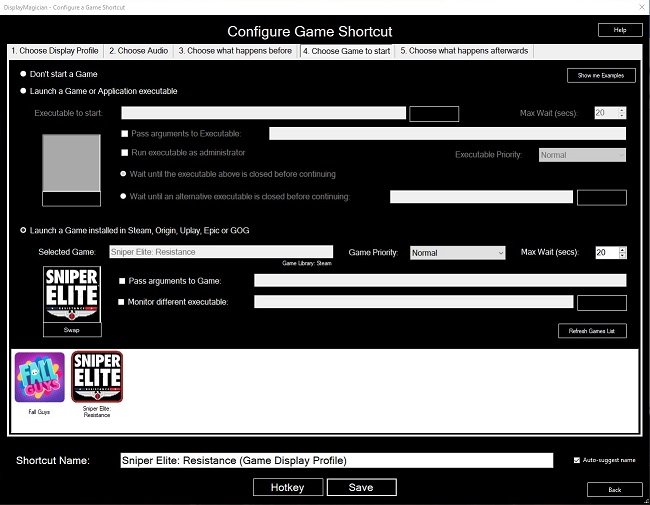
I recently wrote about the problems I was having trying to play several MMORPGs on my second monitor. The games in question do not have any settings to output to display number 2 and if you drag the game window from the primary monitor to the secondary, then the game either snaps back immediately to its original location or returns there after closing the client. As I suspected, I’m not the only person to be inconvenienced by this issue. A Google search found a cunning piece of open source software called DisplayMagician that resolves the problem. Written by Terry McDonald, DisplayMagician is designed to change your display profile and then run the game or application you select, on the monitor of your choice. It can also select specific audio devices and start extra programs, if required. It will then reset your settings back to the way they were, once you close the game or application.
DisplayMagician allows you to create multiple display setups using Windows 10/11 and save them as profiles. These profiles can then be associated with various games, ensuring they are output to the preferred monitor. Furthermore, when associating a profile with a specific game, additional commands can be added such as launching Steam or switching audio to a headset. Once all the desired data has been entered, DisplayMagician can create a game shortcut library for your favourite games, making the entire process convenient and easy. Upon exiting the game or application, DisplayMagician restores your default monitor settings and will even run an additional command to reset any peripheral settings, such as steering wheels and game controllers, if a bespoke configuration has been used.
So far, I have successfully set up game shortcuts for Fall Guys, Guild Wars 2 and Sniper Elite Resistance. All of which now display on my second monitor which is a FHD display. This is far more convenient for screen and video captures, as the monitor has a 16:9 aspect ratio. My primary monitor, which I use for writing, has a 16:10 aspect ratio, which confuses YouTube and other content sharing services. Hence, I am very pleased with DisplayMagician as it does exactly what it purports to do, with the minimum of hassle. It is easy to configure, unobtrusive and isn’t resource hungry. I just have to launch an app and then click on a game shortcut and a problem that has bugged me for years, is resolved. Furthermore, DisplayMagician is free of charge, although I do think it is worthwhile to make a donation to its creator, to ensure that they continue development.

Mainstream films are easy to recommend to people. They’re usually formulaic, work within clear parameters and they’re not controversial. Most people, when viewing such film on someone else’s suggestion, are left with a fairly simply choice. Did they like it or not? Whatever the outcome, no feathers are ruffled. No one looks at you askance afterwards and says “why the hell did you think I’d like that piece of shit”? If something like this happens, then you have clearly not recommended a mainstream film. Perhaps you’ve suggested something that’s a little more of an acquired taste. Something niche, from a very specific sub-genre. Which brings me neatly to Blazing Magnum AKA Strange Shadows in an Empty Room (1976). The US title gives the impression that this film is a hard boiled cop thriller, like so many others that followed in the wake of Dirty Harry. But there’s a clue in the European title. Yes, this movie has more than just a whiff of a giallo about it.
I turned on my laptop this morning for the first time in 4 months. I knew it was that long because I hadn’t connected the laptop to the new Netgear router that I bought at the end of April. Unsurprisingly, as I haven’t used this device for a while there were multiple Windows updates to be installed. This process took over an hour, so while the various updates were being downloaded and installed, I turned my attention to my Amazon Echo Dot which loiters in the corner of our lounge, doing very little to justify its existence. At present this device is mainly used as a glorified timer for cooking, which seems a bit of a waste given it’s alleged capabilities. Hence, I decided to see if I could increase its functionality while waiting for Windows to do its update thing. More on this later. Let us for the meantime return to the small matter of the operating system updates. Once they were completed, I immediately installed Chris Titus Tech’s Windows Utility and started removing unnecessary features and bloat, as well as disabling invasive services.

In the year 1860, Baron Victor Frankenstein (Peter Cushing) faces execution by guillotine for the murders perpetrated by the creature he created. With the assistance of a hunchback named Karl (Oscar Quitak) he avoids death by beheading the priest who came to give him the last rites. The priest’s body is then mistakenly buried by the authorities. Three years later, Victor, now using the name Doctor Stein, has established himself as a prosperous physician in Karlsbrück, serving both affluent patients and the poor at a paupers’ hospital. Hans Kleve (Francis Matthews), a junior member of the medical council, recognises Victor and being an admirer, seeks to become his apprentice. Victor and Hans then undertake an experiment to transplant Karl’s living brain into a new, more refined body, rather than a grotesque monstrosity the Baron has previously made. Karl is eager to have a new healthy body, especially after encountering Margaret Conrad (Eunice Gayson), the charming new assistant at the hospital.

This movie questionnaire was originally created by Alexander from Cinemaniac Reviews. Sadly, I believe that website is now defunct. However, that doesn’t in anyway invalidate the questionnaire itself which has some very good questions about your relationship with cinema. Some of my answers to the questions posed are about films that I enjoy, as opposed to those that are considered cinematic classics. However, I have answered some questions more seriously than others, especially the one about undeserving recipients of the Best Film Oscar. I struggled with a couple of questions because I no longer go the cinema as frequently as I did 10 years ago. This is mainly due to the fact that a lot of the films I find interesting end up going straight to streaming after very brief theatrical releases. Some do not even get shown in cinemas. Hence I view far more at home. But I digress. On with the questions and answers. Feel free to comment below and share your views.

Star Trek is slightly older than me by 14 months. I was born on December 18th 1967. Star Trek was first broadcast in the US on 8th September 1966. Hence this show has always been part of the prevailing pop culture that surrounded me, as I grew up. I first began watching Star Trek as a young child in the early seventies. It would be repeated on the BBC in the early evening on Fridays and it became a family ritual to sit down together and watch it. As a seven or eight year old, it left a great impression upon me and was in many ways, the television highlight of the week. Star Trek along with Doctor Who certainly started my interest in science fiction. Star Trek was also one of the first shows that introduced me to tie-in marketing. I remember seeing in a toy shop, near to my school at the time, a Dinky Klingon Battle Cruiser and was flabbergasted that such a thing existed. I immediately coveted it but sadly never obtained one.

It is obligatory to start these sorts of posts by reiterating the standard mantra that you should not be driven by your websites stats and that the data they contain can be unreliable. Although a sound philosophy in principle, it is actually more nuanced than that. Such data can be useful for growth if used wisely. I have never been coy about trying to increase my readership. For me it seems an integral aspect of blogging. Over the course of 2026, the traffic to Contains Moderate Peril has doubled. A lot of that is down to curious spikes in visits which seems to be AI scraping the entire site. Setting aside these anomalies, more people are reading posts and a lot are doing so via the site’s RSS feed. All of which is fine by me as growing the audience for this blog was a goal for this year, I am quite pleased by this development and the ongoing progress. I hope it continues.

There is a subtle difference between being rash and being proactive. Being rash means acting too fast without thinking about the results, while being proactive is a question of acting early with careful planning. Why have I mentioned this? Well prima facie information indicates that recent Blaugust participants are interested in an “official” online presence for the annual festival of blogging, other than that existing Discord server. That seems perfectly reasonable to me. Not everyone likes using Discord and I do worry that they may reduce its free functionality at some point in the future. With regard to there being a Blaugust platform of some kind, there is a consensus that it doesn’t need to be some sort of sprawling commercially hosted website running on Wix or such like. Those sorts of site require funding, a degree of admin and possibly private data management. It also a bit too “corporate” if you like. Hence the logical compromise is to have a static site. Let it suffice to say, that has been done.
First off, credit where credit is due. I pilfered the idea for this post from Mark Rogers who writes the Newsonaut blog. Apparently it’s a questionnaire that has been doing the rounds across various indie blogs for a while. However, it happens to ask some interesting questions about one’s reading habits. I read a book every month or so and I supplement this by listening to a lot of audiobooks. Yes, I’m aware they’re not the same thing entirely but both offer a means to consume and digest a book. Hence I am not interested in this “popular” internet debate and won’t waste my time on it here. I advocate reading in all its variant forms. Be it sitting in an armchair and perusing a grimoire while smoking a Meerschaum, to reading an article online on your phone or PC. I’d rather that people read in some shape or form, than not at all. As Mark Twain wisely said, “The man who does not read has no advantage over the man who cannot read”. So without further ado, here are my answers to the “five Ws of Reading”.

When I was a child, I quickly learned never to say within earshot of my parents that I was bored. It was quickly met with a response along the lines of “an intelligent mind is never bored” or more worryingly “if you’ve got nothing to do, I’ll find you something” which meant a chore or Herculean task. Being a child of the seventies and due to my parents fundamentalist approach to declarations of boredom, I quickly discovered numerous ways to occupy myself. The default solution was a book or comic. I always liked reading as a child and had plenty of books to choose from. I also had numerous of comics as an alternative to a hefty tome. I would also draw and paint. My father use to work during the summer holidays as a design draftsman and as a result, we always had plenty of paper in our house. Then of course there were toys and such like. Hence I learned the art of keeping myself busy.

Judging by the posts I’ve read, it would appear that Blaugust 2026: Festival of Blogging has been well received by those who participated in it. That is most satisfying to know, especially in light of the fact that this is the first year the event has been run without our founder who sadly past away in July. It has also become clear that Blaugust is reaching a far wider and diverse audience and most definitely is no longer the exclusive province of bloggers from one particular community. There has been healthy discussions on our Discord server about whether this year event needs to adapt to accommodate the modern blogosphere. Questions such as whether or not there needs to be a dedicated Blaugust website have been raised and explored. Should every site participating have an RSS feed? How, if required, should comments be handled. Inevitably, the subject of the use of AI in blogging still remains a controversial issue.
Before we begin, let me clearly state that this is not a comprehensive installation guide for installing Steam OS on your PC. Mainly because the variety of hardware that can be present in any PC makes each installation a somewhat bespoke affair. Hence I have decided to provide a list of bullet points of the various steps and issues I encountered during my installation, last week. Consider it advance warning of things you may encounter if you install this operating system. As ever, if this is something that you are intending to do, I would advise allowing yourself a suitable amount of time so you can accommodate any issues should they arise. It is entirely possible that this may be a two hour job for the technically literate running the most generic or commonplace hardware. However, I suspect that a lot of people undertaking this project will run into variations of the same problems that I encountered.

Today I visited the Inside Aardman: Wallace & Gromit and Friends exhibition at the Young V&A Museum at Bethnal Green. The exhibition which celebrates 50 years of Aardman Animations, provides visitors with a unique, behind the scenes view of the art of stop-motion animation. It also explores how Aardman’s iconic characters and worlds are designed, crafted and brought to life. From the initial concept artwork to the final visual effects, this event demonstrates the methods and techniques employed by Aardman. The exhibition features early scripts, sketch artists initial concept art, models, sets and numerous famous puppets. Furthermore this event is firmly pitched at children and families, with a wealth of interactive activities demonstrating the various techniques on display. The curators of the exhibition have also made it clear that they wish to encourage future generation to consider a career in the creative arts.

Exit 8 is a sophisticated and claustrophobic psychological thriller directed by Genki Kawamura, which skilfully transforms a minimalist indie walking-simulator game into a cinematic existential enigma. This overtly metaphorical film renders the repetitive nature and drudgery of modern working life into a physical environment in which the lead character is trapped and must find a way out. A random, brutal maze filled with an atmosphere of indifference to the lab rats that find themselves trapped within. Or is it their personal guilt that has put them there? Genki Kawamura’s psychological mystery draws inspiration from the Japanese video game of the same name, as well as from the cyclical nature of Groundhog Day and endless corridors of the Overlook Hotel in Kubrick’s The Shining. Although there are jump scares and some ghoulish imagery, this is not a horror vehicle. Instead this is a disquieting psychological drama with a strong sense of morality.

After a very productive month of writing, we come to the final Blaugust 2026 Group Project writing prompt. It is titled lessons learned and is usually a chance to reflect on the festival and whether or not it has been to one’s satisfaction. Have you achieved your goals? What have you gained from the experience? Those sorts of things. It also poses two further questions; “What is the best piece of advice you’ve ever been given?” and “what’s the best advice you’ve ever given to someone else?” for your consideration. I’ll address the questions shortly. Firstly let’s mull over this years event and assess how it’s gone.

Some video games lend themselves to being set aside and resumed at a later date with zero consequences. These are often casual games with no major goals other than having fun while playing them. Fall Guys is a great example of this. You have a cartoony avatar that participates in zany group races, filled with obstacles. You run, jump, climb but the controls are far from difficult. You may well become skilled but such things are mitigated by the other players as they stumble around. You’re not at the mercy of apex players or “try hards”. It is not a game about winning and mastering techniques. The fun comes from playing it and the unique experience you have each time. I’ve been playing this game, on and off, since it’s launch in 2020 and in that time I have only ever won once (winning requires you to win a series of 4 to six individual races). However, whenever I pick up my controller and play Fall Guys, I have fun and the game lifts my spirits.
I am intrigued by the growth of the IndieWeb, owning your domain and static websites. I certainly agree with the notion of not relying on big corporations and I have an ongoing project to divest my dependency on software produced by major market players. However, although I own my own domain, my website is hosted by Squarespace. I’ve not really had any problems with them over the last 11 years and I would describe our business relationship as equitable. However, the monthly subscription price has increased over time and is likely to keep on doing so. It has crossed my mind as to whether there is a suitable alternative. However, if I were to migrate Contains Moderate Peril elsewhere I suspect it would be logistically complex and problematic.

I wrote a post 18 month’s ago regarding whether a directors cut of a film is superior by default to the version originally shown in cinemas. Obviously the answer was no and I then went on to give three examples of films where I think the theatrical release is better to lengthier or substantially altered director’s cut that was subsequently made available at a later date. This time round in this post, I would like to do the complete opposite. I shall provide some examples of films that I think are significantly improved by a longer cut or a substantially, restructured edit. Note some of these examples are technically not a “director’s cuts” but a restoration or reconstruction of the director’s original vision. I shall endeavour to highlight what specific material or broader changes make each respective film “better”. As ever, all of these examples are a matter of subjective opinion and my views are presented as such, not “fact”.
I like learning new skills and starting projects. I regularly undertake such things with varying results. However, if they don’t work out that’s not a problem. You have to try something to see if you like it. I’ll add “within sensible parameters” as a caveat to the last statement. And it’s perfectly fine to discover that something isn’t for you. I like certain genres of video games, music, films and books. I am comfortable wearing certain types of clothes and not others. I’m picky about colours. I’ll even go so far as to say that I won’t drink out of any mug that’s just lying around. If I don’t like the joke, logo or overall aesthetic of it, I ain’t using it. However, I digress. Let’s get things back on track and talk about projects. This year I have wound down several websites and have decided not to move forward with making YouTube videos. I have focused my energy on improving my website and adding functionality. I am also trying to broaden the scope of my writing.

Song lyrics can be powerful things. They can capture the mood and spirit of an era. They can also make powerful socio-political points. Or they can simply be pleasing to the listener by their use of language and playfulness. They can stick in your mind for both deep and trivial reasons. Mishearing them is also a common problem but that is a separate blog post. On this occasion I thought it would be worthwhile exploring the subject of song lyrics of note. Hence I have collated some that I find interesting, wise or just entertaining. These aren’t necessarily my favourite songs of all time, because I like so many. Instead these are some of the ones that sprang to mind when I was preparing this post. I have decided to have the selected lyrics first and the name of the artists afterwards, so that the emphasis is placed upon the words from the song. Although is is more than likely that you’ll be able to identify the songs from the lyrics immediately, or at least for some of them.

In 1968 the dilapidated freighter Corita hastily leaves Freetown to avoid a customs inspection. Captain Lansen (Eric Porter) has a cargo of dangerous explosives which he is smuggling so he can finally retire. His ship’s passengers also have reasons for leaving in a hurry. Dr. Webster (Nigel Stock), together with his daughter Unity (Suzanna leigh), is relocating due to his indiscretions with patients and illegal operations. Alcoholic pianist Harry Tyler (Tony Beckley) is aimlessly drifting from port to port. Eva Peters (Hildegard Knef) is fleeing from her husband with stolen bearer bonds which she intend to use to buy back her son from his evil clutches Caracas. Ricaldi (Ben Carruthers), a questionable lawyer, is pursuing Eva to retrieve the stolen bonds. First officer Hemmings (Neil McCallum) suggests that the ship should return to Freetown after an imminent Hurricane warning. The Captain asks the passengers and they are unanimous that they do not wish to return. However a mutinous crew, the bad weather and the instability of the explosives force everyone to abandon ship. The survivors find themselves adrift in a lifeboat surrounded by a strange carnivorous seaweed.
It was my blogging anniversary on the 16th August. I’ve been writing and sharing my post online for 19 years, via various different websites and blogs. This current iteration of Contains Moderate Peril has been around since August 2015. To date it has 2,171 posts including this one. Quantity does not necessarily equate to quality but there are some articles I am proud of and feel that they make their point effectively.
This week’s Blaugust 2026 Group Project writing prompt is an important topic. Namely, staying motivated. I prepared a fairly lengthy post with some advice and ideas to keep people focused and writing. Then I checked it against the post I wrote last year and the year before that, going back to blogging events from 2012. All of these posts broadly said the same thing, so I decided to scrap what I had composed for today and to go with a simpler approach. I shall answer the questions Krikket posed for this writing prompt. Fellow blogger Bhagpuss has also done so and as ever, his thoughts are interesting and well expressed. Here are my answers.

Thoughts on TV shows and my current viewing habits.
This so-called recurring post is certainly becoming quite irregular, as It’s been over a year since I wrote the last instalment of The Idiot Box. I noted back then how I was watching less television and to be frank that hasn’t really changed. Although there are plenty of well written and entertaining shows out there, too often choosing to watch one effectively places you in an opened ended social contract. For example, I watched the first season of The Agency, which is a superior espionage drama. It ended with the main story completed and a few plot lines open for another season. A second season has just been released and I have learned from a blog post by Wilhelm Arcturus, that this season ends on a cliffhanger. Oh dear. Do I really want to get on another TV show treadmill? Nope. I like TV shows that have self-contained seasons. So I guess I’ll be skipping The Agency. Shame. I liked the Jack Black cover of a U2 song that they use on the title credits.

Sometime in August 1979, I was travelling with my father by train to London, when I first saw posters advertising the Ralph Bakshi animated version of J. R. R. Tolkien’s The Lord of the Rings. The film had been released in the US the previous November and I aware of its existence because I had read articles about it production in Starburst magazine. Even at the age of 11 I was interested in genre films and television, having been raised on Doctor Who and Ray Harryhausen’s back catalogue of fantasy movies. Furthermore, I was familiar with Tolkien’s first novel, The Hobbit, as my father had read it to me when I was younger. I was impressed by the poster in that way that only an 11 year old can be. Why was Gandalf do gigantic? Also the A rating was enigmatic. Most animated films were usually rated U. Yet despite my interest, I didn’t see The Lord of the Rings at the cinema during the summer holidays.

Jason Statham is an exemplar of the US mantra of “staying in your lane”. He makes action movies and occasionally strays into action comedies. His formula broadly works and is sufficiently lucrative to keep Mr. Statham employed. Therefore, if you watch a film in which he stars, you have a fairly good idea of what you’ll be getting. Of late, the criteria for his action vehicles have become more succinct. Jason Statham will play an innocuous character, such as a construction foreman or a bee keeper. Something terrible will subsequently befall another character who Mr. Statham has an emotional connection with in some capacity. He will subsequently hunt down those responsible and meet out death and violence. At some point the villain of the story will enquire as to how this innocuous person is so lethal. Research will then show that our Jason is in fact an ex-police officer/special forces operative/international assassin. There’s then a showdown and the villain dies. Job done.

The Light at the Edge of the World presented itself as an action movie upon its release in 1971. Based upon a story by Jules Verne, the Spanish American co-production was driven by its star Kirk Douglas, who curiously hired British director Kevin Billington to helm the project. This tale of a lighthouse keeper fighting a war of attrition against a group of pirates that have captured his island, was market as an adventure film ostensibly in the idiom of the authors previous works and as a pirate movie. MGM bought the rights to distribute the film in the UK on the misunderstanding that it was a family friendly production. It was not and remains so. They subsequently had to cut 15 minutes of violence and torture as well as an undercurrent of sexual assault to secure a suitable rating. Conversely, the US distributors received an arbitrary PG rating, despite the fact this is one of a handful of films that honestly depicts pirates as murderers, rapists and worse.
The initial podcast boom, which began circa 2005, started as an audio only medium. One of the reasons podcasting became so popular, especially among the fan community, was that you could get away with relatively low production standards. Anyone who had access to a basic microphone and a PC, could produce a show and upload it to iTunes, which was the primary platform at the time. Listeners were forgiving back then. Twenty years later and podcasting has been on a tempestuous journey. It started with the medium being accessible and democratised, sustaining a rich and diverse fan community via non-professional productions. However, slowly and inevitably it has been assimilated by corporate interests. Fan podcasts have given way to podcast production companies. The small, micro-budget, indie show has effectively been thrown out of their own party. Such shows still exist but they struggle to be heard.

I recently completed the main story in Tainted Grail: The Fall of Avalon. In total I spent about sixty hours playing the game. I began at the start of the year, then took a break for a while but returned to it recently because I wanted to see if I could unlock a specific ending. I did manage to do this. Like so many other RPGs, Tainted Grail: the Fall of Avalon has a central storyline, along with a wealth of side quests, based around factions in specific zones. I think I possibly completed about a two thirds of these. However, once I finished the main story, my interest in the game began to wane. I finally left my character in the last major quest hub in case I wish to return at a future date. I then logged out of the game and uninstalled it from my PC to free up space for whatever I was to play next. In this case its The Sinking City 2. None of this is a negative reflection on Tainted Grail: the Fall of Avalon. I enjoyed the time I spent playing this quirky RPG. I simply had my fill and left to play something else.
When I first started this series of posts back in 2023, they were originally intended to provide a useful overview into UK (mainly British) slang. US slang is ubiquitous globally due to the pervasive nature of American culture. Hence most people have a good grasp of its nuances. However, the proverbial door does not swing both ways. Hence most people will watch British TV dramas or read popular novels and can be quite bamboozled by some of the phrases that are used. That is what I was trying to address. However, over time this entire enterprise now reads like a some sort of Guy Ritchie film with Colin as the anti-hero. That notwithstanding, hopefully the list of slang phrases below will prove useful to know, if you ever visit the UK or tour around London. As ever I have given an example of their respective use. Feel free to ask questions if anything needs clarifying, or you wish to leave a comment with examples of you’re own national and regional slang.

Once again, I have stumbled across an interesting debate that has provided me with an opportunity to write a blog post. Over on the Blaugust Discord Server, I read a comment from AgingGamer regarding RSS feeds and their significance with regard to blogging. This in turn referred me to a post by fyr (don’t you love all these nom de plumes) who wrote at depth about the ongoing community debate about the use of RSS/Atom feeds. The article explored the importance of such feeds with regard to reaching readers and providing accessibility to the disabled. All of which provided me with a great deal of food for thought. Mainly because I use a mainstream website service provider for my online endeavours, so RSS is by default built. I’ve never really considered not having such a facility at my disposal. But the rise in the IndieWeb scene challenges this assumption.

Usually, during the Blaugust Festival of Blogging event, I like to tackle an internet questionnaire. I do these because they’re fun and they’re a break from standard blog posts. The only problem is that I’ve completed a lot of the more popular ones over the years. You’ll find my previous answers for these below, in the “Related Posts” section. I was certain there still had to be some questionnaires available that I haven’t completed and after searching online, I discovered the Bernard Pivot Questionnaire. It is a set of ten quick questions which French TV host Bernard Pivot would asked his guests at the end of his cultural show Bouillon de culture. He based his list of questions on the older Proust Questionnaire, which itself is derived from Victorian parlour games. Later, TV host James Lipton made a version of the Bernard Pivot Questionnaire famous, on Inside the Actors Studio. So with out further ado, here are my answers to the Bernard Pivot Questionnaire.
VPNs, Web Browsers and Synchronising Bookmarks
I tend to compartmentalise my online activities. I use different browsers and apps for specific tasks. For example, I specifically use Opera to access websites that are geo-blocked in the UK. This is because it has an integral VPN that up until today, has been free. Sadly, it is now disabled by default and requires a subscription to activate. I’m not really surprised by this move. It was free while being developed and tested and naturally during this period of time, many users have become reliant on it. The cost of a subscription from Opera is no different to that of any other established VPN provider, although they offer a lot more functionality. So I decided to take advantage of the current Black Friday sales and bought an18 month subscription to Surfshark, which comes with a lot more bells and whistles. This includes extensions for all the main web browsers along with more complex VPN tools.
I tend to compartmentalise my online activities. I use different browsers and apps for specific tasks. For example, I specifically use Opera to access websites that are geo-blocked in the UK. This is because it has an integral VPN that up until today, has been free. Sadly, it is now disabled by default and requires a subscription to activate. I’m not really surprised by this move. It was free while being developed and tested and naturally during this period of time, many users have become reliant on it. The cost of a subscription from Opera is no different to that of any other established VPN provider, although they offer a lot more functionality. So I decided to take advantage of the current Black Friday sales and bought an18 month subscription to Surfshark, which comes with a lot more bells and whistles. This includes extensions for all the main web browsers along with more complex VPN tools.
As a result of this change, I no longer have any need for Opera and so I have uninstalled it. I use Chrome and Firefox for everyday use. I run Chrome on my primary monitor for general browsing and Firefox on my second screen specifically for Twitter/X, Mastodon and Blue Sky. I like to keep an eye on my various social media timelines for breaking news and to see what my internet chums are up to. Both browsers have AdBlocker Ultimate and Adblock for YouTube extensions installed. I simply wouldn’t browse the internet without them. I have some additional quality of life extensions installed on Chrome, such as an audio recorder and a Flash emulator. I also have a very useful add-on called New Tab Draft which allows you to write in plain text on any new tab opened. These are kept permanently until deleted. It’s very useful for quickly copying and pasting information or writing some notes on the fly.
For convenience, it is useful to synchronise bookmarks between web browsers. Until recently, this was something I did manually but it was a pain in the butt. I would often forget to copy links over, so there were frequent discrepancies between browsers. However, like so many online “problems”, you can always find someone who has already encountered it and addressed it. xBrowserSync is a free service that allows for seamless synchronisation of bookmarks via a simple extension. It is quick, easy and password protected. Having such a facility also encourages me to undertake regular housekeeping with regard to bookmarks. I recently purged several dozen, many of which were for obsolete services or for websites that don’t even exist anymore. Bookmarks are a worrying catalogue of all my passing interests and I had many for video games and TV shows that have “been and gone”.
After 30 years plus of internet access, it is nice to finally have my browsing requirements so well catered for on PC. It is a shame that the same cannot be said for web browsing on a phone or tablet. I may be incorrect but there just doesn’t seem to be the same ecosystem of extensions and add-ons available. I tend to avoid web browsing on my phone as it quickly becomes a hellish nightmare of pop ups, autoplaying videos and pervasive advertising. Combined with the ongoing “enshittification” of apps, the whole matter gets worse over time. I will look for workarounds in the New Year and see if internet access via your phone can be made more manageable. I suspect it may well be a harder problem to solve than PC web browsing but again, I’m sure some smart people have already taken steps to address the matter.
I turned on my laptop this morning for the first time in 4 months. I knew it was that long because I hadn’t connected the laptop to the new Netgear router that I bought at the end of April. Unsurprisingly, as I haven’t used this device for a while there were multiple Windows updates to be installed. This process took over an hour, so while the various updates were being downloaded and installed, I turned my attention to my Amazon Echo Dot which loiters in the corner of our lounge, doing very little to justify its existence. At present this device is mainly used as a glorified timer for cooking, which seems a bit of a waste given it’s alleged capabilities. Hence, I decided to see if I could increase its functionality while waiting for Windows to do its update thing. More on this later. Let us for the meantime return to the small matter of the operating system updates. Once they were completed, I immediately installed Chris Titus Tech’s Windows Utility and started removing unnecessary features and bloat, as well as disabling invasive services.
Before we begin, let me clearly state that this is not a comprehensive installation guide for installing Steam OS on your PC. Mainly because the variety of hardware that can be present in any PC makes each installation a somewhat bespoke affair. Hence I have decided to provide a list of bullet points of the various steps and issues I encountered during my installation, last week. Consider it advance warning of things you may encounter if you install this operating system. As ever, if this is something that you are intending to do, I would advise allowing yourself a suitable amount of time so you can accommodate any issues should they arise. It is entirely possible that this may be a two hour job for the technically literate running the most generic or commonplace hardware. However, I suspect that a lot of people undertaking this project will run into variations of the same problems that I encountered.
I am intrigued by the growth of the IndieWeb, owning your domain and static websites. I certainly agree with the notion of not relying on big corporations and I have an ongoing project to divest my dependency on software produced by major market players. However, although I own my own domain, my website is hosted by Squarespace. I’ve not really had any problems with them over the last 11 years and I would describe our business relationship as equitable. However, the monthly subscription price has increased over time and is likely to keep on doing so. It has crossed my mind as to whether there is a suitable alternative. However, if I were to migrate Contains Moderate Peril elsewhere I suspect it would be logistically complex and problematic.
I like learning new skills and starting projects. I regularly undertake such things with varying results. However, if they don’t work out that’s not a problem. You have to try something to see if you like it. I’ll add “within sensible parameters” as a caveat to the last statement. And it’s perfectly fine to discover that something isn’t for you. I like certain genres of video games, music, films and books. I am comfortable wearing certain types of clothes and not others. I’m picky about colours. I’ll even go so far as to say that I won’t drink out of any mug that’s just lying around. If I don’t like the joke, logo or overall aesthetic of it, I ain’t using it. However, I digress. Let’s get things back on track and talk about projects. This year I have wound down several websites and have decided not to move forward with making YouTube videos. I have focused my energy on improving my website and adding functionality. I am also trying to broaden the scope of my writing.
It’s funny how it is often the little things that become the proverbial straw that breaks the Camel’s back. I have been struggling for a while with the overall performance and functionality of my Windows 11 PC. The operating system is bloated, slow and buggy. It all too often commits that unpardonable sin of trying to do my thinking for me and enables some stupid feature by default. Despite having good specifications, my PC takes too long to boot up for my liking and is becoming too much of a wild card with regard to whether it will co-operate or not when I try and undertake a simple task. As someone who is very particular in their PC habits, IE I see my PC as a tool that I use on the terms that suit me. Hence, I find the faux enthusiasm that accompanies each uncalled for “improvement” that results in me losing agency, singularly antagonising. Then a minor issue arose recently that escalated into a thorn in my flesh and I decided that it was time that something must be done.
This is a post about the power of nostalgia and how sometimes, interacting with something from your past, be it physically or mentally, can produce a very strong and tangible emotional reaction. In some instances, this can be the result of something that you have specifically set out to do. On other occasions you can wander into a sense of nostalgia purely by chance. Today I experienced a very strong sense of nostalgia while watching a YouTube video and then again when I sought to replicate what I had seen. The video showed someone installing Windows 95 on to an old 486 PC from that era. The Window’s start up sound really touched a nerve (but in a good way) and then when the guy in the video launched Space Cadet 3D Pinball, a game that shipped with the operating system, I felt a strong compulsion to track down a copy and install the game myself, thus revisiting something that was an integral part of my life in 1995.
For the last few months I have being using Google Gemini. I subscribed so I could access a wider spectrum of services and evaluate it effectively. I also wanted to dispel some of the hysteria that accompanies any conversation about Large Language Models and Artificial Intelligence. The results were initially interesting and Google Gemini proved useful when researching material for blog posts. It is good at providing summaries about well documented subjects. I wrote a post about food banks recently and it distilled a lot of data into a manageable amount, which was ideal for my article. Google Gemini has also produced some visual basic scripting and simple batch files that have allowed me to automate processes on my PC. Such as changing the default monitor, or screen resolution at the click of an icon. However, I found this AI struggled with in-depth software troubleshooting and that its ability to create images varies greatly depending on the subject.
The UK Government has formerly announced its intention to ban under-16s from using social media. This is due to increasing public pressure that “something must be done” about the perceived iniquities of many online platforms. However, as with most complex social problems of this nature, no one has any clear or practical ideas as to what that “something” is. It remains a nebulous, non-specific panacea and clearly someone else’s job to identify and implement. As ever, why choose a nuanced and multifaceted solution to a complex problem, when it is far easier and politically expedient to just “ban” something. The former requires effort and a degree of thinking. If such an approach fails it also means that those who came up with it now carry the can. The latter dumps the problem in the lap of various third parties, who can then be conveniently blamed when the ill conceived policy fails.
Yesterday we changed internet service providers. We moved from EE (formerly BT) to Plusnet. The transition went surprisingly well, mainly due to the existing infrastructure remaining the same. We’ve had fibre to the premises (FTTP) since 2022 so this was essentially an administrative change. The previous ISP terminated their service at 1:30 AM in the morning, while I was playing Star Trek Online. By 6:30 AM I received a message from Plusnet that the new service was live. It took about an hour to configure the new Netgear Nighthawk RS100 router (I bought my own) and get all our household devices attached to the new network. The connection is running at exactly the same speed and stability as it had under the previous supplier. At present a 1Gbps connection is sufficient for our needs. The main factor that has driven this change is cost. We are currently paying £28 per month for internet access which is a competitive price in the UK.
In 1990 I was working at the DWP (Department for Work and Pensions). I had just taken the role of Computer Support Officer where I administered user access to the mainframe and provided first line support to staff using the terminals. That summer the office moved to a PC based network and the project was undertaken by the newly formed Siemens Nixdorf company. To cut a long story short I befriended one of the contract engineers and over the next 9 months he became an unofficial mentor to me. Technically he was only supposed to train me in the most basic of fashions but he liked the fact that I was always asking questions and effectively ended up schooling me in PC and server architecture, network administration and the associated protocols. For me this was the best way to learn. It was not a case of coming to grips with theory in a classroom environment. It was learning by doing and having direct and exclusive access to a source of knowledge and experience.
My Windows 11 PC is a cobbled together mess of upgrades, customisations and workarounds. It seems okay at first glance, mainly because my desktop is well organised and I don’t allow too many apps to start on boot up. But beneath this superficial veneer of efficiency and optimisation is a bloated mess. Every Windows update adds yet more spurious features which slows performance and tries to harvest your data. Windows is no longer a user friendly operating system that you buy and use without impediment. It is now a sprawling live service that actively gets in the way of your productivity so that it can make a buck off your inconvenience. There was a time when you could quickly learn its processes and foibles, so you could customise it into the tool you needed. Nowadays I have to continuously use third party tools to get Windows to do many of the things I want, or to access functionality that Microsoft has obtusely decided to restrict.
As the New Year is still young, I have embarked upon several new projects that I’ve been planning since Autumn last year. These undertakings have gone beyond the planning stage and are currently being implemented. The fun thing about the phrase “implemented” in this context is that it implies that it is by far the easiest and most straightforward part of the process. The initial brainstorming of ideas has been completed. A cogent and detailed plan has been written. The costing of materials and time required have been determined. These are the hard parts. All that remains is to “just do it”. It should be a piece of piss (a British phrase indicating that something is easy). It virtually “implements” itself. However, that is a load of bollocks. Because there is always scope for something to go wrong. It may well start as something minor and innocuous but it all too often ends in a “problem cascade”.
This time last year I made a decision to replace Microsoft Office or Office 365 as it is currently known. Mainly because I only use Outlook out of the entire suite of software. This project stalled because I couldn't easily import my existing email archive into Mozilla Thunderbird. Hence the status quo has been perpetuated. However, there is an ongoing cost associated with this software as well as some wider considerations about ethics and privacy which is why I have returned to this matter. Although this time I wish to replace not only Office 365 but all the other "production tools" I use to write and browse the internet. I have managed to make some progress towards this goal but it has been hard to adapt. Mainly because I had everything set up to my liking. Although alternatives are available, they're never exactly alike and require a lot of fine tuning to be deemed satisfactory.
Last summer I wrote a post about my experiences using various screen capture software. At the time I was using Bandicam which suited all my needs. I had configured the software to launch at Windows start-up and had a hotkey assigned to capture images from my primary monitor. Hence I could quickly grab a screenshot from my desktop or when playing a game. However, this changed in November 2025, when I bought two new monitors. Both of which supported HDR (High Dynamic Range). Although they provide superior picture quality, HDR has a knock-on effect on Bandicam. Screen capture images and video look over exposed. Hence I had to stop using the software and find an alternative. Fortunately the same company has been developing an alternative product with HDR support; Bandi Camera. So I swapped to this software. The screenshots were far better but the functionality of the app was lacking.
Our home has a 1 Gbps “fibre to the premises” internet connection. It has proven reliable since it was installed in June 2022. Our internet service provider EE (part of the BT group) are neither the best of worst suppliers. The monthly cost is not especially competitive and so we may be looking to move providers next Easter. However, that is a matter for the future. For the present there is a more immediate issue. Starting on Friday 21st November, our internet connection has started randomly dropping. Furthermore, both the Wi-Fi extender in the lounge and the wireless printer in my office have become disconnected from the network. It was as if their details had been erased from the router. I suspected that a recent firmware upgrade may be the culprit although EE denies it. However there are posts online from other customers with similar technical issues.
A couple of times a year, Mrs P asks me to copy onto her laptop, all the pictures that I’ve taken over recent months, as well as those that have been shared with us via WhatsApp. She then diligently whittles them down into a manageable amount which we then print off and put in our photo album. Yes we’re of the generation that still likes to print off hard copies of photos and from time to time look at them nostalgically. We have several albums with photographs in chronological order and numerous frames placed around the house, filled with pictures of family. The bulk of the photos are 4x6 inches (10x15 cm). We use an online photo printing service for the majority of our pictures and visit a local store with a self-service photographic department to print off specific pictures for bespoke frames. The original photos, now neatly organised, are backed up and archived.
I take a lot of screen captures of video games and Windows apps, usually for blog posts. I use both Bandicam and Windows Snipping Tool to do this and have set up various hotkeys to make the process easy. Of late, the screen captures that I’ve taken have all suffered from washed out colours, regardless what tool I used to take them. I checked to see if both these apps needed to be updated but they are running the latest versions. Hence I was initially stumped as to why this problem had started happening. After some thought, I deduced that the only new elements in my PC hardware were my two new monitors. Both of which support HDR. Google Gemini quickly informed me that this was a known issue and taking screen captures from an HDR enabled device resulted in an excessively bright image that looked over exposed.
I recently bought two new monitors and a stand for my PC tower case. Today I thought I’d take the opportunity to disconnect every peripheral, clear my desk and then after a thorough clean, reassemble everything ensuring good cable management. I even went so far as to buy a new power extension lead so I could reorganise where everything was plugged in and therefore be able to isolate specific hardware. It seemed such a simple, straightforward task on paper. The reality was much different. It took me over three hours to sort out, mainly due to the fact that I don’t “bend” so well these days. During this Herculean task, my watch kept on notifying me that my heart rate was “high”. However, I regularly took breaks and fortified myself with gin for medicinal reasons. I am pleased with the results of this task.
I use two monitors with my PC, as I find having the additional screen “real estate” invaluable when writing or playing games. Both monitors that I’ve been using up to now are somewhat old and they are not exactly the same size or resolution, although both are FHD. I have previously written about the problems I’ve had trying to get certain games and programs to display on specific monitors and the lengths I’ve had to go to to resolve this issue. To cut a long story short, I recently decided to replace both monitors with larger models with a higher resolution. Mainly because my eyesight is not what it used to be. I see best when working with a bright screen that can produce clear text. New monitors would also address my ongoing screen output problem. Hence, I set myself a reasonable budget and began researching appropriate replacements.
In July the UK Government introduced the Online Safety Act which requires age checks for accessing sexually explicit content online. As a result of this, Pornhub, the 19th most visited site on the internet, has reported a 77% decline in UK traffic. Furthermore, according to the UK regulatory body, OFCOM (The Office of Communications), overall visits to pornographic websites from the UK have fallen by 33%. Naturally, those who championed this legislation are claiming a moral and political victory. However, once you consider what these facts actually mean, they paint a somewhat different and potentially more worrying picture. It would be staggeringly naïve to think that UK visitors to Pornhub have ceased visiting such sites due to the age verification requirements. The more likely explanation is that UK porn consumers are now using VPNs to circumnavigate these restrictions and that this traffic to Pornhub is now recorded as coming from elsewhere.
It may be a case of preaching to the Choir but dust contamination in your PC causes overheating, decreased performance, and potential hardware failure. This mainly occurs due to dust restricting airflow, impeding components such as heat sinks and creating short circuits from conductive particles. Fluff builds up and restricts cooling fans, forcing them to work harder. Heat build can lead to issues like system crashes, lagging, and even permanent damage to the motherboard and CPU. Over time, it can shorten the lifespan of the computer and in severe cases, poses a fire hazard. When I used to work in IT contracting, I used to see the effects of dust contamination all the time. PC placed on carpet tiles or on top of desks and surrounded by other objects. I remember one PC replacement project I was working on where we found an old PC with a dead mouse in it. It was desiccated by the heat.
Usually I don’t have a problem with internet access when Mrs P and I are travelling. My phone data plan is sufficient for Google Maps and social media usage. Once we reach our hotel, it’s just a question of connecting to the free Wi-Fi or if need be, buying upgraded access. It’s seldom that expensive. When I went on holiday to Croatia this summer, I bought a bespoke data plan before arriving that granted me extra internet access. Our hotel in Makarska also had very robust internet access. Hence, regardless of being out and about or by the pool, I never had any issues getting online. The ubiquity of internet access means we often take it for granted. I seldom go to places in the UK or abroad that don’t have advanced IT infrastructure. Until this week.
Back in January, I was very pleased because I had finally found some open source software, DisplayMagician, which allowed me to quickly and easily alter my display profile and run specific games and applications on my second monitor. Prior to this I would find that some programs just wouldn’t stay put, once they were dragged or otherwise cajoled to display on the monitor of my choice. They would continuously snap back to the primary display, regardless of my actions. DisplayMagician solved this issue and did so with aplomb. Or it did, until last weekend when I upgraded my PC from Windows 10 to 11. Then it stopped working. I therefore did some digging online and it became apparent that this is a known issue that is currently being addressed by its creator, Terry McDonald.
As part of our increasing dependency upon software, we have also grown accustomed to its associated foibles, especially the negative ones. Today, I upgraded my blog from Squarespace 7.0 to 7.1 and my PC operating system from Windows 10 to 11. I started early in the morning and ensured that all my personal data was backed up. My default expectation was that both processes would go wrong in some way, shape or form. Let’s take a moment to consider this mindset, which is born out of experience. It is now taken as read that whatever you upgrade, be it an app on your phone or a program on your PC, that it’s going to be problematic. It won’t be a seamless transition and you’ll end up having to do some sort of troubleshooting. Despite our lives becoming more dependent on such software, the quality of these products seems to be deteriorating. What a sorry state of affairs.
The ability to take a screen capture of a video game that you’re playing, or an open application or browser tab, is just something we take for granted. Windows 10/11 have a built-in tool called Snip & Sketch that is simple to use. Most of the games that I play have a specific hotkey for taking screenshots and a default directory to store them. Similarly, the latest builds of Windows also include the Xbox Game Bar software, which allows you to capture video from any application that you’re running on your PC. You can then edit via Clipchamp which is the successor to the old Windows Movie Maker. I believe the macOS comes with comparable default software. The absence of such apps today would be noticeable. However, there was a time when such things were not considered standard features.
30 years ago, in early 1995, I bought my first PC, a second hand Compaq Prolinea 4/33. It had an Intel 486 DX processor, 340MB HDD, 4MB RAM, 3½-inch floppy disk drive and a 14-inch monitor with a screen resolution of 1024 x 768. It ran Windows 3.11 installed via MS-DOS 6.22. It didn’t come with a soundcard or a CD-ROM drive. I believe I paid around £750 or so at the time, which was approximately half its original retail price. This model was 2 or 3 years old when I bought it. However, at this time, PC specifications did not change as quickly as they do these days. Hence, this was a good starting point for someone new to computing. I subsequently upgraded the processor to a 486 DX2, increased the RAM to 16MB and installed a Creative Labs Sound Blaster AWE32 soundcard and CD-ROM drive.
Three months ago, I wrote a blog post regarding how I wasn’t going to replace my phone because I was pretty much done with the endless treadmill that is “upgrade culture”. At the time my Google Pixel 6 was three years old but continued to serve all my smartphone needs. So I signed up for a new “SIM only” contract with Vodafone and went about my business, feeling somewhat pleased with myself. However, “needs must when the devil vomits into your kettle”, to quote Blackadder. I recently noticed that the screen on my phone was coming away from the main enclosure. There was a distinct curve along the right hand edge, as if there was something inside the phone applying pressure outwards. Sadly, that is precisely what was happening. I searched online to see if this was a known issue and was subsequently introduced to the problem known as battery bulge.
I had a novel experience (at least for me) this morning. I went to the cashpoint (that’s an ATM for those outside the UK) at my local supermarket, only to find it out of service. I had an imminent haircut appointment and no cash to pay my barber, who doesn’t take card payments. Fortunately, the supermarket did “cashback” so I bought a loaf of bread and some milk, paid £23 for them and was given £20 in cash. It’s a useful facility that I have never used until today. Usually I just make sure that I have a float of cash available but today the cashpoint being unavailable threw a spanner in the works. If the store did not do “cashback” then I would have had to reschedule my haircut. This minor hiccup got me thinking about our dependence on technology in our daily lives. A point that was further brought home, as my barber told me he had recently visited Spain and was affected by the national power outage.
I last bought a new phone in March 2022. At the time I decided to move away from Samsung after a decade of brand loyalty and try the Google Pixel 6. Let it suffice to say that I have found this handset to be most satisfactory. I like the size. It fits into the front pocket of my jeans. Its overall performance is very good and it has no issue running any of the apps that I regularly use. Subsequent software updates have improved some aspects of the camera, which initially had a poor zoom. Overall the good points of the Google Pixel 6 outweigh its flaws. Hence despite being 3 years old I am happy to keep using it. I have looked at what the subsequent iterations of the Google Pixel have to offer and I really don’t see any significant improvements or benefits. So despite being offered a handset upgrade by Vodafone, I have decided against one.
Have you ever embarked upon a tech related task that you consider to be a relatively simple undertaking, only to find it slowly becoming more complex and more involved as you progress. For instance, configuring software, upgrading your PC or changing internet service providers. I’m sure the answer is yes, because this seems to be life’s default position these days. Every endeavour starts with a simple premise, only to become bogged down in additional requirements and unforeseen issues that weren’t apparent at the beginning. The icing on the cake is often a cost that hadn’t been anticipated. To get the job done you have to put your hand in your pocket and pay someone or buy something. It is a pain in the butt, annoying and sadly, all too common these days.
Password Managers
As we get older, we acquire more of the following three things. Keys, items that need charging and passwords. All of which are a pain in the butt. Your key collection grows mainly because you’re an adult and someone thinks you’re responsible. Hence you not only have your own keys but a set for work and possibly spares from members of your family. As for items that need charging, that seems to be pretty much all technology these days. It’s why power sockets now come with a USB option. But this is the world that we live in and until it changes, we just have to try and get by the best we can. Today I want to talk about passwords. The fact that we have so many of them and what is the best way to manage them. But before I move on to the subject of password management, let’s go over the basics of what is actually considered to be a “good” password and by good, I mean one that is hard-to-crack.
As we get older, we acquire more of the following three things. Keys, items that need charging and passwords. All of which are a pain in the butt. Your key collection grows mainly because you’re an adult and someone thinks you’re responsible. Hence you not only have your own keys but a set for work and possibly spares from members of your family. As for items that need charging, that seems to be pretty much all technology these days. It’s why power sockets now come with a USB option. But this is the world that we live in and until it changes, we just have to try and get by the best we can. Today I want to talk about passwords. The fact that we have so many of them and what is the best way to manage them. But before I move on to the subject of password management, let’s go over the basics of what is actually considered to be a “good” password and by good, I mean one that is hard-to-crack.
Let’s not bullshit each other, most of us do not follow a good password policy. Lots of us favour a combination of letters and numbers that we can remember easily and simply use various permutations of it across multiple sites and apps. These tend to be the names of children and pets, dates of birth or some sort of pop culture references. However, they are not that secure and therein lies the problem with them. Furthermore, people (and I include myself in this) are inherently lazy. We consider the risks to be minimal and assume that nothing bad will ever happen to us. As a result, we will use the same password or variations of them, again and again just to make our lives easier. The problem with such an approach is that if one of your passwords is compromised, it leaves you exposed across multiple applications and websites.
According to Microsoft “a strong password is at least 12 characters long but 14 or more is better. It should be a combination of uppercase letters, lowercase letters, numbers, and symbols. It should not be a word that can be found in a dictionary or the name of a person, character, product, or organisation”. Now that’s all tickety-boo in principle and the underlying logic is clear. Such a complex password is a lot harder to crack. However, what it means in reality is that you’ve got a password that looks something like this. o96sj=Y@)l;^1mb. It is highly unlikely that you’ll be able to remember a string of characters and symbols like that, let alone a dozen or so of them. Which means that you’ll need to write it down in a log book or something similar. I know several people that use a rolodex. Alternatively, if you don’t like such an old school solution, you can use a password manager
I have used LastPass as a means of storing and managing all my online passwords for over a decade. The account is protected by a master password and several other authentication requirements. A browser extension then allows me to access my password directory while online. It can autofill both username and password fields on a logon screen if directed. LastPass can also generate secure passwords for you if required and can also store other details that you may use online regularly, such as payment and address details. Hence it makes all aspects of password management a lot easier. There is a free version available for a single user or you can pay a subscription to have access across multiple devices. However, despite the benefits of this software there is still a requirement for the user to do some “housekeeping” from time to time. It is also worth noting that password managers are not bullet proof.
As you can imagine, after a decade plus of use, I have built up quite a lot of passwords in LastPass. So today I logged into my vault and manually trawled through all the passwords that were stored there. I deleted about 50 or so old and obsolete passwords. Many were for services that are no longer available, such as old forums and websites. I renamed some entries to make them more intuitive and then I took the precaution of exporting all password details as a CSV file. This is because I cannot upgrade my LastPass account any further due to legacy issues and I am considering moving to an alternative password manager such as Bitwarden and using it across all my devices. Out of all the companies providing such a service, Bitwarden seems to have the best track record and to date, hasn’t been hacked or compromised in any fashion.
Passwords management is a loaded subject. It is something we all tend to approach through a haze of cognitive dissonance. We know exactly what we should do but more often than not do the complete opposite. Then we whine when things go wrong. I’m sure I’m not alone in having a prodigious quantity of passwords. The current count is 282. Admittedly if some were lost it would not be a big deal. But there are some where it would be a real inconvenience to have to reset them. Which is why I force myself to be organised and stay on top of this issue. Mrs P handles things differently and uses a password log book which she scrupulously keeps up to date. Whether your solution is high or low tech, it is better to have some sort of system in place, rather than having to start one from scratch after some catastrophic disaster.
I turned on my laptop this morning for the first time in 4 months. I knew it was that long because I hadn’t connected the laptop to the new Netgear router that I bought at the end of April. Unsurprisingly, as I haven’t used this device for a while there were multiple Windows updates to be installed. This process took over an hour, so while the various updates were being downloaded and installed, I turned my attention to my Amazon Echo Dot which loiters in the corner of our lounge, doing very little to justify its existence. At present this device is mainly used as a glorified timer for cooking, which seems a bit of a waste given it’s alleged capabilities. Hence, I decided to see if I could increase its functionality while waiting for Windows to do its update thing. More on this later. Let us for the meantime return to the small matter of the operating system updates. Once they were completed, I immediately installed Chris Titus Tech’s Windows Utility and started removing unnecessary features and bloat, as well as disabling invasive services.
Before we begin, let me clearly state that this is not a comprehensive installation guide for installing Steam OS on your PC. Mainly because the variety of hardware that can be present in any PC makes each installation a somewhat bespoke affair. Hence I have decided to provide a list of bullet points of the various steps and issues I encountered during my installation, last week. Consider it advance warning of things you may encounter if you install this operating system. As ever, if this is something that you are intending to do, I would advise allowing yourself a suitable amount of time so you can accommodate any issues should they arise. It is entirely possible that this may be a two hour job for the technically literate running the most generic or commonplace hardware. However, I suspect that a lot of people undertaking this project will run into variations of the same problems that I encountered.
I am intrigued by the growth of the IndieWeb, owning your domain and static websites. I certainly agree with the notion of not relying on big corporations and I have an ongoing project to divest my dependency on software produced by major market players. However, although I own my own domain, my website is hosted by Squarespace. I’ve not really had any problems with them over the last 11 years and I would describe our business relationship as equitable. However, the monthly subscription price has increased over time and is likely to keep on doing so. It has crossed my mind as to whether there is a suitable alternative. However, if I were to migrate Contains Moderate Peril elsewhere I suspect it would be logistically complex and problematic.
I like learning new skills and starting projects. I regularly undertake such things with varying results. However, if they don’t work out that’s not a problem. You have to try something to see if you like it. I’ll add “within sensible parameters” as a caveat to the last statement. And it’s perfectly fine to discover that something isn’t for you. I like certain genres of video games, music, films and books. I am comfortable wearing certain types of clothes and not others. I’m picky about colours. I’ll even go so far as to say that I won’t drink out of any mug that’s just lying around. If I don’t like the joke, logo or overall aesthetic of it, I ain’t using it. However, I digress. Let’s get things back on track and talk about projects. This year I have wound down several websites and have decided not to move forward with making YouTube videos. I have focused my energy on improving my website and adding functionality. I am also trying to broaden the scope of my writing.
It’s funny how it is often the little things that become the proverbial straw that breaks the Camel’s back. I have been struggling for a while with the overall performance and functionality of my Windows 11 PC. The operating system is bloated, slow and buggy. It all too often commits that unpardonable sin of trying to do my thinking for me and enables some stupid feature by default. Despite having good specifications, my PC takes too long to boot up for my liking and is becoming too much of a wild card with regard to whether it will co-operate or not when I try and undertake a simple task. As someone who is very particular in their PC habits, IE I see my PC as a tool that I use on the terms that suit me. Hence, I find the faux enthusiasm that accompanies each uncalled for “improvement” that results in me losing agency, singularly antagonising. Then a minor issue arose recently that escalated into a thorn in my flesh and I decided that it was time that something must be done.
This is a post about the power of nostalgia and how sometimes, interacting with something from your past, be it physically or mentally, can produce a very strong and tangible emotional reaction. In some instances, this can be the result of something that you have specifically set out to do. On other occasions you can wander into a sense of nostalgia purely by chance. Today I experienced a very strong sense of nostalgia while watching a YouTube video and then again when I sought to replicate what I had seen. The video showed someone installing Windows 95 on to an old 486 PC from that era. The Window’s start up sound really touched a nerve (but in a good way) and then when the guy in the video launched Space Cadet 3D Pinball, a game that shipped with the operating system, I felt a strong compulsion to track down a copy and install the game myself, thus revisiting something that was an integral part of my life in 1995.
For the last few months I have being using Google Gemini. I subscribed so I could access a wider spectrum of services and evaluate it effectively. I also wanted to dispel some of the hysteria that accompanies any conversation about Large Language Models and Artificial Intelligence. The results were initially interesting and Google Gemini proved useful when researching material for blog posts. It is good at providing summaries about well documented subjects. I wrote a post about food banks recently and it distilled a lot of data into a manageable amount, which was ideal for my article. Google Gemini has also produced some visual basic scripting and simple batch files that have allowed me to automate processes on my PC. Such as changing the default monitor, or screen resolution at the click of an icon. However, I found this AI struggled with in-depth software troubleshooting and that its ability to create images varies greatly depending on the subject.
The UK Government has formerly announced its intention to ban under-16s from using social media. This is due to increasing public pressure that “something must be done” about the perceived iniquities of many online platforms. However, as with most complex social problems of this nature, no one has any clear or practical ideas as to what that “something” is. It remains a nebulous, non-specific panacea and clearly someone else’s job to identify and implement. As ever, why choose a nuanced and multifaceted solution to a complex problem, when it is far easier and politically expedient to just “ban” something. The former requires effort and a degree of thinking. If such an approach fails it also means that those who came up with it now carry the can. The latter dumps the problem in the lap of various third parties, who can then be conveniently blamed when the ill conceived policy fails.
Yesterday we changed internet service providers. We moved from EE (formerly BT) to Plusnet. The transition went surprisingly well, mainly due to the existing infrastructure remaining the same. We’ve had fibre to the premises (FTTP) since 2022 so this was essentially an administrative change. The previous ISP terminated their service at 1:30 AM in the morning, while I was playing Star Trek Online. By 6:30 AM I received a message from Plusnet that the new service was live. It took about an hour to configure the new Netgear Nighthawk RS100 router (I bought my own) and get all our household devices attached to the new network. The connection is running at exactly the same speed and stability as it had under the previous supplier. At present a 1Gbps connection is sufficient for our needs. The main factor that has driven this change is cost. We are currently paying £28 per month for internet access which is a competitive price in the UK.
In 1990 I was working at the DWP (Department for Work and Pensions). I had just taken the role of Computer Support Officer where I administered user access to the mainframe and provided first line support to staff using the terminals. That summer the office moved to a PC based network and the project was undertaken by the newly formed Siemens Nixdorf company. To cut a long story short I befriended one of the contract engineers and over the next 9 months he became an unofficial mentor to me. Technically he was only supposed to train me in the most basic of fashions but he liked the fact that I was always asking questions and effectively ended up schooling me in PC and server architecture, network administration and the associated protocols. For me this was the best way to learn. It was not a case of coming to grips with theory in a classroom environment. It was learning by doing and having direct and exclusive access to a source of knowledge and experience.
My Windows 11 PC is a cobbled together mess of upgrades, customisations and workarounds. It seems okay at first glance, mainly because my desktop is well organised and I don’t allow too many apps to start on boot up. But beneath this superficial veneer of efficiency and optimisation is a bloated mess. Every Windows update adds yet more spurious features which slows performance and tries to harvest your data. Windows is no longer a user friendly operating system that you buy and use without impediment. It is now a sprawling live service that actively gets in the way of your productivity so that it can make a buck off your inconvenience. There was a time when you could quickly learn its processes and foibles, so you could customise it into the tool you needed. Nowadays I have to continuously use third party tools to get Windows to do many of the things I want, or to access functionality that Microsoft has obtusely decided to restrict.
As the New Year is still young, I have embarked upon several new projects that I’ve been planning since Autumn last year. These undertakings have gone beyond the planning stage and are currently being implemented. The fun thing about the phrase “implemented” in this context is that it implies that it is by far the easiest and most straightforward part of the process. The initial brainstorming of ideas has been completed. A cogent and detailed plan has been written. The costing of materials and time required have been determined. These are the hard parts. All that remains is to “just do it”. It should be a piece of piss (a British phrase indicating that something is easy). It virtually “implements” itself. However, that is a load of bollocks. Because there is always scope for something to go wrong. It may well start as something minor and innocuous but it all too often ends in a “problem cascade”.
This time last year I made a decision to replace Microsoft Office or Office 365 as it is currently known. Mainly because I only use Outlook out of the entire suite of software. This project stalled because I couldn't easily import my existing email archive into Mozilla Thunderbird. Hence the status quo has been perpetuated. However, there is an ongoing cost associated with this software as well as some wider considerations about ethics and privacy which is why I have returned to this matter. Although this time I wish to replace not only Office 365 but all the other "production tools" I use to write and browse the internet. I have managed to make some progress towards this goal but it has been hard to adapt. Mainly because I had everything set up to my liking. Although alternatives are available, they're never exactly alike and require a lot of fine tuning to be deemed satisfactory.
Last summer I wrote a post about my experiences using various screen capture software. At the time I was using Bandicam which suited all my needs. I had configured the software to launch at Windows start-up and had a hotkey assigned to capture images from my primary monitor. Hence I could quickly grab a screenshot from my desktop or when playing a game. However, this changed in November 2025, when I bought two new monitors. Both of which supported HDR (High Dynamic Range). Although they provide superior picture quality, HDR has a knock-on effect on Bandicam. Screen capture images and video look over exposed. Hence I had to stop using the software and find an alternative. Fortunately the same company has been developing an alternative product with HDR support; Bandi Camera. So I swapped to this software. The screenshots were far better but the functionality of the app was lacking.
Our home has a 1 Gbps “fibre to the premises” internet connection. It has proven reliable since it was installed in June 2022. Our internet service provider EE (part of the BT group) are neither the best of worst suppliers. The monthly cost is not especially competitive and so we may be looking to move providers next Easter. However, that is a matter for the future. For the present there is a more immediate issue. Starting on Friday 21st November, our internet connection has started randomly dropping. Furthermore, both the Wi-Fi extender in the lounge and the wireless printer in my office have become disconnected from the network. It was as if their details had been erased from the router. I suspected that a recent firmware upgrade may be the culprit although EE denies it. However there are posts online from other customers with similar technical issues.
A couple of times a year, Mrs P asks me to copy onto her laptop, all the pictures that I’ve taken over recent months, as well as those that have been shared with us via WhatsApp. She then diligently whittles them down into a manageable amount which we then print off and put in our photo album. Yes we’re of the generation that still likes to print off hard copies of photos and from time to time look at them nostalgically. We have several albums with photographs in chronological order and numerous frames placed around the house, filled with pictures of family. The bulk of the photos are 4x6 inches (10x15 cm). We use an online photo printing service for the majority of our pictures and visit a local store with a self-service photographic department to print off specific pictures for bespoke frames. The original photos, now neatly organised, are backed up and archived.
I take a lot of screen captures of video games and Windows apps, usually for blog posts. I use both Bandicam and Windows Snipping Tool to do this and have set up various hotkeys to make the process easy. Of late, the screen captures that I’ve taken have all suffered from washed out colours, regardless what tool I used to take them. I checked to see if both these apps needed to be updated but they are running the latest versions. Hence I was initially stumped as to why this problem had started happening. After some thought, I deduced that the only new elements in my PC hardware were my two new monitors. Both of which support HDR. Google Gemini quickly informed me that this was a known issue and taking screen captures from an HDR enabled device resulted in an excessively bright image that looked over exposed.
I recently bought two new monitors and a stand for my PC tower case. Today I thought I’d take the opportunity to disconnect every peripheral, clear my desk and then after a thorough clean, reassemble everything ensuring good cable management. I even went so far as to buy a new power extension lead so I could reorganise where everything was plugged in and therefore be able to isolate specific hardware. It seemed such a simple, straightforward task on paper. The reality was much different. It took me over three hours to sort out, mainly due to the fact that I don’t “bend” so well these days. During this Herculean task, my watch kept on notifying me that my heart rate was “high”. However, I regularly took breaks and fortified myself with gin for medicinal reasons. I am pleased with the results of this task.
I use two monitors with my PC, as I find having the additional screen “real estate” invaluable when writing or playing games. Both monitors that I’ve been using up to now are somewhat old and they are not exactly the same size or resolution, although both are FHD. I have previously written about the problems I’ve had trying to get certain games and programs to display on specific monitors and the lengths I’ve had to go to to resolve this issue. To cut a long story short, I recently decided to replace both monitors with larger models with a higher resolution. Mainly because my eyesight is not what it used to be. I see best when working with a bright screen that can produce clear text. New monitors would also address my ongoing screen output problem. Hence, I set myself a reasonable budget and began researching appropriate replacements.
In July the UK Government introduced the Online Safety Act which requires age checks for accessing sexually explicit content online. As a result of this, Pornhub, the 19th most visited site on the internet, has reported a 77% decline in UK traffic. Furthermore, according to the UK regulatory body, OFCOM (The Office of Communications), overall visits to pornographic websites from the UK have fallen by 33%. Naturally, those who championed this legislation are claiming a moral and political victory. However, once you consider what these facts actually mean, they paint a somewhat different and potentially more worrying picture. It would be staggeringly naïve to think that UK visitors to Pornhub have ceased visiting such sites due to the age verification requirements. The more likely explanation is that UK porn consumers are now using VPNs to circumnavigate these restrictions and that this traffic to Pornhub is now recorded as coming from elsewhere.
It may be a case of preaching to the Choir but dust contamination in your PC causes overheating, decreased performance, and potential hardware failure. This mainly occurs due to dust restricting airflow, impeding components such as heat sinks and creating short circuits from conductive particles. Fluff builds up and restricts cooling fans, forcing them to work harder. Heat build can lead to issues like system crashes, lagging, and even permanent damage to the motherboard and CPU. Over time, it can shorten the lifespan of the computer and in severe cases, poses a fire hazard. When I used to work in IT contracting, I used to see the effects of dust contamination all the time. PC placed on carpet tiles or on top of desks and surrounded by other objects. I remember one PC replacement project I was working on where we found an old PC with a dead mouse in it. It was desiccated by the heat.
Usually I don’t have a problem with internet access when Mrs P and I are travelling. My phone data plan is sufficient for Google Maps and social media usage. Once we reach our hotel, it’s just a question of connecting to the free Wi-Fi or if need be, buying upgraded access. It’s seldom that expensive. When I went on holiday to Croatia this summer, I bought a bespoke data plan before arriving that granted me extra internet access. Our hotel in Makarska also had very robust internet access. Hence, regardless of being out and about or by the pool, I never had any issues getting online. The ubiquity of internet access means we often take it for granted. I seldom go to places in the UK or abroad that don’t have advanced IT infrastructure. Until this week.
Back in January, I was very pleased because I had finally found some open source software, DisplayMagician, which allowed me to quickly and easily alter my display profile and run specific games and applications on my second monitor. Prior to this I would find that some programs just wouldn’t stay put, once they were dragged or otherwise cajoled to display on the monitor of my choice. They would continuously snap back to the primary display, regardless of my actions. DisplayMagician solved this issue and did so with aplomb. Or it did, until last weekend when I upgraded my PC from Windows 10 to 11. Then it stopped working. I therefore did some digging online and it became apparent that this is a known issue that is currently being addressed by its creator, Terry McDonald.
As part of our increasing dependency upon software, we have also grown accustomed to its associated foibles, especially the negative ones. Today, I upgraded my blog from Squarespace 7.0 to 7.1 and my PC operating system from Windows 10 to 11. I started early in the morning and ensured that all my personal data was backed up. My default expectation was that both processes would go wrong in some way, shape or form. Let’s take a moment to consider this mindset, which is born out of experience. It is now taken as read that whatever you upgrade, be it an app on your phone or a program on your PC, that it’s going to be problematic. It won’t be a seamless transition and you’ll end up having to do some sort of troubleshooting. Despite our lives becoming more dependent on such software, the quality of these products seems to be deteriorating. What a sorry state of affairs.
The ability to take a screen capture of a video game that you’re playing, or an open application or browser tab, is just something we take for granted. Windows 10/11 have a built-in tool called Snip & Sketch that is simple to use. Most of the games that I play have a specific hotkey for taking screenshots and a default directory to store them. Similarly, the latest builds of Windows also include the Xbox Game Bar software, which allows you to capture video from any application that you’re running on your PC. You can then edit via Clipchamp which is the successor to the old Windows Movie Maker. I believe the macOS comes with comparable default software. The absence of such apps today would be noticeable. However, there was a time when such things were not considered standard features.
30 years ago, in early 1995, I bought my first PC, a second hand Compaq Prolinea 4/33. It had an Intel 486 DX processor, 340MB HDD, 4MB RAM, 3½-inch floppy disk drive and a 14-inch monitor with a screen resolution of 1024 x 768. It ran Windows 3.11 installed via MS-DOS 6.22. It didn’t come with a soundcard or a CD-ROM drive. I believe I paid around £750 or so at the time, which was approximately half its original retail price. This model was 2 or 3 years old when I bought it. However, at this time, PC specifications did not change as quickly as they do these days. Hence, this was a good starting point for someone new to computing. I subsequently upgraded the processor to a 486 DX2, increased the RAM to 16MB and installed a Creative Labs Sound Blaster AWE32 soundcard and CD-ROM drive.
Three months ago, I wrote a blog post regarding how I wasn’t going to replace my phone because I was pretty much done with the endless treadmill that is “upgrade culture”. At the time my Google Pixel 6 was three years old but continued to serve all my smartphone needs. So I signed up for a new “SIM only” contract with Vodafone and went about my business, feeling somewhat pleased with myself. However, “needs must when the devil vomits into your kettle”, to quote Blackadder. I recently noticed that the screen on my phone was coming away from the main enclosure. There was a distinct curve along the right hand edge, as if there was something inside the phone applying pressure outwards. Sadly, that is precisely what was happening. I searched online to see if this was a known issue and was subsequently introduced to the problem known as battery bulge.
I had a novel experience (at least for me) this morning. I went to the cashpoint (that’s an ATM for those outside the UK) at my local supermarket, only to find it out of service. I had an imminent haircut appointment and no cash to pay my barber, who doesn’t take card payments. Fortunately, the supermarket did “cashback” so I bought a loaf of bread and some milk, paid £23 for them and was given £20 in cash. It’s a useful facility that I have never used until today. Usually I just make sure that I have a float of cash available but today the cashpoint being unavailable threw a spanner in the works. If the store did not do “cashback” then I would have had to reschedule my haircut. This minor hiccup got me thinking about our dependence on technology in our daily lives. A point that was further brought home, as my barber told me he had recently visited Spain and was affected by the national power outage.
I last bought a new phone in March 2022. At the time I decided to move away from Samsung after a decade of brand loyalty and try the Google Pixel 6. Let it suffice to say that I have found this handset to be most satisfactory. I like the size. It fits into the front pocket of my jeans. Its overall performance is very good and it has no issue running any of the apps that I regularly use. Subsequent software updates have improved some aspects of the camera, which initially had a poor zoom. Overall the good points of the Google Pixel 6 outweigh its flaws. Hence despite being 3 years old I am happy to keep using it. I have looked at what the subsequent iterations of the Google Pixel have to offer and I really don’t see any significant improvements or benefits. So despite being offered a handset upgrade by Vodafone, I have decided against one.
Have you ever embarked upon a tech related task that you consider to be a relatively simple undertaking, only to find it slowly becoming more complex and more involved as you progress. For instance, configuring software, upgrading your PC or changing internet service providers. I’m sure the answer is yes, because this seems to be life’s default position these days. Every endeavour starts with a simple premise, only to become bogged down in additional requirements and unforeseen issues that weren’t apparent at the beginning. The icing on the cake is often a cost that hadn’t been anticipated. To get the job done you have to put your hand in your pocket and pay someone or buy something. It is a pain in the butt, annoying and sadly, all too common these days.
Ad Blockers
I am not going to discuss the history of internet advertising, or the moral or ethical concerns that go hand in hand with it. There is a basic argument that people who make content want to get paid and I suspect that most people appreciate this, at least in principle. However, there is a counter argument regarding the way advertising is managed. For example, how many adverts is acceptable during the course of say a live stream of a YouTube video. Also there is a discussion to be had about what kind of adverts are shown and whether they need to be integrated into the content in a more equitable manner. However, that is not what this post is about. I am going to start from the logical and honest position that many of us use ad blockers. We do so because we find advertising crass and invasive. I guess there is a degree of cognitive dissonance regarding their use, versus the ethics of the matter but humans are like that. We are contradictory by nature.
I am not going to discuss the history of internet advertising, or the moral or ethical concerns that go hand in hand with it. There is a basic argument that people who make content want to get paid and I suspect that most people appreciate this, at least in principle. However, there is a counter argument regarding the way advertising is managed. For example, how many adverts is acceptable during the course of say a live stream of a YouTube video. Also there is a discussion to be had about what kind of adverts are shown and whether they need to be integrated into the content in a more equitable manner. However, that is not what this post is about. I am going to start from the logical and honest position that many of us use ad blockers. We do so because we find advertising crass and invasive. I guess there is a degree of cognitive dissonance regarding their use, versus the ethics of the matter but humans are like that. We are contradictory by nature.
I have four different web browsers installed on my PC. I mainly use Chrome and Firefox for everyday use and they both have ad blockers installed. Specifically AdBlocker Ultimate. I use this particular extension because I found that others had an adverse effect upon Google Drives functionality, which I use a lot. I whitelist a few websites that I know need the revenue but overall, I am not concerned about the impact that ad blockers have on corporate giants. In fact I would say to anyone smitten with a fit of conscience regarding them, try using a popular website without some sort of means to stop the advertising, pop ups and auto playing videos and other intrusive content. You’ll soon change your mind. As far as I’m concerned the worst offender is YouTube. Not because of the variety of interruptions they throw at you but because of the sheer quantity of adverts they shoe horn into a video. It is frankly egregious and makes the viewing experience shit.
As of Friday 27th September YouTube obviously rolled out an upgrade to their infrastructure. One that negated a lot of existing ad blockers. I, like many others, immediately looked around for a temporary alternative until the developers of AdBlocker Ultimate can put out a patch to circumnavigate YouTube’s shenanigans. I have managed to find an extension called Adblock but it doesn’t appear to actually block advertising, so much as hide it. You still have to endure 10 to 15 seconds or so of a black screen before the video that you actually want to watch begins to play. Fortunately I have SmartTube installed on the media player in our lounge. This is an advanced player for Android TVs and TV boxes which is free and open source. You can play content from different public sources including YouTube, sans adverts, naturally. It would appear that the latest changes made by YouTube have not affected this app at present.
Ultimately, there are long term issues that need to be resolved with regard to the financing of platforms such as Twitch TV and YouTube, as well as more traditional websites. A lot of smaller content creators prefer donation and optional subscription services such as Patreon. However, the public cannot be expected to pay for everything. Hence the point of advertising in the first place. It is a question of implementing a policy that is measured as opposed to just greedy. Sadly, advertising is at most just tolerated. Many people, including myself, find advertising pervasive, trite and frankly insulting. Often the way it is clumsily integrated into content ruins it. Despite paying for both Netflix and Amazon Prime, both companies have seen fit to add advertising to their basic tariffs. Subsequently, I won’t watch content on these platforms any longer and will instead watch “copies” sourced elsewhere. In the meantime, this tit-for-tat battle between big business and ad blockers, drags on. A tiresome diversion from the real problem.
I turned on my laptop this morning for the first time in 4 months. I knew it was that long because I hadn’t connected the laptop to the new Netgear router that I bought at the end of April. Unsurprisingly, as I haven’t used this device for a while there were multiple Windows updates to be installed. This process took over an hour, so while the various updates were being downloaded and installed, I turned my attention to my Amazon Echo Dot which loiters in the corner of our lounge, doing very little to justify its existence. At present this device is mainly used as a glorified timer for cooking, which seems a bit of a waste given it’s alleged capabilities. Hence, I decided to see if I could increase its functionality while waiting for Windows to do its update thing. More on this later. Let us for the meantime return to the small matter of the operating system updates. Once they were completed, I immediately installed Chris Titus Tech’s Windows Utility and started removing unnecessary features and bloat, as well as disabling invasive services.
Before we begin, let me clearly state that this is not a comprehensive installation guide for installing Steam OS on your PC. Mainly because the variety of hardware that can be present in any PC makes each installation a somewhat bespoke affair. Hence I have decided to provide a list of bullet points of the various steps and issues I encountered during my installation, last week. Consider it advance warning of things you may encounter if you install this operating system. As ever, if this is something that you are intending to do, I would advise allowing yourself a suitable amount of time so you can accommodate any issues should they arise. It is entirely possible that this may be a two hour job for the technically literate running the most generic or commonplace hardware. However, I suspect that a lot of people undertaking this project will run into variations of the same problems that I encountered.
I am intrigued by the growth of the IndieWeb, owning your domain and static websites. I certainly agree with the notion of not relying on big corporations and I have an ongoing project to divest my dependency on software produced by major market players. However, although I own my own domain, my website is hosted by Squarespace. I’ve not really had any problems with them over the last 11 years and I would describe our business relationship as equitable. However, the monthly subscription price has increased over time and is likely to keep on doing so. It has crossed my mind as to whether there is a suitable alternative. However, if I were to migrate Contains Moderate Peril elsewhere I suspect it would be logistically complex and problematic.
I like learning new skills and starting projects. I regularly undertake such things with varying results. However, if they don’t work out that’s not a problem. You have to try something to see if you like it. I’ll add “within sensible parameters” as a caveat to the last statement. And it’s perfectly fine to discover that something isn’t for you. I like certain genres of video games, music, films and books. I am comfortable wearing certain types of clothes and not others. I’m picky about colours. I’ll even go so far as to say that I won’t drink out of any mug that’s just lying around. If I don’t like the joke, logo or overall aesthetic of it, I ain’t using it. However, I digress. Let’s get things back on track and talk about projects. This year I have wound down several websites and have decided not to move forward with making YouTube videos. I have focused my energy on improving my website and adding functionality. I am also trying to broaden the scope of my writing.
It’s funny how it is often the little things that become the proverbial straw that breaks the Camel’s back. I have been struggling for a while with the overall performance and functionality of my Windows 11 PC. The operating system is bloated, slow and buggy. It all too often commits that unpardonable sin of trying to do my thinking for me and enables some stupid feature by default. Despite having good specifications, my PC takes too long to boot up for my liking and is becoming too much of a wild card with regard to whether it will co-operate or not when I try and undertake a simple task. As someone who is very particular in their PC habits, IE I see my PC as a tool that I use on the terms that suit me. Hence, I find the faux enthusiasm that accompanies each uncalled for “improvement” that results in me losing agency, singularly antagonising. Then a minor issue arose recently that escalated into a thorn in my flesh and I decided that it was time that something must be done.
This is a post about the power of nostalgia and how sometimes, interacting with something from your past, be it physically or mentally, can produce a very strong and tangible emotional reaction. In some instances, this can be the result of something that you have specifically set out to do. On other occasions you can wander into a sense of nostalgia purely by chance. Today I experienced a very strong sense of nostalgia while watching a YouTube video and then again when I sought to replicate what I had seen. The video showed someone installing Windows 95 on to an old 486 PC from that era. The Window’s start up sound really touched a nerve (but in a good way) and then when the guy in the video launched Space Cadet 3D Pinball, a game that shipped with the operating system, I felt a strong compulsion to track down a copy and install the game myself, thus revisiting something that was an integral part of my life in 1995.
For the last few months I have being using Google Gemini. I subscribed so I could access a wider spectrum of services and evaluate it effectively. I also wanted to dispel some of the hysteria that accompanies any conversation about Large Language Models and Artificial Intelligence. The results were initially interesting and Google Gemini proved useful when researching material for blog posts. It is good at providing summaries about well documented subjects. I wrote a post about food banks recently and it distilled a lot of data into a manageable amount, which was ideal for my article. Google Gemini has also produced some visual basic scripting and simple batch files that have allowed me to automate processes on my PC. Such as changing the default monitor, or screen resolution at the click of an icon. However, I found this AI struggled with in-depth software troubleshooting and that its ability to create images varies greatly depending on the subject.
The UK Government has formerly announced its intention to ban under-16s from using social media. This is due to increasing public pressure that “something must be done” about the perceived iniquities of many online platforms. However, as with most complex social problems of this nature, no one has any clear or practical ideas as to what that “something” is. It remains a nebulous, non-specific panacea and clearly someone else’s job to identify and implement. As ever, why choose a nuanced and multifaceted solution to a complex problem, when it is far easier and politically expedient to just “ban” something. The former requires effort and a degree of thinking. If such an approach fails it also means that those who came up with it now carry the can. The latter dumps the problem in the lap of various third parties, who can then be conveniently blamed when the ill conceived policy fails.
Yesterday we changed internet service providers. We moved from EE (formerly BT) to Plusnet. The transition went surprisingly well, mainly due to the existing infrastructure remaining the same. We’ve had fibre to the premises (FTTP) since 2022 so this was essentially an administrative change. The previous ISP terminated their service at 1:30 AM in the morning, while I was playing Star Trek Online. By 6:30 AM I received a message from Plusnet that the new service was live. It took about an hour to configure the new Netgear Nighthawk RS100 router (I bought my own) and get all our household devices attached to the new network. The connection is running at exactly the same speed and stability as it had under the previous supplier. At present a 1Gbps connection is sufficient for our needs. The main factor that has driven this change is cost. We are currently paying £28 per month for internet access which is a competitive price in the UK.
In 1990 I was working at the DWP (Department for Work and Pensions). I had just taken the role of Computer Support Officer where I administered user access to the mainframe and provided first line support to staff using the terminals. That summer the office moved to a PC based network and the project was undertaken by the newly formed Siemens Nixdorf company. To cut a long story short I befriended one of the contract engineers and over the next 9 months he became an unofficial mentor to me. Technically he was only supposed to train me in the most basic of fashions but he liked the fact that I was always asking questions and effectively ended up schooling me in PC and server architecture, network administration and the associated protocols. For me this was the best way to learn. It was not a case of coming to grips with theory in a classroom environment. It was learning by doing and having direct and exclusive access to a source of knowledge and experience.
My Windows 11 PC is a cobbled together mess of upgrades, customisations and workarounds. It seems okay at first glance, mainly because my desktop is well organised and I don’t allow too many apps to start on boot up. But beneath this superficial veneer of efficiency and optimisation is a bloated mess. Every Windows update adds yet more spurious features which slows performance and tries to harvest your data. Windows is no longer a user friendly operating system that you buy and use without impediment. It is now a sprawling live service that actively gets in the way of your productivity so that it can make a buck off your inconvenience. There was a time when you could quickly learn its processes and foibles, so you could customise it into the tool you needed. Nowadays I have to continuously use third party tools to get Windows to do many of the things I want, or to access functionality that Microsoft has obtusely decided to restrict.
As the New Year is still young, I have embarked upon several new projects that I’ve been planning since Autumn last year. These undertakings have gone beyond the planning stage and are currently being implemented. The fun thing about the phrase “implemented” in this context is that it implies that it is by far the easiest and most straightforward part of the process. The initial brainstorming of ideas has been completed. A cogent and detailed plan has been written. The costing of materials and time required have been determined. These are the hard parts. All that remains is to “just do it”. It should be a piece of piss (a British phrase indicating that something is easy). It virtually “implements” itself. However, that is a load of bollocks. Because there is always scope for something to go wrong. It may well start as something minor and innocuous but it all too often ends in a “problem cascade”.
This time last year I made a decision to replace Microsoft Office or Office 365 as it is currently known. Mainly because I only use Outlook out of the entire suite of software. This project stalled because I couldn't easily import my existing email archive into Mozilla Thunderbird. Hence the status quo has been perpetuated. However, there is an ongoing cost associated with this software as well as some wider considerations about ethics and privacy which is why I have returned to this matter. Although this time I wish to replace not only Office 365 but all the other "production tools" I use to write and browse the internet. I have managed to make some progress towards this goal but it has been hard to adapt. Mainly because I had everything set up to my liking. Although alternatives are available, they're never exactly alike and require a lot of fine tuning to be deemed satisfactory.
Last summer I wrote a post about my experiences using various screen capture software. At the time I was using Bandicam which suited all my needs. I had configured the software to launch at Windows start-up and had a hotkey assigned to capture images from my primary monitor. Hence I could quickly grab a screenshot from my desktop or when playing a game. However, this changed in November 2025, when I bought two new monitors. Both of which supported HDR (High Dynamic Range). Although they provide superior picture quality, HDR has a knock-on effect on Bandicam. Screen capture images and video look over exposed. Hence I had to stop using the software and find an alternative. Fortunately the same company has been developing an alternative product with HDR support; Bandi Camera. So I swapped to this software. The screenshots were far better but the functionality of the app was lacking.
Our home has a 1 Gbps “fibre to the premises” internet connection. It has proven reliable since it was installed in June 2022. Our internet service provider EE (part of the BT group) are neither the best of worst suppliers. The monthly cost is not especially competitive and so we may be looking to move providers next Easter. However, that is a matter for the future. For the present there is a more immediate issue. Starting on Friday 21st November, our internet connection has started randomly dropping. Furthermore, both the Wi-Fi extender in the lounge and the wireless printer in my office have become disconnected from the network. It was as if their details had been erased from the router. I suspected that a recent firmware upgrade may be the culprit although EE denies it. However there are posts online from other customers with similar technical issues.
A couple of times a year, Mrs P asks me to copy onto her laptop, all the pictures that I’ve taken over recent months, as well as those that have been shared with us via WhatsApp. She then diligently whittles them down into a manageable amount which we then print off and put in our photo album. Yes we’re of the generation that still likes to print off hard copies of photos and from time to time look at them nostalgically. We have several albums with photographs in chronological order and numerous frames placed around the house, filled with pictures of family. The bulk of the photos are 4x6 inches (10x15 cm). We use an online photo printing service for the majority of our pictures and visit a local store with a self-service photographic department to print off specific pictures for bespoke frames. The original photos, now neatly organised, are backed up and archived.
I take a lot of screen captures of video games and Windows apps, usually for blog posts. I use both Bandicam and Windows Snipping Tool to do this and have set up various hotkeys to make the process easy. Of late, the screen captures that I’ve taken have all suffered from washed out colours, regardless what tool I used to take them. I checked to see if both these apps needed to be updated but they are running the latest versions. Hence I was initially stumped as to why this problem had started happening. After some thought, I deduced that the only new elements in my PC hardware were my two new monitors. Both of which support HDR. Google Gemini quickly informed me that this was a known issue and taking screen captures from an HDR enabled device resulted in an excessively bright image that looked over exposed.
I recently bought two new monitors and a stand for my PC tower case. Today I thought I’d take the opportunity to disconnect every peripheral, clear my desk and then after a thorough clean, reassemble everything ensuring good cable management. I even went so far as to buy a new power extension lead so I could reorganise where everything was plugged in and therefore be able to isolate specific hardware. It seemed such a simple, straightforward task on paper. The reality was much different. It took me over three hours to sort out, mainly due to the fact that I don’t “bend” so well these days. During this Herculean task, my watch kept on notifying me that my heart rate was “high”. However, I regularly took breaks and fortified myself with gin for medicinal reasons. I am pleased with the results of this task.
I use two monitors with my PC, as I find having the additional screen “real estate” invaluable when writing or playing games. Both monitors that I’ve been using up to now are somewhat old and they are not exactly the same size or resolution, although both are FHD. I have previously written about the problems I’ve had trying to get certain games and programs to display on specific monitors and the lengths I’ve had to go to to resolve this issue. To cut a long story short, I recently decided to replace both monitors with larger models with a higher resolution. Mainly because my eyesight is not what it used to be. I see best when working with a bright screen that can produce clear text. New monitors would also address my ongoing screen output problem. Hence, I set myself a reasonable budget and began researching appropriate replacements.
In July the UK Government introduced the Online Safety Act which requires age checks for accessing sexually explicit content online. As a result of this, Pornhub, the 19th most visited site on the internet, has reported a 77% decline in UK traffic. Furthermore, according to the UK regulatory body, OFCOM (The Office of Communications), overall visits to pornographic websites from the UK have fallen by 33%. Naturally, those who championed this legislation are claiming a moral and political victory. However, once you consider what these facts actually mean, they paint a somewhat different and potentially more worrying picture. It would be staggeringly naïve to think that UK visitors to Pornhub have ceased visiting such sites due to the age verification requirements. The more likely explanation is that UK porn consumers are now using VPNs to circumnavigate these restrictions and that this traffic to Pornhub is now recorded as coming from elsewhere.
It may be a case of preaching to the Choir but dust contamination in your PC causes overheating, decreased performance, and potential hardware failure. This mainly occurs due to dust restricting airflow, impeding components such as heat sinks and creating short circuits from conductive particles. Fluff builds up and restricts cooling fans, forcing them to work harder. Heat build can lead to issues like system crashes, lagging, and even permanent damage to the motherboard and CPU. Over time, it can shorten the lifespan of the computer and in severe cases, poses a fire hazard. When I used to work in IT contracting, I used to see the effects of dust contamination all the time. PC placed on carpet tiles or on top of desks and surrounded by other objects. I remember one PC replacement project I was working on where we found an old PC with a dead mouse in it. It was desiccated by the heat.
Usually I don’t have a problem with internet access when Mrs P and I are travelling. My phone data plan is sufficient for Google Maps and social media usage. Once we reach our hotel, it’s just a question of connecting to the free Wi-Fi or if need be, buying upgraded access. It’s seldom that expensive. When I went on holiday to Croatia this summer, I bought a bespoke data plan before arriving that granted me extra internet access. Our hotel in Makarska also had very robust internet access. Hence, regardless of being out and about or by the pool, I never had any issues getting online. The ubiquity of internet access means we often take it for granted. I seldom go to places in the UK or abroad that don’t have advanced IT infrastructure. Until this week.
Back in January, I was very pleased because I had finally found some open source software, DisplayMagician, which allowed me to quickly and easily alter my display profile and run specific games and applications on my second monitor. Prior to this I would find that some programs just wouldn’t stay put, once they were dragged or otherwise cajoled to display on the monitor of my choice. They would continuously snap back to the primary display, regardless of my actions. DisplayMagician solved this issue and did so with aplomb. Or it did, until last weekend when I upgraded my PC from Windows 10 to 11. Then it stopped working. I therefore did some digging online and it became apparent that this is a known issue that is currently being addressed by its creator, Terry McDonald.
As part of our increasing dependency upon software, we have also grown accustomed to its associated foibles, especially the negative ones. Today, I upgraded my blog from Squarespace 7.0 to 7.1 and my PC operating system from Windows 10 to 11. I started early in the morning and ensured that all my personal data was backed up. My default expectation was that both processes would go wrong in some way, shape or form. Let’s take a moment to consider this mindset, which is born out of experience. It is now taken as read that whatever you upgrade, be it an app on your phone or a program on your PC, that it’s going to be problematic. It won’t be a seamless transition and you’ll end up having to do some sort of troubleshooting. Despite our lives becoming more dependent on such software, the quality of these products seems to be deteriorating. What a sorry state of affairs.
The ability to take a screen capture of a video game that you’re playing, or an open application or browser tab, is just something we take for granted. Windows 10/11 have a built-in tool called Snip & Sketch that is simple to use. Most of the games that I play have a specific hotkey for taking screenshots and a default directory to store them. Similarly, the latest builds of Windows also include the Xbox Game Bar software, which allows you to capture video from any application that you’re running on your PC. You can then edit via Clipchamp which is the successor to the old Windows Movie Maker. I believe the macOS comes with comparable default software. The absence of such apps today would be noticeable. However, there was a time when such things were not considered standard features.
30 years ago, in early 1995, I bought my first PC, a second hand Compaq Prolinea 4/33. It had an Intel 486 DX processor, 340MB HDD, 4MB RAM, 3½-inch floppy disk drive and a 14-inch monitor with a screen resolution of 1024 x 768. It ran Windows 3.11 installed via MS-DOS 6.22. It didn’t come with a soundcard or a CD-ROM drive. I believe I paid around £750 or so at the time, which was approximately half its original retail price. This model was 2 or 3 years old when I bought it. However, at this time, PC specifications did not change as quickly as they do these days. Hence, this was a good starting point for someone new to computing. I subsequently upgraded the processor to a 486 DX2, increased the RAM to 16MB and installed a Creative Labs Sound Blaster AWE32 soundcard and CD-ROM drive.
Three months ago, I wrote a blog post regarding how I wasn’t going to replace my phone because I was pretty much done with the endless treadmill that is “upgrade culture”. At the time my Google Pixel 6 was three years old but continued to serve all my smartphone needs. So I signed up for a new “SIM only” contract with Vodafone and went about my business, feeling somewhat pleased with myself. However, “needs must when the devil vomits into your kettle”, to quote Blackadder. I recently noticed that the screen on my phone was coming away from the main enclosure. There was a distinct curve along the right hand edge, as if there was something inside the phone applying pressure outwards. Sadly, that is precisely what was happening. I searched online to see if this was a known issue and was subsequently introduced to the problem known as battery bulge.
I had a novel experience (at least for me) this morning. I went to the cashpoint (that’s an ATM for those outside the UK) at my local supermarket, only to find it out of service. I had an imminent haircut appointment and no cash to pay my barber, who doesn’t take card payments. Fortunately, the supermarket did “cashback” so I bought a loaf of bread and some milk, paid £23 for them and was given £20 in cash. It’s a useful facility that I have never used until today. Usually I just make sure that I have a float of cash available but today the cashpoint being unavailable threw a spanner in the works. If the store did not do “cashback” then I would have had to reschedule my haircut. This minor hiccup got me thinking about our dependence on technology in our daily lives. A point that was further brought home, as my barber told me he had recently visited Spain and was affected by the national power outage.
I last bought a new phone in March 2022. At the time I decided to move away from Samsung after a decade of brand loyalty and try the Google Pixel 6. Let it suffice to say that I have found this handset to be most satisfactory. I like the size. It fits into the front pocket of my jeans. Its overall performance is very good and it has no issue running any of the apps that I regularly use. Subsequent software updates have improved some aspects of the camera, which initially had a poor zoom. Overall the good points of the Google Pixel 6 outweigh its flaws. Hence despite being 3 years old I am happy to keep using it. I have looked at what the subsequent iterations of the Google Pixel have to offer and I really don’t see any significant improvements or benefits. So despite being offered a handset upgrade by Vodafone, I have decided against one.
Have you ever embarked upon a tech related task that you consider to be a relatively simple undertaking, only to find it slowly becoming more complex and more involved as you progress. For instance, configuring software, upgrading your PC or changing internet service providers. I’m sure the answer is yes, because this seems to be life’s default position these days. Every endeavour starts with a simple premise, only to become bogged down in additional requirements and unforeseen issues that weren’t apparent at the beginning. The icing on the cake is often a cost that hadn’t been anticipated. To get the job done you have to put your hand in your pocket and pay someone or buy something. It is a pain in the butt, annoying and sadly, all too common these days.
Google Pixel Watch
Four years ago I bought a Huawei Band 4 Pro smart band. At the time, I quite liked the idea of tracking health data and thought it would be useful as part of an exercise regime. I also bought a Fitbit Inspire 2 for Mrs P. However, after a while we both felt that our relationship with these devices, specifically the data they generated, was somewhat “arse about face”. IE We would find ourselves, walking around the lounge just to reach our step count target. We also felt that our smart bands were effectively nagging us rather than encouraging us. Needless to say, we both ended up ignoring a lot of the information that was being collated. Eventually Mrs P went back to using a regular wristwatch, while I soldiered on using my Huawei Band 4 Pro just as a timepiece. Then I started having problems with the strap. Or to be more precise the plastic clips that attached it kept breaking. I ended up buying about five replacements over a year and half.
Four years ago I bought a Huawei Band 4 Pro smart band. At the time, I quite liked the idea of tracking health data and thought it would be useful as part of an exercise regime. I also bought a Fitbit Inspire 2 for Mrs P. However, after a while we both felt that our relationship with these devices, specifically the data they generated, was somewhat “arse about face”. IE We would find ourselves, walking around the lounge just to reach our step count target. We also felt that our smart bands were effectively nagging us rather than encouraging us. Needless to say, we both ended up ignoring a lot of the information that was being collated. Eventually Mrs P went back to using a regular wristwatch, while I soldiered on using my Huawei Band 4 Pro just as a timepiece. Then I started having problems with the strap. Or to be more precise the plastic clips that attached it kept breaking. I ended up buying about five replacements over a year and half.
So about a fortnight ago I decided to replace it. This was done on a whim without any major research. I wanted something closer to a traditional wristwatch, preferring that shape to the more rectangular smart band. So I read a few reviews on Amazon and decided upon a Google Pixel watch as I already have a Pixel 6 phone. Plus there was a good deal to be had at the time, so I bought the watch without much more thought. It arrived promptly and I then went about the process of setting it up, which judging by the simple diagrams in the accompanying literature, was supposed to be a proverbial “piece of cake”. Lies. Utter lies. To begin with, just pairing the watch with my phone was not as “quick and easy” as Google would have you believe. I have often found that Bluetooth is as temperamental as a cat deciding whether it wants to go outside or not. On this occasion that was exactly the case.
Next came updating the watch software. This too was a time consuming process. The software was downloaded via my phone (which was connected to the home wifi) and then transferred to the watch via Bluetooth. The phrase dawdling springs to mind. However, after an hour or two, these issues were all addressed and I finally put the damn thing on my wrist so I could tell the time. Then all the beeping started. This is because Google in their infinite wisdom has enabled every alert that the watch can possibly generate by default. Hence I was assailed by a litany of messages congratulating me on my ability to walk, having oxygen in my bloodstream and generally not being dead. Next, when the watch synchronised with my phone, I was bombarded further by every alert that infernal device produces. Oh how we laughed.
Finally, I opened the app for the watch on my phone and decided to tweak a few settings. This meant having a few YouTube videos beforehand, which is always a source of deep joy for me, due to my untrammelled love of humanity. We are truly blessed that so many fine orators and critical thinkers dain to share their wisdom with us lesser mortals via this medium. But I digress. Two week’s on I have a functional watch that tracks a multitude of data but doesn’t badger me about it incessantly. It does alert me of new emails , X and Mastodon notifications and new replies on Discord but I have chosen these notifications. So now instead of me endless checking my phone, I lavish attention on my watch instead. I feel like a Dick Tracy tribute act. Oh did I mention it needs charging every 24 hours? I could get 5 days or so out of my old smart band. But at least the strap doesn’t keep breaking.
I turned on my laptop this morning for the first time in 4 months. I knew it was that long because I hadn’t connected the laptop to the new Netgear router that I bought at the end of April. Unsurprisingly, as I haven’t used this device for a while there were multiple Windows updates to be installed. This process took over an hour, so while the various updates were being downloaded and installed, I turned my attention to my Amazon Echo Dot which loiters in the corner of our lounge, doing very little to justify its existence. At present this device is mainly used as a glorified timer for cooking, which seems a bit of a waste given it’s alleged capabilities. Hence, I decided to see if I could increase its functionality while waiting for Windows to do its update thing. More on this later. Let us for the meantime return to the small matter of the operating system updates. Once they were completed, I immediately installed Chris Titus Tech’s Windows Utility and started removing unnecessary features and bloat, as well as disabling invasive services.
Before we begin, let me clearly state that this is not a comprehensive installation guide for installing Steam OS on your PC. Mainly because the variety of hardware that can be present in any PC makes each installation a somewhat bespoke affair. Hence I have decided to provide a list of bullet points of the various steps and issues I encountered during my installation, last week. Consider it advance warning of things you may encounter if you install this operating system. As ever, if this is something that you are intending to do, I would advise allowing yourself a suitable amount of time so you can accommodate any issues should they arise. It is entirely possible that this may be a two hour job for the technically literate running the most generic or commonplace hardware. However, I suspect that a lot of people undertaking this project will run into variations of the same problems that I encountered.
I am intrigued by the growth of the IndieWeb, owning your domain and static websites. I certainly agree with the notion of not relying on big corporations and I have an ongoing project to divest my dependency on software produced by major market players. However, although I own my own domain, my website is hosted by Squarespace. I’ve not really had any problems with them over the last 11 years and I would describe our business relationship as equitable. However, the monthly subscription price has increased over time and is likely to keep on doing so. It has crossed my mind as to whether there is a suitable alternative. However, if I were to migrate Contains Moderate Peril elsewhere I suspect it would be logistically complex and problematic.
I like learning new skills and starting projects. I regularly undertake such things with varying results. However, if they don’t work out that’s not a problem. You have to try something to see if you like it. I’ll add “within sensible parameters” as a caveat to the last statement. And it’s perfectly fine to discover that something isn’t for you. I like certain genres of video games, music, films and books. I am comfortable wearing certain types of clothes and not others. I’m picky about colours. I’ll even go so far as to say that I won’t drink out of any mug that’s just lying around. If I don’t like the joke, logo or overall aesthetic of it, I ain’t using it. However, I digress. Let’s get things back on track and talk about projects. This year I have wound down several websites and have decided not to move forward with making YouTube videos. I have focused my energy on improving my website and adding functionality. I am also trying to broaden the scope of my writing.
It’s funny how it is often the little things that become the proverbial straw that breaks the Camel’s back. I have been struggling for a while with the overall performance and functionality of my Windows 11 PC. The operating system is bloated, slow and buggy. It all too often commits that unpardonable sin of trying to do my thinking for me and enables some stupid feature by default. Despite having good specifications, my PC takes too long to boot up for my liking and is becoming too much of a wild card with regard to whether it will co-operate or not when I try and undertake a simple task. As someone who is very particular in their PC habits, IE I see my PC as a tool that I use on the terms that suit me. Hence, I find the faux enthusiasm that accompanies each uncalled for “improvement” that results in me losing agency, singularly antagonising. Then a minor issue arose recently that escalated into a thorn in my flesh and I decided that it was time that something must be done.
This is a post about the power of nostalgia and how sometimes, interacting with something from your past, be it physically or mentally, can produce a very strong and tangible emotional reaction. In some instances, this can be the result of something that you have specifically set out to do. On other occasions you can wander into a sense of nostalgia purely by chance. Today I experienced a very strong sense of nostalgia while watching a YouTube video and then again when I sought to replicate what I had seen. The video showed someone installing Windows 95 on to an old 486 PC from that era. The Window’s start up sound really touched a nerve (but in a good way) and then when the guy in the video launched Space Cadet 3D Pinball, a game that shipped with the operating system, I felt a strong compulsion to track down a copy and install the game myself, thus revisiting something that was an integral part of my life in 1995.
For the last few months I have being using Google Gemini. I subscribed so I could access a wider spectrum of services and evaluate it effectively. I also wanted to dispel some of the hysteria that accompanies any conversation about Large Language Models and Artificial Intelligence. The results were initially interesting and Google Gemini proved useful when researching material for blog posts. It is good at providing summaries about well documented subjects. I wrote a post about food banks recently and it distilled a lot of data into a manageable amount, which was ideal for my article. Google Gemini has also produced some visual basic scripting and simple batch files that have allowed me to automate processes on my PC. Such as changing the default monitor, or screen resolution at the click of an icon. However, I found this AI struggled with in-depth software troubleshooting and that its ability to create images varies greatly depending on the subject.
The UK Government has formerly announced its intention to ban under-16s from using social media. This is due to increasing public pressure that “something must be done” about the perceived iniquities of many online platforms. However, as with most complex social problems of this nature, no one has any clear or practical ideas as to what that “something” is. It remains a nebulous, non-specific panacea and clearly someone else’s job to identify and implement. As ever, why choose a nuanced and multifaceted solution to a complex problem, when it is far easier and politically expedient to just “ban” something. The former requires effort and a degree of thinking. If such an approach fails it also means that those who came up with it now carry the can. The latter dumps the problem in the lap of various third parties, who can then be conveniently blamed when the ill conceived policy fails.
Yesterday we changed internet service providers. We moved from EE (formerly BT) to Plusnet. The transition went surprisingly well, mainly due to the existing infrastructure remaining the same. We’ve had fibre to the premises (FTTP) since 2022 so this was essentially an administrative change. The previous ISP terminated their service at 1:30 AM in the morning, while I was playing Star Trek Online. By 6:30 AM I received a message from Plusnet that the new service was live. It took about an hour to configure the new Netgear Nighthawk RS100 router (I bought my own) and get all our household devices attached to the new network. The connection is running at exactly the same speed and stability as it had under the previous supplier. At present a 1Gbps connection is sufficient for our needs. The main factor that has driven this change is cost. We are currently paying £28 per month for internet access which is a competitive price in the UK.
In 1990 I was working at the DWP (Department for Work and Pensions). I had just taken the role of Computer Support Officer where I administered user access to the mainframe and provided first line support to staff using the terminals. That summer the office moved to a PC based network and the project was undertaken by the newly formed Siemens Nixdorf company. To cut a long story short I befriended one of the contract engineers and over the next 9 months he became an unofficial mentor to me. Technically he was only supposed to train me in the most basic of fashions but he liked the fact that I was always asking questions and effectively ended up schooling me in PC and server architecture, network administration and the associated protocols. For me this was the best way to learn. It was not a case of coming to grips with theory in a classroom environment. It was learning by doing and having direct and exclusive access to a source of knowledge and experience.
My Windows 11 PC is a cobbled together mess of upgrades, customisations and workarounds. It seems okay at first glance, mainly because my desktop is well organised and I don’t allow too many apps to start on boot up. But beneath this superficial veneer of efficiency and optimisation is a bloated mess. Every Windows update adds yet more spurious features which slows performance and tries to harvest your data. Windows is no longer a user friendly operating system that you buy and use without impediment. It is now a sprawling live service that actively gets in the way of your productivity so that it can make a buck off your inconvenience. There was a time when you could quickly learn its processes and foibles, so you could customise it into the tool you needed. Nowadays I have to continuously use third party tools to get Windows to do many of the things I want, or to access functionality that Microsoft has obtusely decided to restrict.
As the New Year is still young, I have embarked upon several new projects that I’ve been planning since Autumn last year. These undertakings have gone beyond the planning stage and are currently being implemented. The fun thing about the phrase “implemented” in this context is that it implies that it is by far the easiest and most straightforward part of the process. The initial brainstorming of ideas has been completed. A cogent and detailed plan has been written. The costing of materials and time required have been determined. These are the hard parts. All that remains is to “just do it”. It should be a piece of piss (a British phrase indicating that something is easy). It virtually “implements” itself. However, that is a load of bollocks. Because there is always scope for something to go wrong. It may well start as something minor and innocuous but it all too often ends in a “problem cascade”.
This time last year I made a decision to replace Microsoft Office or Office 365 as it is currently known. Mainly because I only use Outlook out of the entire suite of software. This project stalled because I couldn't easily import my existing email archive into Mozilla Thunderbird. Hence the status quo has been perpetuated. However, there is an ongoing cost associated with this software as well as some wider considerations about ethics and privacy which is why I have returned to this matter. Although this time I wish to replace not only Office 365 but all the other "production tools" I use to write and browse the internet. I have managed to make some progress towards this goal but it has been hard to adapt. Mainly because I had everything set up to my liking. Although alternatives are available, they're never exactly alike and require a lot of fine tuning to be deemed satisfactory.
Last summer I wrote a post about my experiences using various screen capture software. At the time I was using Bandicam which suited all my needs. I had configured the software to launch at Windows start-up and had a hotkey assigned to capture images from my primary monitor. Hence I could quickly grab a screenshot from my desktop or when playing a game. However, this changed in November 2025, when I bought two new monitors. Both of which supported HDR (High Dynamic Range). Although they provide superior picture quality, HDR has a knock-on effect on Bandicam. Screen capture images and video look over exposed. Hence I had to stop using the software and find an alternative. Fortunately the same company has been developing an alternative product with HDR support; Bandi Camera. So I swapped to this software. The screenshots were far better but the functionality of the app was lacking.
Our home has a 1 Gbps “fibre to the premises” internet connection. It has proven reliable since it was installed in June 2022. Our internet service provider EE (part of the BT group) are neither the best of worst suppliers. The monthly cost is not especially competitive and so we may be looking to move providers next Easter. However, that is a matter for the future. For the present there is a more immediate issue. Starting on Friday 21st November, our internet connection has started randomly dropping. Furthermore, both the Wi-Fi extender in the lounge and the wireless printer in my office have become disconnected from the network. It was as if their details had been erased from the router. I suspected that a recent firmware upgrade may be the culprit although EE denies it. However there are posts online from other customers with similar technical issues.
A couple of times a year, Mrs P asks me to copy onto her laptop, all the pictures that I’ve taken over recent months, as well as those that have been shared with us via WhatsApp. She then diligently whittles them down into a manageable amount which we then print off and put in our photo album. Yes we’re of the generation that still likes to print off hard copies of photos and from time to time look at them nostalgically. We have several albums with photographs in chronological order and numerous frames placed around the house, filled with pictures of family. The bulk of the photos are 4x6 inches (10x15 cm). We use an online photo printing service for the majority of our pictures and visit a local store with a self-service photographic department to print off specific pictures for bespoke frames. The original photos, now neatly organised, are backed up and archived.
I take a lot of screen captures of video games and Windows apps, usually for blog posts. I use both Bandicam and Windows Snipping Tool to do this and have set up various hotkeys to make the process easy. Of late, the screen captures that I’ve taken have all suffered from washed out colours, regardless what tool I used to take them. I checked to see if both these apps needed to be updated but they are running the latest versions. Hence I was initially stumped as to why this problem had started happening. After some thought, I deduced that the only new elements in my PC hardware were my two new monitors. Both of which support HDR. Google Gemini quickly informed me that this was a known issue and taking screen captures from an HDR enabled device resulted in an excessively bright image that looked over exposed.
I recently bought two new monitors and a stand for my PC tower case. Today I thought I’d take the opportunity to disconnect every peripheral, clear my desk and then after a thorough clean, reassemble everything ensuring good cable management. I even went so far as to buy a new power extension lead so I could reorganise where everything was plugged in and therefore be able to isolate specific hardware. It seemed such a simple, straightforward task on paper. The reality was much different. It took me over three hours to sort out, mainly due to the fact that I don’t “bend” so well these days. During this Herculean task, my watch kept on notifying me that my heart rate was “high”. However, I regularly took breaks and fortified myself with gin for medicinal reasons. I am pleased with the results of this task.
I use two monitors with my PC, as I find having the additional screen “real estate” invaluable when writing or playing games. Both monitors that I’ve been using up to now are somewhat old and they are not exactly the same size or resolution, although both are FHD. I have previously written about the problems I’ve had trying to get certain games and programs to display on specific monitors and the lengths I’ve had to go to to resolve this issue. To cut a long story short, I recently decided to replace both monitors with larger models with a higher resolution. Mainly because my eyesight is not what it used to be. I see best when working with a bright screen that can produce clear text. New monitors would also address my ongoing screen output problem. Hence, I set myself a reasonable budget and began researching appropriate replacements.
In July the UK Government introduced the Online Safety Act which requires age checks for accessing sexually explicit content online. As a result of this, Pornhub, the 19th most visited site on the internet, has reported a 77% decline in UK traffic. Furthermore, according to the UK regulatory body, OFCOM (The Office of Communications), overall visits to pornographic websites from the UK have fallen by 33%. Naturally, those who championed this legislation are claiming a moral and political victory. However, once you consider what these facts actually mean, they paint a somewhat different and potentially more worrying picture. It would be staggeringly naïve to think that UK visitors to Pornhub have ceased visiting such sites due to the age verification requirements. The more likely explanation is that UK porn consumers are now using VPNs to circumnavigate these restrictions and that this traffic to Pornhub is now recorded as coming from elsewhere.
It may be a case of preaching to the Choir but dust contamination in your PC causes overheating, decreased performance, and potential hardware failure. This mainly occurs due to dust restricting airflow, impeding components such as heat sinks and creating short circuits from conductive particles. Fluff builds up and restricts cooling fans, forcing them to work harder. Heat build can lead to issues like system crashes, lagging, and even permanent damage to the motherboard and CPU. Over time, it can shorten the lifespan of the computer and in severe cases, poses a fire hazard. When I used to work in IT contracting, I used to see the effects of dust contamination all the time. PC placed on carpet tiles or on top of desks and surrounded by other objects. I remember one PC replacement project I was working on where we found an old PC with a dead mouse in it. It was desiccated by the heat.
Usually I don’t have a problem with internet access when Mrs P and I are travelling. My phone data plan is sufficient for Google Maps and social media usage. Once we reach our hotel, it’s just a question of connecting to the free Wi-Fi or if need be, buying upgraded access. It’s seldom that expensive. When I went on holiday to Croatia this summer, I bought a bespoke data plan before arriving that granted me extra internet access. Our hotel in Makarska also had very robust internet access. Hence, regardless of being out and about or by the pool, I never had any issues getting online. The ubiquity of internet access means we often take it for granted. I seldom go to places in the UK or abroad that don’t have advanced IT infrastructure. Until this week.
Back in January, I was very pleased because I had finally found some open source software, DisplayMagician, which allowed me to quickly and easily alter my display profile and run specific games and applications on my second monitor. Prior to this I would find that some programs just wouldn’t stay put, once they were dragged or otherwise cajoled to display on the monitor of my choice. They would continuously snap back to the primary display, regardless of my actions. DisplayMagician solved this issue and did so with aplomb. Or it did, until last weekend when I upgraded my PC from Windows 10 to 11. Then it stopped working. I therefore did some digging online and it became apparent that this is a known issue that is currently being addressed by its creator, Terry McDonald.
As part of our increasing dependency upon software, we have also grown accustomed to its associated foibles, especially the negative ones. Today, I upgraded my blog from Squarespace 7.0 to 7.1 and my PC operating system from Windows 10 to 11. I started early in the morning and ensured that all my personal data was backed up. My default expectation was that both processes would go wrong in some way, shape or form. Let’s take a moment to consider this mindset, which is born out of experience. It is now taken as read that whatever you upgrade, be it an app on your phone or a program on your PC, that it’s going to be problematic. It won’t be a seamless transition and you’ll end up having to do some sort of troubleshooting. Despite our lives becoming more dependent on such software, the quality of these products seems to be deteriorating. What a sorry state of affairs.
The ability to take a screen capture of a video game that you’re playing, or an open application or browser tab, is just something we take for granted. Windows 10/11 have a built-in tool called Snip & Sketch that is simple to use. Most of the games that I play have a specific hotkey for taking screenshots and a default directory to store them. Similarly, the latest builds of Windows also include the Xbox Game Bar software, which allows you to capture video from any application that you’re running on your PC. You can then edit via Clipchamp which is the successor to the old Windows Movie Maker. I believe the macOS comes with comparable default software. The absence of such apps today would be noticeable. However, there was a time when such things were not considered standard features.
30 years ago, in early 1995, I bought my first PC, a second hand Compaq Prolinea 4/33. It had an Intel 486 DX processor, 340MB HDD, 4MB RAM, 3½-inch floppy disk drive and a 14-inch monitor with a screen resolution of 1024 x 768. It ran Windows 3.11 installed via MS-DOS 6.22. It didn’t come with a soundcard or a CD-ROM drive. I believe I paid around £750 or so at the time, which was approximately half its original retail price. This model was 2 or 3 years old when I bought it. However, at this time, PC specifications did not change as quickly as they do these days. Hence, this was a good starting point for someone new to computing. I subsequently upgraded the processor to a 486 DX2, increased the RAM to 16MB and installed a Creative Labs Sound Blaster AWE32 soundcard and CD-ROM drive.
Three months ago, I wrote a blog post regarding how I wasn’t going to replace my phone because I was pretty much done with the endless treadmill that is “upgrade culture”. At the time my Google Pixel 6 was three years old but continued to serve all my smartphone needs. So I signed up for a new “SIM only” contract with Vodafone and went about my business, feeling somewhat pleased with myself. However, “needs must when the devil vomits into your kettle”, to quote Blackadder. I recently noticed that the screen on my phone was coming away from the main enclosure. There was a distinct curve along the right hand edge, as if there was something inside the phone applying pressure outwards. Sadly, that is precisely what was happening. I searched online to see if this was a known issue and was subsequently introduced to the problem known as battery bulge.
I had a novel experience (at least for me) this morning. I went to the cashpoint (that’s an ATM for those outside the UK) at my local supermarket, only to find it out of service. I had an imminent haircut appointment and no cash to pay my barber, who doesn’t take card payments. Fortunately, the supermarket did “cashback” so I bought a loaf of bread and some milk, paid £23 for them and was given £20 in cash. It’s a useful facility that I have never used until today. Usually I just make sure that I have a float of cash available but today the cashpoint being unavailable threw a spanner in the works. If the store did not do “cashback” then I would have had to reschedule my haircut. This minor hiccup got me thinking about our dependence on technology in our daily lives. A point that was further brought home, as my barber told me he had recently visited Spain and was affected by the national power outage.
I last bought a new phone in March 2022. At the time I decided to move away from Samsung after a decade of brand loyalty and try the Google Pixel 6. Let it suffice to say that I have found this handset to be most satisfactory. I like the size. It fits into the front pocket of my jeans. Its overall performance is very good and it has no issue running any of the apps that I regularly use. Subsequent software updates have improved some aspects of the camera, which initially had a poor zoom. Overall the good points of the Google Pixel 6 outweigh its flaws. Hence despite being 3 years old I am happy to keep using it. I have looked at what the subsequent iterations of the Google Pixel have to offer and I really don’t see any significant improvements or benefits. So despite being offered a handset upgrade by Vodafone, I have decided against one.
Have you ever embarked upon a tech related task that you consider to be a relatively simple undertaking, only to find it slowly becoming more complex and more involved as you progress. For instance, configuring software, upgrading your PC or changing internet service providers. I’m sure the answer is yes, because this seems to be life’s default position these days. Every endeavour starts with a simple premise, only to become bogged down in additional requirements and unforeseen issues that weren’t apparent at the beginning. The icing on the cake is often a cost that hadn’t been anticipated. To get the job done you have to put your hand in your pocket and pay someone or buy something. It is a pain in the butt, annoying and sadly, all too common these days.
Photography and the Camp Snap
Like most children in the seventies, I was introduced to photography through the medium of “holiday snaps”. I was given a basic camera that used 110 film cartridges as a birthday present and quickly grew to love the uncomplicated nature of the device. You just looked through the basic viewfinder and pressed the shutter button. It really didn’t require much more thought than that. Once you had used your film, you had the additional fun of sending it off to be developed and either collecting your photos a few days later, or having them sent via the post. Like most hobbies, my interest led to further research and I quickly became aware that photography was a far more complex and formal undertaking. One that was expensive and riddled with snobbery. And so just like my youthful flirtation with painting, the technicalities and accepted protocols associated with photography ultimately killed my interest.
Kodak Pocket Instamatic camera
Like most children in the seventies, I was introduced to photography through the medium of “holiday snaps”. I was given a basic camera that used 110 film cartridges as a birthday present and quickly grew to love the uncomplicated nature of the device. You just looked through the basic viewfinder and pressed the shutter button. It really didn’t require much more thought than that. Once you had used your film, you had the additional fun of sending it off to be developed and either collecting your photos a few days later, or having them sent via the post. Like most hobbies, my interest led to further research and I quickly became aware that photography was a far more complex and formal undertaking. One that was expensive and riddled with snobbery. And so just like my youthful flirtation with painting, the technicalities and accepted protocols associated with photography ultimately killed my interest.
Thirty years later, photography for the masses got a reset with the advent of the digital camera and their incorporation into the mobile/cell phone. It certainly has been liberating with regard to making photography more accessible to the masses. Its immediate nature means that pictures can be shared easily and reproduced physically quickly and cheaply. Yet, as ever with technological advancements, when one set of problems are solved, others are created. Having a high resolution screen means that prior to taking a photo, you have the option of obsessing over composing the image. Then once taken, you can edit the picture with a myriad of tools. You can remove elements from photos on the fly and even add people to an event they didn’t even attend. Hence, many images posted online are not an authentic reflection of what they apparently depict.
Camp Snap digital camera
Which brings me neatly onto the Camp Snap digital camera. A simple point and shoot device which has no complex settings and most importantly a screen. The philosophy behind the Camp Snap is very straightforward as the following quote from the company website makes clear. “Camp Snap cameras are designed to help you stay present in the moment and fully engage with their surroundings, without being distracted by screen time. Our innovative camera technology provides a fun and interactive way for you to capture your memories, while encouraging a focus on socialising and exploring the great outdoors. At Camp Snap, we are committed to creating products that inspire adventure, foster creativity, and encourage you to unplug and experience the world around them”.
I recently bought a Camp Snap camera and have found the lack of a screen very liberating. It fits easily in a pocket and has accompanied me on several day trips to places of interest. If something interests me I just look through the viewfinder and snap away. The results have been interesting. Although I like formality and structure, I do find that it can be an impediment at times. More complex cameras require a lot more thought and experience to be used effectively. It is this high benchmark that is a potential barrier to entry and can discourage people from photography per se. The Camp Snap bypasses much of this and puts you and not the technology in charge. Yes, the cameras respective specifications are somewhat limited (Vintage Film Style quality vibrant colour digital or printable photos. 8MP F/1.8 f=4.8mm (35mm equiv.) 1/3.2" sensor) but that was exactly the case in my youth when using Kodak Pocket Instamatic cameras.
Furthermore, I recently discovered an online photography club, based around Camp Snap. The Crap Camera Club created by actor, writer and comedian Marek Larwood, is a forum for uncomplicated and spontaneous photography with an aim of having fun, sharing your photos and building a like minded community. They have an active Facebook group where you can share photos and take part in bi-monthly themed challenges. It’s a friendly place and a lot of fun. The complete opposite of many of the more formal photographic based communities you find online. For legal reasons it is important to stress that it is the club that is crap and not the camera in any way, shape or form. It should also be noted the Crap Camera Club has a superb theme tune. More clubs need theme tunes.
Hobbies do not have to become Iron Man challenges but modern pop culture seems to have a nasty habit of turning things that are intended to be fun, into ponderous chores. The Camp Snap flies in the face of this. I recently took a trip out to the village of Shorne in Kent and took a few pictures of St Peter’s and Paul’s Church and the surrounding grounds, as well as the Turner Gallery in Margate. I found it easy to take a few pictures on the fly. If I saw something I found visually interesting, rather than over analyse things, I just looked through the viewfinder and took the shot. Being a digital camera, you don’t have to worry about taking multiple pictures, affording those new to photography a fighting chance of getting at least one good shot. I was happy with the results which I have posted in the gallery below. The Camp Snap will not be for everyone but I think it fills a gap in the market, offering both young and old alike, a means to recapture the casual freedom of “holiday snaps” and hassle free photography.











I turned on my laptop this morning for the first time in 4 months. I knew it was that long because I hadn’t connected the laptop to the new Netgear router that I bought at the end of April. Unsurprisingly, as I haven’t used this device for a while there were multiple Windows updates to be installed. This process took over an hour, so while the various updates were being downloaded and installed, I turned my attention to my Amazon Echo Dot which loiters in the corner of our lounge, doing very little to justify its existence. At present this device is mainly used as a glorified timer for cooking, which seems a bit of a waste given it’s alleged capabilities. Hence, I decided to see if I could increase its functionality while waiting for Windows to do its update thing. More on this later. Let us for the meantime return to the small matter of the operating system updates. Once they were completed, I immediately installed Chris Titus Tech’s Windows Utility and started removing unnecessary features and bloat, as well as disabling invasive services.
Before we begin, let me clearly state that this is not a comprehensive installation guide for installing Steam OS on your PC. Mainly because the variety of hardware that can be present in any PC makes each installation a somewhat bespoke affair. Hence I have decided to provide a list of bullet points of the various steps and issues I encountered during my installation, last week. Consider it advance warning of things you may encounter if you install this operating system. As ever, if this is something that you are intending to do, I would advise allowing yourself a suitable amount of time so you can accommodate any issues should they arise. It is entirely possible that this may be a two hour job for the technically literate running the most generic or commonplace hardware. However, I suspect that a lot of people undertaking this project will run into variations of the same problems that I encountered.
I am intrigued by the growth of the IndieWeb, owning your domain and static websites. I certainly agree with the notion of not relying on big corporations and I have an ongoing project to divest my dependency on software produced by major market players. However, although I own my own domain, my website is hosted by Squarespace. I’ve not really had any problems with them over the last 11 years and I would describe our business relationship as equitable. However, the monthly subscription price has increased over time and is likely to keep on doing so. It has crossed my mind as to whether there is a suitable alternative. However, if I were to migrate Contains Moderate Peril elsewhere I suspect it would be logistically complex and problematic.
I like learning new skills and starting projects. I regularly undertake such things with varying results. However, if they don’t work out that’s not a problem. You have to try something to see if you like it. I’ll add “within sensible parameters” as a caveat to the last statement. And it’s perfectly fine to discover that something isn’t for you. I like certain genres of video games, music, films and books. I am comfortable wearing certain types of clothes and not others. I’m picky about colours. I’ll even go so far as to say that I won’t drink out of any mug that’s just lying around. If I don’t like the joke, logo or overall aesthetic of it, I ain’t using it. However, I digress. Let’s get things back on track and talk about projects. This year I have wound down several websites and have decided not to move forward with making YouTube videos. I have focused my energy on improving my website and adding functionality. I am also trying to broaden the scope of my writing.
It’s funny how it is often the little things that become the proverbial straw that breaks the Camel’s back. I have been struggling for a while with the overall performance and functionality of my Windows 11 PC. The operating system is bloated, slow and buggy. It all too often commits that unpardonable sin of trying to do my thinking for me and enables some stupid feature by default. Despite having good specifications, my PC takes too long to boot up for my liking and is becoming too much of a wild card with regard to whether it will co-operate or not when I try and undertake a simple task. As someone who is very particular in their PC habits, IE I see my PC as a tool that I use on the terms that suit me. Hence, I find the faux enthusiasm that accompanies each uncalled for “improvement” that results in me losing agency, singularly antagonising. Then a minor issue arose recently that escalated into a thorn in my flesh and I decided that it was time that something must be done.
This is a post about the power of nostalgia and how sometimes, interacting with something from your past, be it physically or mentally, can produce a very strong and tangible emotional reaction. In some instances, this can be the result of something that you have specifically set out to do. On other occasions you can wander into a sense of nostalgia purely by chance. Today I experienced a very strong sense of nostalgia while watching a YouTube video and then again when I sought to replicate what I had seen. The video showed someone installing Windows 95 on to an old 486 PC from that era. The Window’s start up sound really touched a nerve (but in a good way) and then when the guy in the video launched Space Cadet 3D Pinball, a game that shipped with the operating system, I felt a strong compulsion to track down a copy and install the game myself, thus revisiting something that was an integral part of my life in 1995.
For the last few months I have being using Google Gemini. I subscribed so I could access a wider spectrum of services and evaluate it effectively. I also wanted to dispel some of the hysteria that accompanies any conversation about Large Language Models and Artificial Intelligence. The results were initially interesting and Google Gemini proved useful when researching material for blog posts. It is good at providing summaries about well documented subjects. I wrote a post about food banks recently and it distilled a lot of data into a manageable amount, which was ideal for my article. Google Gemini has also produced some visual basic scripting and simple batch files that have allowed me to automate processes on my PC. Such as changing the default monitor, or screen resolution at the click of an icon. However, I found this AI struggled with in-depth software troubleshooting and that its ability to create images varies greatly depending on the subject.
The UK Government has formerly announced its intention to ban under-16s from using social media. This is due to increasing public pressure that “something must be done” about the perceived iniquities of many online platforms. However, as with most complex social problems of this nature, no one has any clear or practical ideas as to what that “something” is. It remains a nebulous, non-specific panacea and clearly someone else’s job to identify and implement. As ever, why choose a nuanced and multifaceted solution to a complex problem, when it is far easier and politically expedient to just “ban” something. The former requires effort and a degree of thinking. If such an approach fails it also means that those who came up with it now carry the can. The latter dumps the problem in the lap of various third parties, who can then be conveniently blamed when the ill conceived policy fails.
Yesterday we changed internet service providers. We moved from EE (formerly BT) to Plusnet. The transition went surprisingly well, mainly due to the existing infrastructure remaining the same. We’ve had fibre to the premises (FTTP) since 2022 so this was essentially an administrative change. The previous ISP terminated their service at 1:30 AM in the morning, while I was playing Star Trek Online. By 6:30 AM I received a message from Plusnet that the new service was live. It took about an hour to configure the new Netgear Nighthawk RS100 router (I bought my own) and get all our household devices attached to the new network. The connection is running at exactly the same speed and stability as it had under the previous supplier. At present a 1Gbps connection is sufficient for our needs. The main factor that has driven this change is cost. We are currently paying £28 per month for internet access which is a competitive price in the UK.
In 1990 I was working at the DWP (Department for Work and Pensions). I had just taken the role of Computer Support Officer where I administered user access to the mainframe and provided first line support to staff using the terminals. That summer the office moved to a PC based network and the project was undertaken by the newly formed Siemens Nixdorf company. To cut a long story short I befriended one of the contract engineers and over the next 9 months he became an unofficial mentor to me. Technically he was only supposed to train me in the most basic of fashions but he liked the fact that I was always asking questions and effectively ended up schooling me in PC and server architecture, network administration and the associated protocols. For me this was the best way to learn. It was not a case of coming to grips with theory in a classroom environment. It was learning by doing and having direct and exclusive access to a source of knowledge and experience.
My Windows 11 PC is a cobbled together mess of upgrades, customisations and workarounds. It seems okay at first glance, mainly because my desktop is well organised and I don’t allow too many apps to start on boot up. But beneath this superficial veneer of efficiency and optimisation is a bloated mess. Every Windows update adds yet more spurious features which slows performance and tries to harvest your data. Windows is no longer a user friendly operating system that you buy and use without impediment. It is now a sprawling live service that actively gets in the way of your productivity so that it can make a buck off your inconvenience. There was a time when you could quickly learn its processes and foibles, so you could customise it into the tool you needed. Nowadays I have to continuously use third party tools to get Windows to do many of the things I want, or to access functionality that Microsoft has obtusely decided to restrict.
As the New Year is still young, I have embarked upon several new projects that I’ve been planning since Autumn last year. These undertakings have gone beyond the planning stage and are currently being implemented. The fun thing about the phrase “implemented” in this context is that it implies that it is by far the easiest and most straightforward part of the process. The initial brainstorming of ideas has been completed. A cogent and detailed plan has been written. The costing of materials and time required have been determined. These are the hard parts. All that remains is to “just do it”. It should be a piece of piss (a British phrase indicating that something is easy). It virtually “implements” itself. However, that is a load of bollocks. Because there is always scope for something to go wrong. It may well start as something minor and innocuous but it all too often ends in a “problem cascade”.
This time last year I made a decision to replace Microsoft Office or Office 365 as it is currently known. Mainly because I only use Outlook out of the entire suite of software. This project stalled because I couldn't easily import my existing email archive into Mozilla Thunderbird. Hence the status quo has been perpetuated. However, there is an ongoing cost associated with this software as well as some wider considerations about ethics and privacy which is why I have returned to this matter. Although this time I wish to replace not only Office 365 but all the other "production tools" I use to write and browse the internet. I have managed to make some progress towards this goal but it has been hard to adapt. Mainly because I had everything set up to my liking. Although alternatives are available, they're never exactly alike and require a lot of fine tuning to be deemed satisfactory.
Last summer I wrote a post about my experiences using various screen capture software. At the time I was using Bandicam which suited all my needs. I had configured the software to launch at Windows start-up and had a hotkey assigned to capture images from my primary monitor. Hence I could quickly grab a screenshot from my desktop or when playing a game. However, this changed in November 2025, when I bought two new monitors. Both of which supported HDR (High Dynamic Range). Although they provide superior picture quality, HDR has a knock-on effect on Bandicam. Screen capture images and video look over exposed. Hence I had to stop using the software and find an alternative. Fortunately the same company has been developing an alternative product with HDR support; Bandi Camera. So I swapped to this software. The screenshots were far better but the functionality of the app was lacking.
Our home has a 1 Gbps “fibre to the premises” internet connection. It has proven reliable since it was installed in June 2022. Our internet service provider EE (part of the BT group) are neither the best of worst suppliers. The monthly cost is not especially competitive and so we may be looking to move providers next Easter. However, that is a matter for the future. For the present there is a more immediate issue. Starting on Friday 21st November, our internet connection has started randomly dropping. Furthermore, both the Wi-Fi extender in the lounge and the wireless printer in my office have become disconnected from the network. It was as if their details had been erased from the router. I suspected that a recent firmware upgrade may be the culprit although EE denies it. However there are posts online from other customers with similar technical issues.
A couple of times a year, Mrs P asks me to copy onto her laptop, all the pictures that I’ve taken over recent months, as well as those that have been shared with us via WhatsApp. She then diligently whittles them down into a manageable amount which we then print off and put in our photo album. Yes we’re of the generation that still likes to print off hard copies of photos and from time to time look at them nostalgically. We have several albums with photographs in chronological order and numerous frames placed around the house, filled with pictures of family. The bulk of the photos are 4x6 inches (10x15 cm). We use an online photo printing service for the majority of our pictures and visit a local store with a self-service photographic department to print off specific pictures for bespoke frames. The original photos, now neatly organised, are backed up and archived.
I take a lot of screen captures of video games and Windows apps, usually for blog posts. I use both Bandicam and Windows Snipping Tool to do this and have set up various hotkeys to make the process easy. Of late, the screen captures that I’ve taken have all suffered from washed out colours, regardless what tool I used to take them. I checked to see if both these apps needed to be updated but they are running the latest versions. Hence I was initially stumped as to why this problem had started happening. After some thought, I deduced that the only new elements in my PC hardware were my two new monitors. Both of which support HDR. Google Gemini quickly informed me that this was a known issue and taking screen captures from an HDR enabled device resulted in an excessively bright image that looked over exposed.
I recently bought two new monitors and a stand for my PC tower case. Today I thought I’d take the opportunity to disconnect every peripheral, clear my desk and then after a thorough clean, reassemble everything ensuring good cable management. I even went so far as to buy a new power extension lead so I could reorganise where everything was plugged in and therefore be able to isolate specific hardware. It seemed such a simple, straightforward task on paper. The reality was much different. It took me over three hours to sort out, mainly due to the fact that I don’t “bend” so well these days. During this Herculean task, my watch kept on notifying me that my heart rate was “high”. However, I regularly took breaks and fortified myself with gin for medicinal reasons. I am pleased with the results of this task.
I use two monitors with my PC, as I find having the additional screen “real estate” invaluable when writing or playing games. Both monitors that I’ve been using up to now are somewhat old and they are not exactly the same size or resolution, although both are FHD. I have previously written about the problems I’ve had trying to get certain games and programs to display on specific monitors and the lengths I’ve had to go to to resolve this issue. To cut a long story short, I recently decided to replace both monitors with larger models with a higher resolution. Mainly because my eyesight is not what it used to be. I see best when working with a bright screen that can produce clear text. New monitors would also address my ongoing screen output problem. Hence, I set myself a reasonable budget and began researching appropriate replacements.
In July the UK Government introduced the Online Safety Act which requires age checks for accessing sexually explicit content online. As a result of this, Pornhub, the 19th most visited site on the internet, has reported a 77% decline in UK traffic. Furthermore, according to the UK regulatory body, OFCOM (The Office of Communications), overall visits to pornographic websites from the UK have fallen by 33%. Naturally, those who championed this legislation are claiming a moral and political victory. However, once you consider what these facts actually mean, they paint a somewhat different and potentially more worrying picture. It would be staggeringly naïve to think that UK visitors to Pornhub have ceased visiting such sites due to the age verification requirements. The more likely explanation is that UK porn consumers are now using VPNs to circumnavigate these restrictions and that this traffic to Pornhub is now recorded as coming from elsewhere.
It may be a case of preaching to the Choir but dust contamination in your PC causes overheating, decreased performance, and potential hardware failure. This mainly occurs due to dust restricting airflow, impeding components such as heat sinks and creating short circuits from conductive particles. Fluff builds up and restricts cooling fans, forcing them to work harder. Heat build can lead to issues like system crashes, lagging, and even permanent damage to the motherboard and CPU. Over time, it can shorten the lifespan of the computer and in severe cases, poses a fire hazard. When I used to work in IT contracting, I used to see the effects of dust contamination all the time. PC placed on carpet tiles or on top of desks and surrounded by other objects. I remember one PC replacement project I was working on where we found an old PC with a dead mouse in it. It was desiccated by the heat.
Usually I don’t have a problem with internet access when Mrs P and I are travelling. My phone data plan is sufficient for Google Maps and social media usage. Once we reach our hotel, it’s just a question of connecting to the free Wi-Fi or if need be, buying upgraded access. It’s seldom that expensive. When I went on holiday to Croatia this summer, I bought a bespoke data plan before arriving that granted me extra internet access. Our hotel in Makarska also had very robust internet access. Hence, regardless of being out and about or by the pool, I never had any issues getting online. The ubiquity of internet access means we often take it for granted. I seldom go to places in the UK or abroad that don’t have advanced IT infrastructure. Until this week.
Back in January, I was very pleased because I had finally found some open source software, DisplayMagician, which allowed me to quickly and easily alter my display profile and run specific games and applications on my second monitor. Prior to this I would find that some programs just wouldn’t stay put, once they were dragged or otherwise cajoled to display on the monitor of my choice. They would continuously snap back to the primary display, regardless of my actions. DisplayMagician solved this issue and did so with aplomb. Or it did, until last weekend when I upgraded my PC from Windows 10 to 11. Then it stopped working. I therefore did some digging online and it became apparent that this is a known issue that is currently being addressed by its creator, Terry McDonald.
As part of our increasing dependency upon software, we have also grown accustomed to its associated foibles, especially the negative ones. Today, I upgraded my blog from Squarespace 7.0 to 7.1 and my PC operating system from Windows 10 to 11. I started early in the morning and ensured that all my personal data was backed up. My default expectation was that both processes would go wrong in some way, shape or form. Let’s take a moment to consider this mindset, which is born out of experience. It is now taken as read that whatever you upgrade, be it an app on your phone or a program on your PC, that it’s going to be problematic. It won’t be a seamless transition and you’ll end up having to do some sort of troubleshooting. Despite our lives becoming more dependent on such software, the quality of these products seems to be deteriorating. What a sorry state of affairs.
The ability to take a screen capture of a video game that you’re playing, or an open application or browser tab, is just something we take for granted. Windows 10/11 have a built-in tool called Snip & Sketch that is simple to use. Most of the games that I play have a specific hotkey for taking screenshots and a default directory to store them. Similarly, the latest builds of Windows also include the Xbox Game Bar software, which allows you to capture video from any application that you’re running on your PC. You can then edit via Clipchamp which is the successor to the old Windows Movie Maker. I believe the macOS comes with comparable default software. The absence of such apps today would be noticeable. However, there was a time when such things were not considered standard features.
30 years ago, in early 1995, I bought my first PC, a second hand Compaq Prolinea 4/33. It had an Intel 486 DX processor, 340MB HDD, 4MB RAM, 3½-inch floppy disk drive and a 14-inch monitor with a screen resolution of 1024 x 768. It ran Windows 3.11 installed via MS-DOS 6.22. It didn’t come with a soundcard or a CD-ROM drive. I believe I paid around £750 or so at the time, which was approximately half its original retail price. This model was 2 or 3 years old when I bought it. However, at this time, PC specifications did not change as quickly as they do these days. Hence, this was a good starting point for someone new to computing. I subsequently upgraded the processor to a 486 DX2, increased the RAM to 16MB and installed a Creative Labs Sound Blaster AWE32 soundcard and CD-ROM drive.
Three months ago, I wrote a blog post regarding how I wasn’t going to replace my phone because I was pretty much done with the endless treadmill that is “upgrade culture”. At the time my Google Pixel 6 was three years old but continued to serve all my smartphone needs. So I signed up for a new “SIM only” contract with Vodafone and went about my business, feeling somewhat pleased with myself. However, “needs must when the devil vomits into your kettle”, to quote Blackadder. I recently noticed that the screen on my phone was coming away from the main enclosure. There was a distinct curve along the right hand edge, as if there was something inside the phone applying pressure outwards. Sadly, that is precisely what was happening. I searched online to see if this was a known issue and was subsequently introduced to the problem known as battery bulge.
I had a novel experience (at least for me) this morning. I went to the cashpoint (that’s an ATM for those outside the UK) at my local supermarket, only to find it out of service. I had an imminent haircut appointment and no cash to pay my barber, who doesn’t take card payments. Fortunately, the supermarket did “cashback” so I bought a loaf of bread and some milk, paid £23 for them and was given £20 in cash. It’s a useful facility that I have never used until today. Usually I just make sure that I have a float of cash available but today the cashpoint being unavailable threw a spanner in the works. If the store did not do “cashback” then I would have had to reschedule my haircut. This minor hiccup got me thinking about our dependence on technology in our daily lives. A point that was further brought home, as my barber told me he had recently visited Spain and was affected by the national power outage.
I last bought a new phone in March 2022. At the time I decided to move away from Samsung after a decade of brand loyalty and try the Google Pixel 6. Let it suffice to say that I have found this handset to be most satisfactory. I like the size. It fits into the front pocket of my jeans. Its overall performance is very good and it has no issue running any of the apps that I regularly use. Subsequent software updates have improved some aspects of the camera, which initially had a poor zoom. Overall the good points of the Google Pixel 6 outweigh its flaws. Hence despite being 3 years old I am happy to keep using it. I have looked at what the subsequent iterations of the Google Pixel have to offer and I really don’t see any significant improvements or benefits. So despite being offered a handset upgrade by Vodafone, I have decided against one.
Have you ever embarked upon a tech related task that you consider to be a relatively simple undertaking, only to find it slowly becoming more complex and more involved as you progress. For instance, configuring software, upgrading your PC or changing internet service providers. I’m sure the answer is yes, because this seems to be life’s default position these days. Every endeavour starts with a simple premise, only to become bogged down in additional requirements and unforeseen issues that weren’t apparent at the beginning. The icing on the cake is often a cost that hadn’t been anticipated. To get the job done you have to put your hand in your pocket and pay someone or buy something. It is a pain in the butt, annoying and sadly, all too common these days.
Thinking Out Loud
Simply put, I got fed up with my ongoing diet last week, so I came off the wagon. There were a few glasses of wine too many and a couple of meals that were larger than the new prescribed portion size. As a result, my weight has remained the same as last week’s. On mature reflection, I am glad it didn’t gain weight as that would be very counterproductive. Weight loss and trying to change your diet are difficult tasks and somewhat joyless. Mainly because you are denying yourself pleasure. However, I don’t like what I see when I look in the mirror, so if I wish to regain my former status as a minor deity and sexual Tyrannosaurus (in my mind), then I need to get back on track.
This is yet another post where I write a series of random thoughts, gathered under the title “Thinking Out Loud”. The fourth, if we’re counting, which we’re not. I tend to do this on Mondays but that’s not legally binding.
The Diet (Again)
Simply put, I got fed up with my ongoing diet last week, so I came off the wagon. There were a few glasses of wine too many and a couple of meals that were larger than the new prescribed portion size. As a result, my weight has remained the same as last week’s. On mature reflection, I am glad it didn’t gain weight as that would be very counterproductive. Weight loss and trying to change your diet are difficult tasks and somewhat joyless. Mainly because you are denying yourself pleasure. However, I don’t like what I see when I look in the mirror, so if I wish to regain my former status as a minor deity and sexual Tyrannosaurus (in my mind), then I need to get back on track.
Digital Terrestrial Television
I seldom watch live television these days, although it is something I did all the time as a child. However, there was no other option at the time until the advent of the VCR. Nowadays I use on demand, streaming services most of the time. Especially those paid services without any advertising and on screen graphics. However, because I am a “belt and braces” sort of person, I recently bought a USB digital terrestrial TV tuner for my PC, in case the internet ever goes down. We still have a roof antenna (although it is in the loft) and there’s an outlet in the spare room that I use as an office. Hence, it was no effort to run a cable from the socket, to the USB device and then to my PC.
I don’t know how bad digital terrestrial TV is in your country but it is pretty poor here in the UK. I’m not talking about the prestige channels such as BBC or Channel 4. I mean the cheap, filler stations that fill the extremities of the TV guide. Most of these channels are in standard definition, with poor digital compression and colour grading. There are far too many adverts, so you sometimes only get 9 minutes of actual content before the next commercial break. As for the actual programs, they tend to be low grade reality shows such as “cooking with ghosts”, or cheap cosy crime dramas about a barista who solves murders by night. If these channels broadcast old classic shows, they’re often edited for content so they can be shown at any time of day. Such is the reality of so-called “free” content. If you’re not paying, this is what you get.
Cleaning the Wheelie Bins
Upon adulthood, regardless of whether you cohabitate or live alone, you quickly discover that there are chores that need to be done. Clothes don’t miraculously wash themselves. You have to go grocery shopping to some degree. If you don’t clean your home, it will become verminous. Hence, we usually get into a routine of dealing with these tasks. How effective this is comes down to you as a person. However, not all chores are immediately apparent or even expected. We have 4 wheelie bins provided by the local council, to handle our rubbish and recycling requirements. Due to the hot weather we’ve had of late, these have all needed cleaning because they contained more maggots than a Lucio Fulci movie. Needless to say this chore fell to me.
Armed with a garden hose, an old mop and a couple litres of disinfectant, I set about keeping this sinister plague at bay. It certainly wasn’t a glamorous job. Nor was it something I ever envisaged doing when younger. Along with unblocking toilets, cleaning up fox shit, removing all spiders from the house, clearing leaves from the guttering and expressing the cat’s anal glands when they’re blocked. No wonder kids don’t want to grow up these days. Due to the internet, they know that adulthood isn’t half as good as it’s cracked up to be.
The Ubiquity of AI
I built a new PC in January which meant a fresh install of Windows 10. My policy regarding this operating system is comparable to one I have regarding my own body. Namely, I don’t install anything that isn’t necessary (I’m not sure if that analogy quite works). Hence I tend to check the various updates that Microsoft regularly shunts out, to ensure that I’m only installing essential patches, rather than superfluous new features. Sadly, this is not a process you can 100% control. Which explains how I found Microsoft Copilot installed on my PC, after an alleged minor update,
Now I am not at present pathologically against AI. Artificial intelligence is a tool and like any tool, it is the manner in which it is used which foremost dictates how it is perceived. Currently, AI seems to be running rampant like a schoolyard craze among kids. The world and his wife is trying to crowbar such services into their business model. All too often the results are not good and are subsequently withdrawn. Take courier company DPD for example and its customer service chatbot. AI is also saturating other markets. Take the freelance marketplace Fiverr. A lot of the design work on offer is now AI generated and frankly shit. YouTube is awash with AI generated content which is generic, simplistic and utterly bland. As for AI voiceovers, they are excruciatingly stilted.
I make it my business now to opt out of any potential AI scraping of material that I produce. Today, I went into my Twitter/X settings to ensure that the Grok AI couldn’t parse my tweets for training purposes. I have done the same with my Squarespace website. Again, I want to keep a level head about AI but suspect that senior management in a lot of major businesses see it as a means of bypassing services that previously they’d have to pay for. It’s not so much AI per se that’s the problem but AI in the hands of unreconstructed capitalism.

Thinking Out Loud is a blog post series where I share random ideas and thoughts that have come to mind. Some of these could could lead to a full article in themselves but that’s not really the aim. Instead I see these thoughts as just starting points for broader discussions. Some of the ideas espoused can be quite serious, while others are light-hearted and trivial. Such is the nature of random thought. As ever there is no rhyme or reason to the various ideas that I’ve chosen or any significant point or concept linking them all. They are as they claim to be, random thoughts, born from thinking out loud. I do edit myself to ensure what I post here is suitable. It can get a but dark and grim inside my head, so I try to apply some degree of quality control to Thinking Out Loud but not too much. As ever, feel free to comment below if you have anything to add. The idea with this post is to start a conversation of at least provide something to think about.

Kingdom Come: Deliverance and its subsequent sequel have been very well received, both commercially and critically. Hence the recent announcement that developer, Warhorse Studios, are currently working on an open world RPG, set in Middle-earth has caused a great deal of excitement in the gaming community. At present, details are scarce and speculation is rife with regard as to what period in the history of Middle-earth will the game be set in. As far as I’m concerned, I don’t really mind when and where it is set as there are so many potential good choices. But I would like clarification as to whether the game is being made in in first person or third person perspective. By default, I prefer the latter when it comes to this RPG genre. Naturally the best outcome would be if the game supports both. However, it should be noted that the developer’s previous games were in first person. If that is the case with this project, I will revise my expectations.

I was listening to a podcast recently in which comedian Stewart Lee talked about the comedy, music and local arts scene in London during the eighties. He highlighted how you could make a living out of music journalism at the times, albeit not an especially good one. He also talked about bands and comedians that lived from “hand to mouth” in shared properties and squats. Essentially it was still possible to pursue a career in the arts due to its standing within British culture which meant there was still some local funding as well as the revenue generated by those working in it and adjacent to it. The UK economy was such that is could “accommodate” working in the arts. Sadly, the internet and commodification culture has effectively killed such career avenues. You now need a regular job to fund your artistic ventures, which puts pay to such dreams for many people. You also have use social media to promote your work, which comes with its own set of full-time problems. The world changes but not all changes are for the better.

Our household has a newspaper delivered once a week on a Saturday. It is specifically for Mrs P who still likes to sit down at the weekend and catch up with the recent events via print media rather than the 24/7 rolling coverage on TV. There was a time, back in the seventies and eighties, when this delivery service was the province of children trying to earn some money. Nowadays it tends to be adults that undertake this work. Our local newsagents were bought out by a bigger chain a few years back. They in turn were acquired by Morrisons supermarket. A month ago they sacked 1700 “paper boys” nationwide and contracted the newspaper delivery service out to a specialist company, Newsteam. Today at 04:00 a large vehicle pulled up on our drive and noisily rammed a newspaper through the letterbox. This is apparently “progress”.

To quote Sam Gamgee “It's the job that’s never started as takes longest to finish, as my old gaffer used to say”. I recently had a timely reminder that this aphorism is 100% true. I finally got round to updating my blog, something that I had been putting off because I knew it would result in breaking the site and incurring a great deal of work. Well I did it. The process was relatively straight forward and didn’t result in anywhere near the amount of formatting issues that I had feared. Within 72 hours I had figured out how to fix most of the problems that arose and after a week I had added new pages and revised those that required a makeover. I still have to correct image sizes in many previous posts but the site has finally been dragged into the current blog era. Furthermore, addressing this issue has lifted a weight of my mind and I feel far more disposed towards writing and posting regularly. I wish I had done this sooner.

I was quite surprised by an unusually high number of participants in this year’s Blaugust: Festival of Blogging. The current count is 165. I am pleased by this because I worry about the decline in written skills that appears to be happening in western society. Yet here we have 165 individuals all writing in their own unique way. It is quite reassuring. My RSS feed currently has over 200 blogs that are still regularly updated, many of which are prior Blaugust participants. I try my best to keep up to date with posts and to leave comments, if they’re supported. A bit of blogging solidarity can go a long way and it’s important to encourage all forms of writing and keep the community strong.

Art is a big subject, so I shall keep this brief. Art has a massive impact on shaping our personalities, whether we think it does or not. Consider for a moment, any online service that requires you to write a profile about yourself. Something that is designed to provide a summary of your personality, abilities and your likes and dislikes. IE Facebook, a dating app or even your online resume. Frequently, these profiles will require us to define ourselves by what we read, watch and listen to. Yes, other information is included in such profiles but directly or indirectly, we are asked about our artistic preferences. Possibly we do not consider such a line of questioning to be about art but essentially it is. So we dutifully state which art we cleave to and then look for reciprocal taste in others. Does this not prove that art is important?

When people think about large sums of money, especially in relation to their own salary and any future expectations of wealth, the phrase “a million pounds” (feel free to substitute that with your own currency of choice) will often be bandied about. Culturally it quickly conveys the concept of a large sum of money and as such, something that would transform your life. Although I am not in any way averse to the idea of winning “a million pounds” on the lottery or by some other means, I’m afraid it is no longer the gateway to wealth that it used to be. In fact a so-called cool million may not even last you a lifetime. UK property prices are grossly over inflated, so you could easily blow 50 to 75% of your money just buying a new house. Perhaps we now need to think in tens of millions instead of just a million with regard to life changing wealth.

At present the UK is enduring some relatively harsh winter conditions. Usually November to February is continuously filled with rain and drizzle. When it is not enduring either of those things it tends to be overcast and gloomy. However, for a change the nation is currently experiencing snow, ice and heavy frosts. Even as far as the South East of England (IE where I live) the weather is cold, reaching temperatures as low as -3° celsius. Oh and before we get into the usual “You call that cold? It’s -X degrees here” argument, more fool you for living somewhere freezing. You can move, you know. Getting back on point I hate this time of year because it is so dreary. There’s nothing immediately on the horizon to look forward to and the cold weather just makes the matter worse. The UK is never equipped for snow to begin with. The idea of a fortnight somewhere warmer suddenly becomes a lot more appealing.

I appreciate that talking about illness can often make people uncomfortable. It’s not exactly my favourite thing. However, I do not subscribe to the school of thought of avoiding such matters. We all get ill from time to time to varying degrees and we’re all going to die one day. You can’t just wish problems away. My significant other, Mrs P, has a history of heart disease and her overall health has declined this year. To cut a long story short, she is having surgery on 28th November to effectively repurpose a previously bypassed artery. Throughout this month we have been going to outpatient clinics as well as meetings with consultants. We have also been busy putting practical measures in place for her recovery. As you can imagine, it is a worrying time. Hence, I have not written much in recent weeks as her well being is my current focus.

If you want to buy a grapefruit spoon with an inlaid mother of pearl handle or 25Kg of exotic aquarium gravel, then a simple Google search (other search engines are available) will yield a multitude of results. However, the search engine does not fare so well with finding online communities. Many years ago I joined The LAMB (Large Association of Movie Blogs), which at the time claimed to be the world's largest movie blog directory/community. It was a useful website. From what I can see, this site is now partially dormant. New reviews are being posted but the directory service of other movie related websites seems unavailable. Hence I am looking for a comparable online community where I can share my film reviews and read other peoples. Trying to find one is proving quite difficult.

Simply put, I got fed up with my ongoing diet last week, so I came off the wagon. There were a few glasses of wine too many and a couple of meals that were larger than the new prescribed portion size. As a result, my weight has remained the same as last week’s. On mature reflection, I am glad it didn’t gain weight as that would be very counterproductive. Weight loss and trying to change your diet are difficult tasks and somewhat joyless. Mainly because you are denying yourself pleasure. However, I don’t like what I see when I look in the mirror, so if I wish to regain my former status as a minor deity and sexual Tyrannosaurus (in my mind), then I need to get back on track.
With Blaugust: Festival of Blogging fast approaching, I have decided to close several side projects I started last November (which rapidly ran out of momentum) and focus all my writing endeavours back on Contains Moderate Peril. I have taken a 9 month break which has served its purpose. I have decided to make some minor changes to the base template I am currently using for the blog, as it has remained essentially unchanged since summer 2015. I did toy with the idea of involving a third party developer to improve the site but employing such a company with specific Squarespace experience meant spending between £2000 and £3000, which is far more than my initial budget.

First of all let’s begin with an activity that I have a love hate relationship with. Namely, tinkering with your PC. I’ve been looking at the specs of my computer and it would appear that its performance Achilles heel is the graphic card. In a perfect world, I would just buy the latest top of the range model and be done with it. However, I am not sufficiently wealthy to do such things. Hence, I have to set a budget and then search for what is considered the best option within it. This is a tedious, contradictory and wearisome task. It involves trawling through reviews written by people who often do not understand the concept of a budget and figurative lines in the sand. They are infuriating, but that’s people for you.
Thinking Out Loud
With Blaugust: Festival of Blogging fast approaching, I have decided to close several side projects I started last November (which rapidly ran out of momentum) and focus all my writing endeavours back on Contains Moderate Peril. I have taken a 9 month break which has served its purpose. I have decided to make some minor changes to the base template I am currently using for the blog, as it has remained essentially unchanged since summer 2015. I did toy with the idea of involving a third party developer to improve the site but employing such a company with specific Squarespace experience meant spending between £2000 and £3000, which is far more than my initial budget.
This post is another collection of random thoughts, thrown together in no particular order. All of which is gathered under the functional title “Thinking Out Loud”, which is a recurring blog post that tends to be published on Mondays.
Tweaking Your Blog
With Blaugust: Festival of Blogging fast approaching, I have decided to close several side projects I started last November (which rapidly ran out of momentum) and focus all my writing endeavours back on Contains Moderate Peril. I have taken a 9 month break which has served its purpose. I have decided to make some minor changes to the base template I am currently using for the blog, as it has remained essentially unchanged since summer 2015. I did toy with the idea of involving a third party developer to improve the site but employing such a company with specific Squarespace experience meant spending between £2000 and £3000, which is far more than my initial budget.
I appreciate that such rates are the market standard at present but I simply don’t want to spend such sums of money on a hobby that in principle should not have excessive operating costs. If I was pursuing a business related blog, then it would be a different matter. My advice to new bloggers is to avail themselves of free services or 30 day trials of established products, before committing to any major costs. It is best to determine whether blogging is for you before spending a dime. If you decide that you wish to maintain an online presence and develop your own brand, then the costs have the potential to increase exponentially, the more you do. I wrote a post about the cost of keeping a blog back in 2019. Naturally the prices referenced have gone up but the basic ideas remain the same.
Total Hours Played
Setting aside the MMO genre which is predicated upon its continuous playability based upon the release of regular new content, I usually don’t keep track of the total amount of time I have invested into a video game. I will have a broad approximate notion but if I need specifics, I will go and check the numbers on Steam or whatever platform is pertinent. It can be quite surprising sometimes and often my assumptions are wrong. For example, it felt like I had spent a lot of time playing Starfield upon its release last Autumn. In total it was 136 hours, which may sound a lot but is far short of other RPGs, such as Middle-earth: Shadow of Mordor (186 hours) or The Elder Scrolls V: Skyrim (286 hours). Perhaps that was due to the rather ponderous nature of Starfield, which despite its superficial modernity, ultimately was structured and played like a much older RPG.
I recently returned to Sniper Elite 5 which I have been playing on and off over the last two years plus. Having played through the main campaign, DLC, co-op and multiplayer modes, what brought me back was a renewed interest among the wider gaming community in the so-called “invasion” mode. This interesting variation of PVP, allows another player to enter your ongoing campaign and try to hunt you down while you are battling the various NPC in the game’s story missions. It is purely optional but certainly adds a fascinating and absorbing spin on the proceedings. As the invading Sniper Jäger you have the advantage of being on the same side as the enemy NPC and can tag them. If they subsequently encounter the enemy, their change in status on the mini-map alerts you. However, playing the campaign and having your game invaded can be immense fun as well. There is scope to clear areas of the map and set traps or an ambush for invaders. I find this especially satisfying. It certainly has given the game a new lease of life which is why I discovered last week that I had played 317 hours in total. Seldom does a modern game provide such value.
Alexa Doesn’t Swear
I’ve had some form of Amazon Echo smart speaker since 2016. I have always found these devices useful for timers, general questions such as weather, traffic and train times and for reminders. Its main use in our house is playing music. I probably don’t use a third of its total functionality but I still consider it an asset. However, despite 8 years of ownership, I only recently discovered one of Alexa’s curious foibles. She seems incapable of swearing. Upon reflection, I see the merit in this design choice. Especially if you have young children using the device. I certainly don’t see it as an infringement of free speech. I found out about Alexa’s puritanical streak when I requested specific songs to be played. Usually I request various playlists that I’ve curated but on this occasion I asked for a few songs by name. To my surprise and amusement, the profanities in their titles were “bleeped out” when Alexa confirmed the selection. The songs in question were “Too Drunk to Fuck” by Dead Kennedys and “Pussy” by Rammstein.
Diet Update
When I stood on the scales this morning, I appear to have lost another 2.2 lbs, which is steady progress. At present I weigh 196.4 lbs. I had to cut down a great deal last Wednesday to compensate for the fact that I was going for a meal at a French brasserie on Thursday and I felt obliged to try and ensure that my metaphorical food intake ledger was balanced accordingly. Mrs P and I have decided to not eschew wine completely so it has been incorporated into our weekend “indulgences”. Whether this has a detrimental effect on the overall program, I will find out next Monday.
Thinking Out Loud is a blog post series where I share random ideas and thoughts that have come to mind. Some of these could could lead to a full article in themselves but that’s not really the aim. Instead I see these thoughts as just starting points for broader discussions. Some of the ideas espoused can be quite serious, while others are light-hearted and trivial. Such is the nature of random thought. As ever there is no rhyme or reason to the various ideas that I’ve chosen or any significant point or concept linking them all. They are as they claim to be, random thoughts, born from thinking out loud. I do edit myself to ensure what I post here is suitable. It can get a but dark and grim inside my head, so I try to apply some degree of quality control to Thinking Out Loud but not too much. As ever, feel free to comment below if you have anything to add. The idea with this post is to start a conversation of at least provide something to think about.
Kingdom Come: Deliverance and its subsequent sequel have been very well received, both commercially and critically. Hence the recent announcement that developer, Warhorse Studios, are currently working on an open world RPG, set in Middle-earth has caused a great deal of excitement in the gaming community. At present, details are scarce and speculation is rife with regard as to what period in the history of Middle-earth will the game be set in. As far as I’m concerned, I don’t really mind when and where it is set as there are so many potential good choices. But I would like clarification as to whether the game is being made in in first person or third person perspective. By default, I prefer the latter when it comes to this RPG genre. Naturally the best outcome would be if the game supports both. However, it should be noted that the developer’s previous games were in first person. If that is the case with this project, I will revise my expectations.
I was listening to a podcast recently in which comedian Stewart Lee talked about the comedy, music and local arts scene in London during the eighties. He highlighted how you could make a living out of music journalism at the times, albeit not an especially good one. He also talked about bands and comedians that lived from “hand to mouth” in shared properties and squats. Essentially it was still possible to pursue a career in the arts due to its standing within British culture which meant there was still some local funding as well as the revenue generated by those working in it and adjacent to it. The UK economy was such that is could “accommodate” working in the arts. Sadly, the internet and commodification culture has effectively killed such career avenues. You now need a regular job to fund your artistic ventures, which puts pay to such dreams for many people. You also have use social media to promote your work, which comes with its own set of full-time problems. The world changes but not all changes are for the better.
Our household has a newspaper delivered once a week on a Saturday. It is specifically for Mrs P who still likes to sit down at the weekend and catch up with the recent events via print media rather than the 24/7 rolling coverage on TV. There was a time, back in the seventies and eighties, when this delivery service was the province of children trying to earn some money. Nowadays it tends to be adults that undertake this work. Our local newsagents were bought out by a bigger chain a few years back. They in turn were acquired by Morrisons supermarket. A month ago they sacked 1700 “paper boys” nationwide and contracted the newspaper delivery service out to a specialist company, Newsteam. Today at 04:00 a large vehicle pulled up on our drive and noisily rammed a newspaper through the letterbox. This is apparently “progress”.
To quote Sam Gamgee “It's the job that’s never started as takes longest to finish, as my old gaffer used to say”. I recently had a timely reminder that this aphorism is 100% true. I finally got round to updating my blog, something that I had been putting off because I knew it would result in breaking the site and incurring a great deal of work. Well I did it. The process was relatively straight forward and didn’t result in anywhere near the amount of formatting issues that I had feared. Within 72 hours I had figured out how to fix most of the problems that arose and after a week I had added new pages and revised those that required a makeover. I still have to correct image sizes in many previous posts but the site has finally been dragged into the current blog era. Furthermore, addressing this issue has lifted a weight of my mind and I feel far more disposed towards writing and posting regularly. I wish I had done this sooner.
I was quite surprised by an unusually high number of participants in this year’s Blaugust: Festival of Blogging. The current count is 165. I am pleased by this because I worry about the decline in written skills that appears to be happening in western society. Yet here we have 165 individuals all writing in their own unique way. It is quite reassuring. My RSS feed currently has over 200 blogs that are still regularly updated, many of which are prior Blaugust participants. I try my best to keep up to date with posts and to leave comments, if they’re supported. A bit of blogging solidarity can go a long way and it’s important to encourage all forms of writing and keep the community strong.
Art is a big subject, so I shall keep this brief. Art has a massive impact on shaping our personalities, whether we think it does or not. Consider for a moment, any online service that requires you to write a profile about yourself. Something that is designed to provide a summary of your personality, abilities and your likes and dislikes. IE Facebook, a dating app or even your online resume. Frequently, these profiles will require us to define ourselves by what we read, watch and listen to. Yes, other information is included in such profiles but directly or indirectly, we are asked about our artistic preferences. Possibly we do not consider such a line of questioning to be about art but essentially it is. So we dutifully state which art we cleave to and then look for reciprocal taste in others. Does this not prove that art is important?
When people think about large sums of money, especially in relation to their own salary and any future expectations of wealth, the phrase “a million pounds” (feel free to substitute that with your own currency of choice) will often be bandied about. Culturally it quickly conveys the concept of a large sum of money and as such, something that would transform your life. Although I am not in any way averse to the idea of winning “a million pounds” on the lottery or by some other means, I’m afraid it is no longer the gateway to wealth that it used to be. In fact a so-called cool million may not even last you a lifetime. UK property prices are grossly over inflated, so you could easily blow 50 to 75% of your money just buying a new house. Perhaps we now need to think in tens of millions instead of just a million with regard to life changing wealth.
At present the UK is enduring some relatively harsh winter conditions. Usually November to February is continuously filled with rain and drizzle. When it is not enduring either of those things it tends to be overcast and gloomy. However, for a change the nation is currently experiencing snow, ice and heavy frosts. Even as far as the South East of England (IE where I live) the weather is cold, reaching temperatures as low as -3° celsius. Oh and before we get into the usual “You call that cold? It’s -X degrees here” argument, more fool you for living somewhere freezing. You can move, you know. Getting back on point I hate this time of year because it is so dreary. There’s nothing immediately on the horizon to look forward to and the cold weather just makes the matter worse. The UK is never equipped for snow to begin with. The idea of a fortnight somewhere warmer suddenly becomes a lot more appealing.
I appreciate that talking about illness can often make people uncomfortable. It’s not exactly my favourite thing. However, I do not subscribe to the school of thought of avoiding such matters. We all get ill from time to time to varying degrees and we’re all going to die one day. You can’t just wish problems away. My significant other, Mrs P, has a history of heart disease and her overall health has declined this year. To cut a long story short, she is having surgery on 28th November to effectively repurpose a previously bypassed artery. Throughout this month we have been going to outpatient clinics as well as meetings with consultants. We have also been busy putting practical measures in place for her recovery. As you can imagine, it is a worrying time. Hence, I have not written much in recent weeks as her well being is my current focus.
If you want to buy a grapefruit spoon with an inlaid mother of pearl handle or 25Kg of exotic aquarium gravel, then a simple Google search (other search engines are available) will yield a multitude of results. However, the search engine does not fare so well with finding online communities. Many years ago I joined The LAMB (Large Association of Movie Blogs), which at the time claimed to be the world's largest movie blog directory/community. It was a useful website. From what I can see, this site is now partially dormant. New reviews are being posted but the directory service of other movie related websites seems unavailable. Hence I am looking for a comparable online community where I can share my film reviews and read other peoples. Trying to find one is proving quite difficult.
Simply put, I got fed up with my ongoing diet last week, so I came off the wagon. There were a few glasses of wine too many and a couple of meals that were larger than the new prescribed portion size. As a result, my weight has remained the same as last week’s. On mature reflection, I am glad it didn’t gain weight as that would be very counterproductive. Weight loss and trying to change your diet are difficult tasks and somewhat joyless. Mainly because you are denying yourself pleasure. However, I don’t like what I see when I look in the mirror, so if I wish to regain my former status as a minor deity and sexual Tyrannosaurus (in my mind), then I need to get back on track.
With Blaugust: Festival of Blogging fast approaching, I have decided to close several side projects I started last November (which rapidly ran out of momentum) and focus all my writing endeavours back on Contains Moderate Peril. I have taken a 9 month break which has served its purpose. I have decided to make some minor changes to the base template I am currently using for the blog, as it has remained essentially unchanged since summer 2015. I did toy with the idea of involving a third party developer to improve the site but employing such a company with specific Squarespace experience meant spending between £2000 and £3000, which is far more than my initial budget.
First of all let’s begin with an activity that I have a love hate relationship with. Namely, tinkering with your PC. I’ve been looking at the specs of my computer and it would appear that its performance Achilles heel is the graphic card. In a perfect world, I would just buy the latest top of the range model and be done with it. However, I am not sufficiently wealthy to do such things. Hence, I have to set a budget and then search for what is considered the best option within it. This is a tedious, contradictory and wearisome task. It involves trawling through reviews written by people who often do not understand the concept of a budget and figurative lines in the sand. They are infuriating, but that’s people for you.
Thinking Out Loud
First of all let’s begin with an activity that I have a love hate relationship with. Namely, tinkering with your PC. I’ve been looking at the specs of my computer and it would appear that its performance Achilles heel is the graphic card. In a perfect world, I would just buy the latest top of the range model and be done with it. However, I am not sufficiently wealthy to do such things. Hence, I have to set a budget and then search for what is considered the best option within it. This is a tedious, contradictory and wearisome task. It involves trawling through reviews written by people who often do not understand the concept of a budget and figurative lines in the sand. They are infuriating, but that’s people for you.
This post is a collection of random thoughts, expressed as a stream of consciousness. Put less pretentiously, a few words about the various things that are occurring in my life. Alternatively, they may also be ephemeral talking points from the never-ending news cycle, or even those obscure thoughts you experience while laying awake in your bed. Either way, they are not the sort of material that requires a full blog post. A paragraph or two is sufficient to express a thought or make a point. All of which is collectively gathered under the title “Thinking Out Loud”, which will no doubt become a recurring blog post.
Tinkering With Your PC
First of all let’s begin with an activity that I have a love hate relationship with. Namely, tinkering with your PC. I’ve been looking at the specs of my computer and it would appear that its performance Achilles heel is the graphic card. In a perfect world, I would just buy the latest top of the range model and be done with it. However, I am not sufficiently wealthy to do such things. Hence, I have to set a budget and then search for what is considered the best option within it. This is a tedious, contradictory and wearisome task. It involves trawling through reviews written by people who often do not understand the concept of a budget and figurative lines in the sand. They are infuriating, but that’s people for you.
To cut a long story short, I have ordered the following AMD graphics card. Powercolor AMD Radeon RX 6650 XT Fighter 8GB GDDR6. The reviews are acceptable, my current PC is based around an AMD Ryzen 7 5700X 8-Core Processor so there should be some synergy there, and I got offered a very good price. If this is not to the liking of the selfappointed “Graphics Card Police”, then they can fuck off into the sea. It’s the best I can do for £204 plus postage. Hopefully it will arrive on Tuesday and then I can have the usual fun and games trying to fit it. I can also “defluff” the interior of my PC case. The fun is endless.
Games Should be Fun
I stopped playing Call of Duty in June because it was becoming too much of a treadmill. Playing both Warzone and Multiplayer essentially boiled down to the following. Buy the 2 month Season Pass, grind out the weapons and aftermarket parts, adapt your existing weapons builds to the latest meta, endure the endless succession of unbalanced multiplayer games and swarms of cheaters. Rinse and repeat while being bombarded with endless new novelty skins and weapon blueprints. It all became a dull chore, lacking in fun. So I’ve moved on.
It seems that the notion that a game should at some fundamental level be fun, is no longer a primary consideration. In fact it seems pretty low on the list of requirements, at least with mainstream, triple A titles. Obviously there are still entertaining and enjoyable titles out there but I feel that you just have to look a lot harder to find them, these days. Too many games feel generic, soulless and obvious products rather than interactive mediums for entertainment and enjoyment.
I recently bought a few new games, because why would I want to play any that I had in my library for years? Insane isn’t it? I bought The Stanley Parable: Ultra Deluxe version which is most amusing and incredibly intelligent in its satire of so many video game tropes and idiosyncrasies. It lends itself to binge gameplay until you’ve achieved several of the alternate endings. I also bought the submarine game Cold Waters mainly because I recently watched the 1958 classic movies, Run Silent, Run Deep with Clark Gable and Burt Lancaster. It’s not a full blown submarine simulator but still offers complex gameplay. I also purchased Dragon’s Dogma 2, as I had a hankering for an RPG. Sadly, I’m struggling to find the fun in this game as it is proving confusing both narratively and with its gameplay. I’m also struggling with the keyboard and mouse controls for the PC. I suspect this title plays better on consoles.
Diet (Who Ate All the Pies?)
My diet is far from healthy and has contributed to my gaining a lot of weight. I drink too often as well, which makes matters worse. I have managed to lose weight in the past but this year I have not been so successful mainly because my heart hasn’t been in it. But it is for the sake of my heart that I need to resolve this matter. So Mrs P and I are both embarking on a diet, based on three meals a day, reduced portion sizes and the elimination of a few specific items, including alcohol. I’m not looking forward to it as I derive a great deal of pleasure from eating and drinking. I shall try and gamify the process and work towards goals and rewards. I shall also post details each Monday as to whether I’ve been successful. As of today, my starting weight is 201 lbs. I am looking to shed 28 lbs (2 stone). It’s on, like Donkey Kong, as they say.
Thinking Out Loud is a blog post series where I share random ideas and thoughts that have come to mind. Some of these could could lead to a full article in themselves but that’s not really the aim. Instead I see these thoughts as just starting points for broader discussions. Some of the ideas espoused can be quite serious, while others are light-hearted and trivial. Such is the nature of random thought. As ever there is no rhyme or reason to the various ideas that I’ve chosen or any significant point or concept linking them all. They are as they claim to be, random thoughts, born from thinking out loud. I do edit myself to ensure what I post here is suitable. It can get a but dark and grim inside my head, so I try to apply some degree of quality control to Thinking Out Loud but not too much. As ever, feel free to comment below if you have anything to add. The idea with this post is to start a conversation of at least provide something to think about.
Kingdom Come: Deliverance and its subsequent sequel have been very well received, both commercially and critically. Hence the recent announcement that developer, Warhorse Studios, are currently working on an open world RPG, set in Middle-earth has caused a great deal of excitement in the gaming community. At present, details are scarce and speculation is rife with regard as to what period in the history of Middle-earth will the game be set in. As far as I’m concerned, I don’t really mind when and where it is set as there are so many potential good choices. But I would like clarification as to whether the game is being made in in first person or third person perspective. By default, I prefer the latter when it comes to this RPG genre. Naturally the best outcome would be if the game supports both. However, it should be noted that the developer’s previous games were in first person. If that is the case with this project, I will revise my expectations.
I was listening to a podcast recently in which comedian Stewart Lee talked about the comedy, music and local arts scene in London during the eighties. He highlighted how you could make a living out of music journalism at the times, albeit not an especially good one. He also talked about bands and comedians that lived from “hand to mouth” in shared properties and squats. Essentially it was still possible to pursue a career in the arts due to its standing within British culture which meant there was still some local funding as well as the revenue generated by those working in it and adjacent to it. The UK economy was such that is could “accommodate” working in the arts. Sadly, the internet and commodification culture has effectively killed such career avenues. You now need a regular job to fund your artistic ventures, which puts pay to such dreams for many people. You also have use social media to promote your work, which comes with its own set of full-time problems. The world changes but not all changes are for the better.
Our household has a newspaper delivered once a week on a Saturday. It is specifically for Mrs P who still likes to sit down at the weekend and catch up with the recent events via print media rather than the 24/7 rolling coverage on TV. There was a time, back in the seventies and eighties, when this delivery service was the province of children trying to earn some money. Nowadays it tends to be adults that undertake this work. Our local newsagents were bought out by a bigger chain a few years back. They in turn were acquired by Morrisons supermarket. A month ago they sacked 1700 “paper boys” nationwide and contracted the newspaper delivery service out to a specialist company, Newsteam. Today at 04:00 a large vehicle pulled up on our drive and noisily rammed a newspaper through the letterbox. This is apparently “progress”.
To quote Sam Gamgee “It's the job that’s never started as takes longest to finish, as my old gaffer used to say”. I recently had a timely reminder that this aphorism is 100% true. I finally got round to updating my blog, something that I had been putting off because I knew it would result in breaking the site and incurring a great deal of work. Well I did it. The process was relatively straight forward and didn’t result in anywhere near the amount of formatting issues that I had feared. Within 72 hours I had figured out how to fix most of the problems that arose and after a week I had added new pages and revised those that required a makeover. I still have to correct image sizes in many previous posts but the site has finally been dragged into the current blog era. Furthermore, addressing this issue has lifted a weight of my mind and I feel far more disposed towards writing and posting regularly. I wish I had done this sooner.
I was quite surprised by an unusually high number of participants in this year’s Blaugust: Festival of Blogging. The current count is 165. I am pleased by this because I worry about the decline in written skills that appears to be happening in western society. Yet here we have 165 individuals all writing in their own unique way. It is quite reassuring. My RSS feed currently has over 200 blogs that are still regularly updated, many of which are prior Blaugust participants. I try my best to keep up to date with posts and to leave comments, if they’re supported. A bit of blogging solidarity can go a long way and it’s important to encourage all forms of writing and keep the community strong.
Art is a big subject, so I shall keep this brief. Art has a massive impact on shaping our personalities, whether we think it does or not. Consider for a moment, any online service that requires you to write a profile about yourself. Something that is designed to provide a summary of your personality, abilities and your likes and dislikes. IE Facebook, a dating app or even your online resume. Frequently, these profiles will require us to define ourselves by what we read, watch and listen to. Yes, other information is included in such profiles but directly or indirectly, we are asked about our artistic preferences. Possibly we do not consider such a line of questioning to be about art but essentially it is. So we dutifully state which art we cleave to and then look for reciprocal taste in others. Does this not prove that art is important?
When people think about large sums of money, especially in relation to their own salary and any future expectations of wealth, the phrase “a million pounds” (feel free to substitute that with your own currency of choice) will often be bandied about. Culturally it quickly conveys the concept of a large sum of money and as such, something that would transform your life. Although I am not in any way averse to the idea of winning “a million pounds” on the lottery or by some other means, I’m afraid it is no longer the gateway to wealth that it used to be. In fact a so-called cool million may not even last you a lifetime. UK property prices are grossly over inflated, so you could easily blow 50 to 75% of your money just buying a new house. Perhaps we now need to think in tens of millions instead of just a million with regard to life changing wealth.
At present the UK is enduring some relatively harsh winter conditions. Usually November to February is continuously filled with rain and drizzle. When it is not enduring either of those things it tends to be overcast and gloomy. However, for a change the nation is currently experiencing snow, ice and heavy frosts. Even as far as the South East of England (IE where I live) the weather is cold, reaching temperatures as low as -3° celsius. Oh and before we get into the usual “You call that cold? It’s -X degrees here” argument, more fool you for living somewhere freezing. You can move, you know. Getting back on point I hate this time of year because it is so dreary. There’s nothing immediately on the horizon to look forward to and the cold weather just makes the matter worse. The UK is never equipped for snow to begin with. The idea of a fortnight somewhere warmer suddenly becomes a lot more appealing.
I appreciate that talking about illness can often make people uncomfortable. It’s not exactly my favourite thing. However, I do not subscribe to the school of thought of avoiding such matters. We all get ill from time to time to varying degrees and we’re all going to die one day. You can’t just wish problems away. My significant other, Mrs P, has a history of heart disease and her overall health has declined this year. To cut a long story short, she is having surgery on 28th November to effectively repurpose a previously bypassed artery. Throughout this month we have been going to outpatient clinics as well as meetings with consultants. We have also been busy putting practical measures in place for her recovery. As you can imagine, it is a worrying time. Hence, I have not written much in recent weeks as her well being is my current focus.
If you want to buy a grapefruit spoon with an inlaid mother of pearl handle or 25Kg of exotic aquarium gravel, then a simple Google search (other search engines are available) will yield a multitude of results. However, the search engine does not fare so well with finding online communities. Many years ago I joined The LAMB (Large Association of Movie Blogs), which at the time claimed to be the world's largest movie blog directory/community. It was a useful website. From what I can see, this site is now partially dormant. New reviews are being posted but the directory service of other movie related websites seems unavailable. Hence I am looking for a comparable online community where I can share my film reviews and read other peoples. Trying to find one is proving quite difficult.
Simply put, I got fed up with my ongoing diet last week, so I came off the wagon. There were a few glasses of wine too many and a couple of meals that were larger than the new prescribed portion size. As a result, my weight has remained the same as last week’s. On mature reflection, I am glad it didn’t gain weight as that would be very counterproductive. Weight loss and trying to change your diet are difficult tasks and somewhat joyless. Mainly because you are denying yourself pleasure. However, I don’t like what I see when I look in the mirror, so if I wish to regain my former status as a minor deity and sexual Tyrannosaurus (in my mind), then I need to get back on track.
With Blaugust: Festival of Blogging fast approaching, I have decided to close several side projects I started last November (which rapidly ran out of momentum) and focus all my writing endeavours back on Contains Moderate Peril. I have taken a 9 month break which has served its purpose. I have decided to make some minor changes to the base template I am currently using for the blog, as it has remained essentially unchanged since summer 2015. I did toy with the idea of involving a third party developer to improve the site but employing such a company with specific Squarespace experience meant spending between £2000 and £3000, which is far more than my initial budget.
First of all let’s begin with an activity that I have a love hate relationship with. Namely, tinkering with your PC. I’ve been looking at the specs of my computer and it would appear that its performance Achilles heel is the graphic card. In a perfect world, I would just buy the latest top of the range model and be done with it. However, I am not sufficiently wealthy to do such things. Hence, I have to set a budget and then search for what is considered the best option within it. This is a tedious, contradictory and wearisome task. It involves trawling through reviews written by people who often do not understand the concept of a budget and figurative lines in the sand. They are infuriating, but that’s people for you.
I turned on my laptop this morning for the first time in 4 months. I knew it was that long because I hadn’t connected the laptop to the new Netgear router that I bought at the end of April. Unsurprisingly, as I haven’t used this device for a while there were multiple Windows updates to be installed. This process took over an hour, so while the various updates were being downloaded and installed, I turned my attention to my Amazon Echo Dot which loiters in the corner of our lounge, doing very little to justify its existence. At present this device is mainly used as a glorified timer for cooking, which seems a bit of a waste given it’s alleged capabilities. Hence, I decided to see if I could increase its functionality while waiting for Windows to do its update thing. More on this later. Let us for the meantime return to the small matter of the operating system updates. Once they were completed, I immediately installed Chris Titus Tech’s Windows Utility and started removing unnecessary features and bloat, as well as disabling invasive services.