
More PC Peripherals
Back in May I bought a new keyboard, mouse and headset and subsequently wrote about the alarming rate at which I seem to get through PC peripherals compared to other gamers. So far these new items are proving to be durable. More recently I tried to repair an Xbox controller which had a problematic thumbstick but that sadly did not yield satisfactory results. So I ended up replacing it with a new one. However, one thing that has served me well has been my computer chair. I purchased this in August 2016 and it has proven comfortable and hard wearing. I replaced the gas lift piston in early 2018 and that has kept it going up until a week or so ago. Finally after four years, the upholstery is worn and the foam padding has started crumbling. Repairing these parts of the chair are not really cost effective, so I decided to buy a new one.
Back in May I bought a new keyboard, mouse and headset and subsequently wrote about the alarming rate at which I seem to get through PC peripherals compared to other gamers. So far these new items are proving to be durable. More recently I tried to repair an Xbox controller which had a problematic thumbstick but that sadly did not yield satisfactory results. So I ended up replacing it with a new one. However, one thing that has served me well has been my computer chair. I purchased this in August 2016 and it has proven comfortable and hard wearing. I replaced the gas lift piston in early 2018 and that has kept it going up until a week or so ago. Finally after four years, the upholstery is worn and the foam padding has started crumbling. Repairing these parts of the chair are not really cost effective, so I decided to buy a new one.
The Xbox controller that I needed to replace was originally bought back in 2011. I don’t recollect it costing £50 plus at the time, as they do now. So rather than buying a Microsoft branded version, I decided to go with a generic model as long as there was no serious compromise in quality and performance. Naturally, you can find comparative reviews for virtually anything these days, so it didn’t take long to find a suitable recommendation. I eventually bought the PowerA Spectra Enhanced Xbox One Wired Controller for £35. It is robustly made and offers identical functionality to that of an official controller. Plus it has programmable buttons for those who feel so inclined and like all PC gaming related peripherals, it has LEDs for pointless illumination. At present this new gamepad is to facilitate my playing of Fall Guys: Ultimate Knockout which it does admirably.
Buying a new chair is a more complex problem. I spend a substantial amount of my day in my office, at my desk, so it’s important to have a supportive and comfortable chair. Ideally, I would usually go to a showroom and try out what is on offer but the current situation in the UK makes that difficult. So again I read reviews and tried to determine whether the chair in question was “comfy”. The first thing I noticed is that office chairs seem to fall into three categories. Computer chairs, executive chairs and gaming chairs. All broadly offer the same thing; somewhere to park your bum. The only major difference is the style. Gaming chairs seem to focus more on back support and are frequently come in lurid colours. They also seem to have over inflated prices as they’re pitched at gamers. However, I found one store (Argos) that had its own brand of chair that was positively rated and £25 cheaper than others, so I bought the Raptor Ergonomic Gaming Chair for £95.
I feel that I have finally got my PC and desk setup as I like it. I upgraded my PC last September and it has performed well over the last 12 months. So far I have not encountered a game that I cannot run at the settings I choose. I have also taken time to manage my desktop peripherals. I have a USB cable conveniently placed so I can quickly attach my phone when required. My headset connects to an audio extension cable, that is similarly placed to make things easy. I have also given some thought as to whether I need a second monitor. As I no longer have any intention of live streaming and I shall not be returning to the IT industry as a source of employment, I do not see the need to buy another display. I prefer to focus on the one screen and concentrate on the task in hand. I sometimes use my Tablet if I need to consult a game wiki while playing an RPG or MMO and that works well. A second monitor would require a new stand and a reorganisation of my desktop. So I think for the present I will leave things as they are, as the current setup seems optimal.
Before we begin, let me clearly state that this is not a comprehensive installation guide for installing Steam OS on your PC. Mainly because the variety of hardware that can be present in any PC makes each installation a somewhat bespoke affair. Hence I have decided to provide a list of bullet points of the various steps and issues I encountered during my installation, last week. Consider it advance warning of things you may encounter if you install this operating system. As ever, if this is something that you are intending to do, I would advise allowing yourself a suitable amount of time so you can accommodate any issues should they arise. It is entirely possible that this may be a two hour job for the technically literate running the most generic or commonplace hardware. However, I suspect that a lot of people undertaking this project will run into variations of the same problems that I encountered.
I am intrigued by the growth of the IndieWeb, owning your domain and static websites. I certainly agree with the notion of not relying on big corporations and I have an ongoing project to divest my dependency on software produced by major market players. However, although I own my own domain, my website is hosted by Squarespace. I’ve not really had any problems with them over the last 11 years and I would describe our business relationship as equitable. However, the monthly subscription price has increased over time and is likely to keep on doing so. It has crossed my mind as to whether there is a suitable alternative. However, if I were to migrate Contains Moderate Peril elsewhere I suspect it would be logistically complex and problematic.

I like learning new skills and starting projects. I regularly undertake such things with varying results. However, if they don’t work out that’s not a problem. You have to try something to see if you like it. I’ll add “within sensible parameters” as a caveat to the last statement. And it’s perfectly fine to discover that something isn’t for you. I like certain genres of video games, music, films and books. I am comfortable wearing certain types of clothes and not others. I’m picky about colours. I’ll even go so far as to say that I won’t drink out of any mug that’s just lying around. If I don’t like the joke, logo or overall aesthetic of it, I ain’t using it. However, I digress. Let’s get things back on track and talk about projects. This year I have wound down several websites and have decided not to move forward with making YouTube videos. I have focused my energy on improving my website and adding functionality. I am also trying to broaden the scope of my writing.
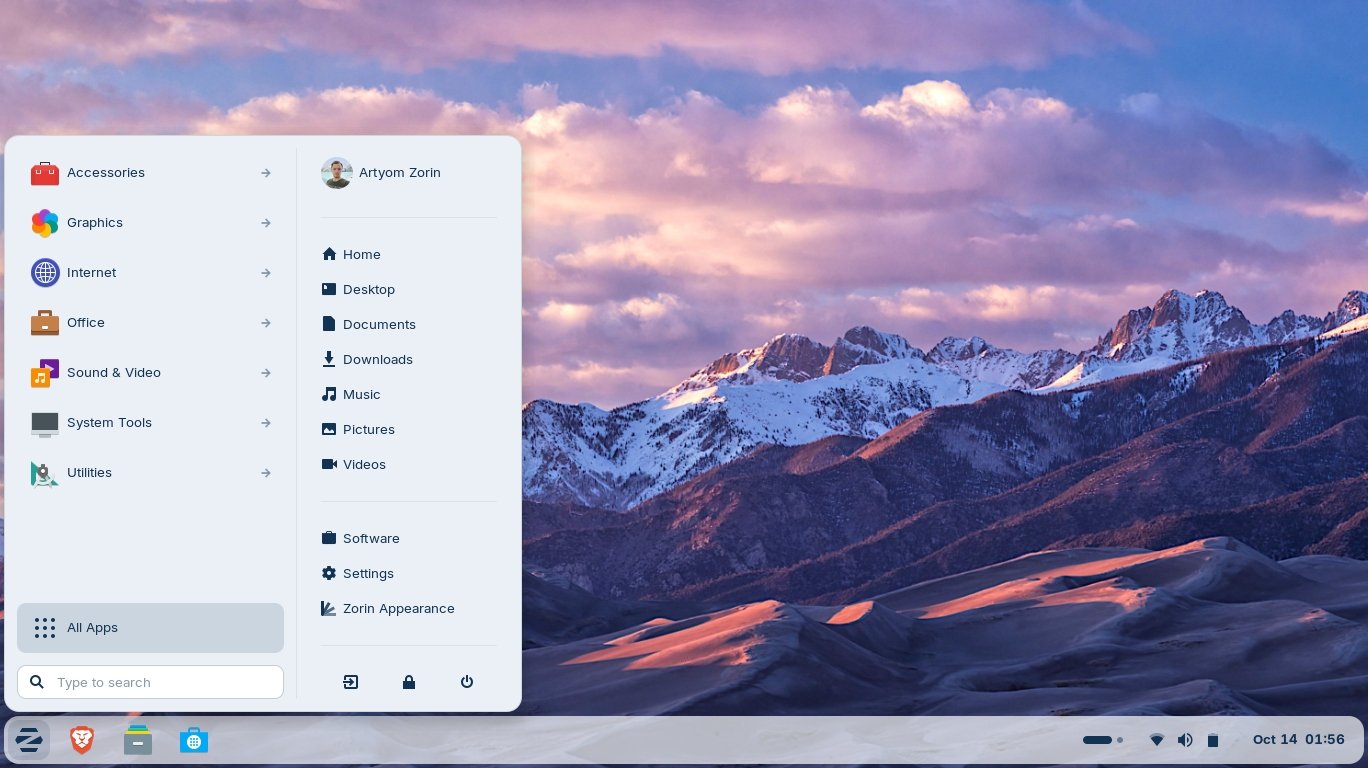
It’s funny how it is often the little things that become the proverbial straw that breaks the Camel’s back. I have been struggling for a while with the overall performance and functionality of my Windows 11 PC. The operating system is bloated, slow and buggy. It all too often commits that unpardonable sin of trying to do my thinking for me and enables some stupid feature by default. Despite having good specifications, my PC takes too long to boot up for my liking and is becoming too much of a wild card with regard to whether it will co-operate or not when I try and undertake a simple task. As someone who is very particular in their PC habits, IE I see my PC as a tool that I use on the terms that suit me. Hence, I find the faux enthusiasm that accompanies each uncalled for “improvement” that results in me losing agency, singularly antagonising. Then a minor issue arose recently that escalated into a thorn in my flesh and I decided that it was time that something must be done.

This is a post about the power of nostalgia and how sometimes, interacting with something from your past, be it physically or mentally, can produce a very strong and tangible emotional reaction. In some instances, this can be the result of something that you have specifically set out to do. On other occasions you can wander into a sense of nostalgia purely by chance. Today I experienced a very strong sense of nostalgia while watching a YouTube video and then again when I sought to replicate what I had seen. The video showed someone installing Windows 95 on to an old 486 PC from that era. The Window’s start up sound really touched a nerve (but in a good way) and then when the guy in the video launched Space Cadet 3D Pinball, a game that shipped with the operating system, I felt a strong compulsion to track down a copy and install the game myself, thus revisiting something that was an integral part of my life in 1995.

For the last few months I have being using Google Gemini. I subscribed so I could access a wider spectrum of services and evaluate it effectively. I also wanted to dispel some of the hysteria that accompanies any conversation about Large Language Models and Artificial Intelligence. The results were initially interesting and Google Gemini proved useful when researching material for blog posts. It is good at providing summaries about well documented subjects. I wrote a post about food banks recently and it distilled a lot of data into a manageable amount, which was ideal for my article. Google Gemini has also produced some visual basic scripting and simple batch files that have allowed me to automate processes on my PC. Such as changing the default monitor, or screen resolution at the click of an icon. However, I found this AI struggled with in-depth software troubleshooting and that its ability to create images varies greatly depending on the subject.

The UK Government has formerly announced its intention to ban under-16s from using social media. This is due to increasing public pressure that “something must be done” about the perceived iniquities of many online platforms. However, as with most complex social problems of this nature, no one has any clear or practical ideas as to what that “something” is. It remains a nebulous, non-specific panacea and clearly someone else’s job to identify and implement. As ever, why choose a nuanced and multifaceted solution to a complex problem, when it is far easier and politically expedient to just “ban” something. The former requires effort and a degree of thinking. If such an approach fails it also means that those who came up with it now carry the can. The latter dumps the problem in the lap of various third parties, who can then be conveniently blamed when the ill conceived policy fails.

Yesterday we changed internet service providers. We moved from EE (formerly BT) to Plusnet. The transition went surprisingly well, mainly due to the existing infrastructure remaining the same. We’ve had fibre to the premises (FTTP) since 2022 so this was essentially an administrative change. The previous ISP terminated their service at 1:30 AM in the morning, while I was playing Star Trek Online. By 6:30 AM I received a message from Plusnet that the new service was live. It took about an hour to configure the new Netgear Nighthawk RS100 router (I bought my own) and get all our household devices attached to the new network. The connection is running at exactly the same speed and stability as it had under the previous supplier. At present a 1Gbps connection is sufficient for our needs. The main factor that has driven this change is cost. We are currently paying £28 per month for internet access which is a competitive price in the UK.

In 1990 I was working at the DWP (Department for Work and Pensions). I had just taken the role of Computer Support Officer where I administered user access to the mainframe and provided first line support to staff using the terminals. That summer the office moved to a PC based network and the project was undertaken by the newly formed Siemens Nixdorf company. To cut a long story short I befriended one of the contract engineers and over the next 9 months he became an unofficial mentor to me. Technically he was only supposed to train me in the most basic of fashions but he liked the fact that I was always asking questions and effectively ended up schooling me in PC and server architecture, network administration and the associated protocols. For me this was the best way to learn. It was not a case of coming to grips with theory in a classroom environment. It was learning by doing and having direct and exclusive access to a source of knowledge and experience.
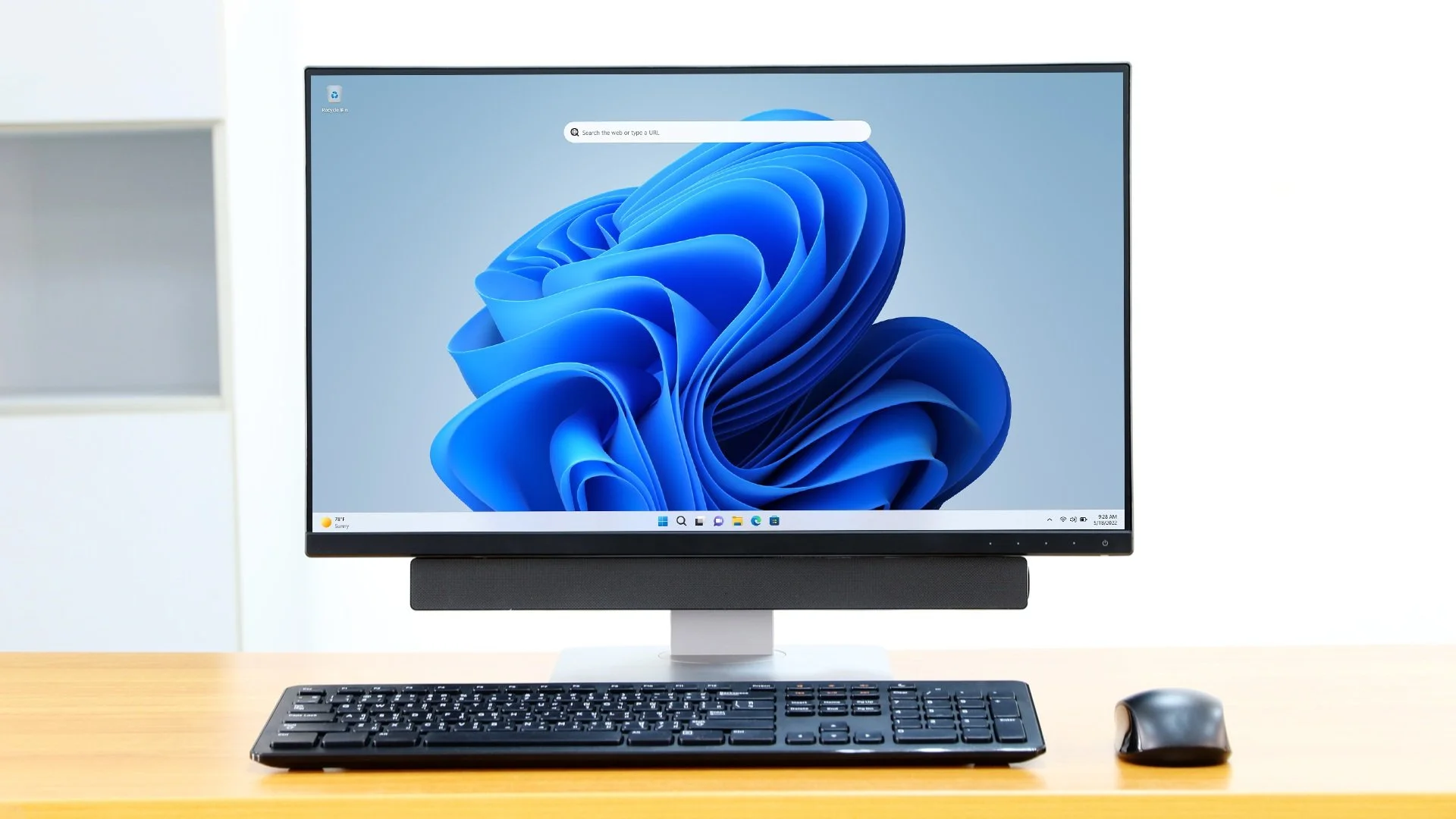
My Windows 11 PC is a cobbled together mess of upgrades, customisations and workarounds. It seems okay at first glance, mainly because my desktop is well organised and I don’t allow too many apps to start on boot up. But beneath this superficial veneer of efficiency and optimisation is a bloated mess. Every Windows update adds yet more spurious features which slows performance and tries to harvest your data. Windows is no longer a user friendly operating system that you buy and use without impediment. It is now a sprawling live service that actively gets in the way of your productivity so that it can make a buck off your inconvenience. There was a time when you could quickly learn its processes and foibles, so you could customise it into the tool you needed. Nowadays I have to continuously use third party tools to get Windows to do many of the things I want, or to access functionality that Microsoft has obtusely decided to restrict.
As the New Year is still young, I have embarked upon several new projects that I’ve been planning since Autumn last year. These undertakings have gone beyond the planning stage and are currently being implemented. The fun thing about the phrase “implemented” in this context is that it implies that it is by far the easiest and most straightforward part of the process. The initial brainstorming of ideas has been completed. A cogent and detailed plan has been written. The costing of materials and time required have been determined. These are the hard parts. All that remains is to “just do it”. It should be a piece of piss (a British phrase indicating that something is easy). It virtually “implements” itself. However, that is a load of bollocks. Because there is always scope for something to go wrong. It may well start as something minor and innocuous but it all too often ends in a “problem cascade”.

This time last year I made a decision to replace Microsoft Office or Office 365 as it is currently known. Mainly because I only use Outlook out of the entire suite of software. This project stalled because I couldn't easily import my existing email archive into Mozilla Thunderbird. Hence the status quo has been perpetuated. However, there is an ongoing cost associated with this software as well as some wider considerations about ethics and privacy which is why I have returned to this matter. Although this time I wish to replace not only Office 365 but all the other "production tools" I use to write and browse the internet. I have managed to make some progress towards this goal but it has been hard to adapt. Mainly because I had everything set up to my liking. Although alternatives are available, they're never exactly alike and require a lot of fine tuning to be deemed satisfactory.
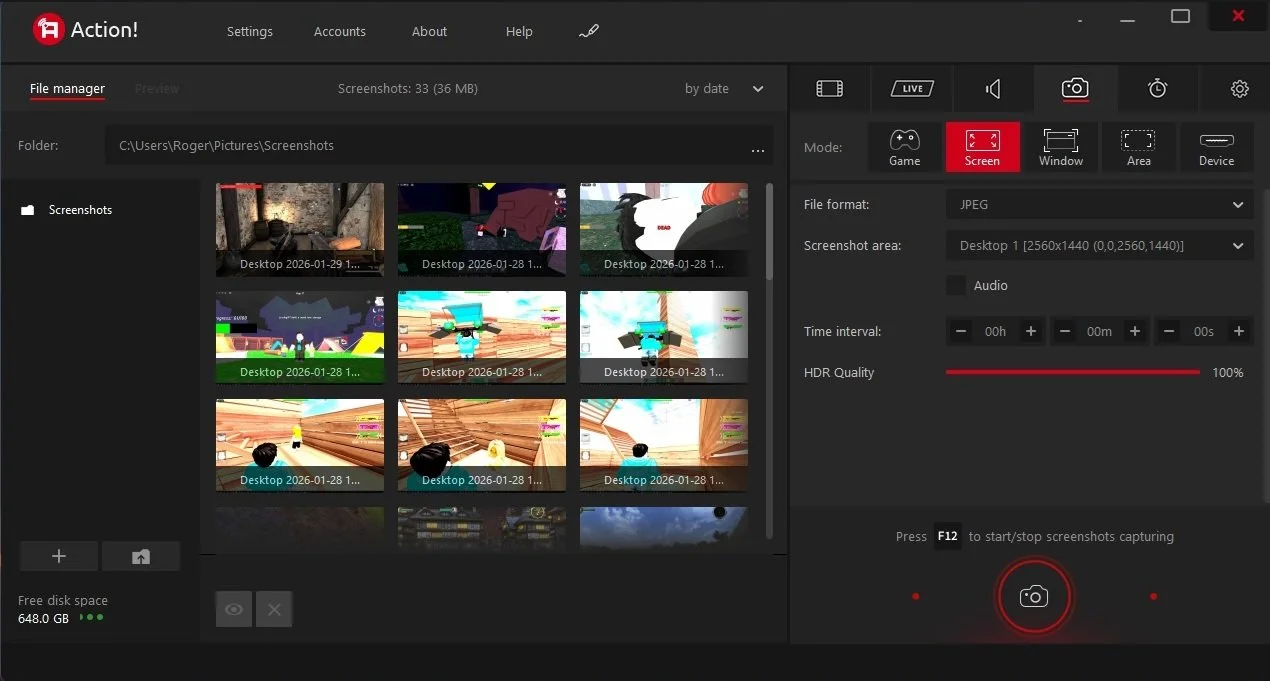
Last summer I wrote a post about my experiences using various screen capture software. At the time I was using Bandicam which suited all my needs. I had configured the software to launch at Windows start-up and had a hotkey assigned to capture images from my primary monitor. Hence I could quickly grab a screenshot from my desktop or when playing a game. However, this changed in November 2025, when I bought two new monitors. Both of which supported HDR (High Dynamic Range). Although they provide superior picture quality, HDR has a knock-on effect on Bandicam. Screen capture images and video look over exposed. Hence I had to stop using the software and find an alternative. Fortunately the same company has been developing an alternative product with HDR support; Bandi Camera. So I swapped to this software. The screenshots were far better but the functionality of the app was lacking.
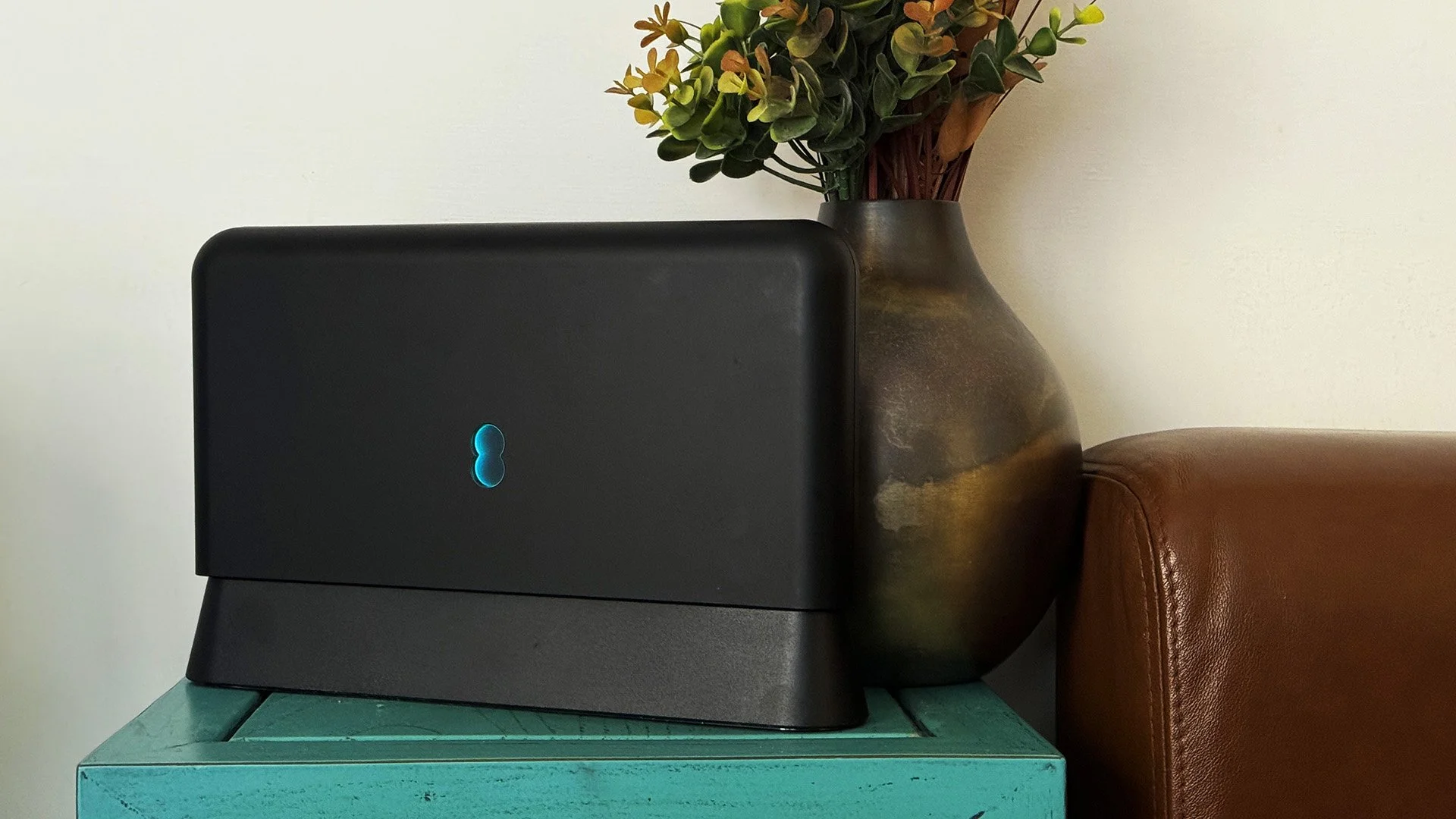
Our home has a 1 Gbps “fibre to the premises” internet connection. It has proven reliable since it was installed in June 2022. Our internet service provider EE (part of the BT group) are neither the best of worst suppliers. The monthly cost is not especially competitive and so we may be looking to move providers next Easter. However, that is a matter for the future. For the present there is a more immediate issue. Starting on Friday 21st November, our internet connection has started randomly dropping. Furthermore, both the Wi-Fi extender in the lounge and the wireless printer in my office have become disconnected from the network. It was as if their details had been erased from the router. I suspected that a recent firmware upgrade may be the culprit although EE denies it. However there are posts online from other customers with similar technical issues.

A couple of times a year, Mrs P asks me to copy onto her laptop, all the pictures that I’ve taken over recent months, as well as those that have been shared with us via WhatsApp. She then diligently whittles them down into a manageable amount which we then print off and put in our photo album. Yes we’re of the generation that still likes to print off hard copies of photos and from time to time look at them nostalgically. We have several albums with photographs in chronological order and numerous frames placed around the house, filled with pictures of family. The bulk of the photos are 4x6 inches (10x15 cm). We use an online photo printing service for the majority of our pictures and visit a local store with a self-service photographic department to print off specific pictures for bespoke frames. The original photos, now neatly organised, are backed up and archived.
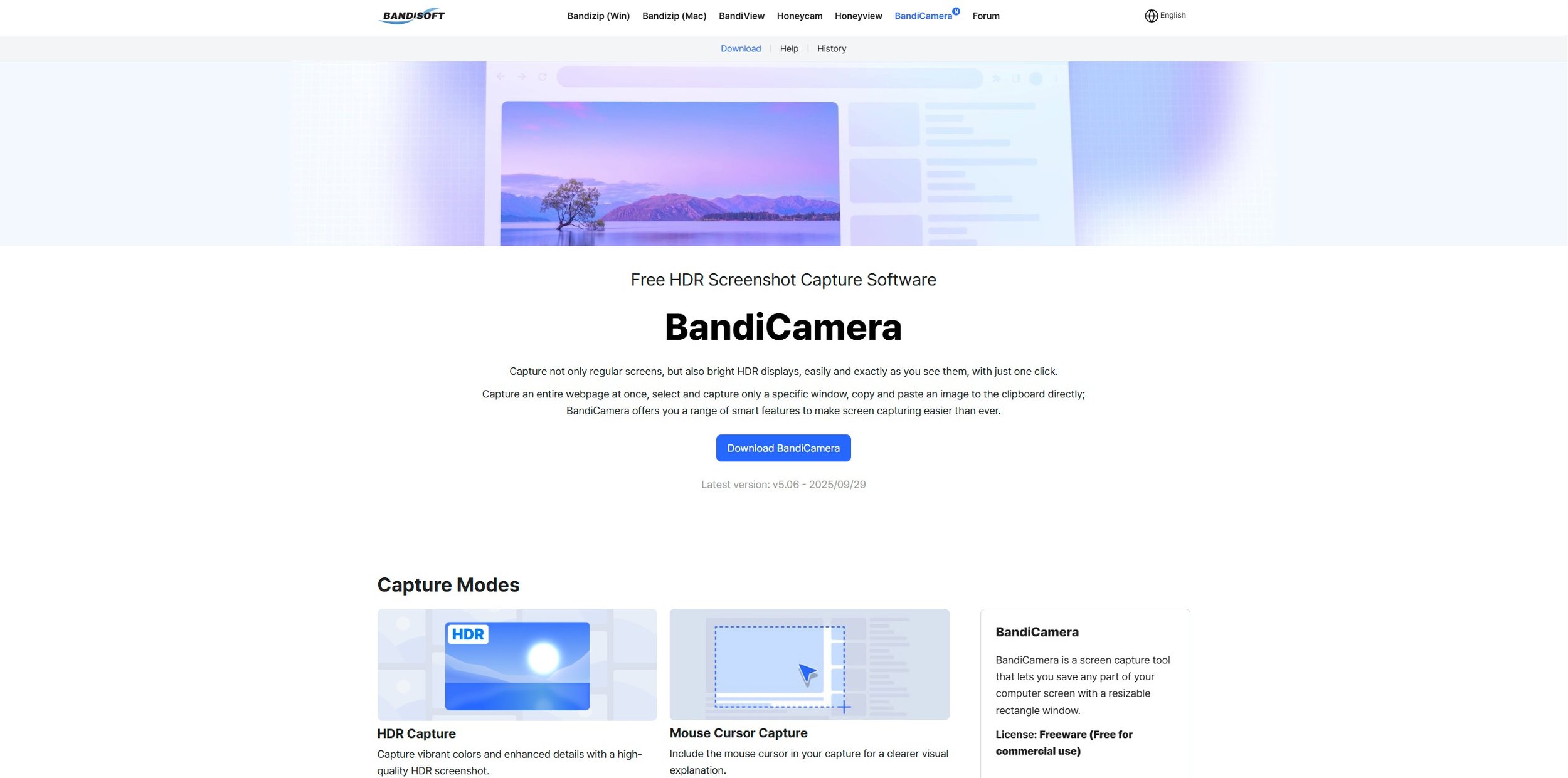
I take a lot of screen captures of video games and Windows apps, usually for blog posts. I use both Bandicam and Windows Snipping Tool to do this and have set up various hotkeys to make the process easy. Of late, the screen captures that I’ve taken have all suffered from washed out colours, regardless what tool I used to take them. I checked to see if both these apps needed to be updated but they are running the latest versions. Hence I was initially stumped as to why this problem had started happening. After some thought, I deduced that the only new elements in my PC hardware were my two new monitors. Both of which support HDR. Google Gemini quickly informed me that this was a known issue and taking screen captures from an HDR enabled device resulted in an excessively bright image that looked over exposed.
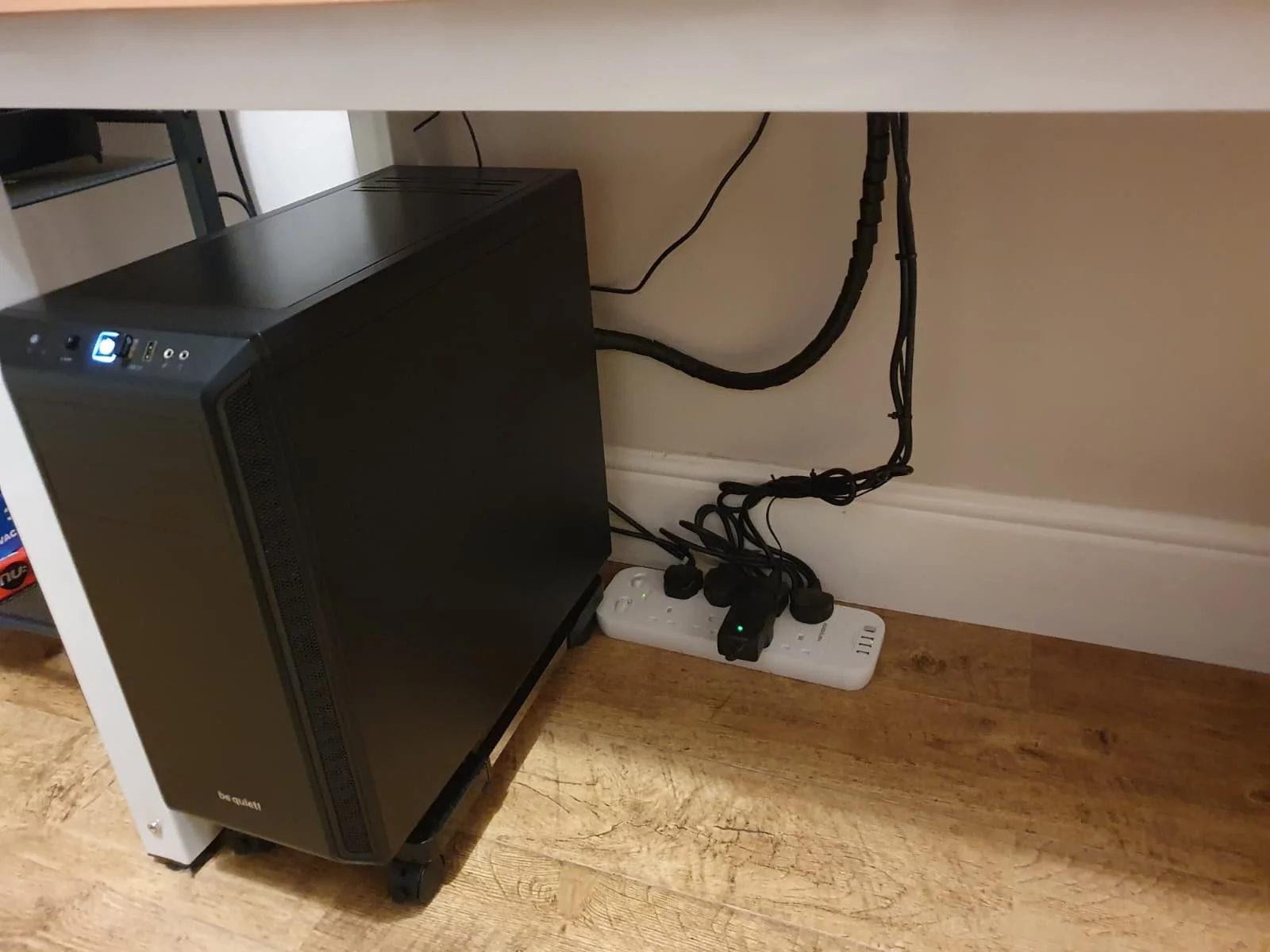
I recently bought two new monitors and a stand for my PC tower case. Today I thought I’d take the opportunity to disconnect every peripheral, clear my desk and then after a thorough clean, reassemble everything ensuring good cable management. I even went so far as to buy a new power extension lead so I could reorganise where everything was plugged in and therefore be able to isolate specific hardware. It seemed such a simple, straightforward task on paper. The reality was much different. It took me over three hours to sort out, mainly due to the fact that I don’t “bend” so well these days. During this Herculean task, my watch kept on notifying me that my heart rate was “high”. However, I regularly took breaks and fortified myself with gin for medicinal reasons. I am pleased with the results of this task.
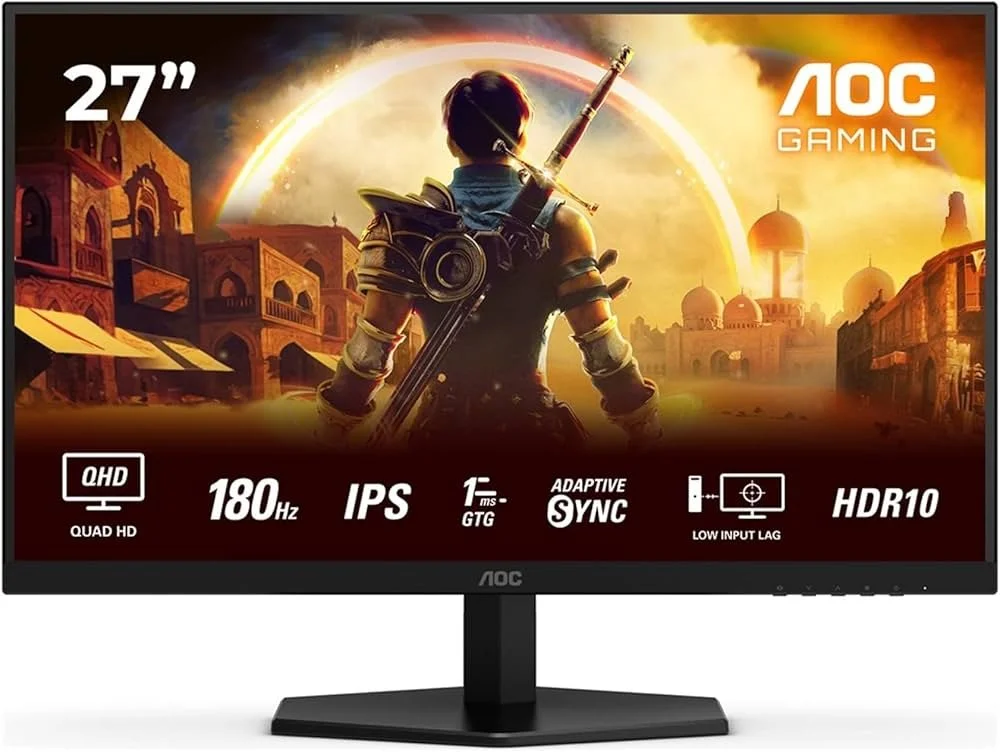
I use two monitors with my PC, as I find having the additional screen “real estate” invaluable when writing or playing games. Both monitors that I’ve been using up to now are somewhat old and they are not exactly the same size or resolution, although both are FHD. I have previously written about the problems I’ve had trying to get certain games and programs to display on specific monitors and the lengths I’ve had to go to to resolve this issue. To cut a long story short, I recently decided to replace both monitors with larger models with a higher resolution. Mainly because my eyesight is not what it used to be. I see best when working with a bright screen that can produce clear text. New monitors would also address my ongoing screen output problem. Hence, I set myself a reasonable budget and began researching appropriate replacements.

In July the UK Government introduced the Online Safety Act which requires age checks for accessing sexually explicit content online. As a result of this, Pornhub, the 19th most visited site on the internet, has reported a 77% decline in UK traffic. Furthermore, according to the UK regulatory body, OFCOM (The Office of Communications), overall visits to pornographic websites from the UK have fallen by 33%. Naturally, those who championed this legislation are claiming a moral and political victory. However, once you consider what these facts actually mean, they paint a somewhat different and potentially more worrying picture. It would be staggeringly naïve to think that UK visitors to Pornhub have ceased visiting such sites due to the age verification requirements. The more likely explanation is that UK porn consumers are now using VPNs to circumnavigate these restrictions and that this traffic to Pornhub is now recorded as coming from elsewhere.
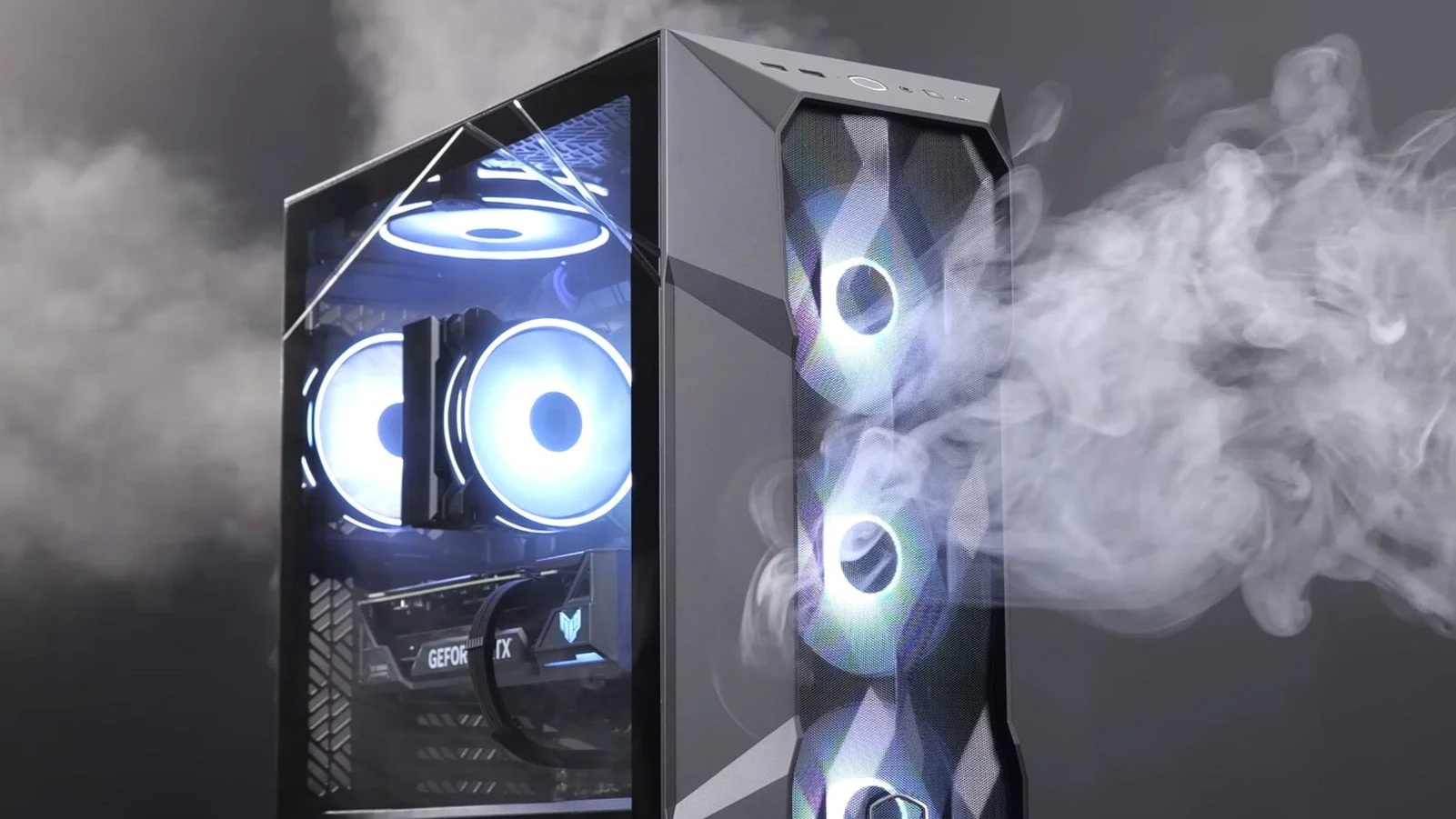
It may be a case of preaching to the Choir but dust contamination in your PC causes overheating, decreased performance, and potential hardware failure. This mainly occurs due to dust restricting airflow, impeding components such as heat sinks and creating short circuits from conductive particles. Fluff builds up and restricts cooling fans, forcing them to work harder. Heat build can lead to issues like system crashes, lagging, and even permanent damage to the motherboard and CPU. Over time, it can shorten the lifespan of the computer and in severe cases, poses a fire hazard. When I used to work in IT contracting, I used to see the effects of dust contamination all the time. PC placed on carpet tiles or on top of desks and surrounded by other objects. I remember one PC replacement project I was working on where we found an old PC with a dead mouse in it. It was desiccated by the heat.

Usually I don’t have a problem with internet access when Mrs P and I are travelling. My phone data plan is sufficient for Google Maps and social media usage. Once we reach our hotel, it’s just a question of connecting to the free Wi-Fi or if need be, buying upgraded access. It’s seldom that expensive. When I went on holiday to Croatia this summer, I bought a bespoke data plan before arriving that granted me extra internet access. Our hotel in Makarska also had very robust internet access. Hence, regardless of being out and about or by the pool, I never had any issues getting online. The ubiquity of internet access means we often take it for granted. I seldom go to places in the UK or abroad that don’t have advanced IT infrastructure. Until this week.
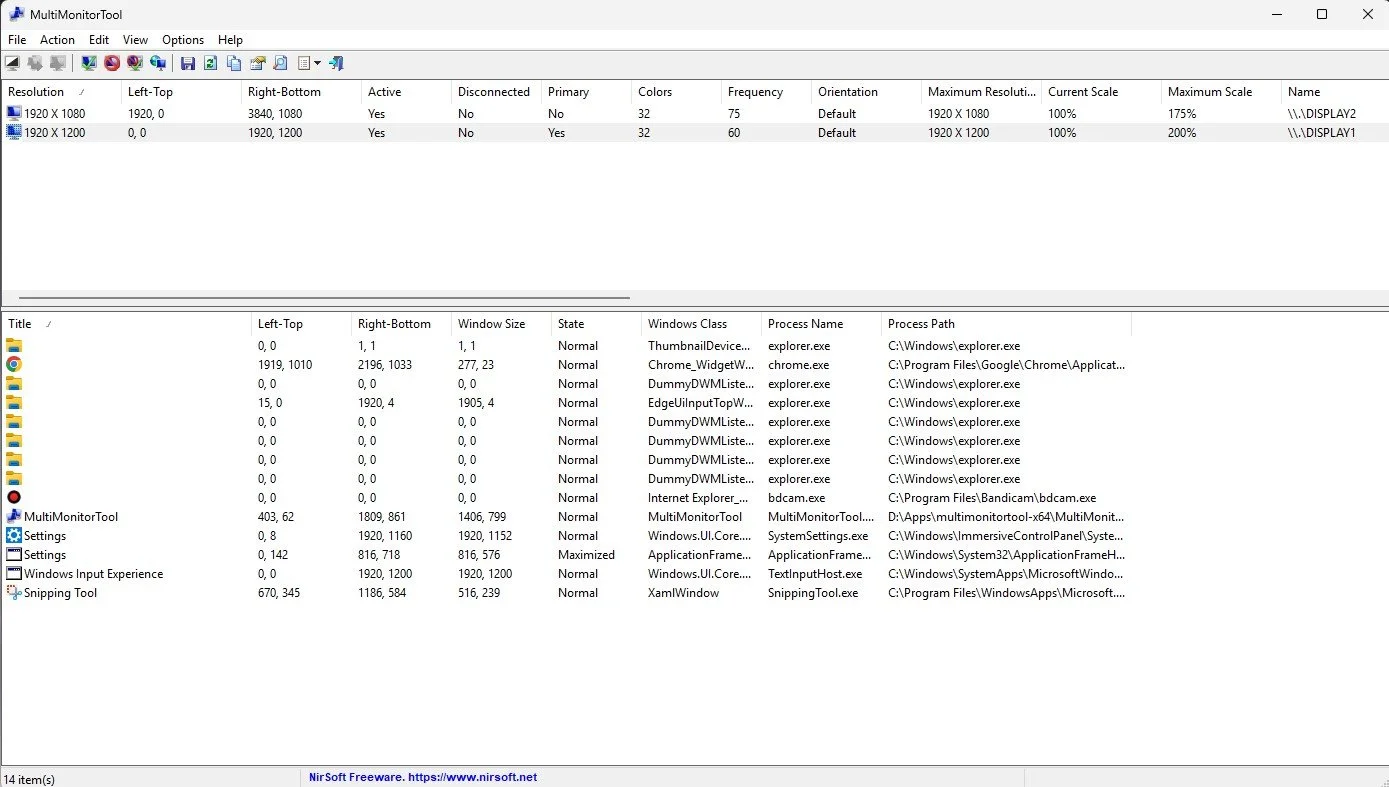
Back in January, I was very pleased because I had finally found some open source software, DisplayMagician, which allowed me to quickly and easily alter my display profile and run specific games and applications on my second monitor. Prior to this I would find that some programs just wouldn’t stay put, once they were dragged or otherwise cajoled to display on the monitor of my choice. They would continuously snap back to the primary display, regardless of my actions. DisplayMagician solved this issue and did so with aplomb. Or it did, until last weekend when I upgraded my PC from Windows 10 to 11. Then it stopped working. I therefore did some digging online and it became apparent that this is a known issue that is currently being addressed by its creator, Terry McDonald.

As part of our increasing dependency upon software, we have also grown accustomed to its associated foibles, especially the negative ones. Today, I upgraded my blog from Squarespace 7.0 to 7.1 and my PC operating system from Windows 10 to 11. I started early in the morning and ensured that all my personal data was backed up. My default expectation was that both processes would go wrong in some way, shape or form. Let’s take a moment to consider this mindset, which is born out of experience. It is now taken as read that whatever you upgrade, be it an app on your phone or a program on your PC, that it’s going to be problematic. It won’t be a seamless transition and you’ll end up having to do some sort of troubleshooting. Despite our lives becoming more dependent on such software, the quality of these products seems to be deteriorating. What a sorry state of affairs.
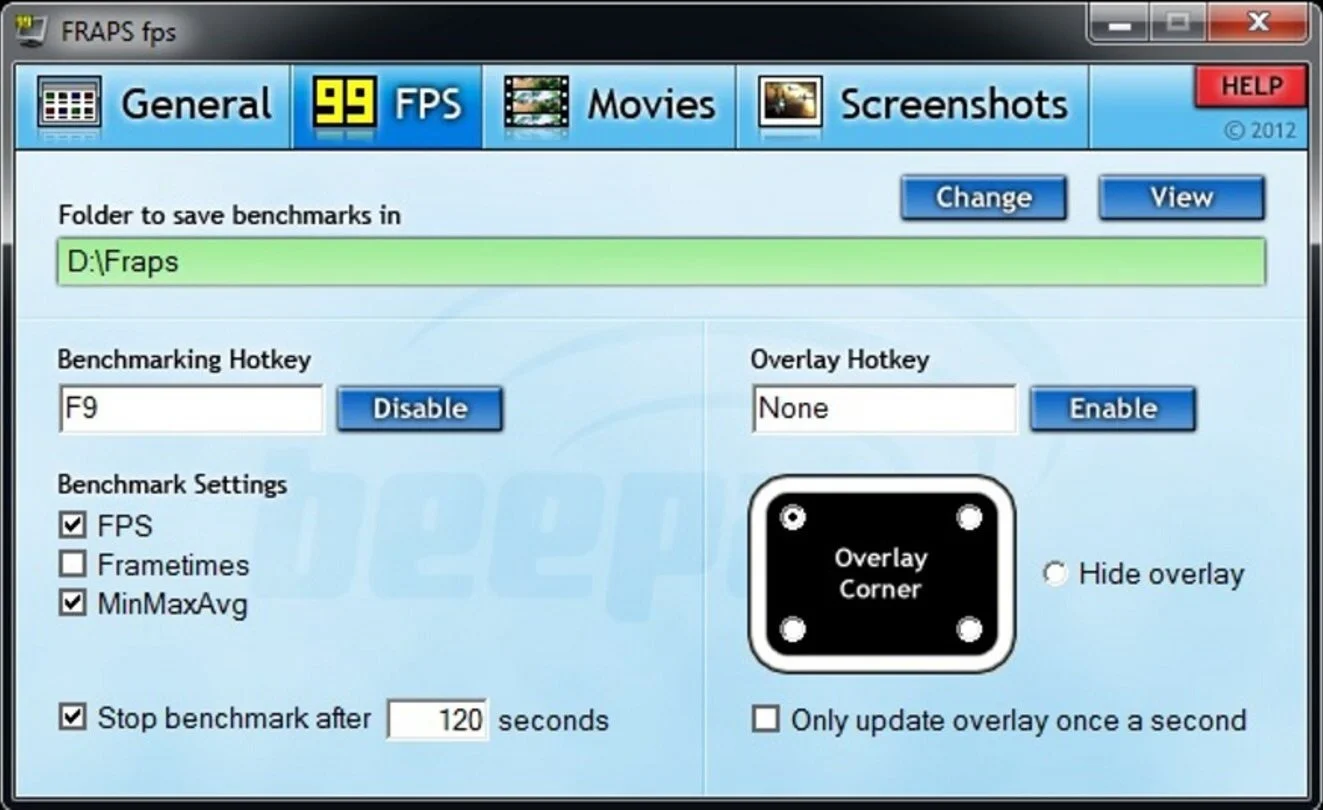
The ability to take a screen capture of a video game that you’re playing, or an open application or browser tab, is just something we take for granted. Windows 10/11 have a built-in tool called Snip & Sketch that is simple to use. Most of the games that I play have a specific hotkey for taking screenshots and a default directory to store them. Similarly, the latest builds of Windows also include the Xbox Game Bar software, which allows you to capture video from any application that you’re running on your PC. You can then edit via Clipchamp which is the successor to the old Windows Movie Maker. I believe the macOS comes with comparable default software. The absence of such apps today would be noticeable. However, there was a time when such things were not considered standard features.
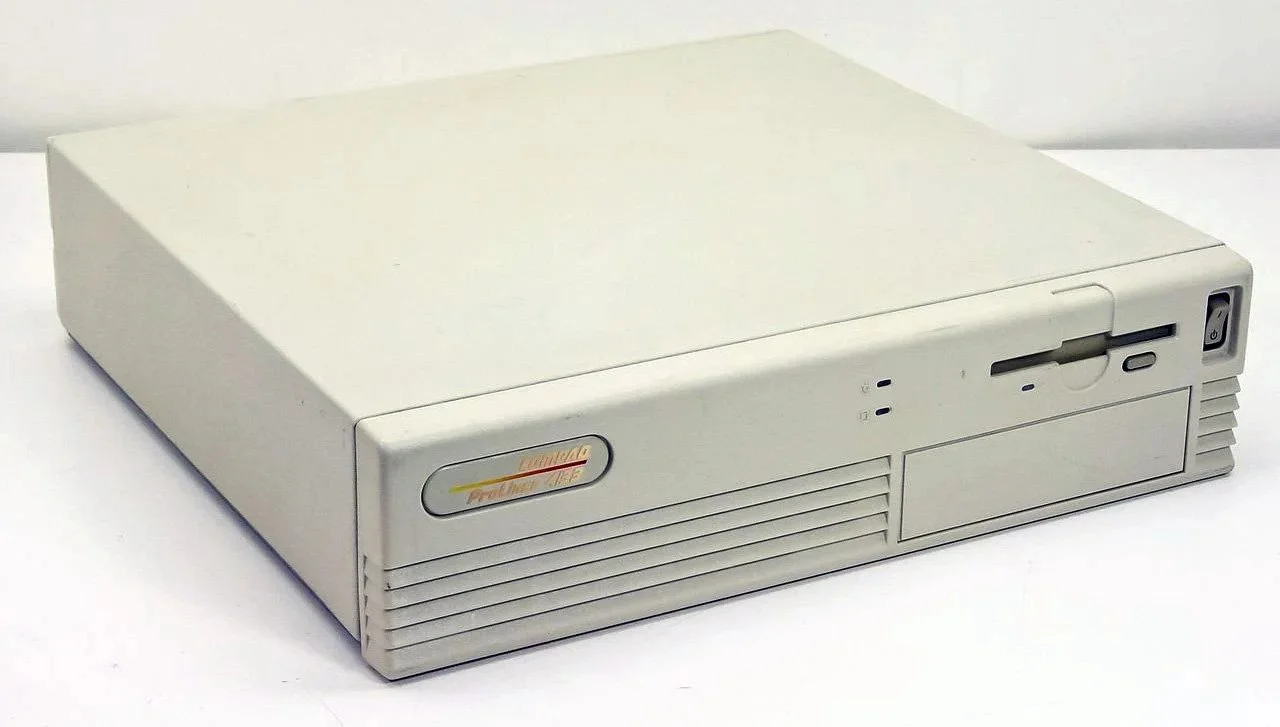
30 years ago, in early 1995, I bought my first PC, a second hand Compaq Prolinea 4/33. It had an Intel 486 DX processor, 340MB HDD, 4MB RAM, 3½-inch floppy disk drive and a 14-inch monitor with a screen resolution of 1024 x 768. It ran Windows 3.11 installed via MS-DOS 6.22. It didn’t come with a soundcard or a CD-ROM drive. I believe I paid around £750 or so at the time, which was approximately half its original retail price. This model was 2 or 3 years old when I bought it. However, at this time, PC specifications did not change as quickly as they do these days. Hence, this was a good starting point for someone new to computing. I subsequently upgraded the processor to a 486 DX2, increased the RAM to 16MB and installed a Creative Labs Sound Blaster AWE32 soundcard and CD-ROM drive.
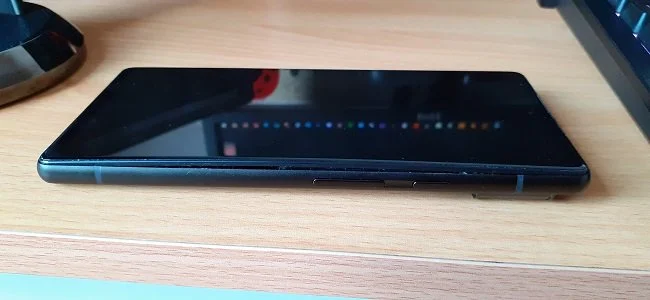
Three months ago, I wrote a blog post regarding how I wasn’t going to replace my phone because I was pretty much done with the endless treadmill that is “upgrade culture”. At the time my Google Pixel 6 was three years old but continued to serve all my smartphone needs. So I signed up for a new “SIM only” contract with Vodafone and went about my business, feeling somewhat pleased with myself. However, “needs must when the devil vomits into your kettle”, to quote Blackadder. I recently noticed that the screen on my phone was coming away from the main enclosure. There was a distinct curve along the right hand edge, as if there was something inside the phone applying pressure outwards. Sadly, that is precisely what was happening. I searched online to see if this was a known issue and was subsequently introduced to the problem known as battery bulge.

I had a novel experience (at least for me) this morning. I went to the cashpoint (that’s an ATM for those outside the UK) at my local supermarket, only to find it out of service. I had an imminent haircut appointment and no cash to pay my barber, who doesn’t take card payments. Fortunately, the supermarket did “cashback” so I bought a loaf of bread and some milk, paid £23 for them and was given £20 in cash. It’s a useful facility that I have never used until today. Usually I just make sure that I have a float of cash available but today the cashpoint being unavailable threw a spanner in the works. If the store did not do “cashback” then I would have had to reschedule my haircut. This minor hiccup got me thinking about our dependence on technology in our daily lives. A point that was further brought home, as my barber told me he had recently visited Spain and was affected by the national power outage.
Essential Technology
Today’s Blaugust Promptapalooza writing prompt is “what technology would you have the hardest time living without?”, which is a great question. Fellow blogger Telwyn has already tackled this conundrum over at Gaming Sans Frontières and I found myself agreeing wholeheartedly with the sentiment they expressed (more on that shortly). Over the course of my life, technology has become more and more ubiquitous and is now an integral part of our society. We take its presence for granted and only fully realise the benefits it provides when it ceases working or there’s some sort of outage. Technology has also dramatically fallen in price over the last five decades. What used to be marketed as expensive, labour saving luxuries or recreational indulgences, are now just disposable consumer items. The pace at which technology advances has also accelerated. It’s a struggle sometimes to keep abreast of what is new.
Today’s Blaugust Promptapalooza writing prompt is “what technology would you have the hardest time living without?”, which is a great question. Fellow blogger Telwyn has already tackled this conundrum over at Gaming Sans Frontières and I found myself agreeing wholeheartedly with the sentiment they expressed (more on that shortly). Over the course of my life, technology has become more and more ubiquitous and is now an integral part of our society. We take its presence for granted and only fully realise the benefits it provides when it ceases working or there’s some sort of outage. Technology has also dramatically fallen in price over the last five decades. What used to be marketed as expensive, labour saving luxuries or recreational indulgences, are now just disposable consumer items. The pace at which technology advances has also accelerated. It’s a struggle sometimes to keep abreast of what is new.
Telwyn wrote “the PC is one of my main sources of entertainment” and that is the same for me as well. When I wake up in the morning, I meander into “the office” and fire up my PC before ambling off to the bathroom to get washed and dressed. I then go to the kitchen and make breakfast for myself and Mrs P and return to my desk where I busy myself catching up with Twitter, Feedly and the Blaugust Discord server. I do all my research and writing at my PC. Administrative tasks such as banking and prescription renewals are all done online and via my PC. If Mrs P wants to watch something different to me, I use my PC as a second TV. And naturally I am a member of the PC “master race” when it comes to gaming. As I said in a previous post, I find sitting at my desk, in front of my PC to be one of the most comfortable and relaxed environments that I know. On the few occasions that my PC has been offline due to technical issues, I wander the bungalow like a lost soul.
Another piece of modern technology that has become essential in my life is the smartphone. I know that this is not a particularly imaginative or original example but the fact remains that this device has had a seismic impact upon our lives and culture in just 13 years. Mobile phones per se have existed for considerably longer but it was the smartphone, with its wider range of functionality, which brought the internet to our pockets. And I use my smartphone in a similar fashion to my desktop PC. I won’t bore you with the multitude of tasks I use it for but I love how I can be out and about somewhere new with Mrs P and within minutes determine where’s there’s parking, a nice restaurant and what the local property prices are like (co’s we’re seriously considering moving soon). The modern smartphone offers communication, information and a wealth of services at your fingertips. I’ve also never been an especially accomplished photographer. But now I can produce at least one decent photo per day trip, thanks to my phone. I just hate it when people call me on it.
Finally, I need to mention dishwashers. I’m not sure if they’re considered standard “white goods” in the UK yet. A quick Google search shows that as of 2018, only 48% of homes have them, so may be not. I’ve been using a dishwasher for about a decade now and I consider them invaluable. For me one of the seven circles of hell is a hot kitchen with a small sink, filled with tepid, greasy water, trying to scrub a roasting pan with a worn plastic brush with splayed bristles. I hate washing up. It ruins your hands and I detest having to do manual labour after a heavy meal, when I should be relaxing in a fireside chair enjoying a large glass of port. My parents have an “old person’s” house, by which I mean that everything in it actively conspires to hinder you. They do not have a dishwasher and it’s like going back to using dial-up internet, except that it involves the use of Brillo pads.
For reasons of brevity, I’ve kept this post to just three examples of what I consider to be indispensable technology. However, here are a few other “honourable mentions” that I think deserve to be referenced, due to the impact they’ve had upon the quality of life in general.
Sat Navs
Wireless Blood Sugar Monitors
Tamagotchi
View-Master
George Foreman Grill
The Lament Configuration
Video 2000
Teletext
PalmPilot
Computer Battleships

It is obligatory to start these sorts of posts by reiterating the standard mantra that you should not be driven by your websites stats and that the data they contain can be unreliable. Although a sound philosophy in principle, it is actually more nuanced than that. Such data can be useful for growth if used wisely. I have never been coy about trying to increase my readership. For me it seems an integral aspect of blogging. Over the course of 2026, the traffic to Contains Moderate Peril has doubled. A lot of that is down to curious spikes in visits which seems to be AI scraping the entire site. Setting aside these anomalies, more people are reading posts and a lot are doing so via the site’s RSS feed. All of which is fine by me as growing the audience for this blog was a goal for this year, I am quite pleased by this development and the ongoing progress. I hope it continues.

There is a subtle difference between being rash and being proactive. Being rash means acting too fast without thinking about the results, while being proactive is a question of acting early with careful planning. Why have I mentioned this? Well prima facie information indicates that recent Blaugust participants are interested in an “official” online presence for the annual festival of blogging, other than that existing Discord server. That seems perfectly reasonable to me. Not everyone likes using Discord and I do worry that they may reduce its free functionality at some point in the future. With regard to there being a Blaugust platform of some kind, there is a consensus that it doesn’t need to be some sort of sprawling commercially hosted website running on Wix or such like. Those sorts of site require funding, a degree of admin and possibly private data management. It also a bit too “corporate” if you like. Hence the logical compromise is to have a static site. Let it suffice to say, that has been done.

Judging by the posts I’ve read, it would appear that Blaugust 2026: Festival of Blogging has been well received by those who participated in it. That is most satisfying to know, especially in light of the fact that this is the first year the event has been run without our founder who sadly past away in July. It has also become clear that Blaugust is reaching a far wider and diverse audience and most definitely is no longer the exclusive province of bloggers from one particular community. There has been healthy discussions on our Discord server about whether this year event needs to adapt to accommodate the modern blogosphere. Questions such as whether or not there needs to be a dedicated Blaugust website have been raised and explored. Should every site participating have an RSS feed? How, if required, should comments be handled. Inevitably, the subject of the use of AI in blogging still remains a controversial issue.

After a very productive month of writing, we come to the final Blaugust 2026 Group Project writing prompt. It is titled lessons learned and is usually a chance to reflect on the festival and whether or not it has been to one’s satisfaction. Have you achieved your goals? What have you gained from the experience? Those sorts of things. It also poses two further questions; “What is the best piece of advice you’ve ever been given?” and “what’s the best advice you’ve ever given to someone else?” for your consideration. I’ll address the questions shortly. Firstly let’s mull over this years event and assess how it’s gone.
It was my blogging anniversary on the 16th August. I’ve been writing and sharing my post online for 19 years, via various different websites and blogs. This current iteration of Contains Moderate Peril has been around since August 2015. To date it has 2,171 posts including this one. Quantity does not necessarily equate to quality but there are some articles I am proud of and feel that they make their point effectively.
This week’s Blaugust 2026 Group Project writing prompt is an important topic. Namely, staying motivated. I prepared a fairly lengthy post with some advice and ideas to keep people focused and writing. Then I checked it against the post I wrote last year and the year before that, going back to blogging events from 2012. All of these posts broadly said the same thing, so I decided to scrap what I had composed for today and to go with a simpler approach. I shall answer the questions Krikket posed for this writing prompt. Fellow blogger Bhagpuss has also done so and as ever, his thoughts are interesting and well expressed. Here are my answers.

Once again, I have stumbled across an interesting debate that has provided me with an opportunity to write a blog post. Over on the Blaugust Discord Server, I read a comment from AgingGamer regarding RSS feeds and their significance with regard to blogging. This in turn referred me to a post by fyr (don’t you love all these nom de plumes) who wrote at depth about the ongoing community debate about the use of RSS/Atom feeds. The article explored the importance of such feeds with regard to reaching readers and providing accessibility to the disabled. All of which provided me with a great deal of food for thought. Mainly because I use a mainstream website service provider for my online endeavours, so RSS is by default built. I’ve never really considered not having such a facility at my disposal. But the rise in the IndieWeb scene challenges this assumption.

I have written two blog posts today that I have subsequently abandoned. The first was gaming related but when I was about halfway through writing it, I felt like I was covering old ground and just repeating myself. It was also regarding an issue that can’t really be fixed. Namely, how do you ensure that matchmaking in PVP games is done equitably. As there is no solution to this issue at present, or at least not one that all parties can agree on, I decided to ditch it. Similarly a post I was working on about what becomes of my blog if anything happens to me was curtailed. In light of recent events in our community it seemed inappropriate. However, as a result of binning two blog posts, I new idea occurred to me. Do my fellow bloggers self-edit and curtail what they write about? Is your blog totally unfiltered or do you apply a set of rules that determine what content is deemed acceptable?

It is time for the next Blaugust 2026 Group Project writing prompt. This one comes with two lines of enquiry. The first is an opportunity to “introduce yourself”. Over the years, I have written several introductory posts for previous Blaugust events. Rather than repeat myself I’ll just link to the last one, which was posted in August 2023. I haven’t radically charged since then apart from my hair going whiter. The next part of the prompt poses a far more intriguing question. “If you could have one magical power or super power, what would you choose and what would you use it for?”, which offers much for consideration. Having given this proposition much thought here is my response.

A decade ago I wrote a post about blogrolls and the practical and social issues surrounding them. At the time, the version of Squarespace I was using didn’t easily support such things or at least wasn’t able to do so in a manner I liked, so I didn’t have one. Ten years later Squarespace as a hosting platform has far greater functionality, hence I recently decided to add a blogroll. That was in March this year. However it just wasn’t really fit for purpose. So I decided to revise it a few days ago and rather than just have a traditional list of blogs in a side column, I ended up producing a more comprehensive blog directory, which list two hundred plus sites alpha-numerically. I’ve been tinkering with it on and off and I am now finally happy with it. The latest update reflects the international nature of the Blaugust: Festival of Blogging and the fact that we have many blogs written in their native language. Translating text is now an integral function of web browsers, so I see no reason why these blogs should be excluded.

Today’s post is part of the Blaugust 2026 Group project, which features a series of writing prompts set for specific dates throughout the month. The idea being that everyone who wishes to participate can write about the same subject, riff off each other’s posts and enjoy a shared experience. In many respect having a common writing prompt levels the playing field and provides a sense of common purpose among those who take part. Today’s group project prompt asks the question “tell us all about your very first blog”. An unambiguous and interesting question that will hopefully prove enjoyable to write about and informative to others.

I have been writing online for nearly two decades. I don’t claim to be good or accomplished but what I can say with certainty is that the more often you write, the easier it becomes. For those who are new to writing a blog and the Blaugust Festival of Blogging, possibly the biggest hurdle that you now have to get over, is writing your first post of the month. You spent the lead up to this event sorting out your blog templates, fine tuning the backend and possibly banking some ideas. Or you may have decided to just wing it and make it all up as you go along. Both are perfectly valid approaches. However, there is one thing left to do that cannot be put off, avoided or danced around. Writing. At some point you’ve got to do it. Or bail on the event. The proverbial “shit or get off the pot”.

If you take a cursory look at a calendar you will see that the month of July is fast coming to an end. That means that Blaugust 2026 Festival of Blogging starts in a few days time! If you’re participating, or thinking of doing so, the next few days present a golden opportunity to do some practical organising and basic preparation. You don’t have to if you don’t want to. Feel free to just do things as they come, so to speak, if that’s your approach. However, for most of us, it helps if we have some kind of plan in place and make some arrangements in advance. I personally prefer this approach and like to have some ideas for blog posts in the bank. It is also useful to have “options” if something doesn’t go to plan. For those who are new to Blaugust, here are a few ideas regarding preparation that may be of use to you. As ever, your personal mileage may vary and ultimately you are best off adopting a strategy that suits your writing style and personal schedule.

Prior to last year’s Blaugust: Festival of Blogging, I upgraded Contains Moderate Peril to the latest version of Squarespace. There are still some aspects of the site that need fine tuning but overall, I am happy with the appearance of my blog and its respective functionality. With this year’s writing event fast approach, I decided to tackle over the last few days, some of those finer points that need tweaking. I have wanted a post counter on the site for a long time but unfortunately there is no native Squarespace widget for this basic function. I also felt the need to upgrade the blogroll, as the current one didn’t support RSS feeds from certain sites (e.g. Google Blogger) and was dependent upon a third party service, Elfsight, which wasn’t ideal. Both of these issues have now been addressed and I am pleased with the results. There is now a post counter on the Blog Archive page, which seems a logical place to have it and the Blogroll is now far more comprehensive.

Next month the annual Blaugust: Festival of Blogging begins. Roundabout this time each year, I try to write a promotional post to raise awareness of the event and encourage potential participants. However, as I’ve done this quite a few times before, each year it is becomes increasingly difficult to present the essential facts about Blaugust: Festival of Blogging in an interesting fashion. There’s nothing worse than writing a post and feeling that you’re just covering old ground. So, this year, I thought I’d try something different and present the most important information about this annual event, as if it were a conversation between myself and an interested passer by. Feel free to attribute novelty voices for each party in your own head, while you read this. If it helps, try imagining that this discussion is happening between two celebrities or such like. Both may be wearing exotic hats but I digress. On with the scenario.

I read a blog post by Void recently, about finding a new internet home. He wrote about how he and many others have had to pick up their “digital roots” and migrate multiple times over the years, from one platform to another. It is a position I can sympathise with as I have done likewise. Hence I like the idea of having a place online where I hangout by default. My own blog is an anchor for me but it is not quite the same thing as a platform or online portal where I can find all my friends and colleagues, share content and shoot the breeze. It’s a curious thing, because as I typed that last sentence it struck how such a sentiment may seem alien to others. There may well be people who like to have a finger in multiple pies and who are happy to frequent and flit between various social media apps, Discord servers and subreddits. I prefer to focus my efforts on a single instance. A place that suits my requirements, allows me to put down roots and become part of the furniture. Like a virtual Diogenes Club.

Everyday, once I’m up, I sit at my desk in my office, fire up my PC and log into Feedly. I have various RSS feeds grouped by category, which I slowly trawl through and read anything that catches my eye. I have one curated feed named “Blaugust” named after the yearly festival of blogging event. It has over 250 blogs listed, many of which are former participants. Most of these regularly post. Hence there’s a lot to get through and so I don’t read all of them. However there are a few that I always checkout. Mainly because they’re the personal musings of some of our writing community’s oldest and most prodigious members. The sorts of guys and gals who are part of the furniture. They’ve always been there and it feels like they always will. Posting their thoughts, sharing their enthusiasm and spreading the love, so to speak. One of these blogs, is Tales of the Aggronaut. written by Belghast.

On Friday 26th June, I had another random spike in internet traffic to Contains Moderate Peril. The statistical package that comes with my Squarespace account recorded over 13k visits in less than 24 hours, which is not typical (although I wish it was). However, all of these visits to my blog arrived via the default homepage and spent between 1 and 2 minutes there. Hence, it was obvious that this was not human traffic, as there was no evidence of any searches being made of content that is available on my site, nor of the “visitors” clicking on any of the links on the top menu and viewing other posts. This was undoubtedly AI traffic arriving at the designated homepage and simply parsing the site. I had a similar spate of this sort of web traffic last November. The only difference on that occasion is that the traffic all came from China. This time round it hailed from the US. I suspect that this is something that will happen more often as companies set their AI loose on the net for what is effectively training.

I recently watched a video on Patreon by someone who I actively support as a “content creator” and whose work I enjoy. I shall provide no more detail regarding their identity because they may not want their work referenced with regard to what I am going to say. During the course of their video they briefly referenced the work put into promoting a podcast they are currently producing and the relatively low audience that it has garnered so far. The comments were an aside and most certainly not said with any sense of self-pity. They were simply a statement of fact. Furthermore, I suspect they are far from unique and similar sentiments have been expressed in one way or another by anyone who has created something the published it online, only for it to be lost among the greater white noise” of the wider internet.
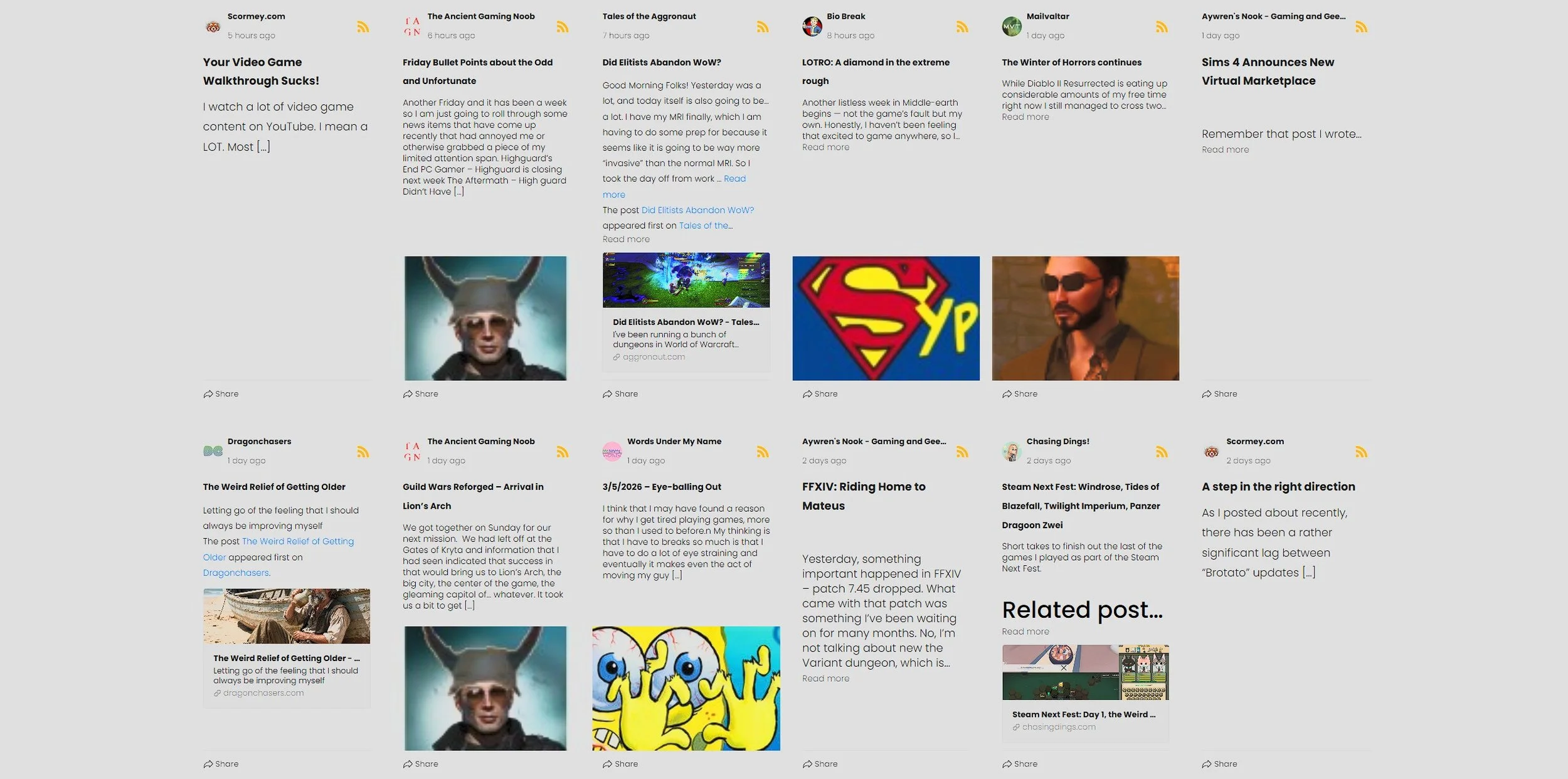
When I first started blogging way back in 2007, I maintained a blogroll of all my colleagues and peers’ websites. At the time this was a common practice and a way to support an expanding community. I considered this such an important aspect of the blogging scene at the time, I created a website to aggregate posts from video game blogs, called The Gaming Blog Nexus. It ran for two years and proved quite useful. However, it was tricky to administer and would frequently break as a lot of the back end widgets and plugins were created and maintained by “gifted amateurs”. I eventually shut it down due to the operating costs. When I moved my own website, Contains Moderate Peril, to Squarespace in 2015 I intended to start maintaining a blogroll once again. However, at that time there was no native support for such a thing on the platform. Hence for the last ten years, I have not had a blogroll on my website, which hasn’t sat well with me.

I was speaking to someone recently about hobbies (fortunately it wasn’t Simon Quinlank) and I mentioned that I have maintained a blog for over a 19 years. When I talked about the ongoing cost they were most surprised, as they had assumed that blogging was something that could be done for free. I guess we’ve become so accustomed to the provision of free online services such as email, that this a reasonable assumption. I pointed out that although it is indeed possible to blog for free using Blogger, it was not the optimal approach, especially if you want to maintain some degree of control over your writing. Naturally, the next question they asked was how much do I spend and I gave them a ballpark figure. All of which reminded me that I wrote a post on this very subject a few years ago. So I’ve decided to revisit the subject and see how much it currently costs to maintain Contains Moderate Peril.

Today I started the slow process of auditing every post that has been published on Contains Moderate Peril since 1st August 2016. The goal is to correct any obvious typos and replace all existing images with larger ones. The Squarespace software upgrade I applied to the website at the end of last year has finally allowed me to establish a standard format that I am happy with. Hence the ongoing audit is the perfect opportunity to apply these style rules to all posts. There are also some technical issues and matters regarding functionality that need to be addressed. I need to determine how to embed YouTube videos in such a way that they automatically scale to fit whatever device is viewing them. Another area which needs improving is the website search facility. This needs refinement so that enquiries can be more specific. Older posts also need to be more accessible, although I am still researching how best to achieve this.

It’s nearly two and half months since the Blaugust: Festival of Blogging event ended. During that time I’ve maintained a fairly regular writing schedule and I post every two days or so. Furthermore, I finally dragged my blog template, kicking and screaming, into the modern era. I tweaked a few pages and updated the content of the “about” page. The next task is to start going through all previous posts and replacing older, low resolution images with larger, more appropriate ones. This process also presents an opportunity to ensure that all posts follow a uniform style. IE Are appropriately categorised, have links to related posts at the bottom and are SEO optimised. This will be a lengthy task so I think the best approach will be to tackle two or three posts a day. Hopefully this will raise the profile of older content, which generates the lion’s hare of traffic to this site.
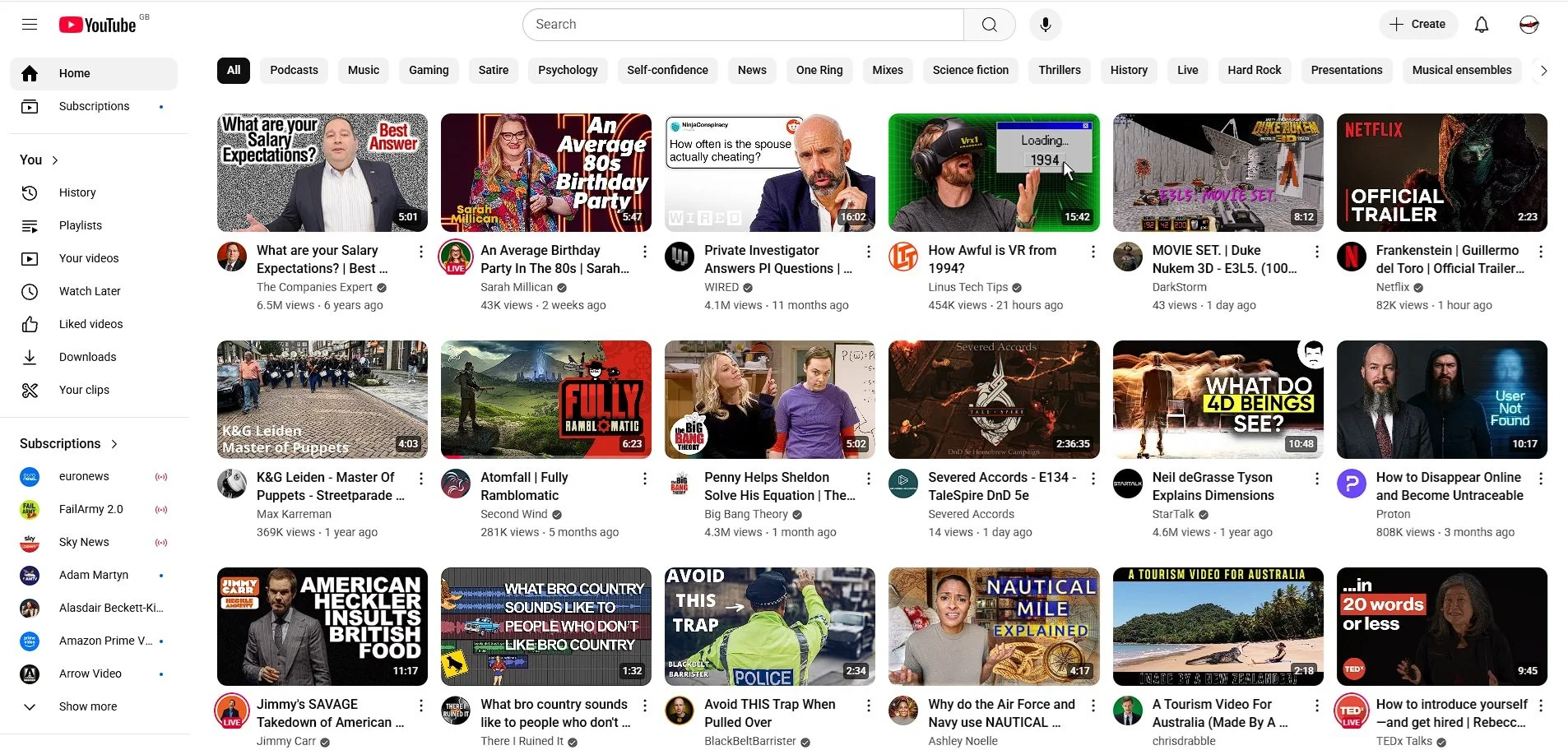
I use a browser extension called Control Panel for YouTube, which allows me to determine who many videos are displayed on my YouTube homepage and to filter the content that is shown. At present it is configured to display rows of six. Something that I have noticed of late, is the amount of videos with hyperbolic titles and thumbnail images created by AI. Both of which are design choices made to increase engagement. Clickbait titles are contrived to meet current SEO optimisation criteria and as such feature more and more in search results. The fact that they frequently have no relation to the subject I am researching, seems to be neither here nor there. The same issues arise with regard to AI generated images, which again frequently have no bearing on the matter. The fact that more and more content creators do this, infers that it works and is now an essential part of the process you must follow to be seen and featured in search results.

In the last post in this series, I specified the need for a plan with regard to upgrading my blog. Well a plan has emerged, been refined and has now been formally adopted. Rather than migrate Contains Moderate Peril to a new platform and effectively have to rebuild all the content, I am going to upgrade my existing presence on Squarespace. This decision was made for two reasons. Time and money. Migrating to a new platform will take a lot of time and incur additional costs. Upgrading the existing website will take less time and has no cost implications. That is not to say that it will be easy. It has become abundantly clear that the upgrade process will break stuff and that all published posts will have to be manually repaired. Hence my choice boils down to the lesser of two evils.

This year’s Blaugust: Festival of Blogging has reached an end and it would appear that this event has been well received by those who have participated in it. I believe that there were 168 bloggers taking part this year, many of whom have not participated before. Some were new to blogging, where others simply wished to see if they could increase their writing output. As ever there was a wide variety of blog styles and subject matters and it has been most interesting to read new posts every day. I have attempted to leave comments and positive feedback where I can and I hope that some of these new blogs that I’ve discovered continue to write. Well done to everyone who took part. I hope it has been an enjoyable and informative process and that you have learned from it. I know that at least one blogger has determined that writing online is not for them, which is a valuable lesson.

There is currently a group writing prompt available as part of this year’s Blaugust: Festival of Blogging which has piqued my interest. It asks the question “what is the oldest draft post you have” and suggests that it is revived in some manner. I have dozens of draft posts in a folder in my Google Drive. Many are film reviews or film related. The oldest of which dates back to summer 2010. Rather than write a straight forward review of Blake Edwards 1968 comedy The Party, I rather foolishly thought at the time that I’d tackle the issue of whether the film is sufficiently racist to make it beyond the pale. Let it suffice to say that I quickly found myself bogged down in the complexities of the subject and thus never completed the blog post.
I’ve participated in every previous Blaugust: Festival of Blogging event. Prior to that I was involved in the Newbie Blogger Initiative or NBI as it was affectionately known. I have therefore written quite a lot of blogging advice and suggestions over the years. If anyone feels disposed to do so, you can access them all by clicking on the “blogging” option on the top menu of this blog. However, it is important to remember that a lot of the ideas I have advocated and written about over the years are purely subjective. Not all advice or guidance works for everyone. People have different ideas about blogging, different approaches to it and different aspirations. This year has highlighted some quite distinct differences among bloggers which has been most illuminating.

Today is my blogging anniversary. I have been writing online consistently for 18 years. My earliest blogs no longer exist, although they can be found via the Internet Archive Wayback Machine. My first blog was a Lord of the Rings Online fansite called Misadventures in LOTRO. After a while this morphed into a wider gaming website; Misadventures in Gaming. However, I soon discovered that I wanted to write about more than just video games, so I decided to start from scratch and created Contains Moderate Peril in February 2010. This blog endured and has been my main online presence ever since. It has moved several times for various reasons. For a while I had a sponsor, as well as a reasonably sized audience and had dreams of making money from my writing and podcast. But it wasn’t to be and now I just write primarily for my own peace of mind and amusement.
Repairing an Xbox Controller
Avid readers of Contains Moderate Peril (as if there are such individuals) may already be aware that I get through a lot of computer peripherals. This week I thought that I’d damaged the left analogue stick on my Xbox controller. Upon closer inspection I found that it was just the plastic thumbstick cover that was worn out. I don’t use the controller for every game I play, as I prefer a keyboard and mouse. However, I’ve had the controller since July 2011 and mainly use it for driving in games, hence the excessive wear of the left analogue stick. I briefly toyed with buying a completely new controller but the exorbitant prices surprised me. Rather than buy a generic replacement that may be poorer quality than the official Microsoft version, I decided to see if it was easy to repair the existing controller. YouTube provided a quick and affirmative answer and Amazon Prime offered a way to procure replacement parts.
Avid readers of Contains Moderate Peril (as if there are such individuals) may already be aware that I get through a lot of computer peripherals. This week I thought that I’d damaged the left analogue stick on my Xbox controller. Upon closer inspection I found that it was just the plastic thumbstick cover that was worn out. I don’t use the controller for every game I play, as I prefer a keyboard and mouse. However, I’ve had the controller since July 2011 and mainly use it for driving in games, hence the excessive wear of the left analogue stick. I briefly toyed with buying a completely new controller but the exorbitant prices surprised me. Rather than buy a generic replacement that may be poorer quality than the official Microsoft version, I decided to see if it was easy to repair the existing controller. YouTube provided a quick and affirmative answer and Amazon Prime offered a way to procure replacement parts.
This afternoon a pair of black aluminium alloy thumbstick covers arrived so I set about replacing the two existing ones (as I didn’t want to just swap the worn one and have odd coloured sticks on my controller). The underside of the controller has seven philips screws. Six are in plain sight but the sevenths hides under a label. Pro tip, when taking the case of the Xbox controller apart, ensure that its facing buttonside down, so they don’t all fall out. The controller case splits in two relatively easily and it is not especially difficult to pull the thumbstick covers off the spindles. The replacements were easily enough fitted and the longest part of the process was putting the controller shell back together. Plastic can be very temperamental at times and you never know if it’s going to bend or break. I took the opportunity to clean the Xbox controller both inside and out with a microfibre cloth and some isopropyl alcohol.
I subsequently booted up my PC and tested the Xbox controller, via Device Manager in Windows Control Panel. The analogue sticks work but the new covers are not 100% identical to the originals. They seem a little larger and so occasionally stick. When this happens they do not immediately return to the centre position when released. The digital button functionality of the two analogue sticks is also a little hit and miss. However, despite these issues I can still play Fall Guys without any problems. Perhaps these matters may improve after further use. If not, I may consider replacing the alloy thumbstick covers with plastic ones. Another option is to see if I can acquire an old or broken Xbox controller and use it for parts. In the meantime, this was another interesting experiment in carrying out repairs. I don’t consider myself “cheap” but it is rewarding to occasionally fly in the face of a culture that by default expects you to buy a replacement.
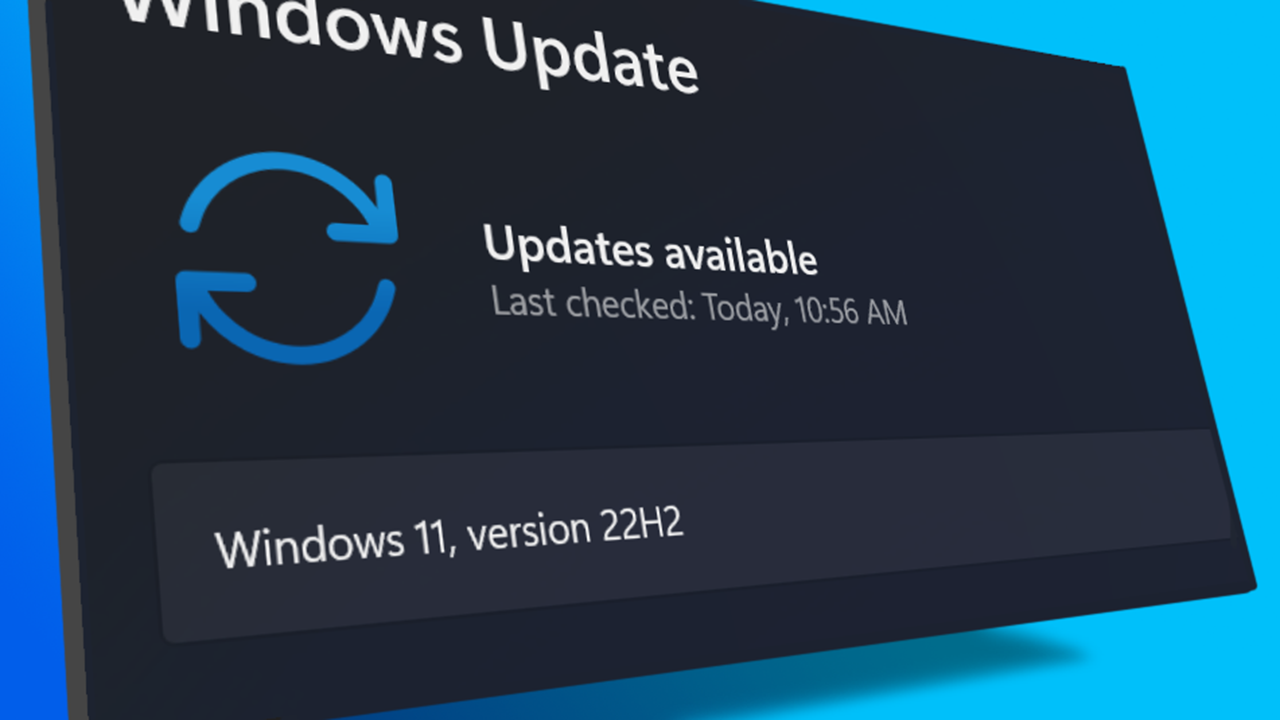
I turned on my laptop this morning for the first time in 4 months. I knew it was that long because I hadn’t connected the laptop to the new Netgear router that I bought at the end of April. Unsurprisingly, as I haven’t used this device for a while there were multiple Windows updates to be installed. This process took over an hour, so while the various updates were being downloaded and installed, I turned my attention to my Amazon Echo Dot which loiters in the corner of our lounge, doing very little to justify its existence. At present this device is mainly used as a glorified timer for cooking, which seems a bit of a waste given it’s alleged capabilities. Hence, I decided to see if I could increase its functionality while waiting for Windows to do its update thing. More on this later. Let us for the meantime return to the small matter of the operating system updates. Once they were completed, I immediately installed Chris Titus Tech’s Windows Utility and started removing unnecessary features and bloat, as well as disabling invasive services.
Before we begin, let me clearly state that this is not a comprehensive installation guide for installing Steam OS on your PC. Mainly because the variety of hardware that can be present in any PC makes each installation a somewhat bespoke affair. Hence I have decided to provide a list of bullet points of the various steps and issues I encountered during my installation, last week. Consider it advance warning of things you may encounter if you install this operating system. As ever, if this is something that you are intending to do, I would advise allowing yourself a suitable amount of time so you can accommodate any issues should they arise. It is entirely possible that this may be a two hour job for the technically literate running the most generic or commonplace hardware. However, I suspect that a lot of people undertaking this project will run into variations of the same problems that I encountered.
I am intrigued by the growth of the IndieWeb, owning your domain and static websites. I certainly agree with the notion of not relying on big corporations and I have an ongoing project to divest my dependency on software produced by major market players. However, although I own my own domain, my website is hosted by Squarespace. I’ve not really had any problems with them over the last 11 years and I would describe our business relationship as equitable. However, the monthly subscription price has increased over time and is likely to keep on doing so. It has crossed my mind as to whether there is a suitable alternative. However, if I were to migrate Contains Moderate Peril elsewhere I suspect it would be logistically complex and problematic.
I like learning new skills and starting projects. I regularly undertake such things with varying results. However, if they don’t work out that’s not a problem. You have to try something to see if you like it. I’ll add “within sensible parameters” as a caveat to the last statement. And it’s perfectly fine to discover that something isn’t for you. I like certain genres of video games, music, films and books. I am comfortable wearing certain types of clothes and not others. I’m picky about colours. I’ll even go so far as to say that I won’t drink out of any mug that’s just lying around. If I don’t like the joke, logo or overall aesthetic of it, I ain’t using it. However, I digress. Let’s get things back on track and talk about projects. This year I have wound down several websites and have decided not to move forward with making YouTube videos. I have focused my energy on improving my website and adding functionality. I am also trying to broaden the scope of my writing.
It’s funny how it is often the little things that become the proverbial straw that breaks the Camel’s back. I have been struggling for a while with the overall performance and functionality of my Windows 11 PC. The operating system is bloated, slow and buggy. It all too often commits that unpardonable sin of trying to do my thinking for me and enables some stupid feature by default. Despite having good specifications, my PC takes too long to boot up for my liking and is becoming too much of a wild card with regard to whether it will co-operate or not when I try and undertake a simple task. As someone who is very particular in their PC habits, IE I see my PC as a tool that I use on the terms that suit me. Hence, I find the faux enthusiasm that accompanies each uncalled for “improvement” that results in me losing agency, singularly antagonising. Then a minor issue arose recently that escalated into a thorn in my flesh and I decided that it was time that something must be done.
This is a post about the power of nostalgia and how sometimes, interacting with something from your past, be it physically or mentally, can produce a very strong and tangible emotional reaction. In some instances, this can be the result of something that you have specifically set out to do. On other occasions you can wander into a sense of nostalgia purely by chance. Today I experienced a very strong sense of nostalgia while watching a YouTube video and then again when I sought to replicate what I had seen. The video showed someone installing Windows 95 on to an old 486 PC from that era. The Window’s start up sound really touched a nerve (but in a good way) and then when the guy in the video launched Space Cadet 3D Pinball, a game that shipped with the operating system, I felt a strong compulsion to track down a copy and install the game myself, thus revisiting something that was an integral part of my life in 1995.
For the last few months I have being using Google Gemini. I subscribed so I could access a wider spectrum of services and evaluate it effectively. I also wanted to dispel some of the hysteria that accompanies any conversation about Large Language Models and Artificial Intelligence. The results were initially interesting and Google Gemini proved useful when researching material for blog posts. It is good at providing summaries about well documented subjects. I wrote a post about food banks recently and it distilled a lot of data into a manageable amount, which was ideal for my article. Google Gemini has also produced some visual basic scripting and simple batch files that have allowed me to automate processes on my PC. Such as changing the default monitor, or screen resolution at the click of an icon. However, I found this AI struggled with in-depth software troubleshooting and that its ability to create images varies greatly depending on the subject.
The UK Government has formerly announced its intention to ban under-16s from using social media. This is due to increasing public pressure that “something must be done” about the perceived iniquities of many online platforms. However, as with most complex social problems of this nature, no one has any clear or practical ideas as to what that “something” is. It remains a nebulous, non-specific panacea and clearly someone else’s job to identify and implement. As ever, why choose a nuanced and multifaceted solution to a complex problem, when it is far easier and politically expedient to just “ban” something. The former requires effort and a degree of thinking. If such an approach fails it also means that those who came up with it now carry the can. The latter dumps the problem in the lap of various third parties, who can then be conveniently blamed when the ill conceived policy fails.
Yesterday we changed internet service providers. We moved from EE (formerly BT) to Plusnet. The transition went surprisingly well, mainly due to the existing infrastructure remaining the same. We’ve had fibre to the premises (FTTP) since 2022 so this was essentially an administrative change. The previous ISP terminated their service at 1:30 AM in the morning, while I was playing Star Trek Online. By 6:30 AM I received a message from Plusnet that the new service was live. It took about an hour to configure the new Netgear Nighthawk RS100 router (I bought my own) and get all our household devices attached to the new network. The connection is running at exactly the same speed and stability as it had under the previous supplier. At present a 1Gbps connection is sufficient for our needs. The main factor that has driven this change is cost. We are currently paying £28 per month for internet access which is a competitive price in the UK.
In 1990 I was working at the DWP (Department for Work and Pensions). I had just taken the role of Computer Support Officer where I administered user access to the mainframe and provided first line support to staff using the terminals. That summer the office moved to a PC based network and the project was undertaken by the newly formed Siemens Nixdorf company. To cut a long story short I befriended one of the contract engineers and over the next 9 months he became an unofficial mentor to me. Technically he was only supposed to train me in the most basic of fashions but he liked the fact that I was always asking questions and effectively ended up schooling me in PC and server architecture, network administration and the associated protocols. For me this was the best way to learn. It was not a case of coming to grips with theory in a classroom environment. It was learning by doing and having direct and exclusive access to a source of knowledge and experience.
My Windows 11 PC is a cobbled together mess of upgrades, customisations and workarounds. It seems okay at first glance, mainly because my desktop is well organised and I don’t allow too many apps to start on boot up. But beneath this superficial veneer of efficiency and optimisation is a bloated mess. Every Windows update adds yet more spurious features which slows performance and tries to harvest your data. Windows is no longer a user friendly operating system that you buy and use without impediment. It is now a sprawling live service that actively gets in the way of your productivity so that it can make a buck off your inconvenience. There was a time when you could quickly learn its processes and foibles, so you could customise it into the tool you needed. Nowadays I have to continuously use third party tools to get Windows to do many of the things I want, or to access functionality that Microsoft has obtusely decided to restrict.
As the New Year is still young, I have embarked upon several new projects that I’ve been planning since Autumn last year. These undertakings have gone beyond the planning stage and are currently being implemented. The fun thing about the phrase “implemented” in this context is that it implies that it is by far the easiest and most straightforward part of the process. The initial brainstorming of ideas has been completed. A cogent and detailed plan has been written. The costing of materials and time required have been determined. These are the hard parts. All that remains is to “just do it”. It should be a piece of piss (a British phrase indicating that something is easy). It virtually “implements” itself. However, that is a load of bollocks. Because there is always scope for something to go wrong. It may well start as something minor and innocuous but it all too often ends in a “problem cascade”.
This time last year I made a decision to replace Microsoft Office or Office 365 as it is currently known. Mainly because I only use Outlook out of the entire suite of software. This project stalled because I couldn't easily import my existing email archive into Mozilla Thunderbird. Hence the status quo has been perpetuated. However, there is an ongoing cost associated with this software as well as some wider considerations about ethics and privacy which is why I have returned to this matter. Although this time I wish to replace not only Office 365 but all the other "production tools" I use to write and browse the internet. I have managed to make some progress towards this goal but it has been hard to adapt. Mainly because I had everything set up to my liking. Although alternatives are available, they're never exactly alike and require a lot of fine tuning to be deemed satisfactory.
Last summer I wrote a post about my experiences using various screen capture software. At the time I was using Bandicam which suited all my needs. I had configured the software to launch at Windows start-up and had a hotkey assigned to capture images from my primary monitor. Hence I could quickly grab a screenshot from my desktop or when playing a game. However, this changed in November 2025, when I bought two new monitors. Both of which supported HDR (High Dynamic Range). Although they provide superior picture quality, HDR has a knock-on effect on Bandicam. Screen capture images and video look over exposed. Hence I had to stop using the software and find an alternative. Fortunately the same company has been developing an alternative product with HDR support; Bandi Camera. So I swapped to this software. The screenshots were far better but the functionality of the app was lacking.
Our home has a 1 Gbps “fibre to the premises” internet connection. It has proven reliable since it was installed in June 2022. Our internet service provider EE (part of the BT group) are neither the best of worst suppliers. The monthly cost is not especially competitive and so we may be looking to move providers next Easter. However, that is a matter for the future. For the present there is a more immediate issue. Starting on Friday 21st November, our internet connection has started randomly dropping. Furthermore, both the Wi-Fi extender in the lounge and the wireless printer in my office have become disconnected from the network. It was as if their details had been erased from the router. I suspected that a recent firmware upgrade may be the culprit although EE denies it. However there are posts online from other customers with similar technical issues.
A couple of times a year, Mrs P asks me to copy onto her laptop, all the pictures that I’ve taken over recent months, as well as those that have been shared with us via WhatsApp. She then diligently whittles them down into a manageable amount which we then print off and put in our photo album. Yes we’re of the generation that still likes to print off hard copies of photos and from time to time look at them nostalgically. We have several albums with photographs in chronological order and numerous frames placed around the house, filled with pictures of family. The bulk of the photos are 4x6 inches (10x15 cm). We use an online photo printing service for the majority of our pictures and visit a local store with a self-service photographic department to print off specific pictures for bespoke frames. The original photos, now neatly organised, are backed up and archived.
I take a lot of screen captures of video games and Windows apps, usually for blog posts. I use both Bandicam and Windows Snipping Tool to do this and have set up various hotkeys to make the process easy. Of late, the screen captures that I’ve taken have all suffered from washed out colours, regardless what tool I used to take them. I checked to see if both these apps needed to be updated but they are running the latest versions. Hence I was initially stumped as to why this problem had started happening. After some thought, I deduced that the only new elements in my PC hardware were my two new monitors. Both of which support HDR. Google Gemini quickly informed me that this was a known issue and taking screen captures from an HDR enabled device resulted in an excessively bright image that looked over exposed.
I recently bought two new monitors and a stand for my PC tower case. Today I thought I’d take the opportunity to disconnect every peripheral, clear my desk and then after a thorough clean, reassemble everything ensuring good cable management. I even went so far as to buy a new power extension lead so I could reorganise where everything was plugged in and therefore be able to isolate specific hardware. It seemed such a simple, straightforward task on paper. The reality was much different. It took me over three hours to sort out, mainly due to the fact that I don’t “bend” so well these days. During this Herculean task, my watch kept on notifying me that my heart rate was “high”. However, I regularly took breaks and fortified myself with gin for medicinal reasons. I am pleased with the results of this task.
I use two monitors with my PC, as I find having the additional screen “real estate” invaluable when writing or playing games. Both monitors that I’ve been using up to now are somewhat old and they are not exactly the same size or resolution, although both are FHD. I have previously written about the problems I’ve had trying to get certain games and programs to display on specific monitors and the lengths I’ve had to go to to resolve this issue. To cut a long story short, I recently decided to replace both monitors with larger models with a higher resolution. Mainly because my eyesight is not what it used to be. I see best when working with a bright screen that can produce clear text. New monitors would also address my ongoing screen output problem. Hence, I set myself a reasonable budget and began researching appropriate replacements.
In July the UK Government introduced the Online Safety Act which requires age checks for accessing sexually explicit content online. As a result of this, Pornhub, the 19th most visited site on the internet, has reported a 77% decline in UK traffic. Furthermore, according to the UK regulatory body, OFCOM (The Office of Communications), overall visits to pornographic websites from the UK have fallen by 33%. Naturally, those who championed this legislation are claiming a moral and political victory. However, once you consider what these facts actually mean, they paint a somewhat different and potentially more worrying picture. It would be staggeringly naïve to think that UK visitors to Pornhub have ceased visiting such sites due to the age verification requirements. The more likely explanation is that UK porn consumers are now using VPNs to circumnavigate these restrictions and that this traffic to Pornhub is now recorded as coming from elsewhere.
It may be a case of preaching to the Choir but dust contamination in your PC causes overheating, decreased performance, and potential hardware failure. This mainly occurs due to dust restricting airflow, impeding components such as heat sinks and creating short circuits from conductive particles. Fluff builds up and restricts cooling fans, forcing them to work harder. Heat build can lead to issues like system crashes, lagging, and even permanent damage to the motherboard and CPU. Over time, it can shorten the lifespan of the computer and in severe cases, poses a fire hazard. When I used to work in IT contracting, I used to see the effects of dust contamination all the time. PC placed on carpet tiles or on top of desks and surrounded by other objects. I remember one PC replacement project I was working on where we found an old PC with a dead mouse in it. It was desiccated by the heat.
Usually I don’t have a problem with internet access when Mrs P and I are travelling. My phone data plan is sufficient for Google Maps and social media usage. Once we reach our hotel, it’s just a question of connecting to the free Wi-Fi or if need be, buying upgraded access. It’s seldom that expensive. When I went on holiday to Croatia this summer, I bought a bespoke data plan before arriving that granted me extra internet access. Our hotel in Makarska also had very robust internet access. Hence, regardless of being out and about or by the pool, I never had any issues getting online. The ubiquity of internet access means we often take it for granted. I seldom go to places in the UK or abroad that don’t have advanced IT infrastructure. Until this week.
Back in January, I was very pleased because I had finally found some open source software, DisplayMagician, which allowed me to quickly and easily alter my display profile and run specific games and applications on my second monitor. Prior to this I would find that some programs just wouldn’t stay put, once they were dragged or otherwise cajoled to display on the monitor of my choice. They would continuously snap back to the primary display, regardless of my actions. DisplayMagician solved this issue and did so with aplomb. Or it did, until last weekend when I upgraded my PC from Windows 10 to 11. Then it stopped working. I therefore did some digging online and it became apparent that this is a known issue that is currently being addressed by its creator, Terry McDonald.
As part of our increasing dependency upon software, we have also grown accustomed to its associated foibles, especially the negative ones. Today, I upgraded my blog from Squarespace 7.0 to 7.1 and my PC operating system from Windows 10 to 11. I started early in the morning and ensured that all my personal data was backed up. My default expectation was that both processes would go wrong in some way, shape or form. Let’s take a moment to consider this mindset, which is born out of experience. It is now taken as read that whatever you upgrade, be it an app on your phone or a program on your PC, that it’s going to be problematic. It won’t be a seamless transition and you’ll end up having to do some sort of troubleshooting. Despite our lives becoming more dependent on such software, the quality of these products seems to be deteriorating. What a sorry state of affairs.
The ability to take a screen capture of a video game that you’re playing, or an open application or browser tab, is just something we take for granted. Windows 10/11 have a built-in tool called Snip & Sketch that is simple to use. Most of the games that I play have a specific hotkey for taking screenshots and a default directory to store them. Similarly, the latest builds of Windows also include the Xbox Game Bar software, which allows you to capture video from any application that you’re running on your PC. You can then edit via Clipchamp which is the successor to the old Windows Movie Maker. I believe the macOS comes with comparable default software. The absence of such apps today would be noticeable. However, there was a time when such things were not considered standard features.
30 years ago, in early 1995, I bought my first PC, a second hand Compaq Prolinea 4/33. It had an Intel 486 DX processor, 340MB HDD, 4MB RAM, 3½-inch floppy disk drive and a 14-inch monitor with a screen resolution of 1024 x 768. It ran Windows 3.11 installed via MS-DOS 6.22. It didn’t come with a soundcard or a CD-ROM drive. I believe I paid around £750 or so at the time, which was approximately half its original retail price. This model was 2 or 3 years old when I bought it. However, at this time, PC specifications did not change as quickly as they do these days. Hence, this was a good starting point for someone new to computing. I subsequently upgraded the processor to a 486 DX2, increased the RAM to 16MB and installed a Creative Labs Sound Blaster AWE32 soundcard and CD-ROM drive.
Three months ago, I wrote a blog post regarding how I wasn’t going to replace my phone because I was pretty much done with the endless treadmill that is “upgrade culture”. At the time my Google Pixel 6 was three years old but continued to serve all my smartphone needs. So I signed up for a new “SIM only” contract with Vodafone and went about my business, feeling somewhat pleased with myself. However, “needs must when the devil vomits into your kettle”, to quote Blackadder. I recently noticed that the screen on my phone was coming away from the main enclosure. There was a distinct curve along the right hand edge, as if there was something inside the phone applying pressure outwards. Sadly, that is precisely what was happening. I searched online to see if this was a known issue and was subsequently introduced to the problem known as battery bulge.
I had a novel experience (at least for me) this morning. I went to the cashpoint (that’s an ATM for those outside the UK) at my local supermarket, only to find it out of service. I had an imminent haircut appointment and no cash to pay my barber, who doesn’t take card payments. Fortunately, the supermarket did “cashback” so I bought a loaf of bread and some milk, paid £23 for them and was given £20 in cash. It’s a useful facility that I have never used until today. Usually I just make sure that I have a float of cash available but today the cashpoint being unavailable threw a spanner in the works. If the store did not do “cashback” then I would have had to reschedule my haircut. This minor hiccup got me thinking about our dependence on technology in our daily lives. A point that was further brought home, as my barber told me he had recently visited Spain and was affected by the national power outage.
PC Peripherals
I’ve mentioned it before that I seem to get through a lot of PC peripherals. I don’t consider myself heavy handed but I find that keyboard and mice just tend to wear out after about a year to eighteen months. Certain keys on the keyboard become unresponsive and have to be giggled to actually register use. The right hand button on my mouse often suffers a similar fate. Plus, I must have extremely acidic sweat as the plastic on both my current keyboard and mouse have shiny patches where I’ve worn through the surface. A few weeks ago, I took off my gaming headset after chatting with friends and the plastic headband just snapped in two. It was just over a year old and no, before you ask, I don’t have a head like The Mekon. All of which is a timely reminder that we live in a very disposable world and that plastic is a convenient but not necessarily durable material.
I’ve mentioned it before that I seem to get through a lot of PC peripherals. I don’t consider myself heavy handed but I find that keyboard and mice just tend to wear out after about a year to eighteen months. Certain keys on the keyboard become unresponsive and have to be giggled to actually register use. The right hand button on my mouse often suffers a similar fate. Plus, I must have extremely acidic sweat as the plastic on both my current keyboard and mouse have shiny patches where I’ve worn through the surface. A few weeks ago, I took off my gaming headset after chatting with friends and the plastic headband just snapped in two. It was just over a year old and no, before you ask, I don’t have a head like The Mekon. All of which is a timely reminder that we live in a very disposable world and that plastic is a convenient but not necessarily durable material.
At present I’m using a generic Microsoft Wired Keyboard 600 which is beginning to come to the end of its lifespan. My Logitech G203 Prodigy Gaming Mouse, which is about 18 months old, is playing up. When I play Call of Duty Warzone, it doesn’t seem to want to aim down the sight when I press the right button. And I’m using a spare Logitech H600 Wireless Headset that works but the plastic creaks every time I talk and the mic picks the sound up. Plus the foam ear covers are perishing. So I decided that it was time to replace these items. My first port of call was Amazon and I was amazed to find such a wide range of brands and prices. I found some interesting bundles but a lot of them are manufactured by companies that I’m not familiar with, such as Havit. Although some of the product reviews were positive, I didn’t feel inclined to take a gamble. So I decided to go with Razer as I used their products before.
I bought the “Razer Epic Gaming Bundle” from Currys PC World for £110. This includes the Cynosa Chroma Gaming Keyboard, DeathAdder Essential Gaming Mouse, Kraken X Lite Gaming Headset and a Goliathus Mobile Stealth Edition Gaming Surface. Yet despite the self aggrandising titles that these PC peripherals have, they’ve all received favourable reviews and are built to a high standard. Sometimes it is worthwhile spending a little bit more on the items you use the most. The bundle is also very good value. If I bought all three items separately they would cost £150 plus. However, there is one minor downside. In fact it’s something common to all PC peripherals that are specifically marketed at gamers. And that is the penchant for adorning everything with lurid LED lights that change colour. A man of my age does not consider such ambient lighting or any superfluous adornment “cool”. I just find it irritating and a distraction when gaming.
My PC is a multipurpose tool that I use for both work and pleasure. I use it for writing, editing audio, gaming and watching streaming services. It is also my primary means of online access. I put a fair amount of time into researching what would be the optimal purchase within the budget that I set and my specific technical requirements. Yet often, we do not apply the same scrutiny when buying our peripherals. We either keep using what we have or go with whatever is thrown in with a new PC purchase. But a poor quality keyboard and mouse can be a major impediment to content creation and gaming. At the very least, their respective lifespan is relatively short and you find yourself in the situation that I now find myself in. I’m not advocating the profligate buying of top of the range items just for the sake of it. But it is important to buy to your particular need and cutting corners to save cash may cause inconvenience at a later date.
I turned on my laptop this morning for the first time in 4 months. I knew it was that long because I hadn’t connected the laptop to the new Netgear router that I bought at the end of April. Unsurprisingly, as I haven’t used this device for a while there were multiple Windows updates to be installed. This process took over an hour, so while the various updates were being downloaded and installed, I turned my attention to my Amazon Echo Dot which loiters in the corner of our lounge, doing very little to justify its existence. At present this device is mainly used as a glorified timer for cooking, which seems a bit of a waste given it’s alleged capabilities. Hence, I decided to see if I could increase its functionality while waiting for Windows to do its update thing. More on this later. Let us for the meantime return to the small matter of the operating system updates. Once they were completed, I immediately installed Chris Titus Tech’s Windows Utility and started removing unnecessary features and bloat, as well as disabling invasive services.
Before we begin, let me clearly state that this is not a comprehensive installation guide for installing Steam OS on your PC. Mainly because the variety of hardware that can be present in any PC makes each installation a somewhat bespoke affair. Hence I have decided to provide a list of bullet points of the various steps and issues I encountered during my installation, last week. Consider it advance warning of things you may encounter if you install this operating system. As ever, if this is something that you are intending to do, I would advise allowing yourself a suitable amount of time so you can accommodate any issues should they arise. It is entirely possible that this may be a two hour job for the technically literate running the most generic or commonplace hardware. However, I suspect that a lot of people undertaking this project will run into variations of the same problems that I encountered.
I am intrigued by the growth of the IndieWeb, owning your domain and static websites. I certainly agree with the notion of not relying on big corporations and I have an ongoing project to divest my dependency on software produced by major market players. However, although I own my own domain, my website is hosted by Squarespace. I’ve not really had any problems with them over the last 11 years and I would describe our business relationship as equitable. However, the monthly subscription price has increased over time and is likely to keep on doing so. It has crossed my mind as to whether there is a suitable alternative. However, if I were to migrate Contains Moderate Peril elsewhere I suspect it would be logistically complex and problematic.
I like learning new skills and starting projects. I regularly undertake such things with varying results. However, if they don’t work out that’s not a problem. You have to try something to see if you like it. I’ll add “within sensible parameters” as a caveat to the last statement. And it’s perfectly fine to discover that something isn’t for you. I like certain genres of video games, music, films and books. I am comfortable wearing certain types of clothes and not others. I’m picky about colours. I’ll even go so far as to say that I won’t drink out of any mug that’s just lying around. If I don’t like the joke, logo or overall aesthetic of it, I ain’t using it. However, I digress. Let’s get things back on track and talk about projects. This year I have wound down several websites and have decided not to move forward with making YouTube videos. I have focused my energy on improving my website and adding functionality. I am also trying to broaden the scope of my writing.
It’s funny how it is often the little things that become the proverbial straw that breaks the Camel’s back. I have been struggling for a while with the overall performance and functionality of my Windows 11 PC. The operating system is bloated, slow and buggy. It all too often commits that unpardonable sin of trying to do my thinking for me and enables some stupid feature by default. Despite having good specifications, my PC takes too long to boot up for my liking and is becoming too much of a wild card with regard to whether it will co-operate or not when I try and undertake a simple task. As someone who is very particular in their PC habits, IE I see my PC as a tool that I use on the terms that suit me. Hence, I find the faux enthusiasm that accompanies each uncalled for “improvement” that results in me losing agency, singularly antagonising. Then a minor issue arose recently that escalated into a thorn in my flesh and I decided that it was time that something must be done.
This is a post about the power of nostalgia and how sometimes, interacting with something from your past, be it physically or mentally, can produce a very strong and tangible emotional reaction. In some instances, this can be the result of something that you have specifically set out to do. On other occasions you can wander into a sense of nostalgia purely by chance. Today I experienced a very strong sense of nostalgia while watching a YouTube video and then again when I sought to replicate what I had seen. The video showed someone installing Windows 95 on to an old 486 PC from that era. The Window’s start up sound really touched a nerve (but in a good way) and then when the guy in the video launched Space Cadet 3D Pinball, a game that shipped with the operating system, I felt a strong compulsion to track down a copy and install the game myself, thus revisiting something that was an integral part of my life in 1995.
For the last few months I have being using Google Gemini. I subscribed so I could access a wider spectrum of services and evaluate it effectively. I also wanted to dispel some of the hysteria that accompanies any conversation about Large Language Models and Artificial Intelligence. The results were initially interesting and Google Gemini proved useful when researching material for blog posts. It is good at providing summaries about well documented subjects. I wrote a post about food banks recently and it distilled a lot of data into a manageable amount, which was ideal for my article. Google Gemini has also produced some visual basic scripting and simple batch files that have allowed me to automate processes on my PC. Such as changing the default monitor, or screen resolution at the click of an icon. However, I found this AI struggled with in-depth software troubleshooting and that its ability to create images varies greatly depending on the subject.
The UK Government has formerly announced its intention to ban under-16s from using social media. This is due to increasing public pressure that “something must be done” about the perceived iniquities of many online platforms. However, as with most complex social problems of this nature, no one has any clear or practical ideas as to what that “something” is. It remains a nebulous, non-specific panacea and clearly someone else’s job to identify and implement. As ever, why choose a nuanced and multifaceted solution to a complex problem, when it is far easier and politically expedient to just “ban” something. The former requires effort and a degree of thinking. If such an approach fails it also means that those who came up with it now carry the can. The latter dumps the problem in the lap of various third parties, who can then be conveniently blamed when the ill conceived policy fails.
Yesterday we changed internet service providers. We moved from EE (formerly BT) to Plusnet. The transition went surprisingly well, mainly due to the existing infrastructure remaining the same. We’ve had fibre to the premises (FTTP) since 2022 so this was essentially an administrative change. The previous ISP terminated their service at 1:30 AM in the morning, while I was playing Star Trek Online. By 6:30 AM I received a message from Plusnet that the new service was live. It took about an hour to configure the new Netgear Nighthawk RS100 router (I bought my own) and get all our household devices attached to the new network. The connection is running at exactly the same speed and stability as it had under the previous supplier. At present a 1Gbps connection is sufficient for our needs. The main factor that has driven this change is cost. We are currently paying £28 per month for internet access which is a competitive price in the UK.
In 1990 I was working at the DWP (Department for Work and Pensions). I had just taken the role of Computer Support Officer where I administered user access to the mainframe and provided first line support to staff using the terminals. That summer the office moved to a PC based network and the project was undertaken by the newly formed Siemens Nixdorf company. To cut a long story short I befriended one of the contract engineers and over the next 9 months he became an unofficial mentor to me. Technically he was only supposed to train me in the most basic of fashions but he liked the fact that I was always asking questions and effectively ended up schooling me in PC and server architecture, network administration and the associated protocols. For me this was the best way to learn. It was not a case of coming to grips with theory in a classroom environment. It was learning by doing and having direct and exclusive access to a source of knowledge and experience.
My Windows 11 PC is a cobbled together mess of upgrades, customisations and workarounds. It seems okay at first glance, mainly because my desktop is well organised and I don’t allow too many apps to start on boot up. But beneath this superficial veneer of efficiency and optimisation is a bloated mess. Every Windows update adds yet more spurious features which slows performance and tries to harvest your data. Windows is no longer a user friendly operating system that you buy and use without impediment. It is now a sprawling live service that actively gets in the way of your productivity so that it can make a buck off your inconvenience. There was a time when you could quickly learn its processes and foibles, so you could customise it into the tool you needed. Nowadays I have to continuously use third party tools to get Windows to do many of the things I want, or to access functionality that Microsoft has obtusely decided to restrict.
As the New Year is still young, I have embarked upon several new projects that I’ve been planning since Autumn last year. These undertakings have gone beyond the planning stage and are currently being implemented. The fun thing about the phrase “implemented” in this context is that it implies that it is by far the easiest and most straightforward part of the process. The initial brainstorming of ideas has been completed. A cogent and detailed plan has been written. The costing of materials and time required have been determined. These are the hard parts. All that remains is to “just do it”. It should be a piece of piss (a British phrase indicating that something is easy). It virtually “implements” itself. However, that is a load of bollocks. Because there is always scope for something to go wrong. It may well start as something minor and innocuous but it all too often ends in a “problem cascade”.
This time last year I made a decision to replace Microsoft Office or Office 365 as it is currently known. Mainly because I only use Outlook out of the entire suite of software. This project stalled because I couldn't easily import my existing email archive into Mozilla Thunderbird. Hence the status quo has been perpetuated. However, there is an ongoing cost associated with this software as well as some wider considerations about ethics and privacy which is why I have returned to this matter. Although this time I wish to replace not only Office 365 but all the other "production tools" I use to write and browse the internet. I have managed to make some progress towards this goal but it has been hard to adapt. Mainly because I had everything set up to my liking. Although alternatives are available, they're never exactly alike and require a lot of fine tuning to be deemed satisfactory.
Last summer I wrote a post about my experiences using various screen capture software. At the time I was using Bandicam which suited all my needs. I had configured the software to launch at Windows start-up and had a hotkey assigned to capture images from my primary monitor. Hence I could quickly grab a screenshot from my desktop or when playing a game. However, this changed in November 2025, when I bought two new monitors. Both of which supported HDR (High Dynamic Range). Although they provide superior picture quality, HDR has a knock-on effect on Bandicam. Screen capture images and video look over exposed. Hence I had to stop using the software and find an alternative. Fortunately the same company has been developing an alternative product with HDR support; Bandi Camera. So I swapped to this software. The screenshots were far better but the functionality of the app was lacking.
Our home has a 1 Gbps “fibre to the premises” internet connection. It has proven reliable since it was installed in June 2022. Our internet service provider EE (part of the BT group) are neither the best of worst suppliers. The monthly cost is not especially competitive and so we may be looking to move providers next Easter. However, that is a matter for the future. For the present there is a more immediate issue. Starting on Friday 21st November, our internet connection has started randomly dropping. Furthermore, both the Wi-Fi extender in the lounge and the wireless printer in my office have become disconnected from the network. It was as if their details had been erased from the router. I suspected that a recent firmware upgrade may be the culprit although EE denies it. However there are posts online from other customers with similar technical issues.
A couple of times a year, Mrs P asks me to copy onto her laptop, all the pictures that I’ve taken over recent months, as well as those that have been shared with us via WhatsApp. She then diligently whittles them down into a manageable amount which we then print off and put in our photo album. Yes we’re of the generation that still likes to print off hard copies of photos and from time to time look at them nostalgically. We have several albums with photographs in chronological order and numerous frames placed around the house, filled with pictures of family. The bulk of the photos are 4x6 inches (10x15 cm). We use an online photo printing service for the majority of our pictures and visit a local store with a self-service photographic department to print off specific pictures for bespoke frames. The original photos, now neatly organised, are backed up and archived.
I take a lot of screen captures of video games and Windows apps, usually for blog posts. I use both Bandicam and Windows Snipping Tool to do this and have set up various hotkeys to make the process easy. Of late, the screen captures that I’ve taken have all suffered from washed out colours, regardless what tool I used to take them. I checked to see if both these apps needed to be updated but they are running the latest versions. Hence I was initially stumped as to why this problem had started happening. After some thought, I deduced that the only new elements in my PC hardware were my two new monitors. Both of which support HDR. Google Gemini quickly informed me that this was a known issue and taking screen captures from an HDR enabled device resulted in an excessively bright image that looked over exposed.
I recently bought two new monitors and a stand for my PC tower case. Today I thought I’d take the opportunity to disconnect every peripheral, clear my desk and then after a thorough clean, reassemble everything ensuring good cable management. I even went so far as to buy a new power extension lead so I could reorganise where everything was plugged in and therefore be able to isolate specific hardware. It seemed such a simple, straightforward task on paper. The reality was much different. It took me over three hours to sort out, mainly due to the fact that I don’t “bend” so well these days. During this Herculean task, my watch kept on notifying me that my heart rate was “high”. However, I regularly took breaks and fortified myself with gin for medicinal reasons. I am pleased with the results of this task.
I use two monitors with my PC, as I find having the additional screen “real estate” invaluable when writing or playing games. Both monitors that I’ve been using up to now are somewhat old and they are not exactly the same size or resolution, although both are FHD. I have previously written about the problems I’ve had trying to get certain games and programs to display on specific monitors and the lengths I’ve had to go to to resolve this issue. To cut a long story short, I recently decided to replace both monitors with larger models with a higher resolution. Mainly because my eyesight is not what it used to be. I see best when working with a bright screen that can produce clear text. New monitors would also address my ongoing screen output problem. Hence, I set myself a reasonable budget and began researching appropriate replacements.
In July the UK Government introduced the Online Safety Act which requires age checks for accessing sexually explicit content online. As a result of this, Pornhub, the 19th most visited site on the internet, has reported a 77% decline in UK traffic. Furthermore, according to the UK regulatory body, OFCOM (The Office of Communications), overall visits to pornographic websites from the UK have fallen by 33%. Naturally, those who championed this legislation are claiming a moral and political victory. However, once you consider what these facts actually mean, they paint a somewhat different and potentially more worrying picture. It would be staggeringly naïve to think that UK visitors to Pornhub have ceased visiting such sites due to the age verification requirements. The more likely explanation is that UK porn consumers are now using VPNs to circumnavigate these restrictions and that this traffic to Pornhub is now recorded as coming from elsewhere.
It may be a case of preaching to the Choir but dust contamination in your PC causes overheating, decreased performance, and potential hardware failure. This mainly occurs due to dust restricting airflow, impeding components such as heat sinks and creating short circuits from conductive particles. Fluff builds up and restricts cooling fans, forcing them to work harder. Heat build can lead to issues like system crashes, lagging, and even permanent damage to the motherboard and CPU. Over time, it can shorten the lifespan of the computer and in severe cases, poses a fire hazard. When I used to work in IT contracting, I used to see the effects of dust contamination all the time. PC placed on carpet tiles or on top of desks and surrounded by other objects. I remember one PC replacement project I was working on where we found an old PC with a dead mouse in it. It was desiccated by the heat.
Usually I don’t have a problem with internet access when Mrs P and I are travelling. My phone data plan is sufficient for Google Maps and social media usage. Once we reach our hotel, it’s just a question of connecting to the free Wi-Fi or if need be, buying upgraded access. It’s seldom that expensive. When I went on holiday to Croatia this summer, I bought a bespoke data plan before arriving that granted me extra internet access. Our hotel in Makarska also had very robust internet access. Hence, regardless of being out and about or by the pool, I never had any issues getting online. The ubiquity of internet access means we often take it for granted. I seldom go to places in the UK or abroad that don’t have advanced IT infrastructure. Until this week.
Back in January, I was very pleased because I had finally found some open source software, DisplayMagician, which allowed me to quickly and easily alter my display profile and run specific games and applications on my second monitor. Prior to this I would find that some programs just wouldn’t stay put, once they were dragged or otherwise cajoled to display on the monitor of my choice. They would continuously snap back to the primary display, regardless of my actions. DisplayMagician solved this issue and did so with aplomb. Or it did, until last weekend when I upgraded my PC from Windows 10 to 11. Then it stopped working. I therefore did some digging online and it became apparent that this is a known issue that is currently being addressed by its creator, Terry McDonald.
As part of our increasing dependency upon software, we have also grown accustomed to its associated foibles, especially the negative ones. Today, I upgraded my blog from Squarespace 7.0 to 7.1 and my PC operating system from Windows 10 to 11. I started early in the morning and ensured that all my personal data was backed up. My default expectation was that both processes would go wrong in some way, shape or form. Let’s take a moment to consider this mindset, which is born out of experience. It is now taken as read that whatever you upgrade, be it an app on your phone or a program on your PC, that it’s going to be problematic. It won’t be a seamless transition and you’ll end up having to do some sort of troubleshooting. Despite our lives becoming more dependent on such software, the quality of these products seems to be deteriorating. What a sorry state of affairs.
The ability to take a screen capture of a video game that you’re playing, or an open application or browser tab, is just something we take for granted. Windows 10/11 have a built-in tool called Snip & Sketch that is simple to use. Most of the games that I play have a specific hotkey for taking screenshots and a default directory to store them. Similarly, the latest builds of Windows also include the Xbox Game Bar software, which allows you to capture video from any application that you’re running on your PC. You can then edit via Clipchamp which is the successor to the old Windows Movie Maker. I believe the macOS comes with comparable default software. The absence of such apps today would be noticeable. However, there was a time when such things were not considered standard features.
30 years ago, in early 1995, I bought my first PC, a second hand Compaq Prolinea 4/33. It had an Intel 486 DX processor, 340MB HDD, 4MB RAM, 3½-inch floppy disk drive and a 14-inch monitor with a screen resolution of 1024 x 768. It ran Windows 3.11 installed via MS-DOS 6.22. It didn’t come with a soundcard or a CD-ROM drive. I believe I paid around £750 or so at the time, which was approximately half its original retail price. This model was 2 or 3 years old when I bought it. However, at this time, PC specifications did not change as quickly as they do these days. Hence, this was a good starting point for someone new to computing. I subsequently upgraded the processor to a 486 DX2, increased the RAM to 16MB and installed a Creative Labs Sound Blaster AWE32 soundcard and CD-ROM drive.
Three months ago, I wrote a blog post regarding how I wasn’t going to replace my phone because I was pretty much done with the endless treadmill that is “upgrade culture”. At the time my Google Pixel 6 was three years old but continued to serve all my smartphone needs. So I signed up for a new “SIM only” contract with Vodafone and went about my business, feeling somewhat pleased with myself. However, “needs must when the devil vomits into your kettle”, to quote Blackadder. I recently noticed that the screen on my phone was coming away from the main enclosure. There was a distinct curve along the right hand edge, as if there was something inside the phone applying pressure outwards. Sadly, that is precisely what was happening. I searched online to see if this was a known issue and was subsequently introduced to the problem known as battery bulge.
I had a novel experience (at least for me) this morning. I went to the cashpoint (that’s an ATM for those outside the UK) at my local supermarket, only to find it out of service. I had an imminent haircut appointment and no cash to pay my barber, who doesn’t take card payments. Fortunately, the supermarket did “cashback” so I bought a loaf of bread and some milk, paid £23 for them and was given £20 in cash. It’s a useful facility that I have never used until today. Usually I just make sure that I have a float of cash available but today the cashpoint being unavailable threw a spanner in the works. If the store did not do “cashback” then I would have had to reschedule my haircut. This minor hiccup got me thinking about our dependence on technology in our daily lives. A point that was further brought home, as my barber told me he had recently visited Spain and was affected by the national power outage.
The Relevance of Domain Authority?
According to Wikipedia, Domain Authority (also referred to as Thought Leadership) is a measure of a website's relevance with regard to a specific subject area or industry. Be warned, do not read the summary I’ve linked to if you are averse to bullshit marketing speak. I vomited blood when I typed “Thought Leadership” but take comfort in the fact that the marketing executive who came up with that inane platitude is currently closeted at home with a partner and children that hate them and will be facing divorce proceedings roundabout Christmas. But I digress. The reason I mention Domain Authority is because it came up in conversation of the Blaugust Discord channel. Author and fellow blogger Tessa mentioned it as a metric that may have changed for many writers over the course of the Blapril blogging event. It has done so for her, although I didn’t take that as a sign that she puts particular stock in this measure. As this wasn’t a statistical measurement I was familiar with I Googled the term and hence discovered the aforementioned Wikipedia entry.
Really?
According to Wikipedia, Domain Authority (also referred to as Thought Leadership) is a measure of a website's relevance with regard to a specific subject area or industry. Be warned, do not read the summary I’ve linked to if you are averse to bullshit marketing speak. I vomited blood when I typed “Thought Leadership” but take comfort in the fact that the marketing executive who came up with that inane platitude is currently closeted at home with a partner and children that hate them and will be facing divorce proceedings roundabout Christmas. But I digress. The reason I mention Domain Authority is because it came up in conversation of the Blaugust Discord channel. Author and fellow blogger Tessa mentioned it as a metric that may have changed for many writers over the course of the Blapril blogging event. It has done so for her, although I didn’t take that as a sign that she puts particular stock in this measure. As this wasn’t a statistical measurement I was familiar with I Googled the term and hence discovered the aforementioned Wikipedia entry.
Now setting aside the usual sage advice about not focusing upon website stats, I was curious about this term, because although I’m not exclusively driven by the numbers for Contains Moderate Peril, I do like to know what is or isn’t getting read. Statistics can be a useful tool, as long as you don’t obsess over them and harbour dreams of global domination and a volcano lair . So, to cut a long story short I used the first URL that Google listed to determine what my Domain Authority is and found it to be 45. As I initially had no context for this specific number, I was neither impressed nor unimpressed, just flummoxed. A little further research yielded some background information that made the number a little easier to qualify. Apparently a “Domain Authority score ranges from one to 100, with higher scores corresponding to a greater ability to rank with search engines. Domain Authority is calculated by evaluating multiple factors, including linking root domains and the number of total links, into a single score”.
Here is an obvious metaphor about alchemy
So it boils down to trying to ascribe a simple numerical value to assess how well a website will fare with respect to internet searches. SEO (Search Engine Optimisation) has become the Holy Grail among internet marketing alchemists for a while, spawning an entire online industry offering such services, although the results are “questionable”. According to the following blurb “Domain authority scores between 40 and 50 is considered average, between 50 and 60 is considered good and over 60 is considered excellent”. This allows me to put my score of 45 into perspective. Perhaps that’s why I get so many emails addressed to “Dear Contains Moderate Peril” offering to collaborate with me and my team (?) to improve my site ranking. They all go in the recycle bin. Call me old fashioned but I always thought it was the quality and style of your written work, along with knowledge and experience that gained traction with readers. When, for example, I’m looking for a movie review for an obscure genre title, I don’t necessarily want the most popular one but the most cogent. As for Domain Authority, I’ll file it under spurious bollocks along with politican’s promises and the appeal of Mrs Brown’s Boys.
I turned on my laptop this morning for the first time in 4 months. I knew it was that long because I hadn’t connected the laptop to the new Netgear router that I bought at the end of April. Unsurprisingly, as I haven’t used this device for a while there were multiple Windows updates to be installed. This process took over an hour, so while the various updates were being downloaded and installed, I turned my attention to my Amazon Echo Dot which loiters in the corner of our lounge, doing very little to justify its existence. At present this device is mainly used as a glorified timer for cooking, which seems a bit of a waste given it’s alleged capabilities. Hence, I decided to see if I could increase its functionality while waiting for Windows to do its update thing. More on this later. Let us for the meantime return to the small matter of the operating system updates. Once they were completed, I immediately installed Chris Titus Tech’s Windows Utility and started removing unnecessary features and bloat, as well as disabling invasive services.
Before we begin, let me clearly state that this is not a comprehensive installation guide for installing Steam OS on your PC. Mainly because the variety of hardware that can be present in any PC makes each installation a somewhat bespoke affair. Hence I have decided to provide a list of bullet points of the various steps and issues I encountered during my installation, last week. Consider it advance warning of things you may encounter if you install this operating system. As ever, if this is something that you are intending to do, I would advise allowing yourself a suitable amount of time so you can accommodate any issues should they arise. It is entirely possible that this may be a two hour job for the technically literate running the most generic or commonplace hardware. However, I suspect that a lot of people undertaking this project will run into variations of the same problems that I encountered.
I am intrigued by the growth of the IndieWeb, owning your domain and static websites. I certainly agree with the notion of not relying on big corporations and I have an ongoing project to divest my dependency on software produced by major market players. However, although I own my own domain, my website is hosted by Squarespace. I’ve not really had any problems with them over the last 11 years and I would describe our business relationship as equitable. However, the monthly subscription price has increased over time and is likely to keep on doing so. It has crossed my mind as to whether there is a suitable alternative. However, if I were to migrate Contains Moderate Peril elsewhere I suspect it would be logistically complex and problematic.
I like learning new skills and starting projects. I regularly undertake such things with varying results. However, if they don’t work out that’s not a problem. You have to try something to see if you like it. I’ll add “within sensible parameters” as a caveat to the last statement. And it’s perfectly fine to discover that something isn’t for you. I like certain genres of video games, music, films and books. I am comfortable wearing certain types of clothes and not others. I’m picky about colours. I’ll even go so far as to say that I won’t drink out of any mug that’s just lying around. If I don’t like the joke, logo or overall aesthetic of it, I ain’t using it. However, I digress. Let’s get things back on track and talk about projects. This year I have wound down several websites and have decided not to move forward with making YouTube videos. I have focused my energy on improving my website and adding functionality. I am also trying to broaden the scope of my writing.
It’s funny how it is often the little things that become the proverbial straw that breaks the Camel’s back. I have been struggling for a while with the overall performance and functionality of my Windows 11 PC. The operating system is bloated, slow and buggy. It all too often commits that unpardonable sin of trying to do my thinking for me and enables some stupid feature by default. Despite having good specifications, my PC takes too long to boot up for my liking and is becoming too much of a wild card with regard to whether it will co-operate or not when I try and undertake a simple task. As someone who is very particular in their PC habits, IE I see my PC as a tool that I use on the terms that suit me. Hence, I find the faux enthusiasm that accompanies each uncalled for “improvement” that results in me losing agency, singularly antagonising. Then a minor issue arose recently that escalated into a thorn in my flesh and I decided that it was time that something must be done.
This is a post about the power of nostalgia and how sometimes, interacting with something from your past, be it physically or mentally, can produce a very strong and tangible emotional reaction. In some instances, this can be the result of something that you have specifically set out to do. On other occasions you can wander into a sense of nostalgia purely by chance. Today I experienced a very strong sense of nostalgia while watching a YouTube video and then again when I sought to replicate what I had seen. The video showed someone installing Windows 95 on to an old 486 PC from that era. The Window’s start up sound really touched a nerve (but in a good way) and then when the guy in the video launched Space Cadet 3D Pinball, a game that shipped with the operating system, I felt a strong compulsion to track down a copy and install the game myself, thus revisiting something that was an integral part of my life in 1995.
For the last few months I have being using Google Gemini. I subscribed so I could access a wider spectrum of services and evaluate it effectively. I also wanted to dispel some of the hysteria that accompanies any conversation about Large Language Models and Artificial Intelligence. The results were initially interesting and Google Gemini proved useful when researching material for blog posts. It is good at providing summaries about well documented subjects. I wrote a post about food banks recently and it distilled a lot of data into a manageable amount, which was ideal for my article. Google Gemini has also produced some visual basic scripting and simple batch files that have allowed me to automate processes on my PC. Such as changing the default monitor, or screen resolution at the click of an icon. However, I found this AI struggled with in-depth software troubleshooting and that its ability to create images varies greatly depending on the subject.
The UK Government has formerly announced its intention to ban under-16s from using social media. This is due to increasing public pressure that “something must be done” about the perceived iniquities of many online platforms. However, as with most complex social problems of this nature, no one has any clear or practical ideas as to what that “something” is. It remains a nebulous, non-specific panacea and clearly someone else’s job to identify and implement. As ever, why choose a nuanced and multifaceted solution to a complex problem, when it is far easier and politically expedient to just “ban” something. The former requires effort and a degree of thinking. If such an approach fails it also means that those who came up with it now carry the can. The latter dumps the problem in the lap of various third parties, who can then be conveniently blamed when the ill conceived policy fails.
Yesterday we changed internet service providers. We moved from EE (formerly BT) to Plusnet. The transition went surprisingly well, mainly due to the existing infrastructure remaining the same. We’ve had fibre to the premises (FTTP) since 2022 so this was essentially an administrative change. The previous ISP terminated their service at 1:30 AM in the morning, while I was playing Star Trek Online. By 6:30 AM I received a message from Plusnet that the new service was live. It took about an hour to configure the new Netgear Nighthawk RS100 router (I bought my own) and get all our household devices attached to the new network. The connection is running at exactly the same speed and stability as it had under the previous supplier. At present a 1Gbps connection is sufficient for our needs. The main factor that has driven this change is cost. We are currently paying £28 per month for internet access which is a competitive price in the UK.
In 1990 I was working at the DWP (Department for Work and Pensions). I had just taken the role of Computer Support Officer where I administered user access to the mainframe and provided first line support to staff using the terminals. That summer the office moved to a PC based network and the project was undertaken by the newly formed Siemens Nixdorf company. To cut a long story short I befriended one of the contract engineers and over the next 9 months he became an unofficial mentor to me. Technically he was only supposed to train me in the most basic of fashions but he liked the fact that I was always asking questions and effectively ended up schooling me in PC and server architecture, network administration and the associated protocols. For me this was the best way to learn. It was not a case of coming to grips with theory in a classroom environment. It was learning by doing and having direct and exclusive access to a source of knowledge and experience.
My Windows 11 PC is a cobbled together mess of upgrades, customisations and workarounds. It seems okay at first glance, mainly because my desktop is well organised and I don’t allow too many apps to start on boot up. But beneath this superficial veneer of efficiency and optimisation is a bloated mess. Every Windows update adds yet more spurious features which slows performance and tries to harvest your data. Windows is no longer a user friendly operating system that you buy and use without impediment. It is now a sprawling live service that actively gets in the way of your productivity so that it can make a buck off your inconvenience. There was a time when you could quickly learn its processes and foibles, so you could customise it into the tool you needed. Nowadays I have to continuously use third party tools to get Windows to do many of the things I want, or to access functionality that Microsoft has obtusely decided to restrict.
As the New Year is still young, I have embarked upon several new projects that I’ve been planning since Autumn last year. These undertakings have gone beyond the planning stage and are currently being implemented. The fun thing about the phrase “implemented” in this context is that it implies that it is by far the easiest and most straightforward part of the process. The initial brainstorming of ideas has been completed. A cogent and detailed plan has been written. The costing of materials and time required have been determined. These are the hard parts. All that remains is to “just do it”. It should be a piece of piss (a British phrase indicating that something is easy). It virtually “implements” itself. However, that is a load of bollocks. Because there is always scope for something to go wrong. It may well start as something minor and innocuous but it all too often ends in a “problem cascade”.
This time last year I made a decision to replace Microsoft Office or Office 365 as it is currently known. Mainly because I only use Outlook out of the entire suite of software. This project stalled because I couldn't easily import my existing email archive into Mozilla Thunderbird. Hence the status quo has been perpetuated. However, there is an ongoing cost associated with this software as well as some wider considerations about ethics and privacy which is why I have returned to this matter. Although this time I wish to replace not only Office 365 but all the other "production tools" I use to write and browse the internet. I have managed to make some progress towards this goal but it has been hard to adapt. Mainly because I had everything set up to my liking. Although alternatives are available, they're never exactly alike and require a lot of fine tuning to be deemed satisfactory.
Last summer I wrote a post about my experiences using various screen capture software. At the time I was using Bandicam which suited all my needs. I had configured the software to launch at Windows start-up and had a hotkey assigned to capture images from my primary monitor. Hence I could quickly grab a screenshot from my desktop or when playing a game. However, this changed in November 2025, when I bought two new monitors. Both of which supported HDR (High Dynamic Range). Although they provide superior picture quality, HDR has a knock-on effect on Bandicam. Screen capture images and video look over exposed. Hence I had to stop using the software and find an alternative. Fortunately the same company has been developing an alternative product with HDR support; Bandi Camera. So I swapped to this software. The screenshots were far better but the functionality of the app was lacking.
Our home has a 1 Gbps “fibre to the premises” internet connection. It has proven reliable since it was installed in June 2022. Our internet service provider EE (part of the BT group) are neither the best of worst suppliers. The monthly cost is not especially competitive and so we may be looking to move providers next Easter. However, that is a matter for the future. For the present there is a more immediate issue. Starting on Friday 21st November, our internet connection has started randomly dropping. Furthermore, both the Wi-Fi extender in the lounge and the wireless printer in my office have become disconnected from the network. It was as if their details had been erased from the router. I suspected that a recent firmware upgrade may be the culprit although EE denies it. However there are posts online from other customers with similar technical issues.
A couple of times a year, Mrs P asks me to copy onto her laptop, all the pictures that I’ve taken over recent months, as well as those that have been shared with us via WhatsApp. She then diligently whittles them down into a manageable amount which we then print off and put in our photo album. Yes we’re of the generation that still likes to print off hard copies of photos and from time to time look at them nostalgically. We have several albums with photographs in chronological order and numerous frames placed around the house, filled with pictures of family. The bulk of the photos are 4x6 inches (10x15 cm). We use an online photo printing service for the majority of our pictures and visit a local store with a self-service photographic department to print off specific pictures for bespoke frames. The original photos, now neatly organised, are backed up and archived.
I take a lot of screen captures of video games and Windows apps, usually for blog posts. I use both Bandicam and Windows Snipping Tool to do this and have set up various hotkeys to make the process easy. Of late, the screen captures that I’ve taken have all suffered from washed out colours, regardless what tool I used to take them. I checked to see if both these apps needed to be updated but they are running the latest versions. Hence I was initially stumped as to why this problem had started happening. After some thought, I deduced that the only new elements in my PC hardware were my two new monitors. Both of which support HDR. Google Gemini quickly informed me that this was a known issue and taking screen captures from an HDR enabled device resulted in an excessively bright image that looked over exposed.
I recently bought two new monitors and a stand for my PC tower case. Today I thought I’d take the opportunity to disconnect every peripheral, clear my desk and then after a thorough clean, reassemble everything ensuring good cable management. I even went so far as to buy a new power extension lead so I could reorganise where everything was plugged in and therefore be able to isolate specific hardware. It seemed such a simple, straightforward task on paper. The reality was much different. It took me over three hours to sort out, mainly due to the fact that I don’t “bend” so well these days. During this Herculean task, my watch kept on notifying me that my heart rate was “high”. However, I regularly took breaks and fortified myself with gin for medicinal reasons. I am pleased with the results of this task.
I use two monitors with my PC, as I find having the additional screen “real estate” invaluable when writing or playing games. Both monitors that I’ve been using up to now are somewhat old and they are not exactly the same size or resolution, although both are FHD. I have previously written about the problems I’ve had trying to get certain games and programs to display on specific monitors and the lengths I’ve had to go to to resolve this issue. To cut a long story short, I recently decided to replace both monitors with larger models with a higher resolution. Mainly because my eyesight is not what it used to be. I see best when working with a bright screen that can produce clear text. New monitors would also address my ongoing screen output problem. Hence, I set myself a reasonable budget and began researching appropriate replacements.
In July the UK Government introduced the Online Safety Act which requires age checks for accessing sexually explicit content online. As a result of this, Pornhub, the 19th most visited site on the internet, has reported a 77% decline in UK traffic. Furthermore, according to the UK regulatory body, OFCOM (The Office of Communications), overall visits to pornographic websites from the UK have fallen by 33%. Naturally, those who championed this legislation are claiming a moral and political victory. However, once you consider what these facts actually mean, they paint a somewhat different and potentially more worrying picture. It would be staggeringly naïve to think that UK visitors to Pornhub have ceased visiting such sites due to the age verification requirements. The more likely explanation is that UK porn consumers are now using VPNs to circumnavigate these restrictions and that this traffic to Pornhub is now recorded as coming from elsewhere.
It may be a case of preaching to the Choir but dust contamination in your PC causes overheating, decreased performance, and potential hardware failure. This mainly occurs due to dust restricting airflow, impeding components such as heat sinks and creating short circuits from conductive particles. Fluff builds up and restricts cooling fans, forcing them to work harder. Heat build can lead to issues like system crashes, lagging, and even permanent damage to the motherboard and CPU. Over time, it can shorten the lifespan of the computer and in severe cases, poses a fire hazard. When I used to work in IT contracting, I used to see the effects of dust contamination all the time. PC placed on carpet tiles or on top of desks and surrounded by other objects. I remember one PC replacement project I was working on where we found an old PC with a dead mouse in it. It was desiccated by the heat.
Usually I don’t have a problem with internet access when Mrs P and I are travelling. My phone data plan is sufficient for Google Maps and social media usage. Once we reach our hotel, it’s just a question of connecting to the free Wi-Fi or if need be, buying upgraded access. It’s seldom that expensive. When I went on holiday to Croatia this summer, I bought a bespoke data plan before arriving that granted me extra internet access. Our hotel in Makarska also had very robust internet access. Hence, regardless of being out and about or by the pool, I never had any issues getting online. The ubiquity of internet access means we often take it for granted. I seldom go to places in the UK or abroad that don’t have advanced IT infrastructure. Until this week.
Back in January, I was very pleased because I had finally found some open source software, DisplayMagician, which allowed me to quickly and easily alter my display profile and run specific games and applications on my second monitor. Prior to this I would find that some programs just wouldn’t stay put, once they were dragged or otherwise cajoled to display on the monitor of my choice. They would continuously snap back to the primary display, regardless of my actions. DisplayMagician solved this issue and did so with aplomb. Or it did, until last weekend when I upgraded my PC from Windows 10 to 11. Then it stopped working. I therefore did some digging online and it became apparent that this is a known issue that is currently being addressed by its creator, Terry McDonald.
As part of our increasing dependency upon software, we have also grown accustomed to its associated foibles, especially the negative ones. Today, I upgraded my blog from Squarespace 7.0 to 7.1 and my PC operating system from Windows 10 to 11. I started early in the morning and ensured that all my personal data was backed up. My default expectation was that both processes would go wrong in some way, shape or form. Let’s take a moment to consider this mindset, which is born out of experience. It is now taken as read that whatever you upgrade, be it an app on your phone or a program on your PC, that it’s going to be problematic. It won’t be a seamless transition and you’ll end up having to do some sort of troubleshooting. Despite our lives becoming more dependent on such software, the quality of these products seems to be deteriorating. What a sorry state of affairs.
The ability to take a screen capture of a video game that you’re playing, or an open application or browser tab, is just something we take for granted. Windows 10/11 have a built-in tool called Snip & Sketch that is simple to use. Most of the games that I play have a specific hotkey for taking screenshots and a default directory to store them. Similarly, the latest builds of Windows also include the Xbox Game Bar software, which allows you to capture video from any application that you’re running on your PC. You can then edit via Clipchamp which is the successor to the old Windows Movie Maker. I believe the macOS comes with comparable default software. The absence of such apps today would be noticeable. However, there was a time when such things were not considered standard features.
30 years ago, in early 1995, I bought my first PC, a second hand Compaq Prolinea 4/33. It had an Intel 486 DX processor, 340MB HDD, 4MB RAM, 3½-inch floppy disk drive and a 14-inch monitor with a screen resolution of 1024 x 768. It ran Windows 3.11 installed via MS-DOS 6.22. It didn’t come with a soundcard or a CD-ROM drive. I believe I paid around £750 or so at the time, which was approximately half its original retail price. This model was 2 or 3 years old when I bought it. However, at this time, PC specifications did not change as quickly as they do these days. Hence, this was a good starting point for someone new to computing. I subsequently upgraded the processor to a 486 DX2, increased the RAM to 16MB and installed a Creative Labs Sound Blaster AWE32 soundcard and CD-ROM drive.
Three months ago, I wrote a blog post regarding how I wasn’t going to replace my phone because I was pretty much done with the endless treadmill that is “upgrade culture”. At the time my Google Pixel 6 was three years old but continued to serve all my smartphone needs. So I signed up for a new “SIM only” contract with Vodafone and went about my business, feeling somewhat pleased with myself. However, “needs must when the devil vomits into your kettle”, to quote Blackadder. I recently noticed that the screen on my phone was coming away from the main enclosure. There was a distinct curve along the right hand edge, as if there was something inside the phone applying pressure outwards. Sadly, that is precisely what was happening. I searched online to see if this was a known issue and was subsequently introduced to the problem known as battery bulge.
I had a novel experience (at least for me) this morning. I went to the cashpoint (that’s an ATM for those outside the UK) at my local supermarket, only to find it out of service. I had an imminent haircut appointment and no cash to pay my barber, who doesn’t take card payments. Fortunately, the supermarket did “cashback” so I bought a loaf of bread and some milk, paid £23 for them and was given £20 in cash. It’s a useful facility that I have never used until today. Usually I just make sure that I have a float of cash available but today the cashpoint being unavailable threw a spanner in the works. If the store did not do “cashback” then I would have had to reschedule my haircut. This minor hiccup got me thinking about our dependence on technology in our daily lives. A point that was further brought home, as my barber told me he had recently visited Spain and was affected by the national power outage.
Your Internet Connection
Because I live in a suburb of Greater London there are a variety of Internet Service Providers to choose from. There are multiple vendors offering fibre, cable, wireless and now even 5G solutions. I realise that not everyone is fortunate enough to have such a choice and that there is a great deal of “internet inequality” both in the UK and other countries. Big cities and centres of commerce always tend to have better investment in internet infrastructure. Hence those that live in rural areas will often have slower internet connections or little or no choice with regard to which company provides the service. Considering how essential internet access is these days, this is hardly a satisfactory or equitable state of affairs. Hence the universal provision of robust internet connections has become a regular manifesto pledge of all major UK political parties. However, in the meantime many people are still saddled with poor internet download speeds and unreliable services.
Because I live in a suburb of Greater London there are a variety of Internet Service Providers to choose from. There are multiple vendors offering fibre, cable, wireless and now even 5G solutions. I realise that not everyone is fortunate enough to have such a choice and that there is a great deal of “internet inequality” both in the UK and other countries. Big cities and centres of commerce always tend to have better investment in internet infrastructure. Hence those that live in rural areas will often have slower internet connections or little or no choice with regard to which company provides the service. Considering how essential internet access is these days, this is hardly a satisfactory or equitable state of affairs. Hence the universal provision of robust internet connections has become a regular manifesto pledge of all major UK political parties. However, in the meantime many people are still saddled with poor internet download speeds and unreliable services.
About six years ago, British Telecommunications (BT) started rolling out “Fibre to the Cabinet” (FTTC) internet connections in our area. This provides a fibre optic connection from the local telephone exchange to the local street cabinets (Outdoor Enclosures). The connection then continues to the customer address using the existing copper landline wiring. As with any vendor there were several domestic consumer tariffs available offering a range of download speeds and data packages. Our household chose a 75Mbps package with unlimited data download (subject to the usual small print). BT supplied a router (BT Home Hub 5) and a pair of Powerline Adaptors. We also signed up for the BT TV service which offers all free terrestrial digital TV channels with optional IPTV services. It runs via a bespoke DVR. At the time of purchase, these were all good quality services with a competitive price.
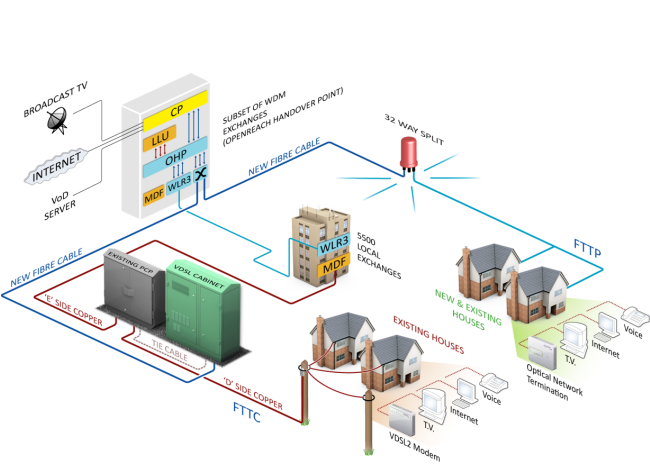
Four years on and things have changed. BT has renamed and altered their internet tariffs numerous times. There always seems to be a great offer available to new customers and yet existing account holders seldom get thrown a bone. BT TV suffers from the same problem that most other platforms that resell services do. Specifically, that channels come and go due to licencing arrangements and profitability issues. There are also a problems with channel picture quality. But for me the biggest issue is the internet connection itself. Our original tariff offered speeds up to 75Mbps, which in reality meant nearer 70Mbps. Due to substantial increases in demand our connection has now been downgraded to speeds up to 50Mbps. However at present the latest speed test I made using BT’s own diagnostic tools showed that we’re currently only getting around 43Mbps. Furthermore, the connection often goes offline around 1:00 AM; a time when I am frequently still working at my PC. Using BT’s fault diagnostic service I’ve determined that there are outstanding technical issues.
I have logged a fault with BT and they are giving it a degree of priority due to Mrs P health issues and my role as a carer for my parents. However, I do find the wider circumstances of this situation unsatisfactory. Many ISPs invest a great deal of time and money trying to attract new customers but focus far less resources on retaining them and ensuring that ongoing services are maintained in a suitable fashion. BT have lowered the criteria of some services simply because increased capacity has reduced the connection speeds. Sadly, these business issues are beyond my immediate control. I do have the option of moving to another vendor but that is not something I would do lightly. A change of ISP, done on a whim, may well lead to an excess of downtime. But there are other options that can improve the immediate situation. Obviously the engineer visit can address the line issues and I have requested the new BT Smart Hub 2 Router, along with their new Wifi Disc (extender). I’m curious to see what improvement this kit yields.
Routers supplied by the ISP often seem to be no more than adequate. A Google search provided multiple forums and subreddits about replacing BT kit with 3rd party routers and greatly improving not only wifi but the actual base internet connection speed. Some claimed it could see gains of an extra 10Mbps. Living in a solid, brick built bungalow from the 1930s certainly has an impact on wifi. I also suspect that this is the underlying reason behind a recurring problem I have with my Amazon Echo intermittently being unable to connect to Amazon Music or play internet radio channels. But replacing a router is a significant financial investment and technical undertaking. It also sticks in your throat when you consider that you already pay your ISP for this service. I think that as consumers we need to recalibrate our attitude towards internet access. Due to its inherent importance ISPs should not just forget customers once they sign a contract. Services should be continually reviewed and improved. BT has currently enjoyed over three decades of business from our household. Such patronage shouldn’t be taken for granted.
I turned on my laptop this morning for the first time in 4 months. I knew it was that long because I hadn’t connected the laptop to the new Netgear router that I bought at the end of April. Unsurprisingly, as I haven’t used this device for a while there were multiple Windows updates to be installed. This process took over an hour, so while the various updates were being downloaded and installed, I turned my attention to my Amazon Echo Dot which loiters in the corner of our lounge, doing very little to justify its existence. At present this device is mainly used as a glorified timer for cooking, which seems a bit of a waste given it’s alleged capabilities. Hence, I decided to see if I could increase its functionality while waiting for Windows to do its update thing. More on this later. Let us for the meantime return to the small matter of the operating system updates. Once they were completed, I immediately installed Chris Titus Tech’s Windows Utility and started removing unnecessary features and bloat, as well as disabling invasive services.
Before we begin, let me clearly state that this is not a comprehensive installation guide for installing Steam OS on your PC. Mainly because the variety of hardware that can be present in any PC makes each installation a somewhat bespoke affair. Hence I have decided to provide a list of bullet points of the various steps and issues I encountered during my installation, last week. Consider it advance warning of things you may encounter if you install this operating system. As ever, if this is something that you are intending to do, I would advise allowing yourself a suitable amount of time so you can accommodate any issues should they arise. It is entirely possible that this may be a two hour job for the technically literate running the most generic or commonplace hardware. However, I suspect that a lot of people undertaking this project will run into variations of the same problems that I encountered.
I am intrigued by the growth of the IndieWeb, owning your domain and static websites. I certainly agree with the notion of not relying on big corporations and I have an ongoing project to divest my dependency on software produced by major market players. However, although I own my own domain, my website is hosted by Squarespace. I’ve not really had any problems with them over the last 11 years and I would describe our business relationship as equitable. However, the monthly subscription price has increased over time and is likely to keep on doing so. It has crossed my mind as to whether there is a suitable alternative. However, if I were to migrate Contains Moderate Peril elsewhere I suspect it would be logistically complex and problematic.
I like learning new skills and starting projects. I regularly undertake such things with varying results. However, if they don’t work out that’s not a problem. You have to try something to see if you like it. I’ll add “within sensible parameters” as a caveat to the last statement. And it’s perfectly fine to discover that something isn’t for you. I like certain genres of video games, music, films and books. I am comfortable wearing certain types of clothes and not others. I’m picky about colours. I’ll even go so far as to say that I won’t drink out of any mug that’s just lying around. If I don’t like the joke, logo or overall aesthetic of it, I ain’t using it. However, I digress. Let’s get things back on track and talk about projects. This year I have wound down several websites and have decided not to move forward with making YouTube videos. I have focused my energy on improving my website and adding functionality. I am also trying to broaden the scope of my writing.
It’s funny how it is often the little things that become the proverbial straw that breaks the Camel’s back. I have been struggling for a while with the overall performance and functionality of my Windows 11 PC. The operating system is bloated, slow and buggy. It all too often commits that unpardonable sin of trying to do my thinking for me and enables some stupid feature by default. Despite having good specifications, my PC takes too long to boot up for my liking and is becoming too much of a wild card with regard to whether it will co-operate or not when I try and undertake a simple task. As someone who is very particular in their PC habits, IE I see my PC as a tool that I use on the terms that suit me. Hence, I find the faux enthusiasm that accompanies each uncalled for “improvement” that results in me losing agency, singularly antagonising. Then a minor issue arose recently that escalated into a thorn in my flesh and I decided that it was time that something must be done.
This is a post about the power of nostalgia and how sometimes, interacting with something from your past, be it physically or mentally, can produce a very strong and tangible emotional reaction. In some instances, this can be the result of something that you have specifically set out to do. On other occasions you can wander into a sense of nostalgia purely by chance. Today I experienced a very strong sense of nostalgia while watching a YouTube video and then again when I sought to replicate what I had seen. The video showed someone installing Windows 95 on to an old 486 PC from that era. The Window’s start up sound really touched a nerve (but in a good way) and then when the guy in the video launched Space Cadet 3D Pinball, a game that shipped with the operating system, I felt a strong compulsion to track down a copy and install the game myself, thus revisiting something that was an integral part of my life in 1995.
For the last few months I have being using Google Gemini. I subscribed so I could access a wider spectrum of services and evaluate it effectively. I also wanted to dispel some of the hysteria that accompanies any conversation about Large Language Models and Artificial Intelligence. The results were initially interesting and Google Gemini proved useful when researching material for blog posts. It is good at providing summaries about well documented subjects. I wrote a post about food banks recently and it distilled a lot of data into a manageable amount, which was ideal for my article. Google Gemini has also produced some visual basic scripting and simple batch files that have allowed me to automate processes on my PC. Such as changing the default monitor, or screen resolution at the click of an icon. However, I found this AI struggled with in-depth software troubleshooting and that its ability to create images varies greatly depending on the subject.
The UK Government has formerly announced its intention to ban under-16s from using social media. This is due to increasing public pressure that “something must be done” about the perceived iniquities of many online platforms. However, as with most complex social problems of this nature, no one has any clear or practical ideas as to what that “something” is. It remains a nebulous, non-specific panacea and clearly someone else’s job to identify and implement. As ever, why choose a nuanced and multifaceted solution to a complex problem, when it is far easier and politically expedient to just “ban” something. The former requires effort and a degree of thinking. If such an approach fails it also means that those who came up with it now carry the can. The latter dumps the problem in the lap of various third parties, who can then be conveniently blamed when the ill conceived policy fails.
Yesterday we changed internet service providers. We moved from EE (formerly BT) to Plusnet. The transition went surprisingly well, mainly due to the existing infrastructure remaining the same. We’ve had fibre to the premises (FTTP) since 2022 so this was essentially an administrative change. The previous ISP terminated their service at 1:30 AM in the morning, while I was playing Star Trek Online. By 6:30 AM I received a message from Plusnet that the new service was live. It took about an hour to configure the new Netgear Nighthawk RS100 router (I bought my own) and get all our household devices attached to the new network. The connection is running at exactly the same speed and stability as it had under the previous supplier. At present a 1Gbps connection is sufficient for our needs. The main factor that has driven this change is cost. We are currently paying £28 per month for internet access which is a competitive price in the UK.
In 1990 I was working at the DWP (Department for Work and Pensions). I had just taken the role of Computer Support Officer where I administered user access to the mainframe and provided first line support to staff using the terminals. That summer the office moved to a PC based network and the project was undertaken by the newly formed Siemens Nixdorf company. To cut a long story short I befriended one of the contract engineers and over the next 9 months he became an unofficial mentor to me. Technically he was only supposed to train me in the most basic of fashions but he liked the fact that I was always asking questions and effectively ended up schooling me in PC and server architecture, network administration and the associated protocols. For me this was the best way to learn. It was not a case of coming to grips with theory in a classroom environment. It was learning by doing and having direct and exclusive access to a source of knowledge and experience.
My Windows 11 PC is a cobbled together mess of upgrades, customisations and workarounds. It seems okay at first glance, mainly because my desktop is well organised and I don’t allow too many apps to start on boot up. But beneath this superficial veneer of efficiency and optimisation is a bloated mess. Every Windows update adds yet more spurious features which slows performance and tries to harvest your data. Windows is no longer a user friendly operating system that you buy and use without impediment. It is now a sprawling live service that actively gets in the way of your productivity so that it can make a buck off your inconvenience. There was a time when you could quickly learn its processes and foibles, so you could customise it into the tool you needed. Nowadays I have to continuously use third party tools to get Windows to do many of the things I want, or to access functionality that Microsoft has obtusely decided to restrict.
As the New Year is still young, I have embarked upon several new projects that I’ve been planning since Autumn last year. These undertakings have gone beyond the planning stage and are currently being implemented. The fun thing about the phrase “implemented” in this context is that it implies that it is by far the easiest and most straightforward part of the process. The initial brainstorming of ideas has been completed. A cogent and detailed plan has been written. The costing of materials and time required have been determined. These are the hard parts. All that remains is to “just do it”. It should be a piece of piss (a British phrase indicating that something is easy). It virtually “implements” itself. However, that is a load of bollocks. Because there is always scope for something to go wrong. It may well start as something minor and innocuous but it all too often ends in a “problem cascade”.
This time last year I made a decision to replace Microsoft Office or Office 365 as it is currently known. Mainly because I only use Outlook out of the entire suite of software. This project stalled because I couldn't easily import my existing email archive into Mozilla Thunderbird. Hence the status quo has been perpetuated. However, there is an ongoing cost associated with this software as well as some wider considerations about ethics and privacy which is why I have returned to this matter. Although this time I wish to replace not only Office 365 but all the other "production tools" I use to write and browse the internet. I have managed to make some progress towards this goal but it has been hard to adapt. Mainly because I had everything set up to my liking. Although alternatives are available, they're never exactly alike and require a lot of fine tuning to be deemed satisfactory.
Last summer I wrote a post about my experiences using various screen capture software. At the time I was using Bandicam which suited all my needs. I had configured the software to launch at Windows start-up and had a hotkey assigned to capture images from my primary monitor. Hence I could quickly grab a screenshot from my desktop or when playing a game. However, this changed in November 2025, when I bought two new monitors. Both of which supported HDR (High Dynamic Range). Although they provide superior picture quality, HDR has a knock-on effect on Bandicam. Screen capture images and video look over exposed. Hence I had to stop using the software and find an alternative. Fortunately the same company has been developing an alternative product with HDR support; Bandi Camera. So I swapped to this software. The screenshots were far better but the functionality of the app was lacking.
Our home has a 1 Gbps “fibre to the premises” internet connection. It has proven reliable since it was installed in June 2022. Our internet service provider EE (part of the BT group) are neither the best of worst suppliers. The monthly cost is not especially competitive and so we may be looking to move providers next Easter. However, that is a matter for the future. For the present there is a more immediate issue. Starting on Friday 21st November, our internet connection has started randomly dropping. Furthermore, both the Wi-Fi extender in the lounge and the wireless printer in my office have become disconnected from the network. It was as if their details had been erased from the router. I suspected that a recent firmware upgrade may be the culprit although EE denies it. However there are posts online from other customers with similar technical issues.
A couple of times a year, Mrs P asks me to copy onto her laptop, all the pictures that I’ve taken over recent months, as well as those that have been shared with us via WhatsApp. She then diligently whittles them down into a manageable amount which we then print off and put in our photo album. Yes we’re of the generation that still likes to print off hard copies of photos and from time to time look at them nostalgically. We have several albums with photographs in chronological order and numerous frames placed around the house, filled with pictures of family. The bulk of the photos are 4x6 inches (10x15 cm). We use an online photo printing service for the majority of our pictures and visit a local store with a self-service photographic department to print off specific pictures for bespoke frames. The original photos, now neatly organised, are backed up and archived.
I take a lot of screen captures of video games and Windows apps, usually for blog posts. I use both Bandicam and Windows Snipping Tool to do this and have set up various hotkeys to make the process easy. Of late, the screen captures that I’ve taken have all suffered from washed out colours, regardless what tool I used to take them. I checked to see if both these apps needed to be updated but they are running the latest versions. Hence I was initially stumped as to why this problem had started happening. After some thought, I deduced that the only new elements in my PC hardware were my two new monitors. Both of which support HDR. Google Gemini quickly informed me that this was a known issue and taking screen captures from an HDR enabled device resulted in an excessively bright image that looked over exposed.
I recently bought two new monitors and a stand for my PC tower case. Today I thought I’d take the opportunity to disconnect every peripheral, clear my desk and then after a thorough clean, reassemble everything ensuring good cable management. I even went so far as to buy a new power extension lead so I could reorganise where everything was plugged in and therefore be able to isolate specific hardware. It seemed such a simple, straightforward task on paper. The reality was much different. It took me over three hours to sort out, mainly due to the fact that I don’t “bend” so well these days. During this Herculean task, my watch kept on notifying me that my heart rate was “high”. However, I regularly took breaks and fortified myself with gin for medicinal reasons. I am pleased with the results of this task.
I use two monitors with my PC, as I find having the additional screen “real estate” invaluable when writing or playing games. Both monitors that I’ve been using up to now are somewhat old and they are not exactly the same size or resolution, although both are FHD. I have previously written about the problems I’ve had trying to get certain games and programs to display on specific monitors and the lengths I’ve had to go to to resolve this issue. To cut a long story short, I recently decided to replace both monitors with larger models with a higher resolution. Mainly because my eyesight is not what it used to be. I see best when working with a bright screen that can produce clear text. New monitors would also address my ongoing screen output problem. Hence, I set myself a reasonable budget and began researching appropriate replacements.
In July the UK Government introduced the Online Safety Act which requires age checks for accessing sexually explicit content online. As a result of this, Pornhub, the 19th most visited site on the internet, has reported a 77% decline in UK traffic. Furthermore, according to the UK regulatory body, OFCOM (The Office of Communications), overall visits to pornographic websites from the UK have fallen by 33%. Naturally, those who championed this legislation are claiming a moral and political victory. However, once you consider what these facts actually mean, they paint a somewhat different and potentially more worrying picture. It would be staggeringly naïve to think that UK visitors to Pornhub have ceased visiting such sites due to the age verification requirements. The more likely explanation is that UK porn consumers are now using VPNs to circumnavigate these restrictions and that this traffic to Pornhub is now recorded as coming from elsewhere.
It may be a case of preaching to the Choir but dust contamination in your PC causes overheating, decreased performance, and potential hardware failure. This mainly occurs due to dust restricting airflow, impeding components such as heat sinks and creating short circuits from conductive particles. Fluff builds up and restricts cooling fans, forcing them to work harder. Heat build can lead to issues like system crashes, lagging, and even permanent damage to the motherboard and CPU. Over time, it can shorten the lifespan of the computer and in severe cases, poses a fire hazard. When I used to work in IT contracting, I used to see the effects of dust contamination all the time. PC placed on carpet tiles or on top of desks and surrounded by other objects. I remember one PC replacement project I was working on where we found an old PC with a dead mouse in it. It was desiccated by the heat.
Usually I don’t have a problem with internet access when Mrs P and I are travelling. My phone data plan is sufficient for Google Maps and social media usage. Once we reach our hotel, it’s just a question of connecting to the free Wi-Fi or if need be, buying upgraded access. It’s seldom that expensive. When I went on holiday to Croatia this summer, I bought a bespoke data plan before arriving that granted me extra internet access. Our hotel in Makarska also had very robust internet access. Hence, regardless of being out and about or by the pool, I never had any issues getting online. The ubiquity of internet access means we often take it for granted. I seldom go to places in the UK or abroad that don’t have advanced IT infrastructure. Until this week.
Back in January, I was very pleased because I had finally found some open source software, DisplayMagician, which allowed me to quickly and easily alter my display profile and run specific games and applications on my second monitor. Prior to this I would find that some programs just wouldn’t stay put, once they were dragged or otherwise cajoled to display on the monitor of my choice. They would continuously snap back to the primary display, regardless of my actions. DisplayMagician solved this issue and did so with aplomb. Or it did, until last weekend when I upgraded my PC from Windows 10 to 11. Then it stopped working. I therefore did some digging online and it became apparent that this is a known issue that is currently being addressed by its creator, Terry McDonald.
As part of our increasing dependency upon software, we have also grown accustomed to its associated foibles, especially the negative ones. Today, I upgraded my blog from Squarespace 7.0 to 7.1 and my PC operating system from Windows 10 to 11. I started early in the morning and ensured that all my personal data was backed up. My default expectation was that both processes would go wrong in some way, shape or form. Let’s take a moment to consider this mindset, which is born out of experience. It is now taken as read that whatever you upgrade, be it an app on your phone or a program on your PC, that it’s going to be problematic. It won’t be a seamless transition and you’ll end up having to do some sort of troubleshooting. Despite our lives becoming more dependent on such software, the quality of these products seems to be deteriorating. What a sorry state of affairs.
The ability to take a screen capture of a video game that you’re playing, or an open application or browser tab, is just something we take for granted. Windows 10/11 have a built-in tool called Snip & Sketch that is simple to use. Most of the games that I play have a specific hotkey for taking screenshots and a default directory to store them. Similarly, the latest builds of Windows also include the Xbox Game Bar software, which allows you to capture video from any application that you’re running on your PC. You can then edit via Clipchamp which is the successor to the old Windows Movie Maker. I believe the macOS comes with comparable default software. The absence of such apps today would be noticeable. However, there was a time when such things were not considered standard features.
30 years ago, in early 1995, I bought my first PC, a second hand Compaq Prolinea 4/33. It had an Intel 486 DX processor, 340MB HDD, 4MB RAM, 3½-inch floppy disk drive and a 14-inch monitor with a screen resolution of 1024 x 768. It ran Windows 3.11 installed via MS-DOS 6.22. It didn’t come with a soundcard or a CD-ROM drive. I believe I paid around £750 or so at the time, which was approximately half its original retail price. This model was 2 or 3 years old when I bought it. However, at this time, PC specifications did not change as quickly as they do these days. Hence, this was a good starting point for someone new to computing. I subsequently upgraded the processor to a 486 DX2, increased the RAM to 16MB and installed a Creative Labs Sound Blaster AWE32 soundcard and CD-ROM drive.
Three months ago, I wrote a blog post regarding how I wasn’t going to replace my phone because I was pretty much done with the endless treadmill that is “upgrade culture”. At the time my Google Pixel 6 was three years old but continued to serve all my smartphone needs. So I signed up for a new “SIM only” contract with Vodafone and went about my business, feeling somewhat pleased with myself. However, “needs must when the devil vomits into your kettle”, to quote Blackadder. I recently noticed that the screen on my phone was coming away from the main enclosure. There was a distinct curve along the right hand edge, as if there was something inside the phone applying pressure outwards. Sadly, that is precisely what was happening. I searched online to see if this was a known issue and was subsequently introduced to the problem known as battery bulge.
I had a novel experience (at least for me) this morning. I went to the cashpoint (that’s an ATM for those outside the UK) at my local supermarket, only to find it out of service. I had an imminent haircut appointment and no cash to pay my barber, who doesn’t take card payments. Fortunately, the supermarket did “cashback” so I bought a loaf of bread and some milk, paid £23 for them and was given £20 in cash. It’s a useful facility that I have never used until today. Usually I just make sure that I have a float of cash available but today the cashpoint being unavailable threw a spanner in the works. If the store did not do “cashback” then I would have had to reschedule my haircut. This minor hiccup got me thinking about our dependence on technology in our daily lives. A point that was further brought home, as my barber told me he had recently visited Spain and was affected by the national power outage.
Learning How to Live Stream Part 2
It’s been a year since I wrote my last post about “learning to live stream”. I think that should give you a very clear indication of how well I’ve progressed. I mainly stopped streaming after a few experiments last March because of the time requirement involved. The only window of opportunity I had “go live” was from between 9:00PM and Midnight. That would have meant cutting into time I spend with Mrs P. Plus, due to health reasons, she often goes to bed before me. And as I use the spare bedroom as an office, my constant babble would have kept her awake. So this is yet another project that got shelved. However, a year later I find myself with a lot more time on my hands due to the current “global situation”. So today I fired up SLOBS once again and tried to get back on the horse. As with my previous experience, there’s a lot of fine tuning to be done if you want to live stream to any standard. So this latest outing was mainly a technical test to determine what needs to be changed in my current set up.
It’s been a year since I wrote my last post about “learning to live stream”. I think that should give you a very clear indication of how well I’ve progressed. I mainly stopped streaming after a few experiments last March because of the time requirement involved. The only window of opportunity I had “go live” was from between 9:00PM and Midnight. That would have meant cutting into time I spend with Mrs P. Plus, due to health reasons, she often goes to bed before me. And as I use the spare bedroom as an office, my constant babble would have kept her awake. So this is yet another project that got shelved. However, a year later I find myself with a lot more time on my hands due to the current “global situation”. So today I fired up SLOBS once again and tried to get back on the horse. As with my previous experience, there’s a lot of fine tuning to be done if you want to live stream to any standard. So this latest outing was mainly a technical test to determine what needs to be changed in my current set up.
First off, I’m running a different PC this time round. To cut a very long story short, there is a Intel Graphics chipset on the Gigabyte Motherboard but the AMD Ryzen 5 3600 doesn’t support it and requires a discrete graphics card. So I couldn’t run a second monitor this way, as I did last year. However, my current NVIDIA GTX 1050Ti has 3 outputs; DVI, HDMI and DisplayPort. So after buying a DVI to VGA adapter, I managed to attach a second Acer X223W LCD monitor (1680 x 1050) and reconnected my existing primary Dell U2412M monitor (1920 x1200) with a DisplayPort cable. The cost was minimal (about £13 in total) and all items were delivered from Amazon in a matter of days.
The next issue has been tweaking various settings in SLOBS. Something that remains very much a work in progress. It took a while to resolve the “there was an error fetching your channel information" error message. Google presented a simple solution; enabling 2FA (Two Factor Authentication). However, it took several attempts before my Twitch Account recognised that this facility had been turned on. And then there’s the fiddling with settings. I play games at a default resolution of 1920 x 1200 (16:10) but the stream outputs at generic 1920 x 1080 (16:9) and so the image is distorted. I managed to resolve this issue after I stopped broadcasting. I also need to display my Twitch account Chat Channel on my second monitor so I can keep up with any comments. I suspect this wasn’t working earlier due to the 2FA issues, so I had to use my Fire HD 10 as an alternative means. It’s far from ideal. Another lesson learned is to stop using my headset and to switch to desktop mic. I was surprised how hot my ears and head got.
At present another matter that’s complicating this process is my own personality. I like things to be just so and it bugs the hell out of me when they’re not. I’ve yet to master the subtleties of SLOBS interface and many of its settings are not immediately clear to me. Hence every few minutes I’m Googling questions and then having to watch various YouTube videos for answers. I may have to speak to other streamers and see if I can essentially “crib” their settings as I’m sure that for many, this is a fairly generic process. In the meantime, I’ll try and persevere. If I stream every couple of days, I’m sure I can iron out some of the obvious imperfections and improve the overall presentation. As for sprucing up my “banter”, that’s a whole different blog post.
I turned on my laptop this morning for the first time in 4 months. I knew it was that long because I hadn’t connected the laptop to the new Netgear router that I bought at the end of April. Unsurprisingly, as I haven’t used this device for a while there were multiple Windows updates to be installed. This process took over an hour, so while the various updates were being downloaded and installed, I turned my attention to my Amazon Echo Dot which loiters in the corner of our lounge, doing very little to justify its existence. At present this device is mainly used as a glorified timer for cooking, which seems a bit of a waste given it’s alleged capabilities. Hence, I decided to see if I could increase its functionality while waiting for Windows to do its update thing. More on this later. Let us for the meantime return to the small matter of the operating system updates. Once they were completed, I immediately installed Chris Titus Tech’s Windows Utility and started removing unnecessary features and bloat, as well as disabling invasive services.
Before we begin, let me clearly state that this is not a comprehensive installation guide for installing Steam OS on your PC. Mainly because the variety of hardware that can be present in any PC makes each installation a somewhat bespoke affair. Hence I have decided to provide a list of bullet points of the various steps and issues I encountered during my installation, last week. Consider it advance warning of things you may encounter if you install this operating system. As ever, if this is something that you are intending to do, I would advise allowing yourself a suitable amount of time so you can accommodate any issues should they arise. It is entirely possible that this may be a two hour job for the technically literate running the most generic or commonplace hardware. However, I suspect that a lot of people undertaking this project will run into variations of the same problems that I encountered.
I am intrigued by the growth of the IndieWeb, owning your domain and static websites. I certainly agree with the notion of not relying on big corporations and I have an ongoing project to divest my dependency on software produced by major market players. However, although I own my own domain, my website is hosted by Squarespace. I’ve not really had any problems with them over the last 11 years and I would describe our business relationship as equitable. However, the monthly subscription price has increased over time and is likely to keep on doing so. It has crossed my mind as to whether there is a suitable alternative. However, if I were to migrate Contains Moderate Peril elsewhere I suspect it would be logistically complex and problematic.
I like learning new skills and starting projects. I regularly undertake such things with varying results. However, if they don’t work out that’s not a problem. You have to try something to see if you like it. I’ll add “within sensible parameters” as a caveat to the last statement. And it’s perfectly fine to discover that something isn’t for you. I like certain genres of video games, music, films and books. I am comfortable wearing certain types of clothes and not others. I’m picky about colours. I’ll even go so far as to say that I won’t drink out of any mug that’s just lying around. If I don’t like the joke, logo or overall aesthetic of it, I ain’t using it. However, I digress. Let’s get things back on track and talk about projects. This year I have wound down several websites and have decided not to move forward with making YouTube videos. I have focused my energy on improving my website and adding functionality. I am also trying to broaden the scope of my writing.
It’s funny how it is often the little things that become the proverbial straw that breaks the Camel’s back. I have been struggling for a while with the overall performance and functionality of my Windows 11 PC. The operating system is bloated, slow and buggy. It all too often commits that unpardonable sin of trying to do my thinking for me and enables some stupid feature by default. Despite having good specifications, my PC takes too long to boot up for my liking and is becoming too much of a wild card with regard to whether it will co-operate or not when I try and undertake a simple task. As someone who is very particular in their PC habits, IE I see my PC as a tool that I use on the terms that suit me. Hence, I find the faux enthusiasm that accompanies each uncalled for “improvement” that results in me losing agency, singularly antagonising. Then a minor issue arose recently that escalated into a thorn in my flesh and I decided that it was time that something must be done.
This is a post about the power of nostalgia and how sometimes, interacting with something from your past, be it physically or mentally, can produce a very strong and tangible emotional reaction. In some instances, this can be the result of something that you have specifically set out to do. On other occasions you can wander into a sense of nostalgia purely by chance. Today I experienced a very strong sense of nostalgia while watching a YouTube video and then again when I sought to replicate what I had seen. The video showed someone installing Windows 95 on to an old 486 PC from that era. The Window’s start up sound really touched a nerve (but in a good way) and then when the guy in the video launched Space Cadet 3D Pinball, a game that shipped with the operating system, I felt a strong compulsion to track down a copy and install the game myself, thus revisiting something that was an integral part of my life in 1995.
For the last few months I have being using Google Gemini. I subscribed so I could access a wider spectrum of services and evaluate it effectively. I also wanted to dispel some of the hysteria that accompanies any conversation about Large Language Models and Artificial Intelligence. The results were initially interesting and Google Gemini proved useful when researching material for blog posts. It is good at providing summaries about well documented subjects. I wrote a post about food banks recently and it distilled a lot of data into a manageable amount, which was ideal for my article. Google Gemini has also produced some visual basic scripting and simple batch files that have allowed me to automate processes on my PC. Such as changing the default monitor, or screen resolution at the click of an icon. However, I found this AI struggled with in-depth software troubleshooting and that its ability to create images varies greatly depending on the subject.
The UK Government has formerly announced its intention to ban under-16s from using social media. This is due to increasing public pressure that “something must be done” about the perceived iniquities of many online platforms. However, as with most complex social problems of this nature, no one has any clear or practical ideas as to what that “something” is. It remains a nebulous, non-specific panacea and clearly someone else’s job to identify and implement. As ever, why choose a nuanced and multifaceted solution to a complex problem, when it is far easier and politically expedient to just “ban” something. The former requires effort and a degree of thinking. If such an approach fails it also means that those who came up with it now carry the can. The latter dumps the problem in the lap of various third parties, who can then be conveniently blamed when the ill conceived policy fails.
Yesterday we changed internet service providers. We moved from EE (formerly BT) to Plusnet. The transition went surprisingly well, mainly due to the existing infrastructure remaining the same. We’ve had fibre to the premises (FTTP) since 2022 so this was essentially an administrative change. The previous ISP terminated their service at 1:30 AM in the morning, while I was playing Star Trek Online. By 6:30 AM I received a message from Plusnet that the new service was live. It took about an hour to configure the new Netgear Nighthawk RS100 router (I bought my own) and get all our household devices attached to the new network. The connection is running at exactly the same speed and stability as it had under the previous supplier. At present a 1Gbps connection is sufficient for our needs. The main factor that has driven this change is cost. We are currently paying £28 per month for internet access which is a competitive price in the UK.
In 1990 I was working at the DWP (Department for Work and Pensions). I had just taken the role of Computer Support Officer where I administered user access to the mainframe and provided first line support to staff using the terminals. That summer the office moved to a PC based network and the project was undertaken by the newly formed Siemens Nixdorf company. To cut a long story short I befriended one of the contract engineers and over the next 9 months he became an unofficial mentor to me. Technically he was only supposed to train me in the most basic of fashions but he liked the fact that I was always asking questions and effectively ended up schooling me in PC and server architecture, network administration and the associated protocols. For me this was the best way to learn. It was not a case of coming to grips with theory in a classroom environment. It was learning by doing and having direct and exclusive access to a source of knowledge and experience.
My Windows 11 PC is a cobbled together mess of upgrades, customisations and workarounds. It seems okay at first glance, mainly because my desktop is well organised and I don’t allow too many apps to start on boot up. But beneath this superficial veneer of efficiency and optimisation is a bloated mess. Every Windows update adds yet more spurious features which slows performance and tries to harvest your data. Windows is no longer a user friendly operating system that you buy and use without impediment. It is now a sprawling live service that actively gets in the way of your productivity so that it can make a buck off your inconvenience. There was a time when you could quickly learn its processes and foibles, so you could customise it into the tool you needed. Nowadays I have to continuously use third party tools to get Windows to do many of the things I want, or to access functionality that Microsoft has obtusely decided to restrict.
As the New Year is still young, I have embarked upon several new projects that I’ve been planning since Autumn last year. These undertakings have gone beyond the planning stage and are currently being implemented. The fun thing about the phrase “implemented” in this context is that it implies that it is by far the easiest and most straightforward part of the process. The initial brainstorming of ideas has been completed. A cogent and detailed plan has been written. The costing of materials and time required have been determined. These are the hard parts. All that remains is to “just do it”. It should be a piece of piss (a British phrase indicating that something is easy). It virtually “implements” itself. However, that is a load of bollocks. Because there is always scope for something to go wrong. It may well start as something minor and innocuous but it all too often ends in a “problem cascade”.
This time last year I made a decision to replace Microsoft Office or Office 365 as it is currently known. Mainly because I only use Outlook out of the entire suite of software. This project stalled because I couldn't easily import my existing email archive into Mozilla Thunderbird. Hence the status quo has been perpetuated. However, there is an ongoing cost associated with this software as well as some wider considerations about ethics and privacy which is why I have returned to this matter. Although this time I wish to replace not only Office 365 but all the other "production tools" I use to write and browse the internet. I have managed to make some progress towards this goal but it has been hard to adapt. Mainly because I had everything set up to my liking. Although alternatives are available, they're never exactly alike and require a lot of fine tuning to be deemed satisfactory.
Last summer I wrote a post about my experiences using various screen capture software. At the time I was using Bandicam which suited all my needs. I had configured the software to launch at Windows start-up and had a hotkey assigned to capture images from my primary monitor. Hence I could quickly grab a screenshot from my desktop or when playing a game. However, this changed in November 2025, when I bought two new monitors. Both of which supported HDR (High Dynamic Range). Although they provide superior picture quality, HDR has a knock-on effect on Bandicam. Screen capture images and video look over exposed. Hence I had to stop using the software and find an alternative. Fortunately the same company has been developing an alternative product with HDR support; Bandi Camera. So I swapped to this software. The screenshots were far better but the functionality of the app was lacking.
Our home has a 1 Gbps “fibre to the premises” internet connection. It has proven reliable since it was installed in June 2022. Our internet service provider EE (part of the BT group) are neither the best of worst suppliers. The monthly cost is not especially competitive and so we may be looking to move providers next Easter. However, that is a matter for the future. For the present there is a more immediate issue. Starting on Friday 21st November, our internet connection has started randomly dropping. Furthermore, both the Wi-Fi extender in the lounge and the wireless printer in my office have become disconnected from the network. It was as if their details had been erased from the router. I suspected that a recent firmware upgrade may be the culprit although EE denies it. However there are posts online from other customers with similar technical issues.
A couple of times a year, Mrs P asks me to copy onto her laptop, all the pictures that I’ve taken over recent months, as well as those that have been shared with us via WhatsApp. She then diligently whittles them down into a manageable amount which we then print off and put in our photo album. Yes we’re of the generation that still likes to print off hard copies of photos and from time to time look at them nostalgically. We have several albums with photographs in chronological order and numerous frames placed around the house, filled with pictures of family. The bulk of the photos are 4x6 inches (10x15 cm). We use an online photo printing service for the majority of our pictures and visit a local store with a self-service photographic department to print off specific pictures for bespoke frames. The original photos, now neatly organised, are backed up and archived.
I take a lot of screen captures of video games and Windows apps, usually for blog posts. I use both Bandicam and Windows Snipping Tool to do this and have set up various hotkeys to make the process easy. Of late, the screen captures that I’ve taken have all suffered from washed out colours, regardless what tool I used to take them. I checked to see if both these apps needed to be updated but they are running the latest versions. Hence I was initially stumped as to why this problem had started happening. After some thought, I deduced that the only new elements in my PC hardware were my two new monitors. Both of which support HDR. Google Gemini quickly informed me that this was a known issue and taking screen captures from an HDR enabled device resulted in an excessively bright image that looked over exposed.
I recently bought two new monitors and a stand for my PC tower case. Today I thought I’d take the opportunity to disconnect every peripheral, clear my desk and then after a thorough clean, reassemble everything ensuring good cable management. I even went so far as to buy a new power extension lead so I could reorganise where everything was plugged in and therefore be able to isolate specific hardware. It seemed such a simple, straightforward task on paper. The reality was much different. It took me over three hours to sort out, mainly due to the fact that I don’t “bend” so well these days. During this Herculean task, my watch kept on notifying me that my heart rate was “high”. However, I regularly took breaks and fortified myself with gin for medicinal reasons. I am pleased with the results of this task.
I use two monitors with my PC, as I find having the additional screen “real estate” invaluable when writing or playing games. Both monitors that I’ve been using up to now are somewhat old and they are not exactly the same size or resolution, although both are FHD. I have previously written about the problems I’ve had trying to get certain games and programs to display on specific monitors and the lengths I’ve had to go to to resolve this issue. To cut a long story short, I recently decided to replace both monitors with larger models with a higher resolution. Mainly because my eyesight is not what it used to be. I see best when working with a bright screen that can produce clear text. New monitors would also address my ongoing screen output problem. Hence, I set myself a reasonable budget and began researching appropriate replacements.
In July the UK Government introduced the Online Safety Act which requires age checks for accessing sexually explicit content online. As a result of this, Pornhub, the 19th most visited site on the internet, has reported a 77% decline in UK traffic. Furthermore, according to the UK regulatory body, OFCOM (The Office of Communications), overall visits to pornographic websites from the UK have fallen by 33%. Naturally, those who championed this legislation are claiming a moral and political victory. However, once you consider what these facts actually mean, they paint a somewhat different and potentially more worrying picture. It would be staggeringly naïve to think that UK visitors to Pornhub have ceased visiting such sites due to the age verification requirements. The more likely explanation is that UK porn consumers are now using VPNs to circumnavigate these restrictions and that this traffic to Pornhub is now recorded as coming from elsewhere.
It may be a case of preaching to the Choir but dust contamination in your PC causes overheating, decreased performance, and potential hardware failure. This mainly occurs due to dust restricting airflow, impeding components such as heat sinks and creating short circuits from conductive particles. Fluff builds up and restricts cooling fans, forcing them to work harder. Heat build can lead to issues like system crashes, lagging, and even permanent damage to the motherboard and CPU. Over time, it can shorten the lifespan of the computer and in severe cases, poses a fire hazard. When I used to work in IT contracting, I used to see the effects of dust contamination all the time. PC placed on carpet tiles or on top of desks and surrounded by other objects. I remember one PC replacement project I was working on where we found an old PC with a dead mouse in it. It was desiccated by the heat.
Usually I don’t have a problem with internet access when Mrs P and I are travelling. My phone data plan is sufficient for Google Maps and social media usage. Once we reach our hotel, it’s just a question of connecting to the free Wi-Fi or if need be, buying upgraded access. It’s seldom that expensive. When I went on holiday to Croatia this summer, I bought a bespoke data plan before arriving that granted me extra internet access. Our hotel in Makarska also had very robust internet access. Hence, regardless of being out and about or by the pool, I never had any issues getting online. The ubiquity of internet access means we often take it for granted. I seldom go to places in the UK or abroad that don’t have advanced IT infrastructure. Until this week.
Back in January, I was very pleased because I had finally found some open source software, DisplayMagician, which allowed me to quickly and easily alter my display profile and run specific games and applications on my second monitor. Prior to this I would find that some programs just wouldn’t stay put, once they were dragged or otherwise cajoled to display on the monitor of my choice. They would continuously snap back to the primary display, regardless of my actions. DisplayMagician solved this issue and did so with aplomb. Or it did, until last weekend when I upgraded my PC from Windows 10 to 11. Then it stopped working. I therefore did some digging online and it became apparent that this is a known issue that is currently being addressed by its creator, Terry McDonald.
As part of our increasing dependency upon software, we have also grown accustomed to its associated foibles, especially the negative ones. Today, I upgraded my blog from Squarespace 7.0 to 7.1 and my PC operating system from Windows 10 to 11. I started early in the morning and ensured that all my personal data was backed up. My default expectation was that both processes would go wrong in some way, shape or form. Let’s take a moment to consider this mindset, which is born out of experience. It is now taken as read that whatever you upgrade, be it an app on your phone or a program on your PC, that it’s going to be problematic. It won’t be a seamless transition and you’ll end up having to do some sort of troubleshooting. Despite our lives becoming more dependent on such software, the quality of these products seems to be deteriorating. What a sorry state of affairs.
The ability to take a screen capture of a video game that you’re playing, or an open application or browser tab, is just something we take for granted. Windows 10/11 have a built-in tool called Snip & Sketch that is simple to use. Most of the games that I play have a specific hotkey for taking screenshots and a default directory to store them. Similarly, the latest builds of Windows also include the Xbox Game Bar software, which allows you to capture video from any application that you’re running on your PC. You can then edit via Clipchamp which is the successor to the old Windows Movie Maker. I believe the macOS comes with comparable default software. The absence of such apps today would be noticeable. However, there was a time when such things were not considered standard features.
30 years ago, in early 1995, I bought my first PC, a second hand Compaq Prolinea 4/33. It had an Intel 486 DX processor, 340MB HDD, 4MB RAM, 3½-inch floppy disk drive and a 14-inch monitor with a screen resolution of 1024 x 768. It ran Windows 3.11 installed via MS-DOS 6.22. It didn’t come with a soundcard or a CD-ROM drive. I believe I paid around £750 or so at the time, which was approximately half its original retail price. This model was 2 or 3 years old when I bought it. However, at this time, PC specifications did not change as quickly as they do these days. Hence, this was a good starting point for someone new to computing. I subsequently upgraded the processor to a 486 DX2, increased the RAM to 16MB and installed a Creative Labs Sound Blaster AWE32 soundcard and CD-ROM drive.
Three months ago, I wrote a blog post regarding how I wasn’t going to replace my phone because I was pretty much done with the endless treadmill that is “upgrade culture”. At the time my Google Pixel 6 was three years old but continued to serve all my smartphone needs. So I signed up for a new “SIM only” contract with Vodafone and went about my business, feeling somewhat pleased with myself. However, “needs must when the devil vomits into your kettle”, to quote Blackadder. I recently noticed that the screen on my phone was coming away from the main enclosure. There was a distinct curve along the right hand edge, as if there was something inside the phone applying pressure outwards. Sadly, that is precisely what was happening. I searched online to see if this was a known issue and was subsequently introduced to the problem known as battery bulge.
I had a novel experience (at least for me) this morning. I went to the cashpoint (that’s an ATM for those outside the UK) at my local supermarket, only to find it out of service. I had an imminent haircut appointment and no cash to pay my barber, who doesn’t take card payments. Fortunately, the supermarket did “cashback” so I bought a loaf of bread and some milk, paid £23 for them and was given £20 in cash. It’s a useful facility that I have never used until today. Usually I just make sure that I have a float of cash available but today the cashpoint being unavailable threw a spanner in the works. If the store did not do “cashback” then I would have had to reschedule my haircut. This minor hiccup got me thinking about our dependence on technology in our daily lives. A point that was further brought home, as my barber told me he had recently visited Spain and was affected by the national power outage.
Hand-Me-Down Technology
Just before Christmas as part of my ongoing mobile phone contract, I upgraded my handset to a Samsung Galaxy S10 5G. This left me with a Samsung Galaxy S8, that I no longer needed. Usually, I sell old handsets online as they tend to hold their value. But as this one had a few knocks and scrapes (due to one single unfortunate drop), I couldn’t really get a good price for it. However, quite to my surprise, Mrs P expressed an interest in it. This was unusual as she is somewhere between a technology Muggle and a militant Luddite. But she does appreciate the practical necessity of having a smartphone these days and her existing Motorola Moto G was no longer fit for purpose. So I bought her a case for the S8, which covered the minor damage to the handset, unlocked it so she could use it with her network and transferred all her personal data. She seems content with its capabilities and so this handset continues to be of practical use. This naturally got me thinking about the nature of hand-me-down technology.
Just before Christmas as part of my ongoing mobile phone contract, I upgraded my handset to a Samsung Galaxy S10 5G. This left me with a Samsung Galaxy S8, that I no longer needed. Usually, I sell old handsets online as they tend to hold their value. But as this one had a few knocks and scrapes (due to one single unfortunate drop), I couldn’t really get a good price for it. However, quite to my surprise, Mrs P expressed an interest in it. This was unusual as she is somewhere between a technology Muggle and a militant Luddite. But she does appreciate the practical necessity of having a smartphone these days and her existing Motorola Moto G was no longer fit for purpose. So I bought her a case for the S8, which covered the minor damage to the handset, unlocked it so she could use it with her network and transferred all her personal data. She seems content with its capabilities and so this handset continues to be of practical use. This naturally got me thinking about the nature of hand-me-down technology.
Over the last three decades there has been a proliferation of consumer technology. This cultural shift has seen gadgets and devices become readily available to all and evolve beyond mere functionality into fashion accessories. But as technology has become cheaper and more disposable, we are left with an ever growing supply of obsolete, redundant or simply older products. Often these can still be of use but may simply not have the latest specifications. At present I have a 4 year old Android Tablet, 2 older PCs with Intel Core i5 and i3 processors and several phone handsets sitting in a bedroom cupboard. I also have numerous old PC peripherals and items of obsolete technology like portable MP3 players or PDAs. There are also bags full of cables, docking stations, HDD caddies, old modems and routers, as well as a plethora of AC power adaptors for devices I can no longer identify. Rather than just take all this to the local borough recycling facility, I’ve decided to see if I can find homes for some of these items.
Passing on an old PC is not too difficult to do. Reformatting the hard disk and removing all personal data is essential but hardly a chore. If you search online, it’s not too difficult to find cheap OEM Windows 10 keys. Hence a clean and legitimate installation of the operating system can be done for a few pounds. The tricky part is finding the right person to give the “refurbished” PC to. Donating or selling an old PC to someone does not come with an obligation to provide technical support but sadly the opposite is often assumed. Make sure that whoever ends up with your old PC fully understands they are taking it “as is”. If they buy it from you, have something worded to that effect on a receipt and get them to sign it. Mercifully, you don’t get such problems with tablets and old phones. My old tablet can still be used quite well for reading ebooks and listening to podcasts. As long as whoever inherits it knows its technical limitations, this can be passed on and be of service for a few more years. As for older phone handsets, I was surprised to learn that they find favour in certain quarters specifically due to the limited functionality. I read that small charities like them for their staff as they provide a low cost means of communications without any obvious scope for personal misuse.
Hence, I already have a few ideas as to how I may be able to dispose of my current cupboard full of old technology. I think some of the peripherals and cables will have to be recycled but the hardware should prove useful to others. It is worth remembering that although phones, tablets and PCs have indeed fallen in price in recent years, their respective cost is still relative. There are still families on low incomes where even buying a budget PC is a major financial outlay. Therefore, if selling isn’t an option, then giving away to a worthy cause or individual is a good alternative. It is something I’ve done in the past. Plus, not everyone needs or wants to be at the cutting edge of technology. In fact, there are times when older technology has distinct advantages. Older PCs can have a Linux installation and serve as a media server within the home. Left to this single task, they’ll be stable and reliable. And you’ll certainly get much longer battery life out of pre-smartphone handsets. So hopefully, I’ll have disposed of all my old tech by the end of the month in an ethical and environmentally friendly fashion.
I turned on my laptop this morning for the first time in 4 months. I knew it was that long because I hadn’t connected the laptop to the new Netgear router that I bought at the end of April. Unsurprisingly, as I haven’t used this device for a while there were multiple Windows updates to be installed. This process took over an hour, so while the various updates were being downloaded and installed, I turned my attention to my Amazon Echo Dot which loiters in the corner of our lounge, doing very little to justify its existence. At present this device is mainly used as a glorified timer for cooking, which seems a bit of a waste given it’s alleged capabilities. Hence, I decided to see if I could increase its functionality while waiting for Windows to do its update thing. More on this later. Let us for the meantime return to the small matter of the operating system updates. Once they were completed, I immediately installed Chris Titus Tech’s Windows Utility and started removing unnecessary features and bloat, as well as disabling invasive services.
Before we begin, let me clearly state that this is not a comprehensive installation guide for installing Steam OS on your PC. Mainly because the variety of hardware that can be present in any PC makes each installation a somewhat bespoke affair. Hence I have decided to provide a list of bullet points of the various steps and issues I encountered during my installation, last week. Consider it advance warning of things you may encounter if you install this operating system. As ever, if this is something that you are intending to do, I would advise allowing yourself a suitable amount of time so you can accommodate any issues should they arise. It is entirely possible that this may be a two hour job for the technically literate running the most generic or commonplace hardware. However, I suspect that a lot of people undertaking this project will run into variations of the same problems that I encountered.
I am intrigued by the growth of the IndieWeb, owning your domain and static websites. I certainly agree with the notion of not relying on big corporations and I have an ongoing project to divest my dependency on software produced by major market players. However, although I own my own domain, my website is hosted by Squarespace. I’ve not really had any problems with them over the last 11 years and I would describe our business relationship as equitable. However, the monthly subscription price has increased over time and is likely to keep on doing so. It has crossed my mind as to whether there is a suitable alternative. However, if I were to migrate Contains Moderate Peril elsewhere I suspect it would be logistically complex and problematic.
I like learning new skills and starting projects. I regularly undertake such things with varying results. However, if they don’t work out that’s not a problem. You have to try something to see if you like it. I’ll add “within sensible parameters” as a caveat to the last statement. And it’s perfectly fine to discover that something isn’t for you. I like certain genres of video games, music, films and books. I am comfortable wearing certain types of clothes and not others. I’m picky about colours. I’ll even go so far as to say that I won’t drink out of any mug that’s just lying around. If I don’t like the joke, logo or overall aesthetic of it, I ain’t using it. However, I digress. Let’s get things back on track and talk about projects. This year I have wound down several websites and have decided not to move forward with making YouTube videos. I have focused my energy on improving my website and adding functionality. I am also trying to broaden the scope of my writing.
It’s funny how it is often the little things that become the proverbial straw that breaks the Camel’s back. I have been struggling for a while with the overall performance and functionality of my Windows 11 PC. The operating system is bloated, slow and buggy. It all too often commits that unpardonable sin of trying to do my thinking for me and enables some stupid feature by default. Despite having good specifications, my PC takes too long to boot up for my liking and is becoming too much of a wild card with regard to whether it will co-operate or not when I try and undertake a simple task. As someone who is very particular in their PC habits, IE I see my PC as a tool that I use on the terms that suit me. Hence, I find the faux enthusiasm that accompanies each uncalled for “improvement” that results in me losing agency, singularly antagonising. Then a minor issue arose recently that escalated into a thorn in my flesh and I decided that it was time that something must be done.
This is a post about the power of nostalgia and how sometimes, interacting with something from your past, be it physically or mentally, can produce a very strong and tangible emotional reaction. In some instances, this can be the result of something that you have specifically set out to do. On other occasions you can wander into a sense of nostalgia purely by chance. Today I experienced a very strong sense of nostalgia while watching a YouTube video and then again when I sought to replicate what I had seen. The video showed someone installing Windows 95 on to an old 486 PC from that era. The Window’s start up sound really touched a nerve (but in a good way) and then when the guy in the video launched Space Cadet 3D Pinball, a game that shipped with the operating system, I felt a strong compulsion to track down a copy and install the game myself, thus revisiting something that was an integral part of my life in 1995.
For the last few months I have being using Google Gemini. I subscribed so I could access a wider spectrum of services and evaluate it effectively. I also wanted to dispel some of the hysteria that accompanies any conversation about Large Language Models and Artificial Intelligence. The results were initially interesting and Google Gemini proved useful when researching material for blog posts. It is good at providing summaries about well documented subjects. I wrote a post about food banks recently and it distilled a lot of data into a manageable amount, which was ideal for my article. Google Gemini has also produced some visual basic scripting and simple batch files that have allowed me to automate processes on my PC. Such as changing the default monitor, or screen resolution at the click of an icon. However, I found this AI struggled with in-depth software troubleshooting and that its ability to create images varies greatly depending on the subject.
The UK Government has formerly announced its intention to ban under-16s from using social media. This is due to increasing public pressure that “something must be done” about the perceived iniquities of many online platforms. However, as with most complex social problems of this nature, no one has any clear or practical ideas as to what that “something” is. It remains a nebulous, non-specific panacea and clearly someone else’s job to identify and implement. As ever, why choose a nuanced and multifaceted solution to a complex problem, when it is far easier and politically expedient to just “ban” something. The former requires effort and a degree of thinking. If such an approach fails it also means that those who came up with it now carry the can. The latter dumps the problem in the lap of various third parties, who can then be conveniently blamed when the ill conceived policy fails.
Yesterday we changed internet service providers. We moved from EE (formerly BT) to Plusnet. The transition went surprisingly well, mainly due to the existing infrastructure remaining the same. We’ve had fibre to the premises (FTTP) since 2022 so this was essentially an administrative change. The previous ISP terminated their service at 1:30 AM in the morning, while I was playing Star Trek Online. By 6:30 AM I received a message from Plusnet that the new service was live. It took about an hour to configure the new Netgear Nighthawk RS100 router (I bought my own) and get all our household devices attached to the new network. The connection is running at exactly the same speed and stability as it had under the previous supplier. At present a 1Gbps connection is sufficient for our needs. The main factor that has driven this change is cost. We are currently paying £28 per month for internet access which is a competitive price in the UK.
In 1990 I was working at the DWP (Department for Work and Pensions). I had just taken the role of Computer Support Officer where I administered user access to the mainframe and provided first line support to staff using the terminals. That summer the office moved to a PC based network and the project was undertaken by the newly formed Siemens Nixdorf company. To cut a long story short I befriended one of the contract engineers and over the next 9 months he became an unofficial mentor to me. Technically he was only supposed to train me in the most basic of fashions but he liked the fact that I was always asking questions and effectively ended up schooling me in PC and server architecture, network administration and the associated protocols. For me this was the best way to learn. It was not a case of coming to grips with theory in a classroom environment. It was learning by doing and having direct and exclusive access to a source of knowledge and experience.
My Windows 11 PC is a cobbled together mess of upgrades, customisations and workarounds. It seems okay at first glance, mainly because my desktop is well organised and I don’t allow too many apps to start on boot up. But beneath this superficial veneer of efficiency and optimisation is a bloated mess. Every Windows update adds yet more spurious features which slows performance and tries to harvest your data. Windows is no longer a user friendly operating system that you buy and use without impediment. It is now a sprawling live service that actively gets in the way of your productivity so that it can make a buck off your inconvenience. There was a time when you could quickly learn its processes and foibles, so you could customise it into the tool you needed. Nowadays I have to continuously use third party tools to get Windows to do many of the things I want, or to access functionality that Microsoft has obtusely decided to restrict.
As the New Year is still young, I have embarked upon several new projects that I’ve been planning since Autumn last year. These undertakings have gone beyond the planning stage and are currently being implemented. The fun thing about the phrase “implemented” in this context is that it implies that it is by far the easiest and most straightforward part of the process. The initial brainstorming of ideas has been completed. A cogent and detailed plan has been written. The costing of materials and time required have been determined. These are the hard parts. All that remains is to “just do it”. It should be a piece of piss (a British phrase indicating that something is easy). It virtually “implements” itself. However, that is a load of bollocks. Because there is always scope for something to go wrong. It may well start as something minor and innocuous but it all too often ends in a “problem cascade”.
This time last year I made a decision to replace Microsoft Office or Office 365 as it is currently known. Mainly because I only use Outlook out of the entire suite of software. This project stalled because I couldn't easily import my existing email archive into Mozilla Thunderbird. Hence the status quo has been perpetuated. However, there is an ongoing cost associated with this software as well as some wider considerations about ethics and privacy which is why I have returned to this matter. Although this time I wish to replace not only Office 365 but all the other "production tools" I use to write and browse the internet. I have managed to make some progress towards this goal but it has been hard to adapt. Mainly because I had everything set up to my liking. Although alternatives are available, they're never exactly alike and require a lot of fine tuning to be deemed satisfactory.
Last summer I wrote a post about my experiences using various screen capture software. At the time I was using Bandicam which suited all my needs. I had configured the software to launch at Windows start-up and had a hotkey assigned to capture images from my primary monitor. Hence I could quickly grab a screenshot from my desktop or when playing a game. However, this changed in November 2025, when I bought two new monitors. Both of which supported HDR (High Dynamic Range). Although they provide superior picture quality, HDR has a knock-on effect on Bandicam. Screen capture images and video look over exposed. Hence I had to stop using the software and find an alternative. Fortunately the same company has been developing an alternative product with HDR support; Bandi Camera. So I swapped to this software. The screenshots were far better but the functionality of the app was lacking.
Our home has a 1 Gbps “fibre to the premises” internet connection. It has proven reliable since it was installed in June 2022. Our internet service provider EE (part of the BT group) are neither the best of worst suppliers. The monthly cost is not especially competitive and so we may be looking to move providers next Easter. However, that is a matter for the future. For the present there is a more immediate issue. Starting on Friday 21st November, our internet connection has started randomly dropping. Furthermore, both the Wi-Fi extender in the lounge and the wireless printer in my office have become disconnected from the network. It was as if their details had been erased from the router. I suspected that a recent firmware upgrade may be the culprit although EE denies it. However there are posts online from other customers with similar technical issues.
A couple of times a year, Mrs P asks me to copy onto her laptop, all the pictures that I’ve taken over recent months, as well as those that have been shared with us via WhatsApp. She then diligently whittles them down into a manageable amount which we then print off and put in our photo album. Yes we’re of the generation that still likes to print off hard copies of photos and from time to time look at them nostalgically. We have several albums with photographs in chronological order and numerous frames placed around the house, filled with pictures of family. The bulk of the photos are 4x6 inches (10x15 cm). We use an online photo printing service for the majority of our pictures and visit a local store with a self-service photographic department to print off specific pictures for bespoke frames. The original photos, now neatly organised, are backed up and archived.
I take a lot of screen captures of video games and Windows apps, usually for blog posts. I use both Bandicam and Windows Snipping Tool to do this and have set up various hotkeys to make the process easy. Of late, the screen captures that I’ve taken have all suffered from washed out colours, regardless what tool I used to take them. I checked to see if both these apps needed to be updated but they are running the latest versions. Hence I was initially stumped as to why this problem had started happening. After some thought, I deduced that the only new elements in my PC hardware were my two new monitors. Both of which support HDR. Google Gemini quickly informed me that this was a known issue and taking screen captures from an HDR enabled device resulted in an excessively bright image that looked over exposed.
I recently bought two new monitors and a stand for my PC tower case. Today I thought I’d take the opportunity to disconnect every peripheral, clear my desk and then after a thorough clean, reassemble everything ensuring good cable management. I even went so far as to buy a new power extension lead so I could reorganise where everything was plugged in and therefore be able to isolate specific hardware. It seemed such a simple, straightforward task on paper. The reality was much different. It took me over three hours to sort out, mainly due to the fact that I don’t “bend” so well these days. During this Herculean task, my watch kept on notifying me that my heart rate was “high”. However, I regularly took breaks and fortified myself with gin for medicinal reasons. I am pleased with the results of this task.
I use two monitors with my PC, as I find having the additional screen “real estate” invaluable when writing or playing games. Both monitors that I’ve been using up to now are somewhat old and they are not exactly the same size or resolution, although both are FHD. I have previously written about the problems I’ve had trying to get certain games and programs to display on specific monitors and the lengths I’ve had to go to to resolve this issue. To cut a long story short, I recently decided to replace both monitors with larger models with a higher resolution. Mainly because my eyesight is not what it used to be. I see best when working with a bright screen that can produce clear text. New monitors would also address my ongoing screen output problem. Hence, I set myself a reasonable budget and began researching appropriate replacements.
In July the UK Government introduced the Online Safety Act which requires age checks for accessing sexually explicit content online. As a result of this, Pornhub, the 19th most visited site on the internet, has reported a 77% decline in UK traffic. Furthermore, according to the UK regulatory body, OFCOM (The Office of Communications), overall visits to pornographic websites from the UK have fallen by 33%. Naturally, those who championed this legislation are claiming a moral and political victory. However, once you consider what these facts actually mean, they paint a somewhat different and potentially more worrying picture. It would be staggeringly naïve to think that UK visitors to Pornhub have ceased visiting such sites due to the age verification requirements. The more likely explanation is that UK porn consumers are now using VPNs to circumnavigate these restrictions and that this traffic to Pornhub is now recorded as coming from elsewhere.
It may be a case of preaching to the Choir but dust contamination in your PC causes overheating, decreased performance, and potential hardware failure. This mainly occurs due to dust restricting airflow, impeding components such as heat sinks and creating short circuits from conductive particles. Fluff builds up and restricts cooling fans, forcing them to work harder. Heat build can lead to issues like system crashes, lagging, and even permanent damage to the motherboard and CPU. Over time, it can shorten the lifespan of the computer and in severe cases, poses a fire hazard. When I used to work in IT contracting, I used to see the effects of dust contamination all the time. PC placed on carpet tiles or on top of desks and surrounded by other objects. I remember one PC replacement project I was working on where we found an old PC with a dead mouse in it. It was desiccated by the heat.
Usually I don’t have a problem with internet access when Mrs P and I are travelling. My phone data plan is sufficient for Google Maps and social media usage. Once we reach our hotel, it’s just a question of connecting to the free Wi-Fi or if need be, buying upgraded access. It’s seldom that expensive. When I went on holiday to Croatia this summer, I bought a bespoke data plan before arriving that granted me extra internet access. Our hotel in Makarska also had very robust internet access. Hence, regardless of being out and about or by the pool, I never had any issues getting online. The ubiquity of internet access means we often take it for granted. I seldom go to places in the UK or abroad that don’t have advanced IT infrastructure. Until this week.
Back in January, I was very pleased because I had finally found some open source software, DisplayMagician, which allowed me to quickly and easily alter my display profile and run specific games and applications on my second monitor. Prior to this I would find that some programs just wouldn’t stay put, once they were dragged or otherwise cajoled to display on the monitor of my choice. They would continuously snap back to the primary display, regardless of my actions. DisplayMagician solved this issue and did so with aplomb. Or it did, until last weekend when I upgraded my PC from Windows 10 to 11. Then it stopped working. I therefore did some digging online and it became apparent that this is a known issue that is currently being addressed by its creator, Terry McDonald.
As part of our increasing dependency upon software, we have also grown accustomed to its associated foibles, especially the negative ones. Today, I upgraded my blog from Squarespace 7.0 to 7.1 and my PC operating system from Windows 10 to 11. I started early in the morning and ensured that all my personal data was backed up. My default expectation was that both processes would go wrong in some way, shape or form. Let’s take a moment to consider this mindset, which is born out of experience. It is now taken as read that whatever you upgrade, be it an app on your phone or a program on your PC, that it’s going to be problematic. It won’t be a seamless transition and you’ll end up having to do some sort of troubleshooting. Despite our lives becoming more dependent on such software, the quality of these products seems to be deteriorating. What a sorry state of affairs.
The ability to take a screen capture of a video game that you’re playing, or an open application or browser tab, is just something we take for granted. Windows 10/11 have a built-in tool called Snip & Sketch that is simple to use. Most of the games that I play have a specific hotkey for taking screenshots and a default directory to store them. Similarly, the latest builds of Windows also include the Xbox Game Bar software, which allows you to capture video from any application that you’re running on your PC. You can then edit via Clipchamp which is the successor to the old Windows Movie Maker. I believe the macOS comes with comparable default software. The absence of such apps today would be noticeable. However, there was a time when such things were not considered standard features.
30 years ago, in early 1995, I bought my first PC, a second hand Compaq Prolinea 4/33. It had an Intel 486 DX processor, 340MB HDD, 4MB RAM, 3½-inch floppy disk drive and a 14-inch monitor with a screen resolution of 1024 x 768. It ran Windows 3.11 installed via MS-DOS 6.22. It didn’t come with a soundcard or a CD-ROM drive. I believe I paid around £750 or so at the time, which was approximately half its original retail price. This model was 2 or 3 years old when I bought it. However, at this time, PC specifications did not change as quickly as they do these days. Hence, this was a good starting point for someone new to computing. I subsequently upgraded the processor to a 486 DX2, increased the RAM to 16MB and installed a Creative Labs Sound Blaster AWE32 soundcard and CD-ROM drive.
Three months ago, I wrote a blog post regarding how I wasn’t going to replace my phone because I was pretty much done with the endless treadmill that is “upgrade culture”. At the time my Google Pixel 6 was three years old but continued to serve all my smartphone needs. So I signed up for a new “SIM only” contract with Vodafone and went about my business, feeling somewhat pleased with myself. However, “needs must when the devil vomits into your kettle”, to quote Blackadder. I recently noticed that the screen on my phone was coming away from the main enclosure. There was a distinct curve along the right hand edge, as if there was something inside the phone applying pressure outwards. Sadly, that is precisely what was happening. I searched online to see if this was a known issue and was subsequently introduced to the problem known as battery bulge.
I had a novel experience (at least for me) this morning. I went to the cashpoint (that’s an ATM for those outside the UK) at my local supermarket, only to find it out of service. I had an imminent haircut appointment and no cash to pay my barber, who doesn’t take card payments. Fortunately, the supermarket did “cashback” so I bought a loaf of bread and some milk, paid £23 for them and was given £20 in cash. It’s a useful facility that I have never used until today. Usually I just make sure that I have a float of cash available but today the cashpoint being unavailable threw a spanner in the works. If the store did not do “cashback” then I would have had to reschedule my haircut. This minor hiccup got me thinking about our dependence on technology in our daily lives. A point that was further brought home, as my barber told me he had recently visited Spain and was affected by the national power outage.
Yet Another New Phone
My phone contract used to be a yearly affair. Every twelve months I’d have the option to upgrade to a shiny new handset. At one point this was something to look forward too. As I’ve written in the past, I was greatly enamoured with new technology in my youth and always wanted to be on the cutting edge. Mercifully, age and wisdom has tempered this passion greatly. Plus there came a point about four or five years ago when the technological improvements offered by new phone models began to decrease. Upgrades ceased to offer any significant benefits. Nowadays, my contract with my service provider runs for two years. Furthermore the “free upgrade” is no longer free and requires an upfront contribution towards the cost of the new phone. But this is hardly surprising, as the retail price of the latest iPhone or Android handsets are now ridiculously high. However the two-year contract does mean that upgrades can once again offer some improvements in phone functionality.
My phone contract used to be a yearly affair. Every twelve months I’d have the option to upgrade to a shiny new handset. At one point this was something to look forward too. As I’ve written in the past, I was greatly enamoured with new technology in my youth and always wanted to be on the cutting edge. Mercifully, age and wisdom has tempered this passion greatly. Plus there came a point about four or five years ago when the technological improvements offered by new phone models began to decrease. Upgrades ceased to offer any significant benefits. Nowadays, my contract with my service provider runs for two years. Furthermore the “free upgrade” is no longer free and requires an upfront contribution towards the cost of the new phone. But this is hardly surprising, as the retail price of the latest iPhone or Android handsets are now ridiculously high. However the two-year contract does mean that upgrades can once again offer some improvements in phone functionality.
I became eligible for a new mobile phone on the 15th of December. My much loved and heavily used Samsung Galaxy S8 has seen better days. It doesn’t hold a charge as well as it used to and there is some screen burn-in (something the manufacturers claimed wouldn’t happen upon its release). Therefore a new handset has been eagerly anticipated. As ever there are several practical criteria involved in choosing a new phone. The first and most obvious is the size. Handsets have been getting bigger and bigger, so the most obvious consideration is that I need to be able to fit my phone into my right-hand front jeans pocket and be able to sit down without doing myself an injury. Battery life is the next major consideration. I use multiple apps on my phone, all of which take a toll on power consumption. And then there is internet connectivity. Fortunately, living in South East London means that there is robust phone and internet coverage. Any new handset has to be able to take advantage of this.
After perusing the Vodafone store online, I found a good deal on a Samsung Galaxy S10 5G with a tariff that really suits my phone use and browsing habits. To cut a long story short I managed to use my 20 years good standing as a customer to negotiate a further discount in the price. Having learned the hard way, I have also invested in a shock absorbent case for the phone. Luckily my existing wireless phone charger still works with this model, which just about fits on the stand intended for an earlier handset. I received the new phone within 48 hours of my order and subsequently spent several hours migrating data and tweaking various apps. Google does do well with facilitating comprehensive data backups and subsequent restorations. However, I have four separate banking apps that all had to be re-verified with this phone. Luckily, I invested in a full version of LastPass a few years back and it is invaluable for quickly inputting obscure passwords that are seldom recalled.
So far, I am very happy with my Samsung Galaxy S10 5G. It provides a robust working platform for my smartphone needs. As well as making and receiving a high volume of calls and text messages, I rely on WhatsApp for a lot of day to day communications. I do much of my own and my parents banking via my phone. I also make a lot of ad hoc purchases from Amazon Prime. The calendar and reminder facilities that Android provide are invaluable. Due to frequent appointments to outpatient clinics and hospitals, I rely on Google Maps and often book taxis on the fly. My phone is my main portal on most social media platforms and I even use it to monitor traffic for this very blog. Gone are the days of my phone being a fashion accessory or status symbol. I chose the Samsung Galaxy S10 5G as it is a powerful tool and it should serve me well over the next two years. Let us hope it doesn’t end up in the Prime Minister’s pocket.
I turned on my laptop this morning for the first time in 4 months. I knew it was that long because I hadn’t connected the laptop to the new Netgear router that I bought at the end of April. Unsurprisingly, as I haven’t used this device for a while there were multiple Windows updates to be installed. This process took over an hour, so while the various updates were being downloaded and installed, I turned my attention to my Amazon Echo Dot which loiters in the corner of our lounge, doing very little to justify its existence. At present this device is mainly used as a glorified timer for cooking, which seems a bit of a waste given it’s alleged capabilities. Hence, I decided to see if I could increase its functionality while waiting for Windows to do its update thing. More on this later. Let us for the meantime return to the small matter of the operating system updates. Once they were completed, I immediately installed Chris Titus Tech’s Windows Utility and started removing unnecessary features and bloat, as well as disabling invasive services.
Before we begin, let me clearly state that this is not a comprehensive installation guide for installing Steam OS on your PC. Mainly because the variety of hardware that can be present in any PC makes each installation a somewhat bespoke affair. Hence I have decided to provide a list of bullet points of the various steps and issues I encountered during my installation, last week. Consider it advance warning of things you may encounter if you install this operating system. As ever, if this is something that you are intending to do, I would advise allowing yourself a suitable amount of time so you can accommodate any issues should they arise. It is entirely possible that this may be a two hour job for the technically literate running the most generic or commonplace hardware. However, I suspect that a lot of people undertaking this project will run into variations of the same problems that I encountered.
I am intrigued by the growth of the IndieWeb, owning your domain and static websites. I certainly agree with the notion of not relying on big corporations and I have an ongoing project to divest my dependency on software produced by major market players. However, although I own my own domain, my website is hosted by Squarespace. I’ve not really had any problems with them over the last 11 years and I would describe our business relationship as equitable. However, the monthly subscription price has increased over time and is likely to keep on doing so. It has crossed my mind as to whether there is a suitable alternative. However, if I were to migrate Contains Moderate Peril elsewhere I suspect it would be logistically complex and problematic.
I like learning new skills and starting projects. I regularly undertake such things with varying results. However, if they don’t work out that’s not a problem. You have to try something to see if you like it. I’ll add “within sensible parameters” as a caveat to the last statement. And it’s perfectly fine to discover that something isn’t for you. I like certain genres of video games, music, films and books. I am comfortable wearing certain types of clothes and not others. I’m picky about colours. I’ll even go so far as to say that I won’t drink out of any mug that’s just lying around. If I don’t like the joke, logo or overall aesthetic of it, I ain’t using it. However, I digress. Let’s get things back on track and talk about projects. This year I have wound down several websites and have decided not to move forward with making YouTube videos. I have focused my energy on improving my website and adding functionality. I am also trying to broaden the scope of my writing.
It’s funny how it is often the little things that become the proverbial straw that breaks the Camel’s back. I have been struggling for a while with the overall performance and functionality of my Windows 11 PC. The operating system is bloated, slow and buggy. It all too often commits that unpardonable sin of trying to do my thinking for me and enables some stupid feature by default. Despite having good specifications, my PC takes too long to boot up for my liking and is becoming too much of a wild card with regard to whether it will co-operate or not when I try and undertake a simple task. As someone who is very particular in their PC habits, IE I see my PC as a tool that I use on the terms that suit me. Hence, I find the faux enthusiasm that accompanies each uncalled for “improvement” that results in me losing agency, singularly antagonising. Then a minor issue arose recently that escalated into a thorn in my flesh and I decided that it was time that something must be done.
This is a post about the power of nostalgia and how sometimes, interacting with something from your past, be it physically or mentally, can produce a very strong and tangible emotional reaction. In some instances, this can be the result of something that you have specifically set out to do. On other occasions you can wander into a sense of nostalgia purely by chance. Today I experienced a very strong sense of nostalgia while watching a YouTube video and then again when I sought to replicate what I had seen. The video showed someone installing Windows 95 on to an old 486 PC from that era. The Window’s start up sound really touched a nerve (but in a good way) and then when the guy in the video launched Space Cadet 3D Pinball, a game that shipped with the operating system, I felt a strong compulsion to track down a copy and install the game myself, thus revisiting something that was an integral part of my life in 1995.
For the last few months I have being using Google Gemini. I subscribed so I could access a wider spectrum of services and evaluate it effectively. I also wanted to dispel some of the hysteria that accompanies any conversation about Large Language Models and Artificial Intelligence. The results were initially interesting and Google Gemini proved useful when researching material for blog posts. It is good at providing summaries about well documented subjects. I wrote a post about food banks recently and it distilled a lot of data into a manageable amount, which was ideal for my article. Google Gemini has also produced some visual basic scripting and simple batch files that have allowed me to automate processes on my PC. Such as changing the default monitor, or screen resolution at the click of an icon. However, I found this AI struggled with in-depth software troubleshooting and that its ability to create images varies greatly depending on the subject.
The UK Government has formerly announced its intention to ban under-16s from using social media. This is due to increasing public pressure that “something must be done” about the perceived iniquities of many online platforms. However, as with most complex social problems of this nature, no one has any clear or practical ideas as to what that “something” is. It remains a nebulous, non-specific panacea and clearly someone else’s job to identify and implement. As ever, why choose a nuanced and multifaceted solution to a complex problem, when it is far easier and politically expedient to just “ban” something. The former requires effort and a degree of thinking. If such an approach fails it also means that those who came up with it now carry the can. The latter dumps the problem in the lap of various third parties, who can then be conveniently blamed when the ill conceived policy fails.
Yesterday we changed internet service providers. We moved from EE (formerly BT) to Plusnet. The transition went surprisingly well, mainly due to the existing infrastructure remaining the same. We’ve had fibre to the premises (FTTP) since 2022 so this was essentially an administrative change. The previous ISP terminated their service at 1:30 AM in the morning, while I was playing Star Trek Online. By 6:30 AM I received a message from Plusnet that the new service was live. It took about an hour to configure the new Netgear Nighthawk RS100 router (I bought my own) and get all our household devices attached to the new network. The connection is running at exactly the same speed and stability as it had under the previous supplier. At present a 1Gbps connection is sufficient for our needs. The main factor that has driven this change is cost. We are currently paying £28 per month for internet access which is a competitive price in the UK.
In 1990 I was working at the DWP (Department for Work and Pensions). I had just taken the role of Computer Support Officer where I administered user access to the mainframe and provided first line support to staff using the terminals. That summer the office moved to a PC based network and the project was undertaken by the newly formed Siemens Nixdorf company. To cut a long story short I befriended one of the contract engineers and over the next 9 months he became an unofficial mentor to me. Technically he was only supposed to train me in the most basic of fashions but he liked the fact that I was always asking questions and effectively ended up schooling me in PC and server architecture, network administration and the associated protocols. For me this was the best way to learn. It was not a case of coming to grips with theory in a classroom environment. It was learning by doing and having direct and exclusive access to a source of knowledge and experience.
My Windows 11 PC is a cobbled together mess of upgrades, customisations and workarounds. It seems okay at first glance, mainly because my desktop is well organised and I don’t allow too many apps to start on boot up. But beneath this superficial veneer of efficiency and optimisation is a bloated mess. Every Windows update adds yet more spurious features which slows performance and tries to harvest your data. Windows is no longer a user friendly operating system that you buy and use without impediment. It is now a sprawling live service that actively gets in the way of your productivity so that it can make a buck off your inconvenience. There was a time when you could quickly learn its processes and foibles, so you could customise it into the tool you needed. Nowadays I have to continuously use third party tools to get Windows to do many of the things I want, or to access functionality that Microsoft has obtusely decided to restrict.
As the New Year is still young, I have embarked upon several new projects that I’ve been planning since Autumn last year. These undertakings have gone beyond the planning stage and are currently being implemented. The fun thing about the phrase “implemented” in this context is that it implies that it is by far the easiest and most straightforward part of the process. The initial brainstorming of ideas has been completed. A cogent and detailed plan has been written. The costing of materials and time required have been determined. These are the hard parts. All that remains is to “just do it”. It should be a piece of piss (a British phrase indicating that something is easy). It virtually “implements” itself. However, that is a load of bollocks. Because there is always scope for something to go wrong. It may well start as something minor and innocuous but it all too often ends in a “problem cascade”.
This time last year I made a decision to replace Microsoft Office or Office 365 as it is currently known. Mainly because I only use Outlook out of the entire suite of software. This project stalled because I couldn't easily import my existing email archive into Mozilla Thunderbird. Hence the status quo has been perpetuated. However, there is an ongoing cost associated with this software as well as some wider considerations about ethics and privacy which is why I have returned to this matter. Although this time I wish to replace not only Office 365 but all the other "production tools" I use to write and browse the internet. I have managed to make some progress towards this goal but it has been hard to adapt. Mainly because I had everything set up to my liking. Although alternatives are available, they're never exactly alike and require a lot of fine tuning to be deemed satisfactory.
Last summer I wrote a post about my experiences using various screen capture software. At the time I was using Bandicam which suited all my needs. I had configured the software to launch at Windows start-up and had a hotkey assigned to capture images from my primary monitor. Hence I could quickly grab a screenshot from my desktop or when playing a game. However, this changed in November 2025, when I bought two new monitors. Both of which supported HDR (High Dynamic Range). Although they provide superior picture quality, HDR has a knock-on effect on Bandicam. Screen capture images and video look over exposed. Hence I had to stop using the software and find an alternative. Fortunately the same company has been developing an alternative product with HDR support; Bandi Camera. So I swapped to this software. The screenshots were far better but the functionality of the app was lacking.
Our home has a 1 Gbps “fibre to the premises” internet connection. It has proven reliable since it was installed in June 2022. Our internet service provider EE (part of the BT group) are neither the best of worst suppliers. The monthly cost is not especially competitive and so we may be looking to move providers next Easter. However, that is a matter for the future. For the present there is a more immediate issue. Starting on Friday 21st November, our internet connection has started randomly dropping. Furthermore, both the Wi-Fi extender in the lounge and the wireless printer in my office have become disconnected from the network. It was as if their details had been erased from the router. I suspected that a recent firmware upgrade may be the culprit although EE denies it. However there are posts online from other customers with similar technical issues.
A couple of times a year, Mrs P asks me to copy onto her laptop, all the pictures that I’ve taken over recent months, as well as those that have been shared with us via WhatsApp. She then diligently whittles them down into a manageable amount which we then print off and put in our photo album. Yes we’re of the generation that still likes to print off hard copies of photos and from time to time look at them nostalgically. We have several albums with photographs in chronological order and numerous frames placed around the house, filled with pictures of family. The bulk of the photos are 4x6 inches (10x15 cm). We use an online photo printing service for the majority of our pictures and visit a local store with a self-service photographic department to print off specific pictures for bespoke frames. The original photos, now neatly organised, are backed up and archived.
I take a lot of screen captures of video games and Windows apps, usually for blog posts. I use both Bandicam and Windows Snipping Tool to do this and have set up various hotkeys to make the process easy. Of late, the screen captures that I’ve taken have all suffered from washed out colours, regardless what tool I used to take them. I checked to see if both these apps needed to be updated but they are running the latest versions. Hence I was initially stumped as to why this problem had started happening. After some thought, I deduced that the only new elements in my PC hardware were my two new monitors. Both of which support HDR. Google Gemini quickly informed me that this was a known issue and taking screen captures from an HDR enabled device resulted in an excessively bright image that looked over exposed.
I recently bought two new monitors and a stand for my PC tower case. Today I thought I’d take the opportunity to disconnect every peripheral, clear my desk and then after a thorough clean, reassemble everything ensuring good cable management. I even went so far as to buy a new power extension lead so I could reorganise where everything was plugged in and therefore be able to isolate specific hardware. It seemed such a simple, straightforward task on paper. The reality was much different. It took me over three hours to sort out, mainly due to the fact that I don’t “bend” so well these days. During this Herculean task, my watch kept on notifying me that my heart rate was “high”. However, I regularly took breaks and fortified myself with gin for medicinal reasons. I am pleased with the results of this task.
I use two monitors with my PC, as I find having the additional screen “real estate” invaluable when writing or playing games. Both monitors that I’ve been using up to now are somewhat old and they are not exactly the same size or resolution, although both are FHD. I have previously written about the problems I’ve had trying to get certain games and programs to display on specific monitors and the lengths I’ve had to go to to resolve this issue. To cut a long story short, I recently decided to replace both monitors with larger models with a higher resolution. Mainly because my eyesight is not what it used to be. I see best when working with a bright screen that can produce clear text. New monitors would also address my ongoing screen output problem. Hence, I set myself a reasonable budget and began researching appropriate replacements.
In July the UK Government introduced the Online Safety Act which requires age checks for accessing sexually explicit content online. As a result of this, Pornhub, the 19th most visited site on the internet, has reported a 77% decline in UK traffic. Furthermore, according to the UK regulatory body, OFCOM (The Office of Communications), overall visits to pornographic websites from the UK have fallen by 33%. Naturally, those who championed this legislation are claiming a moral and political victory. However, once you consider what these facts actually mean, they paint a somewhat different and potentially more worrying picture. It would be staggeringly naïve to think that UK visitors to Pornhub have ceased visiting such sites due to the age verification requirements. The more likely explanation is that UK porn consumers are now using VPNs to circumnavigate these restrictions and that this traffic to Pornhub is now recorded as coming from elsewhere.
It may be a case of preaching to the Choir but dust contamination in your PC causes overheating, decreased performance, and potential hardware failure. This mainly occurs due to dust restricting airflow, impeding components such as heat sinks and creating short circuits from conductive particles. Fluff builds up and restricts cooling fans, forcing them to work harder. Heat build can lead to issues like system crashes, lagging, and even permanent damage to the motherboard and CPU. Over time, it can shorten the lifespan of the computer and in severe cases, poses a fire hazard. When I used to work in IT contracting, I used to see the effects of dust contamination all the time. PC placed on carpet tiles or on top of desks and surrounded by other objects. I remember one PC replacement project I was working on where we found an old PC with a dead mouse in it. It was desiccated by the heat.
Usually I don’t have a problem with internet access when Mrs P and I are travelling. My phone data plan is sufficient for Google Maps and social media usage. Once we reach our hotel, it’s just a question of connecting to the free Wi-Fi or if need be, buying upgraded access. It’s seldom that expensive. When I went on holiday to Croatia this summer, I bought a bespoke data plan before arriving that granted me extra internet access. Our hotel in Makarska also had very robust internet access. Hence, regardless of being out and about or by the pool, I never had any issues getting online. The ubiquity of internet access means we often take it for granted. I seldom go to places in the UK or abroad that don’t have advanced IT infrastructure. Until this week.
Back in January, I was very pleased because I had finally found some open source software, DisplayMagician, which allowed me to quickly and easily alter my display profile and run specific games and applications on my second monitor. Prior to this I would find that some programs just wouldn’t stay put, once they were dragged or otherwise cajoled to display on the monitor of my choice. They would continuously snap back to the primary display, regardless of my actions. DisplayMagician solved this issue and did so with aplomb. Or it did, until last weekend when I upgraded my PC from Windows 10 to 11. Then it stopped working. I therefore did some digging online and it became apparent that this is a known issue that is currently being addressed by its creator, Terry McDonald.
As part of our increasing dependency upon software, we have also grown accustomed to its associated foibles, especially the negative ones. Today, I upgraded my blog from Squarespace 7.0 to 7.1 and my PC operating system from Windows 10 to 11. I started early in the morning and ensured that all my personal data was backed up. My default expectation was that both processes would go wrong in some way, shape or form. Let’s take a moment to consider this mindset, which is born out of experience. It is now taken as read that whatever you upgrade, be it an app on your phone or a program on your PC, that it’s going to be problematic. It won’t be a seamless transition and you’ll end up having to do some sort of troubleshooting. Despite our lives becoming more dependent on such software, the quality of these products seems to be deteriorating. What a sorry state of affairs.
The ability to take a screen capture of a video game that you’re playing, or an open application or browser tab, is just something we take for granted. Windows 10/11 have a built-in tool called Snip & Sketch that is simple to use. Most of the games that I play have a specific hotkey for taking screenshots and a default directory to store them. Similarly, the latest builds of Windows also include the Xbox Game Bar software, which allows you to capture video from any application that you’re running on your PC. You can then edit via Clipchamp which is the successor to the old Windows Movie Maker. I believe the macOS comes with comparable default software. The absence of such apps today would be noticeable. However, there was a time when such things were not considered standard features.
30 years ago, in early 1995, I bought my first PC, a second hand Compaq Prolinea 4/33. It had an Intel 486 DX processor, 340MB HDD, 4MB RAM, 3½-inch floppy disk drive and a 14-inch monitor with a screen resolution of 1024 x 768. It ran Windows 3.11 installed via MS-DOS 6.22. It didn’t come with a soundcard or a CD-ROM drive. I believe I paid around £750 or so at the time, which was approximately half its original retail price. This model was 2 or 3 years old when I bought it. However, at this time, PC specifications did not change as quickly as they do these days. Hence, this was a good starting point for someone new to computing. I subsequently upgraded the processor to a 486 DX2, increased the RAM to 16MB and installed a Creative Labs Sound Blaster AWE32 soundcard and CD-ROM drive.
Three months ago, I wrote a blog post regarding how I wasn’t going to replace my phone because I was pretty much done with the endless treadmill that is “upgrade culture”. At the time my Google Pixel 6 was three years old but continued to serve all my smartphone needs. So I signed up for a new “SIM only” contract with Vodafone and went about my business, feeling somewhat pleased with myself. However, “needs must when the devil vomits into your kettle”, to quote Blackadder. I recently noticed that the screen on my phone was coming away from the main enclosure. There was a distinct curve along the right hand edge, as if there was something inside the phone applying pressure outwards. Sadly, that is precisely what was happening. I searched online to see if this was a known issue and was subsequently introduced to the problem known as battery bulge.
I had a novel experience (at least for me) this morning. I went to the cashpoint (that’s an ATM for those outside the UK) at my local supermarket, only to find it out of service. I had an imminent haircut appointment and no cash to pay my barber, who doesn’t take card payments. Fortunately, the supermarket did “cashback” so I bought a loaf of bread and some milk, paid £23 for them and was given £20 in cash. It’s a useful facility that I have never used until today. Usually I just make sure that I have a float of cash available but today the cashpoint being unavailable threw a spanner in the works. If the store did not do “cashback” then I would have had to reschedule my haircut. This minor hiccup got me thinking about our dependence on technology in our daily lives. A point that was further brought home, as my barber told me he had recently visited Spain and was affected by the national power outage.
Your Computer and You
Do you have a favourite mug? I do. It’s nothing special. Just a bog-standard porcelain mug with a picture of a Hare on it. I don’t have any strong sentimental attachment to it. It wasn’t a gift or anything. I just chose it as a replacement for one that broke. I habitually use it, choosing to ignore all the other mugs in the cupboard. Now you may well ask where I’m going with this train of thought. Well, here’s where the foibles of human nature come into play. If my favourite cup happens to be in the dishwasher, I find I do not enjoy my beverages quite as much when drinking from another cup. As I’m not a qualified psychologist, I won’t venture too far into analysing such behaviour. But it’s fair to say that this has got something to do with territoriality and our sense of identity in some way. Another, more complex example of this behaviour would be my desk. It is neat, clean and functional. And then there is my personal computer. I spent several hours upgrading the hardware today. I subsequently spent triple that time, fine tuning, tweaking and arranging everything. Why? Because I like things to be “just so”.
Do you have a favourite mug? I do. It’s nothing special. Just a bog-standard porcelain mug with a picture of a Hare on it. I don’t have any strong sentimental attachment to it. It wasn’t a gift or anything. I just chose it as a replacement for one that broke. I habitually use it, choosing to ignore all the other mugs in the cupboard. Now you may well ask where I’m going with this train of thought. Well, here’s where the foibles of human nature come into play. If my favourite cup happens to be in the dishwasher, I find I do not enjoy my beverages quite as much when drinking from another cup. As I’m not a qualified psychologist, I won’t venture too far into analysing such behaviour. But it’s fair to say that this has got something to do with territoriality and our sense of identity in some way. Another, more complex example of this behaviour would be my desk. It is neat, clean and functional. And then there is my personal computer. I spent several hours upgrading the hardware today. I subsequently spent triple that time, fine tuning, tweaking and arranging everything. Why? Because I like things to be “just so”.
Migrating my existing SSD, HDD and graphics card into the new barebones system I bought from Novatech was very straightforward and surprisingly easy. The PC case is roomy affording plenty of space to work. The cable management was the most time-consuming element of the job. The PC booted up first time and made some software revisions to reflect the hardware change. As expected, the installation of Windows 10 Pro needed reactivation. As the copy I was previously using was a free upgrade from Windows 7, I didn’t have an existing product key easily available. So I bought a new one from an online reseller. The activation process was a nuisance as I couldn’t read the product key that was sent (it was a jpg of an OEM copy). So I spent an hour calling Microsoft, although the matter was eventually resolved, leaving me with an upgraded and fully functional PC. Yet despite ensuring that things such as the respective drive designations remained the same, some minor functionality was altered. Trivial things, such as the Windows Defender icon not appearing in the system tray and the Realtek Audio software being replaced by the default Windows Sound controls.
I first learned all the basic PC, server and network skills from a Siemens Nixdorf engineer back in the early nineties who mentored me. A few years later I passed my MCSE exams. As a result I tend to follow a very particular method when it comes to file naming conventions, how I organise my desktop and customise the Windows. When combined with my own propensity for neatness and order, things such as the missing icons or any unsolicited change to my PC in general really bother me. A lot. For example Discord recently altered the two themes that come with the software. I was perfectly content with the previous light colour scheme with its white central panel and dark sidebars. But that has now gone and I now have a “choice” of two revised themes and I like neither. I also hate it when software tries to do my thinking for me and offers what the developers feel is the “best for me”. I have no problem with such options but I dislike it when they become the default setting.
But I digress. I spent several hours trawling various Microsoft websites, forums and subreddits in attempt to restore my Windows Defender icon to the system tray. The most obvious fixes refused to work and I even started poking around in the Registry. I won’t bore you with all the details but I finally got the problem resolved by a workaround, rather than a legitimate solution. But that’s the nature of IT. And so as I wrap up this blog post, I now have to distil all the above rambling into some sort of cogent point. In many ways your PC is like your home. It is more than just a functional device but something that you can change to reflect your identity. Like furnishings and colour schemes, your PC is a subject to changes driven by your personal tastes. Furthermore, there is great personal comfort to be had in customising your PC and using it in a bespoke fashion that suits you. I feel the same way about unsolicited changes to my PC desktop as I do about someone coming into my lounge and moving my chairs around. It’s all about personal space, territory and possibly an element of being in control; something that is all too absent these days in real life. Some may find this odd but I suspect a lot of people will relate to these sentiments. Now where’s my favourite mug, I need to remove all those “shortcut to” arrows from my icons.
I turned on my laptop this morning for the first time in 4 months. I knew it was that long because I hadn’t connected the laptop to the new Netgear router that I bought at the end of April. Unsurprisingly, as I haven’t used this device for a while there were multiple Windows updates to be installed. This process took over an hour, so while the various updates were being downloaded and installed, I turned my attention to my Amazon Echo Dot which loiters in the corner of our lounge, doing very little to justify its existence. At present this device is mainly used as a glorified timer for cooking, which seems a bit of a waste given it’s alleged capabilities. Hence, I decided to see if I could increase its functionality while waiting for Windows to do its update thing. More on this later. Let us for the meantime return to the small matter of the operating system updates. Once they were completed, I immediately installed Chris Titus Tech’s Windows Utility and started removing unnecessary features and bloat, as well as disabling invasive services.
Before we begin, let me clearly state that this is not a comprehensive installation guide for installing Steam OS on your PC. Mainly because the variety of hardware that can be present in any PC makes each installation a somewhat bespoke affair. Hence I have decided to provide a list of bullet points of the various steps and issues I encountered during my installation, last week. Consider it advance warning of things you may encounter if you install this operating system. As ever, if this is something that you are intending to do, I would advise allowing yourself a suitable amount of time so you can accommodate any issues should they arise. It is entirely possible that this may be a two hour job for the technically literate running the most generic or commonplace hardware. However, I suspect that a lot of people undertaking this project will run into variations of the same problems that I encountered.
I am intrigued by the growth of the IndieWeb, owning your domain and static websites. I certainly agree with the notion of not relying on big corporations and I have an ongoing project to divest my dependency on software produced by major market players. However, although I own my own domain, my website is hosted by Squarespace. I’ve not really had any problems with them over the last 11 years and I would describe our business relationship as equitable. However, the monthly subscription price has increased over time and is likely to keep on doing so. It has crossed my mind as to whether there is a suitable alternative. However, if I were to migrate Contains Moderate Peril elsewhere I suspect it would be logistically complex and problematic.
I like learning new skills and starting projects. I regularly undertake such things with varying results. However, if they don’t work out that’s not a problem. You have to try something to see if you like it. I’ll add “within sensible parameters” as a caveat to the last statement. And it’s perfectly fine to discover that something isn’t for you. I like certain genres of video games, music, films and books. I am comfortable wearing certain types of clothes and not others. I’m picky about colours. I’ll even go so far as to say that I won’t drink out of any mug that’s just lying around. If I don’t like the joke, logo or overall aesthetic of it, I ain’t using it. However, I digress. Let’s get things back on track and talk about projects. This year I have wound down several websites and have decided not to move forward with making YouTube videos. I have focused my energy on improving my website and adding functionality. I am also trying to broaden the scope of my writing.
It’s funny how it is often the little things that become the proverbial straw that breaks the Camel’s back. I have been struggling for a while with the overall performance and functionality of my Windows 11 PC. The operating system is bloated, slow and buggy. It all too often commits that unpardonable sin of trying to do my thinking for me and enables some stupid feature by default. Despite having good specifications, my PC takes too long to boot up for my liking and is becoming too much of a wild card with regard to whether it will co-operate or not when I try and undertake a simple task. As someone who is very particular in their PC habits, IE I see my PC as a tool that I use on the terms that suit me. Hence, I find the faux enthusiasm that accompanies each uncalled for “improvement” that results in me losing agency, singularly antagonising. Then a minor issue arose recently that escalated into a thorn in my flesh and I decided that it was time that something must be done.
This is a post about the power of nostalgia and how sometimes, interacting with something from your past, be it physically or mentally, can produce a very strong and tangible emotional reaction. In some instances, this can be the result of something that you have specifically set out to do. On other occasions you can wander into a sense of nostalgia purely by chance. Today I experienced a very strong sense of nostalgia while watching a YouTube video and then again when I sought to replicate what I had seen. The video showed someone installing Windows 95 on to an old 486 PC from that era. The Window’s start up sound really touched a nerve (but in a good way) and then when the guy in the video launched Space Cadet 3D Pinball, a game that shipped with the operating system, I felt a strong compulsion to track down a copy and install the game myself, thus revisiting something that was an integral part of my life in 1995.
For the last few months I have being using Google Gemini. I subscribed so I could access a wider spectrum of services and evaluate it effectively. I also wanted to dispel some of the hysteria that accompanies any conversation about Large Language Models and Artificial Intelligence. The results were initially interesting and Google Gemini proved useful when researching material for blog posts. It is good at providing summaries about well documented subjects. I wrote a post about food banks recently and it distilled a lot of data into a manageable amount, which was ideal for my article. Google Gemini has also produced some visual basic scripting and simple batch files that have allowed me to automate processes on my PC. Such as changing the default monitor, or screen resolution at the click of an icon. However, I found this AI struggled with in-depth software troubleshooting and that its ability to create images varies greatly depending on the subject.
The UK Government has formerly announced its intention to ban under-16s from using social media. This is due to increasing public pressure that “something must be done” about the perceived iniquities of many online platforms. However, as with most complex social problems of this nature, no one has any clear or practical ideas as to what that “something” is. It remains a nebulous, non-specific panacea and clearly someone else’s job to identify and implement. As ever, why choose a nuanced and multifaceted solution to a complex problem, when it is far easier and politically expedient to just “ban” something. The former requires effort and a degree of thinking. If such an approach fails it also means that those who came up with it now carry the can. The latter dumps the problem in the lap of various third parties, who can then be conveniently blamed when the ill conceived policy fails.
Yesterday we changed internet service providers. We moved from EE (formerly BT) to Plusnet. The transition went surprisingly well, mainly due to the existing infrastructure remaining the same. We’ve had fibre to the premises (FTTP) since 2022 so this was essentially an administrative change. The previous ISP terminated their service at 1:30 AM in the morning, while I was playing Star Trek Online. By 6:30 AM I received a message from Plusnet that the new service was live. It took about an hour to configure the new Netgear Nighthawk RS100 router (I bought my own) and get all our household devices attached to the new network. The connection is running at exactly the same speed and stability as it had under the previous supplier. At present a 1Gbps connection is sufficient for our needs. The main factor that has driven this change is cost. We are currently paying £28 per month for internet access which is a competitive price in the UK.
In 1990 I was working at the DWP (Department for Work and Pensions). I had just taken the role of Computer Support Officer where I administered user access to the mainframe and provided first line support to staff using the terminals. That summer the office moved to a PC based network and the project was undertaken by the newly formed Siemens Nixdorf company. To cut a long story short I befriended one of the contract engineers and over the next 9 months he became an unofficial mentor to me. Technically he was only supposed to train me in the most basic of fashions but he liked the fact that I was always asking questions and effectively ended up schooling me in PC and server architecture, network administration and the associated protocols. For me this was the best way to learn. It was not a case of coming to grips with theory in a classroom environment. It was learning by doing and having direct and exclusive access to a source of knowledge and experience.
My Windows 11 PC is a cobbled together mess of upgrades, customisations and workarounds. It seems okay at first glance, mainly because my desktop is well organised and I don’t allow too many apps to start on boot up. But beneath this superficial veneer of efficiency and optimisation is a bloated mess. Every Windows update adds yet more spurious features which slows performance and tries to harvest your data. Windows is no longer a user friendly operating system that you buy and use without impediment. It is now a sprawling live service that actively gets in the way of your productivity so that it can make a buck off your inconvenience. There was a time when you could quickly learn its processes and foibles, so you could customise it into the tool you needed. Nowadays I have to continuously use third party tools to get Windows to do many of the things I want, or to access functionality that Microsoft has obtusely decided to restrict.
As the New Year is still young, I have embarked upon several new projects that I’ve been planning since Autumn last year. These undertakings have gone beyond the planning stage and are currently being implemented. The fun thing about the phrase “implemented” in this context is that it implies that it is by far the easiest and most straightforward part of the process. The initial brainstorming of ideas has been completed. A cogent and detailed plan has been written. The costing of materials and time required have been determined. These are the hard parts. All that remains is to “just do it”. It should be a piece of piss (a British phrase indicating that something is easy). It virtually “implements” itself. However, that is a load of bollocks. Because there is always scope for something to go wrong. It may well start as something minor and innocuous but it all too often ends in a “problem cascade”.
This time last year I made a decision to replace Microsoft Office or Office 365 as it is currently known. Mainly because I only use Outlook out of the entire suite of software. This project stalled because I couldn't easily import my existing email archive into Mozilla Thunderbird. Hence the status quo has been perpetuated. However, there is an ongoing cost associated with this software as well as some wider considerations about ethics and privacy which is why I have returned to this matter. Although this time I wish to replace not only Office 365 but all the other "production tools" I use to write and browse the internet. I have managed to make some progress towards this goal but it has been hard to adapt. Mainly because I had everything set up to my liking. Although alternatives are available, they're never exactly alike and require a lot of fine tuning to be deemed satisfactory.
Last summer I wrote a post about my experiences using various screen capture software. At the time I was using Bandicam which suited all my needs. I had configured the software to launch at Windows start-up and had a hotkey assigned to capture images from my primary monitor. Hence I could quickly grab a screenshot from my desktop or when playing a game. However, this changed in November 2025, when I bought two new monitors. Both of which supported HDR (High Dynamic Range). Although they provide superior picture quality, HDR has a knock-on effect on Bandicam. Screen capture images and video look over exposed. Hence I had to stop using the software and find an alternative. Fortunately the same company has been developing an alternative product with HDR support; Bandi Camera. So I swapped to this software. The screenshots were far better but the functionality of the app was lacking.
Our home has a 1 Gbps “fibre to the premises” internet connection. It has proven reliable since it was installed in June 2022. Our internet service provider EE (part of the BT group) are neither the best of worst suppliers. The monthly cost is not especially competitive and so we may be looking to move providers next Easter. However, that is a matter for the future. For the present there is a more immediate issue. Starting on Friday 21st November, our internet connection has started randomly dropping. Furthermore, both the Wi-Fi extender in the lounge and the wireless printer in my office have become disconnected from the network. It was as if their details had been erased from the router. I suspected that a recent firmware upgrade may be the culprit although EE denies it. However there are posts online from other customers with similar technical issues.
A couple of times a year, Mrs P asks me to copy onto her laptop, all the pictures that I’ve taken over recent months, as well as those that have been shared with us via WhatsApp. She then diligently whittles them down into a manageable amount which we then print off and put in our photo album. Yes we’re of the generation that still likes to print off hard copies of photos and from time to time look at them nostalgically. We have several albums with photographs in chronological order and numerous frames placed around the house, filled with pictures of family. The bulk of the photos are 4x6 inches (10x15 cm). We use an online photo printing service for the majority of our pictures and visit a local store with a self-service photographic department to print off specific pictures for bespoke frames. The original photos, now neatly organised, are backed up and archived.
I take a lot of screen captures of video games and Windows apps, usually for blog posts. I use both Bandicam and Windows Snipping Tool to do this and have set up various hotkeys to make the process easy. Of late, the screen captures that I’ve taken have all suffered from washed out colours, regardless what tool I used to take them. I checked to see if both these apps needed to be updated but they are running the latest versions. Hence I was initially stumped as to why this problem had started happening. After some thought, I deduced that the only new elements in my PC hardware were my two new monitors. Both of which support HDR. Google Gemini quickly informed me that this was a known issue and taking screen captures from an HDR enabled device resulted in an excessively bright image that looked over exposed.
I recently bought two new monitors and a stand for my PC tower case. Today I thought I’d take the opportunity to disconnect every peripheral, clear my desk and then after a thorough clean, reassemble everything ensuring good cable management. I even went so far as to buy a new power extension lead so I could reorganise where everything was plugged in and therefore be able to isolate specific hardware. It seemed such a simple, straightforward task on paper. The reality was much different. It took me over three hours to sort out, mainly due to the fact that I don’t “bend” so well these days. During this Herculean task, my watch kept on notifying me that my heart rate was “high”. However, I regularly took breaks and fortified myself with gin for medicinal reasons. I am pleased with the results of this task.
I use two monitors with my PC, as I find having the additional screen “real estate” invaluable when writing or playing games. Both monitors that I’ve been using up to now are somewhat old and they are not exactly the same size or resolution, although both are FHD. I have previously written about the problems I’ve had trying to get certain games and programs to display on specific monitors and the lengths I’ve had to go to to resolve this issue. To cut a long story short, I recently decided to replace both monitors with larger models with a higher resolution. Mainly because my eyesight is not what it used to be. I see best when working with a bright screen that can produce clear text. New monitors would also address my ongoing screen output problem. Hence, I set myself a reasonable budget and began researching appropriate replacements.
In July the UK Government introduced the Online Safety Act which requires age checks for accessing sexually explicit content online. As a result of this, Pornhub, the 19th most visited site on the internet, has reported a 77% decline in UK traffic. Furthermore, according to the UK regulatory body, OFCOM (The Office of Communications), overall visits to pornographic websites from the UK have fallen by 33%. Naturally, those who championed this legislation are claiming a moral and political victory. However, once you consider what these facts actually mean, they paint a somewhat different and potentially more worrying picture. It would be staggeringly naïve to think that UK visitors to Pornhub have ceased visiting such sites due to the age verification requirements. The more likely explanation is that UK porn consumers are now using VPNs to circumnavigate these restrictions and that this traffic to Pornhub is now recorded as coming from elsewhere.
It may be a case of preaching to the Choir but dust contamination in your PC causes overheating, decreased performance, and potential hardware failure. This mainly occurs due to dust restricting airflow, impeding components such as heat sinks and creating short circuits from conductive particles. Fluff builds up and restricts cooling fans, forcing them to work harder. Heat build can lead to issues like system crashes, lagging, and even permanent damage to the motherboard and CPU. Over time, it can shorten the lifespan of the computer and in severe cases, poses a fire hazard. When I used to work in IT contracting, I used to see the effects of dust contamination all the time. PC placed on carpet tiles or on top of desks and surrounded by other objects. I remember one PC replacement project I was working on where we found an old PC with a dead mouse in it. It was desiccated by the heat.
Usually I don’t have a problem with internet access when Mrs P and I are travelling. My phone data plan is sufficient for Google Maps and social media usage. Once we reach our hotel, it’s just a question of connecting to the free Wi-Fi or if need be, buying upgraded access. It’s seldom that expensive. When I went on holiday to Croatia this summer, I bought a bespoke data plan before arriving that granted me extra internet access. Our hotel in Makarska also had very robust internet access. Hence, regardless of being out and about or by the pool, I never had any issues getting online. The ubiquity of internet access means we often take it for granted. I seldom go to places in the UK or abroad that don’t have advanced IT infrastructure. Until this week.
Back in January, I was very pleased because I had finally found some open source software, DisplayMagician, which allowed me to quickly and easily alter my display profile and run specific games and applications on my second monitor. Prior to this I would find that some programs just wouldn’t stay put, once they were dragged or otherwise cajoled to display on the monitor of my choice. They would continuously snap back to the primary display, regardless of my actions. DisplayMagician solved this issue and did so with aplomb. Or it did, until last weekend when I upgraded my PC from Windows 10 to 11. Then it stopped working. I therefore did some digging online and it became apparent that this is a known issue that is currently being addressed by its creator, Terry McDonald.
As part of our increasing dependency upon software, we have also grown accustomed to its associated foibles, especially the negative ones. Today, I upgraded my blog from Squarespace 7.0 to 7.1 and my PC operating system from Windows 10 to 11. I started early in the morning and ensured that all my personal data was backed up. My default expectation was that both processes would go wrong in some way, shape or form. Let’s take a moment to consider this mindset, which is born out of experience. It is now taken as read that whatever you upgrade, be it an app on your phone or a program on your PC, that it’s going to be problematic. It won’t be a seamless transition and you’ll end up having to do some sort of troubleshooting. Despite our lives becoming more dependent on such software, the quality of these products seems to be deteriorating. What a sorry state of affairs.
The ability to take a screen capture of a video game that you’re playing, or an open application or browser tab, is just something we take for granted. Windows 10/11 have a built-in tool called Snip & Sketch that is simple to use. Most of the games that I play have a specific hotkey for taking screenshots and a default directory to store them. Similarly, the latest builds of Windows also include the Xbox Game Bar software, which allows you to capture video from any application that you’re running on your PC. You can then edit via Clipchamp which is the successor to the old Windows Movie Maker. I believe the macOS comes with comparable default software. The absence of such apps today would be noticeable. However, there was a time when such things were not considered standard features.
30 years ago, in early 1995, I bought my first PC, a second hand Compaq Prolinea 4/33. It had an Intel 486 DX processor, 340MB HDD, 4MB RAM, 3½-inch floppy disk drive and a 14-inch monitor with a screen resolution of 1024 x 768. It ran Windows 3.11 installed via MS-DOS 6.22. It didn’t come with a soundcard or a CD-ROM drive. I believe I paid around £750 or so at the time, which was approximately half its original retail price. This model was 2 or 3 years old when I bought it. However, at this time, PC specifications did not change as quickly as they do these days. Hence, this was a good starting point for someone new to computing. I subsequently upgraded the processor to a 486 DX2, increased the RAM to 16MB and installed a Creative Labs Sound Blaster AWE32 soundcard and CD-ROM drive.
Three months ago, I wrote a blog post regarding how I wasn’t going to replace my phone because I was pretty much done with the endless treadmill that is “upgrade culture”. At the time my Google Pixel 6 was three years old but continued to serve all my smartphone needs. So I signed up for a new “SIM only” contract with Vodafone and went about my business, feeling somewhat pleased with myself. However, “needs must when the devil vomits into your kettle”, to quote Blackadder. I recently noticed that the screen on my phone was coming away from the main enclosure. There was a distinct curve along the right hand edge, as if there was something inside the phone applying pressure outwards. Sadly, that is precisely what was happening. I searched online to see if this was a known issue and was subsequently introduced to the problem known as battery bulge.
I had a novel experience (at least for me) this morning. I went to the cashpoint (that’s an ATM for those outside the UK) at my local supermarket, only to find it out of service. I had an imminent haircut appointment and no cash to pay my barber, who doesn’t take card payments. Fortunately, the supermarket did “cashback” so I bought a loaf of bread and some milk, paid £23 for them and was given £20 in cash. It’s a useful facility that I have never used until today. Usually I just make sure that I have a float of cash available but today the cashpoint being unavailable threw a spanner in the works. If the store did not do “cashback” then I would have had to reschedule my haircut. This minor hiccup got me thinking about our dependence on technology in our daily lives. A point that was further brought home, as my barber told me he had recently visited Spain and was affected by the national power outage.
Yet Another PC Upgrade
There used to be a time when I would jump at the chance to get my hands on some new technology. I was the embodiment of an early adopter, seeking out all that was new and shiny. But things change. New stuff comes with a lot of issues. Compatibility problems, bugs, changes to the UI to name but a few. Age may not necessarily bring wisdom by default but it certainly makes you more indolent. New technology often makes work. Even if you plan everything meticulously, there’s always scope for something to catch you out. Hence, I now try to keep my technical environment functional and stable. If it ain’t broke, don’t fix it. However, and there’s always a “however”, my current PC has an Intel Quad Core i5-3340 3.10GHz processor. It is a third generation Ivy Bridge model circa 2013. As I’ve written in previous posts, everything else has been upgraded but the system’s Achilles Heel remains the processor. And it is showing its age now in terms of performance.
There used to be a time when I would jump at the chance to get my hands on some new technology. I was the embodiment of an early adopter, seeking out all that was new and shiny. But things change. New stuff comes with a lot of issues. Compatibility problems, bugs, changes to the UI to name but a few. Age may not necessarily bring wisdom by default but it certainly makes you more indolent. New technology often makes work. Even if you plan everything meticulously, there’s always scope for something to catch you out. Hence, I now try to keep my technical environment functional and stable. If it ain’t broke, don’t fix it. However, and there’s always a “however”, my current PC has an Intel Quad Core i5-3340 3.10GHz processor. It is a third generation Ivy Bridge model circa 2013. As I’ve written in previous posts, everything else has been upgraded but the system’s Achilles Heel remains the processor. And it is showing its age now in terms of performance.
Like many people, I live within a budget. Therefore, simply going to a high street store and buying a new PC, off the shelf, is not really an option. Similarly, even seeking a cheaper deal online is too expensive. A new PC with the sort of specifications I would like would costs about £600 - £700 or thereabout. I am not prepared to take on a debt to obtain such a system. Especially in light of the current and future UK economic climate. So the practical alternative is to upgrade the current processor in my PC. Due to the limitations of the motherboard, that also has to go along with the RAM. Therefore, I have decided to buy a barebones PC. A new case, with a processor, motherboard and RAM bundle. I can migrate the existing solid-state drive, hybrid hard drive and graphics card from my ageing PC, over to the new system as these three components are all relatively new. I have managed to find a good deal on AMD Ryzen 5 3600 Six Core Mid Tower Barebone Bundle.
There has always been a great deal of debate about the respective pros and cons of both Intel and AMD processors. I have owned PCs based around both in the past and have never felt that either was below par. I think that the performance differences mainly impact upon high end users who use their computers for specific tasks. My needs are very straight forward. I write using Microsoft Word, edit podcasts, encode video using Handbrake and play a variety of video games (in HD, not 4K). I do not require a beast of a system to do these things. After some research it became clear that the AMD Ryzen 5 3600 currently offers the best performance for my budget, rather than an Intel i5 option. The increase in performance should be sufficient for the expenditure and will hopefully keep my PC viable for another three years or so. By which time I shall be in better financial situation.
So far, the research and purchasing of new hardware has been a relatively hassle-free process. I took advice from trusted colleagues and used my own common sense. I managed to find a good deal from an established UK online vendor and the barebones system will arrive shortly. However, then the real fun and games starts. I am currently faced with two options. Build the new PC and then completely reinstall Windows 10 and all other software. Or attempt to transplant the current SSD with the operating system already installed into the new base unit. The former is a tedious uphill struggle, especially downloading all the games. But the latter is potentially fraught with problems as Windows 10 OEM is tied to the existing hardware. Changing substantial components such as motherboard and processer will require Windows to be reactivated. Plus there will be numerous drivers issues due to changes to the “hardware abstraction layer”.
Yet I am going to pursue this option so I don’t have to do a clean install of absolutely everything. I am hoping that I can use the windows repair utility to fix the existing installation and I have even taken the precaution of buying a new Windows 10 Pro OEM key, so if need be, I can activate it as a new product. If that fails, then plan B is to just do it all the hard way and reinstall everything. Hopefully, I shall receive the new hardware in the next 24 hours and tackle the nuts and bolts of the upgrade on Friday. Naturally, I shall document this process as I have with previous PC upgrades. Feel free to comment on both my choice of hardware and my overall strategy. As ever I would love to hear from those who have no concept of the term “budget” and how if I spend an extra £100, I can upgrade to the Gruntmaster 6000. Such advice is the gift that keeps on giving.
I turned on my laptop this morning for the first time in 4 months. I knew it was that long because I hadn’t connected the laptop to the new Netgear router that I bought at the end of April. Unsurprisingly, as I haven’t used this device for a while there were multiple Windows updates to be installed. This process took over an hour, so while the various updates were being downloaded and installed, I turned my attention to my Amazon Echo Dot which loiters in the corner of our lounge, doing very little to justify its existence. At present this device is mainly used as a glorified timer for cooking, which seems a bit of a waste given it’s alleged capabilities. Hence, I decided to see if I could increase its functionality while waiting for Windows to do its update thing. More on this later. Let us for the meantime return to the small matter of the operating system updates. Once they were completed, I immediately installed Chris Titus Tech’s Windows Utility and started removing unnecessary features and bloat, as well as disabling invasive services.
Before we begin, let me clearly state that this is not a comprehensive installation guide for installing Steam OS on your PC. Mainly because the variety of hardware that can be present in any PC makes each installation a somewhat bespoke affair. Hence I have decided to provide a list of bullet points of the various steps and issues I encountered during my installation, last week. Consider it advance warning of things you may encounter if you install this operating system. As ever, if this is something that you are intending to do, I would advise allowing yourself a suitable amount of time so you can accommodate any issues should they arise. It is entirely possible that this may be a two hour job for the technically literate running the most generic or commonplace hardware. However, I suspect that a lot of people undertaking this project will run into variations of the same problems that I encountered.
I am intrigued by the growth of the IndieWeb, owning your domain and static websites. I certainly agree with the notion of not relying on big corporations and I have an ongoing project to divest my dependency on software produced by major market players. However, although I own my own domain, my website is hosted by Squarespace. I’ve not really had any problems with them over the last 11 years and I would describe our business relationship as equitable. However, the monthly subscription price has increased over time and is likely to keep on doing so. It has crossed my mind as to whether there is a suitable alternative. However, if I were to migrate Contains Moderate Peril elsewhere I suspect it would be logistically complex and problematic.
I like learning new skills and starting projects. I regularly undertake such things with varying results. However, if they don’t work out that’s not a problem. You have to try something to see if you like it. I’ll add “within sensible parameters” as a caveat to the last statement. And it’s perfectly fine to discover that something isn’t for you. I like certain genres of video games, music, films and books. I am comfortable wearing certain types of clothes and not others. I’m picky about colours. I’ll even go so far as to say that I won’t drink out of any mug that’s just lying around. If I don’t like the joke, logo or overall aesthetic of it, I ain’t using it. However, I digress. Let’s get things back on track and talk about projects. This year I have wound down several websites and have decided not to move forward with making YouTube videos. I have focused my energy on improving my website and adding functionality. I am also trying to broaden the scope of my writing.
It’s funny how it is often the little things that become the proverbial straw that breaks the Camel’s back. I have been struggling for a while with the overall performance and functionality of my Windows 11 PC. The operating system is bloated, slow and buggy. It all too often commits that unpardonable sin of trying to do my thinking for me and enables some stupid feature by default. Despite having good specifications, my PC takes too long to boot up for my liking and is becoming too much of a wild card with regard to whether it will co-operate or not when I try and undertake a simple task. As someone who is very particular in their PC habits, IE I see my PC as a tool that I use on the terms that suit me. Hence, I find the faux enthusiasm that accompanies each uncalled for “improvement” that results in me losing agency, singularly antagonising. Then a minor issue arose recently that escalated into a thorn in my flesh and I decided that it was time that something must be done.
This is a post about the power of nostalgia and how sometimes, interacting with something from your past, be it physically or mentally, can produce a very strong and tangible emotional reaction. In some instances, this can be the result of something that you have specifically set out to do. On other occasions you can wander into a sense of nostalgia purely by chance. Today I experienced a very strong sense of nostalgia while watching a YouTube video and then again when I sought to replicate what I had seen. The video showed someone installing Windows 95 on to an old 486 PC from that era. The Window’s start up sound really touched a nerve (but in a good way) and then when the guy in the video launched Space Cadet 3D Pinball, a game that shipped with the operating system, I felt a strong compulsion to track down a copy and install the game myself, thus revisiting something that was an integral part of my life in 1995.
For the last few months I have being using Google Gemini. I subscribed so I could access a wider spectrum of services and evaluate it effectively. I also wanted to dispel some of the hysteria that accompanies any conversation about Large Language Models and Artificial Intelligence. The results were initially interesting and Google Gemini proved useful when researching material for blog posts. It is good at providing summaries about well documented subjects. I wrote a post about food banks recently and it distilled a lot of data into a manageable amount, which was ideal for my article. Google Gemini has also produced some visual basic scripting and simple batch files that have allowed me to automate processes on my PC. Such as changing the default monitor, or screen resolution at the click of an icon. However, I found this AI struggled with in-depth software troubleshooting and that its ability to create images varies greatly depending on the subject.
The UK Government has formerly announced its intention to ban under-16s from using social media. This is due to increasing public pressure that “something must be done” about the perceived iniquities of many online platforms. However, as with most complex social problems of this nature, no one has any clear or practical ideas as to what that “something” is. It remains a nebulous, non-specific panacea and clearly someone else’s job to identify and implement. As ever, why choose a nuanced and multifaceted solution to a complex problem, when it is far easier and politically expedient to just “ban” something. The former requires effort and a degree of thinking. If such an approach fails it also means that those who came up with it now carry the can. The latter dumps the problem in the lap of various third parties, who can then be conveniently blamed when the ill conceived policy fails.
Yesterday we changed internet service providers. We moved from EE (formerly BT) to Plusnet. The transition went surprisingly well, mainly due to the existing infrastructure remaining the same. We’ve had fibre to the premises (FTTP) since 2022 so this was essentially an administrative change. The previous ISP terminated their service at 1:30 AM in the morning, while I was playing Star Trek Online. By 6:30 AM I received a message from Plusnet that the new service was live. It took about an hour to configure the new Netgear Nighthawk RS100 router (I bought my own) and get all our household devices attached to the new network. The connection is running at exactly the same speed and stability as it had under the previous supplier. At present a 1Gbps connection is sufficient for our needs. The main factor that has driven this change is cost. We are currently paying £28 per month for internet access which is a competitive price in the UK.
In 1990 I was working at the DWP (Department for Work and Pensions). I had just taken the role of Computer Support Officer where I administered user access to the mainframe and provided first line support to staff using the terminals. That summer the office moved to a PC based network and the project was undertaken by the newly formed Siemens Nixdorf company. To cut a long story short I befriended one of the contract engineers and over the next 9 months he became an unofficial mentor to me. Technically he was only supposed to train me in the most basic of fashions but he liked the fact that I was always asking questions and effectively ended up schooling me in PC and server architecture, network administration and the associated protocols. For me this was the best way to learn. It was not a case of coming to grips with theory in a classroom environment. It was learning by doing and having direct and exclusive access to a source of knowledge and experience.
My Windows 11 PC is a cobbled together mess of upgrades, customisations and workarounds. It seems okay at first glance, mainly because my desktop is well organised and I don’t allow too many apps to start on boot up. But beneath this superficial veneer of efficiency and optimisation is a bloated mess. Every Windows update adds yet more spurious features which slows performance and tries to harvest your data. Windows is no longer a user friendly operating system that you buy and use without impediment. It is now a sprawling live service that actively gets in the way of your productivity so that it can make a buck off your inconvenience. There was a time when you could quickly learn its processes and foibles, so you could customise it into the tool you needed. Nowadays I have to continuously use third party tools to get Windows to do many of the things I want, or to access functionality that Microsoft has obtusely decided to restrict.
As the New Year is still young, I have embarked upon several new projects that I’ve been planning since Autumn last year. These undertakings have gone beyond the planning stage and are currently being implemented. The fun thing about the phrase “implemented” in this context is that it implies that it is by far the easiest and most straightforward part of the process. The initial brainstorming of ideas has been completed. A cogent and detailed plan has been written. The costing of materials and time required have been determined. These are the hard parts. All that remains is to “just do it”. It should be a piece of piss (a British phrase indicating that something is easy). It virtually “implements” itself. However, that is a load of bollocks. Because there is always scope for something to go wrong. It may well start as something minor and innocuous but it all too often ends in a “problem cascade”.
This time last year I made a decision to replace Microsoft Office or Office 365 as it is currently known. Mainly because I only use Outlook out of the entire suite of software. This project stalled because I couldn't easily import my existing email archive into Mozilla Thunderbird. Hence the status quo has been perpetuated. However, there is an ongoing cost associated with this software as well as some wider considerations about ethics and privacy which is why I have returned to this matter. Although this time I wish to replace not only Office 365 but all the other "production tools" I use to write and browse the internet. I have managed to make some progress towards this goal but it has been hard to adapt. Mainly because I had everything set up to my liking. Although alternatives are available, they're never exactly alike and require a lot of fine tuning to be deemed satisfactory.
Last summer I wrote a post about my experiences using various screen capture software. At the time I was using Bandicam which suited all my needs. I had configured the software to launch at Windows start-up and had a hotkey assigned to capture images from my primary monitor. Hence I could quickly grab a screenshot from my desktop or when playing a game. However, this changed in November 2025, when I bought two new monitors. Both of which supported HDR (High Dynamic Range). Although they provide superior picture quality, HDR has a knock-on effect on Bandicam. Screen capture images and video look over exposed. Hence I had to stop using the software and find an alternative. Fortunately the same company has been developing an alternative product with HDR support; Bandi Camera. So I swapped to this software. The screenshots were far better but the functionality of the app was lacking.
Our home has a 1 Gbps “fibre to the premises” internet connection. It has proven reliable since it was installed in June 2022. Our internet service provider EE (part of the BT group) are neither the best of worst suppliers. The monthly cost is not especially competitive and so we may be looking to move providers next Easter. However, that is a matter for the future. For the present there is a more immediate issue. Starting on Friday 21st November, our internet connection has started randomly dropping. Furthermore, both the Wi-Fi extender in the lounge and the wireless printer in my office have become disconnected from the network. It was as if their details had been erased from the router. I suspected that a recent firmware upgrade may be the culprit although EE denies it. However there are posts online from other customers with similar technical issues.
A couple of times a year, Mrs P asks me to copy onto her laptop, all the pictures that I’ve taken over recent months, as well as those that have been shared with us via WhatsApp. She then diligently whittles them down into a manageable amount which we then print off and put in our photo album. Yes we’re of the generation that still likes to print off hard copies of photos and from time to time look at them nostalgically. We have several albums with photographs in chronological order and numerous frames placed around the house, filled with pictures of family. The bulk of the photos are 4x6 inches (10x15 cm). We use an online photo printing service for the majority of our pictures and visit a local store with a self-service photographic department to print off specific pictures for bespoke frames. The original photos, now neatly organised, are backed up and archived.
I take a lot of screen captures of video games and Windows apps, usually for blog posts. I use both Bandicam and Windows Snipping Tool to do this and have set up various hotkeys to make the process easy. Of late, the screen captures that I’ve taken have all suffered from washed out colours, regardless what tool I used to take them. I checked to see if both these apps needed to be updated but they are running the latest versions. Hence I was initially stumped as to why this problem had started happening. After some thought, I deduced that the only new elements in my PC hardware were my two new monitors. Both of which support HDR. Google Gemini quickly informed me that this was a known issue and taking screen captures from an HDR enabled device resulted in an excessively bright image that looked over exposed.
I recently bought two new monitors and a stand for my PC tower case. Today I thought I’d take the opportunity to disconnect every peripheral, clear my desk and then after a thorough clean, reassemble everything ensuring good cable management. I even went so far as to buy a new power extension lead so I could reorganise where everything was plugged in and therefore be able to isolate specific hardware. It seemed such a simple, straightforward task on paper. The reality was much different. It took me over three hours to sort out, mainly due to the fact that I don’t “bend” so well these days. During this Herculean task, my watch kept on notifying me that my heart rate was “high”. However, I regularly took breaks and fortified myself with gin for medicinal reasons. I am pleased with the results of this task.
I use two monitors with my PC, as I find having the additional screen “real estate” invaluable when writing or playing games. Both monitors that I’ve been using up to now are somewhat old and they are not exactly the same size or resolution, although both are FHD. I have previously written about the problems I’ve had trying to get certain games and programs to display on specific monitors and the lengths I’ve had to go to to resolve this issue. To cut a long story short, I recently decided to replace both monitors with larger models with a higher resolution. Mainly because my eyesight is not what it used to be. I see best when working with a bright screen that can produce clear text. New monitors would also address my ongoing screen output problem. Hence, I set myself a reasonable budget and began researching appropriate replacements.
In July the UK Government introduced the Online Safety Act which requires age checks for accessing sexually explicit content online. As a result of this, Pornhub, the 19th most visited site on the internet, has reported a 77% decline in UK traffic. Furthermore, according to the UK regulatory body, OFCOM (The Office of Communications), overall visits to pornographic websites from the UK have fallen by 33%. Naturally, those who championed this legislation are claiming a moral and political victory. However, once you consider what these facts actually mean, they paint a somewhat different and potentially more worrying picture. It would be staggeringly naïve to think that UK visitors to Pornhub have ceased visiting such sites due to the age verification requirements. The more likely explanation is that UK porn consumers are now using VPNs to circumnavigate these restrictions and that this traffic to Pornhub is now recorded as coming from elsewhere.
It may be a case of preaching to the Choir but dust contamination in your PC causes overheating, decreased performance, and potential hardware failure. This mainly occurs due to dust restricting airflow, impeding components such as heat sinks and creating short circuits from conductive particles. Fluff builds up and restricts cooling fans, forcing them to work harder. Heat build can lead to issues like system crashes, lagging, and even permanent damage to the motherboard and CPU. Over time, it can shorten the lifespan of the computer and in severe cases, poses a fire hazard. When I used to work in IT contracting, I used to see the effects of dust contamination all the time. PC placed on carpet tiles or on top of desks and surrounded by other objects. I remember one PC replacement project I was working on where we found an old PC with a dead mouse in it. It was desiccated by the heat.
Usually I don’t have a problem with internet access when Mrs P and I are travelling. My phone data plan is sufficient for Google Maps and social media usage. Once we reach our hotel, it’s just a question of connecting to the free Wi-Fi or if need be, buying upgraded access. It’s seldom that expensive. When I went on holiday to Croatia this summer, I bought a bespoke data plan before arriving that granted me extra internet access. Our hotel in Makarska also had very robust internet access. Hence, regardless of being out and about or by the pool, I never had any issues getting online. The ubiquity of internet access means we often take it for granted. I seldom go to places in the UK or abroad that don’t have advanced IT infrastructure. Until this week.
Back in January, I was very pleased because I had finally found some open source software, DisplayMagician, which allowed me to quickly and easily alter my display profile and run specific games and applications on my second monitor. Prior to this I would find that some programs just wouldn’t stay put, once they were dragged or otherwise cajoled to display on the monitor of my choice. They would continuously snap back to the primary display, regardless of my actions. DisplayMagician solved this issue and did so with aplomb. Or it did, until last weekend when I upgraded my PC from Windows 10 to 11. Then it stopped working. I therefore did some digging online and it became apparent that this is a known issue that is currently being addressed by its creator, Terry McDonald.
As part of our increasing dependency upon software, we have also grown accustomed to its associated foibles, especially the negative ones. Today, I upgraded my blog from Squarespace 7.0 to 7.1 and my PC operating system from Windows 10 to 11. I started early in the morning and ensured that all my personal data was backed up. My default expectation was that both processes would go wrong in some way, shape or form. Let’s take a moment to consider this mindset, which is born out of experience. It is now taken as read that whatever you upgrade, be it an app on your phone or a program on your PC, that it’s going to be problematic. It won’t be a seamless transition and you’ll end up having to do some sort of troubleshooting. Despite our lives becoming more dependent on such software, the quality of these products seems to be deteriorating. What a sorry state of affairs.
The ability to take a screen capture of a video game that you’re playing, or an open application or browser tab, is just something we take for granted. Windows 10/11 have a built-in tool called Snip & Sketch that is simple to use. Most of the games that I play have a specific hotkey for taking screenshots and a default directory to store them. Similarly, the latest builds of Windows also include the Xbox Game Bar software, which allows you to capture video from any application that you’re running on your PC. You can then edit via Clipchamp which is the successor to the old Windows Movie Maker. I believe the macOS comes with comparable default software. The absence of such apps today would be noticeable. However, there was a time when such things were not considered standard features.
30 years ago, in early 1995, I bought my first PC, a second hand Compaq Prolinea 4/33. It had an Intel 486 DX processor, 340MB HDD, 4MB RAM, 3½-inch floppy disk drive and a 14-inch monitor with a screen resolution of 1024 x 768. It ran Windows 3.11 installed via MS-DOS 6.22. It didn’t come with a soundcard or a CD-ROM drive. I believe I paid around £750 or so at the time, which was approximately half its original retail price. This model was 2 or 3 years old when I bought it. However, at this time, PC specifications did not change as quickly as they do these days. Hence, this was a good starting point for someone new to computing. I subsequently upgraded the processor to a 486 DX2, increased the RAM to 16MB and installed a Creative Labs Sound Blaster AWE32 soundcard and CD-ROM drive.
Three months ago, I wrote a blog post regarding how I wasn’t going to replace my phone because I was pretty much done with the endless treadmill that is “upgrade culture”. At the time my Google Pixel 6 was three years old but continued to serve all my smartphone needs. So I signed up for a new “SIM only” contract with Vodafone and went about my business, feeling somewhat pleased with myself. However, “needs must when the devil vomits into your kettle”, to quote Blackadder. I recently noticed that the screen on my phone was coming away from the main enclosure. There was a distinct curve along the right hand edge, as if there was something inside the phone applying pressure outwards. Sadly, that is precisely what was happening. I searched online to see if this was a known issue and was subsequently introduced to the problem known as battery bulge.
I had a novel experience (at least for me) this morning. I went to the cashpoint (that’s an ATM for those outside the UK) at my local supermarket, only to find it out of service. I had an imminent haircut appointment and no cash to pay my barber, who doesn’t take card payments. Fortunately, the supermarket did “cashback” so I bought a loaf of bread and some milk, paid £23 for them and was given £20 in cash. It’s a useful facility that I have never used until today. Usually I just make sure that I have a float of cash available but today the cashpoint being unavailable threw a spanner in the works. If the store did not do “cashback” then I would have had to reschedule my haircut. This minor hiccup got me thinking about our dependence on technology in our daily lives. A point that was further brought home, as my barber told me he had recently visited Spain and was affected by the national power outage.
You Are Not the Intended Customer
After reading a lot of the recent coverage of Google Stadia, I find some of the comments and reactions from existing PC and console gamers just as “interesting” as the actual product itself. As for the basic concept of games running remotely at a datacentre, which does all the “heavy lifting”, we’ve been here before. On Live tried this in the UK back in 2009. They also had bespoke controllers just like Google Stadia but ultimately there was too many people in the UK at the time with low end internet connections, so the business failed. I believe Sony ended up buying all their patents. Obviously, technology has moved on in the last decade and certainly Google has more resources that it can bring to bear on the development of this product. But as I said, I find the way the news of this product was greeted to be of equal interest, because as ever core gamers are blinkered by their own erroneous perspective. They see themselves as the target demographic of any new service or game, which is not the case in this instance.
After reading a lot of the recent coverage of Google Stadia, I find some of the comments and reactions from existing PC and console gamers just as “interesting” as the actual product itself. As for the basic concept of games running remotely at a datacentre, which does all the “heavy lifting”, we’ve been here before. On Live tried this in the UK back in 2009. They also had bespoke controllers just like Google Stadia but ultimately there was too many people in the UK at the time with low end internet connections, so the business failed. I believe Sony ended up buying all their patents. Obviously, technology has moved on in the last decade and certainly Google has more resources that it can bring to bear on the development of this product. But as I said, I find the way the news of this product was greeted to be of equal interest, because as ever core gamers are blinkered by their own erroneous perspective. They see themselves as the target demographic of any new service or game, which is not the case in this instance.
Google Stadia is a service can run top titles on most domestic platforms. Does everyone have a PC or console? No. Does everyone have a TV and a smartphone? Yes (or as near as damnit). So I would hazard a guess that this new service is viewed by Google as a means to expand the reach of games to those who are currently either playing on the margins, or our entrenched in bespoke market such as cell phone games. Google do not seem to be offering anything to core PC gamers, who will more than likely not be interested in such a service. Game mods, high end graphics on “über” gaming rigs, and live streaming are some of the aspects of PC gaming culture that keep it distinctly separate from other video games communities. If anything, Google Stadia could be more of a threat to the console market. However, irrespective of both these issues, if Google can get casual gamers who play mobile games via a phone, to expand the scope of their hobby and start paying to play the latest console/PC titles, they could be on to a winner.
Potentially pitching to this particular quarter of the gaming diaspora, could prove extremely lucrative. Mobile revenue accounts for more than 50% of the global video games market. As of last year that was $65.4 billion. For those who don’t have a console or do not wish to purchase the latest titles at their current retail price, a gaming service such as Google Stadia, pitched at a comparable cost to something like Netflix could be a major hit. Naturally this service will not necessarily appeal to competitive gamers for obvious technical reasons such as lag. Nor will it be embraced by the PC Master Race/professional malcontents/zealous gamer purists who are disdainful of anything outside of their purview. But again, they’re not the target demographic and frankly they’re not a group that endears itself to either marketing departments or the wider gaming community. Gaming has become an everyday pastime in recent years and the term itself has also evolved. Making gaming even more accessible is naturally a logical business goal.
However change always has winners and losers. Although I see the business sense in a service such as Google Stadia, it also represents yet another nail in the coffin of “ownership”. I’m old fashioned and in some respects very much a product of the era I grew up in. I like to pay once for something and move on, and so do not warm to concepts such a recurring charges and live services. But I’m wise enough to understand that markets evolve and that the business models of the past are not immutable. You only have to look at the decline of physical media, especially in the music industry for proof. This is the age of “games as a service” and Google Stadia could potentially be the “killer” product that helps to normalise that, just as iTunes drove a stake through the heart of CD sales and made us all subscribers with virtual collections.
I turned on my laptop this morning for the first time in 4 months. I knew it was that long because I hadn’t connected the laptop to the new Netgear router that I bought at the end of April. Unsurprisingly, as I haven’t used this device for a while there were multiple Windows updates to be installed. This process took over an hour, so while the various updates were being downloaded and installed, I turned my attention to my Amazon Echo Dot which loiters in the corner of our lounge, doing very little to justify its existence. At present this device is mainly used as a glorified timer for cooking, which seems a bit of a waste given it’s alleged capabilities. Hence, I decided to see if I could increase its functionality while waiting for Windows to do its update thing. More on this later. Let us for the meantime return to the small matter of the operating system updates. Once they were completed, I immediately installed Chris Titus Tech’s Windows Utility and started removing unnecessary features and bloat, as well as disabling invasive services.
Before we begin, let me clearly state that this is not a comprehensive installation guide for installing Steam OS on your PC. Mainly because the variety of hardware that can be present in any PC makes each installation a somewhat bespoke affair. Hence I have decided to provide a list of bullet points of the various steps and issues I encountered during my installation, last week. Consider it advance warning of things you may encounter if you install this operating system. As ever, if this is something that you are intending to do, I would advise allowing yourself a suitable amount of time so you can accommodate any issues should they arise. It is entirely possible that this may be a two hour job for the technically literate running the most generic or commonplace hardware. However, I suspect that a lot of people undertaking this project will run into variations of the same problems that I encountered.
I am intrigued by the growth of the IndieWeb, owning your domain and static websites. I certainly agree with the notion of not relying on big corporations and I have an ongoing project to divest my dependency on software produced by major market players. However, although I own my own domain, my website is hosted by Squarespace. I’ve not really had any problems with them over the last 11 years and I would describe our business relationship as equitable. However, the monthly subscription price has increased over time and is likely to keep on doing so. It has crossed my mind as to whether there is a suitable alternative. However, if I were to migrate Contains Moderate Peril elsewhere I suspect it would be logistically complex and problematic.
I like learning new skills and starting projects. I regularly undertake such things with varying results. However, if they don’t work out that’s not a problem. You have to try something to see if you like it. I’ll add “within sensible parameters” as a caveat to the last statement. And it’s perfectly fine to discover that something isn’t for you. I like certain genres of video games, music, films and books. I am comfortable wearing certain types of clothes and not others. I’m picky about colours. I’ll even go so far as to say that I won’t drink out of any mug that’s just lying around. If I don’t like the joke, logo or overall aesthetic of it, I ain’t using it. However, I digress. Let’s get things back on track and talk about projects. This year I have wound down several websites and have decided not to move forward with making YouTube videos. I have focused my energy on improving my website and adding functionality. I am also trying to broaden the scope of my writing.
It’s funny how it is often the little things that become the proverbial straw that breaks the Camel’s back. I have been struggling for a while with the overall performance and functionality of my Windows 11 PC. The operating system is bloated, slow and buggy. It all too often commits that unpardonable sin of trying to do my thinking for me and enables some stupid feature by default. Despite having good specifications, my PC takes too long to boot up for my liking and is becoming too much of a wild card with regard to whether it will co-operate or not when I try and undertake a simple task. As someone who is very particular in their PC habits, IE I see my PC as a tool that I use on the terms that suit me. Hence, I find the faux enthusiasm that accompanies each uncalled for “improvement” that results in me losing agency, singularly antagonising. Then a minor issue arose recently that escalated into a thorn in my flesh and I decided that it was time that something must be done.
This is a post about the power of nostalgia and how sometimes, interacting with something from your past, be it physically or mentally, can produce a very strong and tangible emotional reaction. In some instances, this can be the result of something that you have specifically set out to do. On other occasions you can wander into a sense of nostalgia purely by chance. Today I experienced a very strong sense of nostalgia while watching a YouTube video and then again when I sought to replicate what I had seen. The video showed someone installing Windows 95 on to an old 486 PC from that era. The Window’s start up sound really touched a nerve (but in a good way) and then when the guy in the video launched Space Cadet 3D Pinball, a game that shipped with the operating system, I felt a strong compulsion to track down a copy and install the game myself, thus revisiting something that was an integral part of my life in 1995.
For the last few months I have being using Google Gemini. I subscribed so I could access a wider spectrum of services and evaluate it effectively. I also wanted to dispel some of the hysteria that accompanies any conversation about Large Language Models and Artificial Intelligence. The results were initially interesting and Google Gemini proved useful when researching material for blog posts. It is good at providing summaries about well documented subjects. I wrote a post about food banks recently and it distilled a lot of data into a manageable amount, which was ideal for my article. Google Gemini has also produced some visual basic scripting and simple batch files that have allowed me to automate processes on my PC. Such as changing the default monitor, or screen resolution at the click of an icon. However, I found this AI struggled with in-depth software troubleshooting and that its ability to create images varies greatly depending on the subject.
The UK Government has formerly announced its intention to ban under-16s from using social media. This is due to increasing public pressure that “something must be done” about the perceived iniquities of many online platforms. However, as with most complex social problems of this nature, no one has any clear or practical ideas as to what that “something” is. It remains a nebulous, non-specific panacea and clearly someone else’s job to identify and implement. As ever, why choose a nuanced and multifaceted solution to a complex problem, when it is far easier and politically expedient to just “ban” something. The former requires effort and a degree of thinking. If such an approach fails it also means that those who came up with it now carry the can. The latter dumps the problem in the lap of various third parties, who can then be conveniently blamed when the ill conceived policy fails.
Yesterday we changed internet service providers. We moved from EE (formerly BT) to Plusnet. The transition went surprisingly well, mainly due to the existing infrastructure remaining the same. We’ve had fibre to the premises (FTTP) since 2022 so this was essentially an administrative change. The previous ISP terminated their service at 1:30 AM in the morning, while I was playing Star Trek Online. By 6:30 AM I received a message from Plusnet that the new service was live. It took about an hour to configure the new Netgear Nighthawk RS100 router (I bought my own) and get all our household devices attached to the new network. The connection is running at exactly the same speed and stability as it had under the previous supplier. At present a 1Gbps connection is sufficient for our needs. The main factor that has driven this change is cost. We are currently paying £28 per month for internet access which is a competitive price in the UK.
In 1990 I was working at the DWP (Department for Work and Pensions). I had just taken the role of Computer Support Officer where I administered user access to the mainframe and provided first line support to staff using the terminals. That summer the office moved to a PC based network and the project was undertaken by the newly formed Siemens Nixdorf company. To cut a long story short I befriended one of the contract engineers and over the next 9 months he became an unofficial mentor to me. Technically he was only supposed to train me in the most basic of fashions but he liked the fact that I was always asking questions and effectively ended up schooling me in PC and server architecture, network administration and the associated protocols. For me this was the best way to learn. It was not a case of coming to grips with theory in a classroom environment. It was learning by doing and having direct and exclusive access to a source of knowledge and experience.
My Windows 11 PC is a cobbled together mess of upgrades, customisations and workarounds. It seems okay at first glance, mainly because my desktop is well organised and I don’t allow too many apps to start on boot up. But beneath this superficial veneer of efficiency and optimisation is a bloated mess. Every Windows update adds yet more spurious features which slows performance and tries to harvest your data. Windows is no longer a user friendly operating system that you buy and use without impediment. It is now a sprawling live service that actively gets in the way of your productivity so that it can make a buck off your inconvenience. There was a time when you could quickly learn its processes and foibles, so you could customise it into the tool you needed. Nowadays I have to continuously use third party tools to get Windows to do many of the things I want, or to access functionality that Microsoft has obtusely decided to restrict.
As the New Year is still young, I have embarked upon several new projects that I’ve been planning since Autumn last year. These undertakings have gone beyond the planning stage and are currently being implemented. The fun thing about the phrase “implemented” in this context is that it implies that it is by far the easiest and most straightforward part of the process. The initial brainstorming of ideas has been completed. A cogent and detailed plan has been written. The costing of materials and time required have been determined. These are the hard parts. All that remains is to “just do it”. It should be a piece of piss (a British phrase indicating that something is easy). It virtually “implements” itself. However, that is a load of bollocks. Because there is always scope for something to go wrong. It may well start as something minor and innocuous but it all too often ends in a “problem cascade”.
This time last year I made a decision to replace Microsoft Office or Office 365 as it is currently known. Mainly because I only use Outlook out of the entire suite of software. This project stalled because I couldn't easily import my existing email archive into Mozilla Thunderbird. Hence the status quo has been perpetuated. However, there is an ongoing cost associated with this software as well as some wider considerations about ethics and privacy which is why I have returned to this matter. Although this time I wish to replace not only Office 365 but all the other "production tools" I use to write and browse the internet. I have managed to make some progress towards this goal but it has been hard to adapt. Mainly because I had everything set up to my liking. Although alternatives are available, they're never exactly alike and require a lot of fine tuning to be deemed satisfactory.
Last summer I wrote a post about my experiences using various screen capture software. At the time I was using Bandicam which suited all my needs. I had configured the software to launch at Windows start-up and had a hotkey assigned to capture images from my primary monitor. Hence I could quickly grab a screenshot from my desktop or when playing a game. However, this changed in November 2025, when I bought two new monitors. Both of which supported HDR (High Dynamic Range). Although they provide superior picture quality, HDR has a knock-on effect on Bandicam. Screen capture images and video look over exposed. Hence I had to stop using the software and find an alternative. Fortunately the same company has been developing an alternative product with HDR support; Bandi Camera. So I swapped to this software. The screenshots were far better but the functionality of the app was lacking.
Our home has a 1 Gbps “fibre to the premises” internet connection. It has proven reliable since it was installed in June 2022. Our internet service provider EE (part of the BT group) are neither the best of worst suppliers. The monthly cost is not especially competitive and so we may be looking to move providers next Easter. However, that is a matter for the future. For the present there is a more immediate issue. Starting on Friday 21st November, our internet connection has started randomly dropping. Furthermore, both the Wi-Fi extender in the lounge and the wireless printer in my office have become disconnected from the network. It was as if their details had been erased from the router. I suspected that a recent firmware upgrade may be the culprit although EE denies it. However there are posts online from other customers with similar technical issues.
A couple of times a year, Mrs P asks me to copy onto her laptop, all the pictures that I’ve taken over recent months, as well as those that have been shared with us via WhatsApp. She then diligently whittles them down into a manageable amount which we then print off and put in our photo album. Yes we’re of the generation that still likes to print off hard copies of photos and from time to time look at them nostalgically. We have several albums with photographs in chronological order and numerous frames placed around the house, filled with pictures of family. The bulk of the photos are 4x6 inches (10x15 cm). We use an online photo printing service for the majority of our pictures and visit a local store with a self-service photographic department to print off specific pictures for bespoke frames. The original photos, now neatly organised, are backed up and archived.
I take a lot of screen captures of video games and Windows apps, usually for blog posts. I use both Bandicam and Windows Snipping Tool to do this and have set up various hotkeys to make the process easy. Of late, the screen captures that I’ve taken have all suffered from washed out colours, regardless what tool I used to take them. I checked to see if both these apps needed to be updated but they are running the latest versions. Hence I was initially stumped as to why this problem had started happening. After some thought, I deduced that the only new elements in my PC hardware were my two new monitors. Both of which support HDR. Google Gemini quickly informed me that this was a known issue and taking screen captures from an HDR enabled device resulted in an excessively bright image that looked over exposed.
I recently bought two new monitors and a stand for my PC tower case. Today I thought I’d take the opportunity to disconnect every peripheral, clear my desk and then after a thorough clean, reassemble everything ensuring good cable management. I even went so far as to buy a new power extension lead so I could reorganise where everything was plugged in and therefore be able to isolate specific hardware. It seemed such a simple, straightforward task on paper. The reality was much different. It took me over three hours to sort out, mainly due to the fact that I don’t “bend” so well these days. During this Herculean task, my watch kept on notifying me that my heart rate was “high”. However, I regularly took breaks and fortified myself with gin for medicinal reasons. I am pleased with the results of this task.
I use two monitors with my PC, as I find having the additional screen “real estate” invaluable when writing or playing games. Both monitors that I’ve been using up to now are somewhat old and they are not exactly the same size or resolution, although both are FHD. I have previously written about the problems I’ve had trying to get certain games and programs to display on specific monitors and the lengths I’ve had to go to to resolve this issue. To cut a long story short, I recently decided to replace both monitors with larger models with a higher resolution. Mainly because my eyesight is not what it used to be. I see best when working with a bright screen that can produce clear text. New monitors would also address my ongoing screen output problem. Hence, I set myself a reasonable budget and began researching appropriate replacements.
In July the UK Government introduced the Online Safety Act which requires age checks for accessing sexually explicit content online. As a result of this, Pornhub, the 19th most visited site on the internet, has reported a 77% decline in UK traffic. Furthermore, according to the UK regulatory body, OFCOM (The Office of Communications), overall visits to pornographic websites from the UK have fallen by 33%. Naturally, those who championed this legislation are claiming a moral and political victory. However, once you consider what these facts actually mean, they paint a somewhat different and potentially more worrying picture. It would be staggeringly naïve to think that UK visitors to Pornhub have ceased visiting such sites due to the age verification requirements. The more likely explanation is that UK porn consumers are now using VPNs to circumnavigate these restrictions and that this traffic to Pornhub is now recorded as coming from elsewhere.
It may be a case of preaching to the Choir but dust contamination in your PC causes overheating, decreased performance, and potential hardware failure. This mainly occurs due to dust restricting airflow, impeding components such as heat sinks and creating short circuits from conductive particles. Fluff builds up and restricts cooling fans, forcing them to work harder. Heat build can lead to issues like system crashes, lagging, and even permanent damage to the motherboard and CPU. Over time, it can shorten the lifespan of the computer and in severe cases, poses a fire hazard. When I used to work in IT contracting, I used to see the effects of dust contamination all the time. PC placed on carpet tiles or on top of desks and surrounded by other objects. I remember one PC replacement project I was working on where we found an old PC with a dead mouse in it. It was desiccated by the heat.
Usually I don’t have a problem with internet access when Mrs P and I are travelling. My phone data plan is sufficient for Google Maps and social media usage. Once we reach our hotel, it’s just a question of connecting to the free Wi-Fi or if need be, buying upgraded access. It’s seldom that expensive. When I went on holiday to Croatia this summer, I bought a bespoke data plan before arriving that granted me extra internet access. Our hotel in Makarska also had very robust internet access. Hence, regardless of being out and about or by the pool, I never had any issues getting online. The ubiquity of internet access means we often take it for granted. I seldom go to places in the UK or abroad that don’t have advanced IT infrastructure. Until this week.
Back in January, I was very pleased because I had finally found some open source software, DisplayMagician, which allowed me to quickly and easily alter my display profile and run specific games and applications on my second monitor. Prior to this I would find that some programs just wouldn’t stay put, once they were dragged or otherwise cajoled to display on the monitor of my choice. They would continuously snap back to the primary display, regardless of my actions. DisplayMagician solved this issue and did so with aplomb. Or it did, until last weekend when I upgraded my PC from Windows 10 to 11. Then it stopped working. I therefore did some digging online and it became apparent that this is a known issue that is currently being addressed by its creator, Terry McDonald.
As part of our increasing dependency upon software, we have also grown accustomed to its associated foibles, especially the negative ones. Today, I upgraded my blog from Squarespace 7.0 to 7.1 and my PC operating system from Windows 10 to 11. I started early in the morning and ensured that all my personal data was backed up. My default expectation was that both processes would go wrong in some way, shape or form. Let’s take a moment to consider this mindset, which is born out of experience. It is now taken as read that whatever you upgrade, be it an app on your phone or a program on your PC, that it’s going to be problematic. It won’t be a seamless transition and you’ll end up having to do some sort of troubleshooting. Despite our lives becoming more dependent on such software, the quality of these products seems to be deteriorating. What a sorry state of affairs.
The ability to take a screen capture of a video game that you’re playing, or an open application or browser tab, is just something we take for granted. Windows 10/11 have a built-in tool called Snip & Sketch that is simple to use. Most of the games that I play have a specific hotkey for taking screenshots and a default directory to store them. Similarly, the latest builds of Windows also include the Xbox Game Bar software, which allows you to capture video from any application that you’re running on your PC. You can then edit via Clipchamp which is the successor to the old Windows Movie Maker. I believe the macOS comes with comparable default software. The absence of such apps today would be noticeable. However, there was a time when such things were not considered standard features.
30 years ago, in early 1995, I bought my first PC, a second hand Compaq Prolinea 4/33. It had an Intel 486 DX processor, 340MB HDD, 4MB RAM, 3½-inch floppy disk drive and a 14-inch monitor with a screen resolution of 1024 x 768. It ran Windows 3.11 installed via MS-DOS 6.22. It didn’t come with a soundcard or a CD-ROM drive. I believe I paid around £750 or so at the time, which was approximately half its original retail price. This model was 2 or 3 years old when I bought it. However, at this time, PC specifications did not change as quickly as they do these days. Hence, this was a good starting point for someone new to computing. I subsequently upgraded the processor to a 486 DX2, increased the RAM to 16MB and installed a Creative Labs Sound Blaster AWE32 soundcard and CD-ROM drive.
Three months ago, I wrote a blog post regarding how I wasn’t going to replace my phone because I was pretty much done with the endless treadmill that is “upgrade culture”. At the time my Google Pixel 6 was three years old but continued to serve all my smartphone needs. So I signed up for a new “SIM only” contract with Vodafone and went about my business, feeling somewhat pleased with myself. However, “needs must when the devil vomits into your kettle”, to quote Blackadder. I recently noticed that the screen on my phone was coming away from the main enclosure. There was a distinct curve along the right hand edge, as if there was something inside the phone applying pressure outwards. Sadly, that is precisely what was happening. I searched online to see if this was a known issue and was subsequently introduced to the problem known as battery bulge.
I had a novel experience (at least for me) this morning. I went to the cashpoint (that’s an ATM for those outside the UK) at my local supermarket, only to find it out of service. I had an imminent haircut appointment and no cash to pay my barber, who doesn’t take card payments. Fortunately, the supermarket did “cashback” so I bought a loaf of bread and some milk, paid £23 for them and was given £20 in cash. It’s a useful facility that I have never used until today. Usually I just make sure that I have a float of cash available but today the cashpoint being unavailable threw a spanner in the works. If the store did not do “cashback” then I would have had to reschedule my haircut. This minor hiccup got me thinking about our dependence on technology in our daily lives. A point that was further brought home, as my barber told me he had recently visited Spain and was affected by the national power outage.
Learning How to Live Stream Part 1
Sometimes, it’s good to try something different and to learn new skills. I’ve been mentally restless of late and miss applying myself to technical problems and expanding my skills. It’s one of the few aspects of traditional “work” that I miss. So after some deliberation, I’ve decided to try live streaming. Whether I’m successful at it and maintain a regular streaming schedule is another matter altogether. But I’m going to give it a go and have already determined how I intend to approach it and what “my angle” is going to be. However, first things first. Matters such as style, tone and presentation are concerns for later. I spent today getting to grips with Streamlabs OBS and learning the basics. I thought I’d share my experiences because it hasn’t been as straight forward a process as I’d imagined.
Sometimes, it’s good to try something different and to learn new skills. I’ve been mentally restless of late and miss applying myself to technical problems and expanding my skills. It’s one of the few aspects of traditional “work” that I miss. So after some deliberation, I’ve decided to try live streaming. Whether I’m successful at it and maintain a regular streaming schedule is another matter altogether. But I’m going to give it a go and have already determined how I intend to approach it and what “my angle” is going to be. However, first things first. Matters such as style, tone and presentation are concerns for later. I spent today getting to grips with Streamlabs OBS and learning the basics. I thought I’d share my experiences because it hasn’t been as straight forward a process as I’d imagined.
First off, this post is not intended as a guide, it is more of a commentary on SLOBS and the wealth of information that is available online. Like most “free software” there is a minimal amount of information contained within the program itself. There are some video links for a standard installation and an overview of the software’s functionality. New users are encouraged to use the SLOBS Discord channel but getting help in such an environment is a mixed bag. You’re at the mercy of who’s online, how helpful they are and whether they’re a good communicator. The latter is a criticism that plagues most of the You Tube content on this matter. I sat through dozens of videos today, that were intended to help and share information. Sadly most were rambling, vague and poorly expressed. Fortunately, I have access to an existing streaming community who managed to answer most of my enquiries. Therefore I’d say lesson number one is to speak to other streamers if you can and try to replicate their settings.
Having configured SLOBS, I attempted a test. Rather than “Go Live” on my Twitch account, I opted to record the results. This proved very useful. New streamers will save themselves hours of grief if they ensure from the beginning to run SLOBS as an administrator. Otherwise it will not find the game that you’re streaming. Another foible of the software happens when tabbing between the game you’re playing and SLOBS itself, which mutes the sound of your live stream. This is an “active window” issue and the only immediate solution is to not do this while you’re “live”. Fortunately, there is a SLOBS Remote app for phones and tablets, so you can manage your scene transitions and management without the need to tab to SLOBS itself. However, this brings me to lesson number two. It is not essential, but it will certainly make matters easier if you have a second monitor.
And therein lies the rub. It is casually implied by Streamlabs and many of the internet guides that you can just install the software and “go”. However, the reality is not quite as simple. SLOBS has multiple functionality and there’s a wealth of widgets you can add to manage subscriptions and social interactions. It even integrates the chat from your Twitch channel into the UI when you “Go Live”. Therefore having a second monitor, a mobile device for SLOBS Remote and establishing a lot of additional key binds for extra functions are all desirable. All of which have to be implemented in a way that is accessible, while you’re playing a game. I’m sure a lot of good streamers get by in their own unique fashion, but for optimal performance, you need a large desk with lots of space, a multiple monitor set up and possibly a tablet or bespoke device such as Stream Deck.
I don’t really have the room for a second monitor on my desk nor want at this stage in the proceedings to invest in any further hardware. So I’ve settled for having SLOBS Remote on my phone for scene management and having chat from my Twitch channel displayed on my tablet. At this point I am not going to complicate matters by having a webcam and integrating myself into my live streams. Coming form a podcast background I prefer things to be about what is being discussed rather than my sartorial elegance and rugged good looks. Today’s test streams worked although they were minimalist in nature. Now comes the task of templates and scene design, although I want to keep this as basic and functional as possible. I shall cover the next stage of my “adventures” in my next post on live streaming. In the meantime, I have adjusted my opinion on all who try this medium as it isn’t as straightforward as it first seems.
I turned on my laptop this morning for the first time in 4 months. I knew it was that long because I hadn’t connected the laptop to the new Netgear router that I bought at the end of April. Unsurprisingly, as I haven’t used this device for a while there were multiple Windows updates to be installed. This process took over an hour, so while the various updates were being downloaded and installed, I turned my attention to my Amazon Echo Dot which loiters in the corner of our lounge, doing very little to justify its existence. At present this device is mainly used as a glorified timer for cooking, which seems a bit of a waste given it’s alleged capabilities. Hence, I decided to see if I could increase its functionality while waiting for Windows to do its update thing. More on this later. Let us for the meantime return to the small matter of the operating system updates. Once they were completed, I immediately installed Chris Titus Tech’s Windows Utility and started removing unnecessary features and bloat, as well as disabling invasive services.
Before we begin, let me clearly state that this is not a comprehensive installation guide for installing Steam OS on your PC. Mainly because the variety of hardware that can be present in any PC makes each installation a somewhat bespoke affair. Hence I have decided to provide a list of bullet points of the various steps and issues I encountered during my installation, last week. Consider it advance warning of things you may encounter if you install this operating system. As ever, if this is something that you are intending to do, I would advise allowing yourself a suitable amount of time so you can accommodate any issues should they arise. It is entirely possible that this may be a two hour job for the technically literate running the most generic or commonplace hardware. However, I suspect that a lot of people undertaking this project will run into variations of the same problems that I encountered.
I am intrigued by the growth of the IndieWeb, owning your domain and static websites. I certainly agree with the notion of not relying on big corporations and I have an ongoing project to divest my dependency on software produced by major market players. However, although I own my own domain, my website is hosted by Squarespace. I’ve not really had any problems with them over the last 11 years and I would describe our business relationship as equitable. However, the monthly subscription price has increased over time and is likely to keep on doing so. It has crossed my mind as to whether there is a suitable alternative. However, if I were to migrate Contains Moderate Peril elsewhere I suspect it would be logistically complex and problematic.
I like learning new skills and starting projects. I regularly undertake such things with varying results. However, if they don’t work out that’s not a problem. You have to try something to see if you like it. I’ll add “within sensible parameters” as a caveat to the last statement. And it’s perfectly fine to discover that something isn’t for you. I like certain genres of video games, music, films and books. I am comfortable wearing certain types of clothes and not others. I’m picky about colours. I’ll even go so far as to say that I won’t drink out of any mug that’s just lying around. If I don’t like the joke, logo or overall aesthetic of it, I ain’t using it. However, I digress. Let’s get things back on track and talk about projects. This year I have wound down several websites and have decided not to move forward with making YouTube videos. I have focused my energy on improving my website and adding functionality. I am also trying to broaden the scope of my writing.
It’s funny how it is often the little things that become the proverbial straw that breaks the Camel’s back. I have been struggling for a while with the overall performance and functionality of my Windows 11 PC. The operating system is bloated, slow and buggy. It all too often commits that unpardonable sin of trying to do my thinking for me and enables some stupid feature by default. Despite having good specifications, my PC takes too long to boot up for my liking and is becoming too much of a wild card with regard to whether it will co-operate or not when I try and undertake a simple task. As someone who is very particular in their PC habits, IE I see my PC as a tool that I use on the terms that suit me. Hence, I find the faux enthusiasm that accompanies each uncalled for “improvement” that results in me losing agency, singularly antagonising. Then a minor issue arose recently that escalated into a thorn in my flesh and I decided that it was time that something must be done.
This is a post about the power of nostalgia and how sometimes, interacting with something from your past, be it physically or mentally, can produce a very strong and tangible emotional reaction. In some instances, this can be the result of something that you have specifically set out to do. On other occasions you can wander into a sense of nostalgia purely by chance. Today I experienced a very strong sense of nostalgia while watching a YouTube video and then again when I sought to replicate what I had seen. The video showed someone installing Windows 95 on to an old 486 PC from that era. The Window’s start up sound really touched a nerve (but in a good way) and then when the guy in the video launched Space Cadet 3D Pinball, a game that shipped with the operating system, I felt a strong compulsion to track down a copy and install the game myself, thus revisiting something that was an integral part of my life in 1995.
For the last few months I have being using Google Gemini. I subscribed so I could access a wider spectrum of services and evaluate it effectively. I also wanted to dispel some of the hysteria that accompanies any conversation about Large Language Models and Artificial Intelligence. The results were initially interesting and Google Gemini proved useful when researching material for blog posts. It is good at providing summaries about well documented subjects. I wrote a post about food banks recently and it distilled a lot of data into a manageable amount, which was ideal for my article. Google Gemini has also produced some visual basic scripting and simple batch files that have allowed me to automate processes on my PC. Such as changing the default monitor, or screen resolution at the click of an icon. However, I found this AI struggled with in-depth software troubleshooting and that its ability to create images varies greatly depending on the subject.
The UK Government has formerly announced its intention to ban under-16s from using social media. This is due to increasing public pressure that “something must be done” about the perceived iniquities of many online platforms. However, as with most complex social problems of this nature, no one has any clear or practical ideas as to what that “something” is. It remains a nebulous, non-specific panacea and clearly someone else’s job to identify and implement. As ever, why choose a nuanced and multifaceted solution to a complex problem, when it is far easier and politically expedient to just “ban” something. The former requires effort and a degree of thinking. If such an approach fails it also means that those who came up with it now carry the can. The latter dumps the problem in the lap of various third parties, who can then be conveniently blamed when the ill conceived policy fails.
Yesterday we changed internet service providers. We moved from EE (formerly BT) to Plusnet. The transition went surprisingly well, mainly due to the existing infrastructure remaining the same. We’ve had fibre to the premises (FTTP) since 2022 so this was essentially an administrative change. The previous ISP terminated their service at 1:30 AM in the morning, while I was playing Star Trek Online. By 6:30 AM I received a message from Plusnet that the new service was live. It took about an hour to configure the new Netgear Nighthawk RS100 router (I bought my own) and get all our household devices attached to the new network. The connection is running at exactly the same speed and stability as it had under the previous supplier. At present a 1Gbps connection is sufficient for our needs. The main factor that has driven this change is cost. We are currently paying £28 per month for internet access which is a competitive price in the UK.
In 1990 I was working at the DWP (Department for Work and Pensions). I had just taken the role of Computer Support Officer where I administered user access to the mainframe and provided first line support to staff using the terminals. That summer the office moved to a PC based network and the project was undertaken by the newly formed Siemens Nixdorf company. To cut a long story short I befriended one of the contract engineers and over the next 9 months he became an unofficial mentor to me. Technically he was only supposed to train me in the most basic of fashions but he liked the fact that I was always asking questions and effectively ended up schooling me in PC and server architecture, network administration and the associated protocols. For me this was the best way to learn. It was not a case of coming to grips with theory in a classroom environment. It was learning by doing and having direct and exclusive access to a source of knowledge and experience.
My Windows 11 PC is a cobbled together mess of upgrades, customisations and workarounds. It seems okay at first glance, mainly because my desktop is well organised and I don’t allow too many apps to start on boot up. But beneath this superficial veneer of efficiency and optimisation is a bloated mess. Every Windows update adds yet more spurious features which slows performance and tries to harvest your data. Windows is no longer a user friendly operating system that you buy and use without impediment. It is now a sprawling live service that actively gets in the way of your productivity so that it can make a buck off your inconvenience. There was a time when you could quickly learn its processes and foibles, so you could customise it into the tool you needed. Nowadays I have to continuously use third party tools to get Windows to do many of the things I want, or to access functionality that Microsoft has obtusely decided to restrict.
As the New Year is still young, I have embarked upon several new projects that I’ve been planning since Autumn last year. These undertakings have gone beyond the planning stage and are currently being implemented. The fun thing about the phrase “implemented” in this context is that it implies that it is by far the easiest and most straightforward part of the process. The initial brainstorming of ideas has been completed. A cogent and detailed plan has been written. The costing of materials and time required have been determined. These are the hard parts. All that remains is to “just do it”. It should be a piece of piss (a British phrase indicating that something is easy). It virtually “implements” itself. However, that is a load of bollocks. Because there is always scope for something to go wrong. It may well start as something minor and innocuous but it all too often ends in a “problem cascade”.
This time last year I made a decision to replace Microsoft Office or Office 365 as it is currently known. Mainly because I only use Outlook out of the entire suite of software. This project stalled because I couldn't easily import my existing email archive into Mozilla Thunderbird. Hence the status quo has been perpetuated. However, there is an ongoing cost associated with this software as well as some wider considerations about ethics and privacy which is why I have returned to this matter. Although this time I wish to replace not only Office 365 but all the other "production tools" I use to write and browse the internet. I have managed to make some progress towards this goal but it has been hard to adapt. Mainly because I had everything set up to my liking. Although alternatives are available, they're never exactly alike and require a lot of fine tuning to be deemed satisfactory.
Last summer I wrote a post about my experiences using various screen capture software. At the time I was using Bandicam which suited all my needs. I had configured the software to launch at Windows start-up and had a hotkey assigned to capture images from my primary monitor. Hence I could quickly grab a screenshot from my desktop or when playing a game. However, this changed in November 2025, when I bought two new monitors. Both of which supported HDR (High Dynamic Range). Although they provide superior picture quality, HDR has a knock-on effect on Bandicam. Screen capture images and video look over exposed. Hence I had to stop using the software and find an alternative. Fortunately the same company has been developing an alternative product with HDR support; Bandi Camera. So I swapped to this software. The screenshots were far better but the functionality of the app was lacking.
Our home has a 1 Gbps “fibre to the premises” internet connection. It has proven reliable since it was installed in June 2022. Our internet service provider EE (part of the BT group) are neither the best of worst suppliers. The monthly cost is not especially competitive and so we may be looking to move providers next Easter. However, that is a matter for the future. For the present there is a more immediate issue. Starting on Friday 21st November, our internet connection has started randomly dropping. Furthermore, both the Wi-Fi extender in the lounge and the wireless printer in my office have become disconnected from the network. It was as if their details had been erased from the router. I suspected that a recent firmware upgrade may be the culprit although EE denies it. However there are posts online from other customers with similar technical issues.
A couple of times a year, Mrs P asks me to copy onto her laptop, all the pictures that I’ve taken over recent months, as well as those that have been shared with us via WhatsApp. She then diligently whittles them down into a manageable amount which we then print off and put in our photo album. Yes we’re of the generation that still likes to print off hard copies of photos and from time to time look at them nostalgically. We have several albums with photographs in chronological order and numerous frames placed around the house, filled with pictures of family. The bulk of the photos are 4x6 inches (10x15 cm). We use an online photo printing service for the majority of our pictures and visit a local store with a self-service photographic department to print off specific pictures for bespoke frames. The original photos, now neatly organised, are backed up and archived.
I take a lot of screen captures of video games and Windows apps, usually for blog posts. I use both Bandicam and Windows Snipping Tool to do this and have set up various hotkeys to make the process easy. Of late, the screen captures that I’ve taken have all suffered from washed out colours, regardless what tool I used to take them. I checked to see if both these apps needed to be updated but they are running the latest versions. Hence I was initially stumped as to why this problem had started happening. After some thought, I deduced that the only new elements in my PC hardware were my two new monitors. Both of which support HDR. Google Gemini quickly informed me that this was a known issue and taking screen captures from an HDR enabled device resulted in an excessively bright image that looked over exposed.
I recently bought two new monitors and a stand for my PC tower case. Today I thought I’d take the opportunity to disconnect every peripheral, clear my desk and then after a thorough clean, reassemble everything ensuring good cable management. I even went so far as to buy a new power extension lead so I could reorganise where everything was plugged in and therefore be able to isolate specific hardware. It seemed such a simple, straightforward task on paper. The reality was much different. It took me over three hours to sort out, mainly due to the fact that I don’t “bend” so well these days. During this Herculean task, my watch kept on notifying me that my heart rate was “high”. However, I regularly took breaks and fortified myself with gin for medicinal reasons. I am pleased with the results of this task.
I use two monitors with my PC, as I find having the additional screen “real estate” invaluable when writing or playing games. Both monitors that I’ve been using up to now are somewhat old and they are not exactly the same size or resolution, although both are FHD. I have previously written about the problems I’ve had trying to get certain games and programs to display on specific monitors and the lengths I’ve had to go to to resolve this issue. To cut a long story short, I recently decided to replace both monitors with larger models with a higher resolution. Mainly because my eyesight is not what it used to be. I see best when working with a bright screen that can produce clear text. New monitors would also address my ongoing screen output problem. Hence, I set myself a reasonable budget and began researching appropriate replacements.
In July the UK Government introduced the Online Safety Act which requires age checks for accessing sexually explicit content online. As a result of this, Pornhub, the 19th most visited site on the internet, has reported a 77% decline in UK traffic. Furthermore, according to the UK regulatory body, OFCOM (The Office of Communications), overall visits to pornographic websites from the UK have fallen by 33%. Naturally, those who championed this legislation are claiming a moral and political victory. However, once you consider what these facts actually mean, they paint a somewhat different and potentially more worrying picture. It would be staggeringly naïve to think that UK visitors to Pornhub have ceased visiting such sites due to the age verification requirements. The more likely explanation is that UK porn consumers are now using VPNs to circumnavigate these restrictions and that this traffic to Pornhub is now recorded as coming from elsewhere.
It may be a case of preaching to the Choir but dust contamination in your PC causes overheating, decreased performance, and potential hardware failure. This mainly occurs due to dust restricting airflow, impeding components such as heat sinks and creating short circuits from conductive particles. Fluff builds up and restricts cooling fans, forcing them to work harder. Heat build can lead to issues like system crashes, lagging, and even permanent damage to the motherboard and CPU. Over time, it can shorten the lifespan of the computer and in severe cases, poses a fire hazard. When I used to work in IT contracting, I used to see the effects of dust contamination all the time. PC placed on carpet tiles or on top of desks and surrounded by other objects. I remember one PC replacement project I was working on where we found an old PC with a dead mouse in it. It was desiccated by the heat.
Usually I don’t have a problem with internet access when Mrs P and I are travelling. My phone data plan is sufficient for Google Maps and social media usage. Once we reach our hotel, it’s just a question of connecting to the free Wi-Fi or if need be, buying upgraded access. It’s seldom that expensive. When I went on holiday to Croatia this summer, I bought a bespoke data plan before arriving that granted me extra internet access. Our hotel in Makarska also had very robust internet access. Hence, regardless of being out and about or by the pool, I never had any issues getting online. The ubiquity of internet access means we often take it for granted. I seldom go to places in the UK or abroad that don’t have advanced IT infrastructure. Until this week.
Back in January, I was very pleased because I had finally found some open source software, DisplayMagician, which allowed me to quickly and easily alter my display profile and run specific games and applications on my second monitor. Prior to this I would find that some programs just wouldn’t stay put, once they were dragged or otherwise cajoled to display on the monitor of my choice. They would continuously snap back to the primary display, regardless of my actions. DisplayMagician solved this issue and did so with aplomb. Or it did, until last weekend when I upgraded my PC from Windows 10 to 11. Then it stopped working. I therefore did some digging online and it became apparent that this is a known issue that is currently being addressed by its creator, Terry McDonald.
As part of our increasing dependency upon software, we have also grown accustomed to its associated foibles, especially the negative ones. Today, I upgraded my blog from Squarespace 7.0 to 7.1 and my PC operating system from Windows 10 to 11. I started early in the morning and ensured that all my personal data was backed up. My default expectation was that both processes would go wrong in some way, shape or form. Let’s take a moment to consider this mindset, which is born out of experience. It is now taken as read that whatever you upgrade, be it an app on your phone or a program on your PC, that it’s going to be problematic. It won’t be a seamless transition and you’ll end up having to do some sort of troubleshooting. Despite our lives becoming more dependent on such software, the quality of these products seems to be deteriorating. What a sorry state of affairs.
The ability to take a screen capture of a video game that you’re playing, or an open application or browser tab, is just something we take for granted. Windows 10/11 have a built-in tool called Snip & Sketch that is simple to use. Most of the games that I play have a specific hotkey for taking screenshots and a default directory to store them. Similarly, the latest builds of Windows also include the Xbox Game Bar software, which allows you to capture video from any application that you’re running on your PC. You can then edit via Clipchamp which is the successor to the old Windows Movie Maker. I believe the macOS comes with comparable default software. The absence of such apps today would be noticeable. However, there was a time when such things were not considered standard features.
30 years ago, in early 1995, I bought my first PC, a second hand Compaq Prolinea 4/33. It had an Intel 486 DX processor, 340MB HDD, 4MB RAM, 3½-inch floppy disk drive and a 14-inch monitor with a screen resolution of 1024 x 768. It ran Windows 3.11 installed via MS-DOS 6.22. It didn’t come with a soundcard or a CD-ROM drive. I believe I paid around £750 or so at the time, which was approximately half its original retail price. This model was 2 or 3 years old when I bought it. However, at this time, PC specifications did not change as quickly as they do these days. Hence, this was a good starting point for someone new to computing. I subsequently upgraded the processor to a 486 DX2, increased the RAM to 16MB and installed a Creative Labs Sound Blaster AWE32 soundcard and CD-ROM drive.
Three months ago, I wrote a blog post regarding how I wasn’t going to replace my phone because I was pretty much done with the endless treadmill that is “upgrade culture”. At the time my Google Pixel 6 was three years old but continued to serve all my smartphone needs. So I signed up for a new “SIM only” contract with Vodafone and went about my business, feeling somewhat pleased with myself. However, “needs must when the devil vomits into your kettle”, to quote Blackadder. I recently noticed that the screen on my phone was coming away from the main enclosure. There was a distinct curve along the right hand edge, as if there was something inside the phone applying pressure outwards. Sadly, that is precisely what was happening. I searched online to see if this was a known issue and was subsequently introduced to the problem known as battery bulge.
I had a novel experience (at least for me) this morning. I went to the cashpoint (that’s an ATM for those outside the UK) at my local supermarket, only to find it out of service. I had an imminent haircut appointment and no cash to pay my barber, who doesn’t take card payments. Fortunately, the supermarket did “cashback” so I bought a loaf of bread and some milk, paid £23 for them and was given £20 in cash. It’s a useful facility that I have never used until today. Usually I just make sure that I have a float of cash available but today the cashpoint being unavailable threw a spanner in the works. If the store did not do “cashback” then I would have had to reschedule my haircut. This minor hiccup got me thinking about our dependence on technology in our daily lives. A point that was further brought home, as my barber told me he had recently visited Spain and was affected by the national power outage.
A New Gaming Headset: A Convoluted Tale
I was at Crayford Sainsbury’s on Thursday (which apparently is their biggest store in the UK) and I saw that they were selling off Trust gaming headsets as part of the ongoing sale. As I had recently bought a new gaming mouse of the same brand, I sauntered over to the display and perused the sales blurb and subsequently bought one. To cut a long story short, due to an error on my part, I ended up purchasing an analogue headset instead of a USB one. This then raised a wealth of further software related problems, as well as logistical ones. My PC has far more strategically placed USB sockets, than 3.5 mm jacks. Hence, I have spent the last 48 hours troubleshooting this matter. Of course, I could have just returned the headset, but as it’s so devilishly comfy I decided against this. So here in detail are a list of the various problems that I encountered along with their respective solutions.
I was at Crayford Sainsbury’s on Thursday (which apparently is their biggest store in the UK) and I saw that they were selling off Trust gaming headsets as part of the ongoing sale. As I had recently bought a new gaming mouse of the same brand, I sauntered over to the display and perused the sales blurb and subsequently bought one. To cut a long story short, due to an error on my part, I ended up purchasing an analogue headset instead of a USB one. This then raised a wealth of further software related problems, as well as logistical ones. My PC has far more strategically placed USB sockets, than 3.5 mm jacks. Hence, I have spent the last 48 hours troubleshooting this matter. Of course, I could have just returned the headset, but as it’s so devilishly comfy I decided against this. So here in detail are a list of the various problems that I encountered along with their respective solutions.
My current PC has four 3.5 mm jacks at the rear of the case. The speaker output is currently utilised by my Logitech speakers. The line in and out, as well as microphone jacks remain unused. The are two further jacks on the front of the case. These accommodate headphones and a mic input. I initially plugged the headset into the front jacks but then encountered the first tech issue. My PC has Realtek audio hardware built into the Gigabyte motherboard. I noticed that despite having installed the latest Realtek drivers, that there was no Realtek icon in control panel and so I couldn’t configure the PC to output sound to both the rear speaker jack and the front headphone jack. I checked via the default Windows sounds icon as to whether I could make the necessary change there, but it lacked the correct functionality. After some online research, I learned that the latest Creators Update to Windows 10 had broken the current Realtek audio software. However, if I rolled back to version 2.73 which is over a year old, the software still worked, was accessible via control panel and restored the Realtek icon in the system tray.
Once I had uninstalled the latest software and reinstalled the old, I could plug the headset into the front of my PC, set the headset as the default communication device and leave the speakers as the default audio device. Thus, game music routes through the desktop speakers and voice chat via discord is channelled to the headphones. This resolved the software issues I initially faced but then presented me with a different problem. The front facing jacks on the PC are under a hinged panel. I would either have to leave the headset permanently plugged in or manually connect it each time I used it. I don’t like excessive cabling left attached to the PC in this way, as it inevitably will get snagged on something and broken. Plus, I have a minor mania for tidiness concerning my work place, so I sought an alternative solution. After a further internet search, I found and bought a USB External Stereo Sound Adapter. It arrived today. The headset is now plugged into the USB adaptor at the rear of the PC. The headset cable itself, has a connector midway along its 2-metre length. I have threaded the first metre from the back of the PC, to the cable tidy grommet on my desk. Whenever I want to use my headset, I simply plug them into the female jack socket with minimal inconvenience.
One further issue has arisen from this change in set up. Analogue microphones have certain benefits over their USB counterparts. If you experience a low recording volume, it is easy to boost the gain on analogue mics. Recent Windows 10 updates have hampered similar issue with USB microphones. There are works around out there but they require installing two pieces of shareware. These may well be broken by further Windows updates and leaves you reliant on independent developers to maintain. However, because I had installed older Realtek audio drivers, the accompanying software appended the native sound settings in control panel, allowing me to use a previously absent AGC (automatic gain control) setting. This boosts the USB mic recording levels to a more acceptable standard and finally brings this convoluted tale to a conclusion. The total cost of the Trust GXT 322 Carus Dynamic Headset was £30 and I then spent a further £6.49 on the Sabrent USB External Stereo Sound Adapter. I now know far more about Realtek drivers, Windows 10 and its propensity to break other software as well as having a timely reminder that ad hoc PC tech support is often a pain in the butt.
I turned on my laptop this morning for the first time in 4 months. I knew it was that long because I hadn’t connected the laptop to the new Netgear router that I bought at the end of April. Unsurprisingly, as I haven’t used this device for a while there were multiple Windows updates to be installed. This process took over an hour, so while the various updates were being downloaded and installed, I turned my attention to my Amazon Echo Dot which loiters in the corner of our lounge, doing very little to justify its existence. At present this device is mainly used as a glorified timer for cooking, which seems a bit of a waste given it’s alleged capabilities. Hence, I decided to see if I could increase its functionality while waiting for Windows to do its update thing. More on this later. Let us for the meantime return to the small matter of the operating system updates. Once they were completed, I immediately installed Chris Titus Tech’s Windows Utility and started removing unnecessary features and bloat, as well as disabling invasive services.
Before we begin, let me clearly state that this is not a comprehensive installation guide for installing Steam OS on your PC. Mainly because the variety of hardware that can be present in any PC makes each installation a somewhat bespoke affair. Hence I have decided to provide a list of bullet points of the various steps and issues I encountered during my installation, last week. Consider it advance warning of things you may encounter if you install this operating system. As ever, if this is something that you are intending to do, I would advise allowing yourself a suitable amount of time so you can accommodate any issues should they arise. It is entirely possible that this may be a two hour job for the technically literate running the most generic or commonplace hardware. However, I suspect that a lot of people undertaking this project will run into variations of the same problems that I encountered.
I am intrigued by the growth of the IndieWeb, owning your domain and static websites. I certainly agree with the notion of not relying on big corporations and I have an ongoing project to divest my dependency on software produced by major market players. However, although I own my own domain, my website is hosted by Squarespace. I’ve not really had any problems with them over the last 11 years and I would describe our business relationship as equitable. However, the monthly subscription price has increased over time and is likely to keep on doing so. It has crossed my mind as to whether there is a suitable alternative. However, if I were to migrate Contains Moderate Peril elsewhere I suspect it would be logistically complex and problematic.
I like learning new skills and starting projects. I regularly undertake such things with varying results. However, if they don’t work out that’s not a problem. You have to try something to see if you like it. I’ll add “within sensible parameters” as a caveat to the last statement. And it’s perfectly fine to discover that something isn’t for you. I like certain genres of video games, music, films and books. I am comfortable wearing certain types of clothes and not others. I’m picky about colours. I’ll even go so far as to say that I won’t drink out of any mug that’s just lying around. If I don’t like the joke, logo or overall aesthetic of it, I ain’t using it. However, I digress. Let’s get things back on track and talk about projects. This year I have wound down several websites and have decided not to move forward with making YouTube videos. I have focused my energy on improving my website and adding functionality. I am also trying to broaden the scope of my writing.
It’s funny how it is often the little things that become the proverbial straw that breaks the Camel’s back. I have been struggling for a while with the overall performance and functionality of my Windows 11 PC. The operating system is bloated, slow and buggy. It all too often commits that unpardonable sin of trying to do my thinking for me and enables some stupid feature by default. Despite having good specifications, my PC takes too long to boot up for my liking and is becoming too much of a wild card with regard to whether it will co-operate or not when I try and undertake a simple task. As someone who is very particular in their PC habits, IE I see my PC as a tool that I use on the terms that suit me. Hence, I find the faux enthusiasm that accompanies each uncalled for “improvement” that results in me losing agency, singularly antagonising. Then a minor issue arose recently that escalated into a thorn in my flesh and I decided that it was time that something must be done.
This is a post about the power of nostalgia and how sometimes, interacting with something from your past, be it physically or mentally, can produce a very strong and tangible emotional reaction. In some instances, this can be the result of something that you have specifically set out to do. On other occasions you can wander into a sense of nostalgia purely by chance. Today I experienced a very strong sense of nostalgia while watching a YouTube video and then again when I sought to replicate what I had seen. The video showed someone installing Windows 95 on to an old 486 PC from that era. The Window’s start up sound really touched a nerve (but in a good way) and then when the guy in the video launched Space Cadet 3D Pinball, a game that shipped with the operating system, I felt a strong compulsion to track down a copy and install the game myself, thus revisiting something that was an integral part of my life in 1995.
For the last few months I have being using Google Gemini. I subscribed so I could access a wider spectrum of services and evaluate it effectively. I also wanted to dispel some of the hysteria that accompanies any conversation about Large Language Models and Artificial Intelligence. The results were initially interesting and Google Gemini proved useful when researching material for blog posts. It is good at providing summaries about well documented subjects. I wrote a post about food banks recently and it distilled a lot of data into a manageable amount, which was ideal for my article. Google Gemini has also produced some visual basic scripting and simple batch files that have allowed me to automate processes on my PC. Such as changing the default monitor, or screen resolution at the click of an icon. However, I found this AI struggled with in-depth software troubleshooting and that its ability to create images varies greatly depending on the subject.
The UK Government has formerly announced its intention to ban under-16s from using social media. This is due to increasing public pressure that “something must be done” about the perceived iniquities of many online platforms. However, as with most complex social problems of this nature, no one has any clear or practical ideas as to what that “something” is. It remains a nebulous, non-specific panacea and clearly someone else’s job to identify and implement. As ever, why choose a nuanced and multifaceted solution to a complex problem, when it is far easier and politically expedient to just “ban” something. The former requires effort and a degree of thinking. If such an approach fails it also means that those who came up with it now carry the can. The latter dumps the problem in the lap of various third parties, who can then be conveniently blamed when the ill conceived policy fails.
Yesterday we changed internet service providers. We moved from EE (formerly BT) to Plusnet. The transition went surprisingly well, mainly due to the existing infrastructure remaining the same. We’ve had fibre to the premises (FTTP) since 2022 so this was essentially an administrative change. The previous ISP terminated their service at 1:30 AM in the morning, while I was playing Star Trek Online. By 6:30 AM I received a message from Plusnet that the new service was live. It took about an hour to configure the new Netgear Nighthawk RS100 router (I bought my own) and get all our household devices attached to the new network. The connection is running at exactly the same speed and stability as it had under the previous supplier. At present a 1Gbps connection is sufficient for our needs. The main factor that has driven this change is cost. We are currently paying £28 per month for internet access which is a competitive price in the UK.
In 1990 I was working at the DWP (Department for Work and Pensions). I had just taken the role of Computer Support Officer where I administered user access to the mainframe and provided first line support to staff using the terminals. That summer the office moved to a PC based network and the project was undertaken by the newly formed Siemens Nixdorf company. To cut a long story short I befriended one of the contract engineers and over the next 9 months he became an unofficial mentor to me. Technically he was only supposed to train me in the most basic of fashions but he liked the fact that I was always asking questions and effectively ended up schooling me in PC and server architecture, network administration and the associated protocols. For me this was the best way to learn. It was not a case of coming to grips with theory in a classroom environment. It was learning by doing and having direct and exclusive access to a source of knowledge and experience.
My Windows 11 PC is a cobbled together mess of upgrades, customisations and workarounds. It seems okay at first glance, mainly because my desktop is well organised and I don’t allow too many apps to start on boot up. But beneath this superficial veneer of efficiency and optimisation is a bloated mess. Every Windows update adds yet more spurious features which slows performance and tries to harvest your data. Windows is no longer a user friendly operating system that you buy and use without impediment. It is now a sprawling live service that actively gets in the way of your productivity so that it can make a buck off your inconvenience. There was a time when you could quickly learn its processes and foibles, so you could customise it into the tool you needed. Nowadays I have to continuously use third party tools to get Windows to do many of the things I want, or to access functionality that Microsoft has obtusely decided to restrict.
As the New Year is still young, I have embarked upon several new projects that I’ve been planning since Autumn last year. These undertakings have gone beyond the planning stage and are currently being implemented. The fun thing about the phrase “implemented” in this context is that it implies that it is by far the easiest and most straightforward part of the process. The initial brainstorming of ideas has been completed. A cogent and detailed plan has been written. The costing of materials and time required have been determined. These are the hard parts. All that remains is to “just do it”. It should be a piece of piss (a British phrase indicating that something is easy). It virtually “implements” itself. However, that is a load of bollocks. Because there is always scope for something to go wrong. It may well start as something minor and innocuous but it all too often ends in a “problem cascade”.
This time last year I made a decision to replace Microsoft Office or Office 365 as it is currently known. Mainly because I only use Outlook out of the entire suite of software. This project stalled because I couldn't easily import my existing email archive into Mozilla Thunderbird. Hence the status quo has been perpetuated. However, there is an ongoing cost associated with this software as well as some wider considerations about ethics and privacy which is why I have returned to this matter. Although this time I wish to replace not only Office 365 but all the other "production tools" I use to write and browse the internet. I have managed to make some progress towards this goal but it has been hard to adapt. Mainly because I had everything set up to my liking. Although alternatives are available, they're never exactly alike and require a lot of fine tuning to be deemed satisfactory.
Last summer I wrote a post about my experiences using various screen capture software. At the time I was using Bandicam which suited all my needs. I had configured the software to launch at Windows start-up and had a hotkey assigned to capture images from my primary monitor. Hence I could quickly grab a screenshot from my desktop or when playing a game. However, this changed in November 2025, when I bought two new monitors. Both of which supported HDR (High Dynamic Range). Although they provide superior picture quality, HDR has a knock-on effect on Bandicam. Screen capture images and video look over exposed. Hence I had to stop using the software and find an alternative. Fortunately the same company has been developing an alternative product with HDR support; Bandi Camera. So I swapped to this software. The screenshots were far better but the functionality of the app was lacking.
Our home has a 1 Gbps “fibre to the premises” internet connection. It has proven reliable since it was installed in June 2022. Our internet service provider EE (part of the BT group) are neither the best of worst suppliers. The monthly cost is not especially competitive and so we may be looking to move providers next Easter. However, that is a matter for the future. For the present there is a more immediate issue. Starting on Friday 21st November, our internet connection has started randomly dropping. Furthermore, both the Wi-Fi extender in the lounge and the wireless printer in my office have become disconnected from the network. It was as if their details had been erased from the router. I suspected that a recent firmware upgrade may be the culprit although EE denies it. However there are posts online from other customers with similar technical issues.
A couple of times a year, Mrs P asks me to copy onto her laptop, all the pictures that I’ve taken over recent months, as well as those that have been shared with us via WhatsApp. She then diligently whittles them down into a manageable amount which we then print off and put in our photo album. Yes we’re of the generation that still likes to print off hard copies of photos and from time to time look at them nostalgically. We have several albums with photographs in chronological order and numerous frames placed around the house, filled with pictures of family. The bulk of the photos are 4x6 inches (10x15 cm). We use an online photo printing service for the majority of our pictures and visit a local store with a self-service photographic department to print off specific pictures for bespoke frames. The original photos, now neatly organised, are backed up and archived.
I take a lot of screen captures of video games and Windows apps, usually for blog posts. I use both Bandicam and Windows Snipping Tool to do this and have set up various hotkeys to make the process easy. Of late, the screen captures that I’ve taken have all suffered from washed out colours, regardless what tool I used to take them. I checked to see if both these apps needed to be updated but they are running the latest versions. Hence I was initially stumped as to why this problem had started happening. After some thought, I deduced that the only new elements in my PC hardware were my two new monitors. Both of which support HDR. Google Gemini quickly informed me that this was a known issue and taking screen captures from an HDR enabled device resulted in an excessively bright image that looked over exposed.
I recently bought two new monitors and a stand for my PC tower case. Today I thought I’d take the opportunity to disconnect every peripheral, clear my desk and then after a thorough clean, reassemble everything ensuring good cable management. I even went so far as to buy a new power extension lead so I could reorganise where everything was plugged in and therefore be able to isolate specific hardware. It seemed such a simple, straightforward task on paper. The reality was much different. It took me over three hours to sort out, mainly due to the fact that I don’t “bend” so well these days. During this Herculean task, my watch kept on notifying me that my heart rate was “high”. However, I regularly took breaks and fortified myself with gin for medicinal reasons. I am pleased with the results of this task.
I use two monitors with my PC, as I find having the additional screen “real estate” invaluable when writing or playing games. Both monitors that I’ve been using up to now are somewhat old and they are not exactly the same size or resolution, although both are FHD. I have previously written about the problems I’ve had trying to get certain games and programs to display on specific monitors and the lengths I’ve had to go to to resolve this issue. To cut a long story short, I recently decided to replace both monitors with larger models with a higher resolution. Mainly because my eyesight is not what it used to be. I see best when working with a bright screen that can produce clear text. New monitors would also address my ongoing screen output problem. Hence, I set myself a reasonable budget and began researching appropriate replacements.
In July the UK Government introduced the Online Safety Act which requires age checks for accessing sexually explicit content online. As a result of this, Pornhub, the 19th most visited site on the internet, has reported a 77% decline in UK traffic. Furthermore, according to the UK regulatory body, OFCOM (The Office of Communications), overall visits to pornographic websites from the UK have fallen by 33%. Naturally, those who championed this legislation are claiming a moral and political victory. However, once you consider what these facts actually mean, they paint a somewhat different and potentially more worrying picture. It would be staggeringly naïve to think that UK visitors to Pornhub have ceased visiting such sites due to the age verification requirements. The more likely explanation is that UK porn consumers are now using VPNs to circumnavigate these restrictions and that this traffic to Pornhub is now recorded as coming from elsewhere.
It may be a case of preaching to the Choir but dust contamination in your PC causes overheating, decreased performance, and potential hardware failure. This mainly occurs due to dust restricting airflow, impeding components such as heat sinks and creating short circuits from conductive particles. Fluff builds up and restricts cooling fans, forcing them to work harder. Heat build can lead to issues like system crashes, lagging, and even permanent damage to the motherboard and CPU. Over time, it can shorten the lifespan of the computer and in severe cases, poses a fire hazard. When I used to work in IT contracting, I used to see the effects of dust contamination all the time. PC placed on carpet tiles or on top of desks and surrounded by other objects. I remember one PC replacement project I was working on where we found an old PC with a dead mouse in it. It was desiccated by the heat.
Usually I don’t have a problem with internet access when Mrs P and I are travelling. My phone data plan is sufficient for Google Maps and social media usage. Once we reach our hotel, it’s just a question of connecting to the free Wi-Fi or if need be, buying upgraded access. It’s seldom that expensive. When I went on holiday to Croatia this summer, I bought a bespoke data plan before arriving that granted me extra internet access. Our hotel in Makarska also had very robust internet access. Hence, regardless of being out and about or by the pool, I never had any issues getting online. The ubiquity of internet access means we often take it for granted. I seldom go to places in the UK or abroad that don’t have advanced IT infrastructure. Until this week.
Back in January, I was very pleased because I had finally found some open source software, DisplayMagician, which allowed me to quickly and easily alter my display profile and run specific games and applications on my second monitor. Prior to this I would find that some programs just wouldn’t stay put, once they were dragged or otherwise cajoled to display on the monitor of my choice. They would continuously snap back to the primary display, regardless of my actions. DisplayMagician solved this issue and did so with aplomb. Or it did, until last weekend when I upgraded my PC from Windows 10 to 11. Then it stopped working. I therefore did some digging online and it became apparent that this is a known issue that is currently being addressed by its creator, Terry McDonald.
As part of our increasing dependency upon software, we have also grown accustomed to its associated foibles, especially the negative ones. Today, I upgraded my blog from Squarespace 7.0 to 7.1 and my PC operating system from Windows 10 to 11. I started early in the morning and ensured that all my personal data was backed up. My default expectation was that both processes would go wrong in some way, shape or form. Let’s take a moment to consider this mindset, which is born out of experience. It is now taken as read that whatever you upgrade, be it an app on your phone or a program on your PC, that it’s going to be problematic. It won’t be a seamless transition and you’ll end up having to do some sort of troubleshooting. Despite our lives becoming more dependent on such software, the quality of these products seems to be deteriorating. What a sorry state of affairs.
The ability to take a screen capture of a video game that you’re playing, or an open application or browser tab, is just something we take for granted. Windows 10/11 have a built-in tool called Snip & Sketch that is simple to use. Most of the games that I play have a specific hotkey for taking screenshots and a default directory to store them. Similarly, the latest builds of Windows also include the Xbox Game Bar software, which allows you to capture video from any application that you’re running on your PC. You can then edit via Clipchamp which is the successor to the old Windows Movie Maker. I believe the macOS comes with comparable default software. The absence of such apps today would be noticeable. However, there was a time when such things were not considered standard features.
30 years ago, in early 1995, I bought my first PC, a second hand Compaq Prolinea 4/33. It had an Intel 486 DX processor, 340MB HDD, 4MB RAM, 3½-inch floppy disk drive and a 14-inch monitor with a screen resolution of 1024 x 768. It ran Windows 3.11 installed via MS-DOS 6.22. It didn’t come with a soundcard or a CD-ROM drive. I believe I paid around £750 or so at the time, which was approximately half its original retail price. This model was 2 or 3 years old when I bought it. However, at this time, PC specifications did not change as quickly as they do these days. Hence, this was a good starting point for someone new to computing. I subsequently upgraded the processor to a 486 DX2, increased the RAM to 16MB and installed a Creative Labs Sound Blaster AWE32 soundcard and CD-ROM drive.
Three months ago, I wrote a blog post regarding how I wasn’t going to replace my phone because I was pretty much done with the endless treadmill that is “upgrade culture”. At the time my Google Pixel 6 was three years old but continued to serve all my smartphone needs. So I signed up for a new “SIM only” contract with Vodafone and went about my business, feeling somewhat pleased with myself. However, “needs must when the devil vomits into your kettle”, to quote Blackadder. I recently noticed that the screen on my phone was coming away from the main enclosure. There was a distinct curve along the right hand edge, as if there was something inside the phone applying pressure outwards. Sadly, that is precisely what was happening. I searched online to see if this was a known issue and was subsequently introduced to the problem known as battery bulge.
I had a novel experience (at least for me) this morning. I went to the cashpoint (that’s an ATM for those outside the UK) at my local supermarket, only to find it out of service. I had an imminent haircut appointment and no cash to pay my barber, who doesn’t take card payments. Fortunately, the supermarket did “cashback” so I bought a loaf of bread and some milk, paid £23 for them and was given £20 in cash. It’s a useful facility that I have never used until today. Usually I just make sure that I have a float of cash available but today the cashpoint being unavailable threw a spanner in the works. If the store did not do “cashback” then I would have had to reschedule my haircut. This minor hiccup got me thinking about our dependence on technology in our daily lives. A point that was further brought home, as my barber told me he had recently visited Spain and was affected by the national power outage.
A Year in Technology
My relationship with technology has changed over the years and my enthusiasm has tempered greatly. Having worked in the IT field for 25 years (up until 2016), I have been immersed in technological advancement and due to my age have seen a great deal change. I was at one time an early adopter of anything I considered to be potentially beneficial to me and at times have been guilty of acquiring something “new and shiny” simply for its own sake. I have even flirted with that dubious notion of tech as a fashion accessory. But sometimes age does bring wisdom, so nowadays, I’m a firm believer in finding the sweet spot between “the right tool for the job” and “if it isn’t broke, don’t fix it”. Subsequently, 2018 has not seem me acquire a great deal of new technology. However, what I have bought this year or started using has been well received and useful.
My relationship with technology has changed over the years and my enthusiasm has tempered greatly. Having worked in the IT field for 25 years (up until 2016), I have been immersed in technological advancement and due to my age have seen a great deal change. I was at one time an early adopter of anything I considered to be potentially beneficial to me and at times have been guilty of acquiring something “new and shiny” simply for its own sake. I have even flirted with that dubious notion of tech as a fashion accessory. But sometimes age does bring wisdom, so nowadays, I’m a firm believer in finding the sweet spot between “the right tool for the job” and “if it isn’t broke, don’t fix it”. Subsequently, 2018 has not seem me acquire a great deal of new technology. However, what I have bought this year or started using has been well received and useful.
I managed to keep my ageing PC adequately performing for another 12 months, although I’m pretty sure that everything that can be improved, has been. This year I finally added an SSD as the existing hybrid drive just wasn’t cutting it. Naturally Windows 10 is now performing significantly better and has a much-improved boot up time. The clean installation I carried out has meant that a lot of games are no longer installed and those that are benefit from being on the SSD. At present this is just limited to LOTRO and STO. Assassin’s Creed: Odyssey, which I recently bought in a sale, has been placed on a secondary traditional hard drive due to its large size. This new game performs well but I cannot max out the settings, as I did with titles three or four years ago. I think 2019 will see me purchase a new PC but for the present my four-year-old system continues to serve well. However, that is mainly due to a memory upgrade, replacement graphics card and now solid-state drive.
I don’t know about you, but I get through a lot of keyboards and mice. I replace them both at least once a year and sometimes even twice. Keys tend to lose their markings and those that are used the most IE vowels, spacebar and backspace will become less responsive as their mechanism wears out. Similarly, I find that mice lose their left click quickly and that the perspiration from my hands eats through the plastic case. Both of these issues can be remedied by purchasing high quality replacements, but I tend to just buy a standard Microsoft keyboard from the supermarket along with whatever gaming mouse is being discounted. I bought a Trust CXT 105 mouse earlier this year which has the “added novelty” of changing colour. It does however have a fabric covered cable to prevent tangles which does appear to work quite well.
I recently wrote about buying a new tablet and how I eventually opted for the Fire HD 10. Some people don’t care for the device due to the pervasive way the Amazon ecosystem is integrated into the GUI. However, it has zero impact upon the consumption of content and I can read books, comics and watch videos in comfort and on a surprisingly good quality full HD 10-inch screen. 2018 also saw further improvements upon that other Amazon flagship products, the Echo. I originally purchased the first generation “smart speaker” back in November 2016. It continues to be regularly used in our household for news, music and internet enquiries as well as timers and alarms. This is also the third year I have been an Amazon Prime customer and once again, I have reaped the benefits of the subscription. I purchase not only for myself but for other members of my family. Subsequently I have a very eclectic purchasing history that often leads to some curious suggestions.
I acquired a new phone late in 2017 so have now had my Samsung Galaxy S8 over a year. I recently noticed some burn in on the screen so have moved icons and changed background to try and minimise any further problems of this kind. I have endeavoured to not be one of those people who is continuously on my smartphone and I’ve successfully imposed a set of rules to ensure that it is not used all the time, especially in social situations. I have removed a lot of superfluous apps this year focusing on those that seem to access my contacts and location for no valid reason. I have managed to not use Uber Eats excessively although it does make ordering unhealthy food on a whim and having it delivered to your door worryingly too easy. If they ever bring out a similar app for gin, then I may be doomed. The Taxi Card service that allows me to reliably book black cabs at a discounted rate for my disabled parents has been invaluable.
Technology is everywhere and permeates so many aspects of our lives. I order medical supplies for my father online and have an app on my phone that shows me what carers have visited him in the morning and evening and what actions they have taken with regard to his wellbeing. I can email my local pharmacist with prescription requests and have them delivered if required. The internet age certainly has benefits when managing my parents’ affairs. However, as a household we still choose to grocery shop at the actual supermarket, rather than shop exclusively online. And although apps, hardware and web-based services bring a great deal of convenience, they do not provide the social element that traditional face to face transactions bring. Therefore, I continue to try and maintain a healthy balance between the two. I also remain sceptical of so called “free” services that continue to harvest our personal data. Overall, I still think that my life has benefitted by the technology and services that it provides. It remains to be seen whether this equitable balance continues into 2019.

I don’t really celebrate New Year’s Eve anymore. By that I mean, I don’t go to the pub or any other social gatherings. Nor do we have guests ourselves. Mrs P often doesn’t stay up to midnight. Mainly because she tends to go to bed relatively early, by default. One year changing to another seems a somewhat arbitrary excuse for a celebration to me. However, I realise that New Year is a big deal for some. I used to work with someone who said, very philosophically, that Christmas was for the children and New Year was for the adults. He was of Scottish antecedents and so New Year’s Eve was of more cultural significance to him. Also if you’ve had a difficult, problematic or traumatic 2025, then I fully understand that you may well be happy to see the back of 2025 and look to 2026 to be a significantly better year. Or at least, not to be as shit.

I have not watched as much TV as I usually do, this year. Mainly because I have become a little weary of the ways contemporary TV is produced, especially with regards to streaming shows. Due to the costs, shows such as Star Trek: Strange New Worlds only have 10 episodes per season. Simply put, the season begins to hit its stride and then is abruptly over. This problem (if you see it as such) is then further compounded by there being a significant wait between seasons. In the case of STSNW it was two years between season two and season three. Not all shows fall foul of this. Apple TV produces two seasons of the excellent espionage drama Slow Horses at a time, ensuring a prompt release schedule. However, even this has issues. Due to the complexity of the plots of many contemporary TV shows, something that is a marketing point, some viewers cannot remember the plot after a twelve month hiatus. Network TV shows seldom have these issues with each season being 20 plus episodes long and story arcs that are seldom as complex.
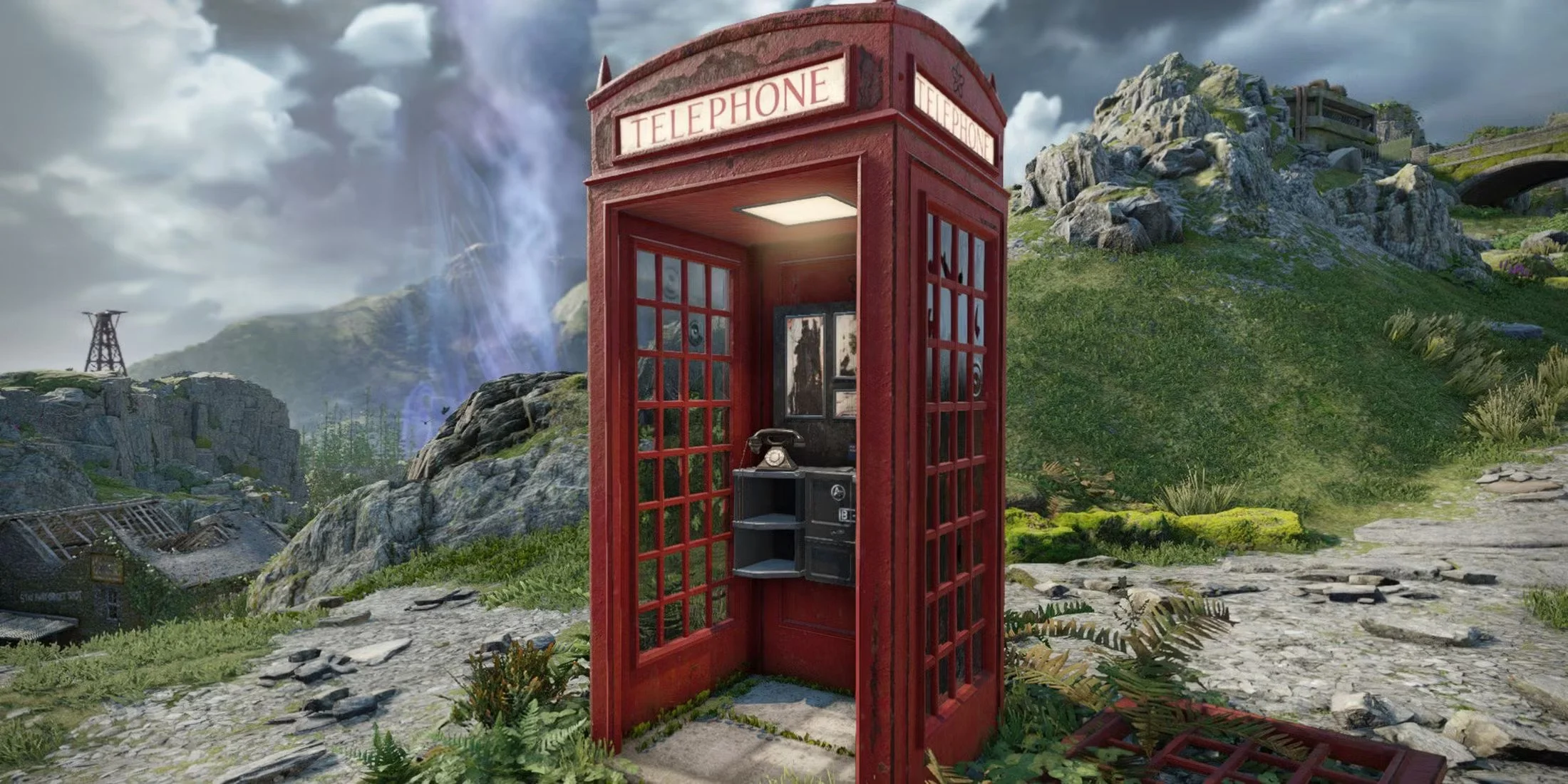
It is customary in a post such as this to list the various games that I’ve played over the last twelve months and share my thoughts on them. Wider analysis of the video game industry is also de rigeur. Unfortunately, I don’t really feel disposed to do either of those two things. My thoughts on the games I’ve played have already been published and can easily be accessed via the links at the bottom of this post. As for the video game industry, it suffers the same flaws as music, TV and cinema. There is creativity and innovation out there but it is often drowned out by mainstream products which are demonstrably inferior due to their inherent mediocrity. As for the business side of things, we once again clearly see the failings of the corporate management class. Sadly, they do not face the consequences of the mistakes that they make.

I began 2025 with a fairly strong writing streak, publishing posts about games, technology and even air fryers. Sadly, this burst of enthusiasm gradually tailed off between April and June. I can’t even recollect if there was any particular “real world” reason for this or whether it was just a case of I wasn’t especially motivated. Fortunately, I started writing again in July in preparation for Blaugust: Festival of Blogging and subsequently wrote throughout the entirety of August. Revamping my blog in September and moving it to the latest version of Squarespace proved a positive move and since then I have kept up a writing schedule of posting to Contains Moderate Peril every second day. At present I have a lot of draft posts pending and I am not struggling to come up with ideas and write in general. I intend to nurture this positive approach and see if I can build upon it in 2026.

Looking back at my various posts regarding “technology” this year, a recurring theme has been my ongoing attempts to replace certain mainstream products with alternatives that do the job in-hand better, don’t require constant updates, aren’t bloated by superfluous functionality and are more cost effective or even ethical. Needless to say, this has proven quite hard. Hence I was unable to find a suitable replacement email client for Microsoft Outlook and end my subscription to Microsoft 365 Personal. The main problem is that most alternative software won’t support my email archive due to differences in the mailbox format. One possible work around is to install an older and therefore, non-subscription version of Outlook but this raises support and compatibility issues. It would be a lot easier to divest myself of a lot of mainstream software if I was starting from scratch.

I created a Bluesky account a little over a year ago. I was initially somewhat sceptical of adopting a third social media messaging platform, because I had become quite comfortable using Mastodon as a replacement for Twitter/X. However, certain individuals that I wished to continue to follow were migrating to Bluesky, so I followed suit. It has always been my long term goal to pick one of these two newer services and make it my sole point of presence in social media terms. So far that hasn’t happened. Hence a year on I find myself juggling three such platforms. Twitter/X, Mastodon and Bluesky. I post links to my blog posts on all of these services. To be honest none of them generate any tangible traffic but this is how you promoted your website or blog 15 years ago and old habits die hard.

In my teenage years, there was a social obligation to go out on New Year’s Eve. This often meant congregating in some dismal pub, queuing at the bar for 30 minutes to get a drink, then trying to find a corner where you could stand and struggle to have a conversation with your friends, above the noise of the crowd. The evening was dull, noisy and often ended in a fight. Then, around 1:00 AM we were summarily turfed out into the street and had to make our way home. Buses always run at this time of year to serve a public need but the “drunk express” was never a pleasant means of transportation. Quite frankly the whole experience was shit but the hubris of youth meant we deluded ourselves that we were having a good time. If someone suggested something similar today, I would laugh in their face. I am happy to spend New Year’s Eve indoors and away from it all.
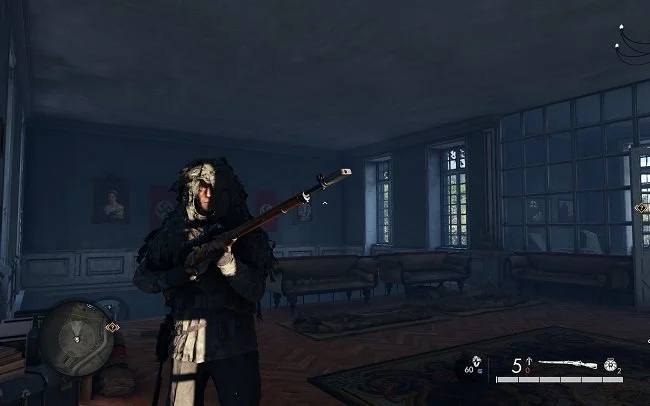
It is customary for me to write an end of year summary of my gaming activities but I suspect that on this occasion it will be somewhat short. For me, 2024 has really hammered home the notion of the ephemeral nature of video games as well as their commercial ubiquity. The moment a game fails to satisfy for whatever reason, rather than complain or worry about it, I just move on to something else. It’s not as if there’s a shortage of games out there. I have a substantial back catalogue of games that Epic and Amazon prime regularly giveaway. I have bought numerous discounted bundles in the past, in the pious hope that I’ll play one of the games included, at some point in the future. Games may well be enjoyable and engaging but many are also disposable. That’s not to say they’re bad. While playing them you are indeed “entertained”. However, when you’re “done”, it’s amazing how you quickly find another and forget what you were previously playing.

The last time I wrote A Year in Movies post was back in 2020. That was naturally an unusual year and it certainly had a radical impact upon the film industry and the way new movies are distributed. In many ways the pandemic accelerated the inevitable move towards cross platform, same day releases. 4 years on and it is quite usual for films to have a short cinema release before becoming available on streaming media. They often appear on physical media at the same time. Effectively you can go to the cinema, or simply watch at home on the platform of your choice if you prefer. Rent, buy or subscribe, the film studios still get their pound of flesh and everyone is happy. Sometimes if a film has failed to gain sufficient traction at the cinema, its release will be cut short and it will go to streaming even quicker. Direct to video from the eighties and nineties has been superseded with direct to streaming.
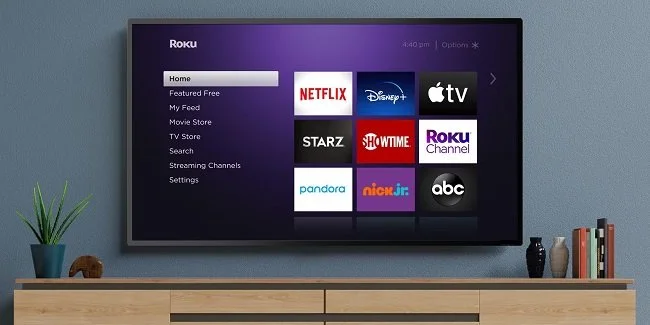
It is fair to say that we live in an age where we do not lack quality TV. There are numerous shows that have garnered critical acclaim or a strong word of mouth following that are deemed “must see” viewing. No doubt you, like myself, have a long “to do” list of programs that you need to “get round to watching” on top of those shows which are staples of your viewing regime. If you didn’t have enough programmes already to catch up with, we all have friends and family telling us about a “great show” that’s on a platform we don’t subscribe to, that we really need to see. It is quite extraordinary and a far cry from my youth when the UK simply had three terrestrial channels until satellite TV became popular in the late eighties. To paraphrase the former Prime Minister Harold Macmillan “we’ve never had it so good”.

This post is not intended to be a comprehensive review of music per se in 2024. It is simply a few thoughts on what I’ve been listening to over the course of the year and my ever changing relationship with the Terpsichorean muse. As a man in his fifties who has always enjoyed multiple genres of music and it is a comforting presence in day-to-day life. Up to a year ago, I relied upon my own music collection on my PC as the source of music to which I listened. Yet, this meant that I was somewhat locked into my own existing tastes and there was limited scope for me to find new material. This changed last December when I started subscribing to Spotify and since then it has become my primary source of music. It caters to my tastes, which at times are quite niche and it gently introduces me to new material without being too invasive. This has proven most beneficial.

This is my third attempt at writing this post. The first was a little too philosophical, tackling the nature of adult life and how it is a far cry from the childish notions I had about being a “grown up” when I was seven. The second was just a list of the various shit that has gone down in my life over the last twelve months and it felt far too much like whinging. Hopefully this one is more succinct and even handed. 2022 was not a good year, personally speaking. My family and I experienced a lot of health issues and my mother died after a rapid decline. Hence there has been a lot of stress and anxiety which has left me feeling tired and somewhat jaded. Due to the subsequent changes in my personal circumstances, I now find myself at somewhat of a “loose end”. I feel the need to channel my energies into something but I’m not sure exactly what at present.

So far I have written 135 blog posts in 2022. Not much compared to previous years, but frankly I’ve become a little despondent with writing in recent months (I shall expand more upon that in a moment). Hence, since October I have been enjoying a break from regular blogging. I have written sparingly and pursued other leisure activities. Given that my post output has gone down, it would be logical to assume that there has been a commensurate drop in web traffic to Contains Moderate Peril, but this is not the case. Overall, my monthly statistics have remained the same, proving once again that most of my readership find my written content via Google searches, rather than reading new material on a daily basis. This has given me much food for thought and added to my ongoing reflection upon my writing activities.

When I wrote Goodbye 2020 a year ago, I endeavoured to be philosophical and sanguine in my approach. It was a challenging year for all of us and for me it was further compounded by a bereavement. However, I strove to keep matters in perspective and tried to look at things in a broader context. I cannot be as even handed this time. 2021 has been a very difficult year for myself and my family and I will be glad to see the back of it. Nationally speaking, things haven’t been much better. I feel that we’ve squandered the initial progress that the COVID-19 vaccines offered. Obviously, I cannot do anything about the problems that the UK faces in 2022. However, I certainly intend to address some of the issues that I and my immediate family are facing. I am going to tackle some specific problems that need to be laid to rest and set myself some tangible goals to achieve. 2022 isn’t going to be something that just happens and I passively sit back and watch.
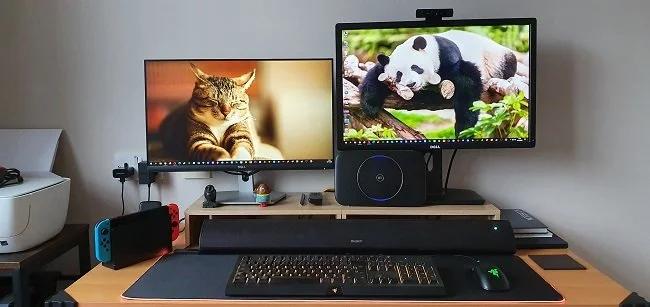
Getting older does have a few benefits. One of them, if you are fortunate enough to embrace the concept, is a degree of self awareness and the ability to be honest with yourself. Over the years I have tried to adjust my technological habits but ultimately I am a creature of habit. My use of technology and consumption of content has been determined by the decades I grew up in. Therefore, I am a PC user and prefer to sit in my office where I write, play games and peruse the internet. I have my desk set up in a way that suits my needs and I can go about my business in comfort. When away from my office, I rely heavily on my phone as an alternative platform. In some instances phone based apps offer a superior experience to the desktop or browser based PC alternatives. Banking being one example. For better or for worse this is how I do things and I am comfortable with these choices.

Usually in a post such as this, my primary focus would be writing about the games that I’ve played over the last twelve month and what it was about them that I specifically enjoyed. However, this year I feel that I must address the wider issues that have dominated the news regarding the video games industry. Simply put, several very high profile and successful triple A video game companies have been beset by scandals over the last twelve months. And these have been of such a nature that they have finally laid to rest the myth that some still cling to, that working “in video games” is somehow different from working in more traditional industries because it’s “cool”. It turns out that it has all the same failings as TV, music and film. The people at the top are abusive and broken and maltreat those at the coalface who do all the real work for precious little reward.

I can’t speak for others but my relationship with social media has certainly changed over the last two years. Whenever new internet technologies emerge, there is a brief period when it feels like some sort of new frontier. Often such innovations become a means of empowering the marginalised and the voiceless. For a while new platforms can even be a force for good. But eventually commercial interests creep in along with rules and regulations. Hence, it all inevitably takes a turn for the worst. The frontier is finally tamed and ends up being just another corporate space. Social media is certainly not a forum for discussing social issues or politics, instead being a medium for tribalism and rancour. Because of these factors and others, I have moderated my use of social media and it has proven extremely beneficial to my state of mind.

A very wise Vulcan once said “change is the essential process of all existence”. 2020 has demonstrated that unequivocally. How our privileged, pampered lives have altered over the last twelve months. We’ve had to stay at home, curtail our social interactions and reflect upon the meaning of existence. I appreciate that things are relative, so it’s not helpful to compare the concerns that discombobulate people today with the realities that folk had to endure during World War II for example. I won’t trivialise the sense of isolation and desperation some folk have felt over the lockdown. From my own perspective, my life as a carer is regimented and focused, so 2020 hasn’t really “cramped my style” to use an old fashioned phrase. However, several things happened over the course of the year that have had an impact upon myself and my family.

Let it suffice to say that due to current “circumstances”, Mrs P and I have watched a lot more TV this year. However, rather than just reiterate what we’ve viewed, which is already covered in my recurring blog post The Idiot Box, I thought I’d take the time to reflect upon some wider issues. TV has become a major source not only of entertainment but psychological support during this year’s social restrictions. The closure of cinemas for the majority of the past twelve months has meant that TV has had little or no competition. Furthermore, many of the films that may well have drawn audiences away, have come to the smaller screens a lot quicker. Never has so much TV been voraciously consumed. There’s also been a degree of nostalgia as viewers have watched popular shows at broadly similar times, reviving that sense of a shared experience that was so common in the seventies and eighties. However, the pandemic has also caused a slow down in TV production. Will the shortage of new content that many have predicted finally manifest itself next year?

In 2019, I went to the cinema just once to see Star Wars: The Rise of Skywalker. I didn’t write a summary of the films I’d seen throughout that year, as I felt that mainstream releases had become far too formulaic and dull. 2020 has done little to change my perspective. The global pandemic has meant that Cinemas have spent most of the time closed and therefore many of this year’s major film releases have ended up on video on demand services. A few titles remain indefinitely postponed, such as the latest Bond movie No Time to Die, while Sony Pictures wait to see if “normality” resumes. But a film that is sitting on the shelf is not a film making money. Hence, Warner Bros. have announced that all their major releases for 2021 will be across multiple platforms simultaneously, thus ensuring a broader flow of revenue. This has not pleased director’s such as Christopher Nolan who argue passionately regarding the merits of cinema. But I doubt Mr. Nolan has ever had to endure an out of focus screening in the wrong aspect ratio at Cineworld, Rochester, where audiences talk and mess with their phones continuously.

Retrospective posts such as this can be a sprawling mess. There is also potential to cover the same old ground that I’ve covered in my monthly summaries “A Month in Gaming”. So I’ll try to be as succinct as I can. Firstly I won’t dwell too much on the iniquities of the video game industry as I’ve covered that elsewhere. Let it suffice to say that the notion of the “rock star developer” and the ethical publisher have proven false. Buying a triple A mainstream game is as morally compromised as buying a pair of jeans made by child labour. But let’s not get caught up in ethics. That’s another post. The pandemic meant that I, like many others, had far more leisure time this year and hence I spent that time gaming. It’s been a good year for video games publishers and the revenue has rolled in. Have I had fun while playing more games? Yes. The games have proven engaging and they also provide a lot to write about, so it’s a win, win scenario from my perspective.

In my lifetime technology has always been promoted as something that improves our lives, especially at a domestic level. The VCR in the eighties is a prime example of this. It liberated us from having to watch TV at a specific time and place. Then there the personal computer, which brought into our own homes tools, that until that point, had been exclusive to the office. And for all the ill that it brings, the internet has certainly made the world demonstrably smaller. It’s revolutionised shopping and has improved the administration of services. So overall, I still feel that technology is a force for good. However there have been changes. In recent years technology on a domestic level has ceased to be quite as transformative and become more of a disposable commodity. Tech is now a fashion accessory, with a distinct lifecycle and upgrade treadmill. It is fast becoming just another form of superfluous crap to fill your home with.

Despite the tumultuous events of the last twelve months and the accompanying emotional fallout that has followed in their wake, I’ve managed to keep writing throughout 2020. My output has been somewhat inconsistent this year and I’ve noticed some changes in what I write about. This is inevitable as one’s tastes and focus changes naturally change over time. I’m finding it tougher to write enthusiastically about the video games industry per se, as it has hardly covered itself in glory this year. However, I still enjoy writing film reviews although I haven’t set foot inside a cinema for over a year. I suspect that this will remain the case for much of 2021. My writing has broadened in its scope and I find myself writing social commentary about various aspects of life, rather than just posting articles about my hobbies. Sharing my thoughts on the pandemic itself and “caring for the elderly” has proven very cathartic. But as I’ve stated many times before, writing is one of the ways in which I make sense of the world around me.

Last year I tried to write a measured and balanced post about the passing of the year. Sadly this time round my attitude toward the departing 12-month period is somewhat binary. Yes there were a couple of highlights to 2019 but most of it was an uphill struggle and therefore not worth celebrating. It can frankly sod off and won’t be missed. The two high points were my son’s wedding in August and my renewed enthusiasm for blogging that came about due to the Blaugust writing event. But overall 2019 was a repetitive and somewhat depressing grind having to continuously deal with multiple family illnesses, numerous hospital visits and then at the end of the year a bereavement. Yes, these are things that happened to us all eventually and there is no escaping them but I appear to be trapped in this facet of the “circle of life”. Furthermore, until certain situations resolve themselves, I cannot make or implement any long-term plans. 2019 has been in many ways about just treading water.

Life is often cyclical, if you don’t believe me go watch The Lion King. I started 2018 playing The Lord of the Rings Online and by writing a post about how gamers collectively seem to repeat the same mistakes. And as the year and indeed the decade ends, I find myself once again playing the Yule Festival in LOTRO and reflecting upon how some games that garnered criticism over their egregious business models, have ended up as huge hits. It would appear that gamers are their own worst enemy. I shall leave the psychological analysis of paradox to others. From my perspective, irrespective of the iniquities of the video game industry and certain quarters of the gaming community, it has been a good year, gaming wise. I have enjoyed my time playing MMOs such as Star Trek Online, The Elder Scrolls Online and the aforementioned LOTRO. These and other titles have entertained me, provided me with an opportunity to unwind as well as affording me some much-needed social interaction. I particularly enjoy Wednesday evenings when I log into my Discord server and then chat and play collaboratively with longstanding gaming friends.

One of the benefits that comes with age (for some people at least), if the gift of realistic expectations. Having reached 51 years, I no longer harbour thoughts that each year will be a rollercoaster ride of excitement, mirth and personal gain. Nor do I count on the stars aligning so that I make my fortune and retire peacefully to the Cayman Islands, to live the life of a tax exile. If New Year’s Eve rolls round and no one has died, I’m not looking at being tried for murder and there’s still gin in the drinks cabinet, then I usually deem the previous twelve months an acceptable year. However, despite even these fairly lose and undemanding criteria I feel compelled to say that 2018 was bollocks and that I won’t be sad to see the back of it.

I did not manage to maintain my writing schedule this year and have not posted everyday as I would’ve liked. I have produced over two hundred and seventy posts but still feel I could have done more. Blaugust was a welcome burst of enthusiasm that I managed to sustain for September and October, but I lost momentum in the run up to Christmas. At least I know what the root cause is which puts me a step nearer to resolving it. Having written several posts in the past about “writers block” and the other perennial excuse of not having anything to write about, I seem to have squarely fallen into both those traps. At present I find that motivating myself is the key problem. If I haven’t started writing something by midday, then it more than often gets left for the day. If I intend to escape this malaise, then I shall have to establish a far stricter writing schedule for 2019 and endeavour to do my writing first thing in the morning, when I am most focused.

Throughout my adult life I have always gone to the cinema as a leisure activity. 2018 has been of note in this regard as it’s the year I’ve been to the cinema the least. I have visited my local multiplex just three times over the last twelve months. It’s not that good quality movies are not made anymore. Far from it. It’s just that they don’t always get released theatrically. Furthermore, the cost to entertainment ratio has simply become too much of a gamble. Standard tickets are priced between £12 to £15 locally and I resent such an outlay for a film that may only be adequate or worse. Perhaps my outlook on pricing is unreasonable but I am not going to pay such money for mediocre entertainment. I don’t expect every movie I see to be a cinematic milestone or genre classic but nor do I expect it to be an exercise in indifference. If I had paid such ticket prices to see The Predator or Death Wish at my local Cineworld, then I would have been singularly annoyed. Mercifully I saw them both at home and therefore at a much lower cost.
Amazon Fire HD 10
I find that the key to successfully buying any new item of technology is to know in advance exactly what you want from it and setting yourself a realistic budget. The next step, which is detailed research, is the one that I struggle with. Because it always involves a particular foible of human nature that really sets my teeth on edge. Far too many reviewers and technology journalists don’t fully grasp the concept of budgets as well as the idea of committing to the item that they are writing about. IE I often encounter sentiments such as “the Gruntmeister 2000 is a good option, but if you spend a little bit more you can get the 3000 model”. It’s habit that infuriates me. A budget of £100 is exactly just that. No more, no less. Therefore, if a buyer has specified their financial limit then it is illogical, crass and frankly damned rude to mention products that fall outside of that price range. Oh, it makes me want to punch until there’s brain matter on the walls. However, now that we’ve got that out of the way, I managed to track down exactly the new tablet that I needed. Furthermore, I got a bargain as it’s “Black Friday”.
I find that the key to successfully buying any new item of technology is to know in advance exactly what you want from it and setting yourself a realistic budget. The next step, which is detailed research, is the one that I struggle with. Because it always involves a particular foible of human nature that really sets my teeth on edge. Far too many reviewers and technology journalists don’t fully grasp the concept of budgets as well as the idea of committing to the item that they are writing about. IE I often encounter sentiments such as “the Gruntmeister 2000 is a good option, but if you spend a little bit more you can get the 3000 model”. It’s habit that infuriates me. A budget of £100 is exactly just that. No more, no less. Therefore, if a buyer has specified their financial limit then it is illogical, crass and frankly damned rude to mention products that fall outside of that price range. Oh, it makes me want to punch until there’s brain matter on the walls. However, now that we’ve got that out of the way, I managed to track down exactly the new tablet that I needed. Furthermore, I got a bargain as it’s “Black Friday”.
I like to do specific tasks via specific devices. As my phone is constantly with me, I primarily use it to access emails, texts, WhatsApp and Twitter. My desktop PC is where I write, create and edit podcasts and play games. My tablet is mainly for the consumption of content, such as podcasts, e-books and reading comics. The form factor lends itself to comfortably sitting on the sofa, reading a good book. A decent case means it can sit on bathroom unit, while I soak in the bath and listen to one of my favourite shows. And of course, perusing a quality graphic novel on a 10-inch screen is definitely a good way to enjoy the medium. So, bearing all this in mind, I knew in advance that I didn’t need a top end Samsung tablet along with it’s accompanying price tag. It soon became apparent that the Amazon Fire HD 10 would cover all my needs and I am happy to confirm that it certainly does. Its total cost was £100, although I also bought the matching case which added a further £25 on the overall price.
To start with let’s get the “negative” points out of the way first. Samsung and Apple tablets always feel incredibly robust, solid and “good quality” when you handle them. The Amazon Fire HD 10 feels cheaper. That’s not to say fragile because it’s not. But it’s rudimentary plastic build is what it is. The Fire operating system is not pure Android but Amazon’s own customised build. This is optimised towards Amazon’s own eco-system and therefore excludes rival apps. However, it is far from difficult to sideload Google Play store and add those apps you desire. The camera is also below par, but as it’s not really what I bought the table tablet for, it seems irrelevant. Frankly does anyone buy a tablet for the camera? The Amazon Fire HD 10 plus points are by far more important. First off there’s a nice 1920 x 1080 display. Its is sharp bright and vibrant making it eminently suitable for watching movies and streaming content. Battery life is also robust offering 10 hours of “mixed” use. The MediaTek quad-core processor is combined with 2GB of RAM and performs well. Navigation is smooth and there’s no major lag when navigating the interface. And then there’s the price which is approximately a third of the latest iPad.
I bought the 32GB version of the Amazon Fire HD 10, which so far is adequate for my needs. If there are any issues, then I can make use of the microSD card slot which offers up to another 256GB of storage space. Contrary to what I expected I have not had to make too many changes to the UI. I have turned off some of the superfluous Amazon promotional features and have dragged the unnecessary icons into a single tidy folder. I quickly found simple instructions online as to how to install the various Google apps I needed. At present my tablet has both Netflix and Amazon Prime, along with Podcast Addict, You Tube and Challenger Comics Viewer. I have no immediate intention of bloating OS with additional services, although I’m sure it can easily accommodate them. I also like the simple but functional Amazon case that I bought. Overall, I am pleased with this purchase as it has totally met my expectations. Compared to the past where I used to jump in feet first with new tech and tended to be an early adopter, I now favour this more targeted and measured approach. If your tablet needs are equally as straight forward to mine, you too may find the Amazon Fire HD 10 to be the best option currently on the market.
I turned on my laptop this morning for the first time in 4 months. I knew it was that long because I hadn’t connected the laptop to the new Netgear router that I bought at the end of April. Unsurprisingly, as I haven’t used this device for a while there were multiple Windows updates to be installed. This process took over an hour, so while the various updates were being downloaded and installed, I turned my attention to my Amazon Echo Dot which loiters in the corner of our lounge, doing very little to justify its existence. At present this device is mainly used as a glorified timer for cooking, which seems a bit of a waste given it’s alleged capabilities. Hence, I decided to see if I could increase its functionality while waiting for Windows to do its update thing. More on this later. Let us for the meantime return to the small matter of the operating system updates. Once they were completed, I immediately installed Chris Titus Tech’s Windows Utility and started removing unnecessary features and bloat, as well as disabling invasive services.
Before we begin, let me clearly state that this is not a comprehensive installation guide for installing Steam OS on your PC. Mainly because the variety of hardware that can be present in any PC makes each installation a somewhat bespoke affair. Hence I have decided to provide a list of bullet points of the various steps and issues I encountered during my installation, last week. Consider it advance warning of things you may encounter if you install this operating system. As ever, if this is something that you are intending to do, I would advise allowing yourself a suitable amount of time so you can accommodate any issues should they arise. It is entirely possible that this may be a two hour job for the technically literate running the most generic or commonplace hardware. However, I suspect that a lot of people undertaking this project will run into variations of the same problems that I encountered.
I am intrigued by the growth of the IndieWeb, owning your domain and static websites. I certainly agree with the notion of not relying on big corporations and I have an ongoing project to divest my dependency on software produced by major market players. However, although I own my own domain, my website is hosted by Squarespace. I’ve not really had any problems with them over the last 11 years and I would describe our business relationship as equitable. However, the monthly subscription price has increased over time and is likely to keep on doing so. It has crossed my mind as to whether there is a suitable alternative. However, if I were to migrate Contains Moderate Peril elsewhere I suspect it would be logistically complex and problematic.
I like learning new skills and starting projects. I regularly undertake such things with varying results. However, if they don’t work out that’s not a problem. You have to try something to see if you like it. I’ll add “within sensible parameters” as a caveat to the last statement. And it’s perfectly fine to discover that something isn’t for you. I like certain genres of video games, music, films and books. I am comfortable wearing certain types of clothes and not others. I’m picky about colours. I’ll even go so far as to say that I won’t drink out of any mug that’s just lying around. If I don’t like the joke, logo or overall aesthetic of it, I ain’t using it. However, I digress. Let’s get things back on track and talk about projects. This year I have wound down several websites and have decided not to move forward with making YouTube videos. I have focused my energy on improving my website and adding functionality. I am also trying to broaden the scope of my writing.
It’s funny how it is often the little things that become the proverbial straw that breaks the Camel’s back. I have been struggling for a while with the overall performance and functionality of my Windows 11 PC. The operating system is bloated, slow and buggy. It all too often commits that unpardonable sin of trying to do my thinking for me and enables some stupid feature by default. Despite having good specifications, my PC takes too long to boot up for my liking and is becoming too much of a wild card with regard to whether it will co-operate or not when I try and undertake a simple task. As someone who is very particular in their PC habits, IE I see my PC as a tool that I use on the terms that suit me. Hence, I find the faux enthusiasm that accompanies each uncalled for “improvement” that results in me losing agency, singularly antagonising. Then a minor issue arose recently that escalated into a thorn in my flesh and I decided that it was time that something must be done.
This is a post about the power of nostalgia and how sometimes, interacting with something from your past, be it physically or mentally, can produce a very strong and tangible emotional reaction. In some instances, this can be the result of something that you have specifically set out to do. On other occasions you can wander into a sense of nostalgia purely by chance. Today I experienced a very strong sense of nostalgia while watching a YouTube video and then again when I sought to replicate what I had seen. The video showed someone installing Windows 95 on to an old 486 PC from that era. The Window’s start up sound really touched a nerve (but in a good way) and then when the guy in the video launched Space Cadet 3D Pinball, a game that shipped with the operating system, I felt a strong compulsion to track down a copy and install the game myself, thus revisiting something that was an integral part of my life in 1995.
For the last few months I have being using Google Gemini. I subscribed so I could access a wider spectrum of services and evaluate it effectively. I also wanted to dispel some of the hysteria that accompanies any conversation about Large Language Models and Artificial Intelligence. The results were initially interesting and Google Gemini proved useful when researching material for blog posts. It is good at providing summaries about well documented subjects. I wrote a post about food banks recently and it distilled a lot of data into a manageable amount, which was ideal for my article. Google Gemini has also produced some visual basic scripting and simple batch files that have allowed me to automate processes on my PC. Such as changing the default monitor, or screen resolution at the click of an icon. However, I found this AI struggled with in-depth software troubleshooting and that its ability to create images varies greatly depending on the subject.
The UK Government has formerly announced its intention to ban under-16s from using social media. This is due to increasing public pressure that “something must be done” about the perceived iniquities of many online platforms. However, as with most complex social problems of this nature, no one has any clear or practical ideas as to what that “something” is. It remains a nebulous, non-specific panacea and clearly someone else’s job to identify and implement. As ever, why choose a nuanced and multifaceted solution to a complex problem, when it is far easier and politically expedient to just “ban” something. The former requires effort and a degree of thinking. If such an approach fails it also means that those who came up with it now carry the can. The latter dumps the problem in the lap of various third parties, who can then be conveniently blamed when the ill conceived policy fails.
Yesterday we changed internet service providers. We moved from EE (formerly BT) to Plusnet. The transition went surprisingly well, mainly due to the existing infrastructure remaining the same. We’ve had fibre to the premises (FTTP) since 2022 so this was essentially an administrative change. The previous ISP terminated their service at 1:30 AM in the morning, while I was playing Star Trek Online. By 6:30 AM I received a message from Plusnet that the new service was live. It took about an hour to configure the new Netgear Nighthawk RS100 router (I bought my own) and get all our household devices attached to the new network. The connection is running at exactly the same speed and stability as it had under the previous supplier. At present a 1Gbps connection is sufficient for our needs. The main factor that has driven this change is cost. We are currently paying £28 per month for internet access which is a competitive price in the UK.
In 1990 I was working at the DWP (Department for Work and Pensions). I had just taken the role of Computer Support Officer where I administered user access to the mainframe and provided first line support to staff using the terminals. That summer the office moved to a PC based network and the project was undertaken by the newly formed Siemens Nixdorf company. To cut a long story short I befriended one of the contract engineers and over the next 9 months he became an unofficial mentor to me. Technically he was only supposed to train me in the most basic of fashions but he liked the fact that I was always asking questions and effectively ended up schooling me in PC and server architecture, network administration and the associated protocols. For me this was the best way to learn. It was not a case of coming to grips with theory in a classroom environment. It was learning by doing and having direct and exclusive access to a source of knowledge and experience.
My Windows 11 PC is a cobbled together mess of upgrades, customisations and workarounds. It seems okay at first glance, mainly because my desktop is well organised and I don’t allow too many apps to start on boot up. But beneath this superficial veneer of efficiency and optimisation is a bloated mess. Every Windows update adds yet more spurious features which slows performance and tries to harvest your data. Windows is no longer a user friendly operating system that you buy and use without impediment. It is now a sprawling live service that actively gets in the way of your productivity so that it can make a buck off your inconvenience. There was a time when you could quickly learn its processes and foibles, so you could customise it into the tool you needed. Nowadays I have to continuously use third party tools to get Windows to do many of the things I want, or to access functionality that Microsoft has obtusely decided to restrict.
As the New Year is still young, I have embarked upon several new projects that I’ve been planning since Autumn last year. These undertakings have gone beyond the planning stage and are currently being implemented. The fun thing about the phrase “implemented” in this context is that it implies that it is by far the easiest and most straightforward part of the process. The initial brainstorming of ideas has been completed. A cogent and detailed plan has been written. The costing of materials and time required have been determined. These are the hard parts. All that remains is to “just do it”. It should be a piece of piss (a British phrase indicating that something is easy). It virtually “implements” itself. However, that is a load of bollocks. Because there is always scope for something to go wrong. It may well start as something minor and innocuous but it all too often ends in a “problem cascade”.
This time last year I made a decision to replace Microsoft Office or Office 365 as it is currently known. Mainly because I only use Outlook out of the entire suite of software. This project stalled because I couldn't easily import my existing email archive into Mozilla Thunderbird. Hence the status quo has been perpetuated. However, there is an ongoing cost associated with this software as well as some wider considerations about ethics and privacy which is why I have returned to this matter. Although this time I wish to replace not only Office 365 but all the other "production tools" I use to write and browse the internet. I have managed to make some progress towards this goal but it has been hard to adapt. Mainly because I had everything set up to my liking. Although alternatives are available, they're never exactly alike and require a lot of fine tuning to be deemed satisfactory.
Last summer I wrote a post about my experiences using various screen capture software. At the time I was using Bandicam which suited all my needs. I had configured the software to launch at Windows start-up and had a hotkey assigned to capture images from my primary monitor. Hence I could quickly grab a screenshot from my desktop or when playing a game. However, this changed in November 2025, when I bought two new monitors. Both of which supported HDR (High Dynamic Range). Although they provide superior picture quality, HDR has a knock-on effect on Bandicam. Screen capture images and video look over exposed. Hence I had to stop using the software and find an alternative. Fortunately the same company has been developing an alternative product with HDR support; Bandi Camera. So I swapped to this software. The screenshots were far better but the functionality of the app was lacking.
Our home has a 1 Gbps “fibre to the premises” internet connection. It has proven reliable since it was installed in June 2022. Our internet service provider EE (part of the BT group) are neither the best of worst suppliers. The monthly cost is not especially competitive and so we may be looking to move providers next Easter. However, that is a matter for the future. For the present there is a more immediate issue. Starting on Friday 21st November, our internet connection has started randomly dropping. Furthermore, both the Wi-Fi extender in the lounge and the wireless printer in my office have become disconnected from the network. It was as if their details had been erased from the router. I suspected that a recent firmware upgrade may be the culprit although EE denies it. However there are posts online from other customers with similar technical issues.
A couple of times a year, Mrs P asks me to copy onto her laptop, all the pictures that I’ve taken over recent months, as well as those that have been shared with us via WhatsApp. She then diligently whittles them down into a manageable amount which we then print off and put in our photo album. Yes we’re of the generation that still likes to print off hard copies of photos and from time to time look at them nostalgically. We have several albums with photographs in chronological order and numerous frames placed around the house, filled with pictures of family. The bulk of the photos are 4x6 inches (10x15 cm). We use an online photo printing service for the majority of our pictures and visit a local store with a self-service photographic department to print off specific pictures for bespoke frames. The original photos, now neatly organised, are backed up and archived.
I take a lot of screen captures of video games and Windows apps, usually for blog posts. I use both Bandicam and Windows Snipping Tool to do this and have set up various hotkeys to make the process easy. Of late, the screen captures that I’ve taken have all suffered from washed out colours, regardless what tool I used to take them. I checked to see if both these apps needed to be updated but they are running the latest versions. Hence I was initially stumped as to why this problem had started happening. After some thought, I deduced that the only new elements in my PC hardware were my two new monitors. Both of which support HDR. Google Gemini quickly informed me that this was a known issue and taking screen captures from an HDR enabled device resulted in an excessively bright image that looked over exposed.
I recently bought two new monitors and a stand for my PC tower case. Today I thought I’d take the opportunity to disconnect every peripheral, clear my desk and then after a thorough clean, reassemble everything ensuring good cable management. I even went so far as to buy a new power extension lead so I could reorganise where everything was plugged in and therefore be able to isolate specific hardware. It seemed such a simple, straightforward task on paper. The reality was much different. It took me over three hours to sort out, mainly due to the fact that I don’t “bend” so well these days. During this Herculean task, my watch kept on notifying me that my heart rate was “high”. However, I regularly took breaks and fortified myself with gin for medicinal reasons. I am pleased with the results of this task.
I use two monitors with my PC, as I find having the additional screen “real estate” invaluable when writing or playing games. Both monitors that I’ve been using up to now are somewhat old and they are not exactly the same size or resolution, although both are FHD. I have previously written about the problems I’ve had trying to get certain games and programs to display on specific monitors and the lengths I’ve had to go to to resolve this issue. To cut a long story short, I recently decided to replace both monitors with larger models with a higher resolution. Mainly because my eyesight is not what it used to be. I see best when working with a bright screen that can produce clear text. New monitors would also address my ongoing screen output problem. Hence, I set myself a reasonable budget and began researching appropriate replacements.
In July the UK Government introduced the Online Safety Act which requires age checks for accessing sexually explicit content online. As a result of this, Pornhub, the 19th most visited site on the internet, has reported a 77% decline in UK traffic. Furthermore, according to the UK regulatory body, OFCOM (The Office of Communications), overall visits to pornographic websites from the UK have fallen by 33%. Naturally, those who championed this legislation are claiming a moral and political victory. However, once you consider what these facts actually mean, they paint a somewhat different and potentially more worrying picture. It would be staggeringly naïve to think that UK visitors to Pornhub have ceased visiting such sites due to the age verification requirements. The more likely explanation is that UK porn consumers are now using VPNs to circumnavigate these restrictions and that this traffic to Pornhub is now recorded as coming from elsewhere.
It may be a case of preaching to the Choir but dust contamination in your PC causes overheating, decreased performance, and potential hardware failure. This mainly occurs due to dust restricting airflow, impeding components such as heat sinks and creating short circuits from conductive particles. Fluff builds up and restricts cooling fans, forcing them to work harder. Heat build can lead to issues like system crashes, lagging, and even permanent damage to the motherboard and CPU. Over time, it can shorten the lifespan of the computer and in severe cases, poses a fire hazard. When I used to work in IT contracting, I used to see the effects of dust contamination all the time. PC placed on carpet tiles or on top of desks and surrounded by other objects. I remember one PC replacement project I was working on where we found an old PC with a dead mouse in it. It was desiccated by the heat.
Usually I don’t have a problem with internet access when Mrs P and I are travelling. My phone data plan is sufficient for Google Maps and social media usage. Once we reach our hotel, it’s just a question of connecting to the free Wi-Fi or if need be, buying upgraded access. It’s seldom that expensive. When I went on holiday to Croatia this summer, I bought a bespoke data plan before arriving that granted me extra internet access. Our hotel in Makarska also had very robust internet access. Hence, regardless of being out and about or by the pool, I never had any issues getting online. The ubiquity of internet access means we often take it for granted. I seldom go to places in the UK or abroad that don’t have advanced IT infrastructure. Until this week.
Back in January, I was very pleased because I had finally found some open source software, DisplayMagician, which allowed me to quickly and easily alter my display profile and run specific games and applications on my second monitor. Prior to this I would find that some programs just wouldn’t stay put, once they were dragged or otherwise cajoled to display on the monitor of my choice. They would continuously snap back to the primary display, regardless of my actions. DisplayMagician solved this issue and did so with aplomb. Or it did, until last weekend when I upgraded my PC from Windows 10 to 11. Then it stopped working. I therefore did some digging online and it became apparent that this is a known issue that is currently being addressed by its creator, Terry McDonald.
As part of our increasing dependency upon software, we have also grown accustomed to its associated foibles, especially the negative ones. Today, I upgraded my blog from Squarespace 7.0 to 7.1 and my PC operating system from Windows 10 to 11. I started early in the morning and ensured that all my personal data was backed up. My default expectation was that both processes would go wrong in some way, shape or form. Let’s take a moment to consider this mindset, which is born out of experience. It is now taken as read that whatever you upgrade, be it an app on your phone or a program on your PC, that it’s going to be problematic. It won’t be a seamless transition and you’ll end up having to do some sort of troubleshooting. Despite our lives becoming more dependent on such software, the quality of these products seems to be deteriorating. What a sorry state of affairs.
The ability to take a screen capture of a video game that you’re playing, or an open application or browser tab, is just something we take for granted. Windows 10/11 have a built-in tool called Snip & Sketch that is simple to use. Most of the games that I play have a specific hotkey for taking screenshots and a default directory to store them. Similarly, the latest builds of Windows also include the Xbox Game Bar software, which allows you to capture video from any application that you’re running on your PC. You can then edit via Clipchamp which is the successor to the old Windows Movie Maker. I believe the macOS comes with comparable default software. The absence of such apps today would be noticeable. However, there was a time when such things were not considered standard features.
30 years ago, in early 1995, I bought my first PC, a second hand Compaq Prolinea 4/33. It had an Intel 486 DX processor, 340MB HDD, 4MB RAM, 3½-inch floppy disk drive and a 14-inch monitor with a screen resolution of 1024 x 768. It ran Windows 3.11 installed via MS-DOS 6.22. It didn’t come with a soundcard or a CD-ROM drive. I believe I paid around £750 or so at the time, which was approximately half its original retail price. This model was 2 or 3 years old when I bought it. However, at this time, PC specifications did not change as quickly as they do these days. Hence, this was a good starting point for someone new to computing. I subsequently upgraded the processor to a 486 DX2, increased the RAM to 16MB and installed a Creative Labs Sound Blaster AWE32 soundcard and CD-ROM drive.
Three months ago, I wrote a blog post regarding how I wasn’t going to replace my phone because I was pretty much done with the endless treadmill that is “upgrade culture”. At the time my Google Pixel 6 was three years old but continued to serve all my smartphone needs. So I signed up for a new “SIM only” contract with Vodafone and went about my business, feeling somewhat pleased with myself. However, “needs must when the devil vomits into your kettle”, to quote Blackadder. I recently noticed that the screen on my phone was coming away from the main enclosure. There was a distinct curve along the right hand edge, as if there was something inside the phone applying pressure outwards. Sadly, that is precisely what was happening. I searched online to see if this was a known issue and was subsequently introduced to the problem known as battery bulge.
I had a novel experience (at least for me) this morning. I went to the cashpoint (that’s an ATM for those outside the UK) at my local supermarket, only to find it out of service. I had an imminent haircut appointment and no cash to pay my barber, who doesn’t take card payments. Fortunately, the supermarket did “cashback” so I bought a loaf of bread and some milk, paid £23 for them and was given £20 in cash. It’s a useful facility that I have never used until today. Usually I just make sure that I have a float of cash available but today the cashpoint being unavailable threw a spanner in the works. If the store did not do “cashback” then I would have had to reschedule my haircut. This minor hiccup got me thinking about our dependence on technology in our daily lives. A point that was further brought home, as my barber told me he had recently visited Spain and was affected by the national power outage.
PC Upgrade Time Again
It was this time last year that I increased the RAM from 8GB to 16GB in my PC, and replaced the ageing GeForce GTX 650Ti 2GB, with a relatively better GTX 1050Ti 4GB. The PC is based around an Intel Quad Core i5-3340 3.10GHz processor, which is a third generation Ivy Bridge model circa 2013. Yet despite being five years old, it is still adequate for my gaming, writing and editing podcasts needs. At present, the 2TB Seagate hybrid SSHD that I installed in November 2016 is performing very poorly. Boot up times have grown longer in recent months and despite using the manufacturers diagnostic tools, I cannot find a specific technical problem with the drive or the Windows 10 start-up sequence. So, I have decided to replace the drive with a new SSD and install the operating system on it, then reformat the older SSHD and re-use it for data storage (mainly music and videos).
It was this time last year that I increased the RAM from 8GB to 16GB in my PC, and replaced the ageing GeForce GTX 650Ti 2GB, with a relatively better GTX 1050Ti 4GB. The PC is based around an Intel Quad Core i5-3340 3.10GHz processor, which is a third generation Ivy Bridge model circa 2013. Yet despite being five years old, it is still adequate for my gaming, writing and editing podcasts needs. At present, the 2TB Seagate hybrid SSHD that I installed in November 2016 is performing very poorly. Boot up times have grown longer in recent months and despite using the manufacturers diagnostic tools, I cannot find a specific technical problem with the drive or the Windows 10 start-up sequence. So, I have decided to replace the drive with a new SSD and install the operating system on it, then reformat the older SSHD and re-use it for data storage (mainly music and videos).
I briefly considered replacing the entire PC or at least buying a new motherboard and processor but both options were far from economical. Unlike so many computer related websites and forums, I do understand the underlying concept of working within a budget. After perusing Amazon, I manged to get a SanDisk SSD PLUS 240GB Sata III 2.5-inch Internal SSD and a 2.5-inch HDD/SSD to 3.5-inch HDD mounting frame for £47, including free next day delivery. The plan is to remove the existing drive, fit the SSD and do a fresh installation of Windows 10 and Office 365. As the SSD is only 240GB I shall be reserving the majority of the space for future Windows and Office updates. Therefore Steam, photos, videos and music will all go on another drive. However, I may install the two MMOs that I regularly play (LOTRO and STO) on the new SSD due to the performance boost it will afford them.
While researching this upgrade, I did consider cloning my existing SSHD to avoid having to re-install and migrate everything on it, but that meant having to purchase a 2TB SSD (at a cost of £300 minimum) or having to tinker with the cloning process to only copy specific files to fit a smaller sized drive. Such a strategy would be time consuming and increase the chance of errors occurring. Hence manually re-installing programs and migrating data is the path I have chosen. It at least affords me the opportunity to do some housekeeping on my current data. There are files that can be purged and games and programs that don’t require being re-installed. However, it will still prove to be a long process and I will not be content until I have essential items such as Outlook, fully replaced. The only other factor to consider is when is the optimum time to start this project. Sadly, it is not something that can be automated but requires user intervention in real time. If things go wrong expect another blog post.
I turned on my laptop this morning for the first time in 4 months. I knew it was that long because I hadn’t connected the laptop to the new Netgear router that I bought at the end of April. Unsurprisingly, as I haven’t used this device for a while there were multiple Windows updates to be installed. This process took over an hour, so while the various updates were being downloaded and installed, I turned my attention to my Amazon Echo Dot which loiters in the corner of our lounge, doing very little to justify its existence. At present this device is mainly used as a glorified timer for cooking, which seems a bit of a waste given it’s alleged capabilities. Hence, I decided to see if I could increase its functionality while waiting for Windows to do its update thing. More on this later. Let us for the meantime return to the small matter of the operating system updates. Once they were completed, I immediately installed Chris Titus Tech’s Windows Utility and started removing unnecessary features and bloat, as well as disabling invasive services.
Before we begin, let me clearly state that this is not a comprehensive installation guide for installing Steam OS on your PC. Mainly because the variety of hardware that can be present in any PC makes each installation a somewhat bespoke affair. Hence I have decided to provide a list of bullet points of the various steps and issues I encountered during my installation, last week. Consider it advance warning of things you may encounter if you install this operating system. As ever, if this is something that you are intending to do, I would advise allowing yourself a suitable amount of time so you can accommodate any issues should they arise. It is entirely possible that this may be a two hour job for the technically literate running the most generic or commonplace hardware. However, I suspect that a lot of people undertaking this project will run into variations of the same problems that I encountered.
I am intrigued by the growth of the IndieWeb, owning your domain and static websites. I certainly agree with the notion of not relying on big corporations and I have an ongoing project to divest my dependency on software produced by major market players. However, although I own my own domain, my website is hosted by Squarespace. I’ve not really had any problems with them over the last 11 years and I would describe our business relationship as equitable. However, the monthly subscription price has increased over time and is likely to keep on doing so. It has crossed my mind as to whether there is a suitable alternative. However, if I were to migrate Contains Moderate Peril elsewhere I suspect it would be logistically complex and problematic.
I like learning new skills and starting projects. I regularly undertake such things with varying results. However, if they don’t work out that’s not a problem. You have to try something to see if you like it. I’ll add “within sensible parameters” as a caveat to the last statement. And it’s perfectly fine to discover that something isn’t for you. I like certain genres of video games, music, films and books. I am comfortable wearing certain types of clothes and not others. I’m picky about colours. I’ll even go so far as to say that I won’t drink out of any mug that’s just lying around. If I don’t like the joke, logo or overall aesthetic of it, I ain’t using it. However, I digress. Let’s get things back on track and talk about projects. This year I have wound down several websites and have decided not to move forward with making YouTube videos. I have focused my energy on improving my website and adding functionality. I am also trying to broaden the scope of my writing.
It’s funny how it is often the little things that become the proverbial straw that breaks the Camel’s back. I have been struggling for a while with the overall performance and functionality of my Windows 11 PC. The operating system is bloated, slow and buggy. It all too often commits that unpardonable sin of trying to do my thinking for me and enables some stupid feature by default. Despite having good specifications, my PC takes too long to boot up for my liking and is becoming too much of a wild card with regard to whether it will co-operate or not when I try and undertake a simple task. As someone who is very particular in their PC habits, IE I see my PC as a tool that I use on the terms that suit me. Hence, I find the faux enthusiasm that accompanies each uncalled for “improvement” that results in me losing agency, singularly antagonising. Then a minor issue arose recently that escalated into a thorn in my flesh and I decided that it was time that something must be done.
This is a post about the power of nostalgia and how sometimes, interacting with something from your past, be it physically or mentally, can produce a very strong and tangible emotional reaction. In some instances, this can be the result of something that you have specifically set out to do. On other occasions you can wander into a sense of nostalgia purely by chance. Today I experienced a very strong sense of nostalgia while watching a YouTube video and then again when I sought to replicate what I had seen. The video showed someone installing Windows 95 on to an old 486 PC from that era. The Window’s start up sound really touched a nerve (but in a good way) and then when the guy in the video launched Space Cadet 3D Pinball, a game that shipped with the operating system, I felt a strong compulsion to track down a copy and install the game myself, thus revisiting something that was an integral part of my life in 1995.
For the last few months I have being using Google Gemini. I subscribed so I could access a wider spectrum of services and evaluate it effectively. I also wanted to dispel some of the hysteria that accompanies any conversation about Large Language Models and Artificial Intelligence. The results were initially interesting and Google Gemini proved useful when researching material for blog posts. It is good at providing summaries about well documented subjects. I wrote a post about food banks recently and it distilled a lot of data into a manageable amount, which was ideal for my article. Google Gemini has also produced some visual basic scripting and simple batch files that have allowed me to automate processes on my PC. Such as changing the default monitor, or screen resolution at the click of an icon. However, I found this AI struggled with in-depth software troubleshooting and that its ability to create images varies greatly depending on the subject.
The UK Government has formerly announced its intention to ban under-16s from using social media. This is due to increasing public pressure that “something must be done” about the perceived iniquities of many online platforms. However, as with most complex social problems of this nature, no one has any clear or practical ideas as to what that “something” is. It remains a nebulous, non-specific panacea and clearly someone else’s job to identify and implement. As ever, why choose a nuanced and multifaceted solution to a complex problem, when it is far easier and politically expedient to just “ban” something. The former requires effort and a degree of thinking. If such an approach fails it also means that those who came up with it now carry the can. The latter dumps the problem in the lap of various third parties, who can then be conveniently blamed when the ill conceived policy fails.
Yesterday we changed internet service providers. We moved from EE (formerly BT) to Plusnet. The transition went surprisingly well, mainly due to the existing infrastructure remaining the same. We’ve had fibre to the premises (FTTP) since 2022 so this was essentially an administrative change. The previous ISP terminated their service at 1:30 AM in the morning, while I was playing Star Trek Online. By 6:30 AM I received a message from Plusnet that the new service was live. It took about an hour to configure the new Netgear Nighthawk RS100 router (I bought my own) and get all our household devices attached to the new network. The connection is running at exactly the same speed and stability as it had under the previous supplier. At present a 1Gbps connection is sufficient for our needs. The main factor that has driven this change is cost. We are currently paying £28 per month for internet access which is a competitive price in the UK.
In 1990 I was working at the DWP (Department for Work and Pensions). I had just taken the role of Computer Support Officer where I administered user access to the mainframe and provided first line support to staff using the terminals. That summer the office moved to a PC based network and the project was undertaken by the newly formed Siemens Nixdorf company. To cut a long story short I befriended one of the contract engineers and over the next 9 months he became an unofficial mentor to me. Technically he was only supposed to train me in the most basic of fashions but he liked the fact that I was always asking questions and effectively ended up schooling me in PC and server architecture, network administration and the associated protocols. For me this was the best way to learn. It was not a case of coming to grips with theory in a classroom environment. It was learning by doing and having direct and exclusive access to a source of knowledge and experience.
My Windows 11 PC is a cobbled together mess of upgrades, customisations and workarounds. It seems okay at first glance, mainly because my desktop is well organised and I don’t allow too many apps to start on boot up. But beneath this superficial veneer of efficiency and optimisation is a bloated mess. Every Windows update adds yet more spurious features which slows performance and tries to harvest your data. Windows is no longer a user friendly operating system that you buy and use without impediment. It is now a sprawling live service that actively gets in the way of your productivity so that it can make a buck off your inconvenience. There was a time when you could quickly learn its processes and foibles, so you could customise it into the tool you needed. Nowadays I have to continuously use third party tools to get Windows to do many of the things I want, or to access functionality that Microsoft has obtusely decided to restrict.
As the New Year is still young, I have embarked upon several new projects that I’ve been planning since Autumn last year. These undertakings have gone beyond the planning stage and are currently being implemented. The fun thing about the phrase “implemented” in this context is that it implies that it is by far the easiest and most straightforward part of the process. The initial brainstorming of ideas has been completed. A cogent and detailed plan has been written. The costing of materials and time required have been determined. These are the hard parts. All that remains is to “just do it”. It should be a piece of piss (a British phrase indicating that something is easy). It virtually “implements” itself. However, that is a load of bollocks. Because there is always scope for something to go wrong. It may well start as something minor and innocuous but it all too often ends in a “problem cascade”.
This time last year I made a decision to replace Microsoft Office or Office 365 as it is currently known. Mainly because I only use Outlook out of the entire suite of software. This project stalled because I couldn't easily import my existing email archive into Mozilla Thunderbird. Hence the status quo has been perpetuated. However, there is an ongoing cost associated with this software as well as some wider considerations about ethics and privacy which is why I have returned to this matter. Although this time I wish to replace not only Office 365 but all the other "production tools" I use to write and browse the internet. I have managed to make some progress towards this goal but it has been hard to adapt. Mainly because I had everything set up to my liking. Although alternatives are available, they're never exactly alike and require a lot of fine tuning to be deemed satisfactory.
Last summer I wrote a post about my experiences using various screen capture software. At the time I was using Bandicam which suited all my needs. I had configured the software to launch at Windows start-up and had a hotkey assigned to capture images from my primary monitor. Hence I could quickly grab a screenshot from my desktop or when playing a game. However, this changed in November 2025, when I bought two new monitors. Both of which supported HDR (High Dynamic Range). Although they provide superior picture quality, HDR has a knock-on effect on Bandicam. Screen capture images and video look over exposed. Hence I had to stop using the software and find an alternative. Fortunately the same company has been developing an alternative product with HDR support; Bandi Camera. So I swapped to this software. The screenshots were far better but the functionality of the app was lacking.
Our home has a 1 Gbps “fibre to the premises” internet connection. It has proven reliable since it was installed in June 2022. Our internet service provider EE (part of the BT group) are neither the best of worst suppliers. The monthly cost is not especially competitive and so we may be looking to move providers next Easter. However, that is a matter for the future. For the present there is a more immediate issue. Starting on Friday 21st November, our internet connection has started randomly dropping. Furthermore, both the Wi-Fi extender in the lounge and the wireless printer in my office have become disconnected from the network. It was as if their details had been erased from the router. I suspected that a recent firmware upgrade may be the culprit although EE denies it. However there are posts online from other customers with similar technical issues.
A couple of times a year, Mrs P asks me to copy onto her laptop, all the pictures that I’ve taken over recent months, as well as those that have been shared with us via WhatsApp. She then diligently whittles them down into a manageable amount which we then print off and put in our photo album. Yes we’re of the generation that still likes to print off hard copies of photos and from time to time look at them nostalgically. We have several albums with photographs in chronological order and numerous frames placed around the house, filled with pictures of family. The bulk of the photos are 4x6 inches (10x15 cm). We use an online photo printing service for the majority of our pictures and visit a local store with a self-service photographic department to print off specific pictures for bespoke frames. The original photos, now neatly organised, are backed up and archived.
I take a lot of screen captures of video games and Windows apps, usually for blog posts. I use both Bandicam and Windows Snipping Tool to do this and have set up various hotkeys to make the process easy. Of late, the screen captures that I’ve taken have all suffered from washed out colours, regardless what tool I used to take them. I checked to see if both these apps needed to be updated but they are running the latest versions. Hence I was initially stumped as to why this problem had started happening. After some thought, I deduced that the only new elements in my PC hardware were my two new monitors. Both of which support HDR. Google Gemini quickly informed me that this was a known issue and taking screen captures from an HDR enabled device resulted in an excessively bright image that looked over exposed.
I recently bought two new monitors and a stand for my PC tower case. Today I thought I’d take the opportunity to disconnect every peripheral, clear my desk and then after a thorough clean, reassemble everything ensuring good cable management. I even went so far as to buy a new power extension lead so I could reorganise where everything was plugged in and therefore be able to isolate specific hardware. It seemed such a simple, straightforward task on paper. The reality was much different. It took me over three hours to sort out, mainly due to the fact that I don’t “bend” so well these days. During this Herculean task, my watch kept on notifying me that my heart rate was “high”. However, I regularly took breaks and fortified myself with gin for medicinal reasons. I am pleased with the results of this task.
I use two monitors with my PC, as I find having the additional screen “real estate” invaluable when writing or playing games. Both monitors that I’ve been using up to now are somewhat old and they are not exactly the same size or resolution, although both are FHD. I have previously written about the problems I’ve had trying to get certain games and programs to display on specific monitors and the lengths I’ve had to go to to resolve this issue. To cut a long story short, I recently decided to replace both monitors with larger models with a higher resolution. Mainly because my eyesight is not what it used to be. I see best when working with a bright screen that can produce clear text. New monitors would also address my ongoing screen output problem. Hence, I set myself a reasonable budget and began researching appropriate replacements.
In July the UK Government introduced the Online Safety Act which requires age checks for accessing sexually explicit content online. As a result of this, Pornhub, the 19th most visited site on the internet, has reported a 77% decline in UK traffic. Furthermore, according to the UK regulatory body, OFCOM (The Office of Communications), overall visits to pornographic websites from the UK have fallen by 33%. Naturally, those who championed this legislation are claiming a moral and political victory. However, once you consider what these facts actually mean, they paint a somewhat different and potentially more worrying picture. It would be staggeringly naïve to think that UK visitors to Pornhub have ceased visiting such sites due to the age verification requirements. The more likely explanation is that UK porn consumers are now using VPNs to circumnavigate these restrictions and that this traffic to Pornhub is now recorded as coming from elsewhere.
It may be a case of preaching to the Choir but dust contamination in your PC causes overheating, decreased performance, and potential hardware failure. This mainly occurs due to dust restricting airflow, impeding components such as heat sinks and creating short circuits from conductive particles. Fluff builds up and restricts cooling fans, forcing them to work harder. Heat build can lead to issues like system crashes, lagging, and even permanent damage to the motherboard and CPU. Over time, it can shorten the lifespan of the computer and in severe cases, poses a fire hazard. When I used to work in IT contracting, I used to see the effects of dust contamination all the time. PC placed on carpet tiles or on top of desks and surrounded by other objects. I remember one PC replacement project I was working on where we found an old PC with a dead mouse in it. It was desiccated by the heat.
Usually I don’t have a problem with internet access when Mrs P and I are travelling. My phone data plan is sufficient for Google Maps and social media usage. Once we reach our hotel, it’s just a question of connecting to the free Wi-Fi or if need be, buying upgraded access. It’s seldom that expensive. When I went on holiday to Croatia this summer, I bought a bespoke data plan before arriving that granted me extra internet access. Our hotel in Makarska also had very robust internet access. Hence, regardless of being out and about or by the pool, I never had any issues getting online. The ubiquity of internet access means we often take it for granted. I seldom go to places in the UK or abroad that don’t have advanced IT infrastructure. Until this week.
Back in January, I was very pleased because I had finally found some open source software, DisplayMagician, which allowed me to quickly and easily alter my display profile and run specific games and applications on my second monitor. Prior to this I would find that some programs just wouldn’t stay put, once they were dragged or otherwise cajoled to display on the monitor of my choice. They would continuously snap back to the primary display, regardless of my actions. DisplayMagician solved this issue and did so with aplomb. Or it did, until last weekend when I upgraded my PC from Windows 10 to 11. Then it stopped working. I therefore did some digging online and it became apparent that this is a known issue that is currently being addressed by its creator, Terry McDonald.
As part of our increasing dependency upon software, we have also grown accustomed to its associated foibles, especially the negative ones. Today, I upgraded my blog from Squarespace 7.0 to 7.1 and my PC operating system from Windows 10 to 11. I started early in the morning and ensured that all my personal data was backed up. My default expectation was that both processes would go wrong in some way, shape or form. Let’s take a moment to consider this mindset, which is born out of experience. It is now taken as read that whatever you upgrade, be it an app on your phone or a program on your PC, that it’s going to be problematic. It won’t be a seamless transition and you’ll end up having to do some sort of troubleshooting. Despite our lives becoming more dependent on such software, the quality of these products seems to be deteriorating. What a sorry state of affairs.
The ability to take a screen capture of a video game that you’re playing, or an open application or browser tab, is just something we take for granted. Windows 10/11 have a built-in tool called Snip & Sketch that is simple to use. Most of the games that I play have a specific hotkey for taking screenshots and a default directory to store them. Similarly, the latest builds of Windows also include the Xbox Game Bar software, which allows you to capture video from any application that you’re running on your PC. You can then edit via Clipchamp which is the successor to the old Windows Movie Maker. I believe the macOS comes with comparable default software. The absence of such apps today would be noticeable. However, there was a time when such things were not considered standard features.
30 years ago, in early 1995, I bought my first PC, a second hand Compaq Prolinea 4/33. It had an Intel 486 DX processor, 340MB HDD, 4MB RAM, 3½-inch floppy disk drive and a 14-inch monitor with a screen resolution of 1024 x 768. It ran Windows 3.11 installed via MS-DOS 6.22. It didn’t come with a soundcard or a CD-ROM drive. I believe I paid around £750 or so at the time, which was approximately half its original retail price. This model was 2 or 3 years old when I bought it. However, at this time, PC specifications did not change as quickly as they do these days. Hence, this was a good starting point for someone new to computing. I subsequently upgraded the processor to a 486 DX2, increased the RAM to 16MB and installed a Creative Labs Sound Blaster AWE32 soundcard and CD-ROM drive.
Three months ago, I wrote a blog post regarding how I wasn’t going to replace my phone because I was pretty much done with the endless treadmill that is “upgrade culture”. At the time my Google Pixel 6 was three years old but continued to serve all my smartphone needs. So I signed up for a new “SIM only” contract with Vodafone and went about my business, feeling somewhat pleased with myself. However, “needs must when the devil vomits into your kettle”, to quote Blackadder. I recently noticed that the screen on my phone was coming away from the main enclosure. There was a distinct curve along the right hand edge, as if there was something inside the phone applying pressure outwards. Sadly, that is precisely what was happening. I searched online to see if this was a known issue and was subsequently introduced to the problem known as battery bulge.
I had a novel experience (at least for me) this morning. I went to the cashpoint (that’s an ATM for those outside the UK) at my local supermarket, only to find it out of service. I had an imminent haircut appointment and no cash to pay my barber, who doesn’t take card payments. Fortunately, the supermarket did “cashback” so I bought a loaf of bread and some milk, paid £23 for them and was given £20 in cash. It’s a useful facility that I have never used until today. Usually I just make sure that I have a float of cash available but today the cashpoint being unavailable threw a spanner in the works. If the store did not do “cashback” then I would have had to reschedule my haircut. This minor hiccup got me thinking about our dependence on technology in our daily lives. A point that was further brought home, as my barber told me he had recently visited Spain and was affected by the national power outage.
DIY Tech Support: A Cautionary Tale
Late in the evening of March 1st I noticed that my default photo viewer, Microsoft Photos, had stopped working. When trying to open a screenshot taken from ESO, the application would launch and then simply close immediately. As I went to shut down my PC I noticed that a Windows 10 update was installing and attributed the problem to this. I erroneously assumed that the matter would be resolved when I restarted my computer the following day. Needless to say, it did not. Now for those who are not especially IT savvy, or more to the point interested in problem solving, the easiest solution was to either assign another program or app as the default picture viewer or install a new one and move on. Sadly, I’m not wired that way.
Late in the evening of March 1st I noticed that my default photo viewer, Microsoft Photos, had stopped working. When trying to open a screenshot taken from ESO, the application would launch and then simply close immediately. As I went to shut down my PC I noticed that a Windows 10 update was installing and attributed the problem to this. I erroneously assumed that the matter would be resolved when I restarted my computer the following day. Needless to say, it did not. Now for those who are not especially IT savvy, or more to the point interested in problem solving, the easiest solution was to either assign another program or app as the default picture viewer or install a new one and move on. Sadly, I’m not wired that way.
Having worked for twenty-five years in the IT industry before retiring, troubleshooting and technical problem solving is somewhat ingrained in me. I am very particular about how my computer is set up and what software I use. I always customise my Windows interface a particular way and even have a preferred set of icons. I detest any change made by the operating system without my prior knowledge and random rogue behaviour such as that demonstrated by Microsoft Photos, really bugs me. My entire borderline OCD approach to technology stems from the way I was mentored and taught. Order, structure and process should always be present, right the way from network topology down to directory organisation and file naming. Don’t get me started on patch panel management.
So, I diligently went about some old school troubleshooting. First off, I checked to see if the problem was with all photo viewing software or just Microsoft Photos. As .jpgs and .png files were working fine with Paint and GIMP, I determine this was a Microsoft issue. I then looked to see exactly what updates had been installed, made note of their credentials and then searched via Google to see if there were any known issues with them. Nothing obviously became apparent, so I decided to do some standard app troubleshooting. I reset the Microsoft Photo app, with no result. I then purged the app cache with again no effect. Next up I did a clean uninstall of the problematic software and then re-installed the latest version. Again, the fault persisted so it was time to up the ante and start some more in-depth trouble shooting. I ran Microsoft Photos, made specific note of the time and then went to the event viewer to see what the log files had to say. They pointed to a problem with the “twinappi.appcore.dll” file.
By now we were no longer in elementary problem-solving territory. You don’t idly mess with .dll files and the registry. So, after establishing a restore point and taking a back up of the Windows Registry, I used Powershell to de-register and then re-register the offending file. The problem with the photo app still continued. By now I was totally focused on the problem and quite prepared to go to great pains to remedy it, simply on principle. Plus, to be fair, I’ve always enjoyed the satisfaction of solving these types of issue. If you ever worked in IT for any length of time you soon learn that victories are often celebrated alone and at obscure times of day. So, because of my bloody mindedness, I made a bootable Linux thumb drive, so I could access the System32 directory and replace the problem file with a copy from another Windows installation. However, the version of Ubuntu I used had limited admin privileges, so I couldn’t amend any Windows system files. I could have used an older or different version of Linux but by now it was late, so I decided to continue trouble shooting the following day.
Google is an incredibly useful tool but often the success or failure of your search hinges upon what search parameters you use. So, the next day, I spent a far longer period of time searching various tech forums and Microsoft resource sites. What I did discover is that Microsoft Photos regularly gets broken by either Windows Updates or common place driver updates from companies such as AMD and Nvidia. I found that many of the steps that I had taken would work for some situations and not for others. I also found some posts that recommended some more risky and potentially labour-intensive solutions. A system restore to an earlier date was probably the most logical of these solutions, but it would have an impact of several other programs I have installed and thus would make additional work. Someone even advised me to do a Windows Reset which would keep my personal file but effectively re-install the operating system which would then mean a crap ton of work loading software back on and tinkering with my PC to get it “as I like it”. Bearing all this in mind and the fact that the problem still wasn’t solved, I sat down with a large Gin and came to a decision.
Age can bring wisdom if you let it. I have put aside my “need” to solve this issue and have simply installed an alternative piece of software. Actually, what I did was create a registry entry that allowed me to access Microsoft Photo Viewer, which is an older photo app that used to be the default viewer in Windows 7. I can live with this compromise. If I double-click on an image file, it opens within an acceptably simple app. I will simply wait for Microsoft to fix this problem in their next cumulative update for Windows 10. The only downside at present is that when I open animated .gif files they are static within the current software. I can live with this. It’s been a while since I’ve done any troubleshooting, mainly because I’ve had precious few issues with Windows 10 since I installed it. I guess my “tight ship” regime may also be a factor. However, what this experience has done is to remind me is how tedious and irritating problems of this nature can be. Also, once again Montgomery Scott has been proven right.” The more they overthink the plumbing, the easier it is to stop up the drain”.
I turned on my laptop this morning for the first time in 4 months. I knew it was that long because I hadn’t connected the laptop to the new Netgear router that I bought at the end of April. Unsurprisingly, as I haven’t used this device for a while there were multiple Windows updates to be installed. This process took over an hour, so while the various updates were being downloaded and installed, I turned my attention to my Amazon Echo Dot which loiters in the corner of our lounge, doing very little to justify its existence. At present this device is mainly used as a glorified timer for cooking, which seems a bit of a waste given it’s alleged capabilities. Hence, I decided to see if I could increase its functionality while waiting for Windows to do its update thing. More on this later. Let us for the meantime return to the small matter of the operating system updates. Once they were completed, I immediately installed Chris Titus Tech’s Windows Utility and started removing unnecessary features and bloat, as well as disabling invasive services.
Before we begin, let me clearly state that this is not a comprehensive installation guide for installing Steam OS on your PC. Mainly because the variety of hardware that can be present in any PC makes each installation a somewhat bespoke affair. Hence I have decided to provide a list of bullet points of the various steps and issues I encountered during my installation, last week. Consider it advance warning of things you may encounter if you install this operating system. As ever, if this is something that you are intending to do, I would advise allowing yourself a suitable amount of time so you can accommodate any issues should they arise. It is entirely possible that this may be a two hour job for the technically literate running the most generic or commonplace hardware. However, I suspect that a lot of people undertaking this project will run into variations of the same problems that I encountered.
I am intrigued by the growth of the IndieWeb, owning your domain and static websites. I certainly agree with the notion of not relying on big corporations and I have an ongoing project to divest my dependency on software produced by major market players. However, although I own my own domain, my website is hosted by Squarespace. I’ve not really had any problems with them over the last 11 years and I would describe our business relationship as equitable. However, the monthly subscription price has increased over time and is likely to keep on doing so. It has crossed my mind as to whether there is a suitable alternative. However, if I were to migrate Contains Moderate Peril elsewhere I suspect it would be logistically complex and problematic.
I like learning new skills and starting projects. I regularly undertake such things with varying results. However, if they don’t work out that’s not a problem. You have to try something to see if you like it. I’ll add “within sensible parameters” as a caveat to the last statement. And it’s perfectly fine to discover that something isn’t for you. I like certain genres of video games, music, films and books. I am comfortable wearing certain types of clothes and not others. I’m picky about colours. I’ll even go so far as to say that I won’t drink out of any mug that’s just lying around. If I don’t like the joke, logo or overall aesthetic of it, I ain’t using it. However, I digress. Let’s get things back on track and talk about projects. This year I have wound down several websites and have decided not to move forward with making YouTube videos. I have focused my energy on improving my website and adding functionality. I am also trying to broaden the scope of my writing.
It’s funny how it is often the little things that become the proverbial straw that breaks the Camel’s back. I have been struggling for a while with the overall performance and functionality of my Windows 11 PC. The operating system is bloated, slow and buggy. It all too often commits that unpardonable sin of trying to do my thinking for me and enables some stupid feature by default. Despite having good specifications, my PC takes too long to boot up for my liking and is becoming too much of a wild card with regard to whether it will co-operate or not when I try and undertake a simple task. As someone who is very particular in their PC habits, IE I see my PC as a tool that I use on the terms that suit me. Hence, I find the faux enthusiasm that accompanies each uncalled for “improvement” that results in me losing agency, singularly antagonising. Then a minor issue arose recently that escalated into a thorn in my flesh and I decided that it was time that something must be done.
This is a post about the power of nostalgia and how sometimes, interacting with something from your past, be it physically or mentally, can produce a very strong and tangible emotional reaction. In some instances, this can be the result of something that you have specifically set out to do. On other occasions you can wander into a sense of nostalgia purely by chance. Today I experienced a very strong sense of nostalgia while watching a YouTube video and then again when I sought to replicate what I had seen. The video showed someone installing Windows 95 on to an old 486 PC from that era. The Window’s start up sound really touched a nerve (but in a good way) and then when the guy in the video launched Space Cadet 3D Pinball, a game that shipped with the operating system, I felt a strong compulsion to track down a copy and install the game myself, thus revisiting something that was an integral part of my life in 1995.
For the last few months I have being using Google Gemini. I subscribed so I could access a wider spectrum of services and evaluate it effectively. I also wanted to dispel some of the hysteria that accompanies any conversation about Large Language Models and Artificial Intelligence. The results were initially interesting and Google Gemini proved useful when researching material for blog posts. It is good at providing summaries about well documented subjects. I wrote a post about food banks recently and it distilled a lot of data into a manageable amount, which was ideal for my article. Google Gemini has also produced some visual basic scripting and simple batch files that have allowed me to automate processes on my PC. Such as changing the default monitor, or screen resolution at the click of an icon. However, I found this AI struggled with in-depth software troubleshooting and that its ability to create images varies greatly depending on the subject.
The UK Government has formerly announced its intention to ban under-16s from using social media. This is due to increasing public pressure that “something must be done” about the perceived iniquities of many online platforms. However, as with most complex social problems of this nature, no one has any clear or practical ideas as to what that “something” is. It remains a nebulous, non-specific panacea and clearly someone else’s job to identify and implement. As ever, why choose a nuanced and multifaceted solution to a complex problem, when it is far easier and politically expedient to just “ban” something. The former requires effort and a degree of thinking. If such an approach fails it also means that those who came up with it now carry the can. The latter dumps the problem in the lap of various third parties, who can then be conveniently blamed when the ill conceived policy fails.
Yesterday we changed internet service providers. We moved from EE (formerly BT) to Plusnet. The transition went surprisingly well, mainly due to the existing infrastructure remaining the same. We’ve had fibre to the premises (FTTP) since 2022 so this was essentially an administrative change. The previous ISP terminated their service at 1:30 AM in the morning, while I was playing Star Trek Online. By 6:30 AM I received a message from Plusnet that the new service was live. It took about an hour to configure the new Netgear Nighthawk RS100 router (I bought my own) and get all our household devices attached to the new network. The connection is running at exactly the same speed and stability as it had under the previous supplier. At present a 1Gbps connection is sufficient for our needs. The main factor that has driven this change is cost. We are currently paying £28 per month for internet access which is a competitive price in the UK.
In 1990 I was working at the DWP (Department for Work and Pensions). I had just taken the role of Computer Support Officer where I administered user access to the mainframe and provided first line support to staff using the terminals. That summer the office moved to a PC based network and the project was undertaken by the newly formed Siemens Nixdorf company. To cut a long story short I befriended one of the contract engineers and over the next 9 months he became an unofficial mentor to me. Technically he was only supposed to train me in the most basic of fashions but he liked the fact that I was always asking questions and effectively ended up schooling me in PC and server architecture, network administration and the associated protocols. For me this was the best way to learn. It was not a case of coming to grips with theory in a classroom environment. It was learning by doing and having direct and exclusive access to a source of knowledge and experience.
My Windows 11 PC is a cobbled together mess of upgrades, customisations and workarounds. It seems okay at first glance, mainly because my desktop is well organised and I don’t allow too many apps to start on boot up. But beneath this superficial veneer of efficiency and optimisation is a bloated mess. Every Windows update adds yet more spurious features which slows performance and tries to harvest your data. Windows is no longer a user friendly operating system that you buy and use without impediment. It is now a sprawling live service that actively gets in the way of your productivity so that it can make a buck off your inconvenience. There was a time when you could quickly learn its processes and foibles, so you could customise it into the tool you needed. Nowadays I have to continuously use third party tools to get Windows to do many of the things I want, or to access functionality that Microsoft has obtusely decided to restrict.
As the New Year is still young, I have embarked upon several new projects that I’ve been planning since Autumn last year. These undertakings have gone beyond the planning stage and are currently being implemented. The fun thing about the phrase “implemented” in this context is that it implies that it is by far the easiest and most straightforward part of the process. The initial brainstorming of ideas has been completed. A cogent and detailed plan has been written. The costing of materials and time required have been determined. These are the hard parts. All that remains is to “just do it”. It should be a piece of piss (a British phrase indicating that something is easy). It virtually “implements” itself. However, that is a load of bollocks. Because there is always scope for something to go wrong. It may well start as something minor and innocuous but it all too often ends in a “problem cascade”.
This time last year I made a decision to replace Microsoft Office or Office 365 as it is currently known. Mainly because I only use Outlook out of the entire suite of software. This project stalled because I couldn't easily import my existing email archive into Mozilla Thunderbird. Hence the status quo has been perpetuated. However, there is an ongoing cost associated with this software as well as some wider considerations about ethics and privacy which is why I have returned to this matter. Although this time I wish to replace not only Office 365 but all the other "production tools" I use to write and browse the internet. I have managed to make some progress towards this goal but it has been hard to adapt. Mainly because I had everything set up to my liking. Although alternatives are available, they're never exactly alike and require a lot of fine tuning to be deemed satisfactory.
Last summer I wrote a post about my experiences using various screen capture software. At the time I was using Bandicam which suited all my needs. I had configured the software to launch at Windows start-up and had a hotkey assigned to capture images from my primary monitor. Hence I could quickly grab a screenshot from my desktop or when playing a game. However, this changed in November 2025, when I bought two new monitors. Both of which supported HDR (High Dynamic Range). Although they provide superior picture quality, HDR has a knock-on effect on Bandicam. Screen capture images and video look over exposed. Hence I had to stop using the software and find an alternative. Fortunately the same company has been developing an alternative product with HDR support; Bandi Camera. So I swapped to this software. The screenshots were far better but the functionality of the app was lacking.
Our home has a 1 Gbps “fibre to the premises” internet connection. It has proven reliable since it was installed in June 2022. Our internet service provider EE (part of the BT group) are neither the best of worst suppliers. The monthly cost is not especially competitive and so we may be looking to move providers next Easter. However, that is a matter for the future. For the present there is a more immediate issue. Starting on Friday 21st November, our internet connection has started randomly dropping. Furthermore, both the Wi-Fi extender in the lounge and the wireless printer in my office have become disconnected from the network. It was as if their details had been erased from the router. I suspected that a recent firmware upgrade may be the culprit although EE denies it. However there are posts online from other customers with similar technical issues.
A couple of times a year, Mrs P asks me to copy onto her laptop, all the pictures that I’ve taken over recent months, as well as those that have been shared with us via WhatsApp. She then diligently whittles them down into a manageable amount which we then print off and put in our photo album. Yes we’re of the generation that still likes to print off hard copies of photos and from time to time look at them nostalgically. We have several albums with photographs in chronological order and numerous frames placed around the house, filled with pictures of family. The bulk of the photos are 4x6 inches (10x15 cm). We use an online photo printing service for the majority of our pictures and visit a local store with a self-service photographic department to print off specific pictures for bespoke frames. The original photos, now neatly organised, are backed up and archived.
I take a lot of screen captures of video games and Windows apps, usually for blog posts. I use both Bandicam and Windows Snipping Tool to do this and have set up various hotkeys to make the process easy. Of late, the screen captures that I’ve taken have all suffered from washed out colours, regardless what tool I used to take them. I checked to see if both these apps needed to be updated but they are running the latest versions. Hence I was initially stumped as to why this problem had started happening. After some thought, I deduced that the only new elements in my PC hardware were my two new monitors. Both of which support HDR. Google Gemini quickly informed me that this was a known issue and taking screen captures from an HDR enabled device resulted in an excessively bright image that looked over exposed.
I recently bought two new monitors and a stand for my PC tower case. Today I thought I’d take the opportunity to disconnect every peripheral, clear my desk and then after a thorough clean, reassemble everything ensuring good cable management. I even went so far as to buy a new power extension lead so I could reorganise where everything was plugged in and therefore be able to isolate specific hardware. It seemed such a simple, straightforward task on paper. The reality was much different. It took me over three hours to sort out, mainly due to the fact that I don’t “bend” so well these days. During this Herculean task, my watch kept on notifying me that my heart rate was “high”. However, I regularly took breaks and fortified myself with gin for medicinal reasons. I am pleased with the results of this task.
I use two monitors with my PC, as I find having the additional screen “real estate” invaluable when writing or playing games. Both monitors that I’ve been using up to now are somewhat old and they are not exactly the same size or resolution, although both are FHD. I have previously written about the problems I’ve had trying to get certain games and programs to display on specific monitors and the lengths I’ve had to go to to resolve this issue. To cut a long story short, I recently decided to replace both monitors with larger models with a higher resolution. Mainly because my eyesight is not what it used to be. I see best when working with a bright screen that can produce clear text. New monitors would also address my ongoing screen output problem. Hence, I set myself a reasonable budget and began researching appropriate replacements.
In July the UK Government introduced the Online Safety Act which requires age checks for accessing sexually explicit content online. As a result of this, Pornhub, the 19th most visited site on the internet, has reported a 77% decline in UK traffic. Furthermore, according to the UK regulatory body, OFCOM (The Office of Communications), overall visits to pornographic websites from the UK have fallen by 33%. Naturally, those who championed this legislation are claiming a moral and political victory. However, once you consider what these facts actually mean, they paint a somewhat different and potentially more worrying picture. It would be staggeringly naïve to think that UK visitors to Pornhub have ceased visiting such sites due to the age verification requirements. The more likely explanation is that UK porn consumers are now using VPNs to circumnavigate these restrictions and that this traffic to Pornhub is now recorded as coming from elsewhere.
It may be a case of preaching to the Choir but dust contamination in your PC causes overheating, decreased performance, and potential hardware failure. This mainly occurs due to dust restricting airflow, impeding components such as heat sinks and creating short circuits from conductive particles. Fluff builds up and restricts cooling fans, forcing them to work harder. Heat build can lead to issues like system crashes, lagging, and even permanent damage to the motherboard and CPU. Over time, it can shorten the lifespan of the computer and in severe cases, poses a fire hazard. When I used to work in IT contracting, I used to see the effects of dust contamination all the time. PC placed on carpet tiles or on top of desks and surrounded by other objects. I remember one PC replacement project I was working on where we found an old PC with a dead mouse in it. It was desiccated by the heat.
Usually I don’t have a problem with internet access when Mrs P and I are travelling. My phone data plan is sufficient for Google Maps and social media usage. Once we reach our hotel, it’s just a question of connecting to the free Wi-Fi or if need be, buying upgraded access. It’s seldom that expensive. When I went on holiday to Croatia this summer, I bought a bespoke data plan before arriving that granted me extra internet access. Our hotel in Makarska also had very robust internet access. Hence, regardless of being out and about or by the pool, I never had any issues getting online. The ubiquity of internet access means we often take it for granted. I seldom go to places in the UK or abroad that don’t have advanced IT infrastructure. Until this week.
Back in January, I was very pleased because I had finally found some open source software, DisplayMagician, which allowed me to quickly and easily alter my display profile and run specific games and applications on my second monitor. Prior to this I would find that some programs just wouldn’t stay put, once they were dragged or otherwise cajoled to display on the monitor of my choice. They would continuously snap back to the primary display, regardless of my actions. DisplayMagician solved this issue and did so with aplomb. Or it did, until last weekend when I upgraded my PC from Windows 10 to 11. Then it stopped working. I therefore did some digging online and it became apparent that this is a known issue that is currently being addressed by its creator, Terry McDonald.
As part of our increasing dependency upon software, we have also grown accustomed to its associated foibles, especially the negative ones. Today, I upgraded my blog from Squarespace 7.0 to 7.1 and my PC operating system from Windows 10 to 11. I started early in the morning and ensured that all my personal data was backed up. My default expectation was that both processes would go wrong in some way, shape or form. Let’s take a moment to consider this mindset, which is born out of experience. It is now taken as read that whatever you upgrade, be it an app on your phone or a program on your PC, that it’s going to be problematic. It won’t be a seamless transition and you’ll end up having to do some sort of troubleshooting. Despite our lives becoming more dependent on such software, the quality of these products seems to be deteriorating. What a sorry state of affairs.
The ability to take a screen capture of a video game that you’re playing, or an open application or browser tab, is just something we take for granted. Windows 10/11 have a built-in tool called Snip & Sketch that is simple to use. Most of the games that I play have a specific hotkey for taking screenshots and a default directory to store them. Similarly, the latest builds of Windows also include the Xbox Game Bar software, which allows you to capture video from any application that you’re running on your PC. You can then edit via Clipchamp which is the successor to the old Windows Movie Maker. I believe the macOS comes with comparable default software. The absence of such apps today would be noticeable. However, there was a time when such things were not considered standard features.
30 years ago, in early 1995, I bought my first PC, a second hand Compaq Prolinea 4/33. It had an Intel 486 DX processor, 340MB HDD, 4MB RAM, 3½-inch floppy disk drive and a 14-inch monitor with a screen resolution of 1024 x 768. It ran Windows 3.11 installed via MS-DOS 6.22. It didn’t come with a soundcard or a CD-ROM drive. I believe I paid around £750 or so at the time, which was approximately half its original retail price. This model was 2 or 3 years old when I bought it. However, at this time, PC specifications did not change as quickly as they do these days. Hence, this was a good starting point for someone new to computing. I subsequently upgraded the processor to a 486 DX2, increased the RAM to 16MB and installed a Creative Labs Sound Blaster AWE32 soundcard and CD-ROM drive.
Three months ago, I wrote a blog post regarding how I wasn’t going to replace my phone because I was pretty much done with the endless treadmill that is “upgrade culture”. At the time my Google Pixel 6 was three years old but continued to serve all my smartphone needs. So I signed up for a new “SIM only” contract with Vodafone and went about my business, feeling somewhat pleased with myself. However, “needs must when the devil vomits into your kettle”, to quote Blackadder. I recently noticed that the screen on my phone was coming away from the main enclosure. There was a distinct curve along the right hand edge, as if there was something inside the phone applying pressure outwards. Sadly, that is precisely what was happening. I searched online to see if this was a known issue and was subsequently introduced to the problem known as battery bulge.
I had a novel experience (at least for me) this morning. I went to the cashpoint (that’s an ATM for those outside the UK) at my local supermarket, only to find it out of service. I had an imminent haircut appointment and no cash to pay my barber, who doesn’t take card payments. Fortunately, the supermarket did “cashback” so I bought a loaf of bread and some milk, paid £23 for them and was given £20 in cash. It’s a useful facility that I have never used until today. Usually I just make sure that I have a float of cash available but today the cashpoint being unavailable threw a spanner in the works. If the store did not do “cashback” then I would have had to reschedule my haircut. This minor hiccup got me thinking about our dependence on technology in our daily lives. A point that was further brought home, as my barber told me he had recently visited Spain and was affected by the national power outage.
Time for a New Phone Again
Two years ago, I renewed my contract with Vodafone and upgraded my mobile handset to a Samsung Galaxy S6. It has served me well over the last twenty-four months but the battery has been playing up of late and the phone barely survived a day on a full charge. Luckily, I became eligible for a new handset last week, so I decided upon the Samsung Galaxy S8. Now technophiles and phone aficionados have all informed me (AKA bored me) that there’s a newer Samsung handset being released in spring 2018. But my relationship with gadgets and the like has radically changed and I am no longer compelled to be at the cutting edge of technology. The S8 is more than adequate for my needs and is a tried and tested model. It arrived today and mercifully migrating all my personal data was an easy process, thanks to cloud based backups.
Two years ago, I renewed my contract with Vodafone and upgraded my mobile handset to a Samsung Galaxy S6. It has served me well over the last twenty-four months but the battery has been playing up of late and the phone barely survived a day on a full charge. Luckily, I became eligible for a new handset last week, so I decided upon the Samsung Galaxy S8. Now technophiles and phone aficionados have all informed me (AKA bored me) that there’s a newer Samsung handset being released in spring 2018. But my relationship with gadgets and the like has radically changed and I am no longer compelled to be at the cutting edge of technology. The S8 is more than adequate for my needs and is a tried and tested model. It arrived today and mercifully migrating all my personal data was an easy process, thanks to cloud based backups.
Annoyingly, the tariff that I’ve enjoyed for the last two years has now been retired and I was forced to move to another, which has resulted in a £6 a month increase. Subsequently, I now have a larger data allowance, not that it’s required, as I have a plethora of wireless networks saved on my phone. Whenever I visit someone these days, one of the first questions I ask is “what are your Wi-Fi details?” or something similar. Such is modern life. Frankly, the entire manner in which I use my phone has changed in recent years. Where it used to be a work tool, it is now mainly an administrative platform for my parent’s needs. I have multiple taxi apps, as well as others designed to re-order medication and book hospital and clinic visits. My calendar is a litany of appointments for others rather than myself.
My phone is currently the primary means for me to listen to podcasts. I travel a lot locally and this presents a lot of “dead time” that is ideal for catching up with my favourite shows. I also like to carry a selection of my own music, as my esoteric tastes don’t always align with streaming services. Luckily the S8 has a Micro SD card slot so I can bring what I like with me. WhatsApp is also an invaluable way to stay in touch with my wider family. Samsung phones have also had quality cameras for several years now and I do find myself taking more photos these days. Furthermore, it’s not all pictures of the grandchildren. We live in such an absurd world I often take a snap of anything that I find odd or quirky. Despite its flaws, I also still enjoy twitter and will often tweet while out and about, pointing out the strange foibles of life. Having a robust and quality phone allows me to do all these things easily.
I recent months I have made a concerted effort to separate myself from my phone in specific social and domestic situations. I still find the contemporary social etiquette regarding phone use a little discombobulating. I won’t dismiss out of hand the addictive nature of phones as I recently took time out to monitor how much I used mine and I do find myself checking it more and more. Hence I’m trying to show a degree of restraint. However, putting aside the issue of manners, I am of the opinion that phones are for better or for worse, essential tools nowadays. As a carer, managing the logistics of my parent’s lives would be far more difficult without the convenience of a phone. I recently went to a wedding in Hampshire and my phone was an invaluable navigational aid. I even paid in a shop recently for some miscellaneous crap using my Samsung Pay. So, while some folk may look to their flashy new phone for bragging rights, I see mine as an extension of my desktop computer. Either way, I wouldn’t be without it.
I turned on my laptop this morning for the first time in 4 months. I knew it was that long because I hadn’t connected the laptop to the new Netgear router that I bought at the end of April. Unsurprisingly, as I haven’t used this device for a while there were multiple Windows updates to be installed. This process took over an hour, so while the various updates were being downloaded and installed, I turned my attention to my Amazon Echo Dot which loiters in the corner of our lounge, doing very little to justify its existence. At present this device is mainly used as a glorified timer for cooking, which seems a bit of a waste given it’s alleged capabilities. Hence, I decided to see if I could increase its functionality while waiting for Windows to do its update thing. More on this later. Let us for the meantime return to the small matter of the operating system updates. Once they were completed, I immediately installed Chris Titus Tech’s Windows Utility and started removing unnecessary features and bloat, as well as disabling invasive services.
Before we begin, let me clearly state that this is not a comprehensive installation guide for installing Steam OS on your PC. Mainly because the variety of hardware that can be present in any PC makes each installation a somewhat bespoke affair. Hence I have decided to provide a list of bullet points of the various steps and issues I encountered during my installation, last week. Consider it advance warning of things you may encounter if you install this operating system. As ever, if this is something that you are intending to do, I would advise allowing yourself a suitable amount of time so you can accommodate any issues should they arise. It is entirely possible that this may be a two hour job for the technically literate running the most generic or commonplace hardware. However, I suspect that a lot of people undertaking this project will run into variations of the same problems that I encountered.
I am intrigued by the growth of the IndieWeb, owning your domain and static websites. I certainly agree with the notion of not relying on big corporations and I have an ongoing project to divest my dependency on software produced by major market players. However, although I own my own domain, my website is hosted by Squarespace. I’ve not really had any problems with them over the last 11 years and I would describe our business relationship as equitable. However, the monthly subscription price has increased over time and is likely to keep on doing so. It has crossed my mind as to whether there is a suitable alternative. However, if I were to migrate Contains Moderate Peril elsewhere I suspect it would be logistically complex and problematic.
I like learning new skills and starting projects. I regularly undertake such things with varying results. However, if they don’t work out that’s not a problem. You have to try something to see if you like it. I’ll add “within sensible parameters” as a caveat to the last statement. And it’s perfectly fine to discover that something isn’t for you. I like certain genres of video games, music, films and books. I am comfortable wearing certain types of clothes and not others. I’m picky about colours. I’ll even go so far as to say that I won’t drink out of any mug that’s just lying around. If I don’t like the joke, logo or overall aesthetic of it, I ain’t using it. However, I digress. Let’s get things back on track and talk about projects. This year I have wound down several websites and have decided not to move forward with making YouTube videos. I have focused my energy on improving my website and adding functionality. I am also trying to broaden the scope of my writing.
It’s funny how it is often the little things that become the proverbial straw that breaks the Camel’s back. I have been struggling for a while with the overall performance and functionality of my Windows 11 PC. The operating system is bloated, slow and buggy. It all too often commits that unpardonable sin of trying to do my thinking for me and enables some stupid feature by default. Despite having good specifications, my PC takes too long to boot up for my liking and is becoming too much of a wild card with regard to whether it will co-operate or not when I try and undertake a simple task. As someone who is very particular in their PC habits, IE I see my PC as a tool that I use on the terms that suit me. Hence, I find the faux enthusiasm that accompanies each uncalled for “improvement” that results in me losing agency, singularly antagonising. Then a minor issue arose recently that escalated into a thorn in my flesh and I decided that it was time that something must be done.
This is a post about the power of nostalgia and how sometimes, interacting with something from your past, be it physically or mentally, can produce a very strong and tangible emotional reaction. In some instances, this can be the result of something that you have specifically set out to do. On other occasions you can wander into a sense of nostalgia purely by chance. Today I experienced a very strong sense of nostalgia while watching a YouTube video and then again when I sought to replicate what I had seen. The video showed someone installing Windows 95 on to an old 486 PC from that era. The Window’s start up sound really touched a nerve (but in a good way) and then when the guy in the video launched Space Cadet 3D Pinball, a game that shipped with the operating system, I felt a strong compulsion to track down a copy and install the game myself, thus revisiting something that was an integral part of my life in 1995.
For the last few months I have being using Google Gemini. I subscribed so I could access a wider spectrum of services and evaluate it effectively. I also wanted to dispel some of the hysteria that accompanies any conversation about Large Language Models and Artificial Intelligence. The results were initially interesting and Google Gemini proved useful when researching material for blog posts. It is good at providing summaries about well documented subjects. I wrote a post about food banks recently and it distilled a lot of data into a manageable amount, which was ideal for my article. Google Gemini has also produced some visual basic scripting and simple batch files that have allowed me to automate processes on my PC. Such as changing the default monitor, or screen resolution at the click of an icon. However, I found this AI struggled with in-depth software troubleshooting and that its ability to create images varies greatly depending on the subject.
The UK Government has formerly announced its intention to ban under-16s from using social media. This is due to increasing public pressure that “something must be done” about the perceived iniquities of many online platforms. However, as with most complex social problems of this nature, no one has any clear or practical ideas as to what that “something” is. It remains a nebulous, non-specific panacea and clearly someone else’s job to identify and implement. As ever, why choose a nuanced and multifaceted solution to a complex problem, when it is far easier and politically expedient to just “ban” something. The former requires effort and a degree of thinking. If such an approach fails it also means that those who came up with it now carry the can. The latter dumps the problem in the lap of various third parties, who can then be conveniently blamed when the ill conceived policy fails.
Yesterday we changed internet service providers. We moved from EE (formerly BT) to Plusnet. The transition went surprisingly well, mainly due to the existing infrastructure remaining the same. We’ve had fibre to the premises (FTTP) since 2022 so this was essentially an administrative change. The previous ISP terminated their service at 1:30 AM in the morning, while I was playing Star Trek Online. By 6:30 AM I received a message from Plusnet that the new service was live. It took about an hour to configure the new Netgear Nighthawk RS100 router (I bought my own) and get all our household devices attached to the new network. The connection is running at exactly the same speed and stability as it had under the previous supplier. At present a 1Gbps connection is sufficient for our needs. The main factor that has driven this change is cost. We are currently paying £28 per month for internet access which is a competitive price in the UK.
In 1990 I was working at the DWP (Department for Work and Pensions). I had just taken the role of Computer Support Officer where I administered user access to the mainframe and provided first line support to staff using the terminals. That summer the office moved to a PC based network and the project was undertaken by the newly formed Siemens Nixdorf company. To cut a long story short I befriended one of the contract engineers and over the next 9 months he became an unofficial mentor to me. Technically he was only supposed to train me in the most basic of fashions but he liked the fact that I was always asking questions and effectively ended up schooling me in PC and server architecture, network administration and the associated protocols. For me this was the best way to learn. It was not a case of coming to grips with theory in a classroom environment. It was learning by doing and having direct and exclusive access to a source of knowledge and experience.
My Windows 11 PC is a cobbled together mess of upgrades, customisations and workarounds. It seems okay at first glance, mainly because my desktop is well organised and I don’t allow too many apps to start on boot up. But beneath this superficial veneer of efficiency and optimisation is a bloated mess. Every Windows update adds yet more spurious features which slows performance and tries to harvest your data. Windows is no longer a user friendly operating system that you buy and use without impediment. It is now a sprawling live service that actively gets in the way of your productivity so that it can make a buck off your inconvenience. There was a time when you could quickly learn its processes and foibles, so you could customise it into the tool you needed. Nowadays I have to continuously use third party tools to get Windows to do many of the things I want, or to access functionality that Microsoft has obtusely decided to restrict.
As the New Year is still young, I have embarked upon several new projects that I’ve been planning since Autumn last year. These undertakings have gone beyond the planning stage and are currently being implemented. The fun thing about the phrase “implemented” in this context is that it implies that it is by far the easiest and most straightforward part of the process. The initial brainstorming of ideas has been completed. A cogent and detailed plan has been written. The costing of materials and time required have been determined. These are the hard parts. All that remains is to “just do it”. It should be a piece of piss (a British phrase indicating that something is easy). It virtually “implements” itself. However, that is a load of bollocks. Because there is always scope for something to go wrong. It may well start as something minor and innocuous but it all too often ends in a “problem cascade”.
This time last year I made a decision to replace Microsoft Office or Office 365 as it is currently known. Mainly because I only use Outlook out of the entire suite of software. This project stalled because I couldn't easily import my existing email archive into Mozilla Thunderbird. Hence the status quo has been perpetuated. However, there is an ongoing cost associated with this software as well as some wider considerations about ethics and privacy which is why I have returned to this matter. Although this time I wish to replace not only Office 365 but all the other "production tools" I use to write and browse the internet. I have managed to make some progress towards this goal but it has been hard to adapt. Mainly because I had everything set up to my liking. Although alternatives are available, they're never exactly alike and require a lot of fine tuning to be deemed satisfactory.
Last summer I wrote a post about my experiences using various screen capture software. At the time I was using Bandicam which suited all my needs. I had configured the software to launch at Windows start-up and had a hotkey assigned to capture images from my primary monitor. Hence I could quickly grab a screenshot from my desktop or when playing a game. However, this changed in November 2025, when I bought two new monitors. Both of which supported HDR (High Dynamic Range). Although they provide superior picture quality, HDR has a knock-on effect on Bandicam. Screen capture images and video look over exposed. Hence I had to stop using the software and find an alternative. Fortunately the same company has been developing an alternative product with HDR support; Bandi Camera. So I swapped to this software. The screenshots were far better but the functionality of the app was lacking.
Our home has a 1 Gbps “fibre to the premises” internet connection. It has proven reliable since it was installed in June 2022. Our internet service provider EE (part of the BT group) are neither the best of worst suppliers. The monthly cost is not especially competitive and so we may be looking to move providers next Easter. However, that is a matter for the future. For the present there is a more immediate issue. Starting on Friday 21st November, our internet connection has started randomly dropping. Furthermore, both the Wi-Fi extender in the lounge and the wireless printer in my office have become disconnected from the network. It was as if their details had been erased from the router. I suspected that a recent firmware upgrade may be the culprit although EE denies it. However there are posts online from other customers with similar technical issues.
A couple of times a year, Mrs P asks me to copy onto her laptop, all the pictures that I’ve taken over recent months, as well as those that have been shared with us via WhatsApp. She then diligently whittles them down into a manageable amount which we then print off and put in our photo album. Yes we’re of the generation that still likes to print off hard copies of photos and from time to time look at them nostalgically. We have several albums with photographs in chronological order and numerous frames placed around the house, filled with pictures of family. The bulk of the photos are 4x6 inches (10x15 cm). We use an online photo printing service for the majority of our pictures and visit a local store with a self-service photographic department to print off specific pictures for bespoke frames. The original photos, now neatly organised, are backed up and archived.
I take a lot of screen captures of video games and Windows apps, usually for blog posts. I use both Bandicam and Windows Snipping Tool to do this and have set up various hotkeys to make the process easy. Of late, the screen captures that I’ve taken have all suffered from washed out colours, regardless what tool I used to take them. I checked to see if both these apps needed to be updated but they are running the latest versions. Hence I was initially stumped as to why this problem had started happening. After some thought, I deduced that the only new elements in my PC hardware were my two new monitors. Both of which support HDR. Google Gemini quickly informed me that this was a known issue and taking screen captures from an HDR enabled device resulted in an excessively bright image that looked over exposed.
I recently bought two new monitors and a stand for my PC tower case. Today I thought I’d take the opportunity to disconnect every peripheral, clear my desk and then after a thorough clean, reassemble everything ensuring good cable management. I even went so far as to buy a new power extension lead so I could reorganise where everything was plugged in and therefore be able to isolate specific hardware. It seemed such a simple, straightforward task on paper. The reality was much different. It took me over three hours to sort out, mainly due to the fact that I don’t “bend” so well these days. During this Herculean task, my watch kept on notifying me that my heart rate was “high”. However, I regularly took breaks and fortified myself with gin for medicinal reasons. I am pleased with the results of this task.
I use two monitors with my PC, as I find having the additional screen “real estate” invaluable when writing or playing games. Both monitors that I’ve been using up to now are somewhat old and they are not exactly the same size or resolution, although both are FHD. I have previously written about the problems I’ve had trying to get certain games and programs to display on specific monitors and the lengths I’ve had to go to to resolve this issue. To cut a long story short, I recently decided to replace both monitors with larger models with a higher resolution. Mainly because my eyesight is not what it used to be. I see best when working with a bright screen that can produce clear text. New monitors would also address my ongoing screen output problem. Hence, I set myself a reasonable budget and began researching appropriate replacements.
In July the UK Government introduced the Online Safety Act which requires age checks for accessing sexually explicit content online. As a result of this, Pornhub, the 19th most visited site on the internet, has reported a 77% decline in UK traffic. Furthermore, according to the UK regulatory body, OFCOM (The Office of Communications), overall visits to pornographic websites from the UK have fallen by 33%. Naturally, those who championed this legislation are claiming a moral and political victory. However, once you consider what these facts actually mean, they paint a somewhat different and potentially more worrying picture. It would be staggeringly naïve to think that UK visitors to Pornhub have ceased visiting such sites due to the age verification requirements. The more likely explanation is that UK porn consumers are now using VPNs to circumnavigate these restrictions and that this traffic to Pornhub is now recorded as coming from elsewhere.
It may be a case of preaching to the Choir but dust contamination in your PC causes overheating, decreased performance, and potential hardware failure. This mainly occurs due to dust restricting airflow, impeding components such as heat sinks and creating short circuits from conductive particles. Fluff builds up and restricts cooling fans, forcing them to work harder. Heat build can lead to issues like system crashes, lagging, and even permanent damage to the motherboard and CPU. Over time, it can shorten the lifespan of the computer and in severe cases, poses a fire hazard. When I used to work in IT contracting, I used to see the effects of dust contamination all the time. PC placed on carpet tiles or on top of desks and surrounded by other objects. I remember one PC replacement project I was working on where we found an old PC with a dead mouse in it. It was desiccated by the heat.
Usually I don’t have a problem with internet access when Mrs P and I are travelling. My phone data plan is sufficient for Google Maps and social media usage. Once we reach our hotel, it’s just a question of connecting to the free Wi-Fi or if need be, buying upgraded access. It’s seldom that expensive. When I went on holiday to Croatia this summer, I bought a bespoke data plan before arriving that granted me extra internet access. Our hotel in Makarska also had very robust internet access. Hence, regardless of being out and about or by the pool, I never had any issues getting online. The ubiquity of internet access means we often take it for granted. I seldom go to places in the UK or abroad that don’t have advanced IT infrastructure. Until this week.
Back in January, I was very pleased because I had finally found some open source software, DisplayMagician, which allowed me to quickly and easily alter my display profile and run specific games and applications on my second monitor. Prior to this I would find that some programs just wouldn’t stay put, once they were dragged or otherwise cajoled to display on the monitor of my choice. They would continuously snap back to the primary display, regardless of my actions. DisplayMagician solved this issue and did so with aplomb. Or it did, until last weekend when I upgraded my PC from Windows 10 to 11. Then it stopped working. I therefore did some digging online and it became apparent that this is a known issue that is currently being addressed by its creator, Terry McDonald.
As part of our increasing dependency upon software, we have also grown accustomed to its associated foibles, especially the negative ones. Today, I upgraded my blog from Squarespace 7.0 to 7.1 and my PC operating system from Windows 10 to 11. I started early in the morning and ensured that all my personal data was backed up. My default expectation was that both processes would go wrong in some way, shape or form. Let’s take a moment to consider this mindset, which is born out of experience. It is now taken as read that whatever you upgrade, be it an app on your phone or a program on your PC, that it’s going to be problematic. It won’t be a seamless transition and you’ll end up having to do some sort of troubleshooting. Despite our lives becoming more dependent on such software, the quality of these products seems to be deteriorating. What a sorry state of affairs.
The ability to take a screen capture of a video game that you’re playing, or an open application or browser tab, is just something we take for granted. Windows 10/11 have a built-in tool called Snip & Sketch that is simple to use. Most of the games that I play have a specific hotkey for taking screenshots and a default directory to store them. Similarly, the latest builds of Windows also include the Xbox Game Bar software, which allows you to capture video from any application that you’re running on your PC. You can then edit via Clipchamp which is the successor to the old Windows Movie Maker. I believe the macOS comes with comparable default software. The absence of such apps today would be noticeable. However, there was a time when such things were not considered standard features.
30 years ago, in early 1995, I bought my first PC, a second hand Compaq Prolinea 4/33. It had an Intel 486 DX processor, 340MB HDD, 4MB RAM, 3½-inch floppy disk drive and a 14-inch monitor with a screen resolution of 1024 x 768. It ran Windows 3.11 installed via MS-DOS 6.22. It didn’t come with a soundcard or a CD-ROM drive. I believe I paid around £750 or so at the time, which was approximately half its original retail price. This model was 2 or 3 years old when I bought it. However, at this time, PC specifications did not change as quickly as they do these days. Hence, this was a good starting point for someone new to computing. I subsequently upgraded the processor to a 486 DX2, increased the RAM to 16MB and installed a Creative Labs Sound Blaster AWE32 soundcard and CD-ROM drive.
Three months ago, I wrote a blog post regarding how I wasn’t going to replace my phone because I was pretty much done with the endless treadmill that is “upgrade culture”. At the time my Google Pixel 6 was three years old but continued to serve all my smartphone needs. So I signed up for a new “SIM only” contract with Vodafone and went about my business, feeling somewhat pleased with myself. However, “needs must when the devil vomits into your kettle”, to quote Blackadder. I recently noticed that the screen on my phone was coming away from the main enclosure. There was a distinct curve along the right hand edge, as if there was something inside the phone applying pressure outwards. Sadly, that is precisely what was happening. I searched online to see if this was a known issue and was subsequently introduced to the problem known as battery bulge.
I had a novel experience (at least for me) this morning. I went to the cashpoint (that’s an ATM for those outside the UK) at my local supermarket, only to find it out of service. I had an imminent haircut appointment and no cash to pay my barber, who doesn’t take card payments. Fortunately, the supermarket did “cashback” so I bought a loaf of bread and some milk, paid £23 for them and was given £20 in cash. It’s a useful facility that I have never used until today. Usually I just make sure that I have a float of cash available but today the cashpoint being unavailable threw a spanner in the works. If the store did not do “cashback” then I would have had to reschedule my haircut. This minor hiccup got me thinking about our dependence on technology in our daily lives. A point that was further brought home, as my barber told me he had recently visited Spain and was affected by the national power outage.

I last bought a new phone in March 2022. At the time I decided to move away from Samsung after a decade of brand loyalty and try the Google Pixel 6. Let it suffice to say that I have found this handset to be most satisfactory. I like the size. It fits into the front pocket of my jeans. Its overall performance is very good and it has no issue running any of the apps that I regularly use. Subsequent software updates have improved some aspects of the camera, which initially had a poor zoom. Overall the good points of the Google Pixel 6 outweigh its flaws. Hence despite being 3 years old I am happy to keep using it. I have looked at what the subsequent iterations of the Google Pixel have to offer and I really don’t see any significant improvements or benefits. So despite being offered a handset upgrade by Vodafone, I have decided against one.
Upgrading Your PC
My current PC is nearly four years old (I know it’s shocking isn’t it?). I bought a bare bones system from Zoostorm back in January 2014 and have made several upgrades to it since then. At present the PC is built around an Intel Quad Core i5-3340 3.10GHz and has 8GB of DDR3 RAM. Storage is handled by a 2TB Hybrid Hard Drive and the graphics card is a GeForce GTX 650 Ti 2GB. I also replaced the standard PSU with a Cooler Master 500W 12V Elite Power 500 Power Supply Unit. So far, this PC has served me well and until recently has handled pretty much all the tasks I’ve thrown at it. However, it labours when taxed and struggles to run some of the more recent games at what I consider to be an acceptable level. So, I’ve been considering my options as to whether to replace the entire PC or to upgrade it further. Although money is not a major issue, it would be more fiscally prudent to replace a few components rather than buy a new system. Older Ivy Bridge processors such as mine are still viable, so I’ve decided to increase the RAM and replace the graphics card.
My current PC is nearly four years old (I know it’s shocking isn’t it?). I bought a bare bones system from Zoostorm back in January 2014 and have made several upgrades to it since then. At present the PC is built around an Intel Quad Core i5-3340 3.10GHz and has 8GB of DDR3 RAM. Storage is handled by a 2TB Hybrid Hard Drive and the graphics card is a GeForce GTX 650 Ti 2GB. I also replaced the standard PSU with a Cooler Master 500W 12V Elite Power 500 Power Supply Unit. So far, this PC has served me well and until recently has handled pretty much all the tasks I’ve thrown at it. However, it labours when taxed and struggles to run some of the more recent games at what I consider to be an acceptable level. So, I’ve been considering my options as to whether to replace the entire PC or to upgrade it further. Although money is not a major issue, it would be more fiscally prudent to replace a few components rather than buy a new system. Older Ivy Bridge processors such as mine are still viable, so I’ve decided to increase the RAM and replace the graphics card.
The only real headache I’ve had during this process was trying to determine a suitable graphics card. The budget of £150 has imposed a degree of restrictions. As I have said in the past, relying upon reviews is often a double-edged sword. Although I’ve found some that are informative, journalists seem reluctant to commit to a specific opinion. Hence, all too often I’ve wasted my time reading 500 hundred words that end by telling me to to increase my budget and buy something better. Patently, many tech writers fundamentally fail to grasp the concept of a “budget”. However, despite all this, I finally decided upon the Zotac GTX 1050Ti 4GB. I managed to obtain this model for £130. It’s a compact graphic card with a small form factor, that has a TDP of just 75watts, which means it can be powered with the PCie Bus alone. Not only does this mean no messing about with power adaptors and cable management, it also sounds devilishly saucy.
I’m also going to increase the RAM in my PC. This is not so much for the gaming, as the benefits in that respect are questionable. This is specifically for audio editing which can be very RAM intensive when editing and rendering. Doubling the quantity from 8GB to 16GB should make a significant improvement. However, as I have an older Gigabyte motherboard, I am still tied to DDR3 RAM. Rather than trying to find an exact matching module for the existing 8GB, I have opted to replace it and have bought two new Corsair 8GB DIMMs at £100. Mismatching memory modules or purchasing unsupported upgrades are common mistakes that often end in tears. So, I ensured that I checked my motherboard specifications thoroughly and conferred with the Corsair website before I committed to this upgrade. I also used the PSU calculator over at the Cooler Master website to ensure my current power supply is up to the job but it seems I over specified that when I originally replaced it.
All things considered, I am quite pleased with the choice of hardware for my new PC. It may not be the computing beast that some tech-heads may favour but frankly I'm no longer infatuated with technology in the way that I was a decade ago. I also find the subreddits on these matters to be technically spurious and populated by preening fans who often can’t see the woods for the trees. Getting practical and realistic advice is often like pulling teeth. However, I am confident the specifications of this PC will allow me write, record and edit podcasts as well as play games to an acceptable standard. So far, the overall spend has been £230, care of Amazon Prime. Plus, this exercise gives me an opportunity to dust off my tools and tinker with my PC. Although I am, for all intents and purposes, officially retired from working in IT, I do miss it from time to time.
I turned on my laptop this morning for the first time in 4 months. I knew it was that long because I hadn’t connected the laptop to the new Netgear router that I bought at the end of April. Unsurprisingly, as I haven’t used this device for a while there were multiple Windows updates to be installed. This process took over an hour, so while the various updates were being downloaded and installed, I turned my attention to my Amazon Echo Dot which loiters in the corner of our lounge, doing very little to justify its existence. At present this device is mainly used as a glorified timer for cooking, which seems a bit of a waste given it’s alleged capabilities. Hence, I decided to see if I could increase its functionality while waiting for Windows to do its update thing. More on this later. Let us for the meantime return to the small matter of the operating system updates. Once they were completed, I immediately installed Chris Titus Tech’s Windows Utility and started removing unnecessary features and bloat, as well as disabling invasive services.
Before we begin, let me clearly state that this is not a comprehensive installation guide for installing Steam OS on your PC. Mainly because the variety of hardware that can be present in any PC makes each installation a somewhat bespoke affair. Hence I have decided to provide a list of bullet points of the various steps and issues I encountered during my installation, last week. Consider it advance warning of things you may encounter if you install this operating system. As ever, if this is something that you are intending to do, I would advise allowing yourself a suitable amount of time so you can accommodate any issues should they arise. It is entirely possible that this may be a two hour job for the technically literate running the most generic or commonplace hardware. However, I suspect that a lot of people undertaking this project will run into variations of the same problems that I encountered.
I am intrigued by the growth of the IndieWeb, owning your domain and static websites. I certainly agree with the notion of not relying on big corporations and I have an ongoing project to divest my dependency on software produced by major market players. However, although I own my own domain, my website is hosted by Squarespace. I’ve not really had any problems with them over the last 11 years and I would describe our business relationship as equitable. However, the monthly subscription price has increased over time and is likely to keep on doing so. It has crossed my mind as to whether there is a suitable alternative. However, if I were to migrate Contains Moderate Peril elsewhere I suspect it would be logistically complex and problematic.
I like learning new skills and starting projects. I regularly undertake such things with varying results. However, if they don’t work out that’s not a problem. You have to try something to see if you like it. I’ll add “within sensible parameters” as a caveat to the last statement. And it’s perfectly fine to discover that something isn’t for you. I like certain genres of video games, music, films and books. I am comfortable wearing certain types of clothes and not others. I’m picky about colours. I’ll even go so far as to say that I won’t drink out of any mug that’s just lying around. If I don’t like the joke, logo or overall aesthetic of it, I ain’t using it. However, I digress. Let’s get things back on track and talk about projects. This year I have wound down several websites and have decided not to move forward with making YouTube videos. I have focused my energy on improving my website and adding functionality. I am also trying to broaden the scope of my writing.
It’s funny how it is often the little things that become the proverbial straw that breaks the Camel’s back. I have been struggling for a while with the overall performance and functionality of my Windows 11 PC. The operating system is bloated, slow and buggy. It all too often commits that unpardonable sin of trying to do my thinking for me and enables some stupid feature by default. Despite having good specifications, my PC takes too long to boot up for my liking and is becoming too much of a wild card with regard to whether it will co-operate or not when I try and undertake a simple task. As someone who is very particular in their PC habits, IE I see my PC as a tool that I use on the terms that suit me. Hence, I find the faux enthusiasm that accompanies each uncalled for “improvement” that results in me losing agency, singularly antagonising. Then a minor issue arose recently that escalated into a thorn in my flesh and I decided that it was time that something must be done.
This is a post about the power of nostalgia and how sometimes, interacting with something from your past, be it physically or mentally, can produce a very strong and tangible emotional reaction. In some instances, this can be the result of something that you have specifically set out to do. On other occasions you can wander into a sense of nostalgia purely by chance. Today I experienced a very strong sense of nostalgia while watching a YouTube video and then again when I sought to replicate what I had seen. The video showed someone installing Windows 95 on to an old 486 PC from that era. The Window’s start up sound really touched a nerve (but in a good way) and then when the guy in the video launched Space Cadet 3D Pinball, a game that shipped with the operating system, I felt a strong compulsion to track down a copy and install the game myself, thus revisiting something that was an integral part of my life in 1995.
For the last few months I have being using Google Gemini. I subscribed so I could access a wider spectrum of services and evaluate it effectively. I also wanted to dispel some of the hysteria that accompanies any conversation about Large Language Models and Artificial Intelligence. The results were initially interesting and Google Gemini proved useful when researching material for blog posts. It is good at providing summaries about well documented subjects. I wrote a post about food banks recently and it distilled a lot of data into a manageable amount, which was ideal for my article. Google Gemini has also produced some visual basic scripting and simple batch files that have allowed me to automate processes on my PC. Such as changing the default monitor, or screen resolution at the click of an icon. However, I found this AI struggled with in-depth software troubleshooting and that its ability to create images varies greatly depending on the subject.
The UK Government has formerly announced its intention to ban under-16s from using social media. This is due to increasing public pressure that “something must be done” about the perceived iniquities of many online platforms. However, as with most complex social problems of this nature, no one has any clear or practical ideas as to what that “something” is. It remains a nebulous, non-specific panacea and clearly someone else’s job to identify and implement. As ever, why choose a nuanced and multifaceted solution to a complex problem, when it is far easier and politically expedient to just “ban” something. The former requires effort and a degree of thinking. If such an approach fails it also means that those who came up with it now carry the can. The latter dumps the problem in the lap of various third parties, who can then be conveniently blamed when the ill conceived policy fails.
Yesterday we changed internet service providers. We moved from EE (formerly BT) to Plusnet. The transition went surprisingly well, mainly due to the existing infrastructure remaining the same. We’ve had fibre to the premises (FTTP) since 2022 so this was essentially an administrative change. The previous ISP terminated their service at 1:30 AM in the morning, while I was playing Star Trek Online. By 6:30 AM I received a message from Plusnet that the new service was live. It took about an hour to configure the new Netgear Nighthawk RS100 router (I bought my own) and get all our household devices attached to the new network. The connection is running at exactly the same speed and stability as it had under the previous supplier. At present a 1Gbps connection is sufficient for our needs. The main factor that has driven this change is cost. We are currently paying £28 per month for internet access which is a competitive price in the UK.
In 1990 I was working at the DWP (Department for Work and Pensions). I had just taken the role of Computer Support Officer where I administered user access to the mainframe and provided first line support to staff using the terminals. That summer the office moved to a PC based network and the project was undertaken by the newly formed Siemens Nixdorf company. To cut a long story short I befriended one of the contract engineers and over the next 9 months he became an unofficial mentor to me. Technically he was only supposed to train me in the most basic of fashions but he liked the fact that I was always asking questions and effectively ended up schooling me in PC and server architecture, network administration and the associated protocols. For me this was the best way to learn. It was not a case of coming to grips with theory in a classroom environment. It was learning by doing and having direct and exclusive access to a source of knowledge and experience.
My Windows 11 PC is a cobbled together mess of upgrades, customisations and workarounds. It seems okay at first glance, mainly because my desktop is well organised and I don’t allow too many apps to start on boot up. But beneath this superficial veneer of efficiency and optimisation is a bloated mess. Every Windows update adds yet more spurious features which slows performance and tries to harvest your data. Windows is no longer a user friendly operating system that you buy and use without impediment. It is now a sprawling live service that actively gets in the way of your productivity so that it can make a buck off your inconvenience. There was a time when you could quickly learn its processes and foibles, so you could customise it into the tool you needed. Nowadays I have to continuously use third party tools to get Windows to do many of the things I want, or to access functionality that Microsoft has obtusely decided to restrict.
As the New Year is still young, I have embarked upon several new projects that I’ve been planning since Autumn last year. These undertakings have gone beyond the planning stage and are currently being implemented. The fun thing about the phrase “implemented” in this context is that it implies that it is by far the easiest and most straightforward part of the process. The initial brainstorming of ideas has been completed. A cogent and detailed plan has been written. The costing of materials and time required have been determined. These are the hard parts. All that remains is to “just do it”. It should be a piece of piss (a British phrase indicating that something is easy). It virtually “implements” itself. However, that is a load of bollocks. Because there is always scope for something to go wrong. It may well start as something minor and innocuous but it all too often ends in a “problem cascade”.
This time last year I made a decision to replace Microsoft Office or Office 365 as it is currently known. Mainly because I only use Outlook out of the entire suite of software. This project stalled because I couldn't easily import my existing email archive into Mozilla Thunderbird. Hence the status quo has been perpetuated. However, there is an ongoing cost associated with this software as well as some wider considerations about ethics and privacy which is why I have returned to this matter. Although this time I wish to replace not only Office 365 but all the other "production tools" I use to write and browse the internet. I have managed to make some progress towards this goal but it has been hard to adapt. Mainly because I had everything set up to my liking. Although alternatives are available, they're never exactly alike and require a lot of fine tuning to be deemed satisfactory.
Last summer I wrote a post about my experiences using various screen capture software. At the time I was using Bandicam which suited all my needs. I had configured the software to launch at Windows start-up and had a hotkey assigned to capture images from my primary monitor. Hence I could quickly grab a screenshot from my desktop or when playing a game. However, this changed in November 2025, when I bought two new monitors. Both of which supported HDR (High Dynamic Range). Although they provide superior picture quality, HDR has a knock-on effect on Bandicam. Screen capture images and video look over exposed. Hence I had to stop using the software and find an alternative. Fortunately the same company has been developing an alternative product with HDR support; Bandi Camera. So I swapped to this software. The screenshots were far better but the functionality of the app was lacking.
Our home has a 1 Gbps “fibre to the premises” internet connection. It has proven reliable since it was installed in June 2022. Our internet service provider EE (part of the BT group) are neither the best of worst suppliers. The monthly cost is not especially competitive and so we may be looking to move providers next Easter. However, that is a matter for the future. For the present there is a more immediate issue. Starting on Friday 21st November, our internet connection has started randomly dropping. Furthermore, both the Wi-Fi extender in the lounge and the wireless printer in my office have become disconnected from the network. It was as if their details had been erased from the router. I suspected that a recent firmware upgrade may be the culprit although EE denies it. However there are posts online from other customers with similar technical issues.
A couple of times a year, Mrs P asks me to copy onto her laptop, all the pictures that I’ve taken over recent months, as well as those that have been shared with us via WhatsApp. She then diligently whittles them down into a manageable amount which we then print off and put in our photo album. Yes we’re of the generation that still likes to print off hard copies of photos and from time to time look at them nostalgically. We have several albums with photographs in chronological order and numerous frames placed around the house, filled with pictures of family. The bulk of the photos are 4x6 inches (10x15 cm). We use an online photo printing service for the majority of our pictures and visit a local store with a self-service photographic department to print off specific pictures for bespoke frames. The original photos, now neatly organised, are backed up and archived.
I take a lot of screen captures of video games and Windows apps, usually for blog posts. I use both Bandicam and Windows Snipping Tool to do this and have set up various hotkeys to make the process easy. Of late, the screen captures that I’ve taken have all suffered from washed out colours, regardless what tool I used to take them. I checked to see if both these apps needed to be updated but they are running the latest versions. Hence I was initially stumped as to why this problem had started happening. After some thought, I deduced that the only new elements in my PC hardware were my two new monitors. Both of which support HDR. Google Gemini quickly informed me that this was a known issue and taking screen captures from an HDR enabled device resulted in an excessively bright image that looked over exposed.
I recently bought two new monitors and a stand for my PC tower case. Today I thought I’d take the opportunity to disconnect every peripheral, clear my desk and then after a thorough clean, reassemble everything ensuring good cable management. I even went so far as to buy a new power extension lead so I could reorganise where everything was plugged in and therefore be able to isolate specific hardware. It seemed such a simple, straightforward task on paper. The reality was much different. It took me over three hours to sort out, mainly due to the fact that I don’t “bend” so well these days. During this Herculean task, my watch kept on notifying me that my heart rate was “high”. However, I regularly took breaks and fortified myself with gin for medicinal reasons. I am pleased with the results of this task.
I use two monitors with my PC, as I find having the additional screen “real estate” invaluable when writing or playing games. Both monitors that I’ve been using up to now are somewhat old and they are not exactly the same size or resolution, although both are FHD. I have previously written about the problems I’ve had trying to get certain games and programs to display on specific monitors and the lengths I’ve had to go to to resolve this issue. To cut a long story short, I recently decided to replace both monitors with larger models with a higher resolution. Mainly because my eyesight is not what it used to be. I see best when working with a bright screen that can produce clear text. New monitors would also address my ongoing screen output problem. Hence, I set myself a reasonable budget and began researching appropriate replacements.
In July the UK Government introduced the Online Safety Act which requires age checks for accessing sexually explicit content online. As a result of this, Pornhub, the 19th most visited site on the internet, has reported a 77% decline in UK traffic. Furthermore, according to the UK regulatory body, OFCOM (The Office of Communications), overall visits to pornographic websites from the UK have fallen by 33%. Naturally, those who championed this legislation are claiming a moral and political victory. However, once you consider what these facts actually mean, they paint a somewhat different and potentially more worrying picture. It would be staggeringly naïve to think that UK visitors to Pornhub have ceased visiting such sites due to the age verification requirements. The more likely explanation is that UK porn consumers are now using VPNs to circumnavigate these restrictions and that this traffic to Pornhub is now recorded as coming from elsewhere.
It may be a case of preaching to the Choir but dust contamination in your PC causes overheating, decreased performance, and potential hardware failure. This mainly occurs due to dust restricting airflow, impeding components such as heat sinks and creating short circuits from conductive particles. Fluff builds up and restricts cooling fans, forcing them to work harder. Heat build can lead to issues like system crashes, lagging, and even permanent damage to the motherboard and CPU. Over time, it can shorten the lifespan of the computer and in severe cases, poses a fire hazard. When I used to work in IT contracting, I used to see the effects of dust contamination all the time. PC placed on carpet tiles or on top of desks and surrounded by other objects. I remember one PC replacement project I was working on where we found an old PC with a dead mouse in it. It was desiccated by the heat.
Usually I don’t have a problem with internet access when Mrs P and I are travelling. My phone data plan is sufficient for Google Maps and social media usage. Once we reach our hotel, it’s just a question of connecting to the free Wi-Fi or if need be, buying upgraded access. It’s seldom that expensive. When I went on holiday to Croatia this summer, I bought a bespoke data plan before arriving that granted me extra internet access. Our hotel in Makarska also had very robust internet access. Hence, regardless of being out and about or by the pool, I never had any issues getting online. The ubiquity of internet access means we often take it for granted. I seldom go to places in the UK or abroad that don’t have advanced IT infrastructure. Until this week.
Back in January, I was very pleased because I had finally found some open source software, DisplayMagician, which allowed me to quickly and easily alter my display profile and run specific games and applications on my second monitor. Prior to this I would find that some programs just wouldn’t stay put, once they were dragged or otherwise cajoled to display on the monitor of my choice. They would continuously snap back to the primary display, regardless of my actions. DisplayMagician solved this issue and did so with aplomb. Or it did, until last weekend when I upgraded my PC from Windows 10 to 11. Then it stopped working. I therefore did some digging online and it became apparent that this is a known issue that is currently being addressed by its creator, Terry McDonald.
As part of our increasing dependency upon software, we have also grown accustomed to its associated foibles, especially the negative ones. Today, I upgraded my blog from Squarespace 7.0 to 7.1 and my PC operating system from Windows 10 to 11. I started early in the morning and ensured that all my personal data was backed up. My default expectation was that both processes would go wrong in some way, shape or form. Let’s take a moment to consider this mindset, which is born out of experience. It is now taken as read that whatever you upgrade, be it an app on your phone or a program on your PC, that it’s going to be problematic. It won’t be a seamless transition and you’ll end up having to do some sort of troubleshooting. Despite our lives becoming more dependent on such software, the quality of these products seems to be deteriorating. What a sorry state of affairs.
The ability to take a screen capture of a video game that you’re playing, or an open application or browser tab, is just something we take for granted. Windows 10/11 have a built-in tool called Snip & Sketch that is simple to use. Most of the games that I play have a specific hotkey for taking screenshots and a default directory to store them. Similarly, the latest builds of Windows also include the Xbox Game Bar software, which allows you to capture video from any application that you’re running on your PC. You can then edit via Clipchamp which is the successor to the old Windows Movie Maker. I believe the macOS comes with comparable default software. The absence of such apps today would be noticeable. However, there was a time when such things were not considered standard features.
30 years ago, in early 1995, I bought my first PC, a second hand Compaq Prolinea 4/33. It had an Intel 486 DX processor, 340MB HDD, 4MB RAM, 3½-inch floppy disk drive and a 14-inch monitor with a screen resolution of 1024 x 768. It ran Windows 3.11 installed via MS-DOS 6.22. It didn’t come with a soundcard or a CD-ROM drive. I believe I paid around £750 or so at the time, which was approximately half its original retail price. This model was 2 or 3 years old when I bought it. However, at this time, PC specifications did not change as quickly as they do these days. Hence, this was a good starting point for someone new to computing. I subsequently upgraded the processor to a 486 DX2, increased the RAM to 16MB and installed a Creative Labs Sound Blaster AWE32 soundcard and CD-ROM drive.
Three months ago, I wrote a blog post regarding how I wasn’t going to replace my phone because I was pretty much done with the endless treadmill that is “upgrade culture”. At the time my Google Pixel 6 was three years old but continued to serve all my smartphone needs. So I signed up for a new “SIM only” contract with Vodafone and went about my business, feeling somewhat pleased with myself. However, “needs must when the devil vomits into your kettle”, to quote Blackadder. I recently noticed that the screen on my phone was coming away from the main enclosure. There was a distinct curve along the right hand edge, as if there was something inside the phone applying pressure outwards. Sadly, that is precisely what was happening. I searched online to see if this was a known issue and was subsequently introduced to the problem known as battery bulge.
I had a novel experience (at least for me) this morning. I went to the cashpoint (that’s an ATM for those outside the UK) at my local supermarket, only to find it out of service. I had an imminent haircut appointment and no cash to pay my barber, who doesn’t take card payments. Fortunately, the supermarket did “cashback” so I bought a loaf of bread and some milk, paid £23 for them and was given £20 in cash. It’s a useful facility that I have never used until today. Usually I just make sure that I have a float of cash available but today the cashpoint being unavailable threw a spanner in the works. If the store did not do “cashback” then I would have had to reschedule my haircut. This minor hiccup got me thinking about our dependence on technology in our daily lives. A point that was further brought home, as my barber told me he had recently visited Spain and was affected by the national power outage.
I turned on my laptop this morning for the first time in 4 months. I knew it was that long because I hadn’t connected the laptop to the new Netgear router that I bought at the end of April. Unsurprisingly, as I haven’t used this device for a while there were multiple Windows updates to be installed. This process took over an hour, so while the various updates were being downloaded and installed, I turned my attention to my Amazon Echo Dot which loiters in the corner of our lounge, doing very little to justify its existence. At present this device is mainly used as a glorified timer for cooking, which seems a bit of a waste given it’s alleged capabilities. Hence, I decided to see if I could increase its functionality while waiting for Windows to do its update thing. More on this later. Let us for the meantime return to the small matter of the operating system updates. Once they were completed, I immediately installed Chris Titus Tech’s Windows Utility and started removing unnecessary features and bloat, as well as disabling invasive services.