
24 Hours Without a Smartphone
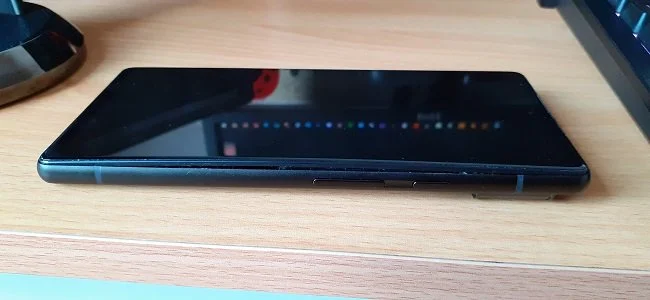
I left my phone behind while visiting family this week. However, I was told not to worry as someone would drop it off to me. However, I wasn’t told that the person doing this good deed had to work their night shift first. So I had to wait 24 hours. C’est la vie. It was my mistake. In the meantime I had to adjust to life without a phone. Or to be more accurate, adapt to life without a smartphone. So I dug around in my cupboards and found an old handset that used to belong to my Father’s. It's a Maxi-Key model which is designed for the requirements of senior citizens who aren’t good with technology. It has large keys and 8-Bit style ringtones that sound like they come from some insane Super Nintendo game. It is functional so far as I can make and receive text messages and phone calls. However it has none of the internet functionality of my Samsung S10 5G and as a result I have become starkly aware of how much I've grown accustomed to the trappings of the modern smartphone.
I left my phone behind while visiting family this week. However, I was told not to worry as someone would drop it off to me. However, I wasn’t told that the person doing this good deed had to work their night shift first. So I had to wait 24 hours. C’est la vie. It was my mistake. In the meantime I had to adjust to life without a phone. Or to be more accurate, adapt to life without a smartphone. So I dug around in my cupboards and found an old handset that used to belong to my Father’s. It's a Maxi-Key model which is designed for the requirements of senior citizens who aren’t good with technology. It has large keys and 8-Bit style ringtones that sound like they come from some insane Super Nintendo game. It is functional so far as I can make and receive text messages and phone calls. However it has none of the internet functionality of my Samsung S10 5G and as a result I have become starkly aware of how much I've grown accustomed to the trappings of the modern smartphone.
So I found myself in a curious situation where I felt effectively "disconnected" from things. Although it never reached a point where it is anything other than an inconvenience, I am surprised at just how much I missed my smartphone. It really does highlight how we as a society have become dependent on such technology, not only as a practical tool but also as a source of entertainment and possibly a psychological support. I felt very much out of the loop during this 24 hour period and would fret about whether I was missing out on something, although exactly what they may be, I had no idea. When out, I felt the same way I do when I travel without a watch. Which is to say not fully dressed. I have found this entire affair more perplexing because of my age. This malady that I experienced is something I would usually associate with people half my age. I have certainly had to re-appraise my prejudices regarding youth and technology.
A smartphone offers both practical benefits and amusing diversions. Personal preferences determine exactly what apps you install but I’m sure I’m not unique in my phone usage. I often plan my travels via my phone, using rail timetables and Google maps to ensure an optimal journey. I also use my handset for online banking and ad-hoc purchases. It has also helped me find a decent restaurant when visiting places I am not familiar with. Pre-pandemic I would flash a QR code instead of a ticket at a member of staff to get into a movie theatre. On one occasion an intensive search allowed me to track down the premier purveyor of cheese in the South of England. Smartphones have also afforded me a means to waste my time in the most inane and the pointless fashion. I have been guilty in the past of the heinous crime of using one at the dinner table and whilst conversing with someone and not giving the said person my undivided attention. However, this particular outrage is now verboten in the Peril household.
Ultimately this situation (which was relatively short) has afforded me a unique opportunity to reflect upon my smartphone usage. I have taken a day to ponder upon the impact that technology has on social dynamics and human interaction. And having done so, I concluded that I am very glad to have my smartphone back. Have you tried talking to real people? They're absolutely awful! What with their tabloid opinions and garrulous inanities. No I don’t have a hot take on Meghan Markle nor do I give a shit about whether you have a holiday this year. Furthermore I am still peeved by the fact that I had to buy a SIM adaptor kit so that my nano SIM card could fit into my retro handset. The bastards charged me £4 for three pathetic pieces of plastic and a pin. No wonder these companies are rich! And there is absolutely no truth to the rumours that I was especially upset because I couldn’t easily watch videos of Fu Bao the Panda at Everland in South Korea.










Emails are still a reality of daily life for many of us. Although social media and other platforms are now the preferred method for informal communication, business and administration still relies heavily upon email. It is often the primary means of setting up an account for any online service. And it is also a source of unending junk, spam and pointless communications. Despite the numerous benefits, emails are often a source of annoyance and frustration. At present, I have 8 accounts that I use for various purposes. Between them I receive about 100 plus emails a day, most of which are marketing or spam. However, some of these are important and require action. Hence I have to check throughout the day as to which emails should be kept and which can be deleted. Being an organised person I’ve created various folders for archiving.
Emails are still a reality of daily life for many of us. Although social media and other platforms are now the preferred method for informal communication, business and administration still relies heavily upon email. It is often the primary means of setting up an account for any online service. And it is also a source of unending junk, spam and pointless communications. Despite the numerous benefits, emails are often a source of annoyance and frustration. At present, I have 8 accounts that I use for various purposes. Between them I receive about 100 plus emails a day, most of which are marketing or spam. However, some of these are important and require action. Hence I have to check throughout the day as to which emails should be kept and which can be deleted. Being an organised person I’ve created various folders for archiving.
Although a lot of email is superfluous, a percentage is relevant and needs to be retained. As well as banking data, order confirmations, receipts and communications with HMRC, more recently I’ve had a lot of solicitors correspondence while dealing with my Father’s estate. This is important data. The kind that’s a major headache to replace if you lose it. So considering the nature of such emails, I find it odd that many of us still rely upon free services to manage them. Gmail, Yahoo Mail and GMX all serve a purpose and suit our needs. They provide access via phone, tablet and PC and don’t cost a penny. Which is great until they go wrong, suffer an outage or the service is “retired”. Then there’s a problem. For example,Yahoo Mail recently changed their authentication protocols for 3rd party access to their mail servers. Webmail was not affected but if you used Outlook or some similar service, you need to add a new password, generated via Yahoo. It took a while to get this to work and the instructions were hardly user friendly for the layman.
This temporary interruption of service got me thinking as to whether I should move away from these free accounts. I have two registered domains that have hosted email account services. One I used when I was self employed and reflected the business name. The other is associated with this website. Like all services that you pay for, there are SLAs, helplines and support when required. But because I didn’t want to use the email addresses associated with these domains when registering for online services, I ended up creating numerous free accounts as a means of segregating junk email. Which has led to the situation I find myself in at present. Trying to access and manage 8 email accounts using Microsoft Outlook on my desktop PC. I have the same access on my Samsung Galaxy S10 5G.
I understand that the subject matter of this post is somewhat dry. But emails are a reality for many of us. As well as just keeping an eye on the ebb and flow of communication and weeding out the relevant from the irrelevant, we now have to battle against the “overzealous spam filter”, which will often consign important emails to the junk folder in error. I realise that the best solution to my situation is to log into all those accounts for things like Feedly, Mega, Uplay etc. and change the registered email address from Yahoo Mail or GMX to one of my hosted mail services. That way I won’t be inconvenienced if these free services close. The only downside to this plan is that it means amending details on about 250 plus accounts. That is no small task. And If I’m doing that chore I may as well go through my password manager and clear out any old records there. It would appear that being organised is a job in itself.
The Junk Cupboard
Whether you are tidy by default or not, there is always a cupboard, a draw, a room, a basement or an attic in your home that can conveniently store items until you can properly determine what to do with them. Over time, the contents of this temporary storage space will grow as it is continuously topped up. Eventually circumstances dictate that you must go through this ad hoc collection, because you need to find something specific or because there is simply no space left. Either way, this is often a Herculean task and one we feel well ill disposed towards undertaking. But needs must when the Devil drives, as the saying goes. Hence, the other day I had to go through the cupboard in the space room (which I like to think of as my office but this is disputed). Like most chores that are continuously deferred, it didn’t take as long as I anticipated.
Whether you are tidy by default or not, there is always a cupboard, a draw, a room, a basement or an attic in your home that can conveniently store items until you can properly determine what to do with them. Over time, the contents of this temporary storage space will grow as it is continuously topped up. Eventually circumstances dictate that you must go through this ad hoc collection, because you need to find something specific or because there is simply no space left. Either way, this is often a Herculean task and one we feel well ill disposed towards undertaking. But needs must when the Devil drives, as the saying goes. Hence, the other day I had to go through the cupboard in the space room (which I like to think of as my office but this is disputed). Like most chores that are continuously deferred, it didn’t take as long as I anticipated.
The cupboard in “the office” is actually a fitted unit. It has been used to store surplus bed linen, the grandchildren’s toys and what is best described as “old technology”. This consists of power adaptors from old or discarded equipment, VGA and DVI cables, old hard drives, mice and keyboards. Then there are USB hubs, patch cables, Bluetooth dongles and a mountain of software on various media. I could list more items but I’m sure you get the picture. It’s amazing how disposable technology has become and more to the point how it now fills and clutters are home. Now I wrote not so long ago a post about passing on old technology and I believe I may have even referenced this very cupboard. Sadly, after emptying the entire contents out, I discovered that there is very little that can be used or salvaged.
Furthermore, the pandemic and ongoing lockdown makes it very difficult to dispose of this sort of household waste. The local Borough has a very good recycling policy and a depot where under usual circumstances, you can drop off old equipment with ease. However, at present these premises are somewhat overwhelmed. They are short staffed due to COVID-19 and swamped as people such as myself are using their spare time to sort through their old rubbish. Hence I haven’t been able to dispose of anything by this method. I managed to find a couple of local charities that would be interested in items such as keyboards, monitors and ageing PCs but again the lockdown made arranging a prompt collection impossible. So I sadly decided to place most of the cabling, software and small peripherals into my standard household refuse for collection. As long as it is packaged correctly the council said it is acceptable to dispose of it this way.
As of today this cupboard has been cleared of the majority of its content. The grandchildren’s toys have been sorted, tidied and the broken ones disposed of. The bed linen has now been placed in an Ottoman and is now far easier to access when required. The majority of the old tech items were placed in black refuse sacks and placed in the appropriate wheelie bin. It was somewhat discombobulating to see a box of DOS disks being binned, along with an early nineties MP3 player and a BT Hub 3 (ADSL router). These were at one point items with a cost associated with them but now it’s just superfluous plastic and copper to be recycled. I kept an old PC base unit and a spare monitor but pretty much everything else went. I was tempted to see if the TOCA Touring Cars game for the PC would still run but I suspect it won’t on Windows 10, so that went too.
I am not a hoarder by nature and regular readers may be aware, from the occasional picture I post of my desk, that I like order and good organisation. However, it was most satisfying to finally clear this cupboard. I did something similar last September with all my clothes. The criteria there was, if something hasn’t been worn for over 18 month then it can go. That too was a cathartic experience. However, perhaps the most curious part of this tale lies in what this newly found cupboard space has been used for. I recently collected my Father’s ashes from the Crematorium. His mortal remains currently reside in a plastic container that has been tastefully packaged in a cardboard box. It weighs about 5lbs or so. He left instructions for his ashes to be interred with his parents but in the present lockdown, I cannot travel to the designated location. So for the meantime, he resides in the cupboard with a signed photograph of Peter Cushing and all my podcasting equipment. I’m sure he would laugh at the situation.
A Year in Technology
In my lifetime technology has always been promoted as something that improves our lives, especially at a domestic level. The VCR in the eighties is a prime example of this. It liberated us from having to watch TV at a specific time and place. Then there the personal computer, which brought into our own homes tools, that until that point, had been exclusive to the office. And for all the ill that it brings, the internet has certainly made the world demonstrably smaller. It’s revolutionised shopping and has improved the administration of services. So overall, I still feel that technology is a force for good. However there have been changes. In recent years technology on a domestic level has ceased to be quite as transformative and become more of a disposable commodity. Tech is now a fashion accessory, with a distinct lifecycle and upgrade treadmill. It is fast becoming just another form of superfluous crap to fill your home with.
In my lifetime technology has always been promoted as something that improves our lives, especially at a domestic level. The VCR in the eighties is a prime example of this. It liberated us from having to watch TV at a specific time and place. Then there the personal computer, which brought into our own homes tools, that until that point, had been exclusive to the office. And for all the ill that it brings, the internet has certainly made the world demonstrably smaller. It’s revolutionised shopping and has improved the administration of services. So overall, I still feel that technology is a force for good. However there have been changes. In recent years technology on a domestic level has ceased to be quite as transformative and become more of a disposable commodity. Tech is now a fashion accessory, with a distinct lifecycle and upgrade treadmill. It is fast becoming just another form of superfluous crap to fill your home with.
Take for example the Amazon Echo. Despite the myriad of functionality it offers and which I constantly extol, if you look at my Alexa app on my phone you’ll see I basically use the device as a fancy timer and alarm clock. Do I subscribe to Amazon Music? Yes. Do I use the Echo to play stuff? No. Because it’s bloody inconsistent. I’ll request a tune such as Hangin’ Around by The Stranglers and the standard studio version will be played. I’ll ask again the following day and a live version will be trotted out instead. Requesting more specific permutations just compounds the confusion and leads to a third version being played. Personally I prefer the live recording from the album Live (X-Cert) but that’s not the point. This service should not be inconsistent but more specific. But I digress. My point is I don’t use this device for half of the tasks it’s intended for because it hasn’t quite become the computer in Star Trek yet.
“Hello computer”
Despite having more disposable income this year to potentially spend on fun and larks, to invoke Dickensian parlance, I have broadly avoided buying anything shiny and unnecessary. Instead I’ve just bought what I need. I replaced my keyboard, mouse, headset as they were worn out and I upgraded the SSD and HDD in my PC because I needed more storage space. My XBox controller broke and I tried to fix it but that wasn’t successful, so I got a generic replacement, rather than a Microsoft branded replacement. The only new tech I bought were my and Mrs P’s smart bands and a webcam for Zoom calls, despite Amazon regularly tempting me with numerous promotions. Over the last twelve months I’ve declined to buy an Nintendo Switch, a drone, an Android TV box, a VR headset and many other superfluous items that won’t enrich my life or provide any spiritual enlightenment. Boring old me was content to stick with my Samsung Galaxy S10 5G and my Fire HD 10 tablet.
However, there is one future technological purchase that is currently being expedited due to real world factors. The TV in our lounge is coming to the end of its lifespan and we’ve been planning to replace it for quite a while. It is likely that we will be upgrading to a 43 inch 4K smart TV. As of the 1st of January 2021 the UK will no longer be subject to the EU transition period and instead will be trading on the terms set within the recent Brexit deal. Simply put most consumer electronics are imported in this country or assembled from parts that are sourced elsewhere. Therefore, it is not unreasonable to speculate upon potential delays of new stock entering the country and prices to rise. It seems sensible to purchase a new TV now so it can be sourced from stock currently held within the UK.
For me personally, 2020 has not proven to be a technological nirvana. However, it has certainly played an important part in the UK lockdown. Working from home, remote networks, video conferencing, cloud storage and the like have all meant that businesses and essential services have continued ticking over. Internet access has finally proven that it is as essential as any other home utility service such as water, gas and electricity. Many UK ISPs have now stress tested their infrastructure and found that they can successfully sustain a high user capacity. I’m sure these services will prove equally as important in 2021. But for me, the PC remains the focal point of both my leisure and working endeavours and it’s ever evolving capacity to undertake new tasks is both fascinating and practical. It is the most important technological item in my home and I suspect it will remain so next year and beyond.

























Smart Bands
Mrs P and I enjoy walking for exercise and pleasure. Due to our age and disposition, we like our workouts to be slow and steady, rather than rapid and intense. Walking is therefore ideal. Mrs P also has a heart condition which needs to be monitored and managed if she is to exercise safely. Hence, over the last few years we’ve both started using fitness apps on our smartphones. Keeping a daily step count and settings targets has been fun. Tracking weight loss has also proven beneficial. Having health related data collated and presented in a way that’s easy to understand, has proven useful. It has helped us manage a practical and appropriate fitness regime. Furthermore, the setting of goals has kept us both engaged. Recently, a need arose to monitor Mrs P’s heart rate. So we both decided to buy smart bands as they collect and track more data.
Mrs P and I enjoy walking for exercise and pleasure. Due to our age and disposition, we like our workouts to be slow and steady, rather than rapid and intense. Walking is therefore ideal. Mrs P also has a heart condition which needs to be monitored and managed if she is to exercise safely. Hence, over the last few years we’ve both started using fitness apps on our smartphones. Keeping a daily step count and settings targets has been fun. Tracking weight loss has also proven beneficial. Having health related data collated and presented in a way that’s easy to understand, has proven useful. It has helped us manage a practical and appropriate fitness regime. Furthermore, the setting of goals has kept us both engaged. Recently, a need arose to monitor Mrs P’s heart rate. So we both decided to buy smart bands as they collect and track more data.
The Black Friday sales provided a perfect opportunity to secure a “deal” and now both of us are proud owners of smart bands. As ever, before making a purchase of this nature I did some research. I looked at what sort of functionality we did and didn’t require, as well as determining which smart bands had an inflated price due to being a “brand premium”. I also had to consider size and aesthetics. Curiously, out of all the tech purchases I’ve made recently, this was the quickest and easiest. I bought a Fitbit Inspire 2 for Mrs P and a Huawei Band 4 Pro for myself. Both devices track all the metrics we want and have intuitive apps to collate the data. The Fitbit is smaller and more elegant with it’s Lunar White strap. The Huawei smart band allows you to download custom watch faces (I wanted an analogue watch display). It also boasts a colour AMOLED screen, where the Fitbit has a simpler black and white display. Both are easy to set up and have quick charging times.
Both of these smart bands have some functionality that we won’t use. The Fitbit app has both a free and subscription version. The latter is fine for those in training for a major sporting event or who have a more complex exercise regime. But the former is ideal for Mrs P’s needs. The other major selling point of the Fitbit, is that it is very easy to use. Mrs P is not a technophobe but she doesn’t warm to gadgets and likes one’s that are intuitive. However, the vertical swiping to change screens and side pinch action to return to the default display suits her fine. I like the text message facility on my smart band and the way you can quickly check to see if a message is important, rather than having to take your phone out of your pocket. Another simple quality of life function is the way the display comes on when you rotate your wrist to look at it. I was initially worried about the display not being on permanently but this resolves the matter perfectly.
In my youth I used to be greatly enamoured by emerging technology and I was often an earlier adopter. Sadly, many of the gadgets and software that I bought into were fads or devices in the middle of a broader development path (such as the PalmPilot). Nowadays I tend to keep my involvement with tech to a functional minimum. Smart bands do exactly what you expect them to and I am not concerned by some of the extra functionality which I regard as superfluous, such as the Bluetooth music playback on your phone. However, I must admit that part of the appeal of the smart band is down to the 1969 film Journey to the Far Side of the Sun. It features a watch that also serves as a cardiac monitor, which is not that different from contemporary smart bands. When I first saw this it left a lasting impression upon me. Pop culture doesn’t always predict the future accurately but on this occasion it did.
Hard Drives and Data Migration
I recently bought three new drives. A 2TB external hard disk drive, a 1TB solid state drive and a 4TB internal hard disk drive. I got all three from Amazon for £250, which was a good price. The external 2.5 inch 2TB HDD is attached to the Blu-ray player in the lounge. This is used for the storage of TV shows and movies. The other two drives are upgrades for my PC. The 1TB SSD replaces an older 240GB model. This is mainly reserved for the operating system and programs such as Microsoft Office. The larger 4TB HDD is for game installations and data storage such as music and photos. All drives are branded names such as Western Digital, Crucial and Toshiba and were chosen because of their performance specifications and capacity. It’s all a far cry from the 120MB HDD that came with my first desktop PC in the middle nineties.
I recently bought three new drives. A 2TB external hard disk drive, a 1TB solid state drive and a 4TB internal hard disk drive. I got all three from Amazon for £250, which was a good price. The external 2.5 inch 2TB HDD is attached to the Blu-ray player in the lounge. This is used for the storage of TV shows and movies. The other two drives are upgrades for my PC. The 1TB SSD replaces an older 240GB model. This is mainly reserved for the operating system and programs such as Microsoft Office. The larger 4TB HDD is for game installations and data storage such as music and photos. All drives are branded names such as Western Digital, Crucial and Toshiba and were chosen because of their performance specifications and capacity. It’s all a far cry from the 120MB HDD that came with my first desktop PC in the middle nineties.
However, there is a downside to replacing drives in your PC and that is the prospect of data migration. Reinstalling an operating system is not as problematic as it used to be and there are now lots of useful tools to make this process easy. The most time consuming task is customising your installation and ensuring that you don’t overlook any important software and files. For example having to reload The Elder Scrolls Online from scratch and then set up all your add-ons is a pain in the ass and hardly a prospect that fills me with glee. The game has a notoriously slow client installer and then making sure your mods are correctly configured is very much a case of trial and error. So with this in mind, I decided to clone my existing C: drive to see if this approach would be easier and quicker. A colleague recommended using Macrium Reflect software as it has a 30 day free trial which doesn’t limit the scope of the software.
To cut a long story short, I successfully cloned the contents of the old SSD but the partition on the new drive was set to the size of the original, which was smaller. I then tried to extend the partition to encompass the entire size of the new Crucial SSD but here’s where the problems began. The drive refused to boot after this change. It was at this point I decided not to conduct some sort of tech based autopsy but to grasp the nettle and undertake a new installation of the operating system, games and apps. So I created a bootable USB flash drive containing Windows installation media and had a fully patched, up to date version of Windows 10 on my PC within two hours. I then started migrating my videos, music, photos, pictures and documents over to the new D: drive. I automated this process and let it run overnight. I use TeraCopy for file transfer, rather than the native Windows Explorer utility, as it is more flexible and reliable.
The Good: I was surprised to learn that it is easy to copy games that have been installed via Battle.net such as Call of Duty Modern Warfare/Warzone. This was most gratifying as the current version is 225GB in size. All I had to do was reinstall the Battle.net client and then copy a single folder which contained the entire game. Similarly, The Elder Scrolls Online can be moved without any major problems. Minion mod manager can also be relocated. Just copy the main installation folder and then the additional “.minion” folder that can be found in the “users\your name” directory. There is also a further “Elder Scrolls Online” directory in the default “Documents” folder that needs to be migrated. Once these three data sources were relocated to reciprocal locations on the new drives, I could log into ESO with all my addons and settings intact.
The Bad: Older games such as The Lord of the Rings Online are temperamental and don’t like to be messed with. So rather than risk moving my current installation, I just started a new download. Again, this is another task I let run overnight as the patch servers are woefully slow. Before I logged into the game, I downloaded and installed DirectX End-User Runtime Web Installer. This ensures you have the appropriate DirectX software that this older game requires. After successfully logging in, I migrated the following files from my old installation to ensure my custom settings were maintained. The “UI folder”, “UserPreferences.ini” and “UserPreferences64.ini”, all of which are found in “The Lord of the Rings Online” Folder, which is located by default in “Documents”. Although this is a fairly straightforward process it takes a long time to download the game and LOTRO isn’t always co-operative with more recent hardware.
The Ugly: I have a wireless HP Deskjet 3630 printer, scanner and copier. I can connect to it via a USB cable but wireless access makes it easier for Mrs P when she uses her laptop in the lounge and wants to print something. HP regularly produces comprehensive all in one driver and operating software for their devices. This is often bloated, resource heavy and the kind of program that likes to get it’s claws into every aspect of your operating system. I don’t like any software that doesn’t allow you to fully control its functionality. Hence, I was not impressed with their latest offering “HP Smart”. Admittedly, this software did set up access to my printer quickly and efficiently. But it also gated a great deal of functionality behind cloud based services. Therefore if you want to scan a document you have to “set up an account” and the data will be held online for you to “access anywhere”. Let it suffice to say a few choice Anglo-Saxon terms were bandied about and this software was summarily removed. I found an older version which provided the functionality I required and expected.
Two days later and I now have a fully functional PC once again. I used this opportunity to purge some software from my standard PC build and am now trying to maintain a policy of only installing programs that I use everyday. It is nice to have a PC free from bloatware and partially uninstalled software. The new drives are performing well and I certainly won’t have to worry about storage space anytime soon. I may even make backup images of both the C: and D: drives for any future eventualities and store them in one of the cloud storage options I currently have. Obviously, the temptation with additional disk space is to install more games, irrespective of whether I play them or not. In the meantime I have all the immediate benefits of a PC hardware upgrade as well as those that come through data “housekeeping”.
More PC Peripherals
Back in May I bought a new keyboard, mouse and headset and subsequently wrote about the alarming rate at which I seem to get through PC peripherals compared to other gamers. So far these new items are proving to be durable. More recently I tried to repair an Xbox controller which had a problematic thumbstick but that sadly did not yield satisfactory results. So I ended up replacing it with a new one. However, one thing that has served me well has been my computer chair. I purchased this in August 2016 and it has proven comfortable and hard wearing. I replaced the gas lift piston in early 2018 and that has kept it going up until a week or so ago. Finally after four years, the upholstery is worn and the foam padding has started crumbling. Repairing these parts of the chair are not really cost effective, so I decided to buy a new one.
Back in May I bought a new keyboard, mouse and headset and subsequently wrote about the alarming rate at which I seem to get through PC peripherals compared to other gamers. So far these new items are proving to be durable. More recently I tried to repair an Xbox controller which had a problematic thumbstick but that sadly did not yield satisfactory results. So I ended up replacing it with a new one. However, one thing that has served me well has been my computer chair. I purchased this in August 2016 and it has proven comfortable and hard wearing. I replaced the gas lift piston in early 2018 and that has kept it going up until a week or so ago. Finally after four years, the upholstery is worn and the foam padding has started crumbling. Repairing these parts of the chair are not really cost effective, so I decided to buy a new one.
The Xbox controller that I needed to replace was originally bought back in 2011. I don’t recollect it costing £50 plus at the time, as they do now. So rather than buying a Microsoft branded version, I decided to go with a generic model as long as there was no serious compromise in quality and performance. Naturally, you can find comparative reviews for virtually anything these days, so it didn’t take long to find a suitable recommendation. I eventually bought the PowerA Spectra Enhanced Xbox One Wired Controller for £35. It is robustly made and offers identical functionality to that of an official controller. Plus it has programmable buttons for those who feel so inclined and like all PC gaming related peripherals, it has LEDs for pointless illumination. At present this new gamepad is to facilitate my playing of Fall Guys: Ultimate Knockout which it does admirably.
Buying a new chair is a more complex problem. I spend a substantial amount of my day in my office, at my desk, so it’s important to have a supportive and comfortable chair. Ideally, I would usually go to a showroom and try out what is on offer but the current situation in the UK makes that difficult. So again I read reviews and tried to determine whether the chair in question was “comfy”. The first thing I noticed is that office chairs seem to fall into three categories. Computer chairs, executive chairs and gaming chairs. All broadly offer the same thing; somewhere to park your bum. The only major difference is the style. Gaming chairs seem to focus more on back support and are frequently come in lurid colours. They also seem to have over inflated prices as they’re pitched at gamers. However, I found one store (Argos) that had its own brand of chair that was positively rated and £25 cheaper than others, so I bought the Raptor Ergonomic Gaming Chair for £95.
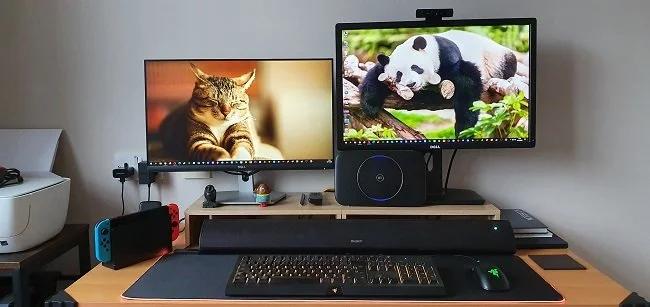
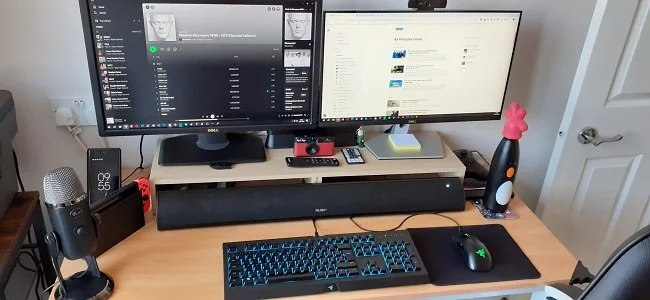
I feel that I have finally got my PC and desk setup as I like it. I upgraded my PC last September and it has performed well over the last 12 months. So far I have not encountered a game that I cannot run at the settings I choose. I have also taken time to manage my desktop peripherals. I have a USB cable conveniently placed so I can quickly attach my phone when required. My headset connects to an audio extension cable, that is similarly placed to make things easy. I have also given some thought as to whether I need a second monitor. As I no longer have any intention of live streaming and I shall not be returning to the IT industry as a source of employment, I do not see the need to buy another display. I prefer to focus on the one screen and concentrate on the task in hand. I sometimes use my Tablet if I need to consult a game wiki while playing an RPG or MMO and that works well. A second monitor would require a new stand and a reorganisation of my desktop. So I think for the present I will leave things as they are, as the current setup seems optimal.
Essential Technology
Today’s Blaugust Promptapalooza writing prompt is “what technology would you have the hardest time living without?”, which is a great question. Fellow blogger Telwyn has already tackled this conundrum over at Gaming Sans Frontières and I found myself agreeing wholeheartedly with the sentiment they expressed (more on that shortly). Over the course of my life, technology has become more and more ubiquitous and is now an integral part of our society. We take its presence for granted and only fully realise the benefits it provides when it ceases working or there’s some sort of outage. Technology has also dramatically fallen in price over the last five decades. What used to be marketed as expensive, labour saving luxuries or recreational indulgences, are now just disposable consumer items. The pace at which technology advances has also accelerated. It’s a struggle sometimes to keep abreast of what is new.
Today’s Blaugust Promptapalooza writing prompt is “what technology would you have the hardest time living without?”, which is a great question. Fellow blogger Telwyn has already tackled this conundrum over at Gaming Sans Frontières and I found myself agreeing wholeheartedly with the sentiment they expressed (more on that shortly). Over the course of my life, technology has become more and more ubiquitous and is now an integral part of our society. We take its presence for granted and only fully realise the benefits it provides when it ceases working or there’s some sort of outage. Technology has also dramatically fallen in price over the last five decades. What used to be marketed as expensive, labour saving luxuries or recreational indulgences, are now just disposable consumer items. The pace at which technology advances has also accelerated. It’s a struggle sometimes to keep abreast of what is new.
Telwyn wrote “the PC is one of my main sources of entertainment” and that is the same for me as well. When I wake up in the morning, I meander into “the office” and fire up my PC before ambling off to the bathroom to get washed and dressed. I then go to the kitchen and make breakfast for myself and Mrs P and return to my desk where I busy myself catching up with Twitter, Feedly and the Blaugust Discord server. I do all my research and writing at my PC. Administrative tasks such as banking and prescription renewals are all done online and via my PC. If Mrs P wants to watch something different to me, I use my PC as a second TV. And naturally I am a member of the PC “master race” when it comes to gaming. As I said in a previous post, I find sitting at my desk, in front of my PC to be one of the most comfortable and relaxed environments that I know. On the few occasions that my PC has been offline due to technical issues, I wander the bungalow like a lost soul.
Another piece of modern technology that has become essential in my life is the smartphone. I know that this is not a particularly imaginative or original example but the fact remains that this device has had a seismic impact upon our lives and culture in just 13 years. Mobile phones per se have existed for considerably longer but it was the smartphone, with its wider range of functionality, which brought the internet to our pockets. And I use my smartphone in a similar fashion to my desktop PC. I won’t bore you with the multitude of tasks I use it for but I love how I can be out and about somewhere new with Mrs P and within minutes determine where’s there’s parking, a nice restaurant and what the local property prices are like (co’s we’re seriously considering moving soon). The modern smartphone offers communication, information and a wealth of services at your fingertips. I’ve also never been an especially accomplished photographer. But now I can produce at least one decent photo per day trip, thanks to my phone. I just hate it when people call me on it.
Finally, I need to mention dishwashers. I’m not sure if they’re considered standard “white goods” in the UK yet. A quick Google search shows that as of 2018, only 48% of homes have them, so may be not. I’ve been using a dishwasher for about a decade now and I consider them invaluable. For me one of the seven circles of hell is a hot kitchen with a small sink, filled with tepid, greasy water, trying to scrub a roasting pan with a worn plastic brush with splayed bristles. I hate washing up. It ruins your hands and I detest having to do manual labour after a heavy meal, when I should be relaxing in a fireside chair enjoying a large glass of port. My parents have an “old person’s” house, by which I mean that everything in it actively conspires to hinder you. They do not have a dishwasher and it’s like going back to using dial-up internet, except that it involves the use of Brillo pads.
For reasons of brevity, I’ve kept this post to just three examples of what I consider to be indispensable technology. However, here are a few other “honourable mentions” that I think deserve to be referenced, due to the impact they’ve had upon the quality of life in general.
Sat Navs
Wireless Blood Sugar Monitors
Tamagotchi
View-Master
George Foreman Grill
The Lament Configuration
Video 2000
Teletext
PalmPilot
Computer Battleships






















Repairing an Xbox Controller
Avid readers of Contains Moderate Peril (as if there are such individuals) may already be aware that I get through a lot of computer peripherals. This week I thought that I’d damaged the left analogue stick on my Xbox controller. Upon closer inspection I found that it was just the plastic thumbstick cover that was worn out. I don’t use the controller for every game I play, as I prefer a keyboard and mouse. However, I’ve had the controller since July 2011 and mainly use it for driving in games, hence the excessive wear of the left analogue stick. I briefly toyed with buying a completely new controller but the exorbitant prices surprised me. Rather than buy a generic replacement that may be poorer quality than the official Microsoft version, I decided to see if it was easy to repair the existing controller. YouTube provided a quick and affirmative answer and Amazon Prime offered a way to procure replacement parts.
Avid readers of Contains Moderate Peril (as if there are such individuals) may already be aware that I get through a lot of computer peripherals. This week I thought that I’d damaged the left analogue stick on my Xbox controller. Upon closer inspection I found that it was just the plastic thumbstick cover that was worn out. I don’t use the controller for every game I play, as I prefer a keyboard and mouse. However, I’ve had the controller since July 2011 and mainly use it for driving in games, hence the excessive wear of the left analogue stick. I briefly toyed with buying a completely new controller but the exorbitant prices surprised me. Rather than buy a generic replacement that may be poorer quality than the official Microsoft version, I decided to see if it was easy to repair the existing controller. YouTube provided a quick and affirmative answer and Amazon Prime offered a way to procure replacement parts.
This afternoon a pair of black aluminium alloy thumbstick covers arrived so I set about replacing the two existing ones (as I didn’t want to just swap the worn one and have odd coloured sticks on my controller). The underside of the controller has seven philips screws. Six are in plain sight but the sevenths hides under a label. Pro tip, when taking the case of the Xbox controller apart, ensure that its facing buttonside down, so they don’t all fall out. The controller case splits in two relatively easily and it is not especially difficult to pull the thumbstick covers off the spindles. The replacements were easily enough fitted and the longest part of the process was putting the controller shell back together. Plastic can be very temperamental at times and you never know if it’s going to bend or break. I took the opportunity to clean the Xbox controller both inside and out with a microfibre cloth and some isopropyl alcohol.
I subsequently booted up my PC and tested the Xbox controller, via Device Manager in Windows Control Panel. The analogue sticks work but the new covers are not 100% identical to the originals. They seem a little larger and so occasionally stick. When this happens they do not immediately return to the centre position when released. The digital button functionality of the two analogue sticks is also a little hit and miss. However, despite these issues I can still play Fall Guys without any problems. Perhaps these matters may improve after further use. If not, I may consider replacing the alloy thumbstick covers with plastic ones. Another option is to see if I can acquire an old or broken Xbox controller and use it for parts. In the meantime, this was another interesting experiment in carrying out repairs. I don’t consider myself “cheap” but it is rewarding to occasionally fly in the face of a culture that by default expects you to buy a replacement.
PC Peripherals
I’ve mentioned it before that I seem to get through a lot of PC peripherals. I don’t consider myself heavy handed but I find that keyboard and mice just tend to wear out after about a year to eighteen months. Certain keys on the keyboard become unresponsive and have to be giggled to actually register use. The right hand button on my mouse often suffers a similar fate. Plus, I must have extremely acidic sweat as the plastic on both my current keyboard and mouse have shiny patches where I’ve worn through the surface. A few weeks ago, I took off my gaming headset after chatting with friends and the plastic headband just snapped in two. It was just over a year old and no, before you ask, I don’t have a head like The Mekon. All of which is a timely reminder that we live in a very disposable world and that plastic is a convenient but not necessarily durable material.
I’ve mentioned it before that I seem to get through a lot of PC peripherals. I don’t consider myself heavy handed but I find that keyboard and mice just tend to wear out after about a year to eighteen months. Certain keys on the keyboard become unresponsive and have to be giggled to actually register use. The right hand button on my mouse often suffers a similar fate. Plus, I must have extremely acidic sweat as the plastic on both my current keyboard and mouse have shiny patches where I’ve worn through the surface. A few weeks ago, I took off my gaming headset after chatting with friends and the plastic headband just snapped in two. It was just over a year old and no, before you ask, I don’t have a head like The Mekon. All of which is a timely reminder that we live in a very disposable world and that plastic is a convenient but not necessarily durable material.
At present I’m using a generic Microsoft Wired Keyboard 600 which is beginning to come to the end of its lifespan. My Logitech G203 Prodigy Gaming Mouse, which is about 18 months old, is playing up. When I play Call of Duty Warzone, it doesn’t seem to want to aim down the sight when I press the right button. And I’m using a spare Logitech H600 Wireless Headset that works but the plastic creaks every time I talk and the mic picks the sound up. Plus the foam ear covers are perishing. So I decided that it was time to replace these items. My first port of call was Amazon and I was amazed to find such a wide range of brands and prices. I found some interesting bundles but a lot of them are manufactured by companies that I’m not familiar with, such as Havit. Although some of the product reviews were positive, I didn’t feel inclined to take a gamble. So I decided to go with Razer as I used their products before.
I bought the “Razer Epic Gaming Bundle” from Currys PC World for £110. This includes the Cynosa Chroma Gaming Keyboard, DeathAdder Essential Gaming Mouse, Kraken X Lite Gaming Headset and a Goliathus Mobile Stealth Edition Gaming Surface. Yet despite the self aggrandising titles that these PC peripherals have, they’ve all received favourable reviews and are built to a high standard. Sometimes it is worthwhile spending a little bit more on the items you use the most. The bundle is also very good value. If I bought all three items separately they would cost £150 plus. However, there is one minor downside. In fact it’s something common to all PC peripherals that are specifically marketed at gamers. And that is the penchant for adorning everything with lurid LED lights that change colour. A man of my age does not consider such ambient lighting or any superfluous adornment “cool”. I just find it irritating and a distraction when gaming.
My PC is a multipurpose tool that I use for both work and pleasure. I use it for writing, editing audio, gaming and watching streaming services. It is also my primary means of online access. I put a fair amount of time into researching what would be the optimal purchase within the budget that I set and my specific technical requirements. Yet often, we do not apply the same scrutiny when buying our peripherals. We either keep using what we have or go with whatever is thrown in with a new PC purchase. But a poor quality keyboard and mouse can be a major impediment to content creation and gaming. At the very least, their respective lifespan is relatively short and you find yourself in the situation that I now find myself in. I’m not advocating the profligate buying of top of the range items just for the sake of it. But it is important to buy to your particular need and cutting corners to save cash may cause inconvenience at a later date.
The Relevance of Domain Authority?
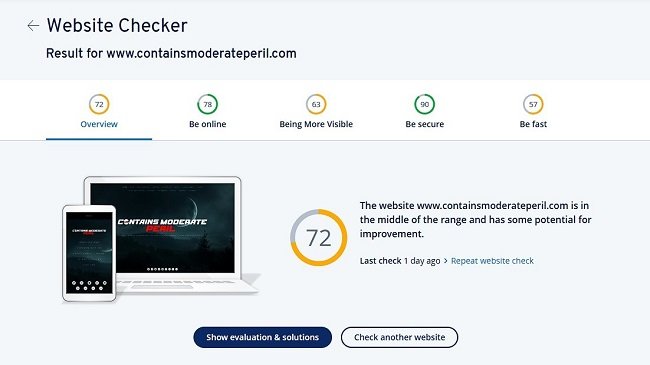
According to Wikipedia, Domain Authority (also referred to as Thought Leadership) is a measure of a website's relevance with regard to a specific subject area or industry. Be warned, do not read the summary I’ve linked to if you are averse to bullshit marketing speak. I vomited blood when I typed “Thought Leadership” but take comfort in the fact that the marketing executive who came up with that inane platitude is currently closeted at home with a partner and children that hate them and will be facing divorce proceedings roundabout Christmas. But I digress. The reason I mention Domain Authority is because it came up in conversation of the Blaugust Discord channel. Author and fellow blogger Tessa mentioned it as a metric that may have changed for many writers over the course of the Blapril blogging event. It has done so for her, although I didn’t take that as a sign that she puts particular stock in this measure. As this wasn’t a statistical measurement I was familiar with I Googled the term and hence discovered the aforementioned Wikipedia entry.
Really?
According to Wikipedia, Domain Authority (also referred to as Thought Leadership) is a measure of a website's relevance with regard to a specific subject area or industry. Be warned, do not read the summary I’ve linked to if you are averse to bullshit marketing speak. I vomited blood when I typed “Thought Leadership” but take comfort in the fact that the marketing executive who came up with that inane platitude is currently closeted at home with a partner and children that hate them and will be facing divorce proceedings roundabout Christmas. But I digress. The reason I mention Domain Authority is because it came up in conversation of the Blaugust Discord channel. Author and fellow blogger Tessa mentioned it as a metric that may have changed for many writers over the course of the Blapril blogging event. It has done so for her, although I didn’t take that as a sign that she puts particular stock in this measure. As this wasn’t a statistical measurement I was familiar with I Googled the term and hence discovered the aforementioned Wikipedia entry.
Now setting aside the usual sage advice about not focusing upon website stats, I was curious about this term, because although I’m not exclusively driven by the numbers for Contains Moderate Peril, I do like to know what is or isn’t getting read. Statistics can be a useful tool, as long as you don’t obsess over them and harbour dreams of global domination and a volcano lair . So, to cut a long story short I used the first URL that Google listed to determine what my Domain Authority is and found it to be 45. As I initially had no context for this specific number, I was neither impressed nor unimpressed, just flummoxed. A little further research yielded some background information that made the number a little easier to qualify. Apparently a “Domain Authority score ranges from one to 100, with higher scores corresponding to a greater ability to rank with search engines. Domain Authority is calculated by evaluating multiple factors, including linking root domains and the number of total links, into a single score”.
Here is an obvious metaphor about alchemy
So it boils down to trying to ascribe a simple numerical value to assess how well a website will fare with respect to internet searches. SEO (Search Engine Optimisation) has become the Holy Grail among internet marketing alchemists for a while, spawning an entire online industry offering such services, although the results are “questionable”. According to the following blurb “Domain authority scores between 40 and 50 is considered average, between 50 and 60 is considered good and over 60 is considered excellent”. This allows me to put my score of 45 into perspective. Perhaps that’s why I get so many emails addressed to “Dear Contains Moderate Peril” offering to collaborate with me and my team (?) to improve my site ranking. They all go in the recycle bin. Call me old fashioned but I always thought it was the quality and style of your written work, along with knowledge and experience that gained traction with readers. When, for example, I’m looking for a movie review for an obscure genre title, I don’t necessarily want the most popular one but the most cogent. As for Domain Authority, I’ll file it under spurious bollocks along with politican’s promises and the appeal of Mrs Brown’s Boys.
Your Internet Connection
Because I live in a suburb of Greater London there are a variety of Internet Service Providers to choose from. There are multiple vendors offering fibre, cable, wireless and now even 5G solutions. I realise that not everyone is fortunate enough to have such a choice and that there is a great deal of “internet inequality” both in the UK and other countries. Big cities and centres of commerce always tend to have better investment in internet infrastructure. Hence those that live in rural areas will often have slower internet connections or little or no choice with regard to which company provides the service. Considering how essential internet access is these days, this is hardly a satisfactory or equitable state of affairs. Hence the universal provision of robust internet connections has become a regular manifesto pledge of all major UK political parties. However, in the meantime many people are still saddled with poor internet download speeds and unreliable services.
Because I live in a suburb of Greater London there are a variety of Internet Service Providers to choose from. There are multiple vendors offering fibre, cable, wireless and now even 5G solutions. I realise that not everyone is fortunate enough to have such a choice and that there is a great deal of “internet inequality” both in the UK and other countries. Big cities and centres of commerce always tend to have better investment in internet infrastructure. Hence those that live in rural areas will often have slower internet connections or little or no choice with regard to which company provides the service. Considering how essential internet access is these days, this is hardly a satisfactory or equitable state of affairs. Hence the universal provision of robust internet connections has become a regular manifesto pledge of all major UK political parties. However, in the meantime many people are still saddled with poor internet download speeds and unreliable services.
About six years ago, British Telecommunications (BT) started rolling out “Fibre to the Cabinet” (FTTC) internet connections in our area. This provides a fibre optic connection from the local telephone exchange to the local street cabinets (Outdoor Enclosures). The connection then continues to the customer address using the existing copper landline wiring. As with any vendor there were several domestic consumer tariffs available offering a range of download speeds and data packages. Our household chose a 75Mbps package with unlimited data download (subject to the usual small print). BT supplied a router (BT Home Hub 5) and a pair of Powerline Adaptors. We also signed up for the BT TV service which offers all free terrestrial digital TV channels with optional IPTV services. It runs via a bespoke DVR. At the time of purchase, these were all good quality services with a competitive price.
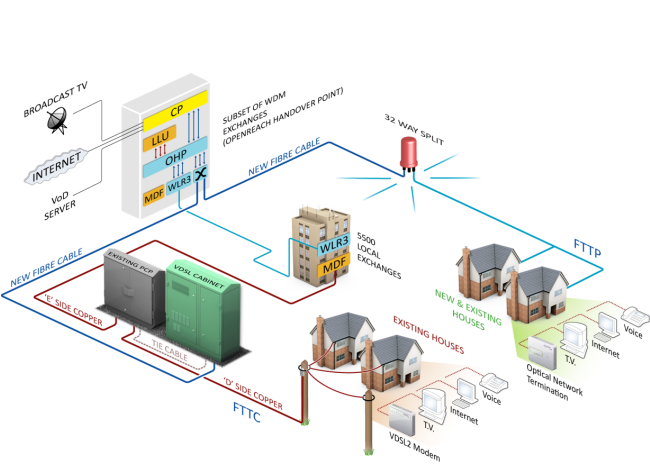
Four years on and things have changed. BT has renamed and altered their internet tariffs numerous times. There always seems to be a great offer available to new customers and yet existing account holders seldom get thrown a bone. BT TV suffers from the same problem that most other platforms that resell services do. Specifically, that channels come and go due to licencing arrangements and profitability issues. There are also a problems with channel picture quality. But for me the biggest issue is the internet connection itself. Our original tariff offered speeds up to 75Mbps, which in reality meant nearer 70Mbps. Due to substantial increases in demand our connection has now been downgraded to speeds up to 50Mbps. However at present the latest speed test I made using BT’s own diagnostic tools showed that we’re currently only getting around 43Mbps. Furthermore, the connection often goes offline around 1:00 AM; a time when I am frequently still working at my PC. Using BT’s fault diagnostic service I’ve determined that there are outstanding technical issues.
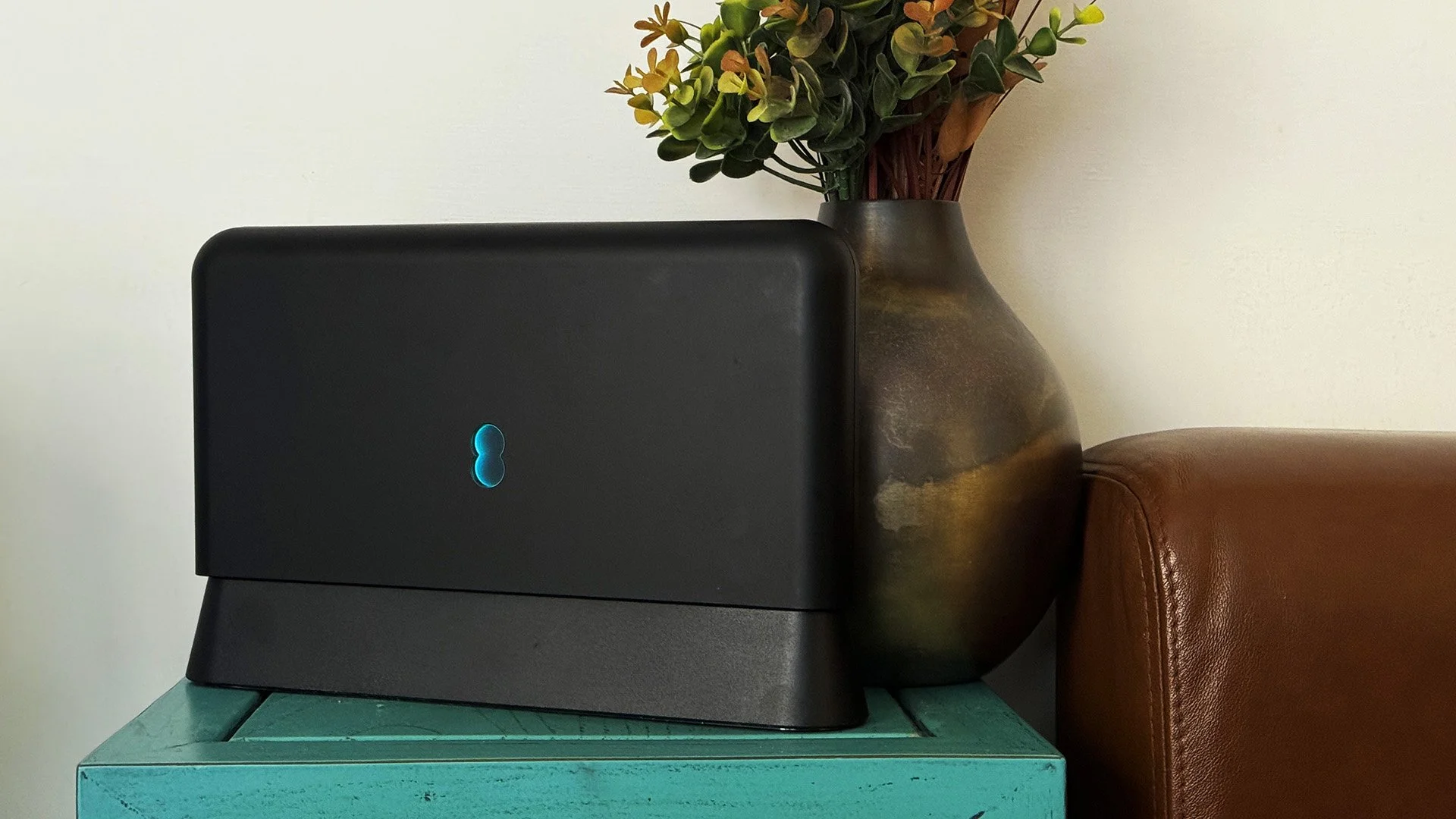
I have logged a fault with BT and they are giving it a degree of priority due to Mrs P health issues and my role as a carer for my parents. However, I do find the wider circumstances of this situation unsatisfactory. Many ISPs invest a great deal of time and money trying to attract new customers but focus far less resources on retaining them and ensuring that ongoing services are maintained in a suitable fashion. BT have lowered the criteria of some services simply because increased capacity has reduced the connection speeds. Sadly, these business issues are beyond my immediate control. I do have the option of moving to another vendor but that is not something I would do lightly. A change of ISP, done on a whim, may well lead to an excess of downtime. But there are other options that can improve the immediate situation. Obviously the engineer visit can address the line issues and I have requested the new BT Smart Hub 2 Router, along with their new Wifi Disc (extender). I’m curious to see what improvement this kit yields.
Routers supplied by the ISP often seem to be no more than adequate. A Google search provided multiple forums and subreddits about replacing BT kit with 3rd party routers and greatly improving not only wifi but the actual base internet connection speed. Some claimed it could see gains of an extra 10Mbps. Living in a solid, brick built bungalow from the 1930s certainly has an impact on wifi. I also suspect that this is the underlying reason behind a recurring problem I have with my Amazon Echo intermittently being unable to connect to Amazon Music or play internet radio channels. But replacing a router is a significant financial investment and technical undertaking. It also sticks in your throat when you consider that you already pay your ISP for this service. I think that as consumers we need to recalibrate our attitude towards internet access. Due to its inherent importance ISPs should not just forget customers once they sign a contract. Services should be continually reviewed and improved. BT has currently enjoyed over three decades of business from our household. Such patronage shouldn’t be taken for granted.
Learning How to Live Stream Part 2
It’s been a year since I wrote my last post about “learning to live stream”. I think that should give you a very clear indication of how well I’ve progressed. I mainly stopped streaming after a few experiments last March because of the time requirement involved. The only window of opportunity I had “go live” was from between 9:00PM and Midnight. That would have meant cutting into time I spend with Mrs P. Plus, due to health reasons, she often goes to bed before me. And as I use the spare bedroom as an office, my constant babble would have kept her awake. So this is yet another project that got shelved. However, a year later I find myself with a lot more time on my hands due to the current “global situation”. So today I fired up SLOBS once again and tried to get back on the horse. As with my previous experience, there’s a lot of fine tuning to be done if you want to live stream to any standard. So this latest outing was mainly a technical test to determine what needs to be changed in my current set up.
It’s been a year since I wrote my last post about “learning to live stream”. I think that should give you a very clear indication of how well I’ve progressed. I mainly stopped streaming after a few experiments last March because of the time requirement involved. The only window of opportunity I had “go live” was from between 9:00PM and Midnight. That would have meant cutting into time I spend with Mrs P. Plus, due to health reasons, she often goes to bed before me. And as I use the spare bedroom as an office, my constant babble would have kept her awake. So this is yet another project that got shelved. However, a year later I find myself with a lot more time on my hands due to the current “global situation”. So today I fired up SLOBS once again and tried to get back on the horse. As with my previous experience, there’s a lot of fine tuning to be done if you want to live stream to any standard. So this latest outing was mainly a technical test to determine what needs to be changed in my current set up.
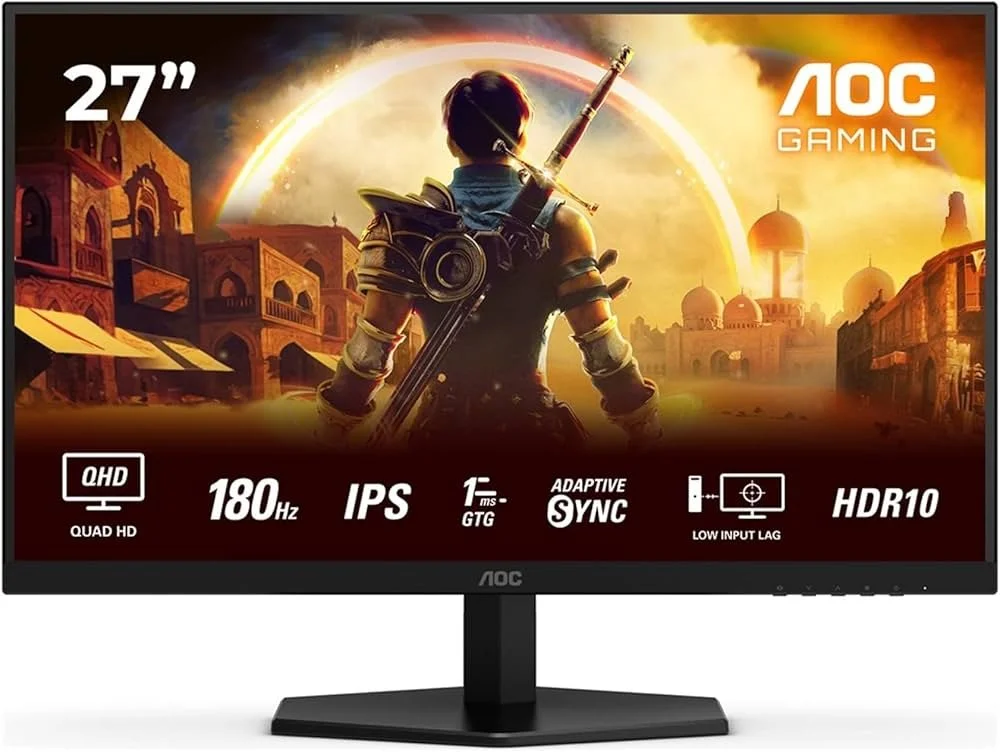
First off, I’m running a different PC this time round. To cut a very long story short, there is a Intel Graphics chipset on the Gigabyte Motherboard but the AMD Ryzen 5 3600 doesn’t support it and requires a discrete graphics card. So I couldn’t run a second monitor this way, as I did last year. However, my current NVIDIA GTX 1050Ti has 3 outputs; DVI, HDMI and DisplayPort. So after buying a DVI to VGA adapter, I managed to attach a second Acer X223W LCD monitor (1680 x 1050) and reconnected my existing primary Dell U2412M monitor (1920 x1200) with a DisplayPort cable. The cost was minimal (about £13 in total) and all items were delivered from Amazon in a matter of days.
The next issue has been tweaking various settings in SLOBS. Something that remains very much a work in progress. It took a while to resolve the “there was an error fetching your channel information" error message. Google presented a simple solution; enabling 2FA (Two Factor Authentication). However, it took several attempts before my Twitch Account recognised that this facility had been turned on. And then there’s the fiddling with settings. I play games at a default resolution of 1920 x 1200 (16:10) but the stream outputs at generic 1920 x 1080 (16:9) and so the image is distorted. I managed to resolve this issue after I stopped broadcasting. I also need to display my Twitch account Chat Channel on my second monitor so I can keep up with any comments. I suspect this wasn’t working earlier due to the 2FA issues, so I had to use my Fire HD 10 as an alternative means. It’s far from ideal. Another lesson learned is to stop using my headset and to switch to desktop mic. I was surprised how hot my ears and head got.
At present another matter that’s complicating this process is my own personality. I like things to be just so and it bugs the hell out of me when they’re not. I’ve yet to master the subtleties of SLOBS interface and many of its settings are not immediately clear to me. Hence every few minutes I’m Googling questions and then having to watch various YouTube videos for answers. I may have to speak to other streamers and see if I can essentially “crib” their settings as I’m sure that for many, this is a fairly generic process. In the meantime, I’ll try and persevere. If I stream every couple of days, I’m sure I can iron out some of the obvious imperfections and improve the overall presentation. As for sprucing up my “banter”, that’s a whole different blog post.
Hand-Me-Down Technology
Just before Christmas as part of my ongoing mobile phone contract, I upgraded my handset to a Samsung Galaxy S10 5G. This left me with a Samsung Galaxy S8, that I no longer needed. Usually, I sell old handsets online as they tend to hold their value. But as this one had a few knocks and scrapes (due to one single unfortunate drop), I couldn’t really get a good price for it. However, quite to my surprise, Mrs P expressed an interest in it. This was unusual as she is somewhere between a technology Muggle and a militant Luddite. But she does appreciate the practical necessity of having a smartphone these days and her existing Motorola Moto G was no longer fit for purpose. So I bought her a case for the S8, which covered the minor damage to the handset, unlocked it so she could use it with her network and transferred all her personal data. She seems content with its capabilities and so this handset continues to be of practical use. This naturally got me thinking about the nature of hand-me-down technology.
Just before Christmas as part of my ongoing mobile phone contract, I upgraded my handset to a Samsung Galaxy S10 5G. This left me with a Samsung Galaxy S8, that I no longer needed. Usually, I sell old handsets online as they tend to hold their value. But as this one had a few knocks and scrapes (due to one single unfortunate drop), I couldn’t really get a good price for it. However, quite to my surprise, Mrs P expressed an interest in it. This was unusual as she is somewhere between a technology Muggle and a militant Luddite. But she does appreciate the practical necessity of having a smartphone these days and her existing Motorola Moto G was no longer fit for purpose. So I bought her a case for the S8, which covered the minor damage to the handset, unlocked it so she could use it with her network and transferred all her personal data. She seems content with its capabilities and so this handset continues to be of practical use. This naturally got me thinking about the nature of hand-me-down technology.
Over the last three decades there has been a proliferation of consumer technology. This cultural shift has seen gadgets and devices become readily available to all and evolve beyond mere functionality into fashion accessories. But as technology has become cheaper and more disposable, we are left with an ever growing supply of obsolete, redundant or simply older products. Often these can still be of use but may simply not have the latest specifications. At present I have a 4 year old Android Tablet, 2 older PCs with Intel Core i5 and i3 processors and several phone handsets sitting in a bedroom cupboard. I also have numerous old PC peripherals and items of obsolete technology like portable MP3 players or PDAs. There are also bags full of cables, docking stations, HDD caddies, old modems and routers, as well as a plethora of AC power adaptors for devices I can no longer identify. Rather than just take all this to the local borough recycling facility, I’ve decided to see if I can find homes for some of these items.
Passing on an old PC is not too difficult to do. Reformatting the hard disk and removing all personal data is essential but hardly a chore. If you search online, it’s not too difficult to find cheap OEM Windows 10 keys. Hence a clean and legitimate installation of the operating system can be done for a few pounds. The tricky part is finding the right person to give the “refurbished” PC to. Donating or selling an old PC to someone does not come with an obligation to provide technical support but sadly the opposite is often assumed. Make sure that whoever ends up with your old PC fully understands they are taking it “as is”. If they buy it from you, have something worded to that effect on a receipt and get them to sign it. Mercifully, you don’t get such problems with tablets and old phones. My old tablet can still be used quite well for reading ebooks and listening to podcasts. As long as whoever inherits it knows its technical limitations, this can be passed on and be of service for a few more years. As for older phone handsets, I was surprised to learn that they find favour in certain quarters specifically due to the limited functionality. I read that small charities like them for their staff as they provide a low cost means of communications without any obvious scope for personal misuse.
Hence, I already have a few ideas as to how I may be able to dispose of my current cupboard full of old technology. I think some of the peripherals and cables will have to be recycled but the hardware should prove useful to others. It is worth remembering that although phones, tablets and PCs have indeed fallen in price in recent years, their respective cost is still relative. There are still families on low incomes where even buying a budget PC is a major financial outlay. Therefore, if selling isn’t an option, then giving away to a worthy cause or individual is a good alternative. It is something I’ve done in the past. Plus, not everyone needs or wants to be at the cutting edge of technology. In fact, there are times when older technology has distinct advantages. Older PCs can have a Linux installation and serve as a media server within the home. Left to this single task, they’ll be stable and reliable. And you’ll certainly get much longer battery life out of pre-smartphone handsets. So hopefully, I’ll have disposed of all my old tech by the end of the month in an ethical and environmentally friendly fashion.
Yet Another New Phone
My phone contract used to be a yearly affair. Every twelve months I’d have the option to upgrade to a shiny new handset. At one point this was something to look forward too. As I’ve written in the past, I was greatly enamoured with new technology in my youth and always wanted to be on the cutting edge. Mercifully, age and wisdom has tempered this passion greatly. Plus there came a point about four or five years ago when the technological improvements offered by new phone models began to decrease. Upgrades ceased to offer any significant benefits. Nowadays, my contract with my service provider runs for two years. Furthermore the “free upgrade” is no longer free and requires an upfront contribution towards the cost of the new phone. But this is hardly surprising, as the retail price of the latest iPhone or Android handsets are now ridiculously high. However the two-year contract does mean that upgrades can once again offer some improvements in phone functionality.
My phone contract used to be a yearly affair. Every twelve months I’d have the option to upgrade to a shiny new handset. At one point this was something to look forward too. As I’ve written in the past, I was greatly enamoured with new technology in my youth and always wanted to be on the cutting edge. Mercifully, age and wisdom has tempered this passion greatly. Plus there came a point about four or five years ago when the technological improvements offered by new phone models began to decrease. Upgrades ceased to offer any significant benefits. Nowadays, my contract with my service provider runs for two years. Furthermore the “free upgrade” is no longer free and requires an upfront contribution towards the cost of the new phone. But this is hardly surprising, as the retail price of the latest iPhone or Android handsets are now ridiculously high. However the two-year contract does mean that upgrades can once again offer some improvements in phone functionality.
I became eligible for a new mobile phone on the 15th of December. My much loved and heavily used Samsung Galaxy S8 has seen better days. It doesn’t hold a charge as well as it used to and there is some screen burn-in (something the manufacturers claimed wouldn’t happen upon its release). Therefore a new handset has been eagerly anticipated. As ever there are several practical criteria involved in choosing a new phone. The first and most obvious is the size. Handsets have been getting bigger and bigger, so the most obvious consideration is that I need to be able to fit my phone into my right-hand front jeans pocket and be able to sit down without doing myself an injury. Battery life is the next major consideration. I use multiple apps on my phone, all of which take a toll on power consumption. And then there is internet connectivity. Fortunately, living in South East London means that there is robust phone and internet coverage. Any new handset has to be able to take advantage of this.
After perusing the Vodafone store online, I found a good deal on a Samsung Galaxy S10 5G with a tariff that really suits my phone use and browsing habits. To cut a long story short I managed to use my 20 years good standing as a customer to negotiate a further discount in the price. Having learned the hard way, I have also invested in a shock absorbent case for the phone. Luckily my existing wireless phone charger still works with this model, which just about fits on the stand intended for an earlier handset. I received the new phone within 48 hours of my order and subsequently spent several hours migrating data and tweaking various apps. Google does do well with facilitating comprehensive data backups and subsequent restorations. However, I have four separate banking apps that all had to be re-verified with this phone. Luckily, I invested in a full version of LastPass a few years back and it is invaluable for quickly inputting obscure passwords that are seldom recalled.
So far, I am very happy with my Samsung Galaxy S10 5G. It provides a robust working platform for my smartphone needs. As well as making and receiving a high volume of calls and text messages, I rely on WhatsApp for a lot of day to day communications. I do much of my own and my parents banking via my phone. I also make a lot of ad hoc purchases from Amazon Prime. The calendar and reminder facilities that Android provide are invaluable. Due to frequent appointments to outpatient clinics and hospitals, I rely on Google Maps and often book taxis on the fly. My phone is my main portal on most social media platforms and I even use it to monitor traffic for this very blog. Gone are the days of my phone being a fashion accessory or status symbol. I chose the Samsung Galaxy S10 5G as it is a powerful tool and it should serve me well over the next two years. Let us hope it doesn’t end up in the Prime Minister’s pocket.
Your Computer and You
Do you have a favourite mug? I do. It’s nothing special. Just a bog-standard porcelain mug with a picture of a Hare on it. I don’t have any strong sentimental attachment to it. It wasn’t a gift or anything. I just chose it as a replacement for one that broke. I habitually use it, choosing to ignore all the other mugs in the cupboard. Now you may well ask where I’m going with this train of thought. Well, here’s where the foibles of human nature come into play. If my favourite cup happens to be in the dishwasher, I find I do not enjoy my beverages quite as much when drinking from another cup. As I’m not a qualified psychologist, I won’t venture too far into analysing such behaviour. But it’s fair to say that this has got something to do with territoriality and our sense of identity in some way. Another, more complex example of this behaviour would be my desk. It is neat, clean and functional. And then there is my personal computer. I spent several hours upgrading the hardware today. I subsequently spent triple that time, fine tuning, tweaking and arranging everything. Why? Because I like things to be “just so”.
Do you have a favourite mug? I do. It’s nothing special. Just a bog-standard porcelain mug with a picture of a Hare on it. I don’t have any strong sentimental attachment to it. It wasn’t a gift or anything. I just chose it as a replacement for one that broke. I habitually use it, choosing to ignore all the other mugs in the cupboard. Now you may well ask where I’m going with this train of thought. Well, here’s where the foibles of human nature come into play. If my favourite cup happens to be in the dishwasher, I find I do not enjoy my beverages quite as much when drinking from another cup. As I’m not a qualified psychologist, I won’t venture too far into analysing such behaviour. But it’s fair to say that this has got something to do with territoriality and our sense of identity in some way. Another, more complex example of this behaviour would be my desk. It is neat, clean and functional. And then there is my personal computer. I spent several hours upgrading the hardware today. I subsequently spent triple that time, fine tuning, tweaking and arranging everything. Why? Because I like things to be “just so”.
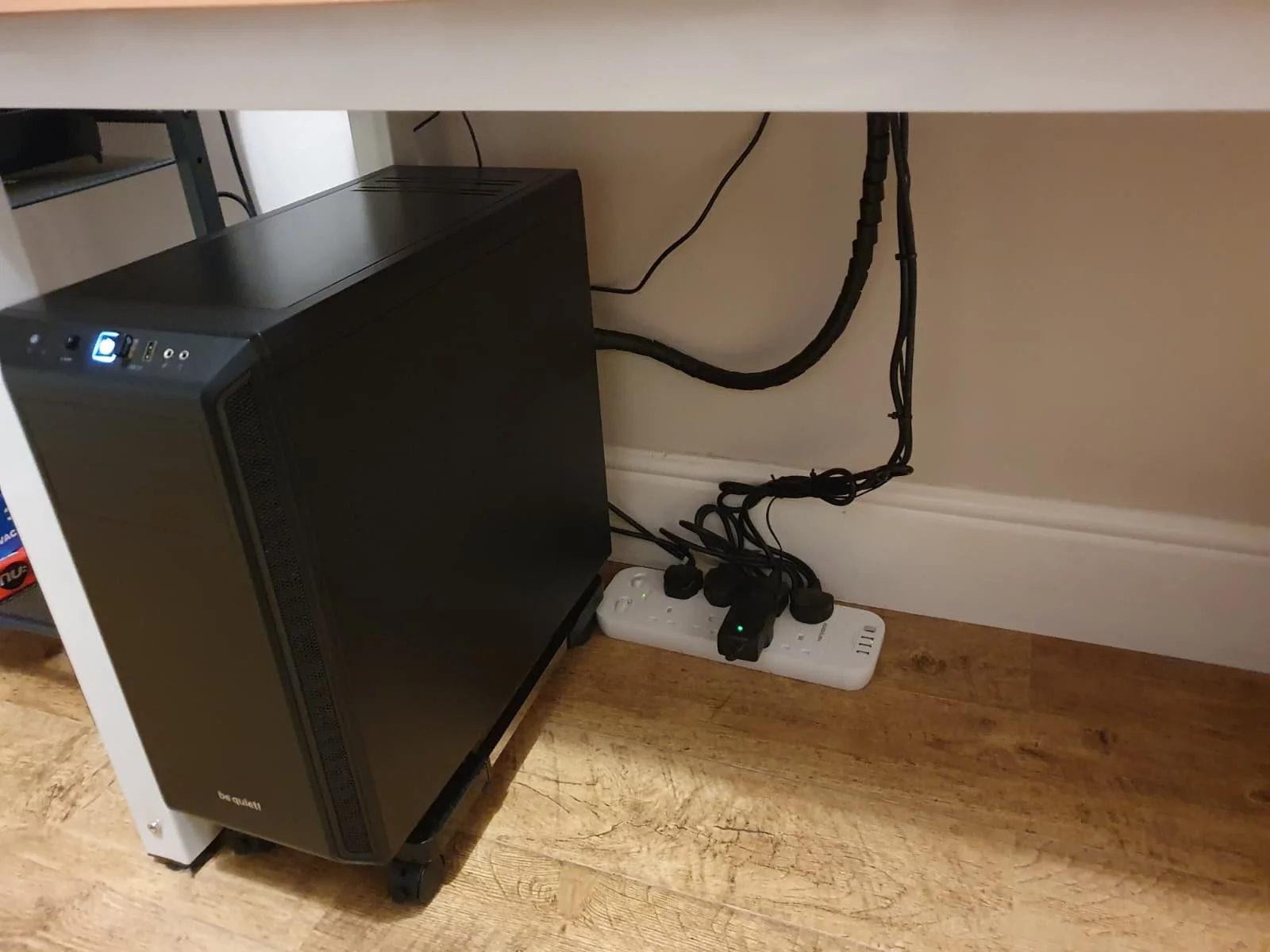
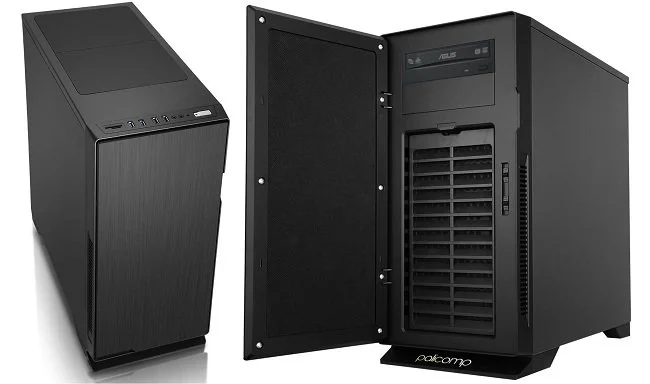
Migrating my existing SSD, HDD and graphics card into the new barebones system I bought from Novatech was very straightforward and surprisingly easy. The PC case is roomy affording plenty of space to work. The cable management was the most time-consuming element of the job. The PC booted up first time and made some software revisions to reflect the hardware change. As expected, the installation of Windows 10 Pro needed reactivation. As the copy I was previously using was a free upgrade from Windows 7, I didn’t have an existing product key easily available. So I bought a new one from an online reseller. The activation process was a nuisance as I couldn’t read the product key that was sent (it was a jpg of an OEM copy). So I spent an hour calling Microsoft, although the matter was eventually resolved, leaving me with an upgraded and fully functional PC. Yet despite ensuring that things such as the respective drive designations remained the same, some minor functionality was altered. Trivial things, such as the Windows Defender icon not appearing in the system tray and the Realtek Audio software being replaced by the default Windows Sound controls.
I first learned all the basic PC, server and network skills from a Siemens Nixdorf engineer back in the early nineties who mentored me. A few years later I passed my MCSE exams. As a result I tend to follow a very particular method when it comes to file naming conventions, how I organise my desktop and customise the Windows. When combined with my own propensity for neatness and order, things such as the missing icons or any unsolicited change to my PC in general really bother me. A lot. For example Discord recently altered the two themes that come with the software. I was perfectly content with the previous light colour scheme with its white central panel and dark sidebars. But that has now gone and I now have a “choice” of two revised themes and I like neither. I also hate it when software tries to do my thinking for me and offers what the developers feel is the “best for me”. I have no problem with such options but I dislike it when they become the default setting.
But I digress. I spent several hours trawling various Microsoft websites, forums and subreddits in attempt to restore my Windows Defender icon to the system tray. The most obvious fixes refused to work and I even started poking around in the Registry. I won’t bore you with all the details but I finally got the problem resolved by a workaround, rather than a legitimate solution. But that’s the nature of IT. And so as I wrap up this blog post, I now have to distil all the above rambling into some sort of cogent point. In many ways your PC is like your home. It is more than just a functional device but something that you can change to reflect your identity. Like furnishings and colour schemes, your PC is a subject to changes driven by your personal tastes. Furthermore, there is great personal comfort to be had in customising your PC and using it in a bespoke fashion that suits you. I feel the same way about unsolicited changes to my PC desktop as I do about someone coming into my lounge and moving my chairs around. It’s all about personal space, territory and possibly an element of being in control; something that is all too absent these days in real life. Some may find this odd but I suspect a lot of people will relate to these sentiments. Now where’s my favourite mug, I need to remove all those “shortcut to” arrows from my icons.
Yet Another PC Upgrade
There used to be a time when I would jump at the chance to get my hands on some new technology. I was the embodiment of an early adopter, seeking out all that was new and shiny. But things change. New stuff comes with a lot of issues. Compatibility problems, bugs, changes to the UI to name but a few. Age may not necessarily bring wisdom by default but it certainly makes you more indolent. New technology often makes work. Even if you plan everything meticulously, there’s always scope for something to catch you out. Hence, I now try to keep my technical environment functional and stable. If it ain’t broke, don’t fix it. However, and there’s always a “however”, my current PC has an Intel Quad Core i5-3340 3.10GHz processor. It is a third generation Ivy Bridge model circa 2013. As I’ve written in previous posts, everything else has been upgraded but the system’s Achilles Heel remains the processor. And it is showing its age now in terms of performance.
There used to be a time when I would jump at the chance to get my hands on some new technology. I was the embodiment of an early adopter, seeking out all that was new and shiny. But things change. New stuff comes with a lot of issues. Compatibility problems, bugs, changes to the UI to name but a few. Age may not necessarily bring wisdom by default but it certainly makes you more indolent. New technology often makes work. Even if you plan everything meticulously, there’s always scope for something to catch you out. Hence, I now try to keep my technical environment functional and stable. If it ain’t broke, don’t fix it. However, and there’s always a “however”, my current PC has an Intel Quad Core i5-3340 3.10GHz processor. It is a third generation Ivy Bridge model circa 2013. As I’ve written in previous posts, everything else has been upgraded but the system’s Achilles Heel remains the processor. And it is showing its age now in terms of performance.
Like many people, I live within a budget. Therefore, simply going to a high street store and buying a new PC, off the shelf, is not really an option. Similarly, even seeking a cheaper deal online is too expensive. A new PC with the sort of specifications I would like would costs about £600 - £700 or thereabout. I am not prepared to take on a debt to obtain such a system. Especially in light of the current and future UK economic climate. So the practical alternative is to upgrade the current processor in my PC. Due to the limitations of the motherboard, that also has to go along with the RAM. Therefore, I have decided to buy a barebones PC. A new case, with a processor, motherboard and RAM bundle. I can migrate the existing solid-state drive, hybrid hard drive and graphics card from my ageing PC, over to the new system as these three components are all relatively new. I have managed to find a good deal on AMD Ryzen 5 3600 Six Core Mid Tower Barebone Bundle.
There has always been a great deal of debate about the respective pros and cons of both Intel and AMD processors. I have owned PCs based around both in the past and have never felt that either was below par. I think that the performance differences mainly impact upon high end users who use their computers for specific tasks. My needs are very straight forward. I write using Microsoft Word, edit podcasts, encode video using Handbrake and play a variety of video games (in HD, not 4K). I do not require a beast of a system to do these things. After some research it became clear that the AMD Ryzen 5 3600 currently offers the best performance for my budget, rather than an Intel i5 option. The increase in performance should be sufficient for the expenditure and will hopefully keep my PC viable for another three years or so. By which time I shall be in better financial situation.
So far, the research and purchasing of new hardware has been a relatively hassle-free process. I took advice from trusted colleagues and used my own common sense. I managed to find a good deal from an established UK online vendor and the barebones system will arrive shortly. However, then the real fun and games starts. I am currently faced with two options. Build the new PC and then completely reinstall Windows 10 and all other software. Or attempt to transplant the current SSD with the operating system already installed into the new base unit. The former is a tedious uphill struggle, especially downloading all the games. But the latter is potentially fraught with problems as Windows 10 OEM is tied to the existing hardware. Changing substantial components such as motherboard and processer will require Windows to be reactivated. Plus there will be numerous drivers issues due to changes to the “hardware abstraction layer”.
Yet I am going to pursue this option so I don’t have to do a clean install of absolutely everything. I am hoping that I can use the windows repair utility to fix the existing installation and I have even taken the precaution of buying a new Windows 10 Pro OEM key, so if need be, I can activate it as a new product. If that fails, then plan B is to just do it all the hard way and reinstall everything. Hopefully, I shall receive the new hardware in the next 24 hours and tackle the nuts and bolts of the upgrade on Friday. Naturally, I shall document this process as I have with previous PC upgrades. Feel free to comment on both my choice of hardware and my overall strategy. As ever I would love to hear from those who have no concept of the term “budget” and how if I spend an extra £100, I can upgrade to the Gruntmaster 6000. Such advice is the gift that keeps on giving.
You Are Not the Intended Customer
After reading a lot of the recent coverage of Google Stadia, I find some of the comments and reactions from existing PC and console gamers just as “interesting” as the actual product itself. As for the basic concept of games running remotely at a datacentre, which does all the “heavy lifting”, we’ve been here before. On Live tried this in the UK back in 2009. They also had bespoke controllers just like Google Stadia but ultimately there was too many people in the UK at the time with low end internet connections, so the business failed. I believe Sony ended up buying all their patents. Obviously, technology has moved on in the last decade and certainly Google has more resources that it can bring to bear on the development of this product. But as I said, I find the way the news of this product was greeted to be of equal interest, because as ever core gamers are blinkered by their own erroneous perspective. They see themselves as the target demographic of any new service or game, which is not the case in this instance.
After reading a lot of the recent coverage of Google Stadia, I find some of the comments and reactions from existing PC and console gamers just as “interesting” as the actual product itself. As for the basic concept of games running remotely at a datacentre, which does all the “heavy lifting”, we’ve been here before. On Live tried this in the UK back in 2009. They also had bespoke controllers just like Google Stadia but ultimately there was too many people in the UK at the time with low end internet connections, so the business failed. I believe Sony ended up buying all their patents. Obviously, technology has moved on in the last decade and certainly Google has more resources that it can bring to bear on the development of this product. But as I said, I find the way the news of this product was greeted to be of equal interest, because as ever core gamers are blinkered by their own erroneous perspective. They see themselves as the target demographic of any new service or game, which is not the case in this instance.
Google Stadia is a service can run top titles on most domestic platforms. Does everyone have a PC or console? No. Does everyone have a TV and a smartphone? Yes (or as near as damnit). So I would hazard a guess that this new service is viewed by Google as a means to expand the reach of games to those who are currently either playing on the margins, or our entrenched in bespoke market such as cell phone games. Google do not seem to be offering anything to core PC gamers, who will more than likely not be interested in such a service. Game mods, high end graphics on “über” gaming rigs, and live streaming are some of the aspects of PC gaming culture that keep it distinctly separate from other video games communities. If anything, Google Stadia could be more of a threat to the console market. However, irrespective of both these issues, if Google can get casual gamers who play mobile games via a phone, to expand the scope of their hobby and start paying to play the latest console/PC titles, they could be on to a winner.
Potentially pitching to this particular quarter of the gaming diaspora, could prove extremely lucrative. Mobile revenue accounts for more than 50% of the global video games market. As of last year that was $65.4 billion. For those who don’t have a console or do not wish to purchase the latest titles at their current retail price, a gaming service such as Google Stadia, pitched at a comparable cost to something like Netflix could be a major hit. Naturally this service will not necessarily appeal to competitive gamers for obvious technical reasons such as lag. Nor will it be embraced by the PC Master Race/professional malcontents/zealous gamer purists who are disdainful of anything outside of their purview. But again, they’re not the target demographic and frankly they’re not a group that endears itself to either marketing departments or the wider gaming community. Gaming has become an everyday pastime in recent years and the term itself has also evolved. Making gaming even more accessible is naturally a logical business goal.
However change always has winners and losers. Although I see the business sense in a service such as Google Stadia, it also represents yet another nail in the coffin of “ownership”. I’m old fashioned and in some respects very much a product of the era I grew up in. I like to pay once for something and move on, and so do not warm to concepts such a recurring charges and live services. But I’m wise enough to understand that markets evolve and that the business models of the past are not immutable. You only have to look at the decline of physical media, especially in the music industry for proof. This is the age of “games as a service” and Google Stadia could potentially be the “killer” product that helps to normalise that, just as iTunes drove a stake through the heart of CD sales and made us all subscribers with virtual collections.
Learning How to Live Stream Part 1
Sometimes, it’s good to try something different and to learn new skills. I’ve been mentally restless of late and miss applying myself to technical problems and expanding my skills. It’s one of the few aspects of traditional “work” that I miss. So after some deliberation, I’ve decided to try live streaming. Whether I’m successful at it and maintain a regular streaming schedule is another matter altogether. But I’m going to give it a go and have already determined how I intend to approach it and what “my angle” is going to be. However, first things first. Matters such as style, tone and presentation are concerns for later. I spent today getting to grips with Streamlabs OBS and learning the basics. I thought I’d share my experiences because it hasn’t been as straight forward a process as I’d imagined.
Sometimes, it’s good to try something different and to learn new skills. I’ve been mentally restless of late and miss applying myself to technical problems and expanding my skills. It’s one of the few aspects of traditional “work” that I miss. So after some deliberation, I’ve decided to try live streaming. Whether I’m successful at it and maintain a regular streaming schedule is another matter altogether. But I’m going to give it a go and have already determined how I intend to approach it and what “my angle” is going to be. However, first things first. Matters such as style, tone and presentation are concerns for later. I spent today getting to grips with Streamlabs OBS and learning the basics. I thought I’d share my experiences because it hasn’t been as straight forward a process as I’d imagined.
First off, this post is not intended as a guide, it is more of a commentary on SLOBS and the wealth of information that is available online. Like most “free software” there is a minimal amount of information contained within the program itself. There are some video links for a standard installation and an overview of the software’s functionality. New users are encouraged to use the SLOBS Discord channel but getting help in such an environment is a mixed bag. You’re at the mercy of who’s online, how helpful they are and whether they’re a good communicator. The latter is a criticism that plagues most of the You Tube content on this matter. I sat through dozens of videos today, that were intended to help and share information. Sadly most were rambling, vague and poorly expressed. Fortunately, I have access to an existing streaming community who managed to answer most of my enquiries. Therefore I’d say lesson number one is to speak to other streamers if you can and try to replicate their settings.
Having configured SLOBS, I attempted a test. Rather than “Go Live” on my Twitch account, I opted to record the results. This proved very useful. New streamers will save themselves hours of grief if they ensure from the beginning to run SLOBS as an administrator. Otherwise it will not find the game that you’re streaming. Another foible of the software happens when tabbing between the game you’re playing and SLOBS itself, which mutes the sound of your live stream. This is an “active window” issue and the only immediate solution is to not do this while you’re “live”. Fortunately, there is a SLOBS Remote app for phones and tablets, so you can manage your scene transitions and management without the need to tab to SLOBS itself. However, this brings me to lesson number two. It is not essential, but it will certainly make matters easier if you have a second monitor.
And therein lies the rub. It is casually implied by Streamlabs and many of the internet guides that you can just install the software and “go”. However, the reality is not quite as simple. SLOBS has multiple functionality and there’s a wealth of widgets you can add to manage subscriptions and social interactions. It even integrates the chat from your Twitch channel into the UI when you “Go Live”. Therefore having a second monitor, a mobile device for SLOBS Remote and establishing a lot of additional key binds for extra functions are all desirable. All of which have to be implemented in a way that is accessible, while you’re playing a game. I’m sure a lot of good streamers get by in their own unique fashion, but for optimal performance, you need a large desk with lots of space, a multiple monitor set up and possibly a tablet or bespoke device such as Stream Deck.
I don’t really have the room for a second monitor on my desk nor want at this stage in the proceedings to invest in any further hardware. So I’ve settled for having SLOBS Remote on my phone for scene management and having chat from my Twitch channel displayed on my tablet. At this point I am not going to complicate matters by having a webcam and integrating myself into my live streams. Coming form a podcast background I prefer things to be about what is being discussed rather than my sartorial elegance and rugged good looks. Today’s test streams worked although they were minimalist in nature. Now comes the task of templates and scene design, although I want to keep this as basic and functional as possible. I shall cover the next stage of my “adventures” in my next post on live streaming. In the meantime, I have adjusted my opinion on all who try this medium as it isn’t as straightforward as it first seems.
A New Gaming Headset: A Convoluted Tale
I was at Crayford Sainsbury’s on Thursday (which apparently is their biggest store in the UK) and I saw that they were selling off Trust gaming headsets as part of the ongoing sale. As I had recently bought a new gaming mouse of the same brand, I sauntered over to the display and perused the sales blurb and subsequently bought one. To cut a long story short, due to an error on my part, I ended up purchasing an analogue headset instead of a USB one. This then raised a wealth of further software related problems, as well as logistical ones. My PC has far more strategically placed USB sockets, than 3.5 mm jacks. Hence, I have spent the last 48 hours troubleshooting this matter. Of course, I could have just returned the headset, but as it’s so devilishly comfy I decided against this. So here in detail are a list of the various problems that I encountered along with their respective solutions.
I was at Crayford Sainsbury’s on Thursday (which apparently is their biggest store in the UK) and I saw that they were selling off Trust gaming headsets as part of the ongoing sale. As I had recently bought a new gaming mouse of the same brand, I sauntered over to the display and perused the sales blurb and subsequently bought one. To cut a long story short, due to an error on my part, I ended up purchasing an analogue headset instead of a USB one. This then raised a wealth of further software related problems, as well as logistical ones. My PC has far more strategically placed USB sockets, than 3.5 mm jacks. Hence, I have spent the last 48 hours troubleshooting this matter. Of course, I could have just returned the headset, but as it’s so devilishly comfy I decided against this. So here in detail are a list of the various problems that I encountered along with their respective solutions.
My current PC has four 3.5 mm jacks at the rear of the case. The speaker output is currently utilised by my Logitech speakers. The line in and out, as well as microphone jacks remain unused. The are two further jacks on the front of the case. These accommodate headphones and a mic input. I initially plugged the headset into the front jacks but then encountered the first tech issue. My PC has Realtek audio hardware built into the Gigabyte motherboard. I noticed that despite having installed the latest Realtek drivers, that there was no Realtek icon in control panel and so I couldn’t configure the PC to output sound to both the rear speaker jack and the front headphone jack. I checked via the default Windows sounds icon as to whether I could make the necessary change there, but it lacked the correct functionality. After some online research, I learned that the latest Creators Update to Windows 10 had broken the current Realtek audio software. However, if I rolled back to version 2.73 which is over a year old, the software still worked, was accessible via control panel and restored the Realtek icon in the system tray.
Once I had uninstalled the latest software and reinstalled the old, I could plug the headset into the front of my PC, set the headset as the default communication device and leave the speakers as the default audio device. Thus, game music routes through the desktop speakers and voice chat via discord is channelled to the headphones. This resolved the software issues I initially faced but then presented me with a different problem. The front facing jacks on the PC are under a hinged panel. I would either have to leave the headset permanently plugged in or manually connect it each time I used it. I don’t like excessive cabling left attached to the PC in this way, as it inevitably will get snagged on something and broken. Plus, I have a minor mania for tidiness concerning my work place, so I sought an alternative solution. After a further internet search, I found and bought a USB External Stereo Sound Adapter. It arrived today. The headset is now plugged into the USB adaptor at the rear of the PC. The headset cable itself, has a connector midway along its 2-metre length. I have threaded the first metre from the back of the PC, to the cable tidy grommet on my desk. Whenever I want to use my headset, I simply plug them into the female jack socket with minimal inconvenience.
One further issue has arisen from this change in set up. Analogue microphones have certain benefits over their USB counterparts. If you experience a low recording volume, it is easy to boost the gain on analogue mics. Recent Windows 10 updates have hampered similar issue with USB microphones. There are works around out there but they require installing two pieces of shareware. These may well be broken by further Windows updates and leaves you reliant on independent developers to maintain. However, because I had installed older Realtek audio drivers, the accompanying software appended the native sound settings in control panel, allowing me to use a previously absent AGC (automatic gain control) setting. This boosts the USB mic recording levels to a more acceptable standard and finally brings this convoluted tale to a conclusion. The total cost of the Trust GXT 322 Carus Dynamic Headset was £30 and I then spent a further £6.49 on the Sabrent USB External Stereo Sound Adapter. I now know far more about Realtek drivers, Windows 10 and its propensity to break other software as well as having a timely reminder that ad hoc PC tech support is often a pain in the butt.