

Projects and Problem Cascades
As the New Year is still young, I have embarked upon several new projects that I’ve been planning since Autumn last year. These undertakings have gone beyond the planning stage and are currently being implemented. The fun thing about the phrase “implemented” in this context is that it implies that it is by far the easiest and most straightforward part of the process. The initial brainstorming of ideas has been completed. A cogent and detailed plan has been written. The costing of materials and time required have been determined. These are the hard parts. All that remains is to “just do it”. It should be a piece of piss (a British phrase indicating that something is easy). It virtually “implements” itself. However, that is a load of bollocks. Because there is always scope for something to go wrong. It may well start as something minor and innocuous but it all too often ends in a “problem cascade”.
As the New Year is still young, I have embarked upon several new projects that I’ve been planning since Autumn last year. These undertakings have gone beyond the planning stage and are currently being implemented. The fun thing about the phrase “implemented” in this context is that it implies that it is by far the easiest and most straightforward part of the process. The initial brainstorming of ideas has been completed. A cogent and detailed plan has been written. The costing of materials and time required have been determined. These are the hard parts. All that remains is to “just do it”. It should be a piece of piss (a British phrase indicating that something is easy). It virtually “implements” itself. However, that is a load of bollocks. Because there is always scope for something to go wrong. It may well start as something minor and innocuous but it all too often ends in a “problem cascade”.
In early 2025 I experimented with recording video game footage, editing it and uploading it to YouTube. Initially I thought it would be a straightforward process. All I needed was some video capture and editing software along with the time to learn the basics of the process. I did eventually upload two videos to YouTube but I wasn’t entirely happy with them. The main problem was that at every stage of the production process there were factors that impacted upon the results. For example, OBS requires a great deal of fine tuning and a lot of that is dependent upon your PC and its respective hardware. Hence you have to make changes, record some video content and then appraise it to see if it is adequate. If not, it’s a case of rinse and repeat. Hence there is great deal of time spent fine tuning your set up and effectively just experimenting. It isn’t the most efficient of processes.
Last year I bought Corel VideoStudio 2023 for video editing. It proved adequate but took a while to figure out. As I haven’t used it for 10 months I am currently struggling to recall what I have previously learned. During that time I have also changed monitors, which means that several videos I created for branding, are now in different resolution to any new video content that I may record. This can be addressed when editing future videos but it has added another layer of complexity to the process. As a result I have also purchased Movavi Video Suite 2026 to see if this software is a little more intuitive or will automatically address problems like this one, without manual intervention. However, the software kept on freezing upon launch and it took two hours of troubleshooting before I determined that it was due to a conflict with my Action! screen capture software, that launches on Windows start up.
I also dusted off my Yeti X microphone this week and made some test audio recordings via Audacity, to see what the sound quality was like. Again it required a lot of fine tuning as I had to set the microphone to an appropriate “pickup pattern”. Cardioid is the best for recording a single voice and is recommended for solo podcasts. Next I needed to find an optimal distance between myself and the microphone, so it recorded my voice at an acceptable level. The microphone also had to be positioned so I could access my keyboard and monitors while using it. The final results were good but I did waste some time troubleshooting a humming noise that was present on the recordings, before I realised it was the sound of the washer/dryer in the kitchen being picked up. Once again, an unforeseen factor can derail your progress and send you down a proverbial Rabbit hole.
Mind you, it hasn’t all been a continuous struggle. I installed a piece of software recently called Custom Resolution Utility that allows you to create custom screen resolutions for your monitor and add them to the drop down list in Windows. It worked immediately without any fine tuning. I often find that utilities written by the public and shared on GitHub are far better supported, have better instructions and have superior quality control than a lot of commercial software. As for projects, I guess it is in their nature that there will always be problems and areas where you simply have to experiment to get optimal results. But I do find it frustrating that so much software these days feels only 80% completed and that technical support is often a case of “troubleshoot it yourself”. It is not a business model we’d accept for other products, where we expect things to work straight out of the box. However, that enough complaining from me. I’ve got some projects to “implement” and they’re not going to do it themselves.
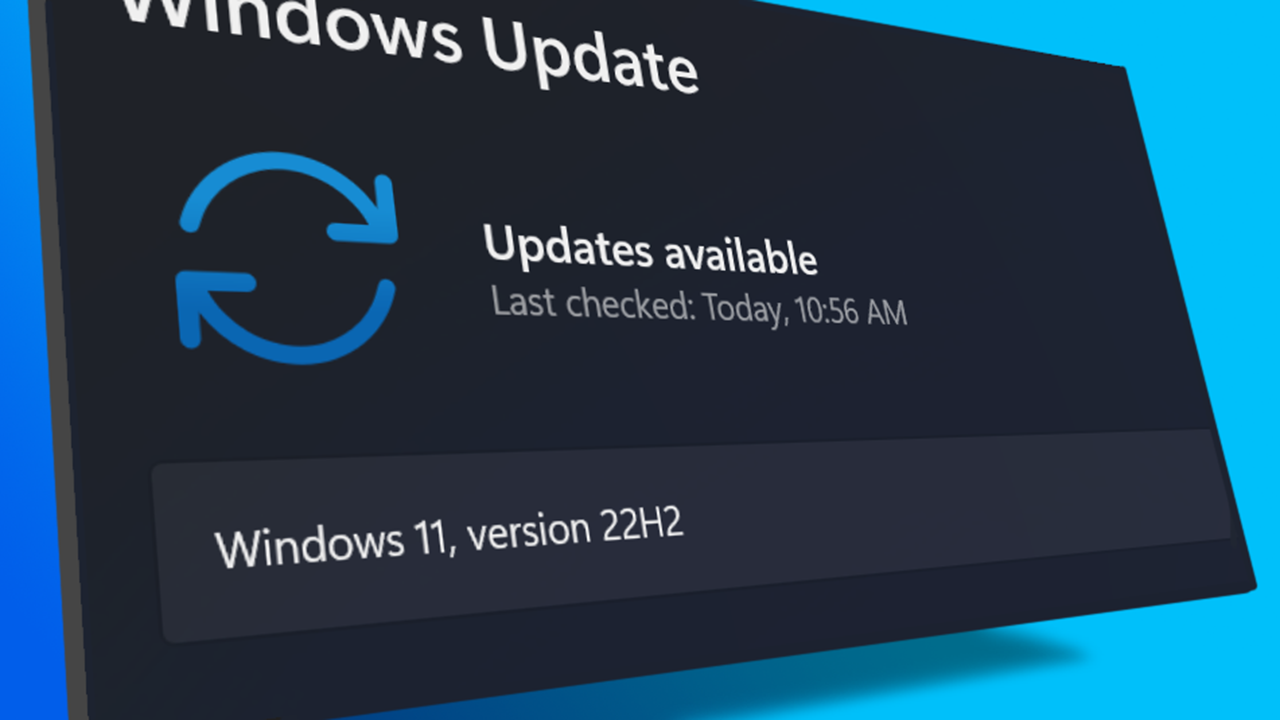
I turned on my laptop this morning for the first time in 4 months. I knew it was that long because I hadn’t connected the laptop to the new Netgear router that I bought at the end of April. Unsurprisingly, as I haven’t used this device for a while there were multiple Windows updates to be installed. This process took over an hour, so while the various updates were being downloaded and installed, I turned my attention to my Amazon Echo Dot which loiters in the corner of our lounge, doing very little to justify its existence. At present this device is mainly used as a glorified timer for cooking, which seems a bit of a waste given it’s alleged capabilities. Hence, I decided to see if I could increase its functionality while waiting for Windows to do its update thing. More on this later. Let us for the meantime return to the small matter of the operating system updates. Once they were completed, I immediately installed Chris Titus Tech’s Windows Utility and started removing unnecessary features and bloat, as well as disabling invasive services.
Before we begin, let me clearly state that this is not a comprehensive installation guide for installing Steam OS on your PC. Mainly because the variety of hardware that can be present in any PC makes each installation a somewhat bespoke affair. Hence I have decided to provide a list of bullet points of the various steps and issues I encountered during my installation, last week. Consider it advance warning of things you may encounter if you install this operating system. As ever, if this is something that you are intending to do, I would advise allowing yourself a suitable amount of time so you can accommodate any issues should they arise. It is entirely possible that this may be a two hour job for the technically literate running the most generic or commonplace hardware. However, I suspect that a lot of people undertaking this project will run into variations of the same problems that I encountered.

I am intrigued by the growth of the IndieWeb, owning your domain and static websites. I certainly agree with the notion of not relying on big corporations and I have an ongoing project to divest my dependency on software produced by major market players. However, although I own my own domain, my website is hosted by Squarespace. I’ve not really had any problems with them over the last 11 years and I would describe our business relationship as equitable. However, the monthly subscription price has increased over time and is likely to keep on doing so. It has crossed my mind as to whether there is a suitable alternative. However, if I were to migrate Contains Moderate Peril elsewhere I suspect it would be logistically complex and problematic.

I like learning new skills and starting projects. I regularly undertake such things with varying results. However, if they don’t work out that’s not a problem. You have to try something to see if you like it. I’ll add “within sensible parameters” as a caveat to the last statement. And it’s perfectly fine to discover that something isn’t for you. I like certain genres of video games, music, films and books. I am comfortable wearing certain types of clothes and not others. I’m picky about colours. I’ll even go so far as to say that I won’t drink out of any mug that’s just lying around. If I don’t like the joke, logo or overall aesthetic of it, I ain’t using it. However, I digress. Let’s get things back on track and talk about projects. This year I have wound down several websites and have decided not to move forward with making YouTube videos. I have focused my energy on improving my website and adding functionality. I am also trying to broaden the scope of my writing.
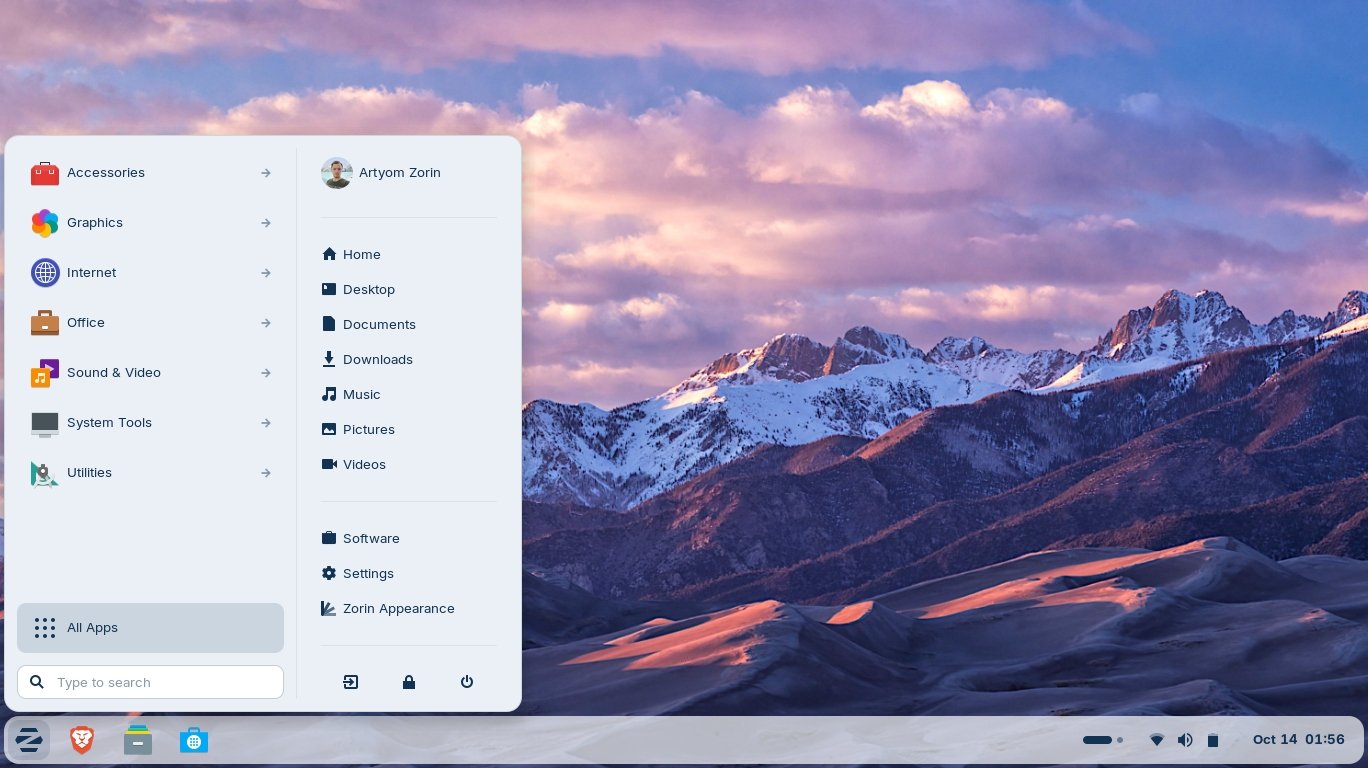
It’s funny how it is often the little things that become the proverbial straw that breaks the Camel’s back. I have been struggling for a while with the overall performance and functionality of my Windows 11 PC. The operating system is bloated, slow and buggy. It all too often commits that unpardonable sin of trying to do my thinking for me and enables some stupid feature by default. Despite having good specifications, my PC takes too long to boot up for my liking and is becoming too much of a wild card with regard to whether it will co-operate or not when I try and undertake a simple task. As someone who is very particular in their PC habits, IE I see my PC as a tool that I use on the terms that suit me. Hence, I find the faux enthusiasm that accompanies each uncalled for “improvement” that results in me losing agency, singularly antagonising. Then a minor issue arose recently that escalated into a thorn in my flesh and I decided that it was time that something must be done.

This is a post about the power of nostalgia and how sometimes, interacting with something from your past, be it physically or mentally, can produce a very strong and tangible emotional reaction. In some instances, this can be the result of something that you have specifically set out to do. On other occasions you can wander into a sense of nostalgia purely by chance. Today I experienced a very strong sense of nostalgia while watching a YouTube video and then again when I sought to replicate what I had seen. The video showed someone installing Windows 95 on to an old 486 PC from that era. The Window’s start up sound really touched a nerve (but in a good way) and then when the guy in the video launched Space Cadet 3D Pinball, a game that shipped with the operating system, I felt a strong compulsion to track down a copy and install the game myself, thus revisiting something that was an integral part of my life in 1995.

For the last few months I have being using Google Gemini. I subscribed so I could access a wider spectrum of services and evaluate it effectively. I also wanted to dispel some of the hysteria that accompanies any conversation about Large Language Models and Artificial Intelligence. The results were initially interesting and Google Gemini proved useful when researching material for blog posts. It is good at providing summaries about well documented subjects. I wrote a post about food banks recently and it distilled a lot of data into a manageable amount, which was ideal for my article. Google Gemini has also produced some visual basic scripting and simple batch files that have allowed me to automate processes on my PC. Such as changing the default monitor, or screen resolution at the click of an icon. However, I found this AI struggled with in-depth software troubleshooting and that its ability to create images varies greatly depending on the subject.

The UK Government has formerly announced its intention to ban under-16s from using social media. This is due to increasing public pressure that “something must be done” about the perceived iniquities of many online platforms. However, as with most complex social problems of this nature, no one has any clear or practical ideas as to what that “something” is. It remains a nebulous, non-specific panacea and clearly someone else’s job to identify and implement. As ever, why choose a nuanced and multifaceted solution to a complex problem, when it is far easier and politically expedient to just “ban” something. The former requires effort and a degree of thinking. If such an approach fails it also means that those who came up with it now carry the can. The latter dumps the problem in the lap of various third parties, who can then be conveniently blamed when the ill conceived policy fails.

Yesterday we changed internet service providers. We moved from EE (formerly BT) to Plusnet. The transition went surprisingly well, mainly due to the existing infrastructure remaining the same. We’ve had fibre to the premises (FTTP) since 2022 so this was essentially an administrative change. The previous ISP terminated their service at 1:30 AM in the morning, while I was playing Star Trek Online. By 6:30 AM I received a message from Plusnet that the new service was live. It took about an hour to configure the new Netgear Nighthawk RS100 router (I bought my own) and get all our household devices attached to the new network. The connection is running at exactly the same speed and stability as it had under the previous supplier. At present a 1Gbps connection is sufficient for our needs. The main factor that has driven this change is cost. We are currently paying £28 per month for internet access which is a competitive price in the UK.

In 1990 I was working at the DWP (Department for Work and Pensions). I had just taken the role of Computer Support Officer where I administered user access to the mainframe and provided first line support to staff using the terminals. That summer the office moved to a PC based network and the project was undertaken by the newly formed Siemens Nixdorf company. To cut a long story short I befriended one of the contract engineers and over the next 9 months he became an unofficial mentor to me. Technically he was only supposed to train me in the most basic of fashions but he liked the fact that I was always asking questions and effectively ended up schooling me in PC and server architecture, network administration and the associated protocols. For me this was the best way to learn. It was not a case of coming to grips with theory in a classroom environment. It was learning by doing and having direct and exclusive access to a source of knowledge and experience.

My Windows 11 PC is a cobbled together mess of upgrades, customisations and workarounds. It seems okay at first glance, mainly because my desktop is well organised and I don’t allow too many apps to start on boot up. But beneath this superficial veneer of efficiency and optimisation is a bloated mess. Every Windows update adds yet more spurious features which slows performance and tries to harvest your data. Windows is no longer a user friendly operating system that you buy and use without impediment. It is now a sprawling live service that actively gets in the way of your productivity so that it can make a buck off your inconvenience. There was a time when you could quickly learn its processes and foibles, so you could customise it into the tool you needed. Nowadays I have to continuously use third party tools to get Windows to do many of the things I want, or to access functionality that Microsoft has obtusely decided to restrict.
As the New Year is still young, I have embarked upon several new projects that I’ve been planning since Autumn last year. These undertakings have gone beyond the planning stage and are currently being implemented. The fun thing about the phrase “implemented” in this context is that it implies that it is by far the easiest and most straightforward part of the process. The initial brainstorming of ideas has been completed. A cogent and detailed plan has been written. The costing of materials and time required have been determined. These are the hard parts. All that remains is to “just do it”. It should be a piece of piss (a British phrase indicating that something is easy). It virtually “implements” itself. However, that is a load of bollocks. Because there is always scope for something to go wrong. It may well start as something minor and innocuous but it all too often ends in a “problem cascade”.

This time last year I made a decision to replace Microsoft Office or Office 365 as it is currently known. Mainly because I only use Outlook out of the entire suite of software. This project stalled because I couldn't easily import my existing email archive into Mozilla Thunderbird. Hence the status quo has been perpetuated. However, there is an ongoing cost associated with this software as well as some wider considerations about ethics and privacy which is why I have returned to this matter. Although this time I wish to replace not only Office 365 but all the other "production tools" I use to write and browse the internet. I have managed to make some progress towards this goal but it has been hard to adapt. Mainly because I had everything set up to my liking. Although alternatives are available, they're never exactly alike and require a lot of fine tuning to be deemed satisfactory.
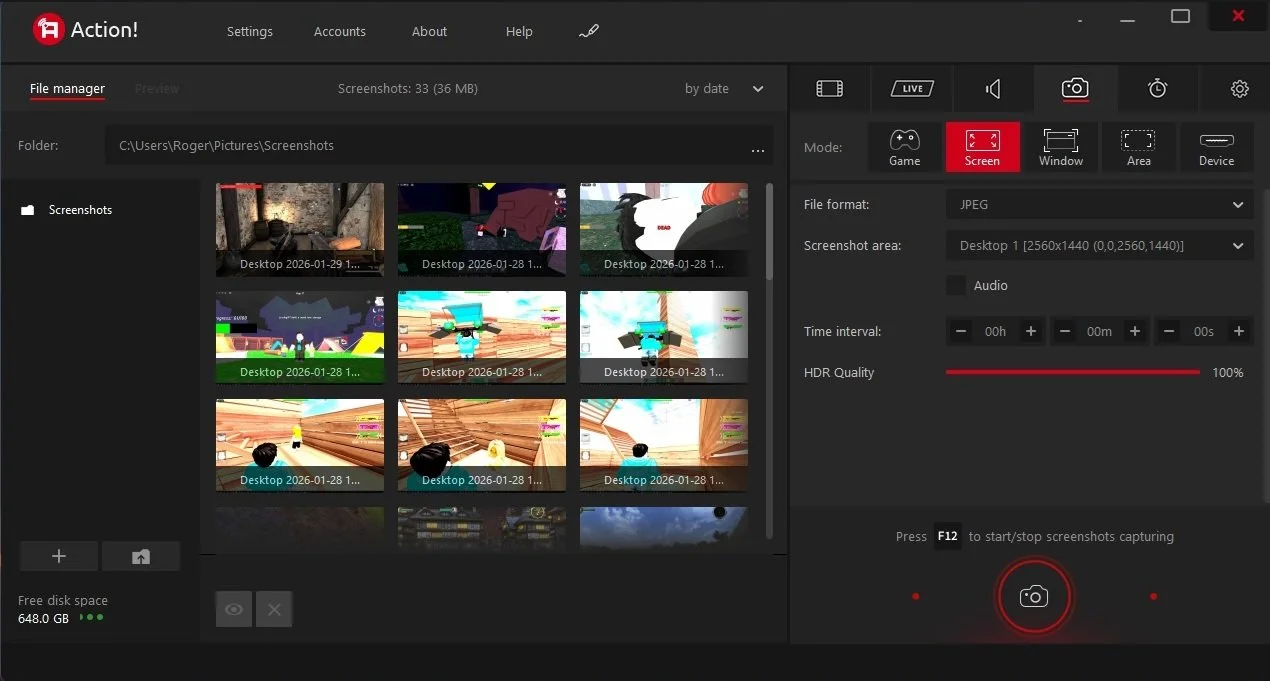
Last summer I wrote a post about my experiences using various screen capture software. At the time I was using Bandicam which suited all my needs. I had configured the software to launch at Windows start-up and had a hotkey assigned to capture images from my primary monitor. Hence I could quickly grab a screenshot from my desktop or when playing a game. However, this changed in November 2025, when I bought two new monitors. Both of which supported HDR (High Dynamic Range). Although they provide superior picture quality, HDR has a knock-on effect on Bandicam. Screen capture images and video look over exposed. Hence I had to stop using the software and find an alternative. Fortunately the same company has been developing an alternative product with HDR support; Bandi Camera. So I swapped to this software. The screenshots were far better but the functionality of the app was lacking.
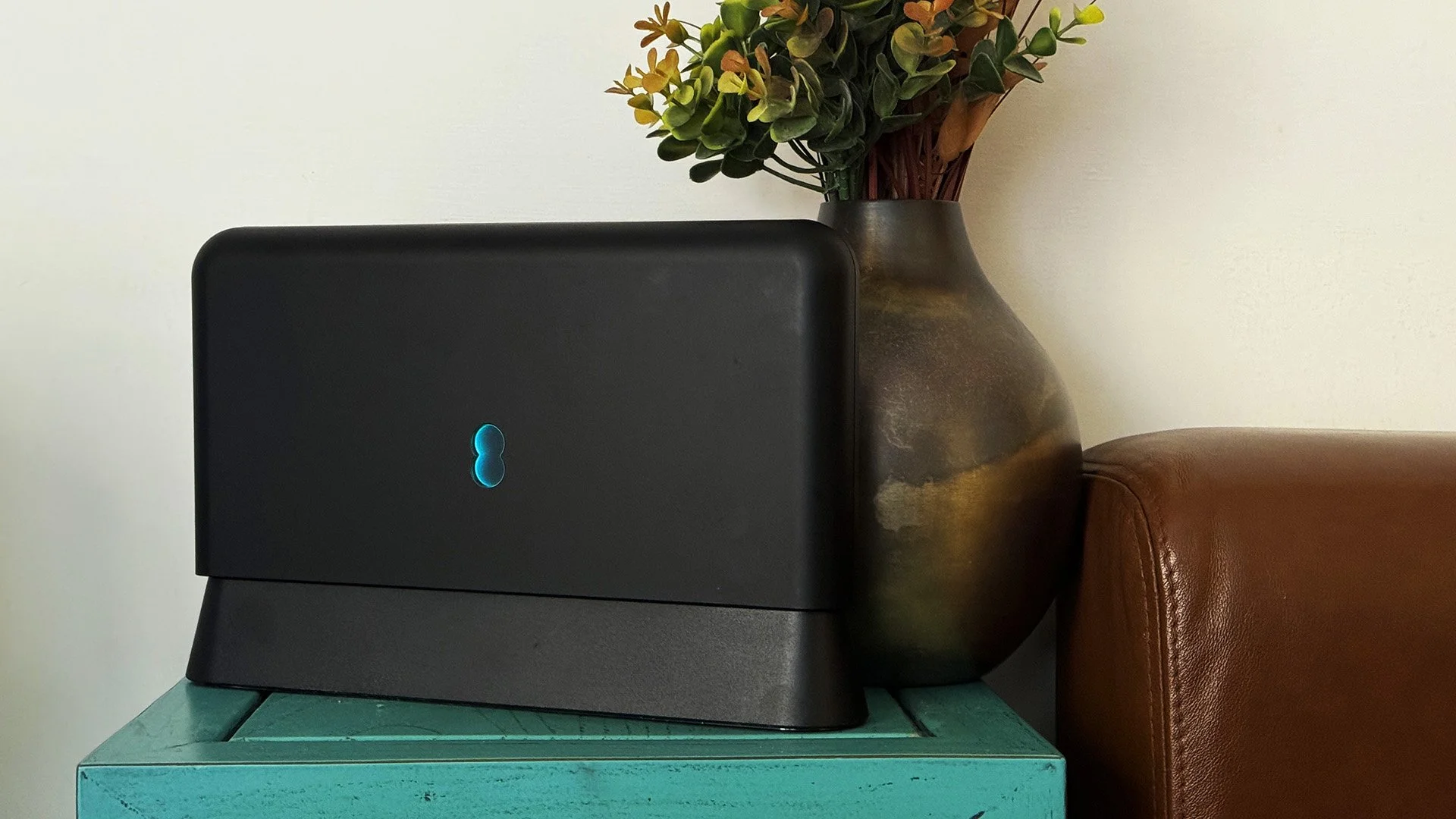
Our home has a 1 Gbps “fibre to the premises” internet connection. It has proven reliable since it was installed in June 2022. Our internet service provider EE (part of the BT group) are neither the best of worst suppliers. The monthly cost is not especially competitive and so we may be looking to move providers next Easter. However, that is a matter for the future. For the present there is a more immediate issue. Starting on Friday 21st November, our internet connection has started randomly dropping. Furthermore, both the Wi-Fi extender in the lounge and the wireless printer in my office have become disconnected from the network. It was as if their details had been erased from the router. I suspected that a recent firmware upgrade may be the culprit although EE denies it. However there are posts online from other customers with similar technical issues.

A couple of times a year, Mrs P asks me to copy onto her laptop, all the pictures that I’ve taken over recent months, as well as those that have been shared with us via WhatsApp. She then diligently whittles them down into a manageable amount which we then print off and put in our photo album. Yes we’re of the generation that still likes to print off hard copies of photos and from time to time look at them nostalgically. We have several albums with photographs in chronological order and numerous frames placed around the house, filled with pictures of family. The bulk of the photos are 4x6 inches (10x15 cm). We use an online photo printing service for the majority of our pictures and visit a local store with a self-service photographic department to print off specific pictures for bespoke frames. The original photos, now neatly organised, are backed up and archived.
I take a lot of screen captures of video games and Windows apps, usually for blog posts. I use both Bandicam and Windows Snipping Tool to do this and have set up various hotkeys to make the process easy. Of late, the screen captures that I’ve taken have all suffered from washed out colours, regardless what tool I used to take them. I checked to see if both these apps needed to be updated but they are running the latest versions. Hence I was initially stumped as to why this problem had started happening. After some thought, I deduced that the only new elements in my PC hardware were my two new monitors. Both of which support HDR. Google Gemini quickly informed me that this was a known issue and taking screen captures from an HDR enabled device resulted in an excessively bright image that looked over exposed.
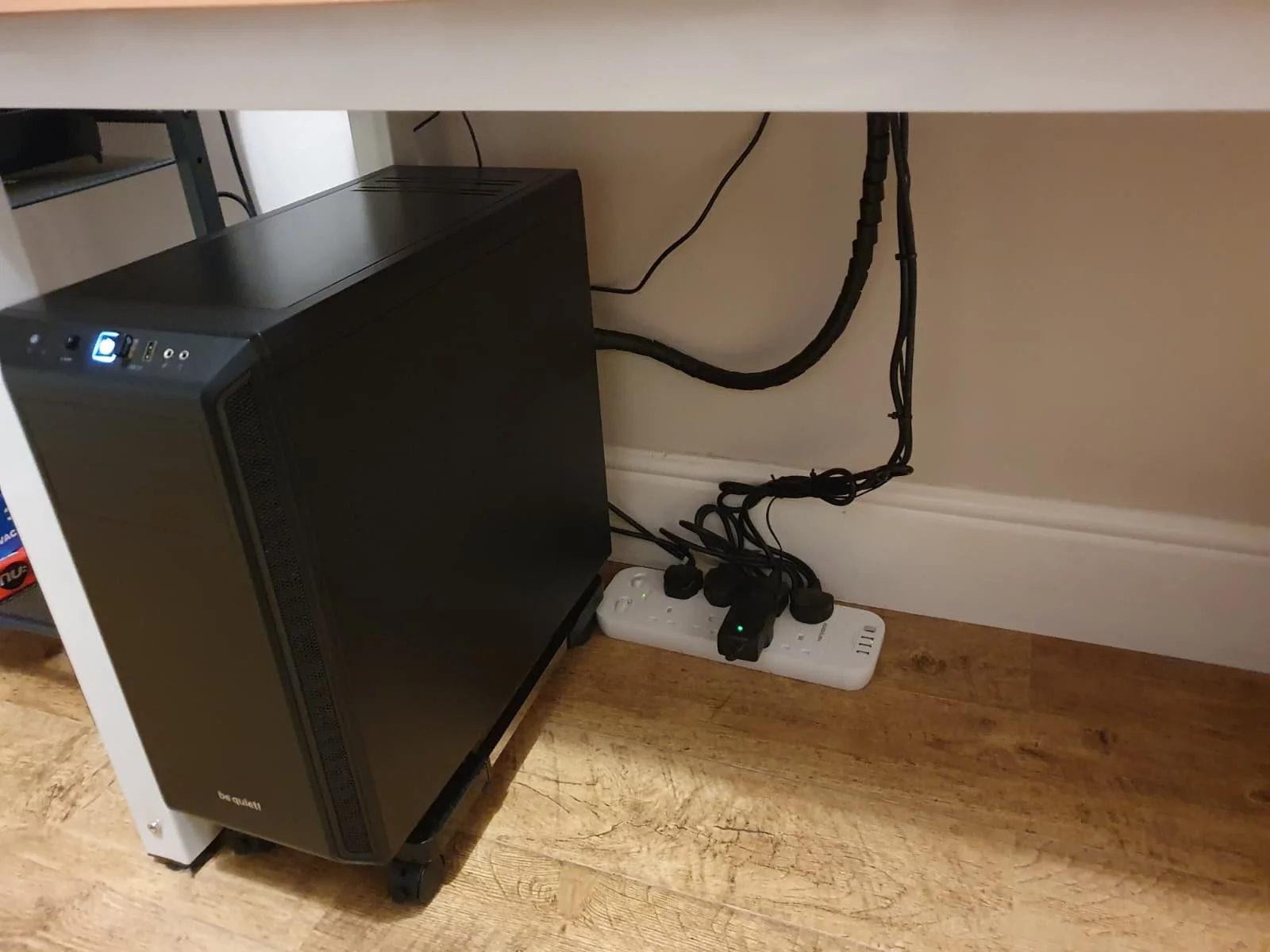
I recently bought two new monitors and a stand for my PC tower case. Today I thought I’d take the opportunity to disconnect every peripheral, clear my desk and then after a thorough clean, reassemble everything ensuring good cable management. I even went so far as to buy a new power extension lead so I could reorganise where everything was plugged in and therefore be able to isolate specific hardware. It seemed such a simple, straightforward task on paper. The reality was much different. It took me over three hours to sort out, mainly due to the fact that I don’t “bend” so well these days. During this Herculean task, my watch kept on notifying me that my heart rate was “high”. However, I regularly took breaks and fortified myself with gin for medicinal reasons. I am pleased with the results of this task.
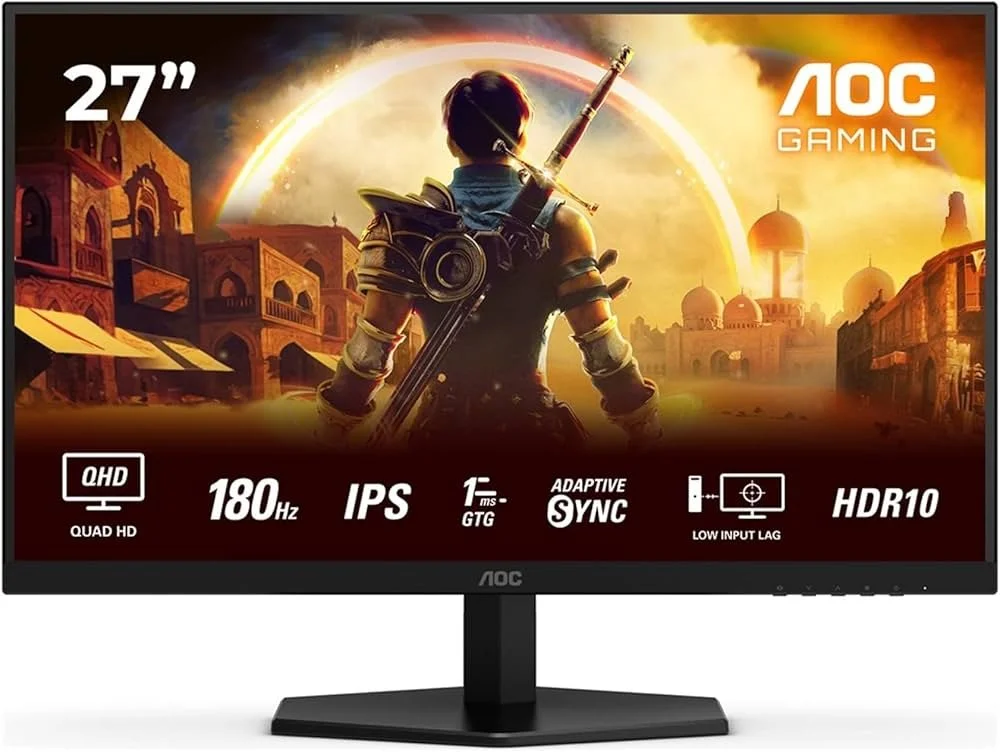
I use two monitors with my PC, as I find having the additional screen “real estate” invaluable when writing or playing games. Both monitors that I’ve been using up to now are somewhat old and they are not exactly the same size or resolution, although both are FHD. I have previously written about the problems I’ve had trying to get certain games and programs to display on specific monitors and the lengths I’ve had to go to to resolve this issue. To cut a long story short, I recently decided to replace both monitors with larger models with a higher resolution. Mainly because my eyesight is not what it used to be. I see best when working with a bright screen that can produce clear text. New monitors would also address my ongoing screen output problem. Hence, I set myself a reasonable budget and began researching appropriate replacements.

In July the UK Government introduced the Online Safety Act which requires age checks for accessing sexually explicit content online. As a result of this, Pornhub, the 19th most visited site on the internet, has reported a 77% decline in UK traffic. Furthermore, according to the UK regulatory body, OFCOM (The Office of Communications), overall visits to pornographic websites from the UK have fallen by 33%. Naturally, those who championed this legislation are claiming a moral and political victory. However, once you consider what these facts actually mean, they paint a somewhat different and potentially more worrying picture. It would be staggeringly naïve to think that UK visitors to Pornhub have ceased visiting such sites due to the age verification requirements. The more likely explanation is that UK porn consumers are now using VPNs to circumnavigate these restrictions and that this traffic to Pornhub is now recorded as coming from elsewhere.

It may be a case of preaching to the Choir but dust contamination in your PC causes overheating, decreased performance, and potential hardware failure. This mainly occurs due to dust restricting airflow, impeding components such as heat sinks and creating short circuits from conductive particles. Fluff builds up and restricts cooling fans, forcing them to work harder. Heat build can lead to issues like system crashes, lagging, and even permanent damage to the motherboard and CPU. Over time, it can shorten the lifespan of the computer and in severe cases, poses a fire hazard. When I used to work in IT contracting, I used to see the effects of dust contamination all the time. PC placed on carpet tiles or on top of desks and surrounded by other objects. I remember one PC replacement project I was working on where we found an old PC with a dead mouse in it. It was desiccated by the heat.

Usually I don’t have a problem with internet access when Mrs P and I are travelling. My phone data plan is sufficient for Google Maps and social media usage. Once we reach our hotel, it’s just a question of connecting to the free Wi-Fi or if need be, buying upgraded access. It’s seldom that expensive. When I went on holiday to Croatia this summer, I bought a bespoke data plan before arriving that granted me extra internet access. Our hotel in Makarska also had very robust internet access. Hence, regardless of being out and about or by the pool, I never had any issues getting online. The ubiquity of internet access means we often take it for granted. I seldom go to places in the UK or abroad that don’t have advanced IT infrastructure. Until this week.
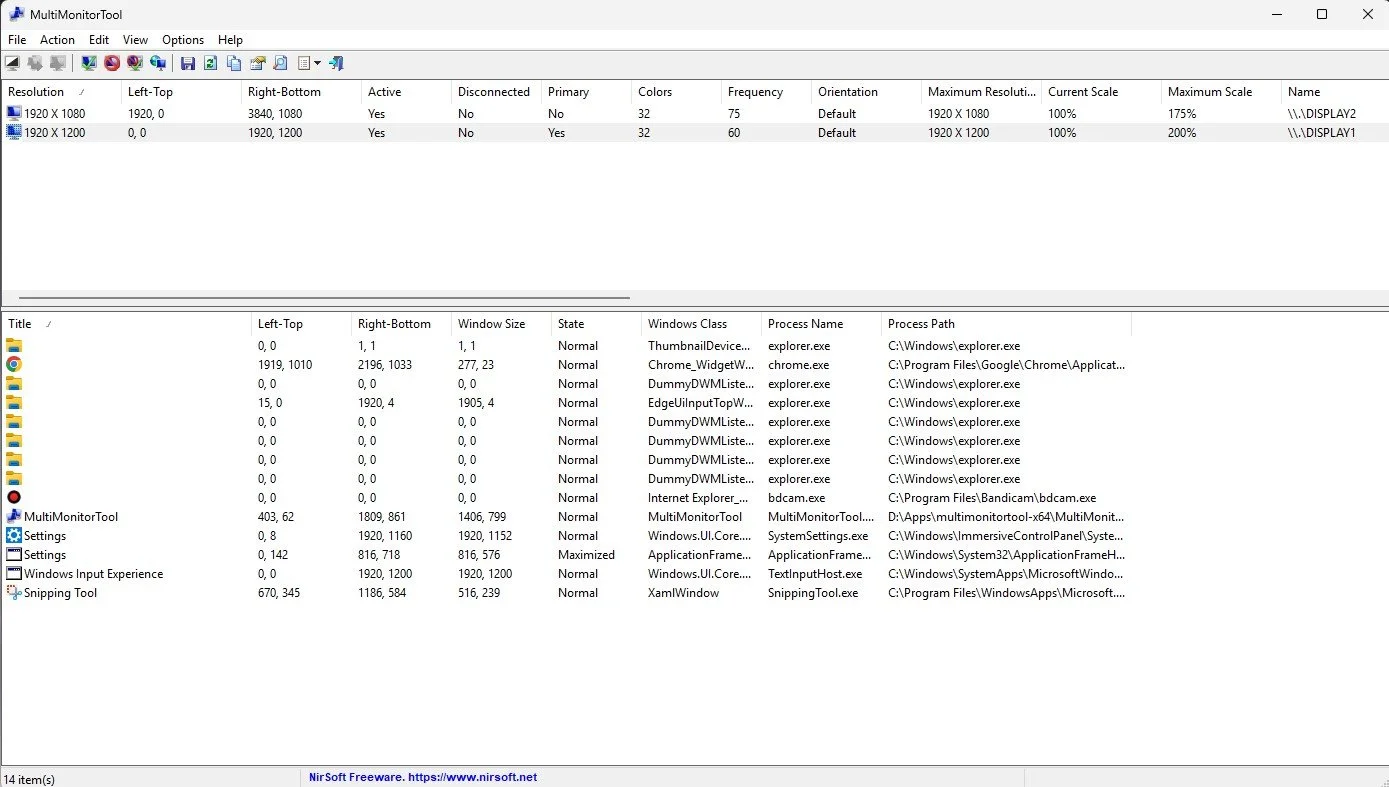
Back in January, I was very pleased because I had finally found some open source software, DisplayMagician, which allowed me to quickly and easily alter my display profile and run specific games and applications on my second monitor. Prior to this I would find that some programs just wouldn’t stay put, once they were dragged or otherwise cajoled to display on the monitor of my choice. They would continuously snap back to the primary display, regardless of my actions. DisplayMagician solved this issue and did so with aplomb. Or it did, until last weekend when I upgraded my PC from Windows 10 to 11. Then it stopped working. I therefore did some digging online and it became apparent that this is a known issue that is currently being addressed by its creator, Terry McDonald.

As part of our increasing dependency upon software, we have also grown accustomed to its associated foibles, especially the negative ones. Today, I upgraded my blog from Squarespace 7.0 to 7.1 and my PC operating system from Windows 10 to 11. I started early in the morning and ensured that all my personal data was backed up. My default expectation was that both processes would go wrong in some way, shape or form. Let’s take a moment to consider this mindset, which is born out of experience. It is now taken as read that whatever you upgrade, be it an app on your phone or a program on your PC, that it’s going to be problematic. It won’t be a seamless transition and you’ll end up having to do some sort of troubleshooting. Despite our lives becoming more dependent on such software, the quality of these products seems to be deteriorating. What a sorry state of affairs.
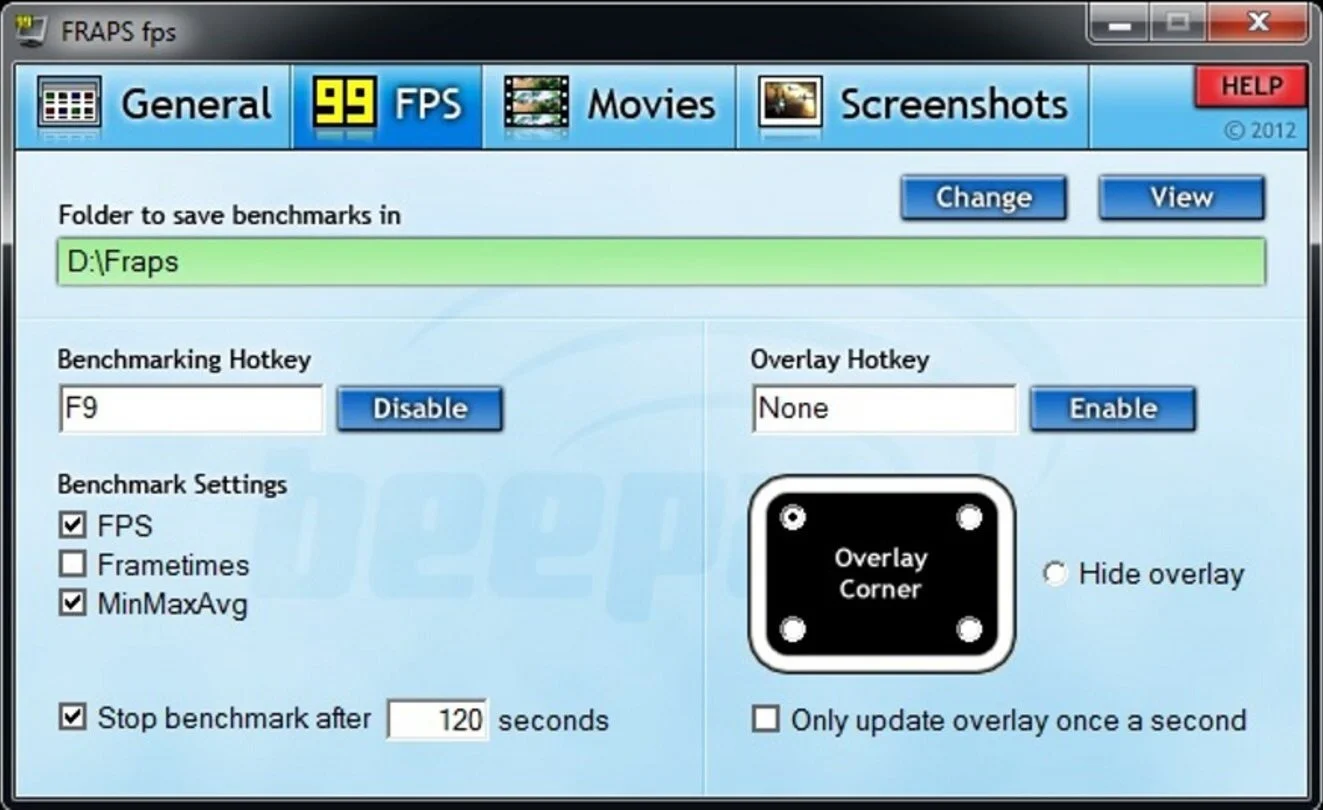
The ability to take a screen capture of a video game that you’re playing, or an open application or browser tab, is just something we take for granted. Windows 10/11 have a built-in tool called Snip & Sketch that is simple to use. Most of the games that I play have a specific hotkey for taking screenshots and a default directory to store them. Similarly, the latest builds of Windows also include the Xbox Game Bar software, which allows you to capture video from any application that you’re running on your PC. You can then edit via Clipchamp which is the successor to the old Windows Movie Maker. I believe the macOS comes with comparable default software. The absence of such apps today would be noticeable. However, there was a time when such things were not considered standard features.
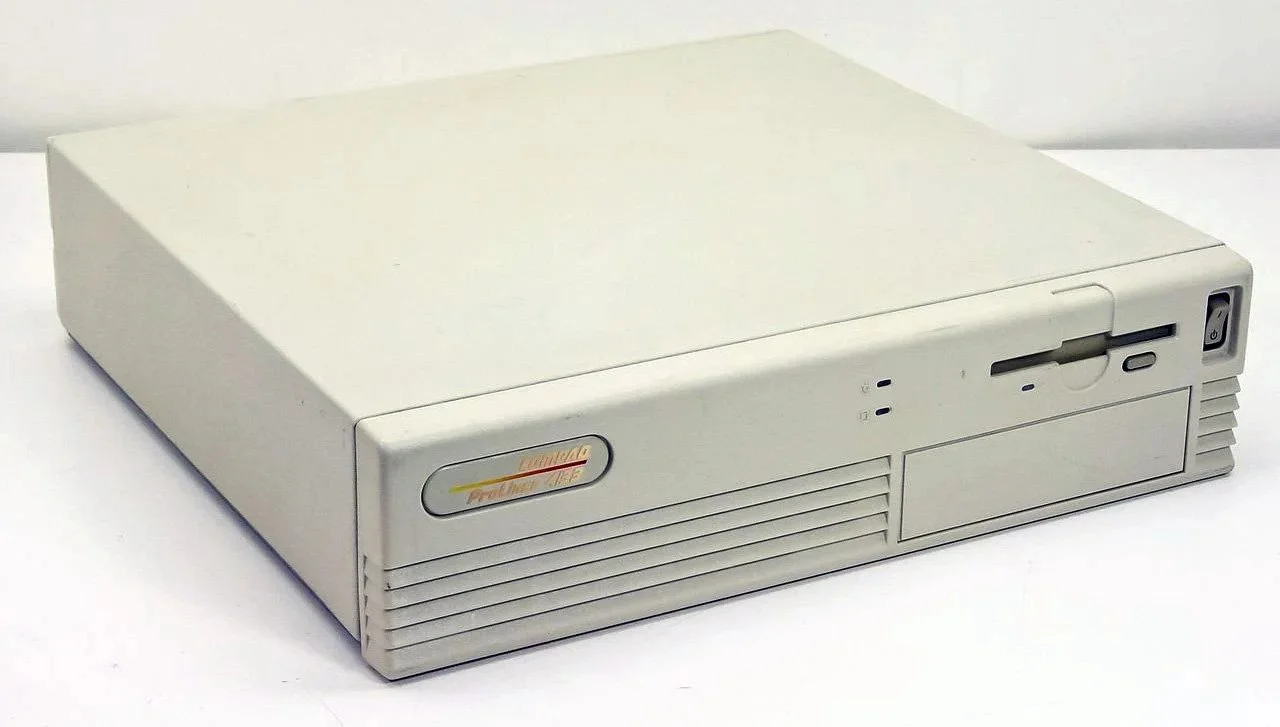
30 years ago, in early 1995, I bought my first PC, a second hand Compaq Prolinea 4/33. It had an Intel 486 DX processor, 340MB HDD, 4MB RAM, 3½-inch floppy disk drive and a 14-inch monitor with a screen resolution of 1024 x 768. It ran Windows 3.11 installed via MS-DOS 6.22. It didn’t come with a soundcard or a CD-ROM drive. I believe I paid around £750 or so at the time, which was approximately half its original retail price. This model was 2 or 3 years old when I bought it. However, at this time, PC specifications did not change as quickly as they do these days. Hence, this was a good starting point for someone new to computing. I subsequently upgraded the processor to a 486 DX2, increased the RAM to 16MB and installed a Creative Labs Sound Blaster AWE32 soundcard and CD-ROM drive.
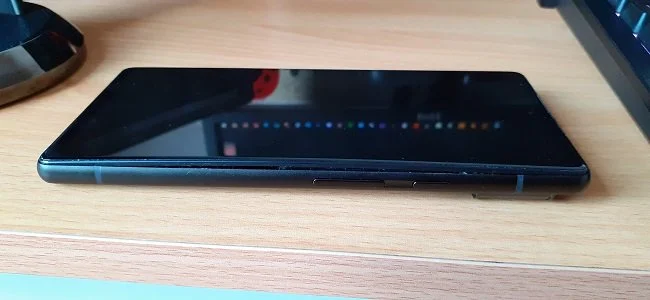
Three months ago, I wrote a blog post regarding how I wasn’t going to replace my phone because I was pretty much done with the endless treadmill that is “upgrade culture”. At the time my Google Pixel 6 was three years old but continued to serve all my smartphone needs. So I signed up for a new “SIM only” contract with Vodafone and went about my business, feeling somewhat pleased with myself. However, “needs must when the devil vomits into your kettle”, to quote Blackadder. I recently noticed that the screen on my phone was coming away from the main enclosure. There was a distinct curve along the right hand edge, as if there was something inside the phone applying pressure outwards. Sadly, that is precisely what was happening. I searched online to see if this was a known issue and was subsequently introduced to the problem known as battery bulge.

I had a novel experience (at least for me) this morning. I went to the cashpoint (that’s an ATM for those outside the UK) at my local supermarket, only to find it out of service. I had an imminent haircut appointment and no cash to pay my barber, who doesn’t take card payments. Fortunately, the supermarket did “cashback” so I bought a loaf of bread and some milk, paid £23 for them and was given £20 in cash. It’s a useful facility that I have never used until today. Usually I just make sure that I have a float of cash available but today the cashpoint being unavailable threw a spanner in the works. If the store did not do “cashback” then I would have had to reschedule my haircut. This minor hiccup got me thinking about our dependence on technology in our daily lives. A point that was further brought home, as my barber told me he had recently visited Spain and was affected by the national power outage.

I last bought a new phone in March 2022. At the time I decided to move away from Samsung after a decade of brand loyalty and try the Google Pixel 6. Let it suffice to say that I have found this handset to be most satisfactory. I like the size. It fits into the front pocket of my jeans. Its overall performance is very good and it has no issue running any of the apps that I regularly use. Subsequent software updates have improved some aspects of the camera, which initially had a poor zoom. Overall the good points of the Google Pixel 6 outweigh its flaws. Hence despite being 3 years old I am happy to keep using it. I have looked at what the subsequent iterations of the Google Pixel have to offer and I really don’t see any significant improvements or benefits. So despite being offered a handset upgrade by Vodafone, I have decided against one.
Experimenting With YouTube Part 2
I spent most of this morning and afternoon editing video content I captured while playing Sniper Elite Resistance. I assembled 26 minutes of highlights and then recorded a narration. After adding appropriate branding for Contains Moderate Peril, I then uploaded the finished video to YouTube. Sadly, the picture quality was problematic, often becoming pixelated and blocky when there was rapid movement. The volume of my narration was also too low, so I decided to delete the video from my channel. I was somewhat disappointed by this outcome and initially thought that the day had been a waste of time. However, as I write this post, it becomes very clear that this is just part of the learning curve. I have given some thought to the problem and I believe I have determined why this video was not up to the standard of the previous one. Ultimately, this is an invaluable lesson.
I spent most of this morning and afternoon editing video content I captured while playing Sniper Elite Resistance. I assembled 26 minutes of highlights and then recorded a narration. After adding appropriate branding for Contains Moderate Peril, I then uploaded the finished video to YouTube. Sadly, the picture quality was problematic, often becoming pixelated and blocky when there was rapid movement. The volume of my narration was also too low, so I decided to delete the video from my channel. I was somewhat disappointed by this outcome and initially thought that the day had been a waste of time. However, as I write this post, it becomes very clear that this is just part of the learning curve. I have given some thought to the problem and I believe I have determined why this video was not up to the standard of the previous one. Ultimately, this is an invaluable lesson.
In my last post on this subject, I mentioned how I was having problems with audio desync when editing video captured by OBS Studio. This was due to the video material having a variable frame rate. Hence I moved over to XSplit Broadcaster because users on Reddit stated it produced video with a continuous bit rate. Sadly, this change appears to have cured one problem and caused another. The raw video footage captured by XSplit Broadcaster plays fine when editing and there are no audio issues. However, when I encoded the final edit, the results were poor quality. I used exactly the same encoding settings as I did last time, which produced a viable video that I successfully uploaded to YouTube. That was not the case this time. The only element of my production process that changed was the video capture software. I shall therefore switch back to OBS Studio.
There is no guarantee that this is the correct solution to the problem. There are many variables involved in this process and the problem may lie elsewhere. However, swapping back to OBS Studio is a logical step. The software has been updated since I last used it and if the issue with variable frame rates returns, I can always use third party software to resolve the issue and re-encode any video to a constant frame rate of 60 FPS. In the meantime, this project remains a work in progress, so I have come to terms with the possibility that further technical issues may occur along the way. I shall do some further research online, to see if anyone has had a similar problem. Then I’ll record some more game highlights, repeat my production process and see if the video quality improves. I’ll share my results in the next post in this series, as that’s what it now appears to be.
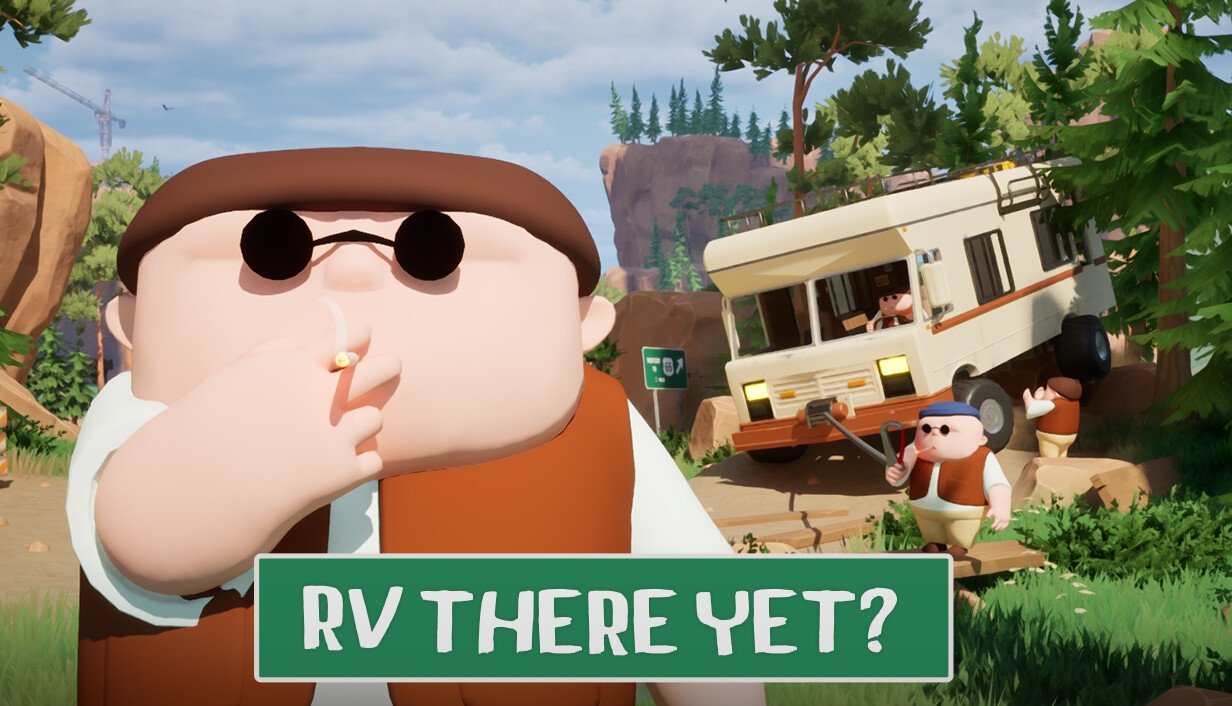
RV There Yet? is possibly the most entertaining game I’ve never played. My vicarious pleasure regarding this title has come exclusively from watching two popular YouTubers, JackFrags and WillFromWork, play through the game over a series of videos. It has been immensely amusing to watch and I have empathised a great deal as the group of four players has struggled with the game’s unpredictable mechanics and their own team’s dynamic. I could go and buy RV There Yet? myself but I doubt if I would ever have a gaming experience anywhere close to what I’ve watched online recently. So in some respects watching these videos has been an interesting alternative as I’ve been entertained, which ultimately is the point of video games. Perhaps there is a deeper philosophical point here that the game developers should reflect upon, as they’ve lost a potential sale. However, that is separate discussion for another day.

I recently watched a video on Patreon by someone who I actively support as a “content creator” and whose work I enjoy. I shall provide no more detail regarding their identity because they may not want their work referenced with regard to what I am going to say. During the course of their video they briefly referenced the work put into promoting a podcast they are currently producing and the relatively low audience that it has garnered so far. The comments were an aside and most certainly not said with any sense of self-pity. They were simply a statement of fact. Furthermore, I suspect they are far from unique and similar sentiments have been expressed in one way or another by anyone who has created something the published it online, only for it to be lost among the greater white noise” of the wider internet.
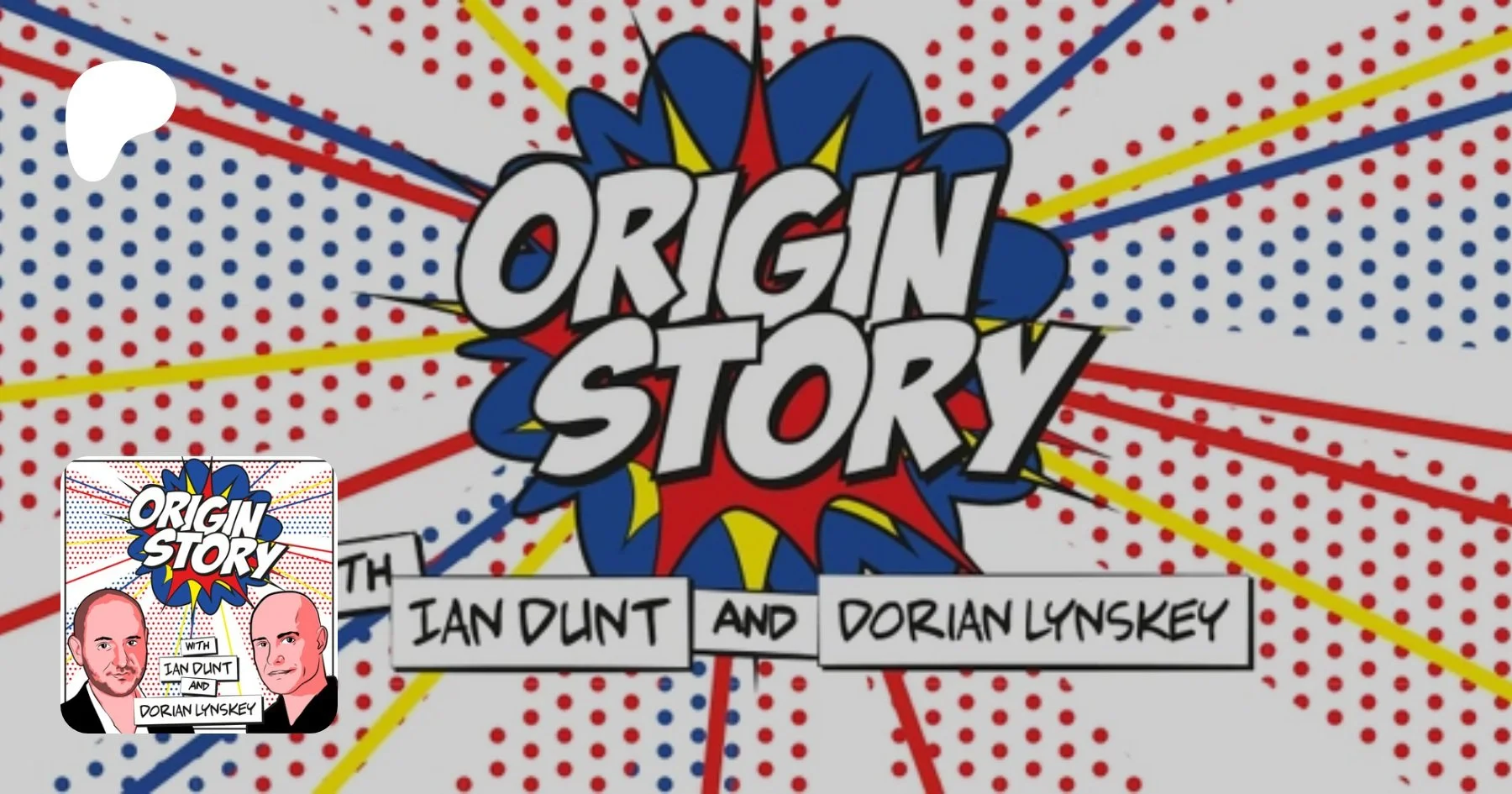
Have you noticed how politicians, pundits and media commentators will often throw around phrases and buzzwords when discussing the news and other major political talking points? “Cultural Marxism” and “Metropolitan Elite” are two examples that spring to mind. Often it is clear that the person using these phrases has no idea what they mean or what their provenance is. Perhaps you’ve thought that it would be useful to learn more about these terms or the background behind certain institutions or movements. If this is the case then I wholeheartedly recommend the Origin Story podcast. To quote from their website “What are the real stories behind the most misunderstood and abused ideas in politics? From Conspiracy Theory to Woke to Centrism and beyond, Ian Dunt and Dorian Lynskey dig into the astonishing secret histories of concepts you thought you knew”.
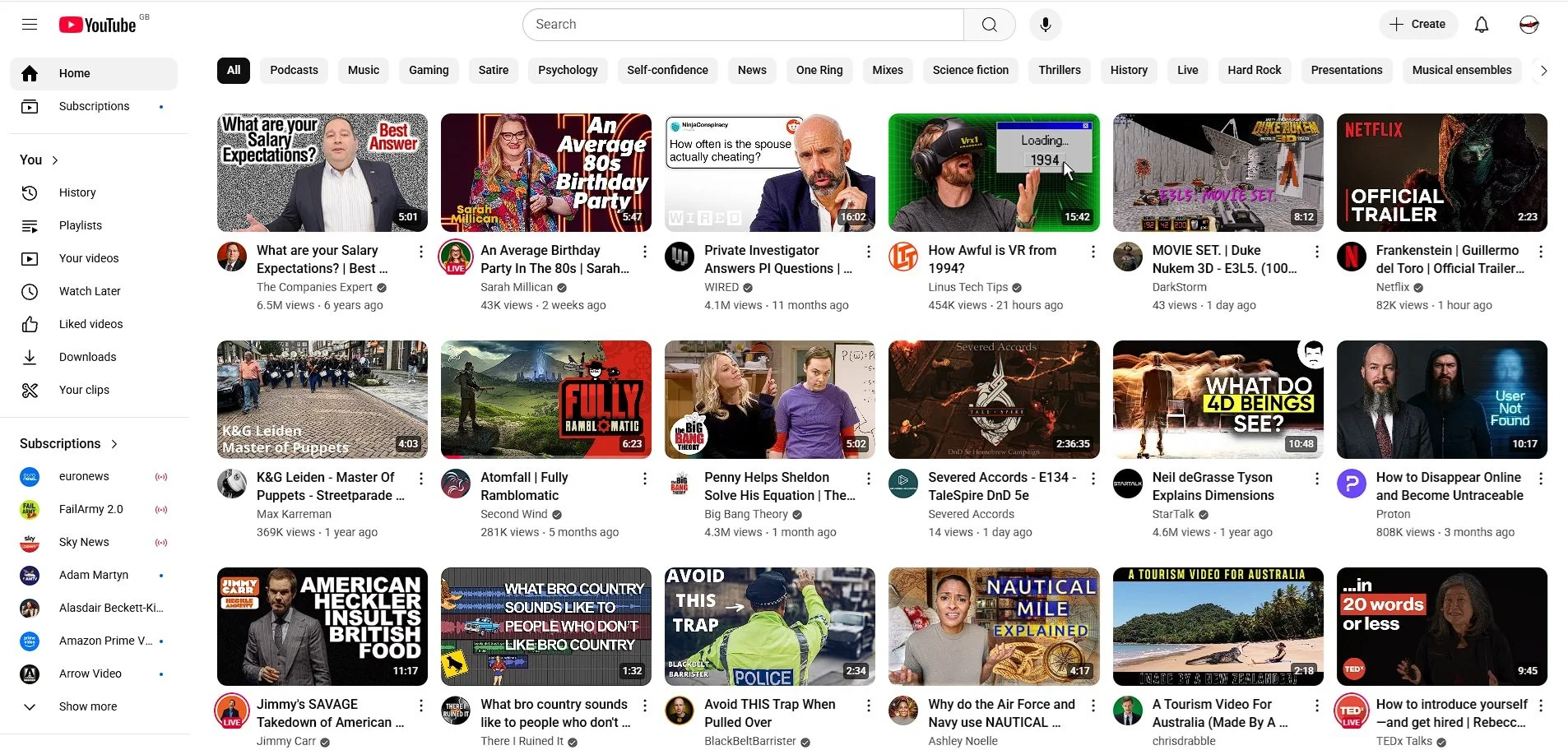
I use a browser extension called Control Panel for YouTube, which allows me to determine who many videos are displayed on my YouTube homepage and to filter the content that is shown. At present it is configured to display rows of six. Something that I have noticed of late, is the amount of videos with hyperbolic titles and thumbnail images created by AI. Both of which are design choices made to increase engagement. Clickbait titles are contrived to meet current SEO optimisation criteria and as such feature more and more in search results. The fact that they frequently have no relation to the subject I am researching, seems to be neither here nor there. The same issues arise with regard to AI generated images, which again frequently have no bearing on the matter. The fact that more and more content creators do this, infers that it works and is now an essential part of the process you must follow to be seen and featured in search results.
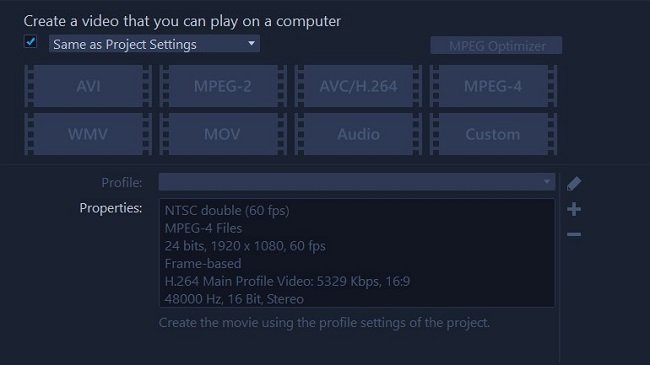
I spent most of this morning and afternoon editing video content I captured while playing Sniper Elite Resistance. I assembled 26 minutes of highlights and then recorded a narration. After adding appropriate branding for Contains Moderate Peril, I then uploaded the finished video to YouTube. Sadly, the picture quality was problematic, often becoming pixelated and blocky when there was rapid movement. The volume of my narration was also too low, so I decided to delete the video from my channel. I was somewhat disappointed by this outcome and initially thought that the day had been a waste of time. However, as I write this post, it becomes very clear that this is just part of the learning curve. I have given some thought to the problem and I believe I have determined why this video was not up to the standard of the previous one. Ultimately, this is an invaluable lesson.
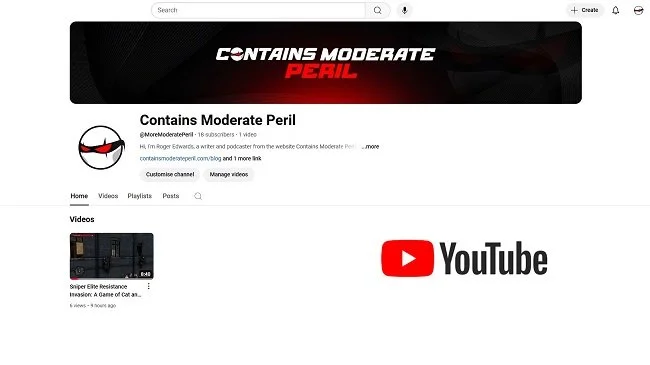
I recently wrote a post about how I wanted to have a go at producing some gaming videos for YouTube. “How hard can it be?” I asked rhetorically, knowing that there would probably be a lot more to the process than meets the eye. Two weeks on and I can report back that there is indeed a learning curve but it is not insurmountable. I managed to figure out how to record a video game, edit it and then add a narration as well as a simple animated logo. Furthermore, I succeeded in doing this without spending a lot of money. I bought some video editing software and a year’s subscription to XSplit Broadcaster but got a really good deal on both. In total I paid £41, which is very reasonable. Hence yesterday, I posted my first video on the officially relaunched Contains Moderate Peril YouTube channel.

The notion of live streaming or recording video game playthroughs is now a clearly established part of popular culture. It is something you can do while sitting on your sofa, watching TV in your lounge. A decade ago, people were far more sceptical about it and would scratch their head and ask “why would you want to watch someone else play a game”? Yet here we are in 2025 and 15% of YouTube content is about video games. Furthermore 20 out of the top 100 content creators are producing video game related material. As of last year, YouTube videos about games were generating 6 billion monthly views, on average. Where there are views, there’s advertising. Hence there’s the potential to make a lot of money, which only encourages further growth.

I am not going to discuss the history of internet advertising, or the moral or ethical concerns that go hand in hand with it. There is a basic argument that people who make content want to get paid and I suspect that most people appreciate this, at least in principle. However, there is a counter argument regarding the way advertising is managed. For example, how many adverts is acceptable during the course of say a live stream of a YouTube video. Also there is a discussion to be had about what kind of adverts are shown and whether they need to be integrated into the content in a more equitable manner. However, that is not what this post is about. I am going to start from the logical and honest position that many of us use ad blockers. We do so because we find advertising crass and invasive. I guess there is a degree of cognitive dissonance regarding their use, versus the ethics of the matter but humans are like that. We are contradictory by nature.

Another week, another internet “drama”. I don’t actively seek this shit out. It just bleeds through into my social media timeline with tedious regularity. This latest debacle is regarding the popular (by which I mean over 15 million subscribers) technology product review YouTube channel, Linus Tech Tips. There have been claims of factual inaccuracies in recent reviews and a focus in getting content produced quickly at the expense of quality. Then a former employee made allegations of a toxic work environment and sexual harassment. As a result there has been a great deal of “online outrage” from those who assumed up until now that Linus Tech Tips was a bastion of integrity. Then there was the formal reply video from Linus Tech Tips about the allegations, which made matters worse by joking about the situation and running ads. As a result the YouTube channel has suspended video production for a week. You can read more details on this situation on the Forbes website.

I was perusing the various YouTube channels that I subscribe to recently, enjoying a broad range of high quality content, when I suddenly realised that the majority of them had some sort of optional monetisation scheme associated with them. By realised I mean that it suddenly clicked with me that so many people are trying to raise funds to pay for their production costs. It’s certainly something I can identify with. I’ve been running a blog since 2007 and even that can be a money pit. There’s domain registrations, hosting costs, design work etc. It was even more expensive when I was producing a podcast. That incurred further hosting expenses and then there was the hardware to buy. So I fully appreciate the situation that many YouTubers find themselves in. They spend their own precious time and money creating quality material that many consume assuming that it is all just “free”.
Experimenting With YouTube Part 1
I recently wrote a post about how I wanted to have a go at producing some gaming videos for YouTube. “How hard can it be?” I asked rhetorically, knowing that there would probably be a lot more to the process than meets the eye. Two weeks on and I can report back that there is indeed a learning curve but it is not insurmountable. I managed to figure out how to record a video game, edit it and then add a narration as well as a simple animated logo. Furthermore, I succeeded in doing this without spending a lot of money. I bought some video editing software and a year’s subscription to XSplit Broadcaster but got a really good deal on both. In total I paid £41, which is very reasonable. Hence yesterday, I posted my first video on the officially relaunched Contains Moderate Peril YouTube channel.
I recently wrote a post about how I wanted to have a go at producing some gaming videos for YouTube. “How hard can it be?” I asked rhetorically, knowing that there would probably be a lot more to the process than meets the eye. Two weeks on and I can report back that there is indeed a learning curve but it is not insurmountable. I managed to figure out how to record a video game, edit it and then add a narration as well as a simple animated logo. Furthermore, I succeeded in doing this without spending a lot of money. I bought some video editing software and a year’s subscription to XSplit Broadcaster but got a really good deal on both. In total I paid £41, which is very reasonable. Hence yesterday, I posted my first video on the officially relaunched Contains Moderate Peril YouTube channel.
Like a lot of people, I captured my video game material using OBS Studio. This was easy to configure as there are plenty of YouTube videos on this subject. Deciding what software to use for editing was a little trickier. I didn’t want to use a beast such as DaVinci Resolve as it smacks of using a sledgehammer to crack a walnut. Eventually I read a comparison review over at TechRadar and Corel VideoStudio 2023 seemed to fit the scope of my project. It has proved easy to learn and is well supported. All went well to begin with. I edited an 18 minute video down to 8. However, when I started adding more material, I noticed that the sound started getting out of sync, leading to a crash course in the iniquities of video content recorded with a variable frame rate. Remuxing offered a solution but added an extra layer of work. So I switched from OBS Studio, to Bandicam (which stuttered) to XSplit Broadcaster.
The thing about making videos for YouTube, is that it’s only half of the work. Uploading the finished MP4 file and having to input all the metadata required for posting, is a complex task. There is an element of “voodoo” associated with choosing a title and a thumbnail image, along with selecting the right keywords and writing a description that will potentially intrigue viewers. If you’re looking to monetise your YouTube channel (which mercifully, I am not) then there is a lot of pressure to get this process right. Like writing online, I can see how easy it is to start obsessing about numbers and traffic. However, YouTube is already an oversubscribed space so it is best to put thoughts of “global domination” out of your mind. I have and I am just pleased that I managed to produce something.
I guess the question remains, am I going to post YouTube videos regularly? Not exactly. I am going to try to do a few more and see if I can learn how to refine my presentation and make the production process more efficient. If that can be done I don’t see why I can’t publish something once a month? But in true blogger style, I reserve the right to get bored and lose interest, or to have unforeseen complexities in my life which prevent me from doing anything online. It has been fun learning something new. I like to challenge myself and think it important to keep the brain ticking over, especially as you get older. This project has also been a timely reminder of how hard some YouTube content creators work. Especially those who clearly do it as a means of income. It is far more labour intensive than blogging.
RV There Yet? is possibly the most entertaining game I’ve never played. My vicarious pleasure regarding this title has come exclusively from watching two popular YouTubers, JackFrags and WillFromWork, play through the game over a series of videos. It has been immensely amusing to watch and I have empathised a great deal as the group of four players has struggled with the game’s unpredictable mechanics and their own team’s dynamic. I could go and buy RV There Yet? myself but I doubt if I would ever have a gaming experience anywhere close to what I’ve watched online recently. So in some respects watching these videos has been an interesting alternative as I’ve been entertained, which ultimately is the point of video games. Perhaps there is a deeper philosophical point here that the game developers should reflect upon, as they’ve lost a potential sale. However, that is separate discussion for another day.
I recently watched a video on Patreon by someone who I actively support as a “content creator” and whose work I enjoy. I shall provide no more detail regarding their identity because they may not want their work referenced with regard to what I am going to say. During the course of their video they briefly referenced the work put into promoting a podcast they are currently producing and the relatively low audience that it has garnered so far. The comments were an aside and most certainly not said with any sense of self-pity. They were simply a statement of fact. Furthermore, I suspect they are far from unique and similar sentiments have been expressed in one way or another by anyone who has created something the published it online, only for it to be lost among the greater white noise” of the wider internet.
Have you noticed how politicians, pundits and media commentators will often throw around phrases and buzzwords when discussing the news and other major political talking points? “Cultural Marxism” and “Metropolitan Elite” are two examples that spring to mind. Often it is clear that the person using these phrases has no idea what they mean or what their provenance is. Perhaps you’ve thought that it would be useful to learn more about these terms or the background behind certain institutions or movements. If this is the case then I wholeheartedly recommend the Origin Story podcast. To quote from their website “What are the real stories behind the most misunderstood and abused ideas in politics? From Conspiracy Theory to Woke to Centrism and beyond, Ian Dunt and Dorian Lynskey dig into the astonishing secret histories of concepts you thought you knew”.
I use a browser extension called Control Panel for YouTube, which allows me to determine who many videos are displayed on my YouTube homepage and to filter the content that is shown. At present it is configured to display rows of six. Something that I have noticed of late, is the amount of videos with hyperbolic titles and thumbnail images created by AI. Both of which are design choices made to increase engagement. Clickbait titles are contrived to meet current SEO optimisation criteria and as such feature more and more in search results. The fact that they frequently have no relation to the subject I am researching, seems to be neither here nor there. The same issues arise with regard to AI generated images, which again frequently have no bearing on the matter. The fact that more and more content creators do this, infers that it works and is now an essential part of the process you must follow to be seen and featured in search results.
I spent most of this morning and afternoon editing video content I captured while playing Sniper Elite Resistance. I assembled 26 minutes of highlights and then recorded a narration. After adding appropriate branding for Contains Moderate Peril, I then uploaded the finished video to YouTube. Sadly, the picture quality was problematic, often becoming pixelated and blocky when there was rapid movement. The volume of my narration was also too low, so I decided to delete the video from my channel. I was somewhat disappointed by this outcome and initially thought that the day had been a waste of time. However, as I write this post, it becomes very clear that this is just part of the learning curve. I have given some thought to the problem and I believe I have determined why this video was not up to the standard of the previous one. Ultimately, this is an invaluable lesson.
I recently wrote a post about how I wanted to have a go at producing some gaming videos for YouTube. “How hard can it be?” I asked rhetorically, knowing that there would probably be a lot more to the process than meets the eye. Two weeks on and I can report back that there is indeed a learning curve but it is not insurmountable. I managed to figure out how to record a video game, edit it and then add a narration as well as a simple animated logo. Furthermore, I succeeded in doing this without spending a lot of money. I bought some video editing software and a year’s subscription to XSplit Broadcaster but got a really good deal on both. In total I paid £41, which is very reasonable. Hence yesterday, I posted my first video on the officially relaunched Contains Moderate Peril YouTube channel.
The notion of live streaming or recording video game playthroughs is now a clearly established part of popular culture. It is something you can do while sitting on your sofa, watching TV in your lounge. A decade ago, people were far more sceptical about it and would scratch their head and ask “why would you want to watch someone else play a game”? Yet here we are in 2025 and 15% of YouTube content is about video games. Furthermore 20 out of the top 100 content creators are producing video game related material. As of last year, YouTube videos about games were generating 6 billion monthly views, on average. Where there are views, there’s advertising. Hence there’s the potential to make a lot of money, which only encourages further growth.
I am not going to discuss the history of internet advertising, or the moral or ethical concerns that go hand in hand with it. There is a basic argument that people who make content want to get paid and I suspect that most people appreciate this, at least in principle. However, there is a counter argument regarding the way advertising is managed. For example, how many adverts is acceptable during the course of say a live stream of a YouTube video. Also there is a discussion to be had about what kind of adverts are shown and whether they need to be integrated into the content in a more equitable manner. However, that is not what this post is about. I am going to start from the logical and honest position that many of us use ad blockers. We do so because we find advertising crass and invasive. I guess there is a degree of cognitive dissonance regarding their use, versus the ethics of the matter but humans are like that. We are contradictory by nature.
Another week, another internet “drama”. I don’t actively seek this shit out. It just bleeds through into my social media timeline with tedious regularity. This latest debacle is regarding the popular (by which I mean over 15 million subscribers) technology product review YouTube channel, Linus Tech Tips. There have been claims of factual inaccuracies in recent reviews and a focus in getting content produced quickly at the expense of quality. Then a former employee made allegations of a toxic work environment and sexual harassment. As a result there has been a great deal of “online outrage” from those who assumed up until now that Linus Tech Tips was a bastion of integrity. Then there was the formal reply video from Linus Tech Tips about the allegations, which made matters worse by joking about the situation and running ads. As a result the YouTube channel has suspended video production for a week. You can read more details on this situation on the Forbes website.
I was perusing the various YouTube channels that I subscribe to recently, enjoying a broad range of high quality content, when I suddenly realised that the majority of them had some sort of optional monetisation scheme associated with them. By realised I mean that it suddenly clicked with me that so many people are trying to raise funds to pay for their production costs. It’s certainly something I can identify with. I’ve been running a blog since 2007 and even that can be a money pit. There’s domain registrations, hosting costs, design work etc. It was even more expensive when I was producing a podcast. That incurred further hosting expenses and then there was the hardware to buy. So I fully appreciate the situation that many YouTubers find themselves in. They spend their own precious time and money creating quality material that many consume assuming that it is all just “free”.
Thinking Out Loud is a recurring post where I write about thoughts and ideas that have recently occurred to me. As ever the intention is not to develop these ideas into full blown blog posts, although they often the could be. Instead I just collate a few sentences to express my point and leave it at that. The idea being that if anyone else wants to pick up the conversation they can do so in the comments section below. On this occasion the various points are all technology based. I’ve been busy of late with several projects, such as building a new website and creating some widgets specifically for it. Like most technical projects things don’t often go as planned and problems occur unexpectedly. Hence, I thought why not make a themed instalment of Thinking Out Loud this time round? It’s something that I may well do this again in the future. As ever, feel free to make your thoughts known.